ECO mode CHEVROLET COLORADO 2020 Owner's Manual
[x] Cancel search | Manufacturer: CHEVROLET, Model Year: 2020, Model line: COLORADO, Model: CHEVROLET COLORADO 2020Pages: 368, PDF Size: 5.67 MB
Page 3 of 368
Chevrolet Colorado Owner Manual (GMNA-Localizing-U.S./Canada/Mexico-
13566640) - 2020 - CRC - 9/30/19
2 Introduction
Introduction
The names, logos, emblems,
slogans, vehicle model names, and
vehicle body designs appearing in
this manual including, but not limited
to, GM, the GM logo, CHEVROLET,
the CHEVROLET Emblem, and
COLORADO are trademarks and/or
service marks of General Motors
LLC, its subsidiaries, affiliates,
or licensors.
For vehicles first sold in Canada,
substitute the name“General
Motors of Canada Company” for
Chevrolet Motor Division wherever it
appears in this manual. This manual describes features that
may or may not be on the vehicle
because of optional equipment that
was not purchased on the vehicle,
model variants, country
specifications, features/applications
that may not be available in your
region, or changes subsequent to
the printing of this owner
’s manual.
If this vehicle has the Duramax
diesel engine, see the Duramax
diesel supplement for additional and
specific information on this engine.
Refer to the purchase
documentation relating to your
specific vehicle to confirm the
features.
Keep this manual in the vehicle for
quick reference.
Canadian Vehicle Owners
A French language manual can be
obtained from your dealer, at
www.helminc.com, or from:
Propriétaires Canadiens
On peut obtenir un exemplaire de
ce guide en français auprès du
concessionnaire ou à l'adresse
suivante:
Helm, Incorporated
Attention: Customer Service
47911 Halyard Drive
Plymouth, MI 48170
USA
Using this Manual
To quickly locate information about
the vehicle, use the Index in the
back of the manual. It is an
alphabetical list of what is in the
manual and the page number where
it can be found.
Danger, Warning, and
Caution
Warning messages found on vehicle
labels and in this manual describe
hazards and what to do to avoid or
reduce them.
Litho in U.S.A.
Part No. 84354075 B Second Printing©2019 General Motors LLC. All Rights Reserved.
Page 34 of 368
Chevrolet Colorado Owner Manual (GMNA-Localizing-U.S./Canada/Mexico-
13566640) - 2020 - CRC - 9/30/19
Seats and Restraints 33
The temperature performance of an
unoccupied seat may be reduced.
This is normal.
The heated seats will not turn on
during a remote start unless they
are enabled in the vehicle
personalization menu. SeeRemote
Vehicle Start 015 and
Vehicle Personalization 0120.Rear Seats
Rear Seat Reminder
If equipped, the message REAR
SEAT REMINDER LOOK IN REAR
SEAT displays under certain
conditions indicating there may be
an item or passenger in the rear
seat. Check before exiting the
vehicle.
This feature will activate when a
second row door is opened while
the vehicle is on or up to 10 minutes
before the vehicle is turned on.
There will be an alert when the
vehicle is turned off. The alert does
not directly detect objects in the rear
seat; instead, under certain
conditions, it detects when a rear
door is opened and closed,
indicating that there may be
something in the rear seat.
The feature is active only once each
time the vehicle is turned on and off,
and will require reactivation by
opening and closing the second row
doors. There may be an alert even
when there is nothing in the rear
seat; for example, if a child entered the vehicle through the rear door
and left the vehicle without the
vehicle being shut off.
The feature can be turned on or off.
See
Vehicle Personalization 0120.
Folding the Rear Seat
On crew cab models, the rear
seatbacks can be folded forward.
Caution
Folding a rear seat with the seat
belts still fastened may cause
damage to the seat or the seat
belts. Always unbuckle the seat
belts and return them to their
normal stowed position before
folding a rear seat.
To fold a rear seatback: 1. Fold the head restraint. See Head Restraints 028.
Page 37 of 368
Chevrolet Colorado Owner Manual (GMNA-Localizing-U.S./Canada/Mexico-
13566640) - 2020 - CRC - 9/30/19
36 Seats and Restraints
cycle. For fleet vehicles, shifting
from P (Park) will be prevented each
time these conditions exist.
On some models, Buckle to Drive
may also prevent shifting out of
P (Park) if a front passenger is
unbuckled under similar conditions.
A message displays in the DIC.
Buckle the front passenger seat belt
to shift out of P (Park). This feature
may not allow the vehicle to shift out
of P (Park) if an object, such as a
briefcase, handbag, grocery bag,
laptop, or other electronic device, is
on the front passenger seat. If this
happens, remove the object from
the seat or buckle the seat belt to
shift out of P (Park).
If the driver or present front
passenger remains unbuckled, the
DIC message will turn off after
several seconds and the vehicle can
be shifted out of P (Park). See“Seat
Belts” and“Child Restraints” in the
Index for information about the
importance of proper restraint use.
If the driver seat belt, and/or the
front passenger seat belt on some
vehicles, is unbuckled when driving, the seat belt reminder chime and
light(s) will come on. See
Seat Belt
Reminders 0103.
This feature may not function
properly if the airbag readiness light
is on. See Airbag Readiness Light
0 104.
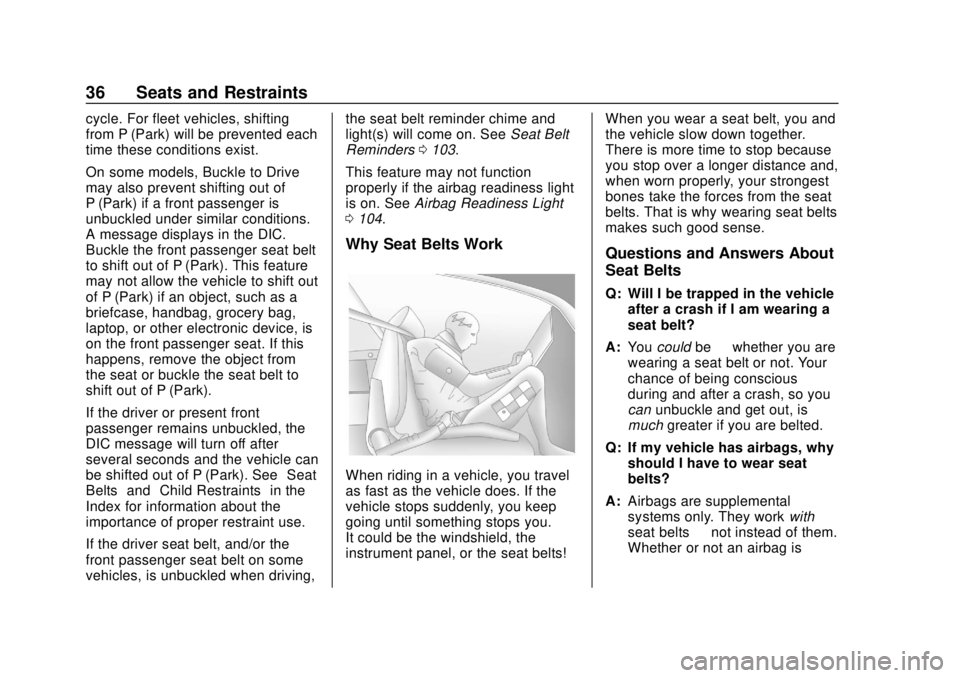
Why Seat Belts Work
When riding in a vehicle, you travel
as fast as the vehicle does. If the
vehicle stops suddenly, you keep
going until something stops you.
It could be the windshield, the
instrument panel, or the seat belts! When you wear a seat belt, you and
the vehicle slow down together.
There is more time to stop because
you stop over a longer distance and,
when worn properly, your strongest
bones take the forces from the seat
belts. That is why wearing seat belts
makes such good sense.
Questions and Answers About
Seat Belts
Q: Will I be trapped in the vehicle
after a crash if I am wearing a
seat belt?
A: You could be—whether you are
wearing a seat belt or not. Your
chance of being conscious
during and after a crash, so you
can unbuckle and get out, is
much greater if you are belted.
Q: If my vehicle has airbags, why should I have to wear seat
belts?
A: Airbags are supplemental
systems only. They work with
seat belts —not instead of them.
Whether or not an airbag is
Page 49 of 368
Chevrolet Colorado Owner Manual (GMNA-Localizing-U.S./Canada/Mexico-
13566640) - 2020 - CRC - 9/30/19
48 Seats and Restraints
A seat-mounted side impact airbag
is designed to inflate on the side of
the vehicle that is struck.
Roof-rail airbags are designed to
inflate in moderate to severe side
crashes depending on the location
of the impact. In addition, these
roof-rail airbags are designed to
inflate during a rollover or in a
severe frontal impact. Roof-rail
airbags are not designed to inflate in
rear impacts. Both roof-rail airbags
will inflate when either side of the
vehicle is struck, if the sensing
system predicts that the vehicle is
about to roll over on its side, or in a
severe frontal impact.
In any particular crash, no one can
say whether an airbag should have
inflated simply because of the
vehicle damage or repair costs.
What Makes an Airbag
Inflate?
In a deployment event, the sensing
system sends an electrical signal
triggering a release of gas from the
inflator. Gas from the inflator fills theairbag causing the bag to break out
of the cover. The inflator, the airbag,
and related hardware are all part of
the airbag module.
For airbag locations, see
Where Are
the Airbags? 045.
How Does an Airbag
Restrain?
In moderate to severe frontal or
near frontal collisions, even belted
occupants can contact the steering
wheel or the instrument panel. In
moderate to severe side collisions,
even belted occupants can contact
the inside of the vehicle.
Airbags supplement the protection
provided by seat belts by
distributing the force of the impact
more evenly over the
occupant's body.
Rollover capable roof-rail airbags
are designed to help contain the
head and chest of occupants in the
outboard seating positions in the
first and second rows. The rollover
capable roof-rail airbags are
designed to help reduce the risk of full or partial ejection in rollover
events, although no system can
prevent all such ejections.
But airbags would not help in many
types of collisions, primarily
because the occupant's motion is
not toward those airbags. See
When
Should an Airbag Inflate? 047.
Airbags should never be regarded
as anything more than a supplement
to seat belts.
What Will You See after
an Airbag Inflates?
After frontal and seat-mounted side
impact airbags inflate, they quickly
deflate, so quickly that some people
may not even realize the airbags
inflated. Roof-rail airbags may still
be at least partially inflated for some
time after they inflate. Some
components of the airbag module
may be hot for several minutes. For
location of the airbags, see Where
Are the Airbags? 045.
The parts of the airbag that come
into contact with you may be warm,
but not too hot to touch. There may
Page 123 of 368
Chevrolet Colorado Owner Manual (GMNA-Localizing-U.S./Canada/Mexico-
13566640) - 2020 - CRC - 9/30/19
122 Instruments and Controls
Exit Lighting
This setting specifies how long the
headlamps stay on after the vehicle
is turned off and exited.
Touch Off, 30 Seconds, 60 Seconds,
or 120 Seconds.
Power Door Locks
Touch and the following may
display:
.Open Door Anti-Lockout
. Auto Door Unlock
. Delayed Door Lock
Open Door Anti Lock Out
This setting prevents the driver door
from locking when the door is open.
If this setting is on, the Delayed
Door Lock menu will not be
available.
Touch Off or On.
Auto Door Unlock
This allows selection of which of the
doors will automatically unlock when
the vehicle is shifted into P (Park).
Touch Off, All Doors, or Driver Door. Delayed Door Lock
When on, this feature will delay the
locking of the doors. To override the
delay, press the power door lock
switch on the door.
Touch Off or On.
Remote Lock, Unlock, Start
Touch and the following may
display:
.
Remote Unlock Light Feedback
. Remote Lock Feedback
. Remote Door Unlock
. Remote Start Auto Heat Seats
Remote Unlock Light Feedback
When on, the exterior lamps will
flash when unlocking the vehicle
with the RKE transmitter.
Touch Off or Flash Lights.
Remote Lock Feedback
This allows selection of what type of
feedback is given when locking the
vehicle with the RKE transmitter.
Touch Off, Lights and Horn, Lights
Only, or Horn Only. Remote Door Unlock
This allows selection of which doors
will unlock when pressing
Kon the
RKE transmitter.
Touch All Doors or Driver Door.
Remote Start Auto Heat Seats
If equipped and turned on, this
feature will turn on the heated seats
when using remote start on
cold days. See Heated Front Seats
0 32 and
Remote Vehicle Start 015.
Touch Off or On.
Teen Driver
See “Teen Driver” under“Settings”
in the infotainment manual.
Valet Mode
This will lock the infotainment
system and steering wheel controls.
It may also limit access to vehicle
storage locations, if equipped.
To enable valet mode:
1. Enter a four-digit code on the keypad.
Page 134 of 368
Chevrolet Colorado Owner Manual (GMNA-Localizing-U.S./Canada/Mexico-
13566640) - 2020 - CRC - 9/30/19
Climate Controls 133
Climate Controls
Climate Control Systems
Climate Control Systems . . . . . 133
Automatic Climate ControlSystem . . . . . . . . . . . . . . . . . . . . . . 135
Air Vents
Air Vents . . . . . . . . . . . . . . . . . . . . . 138
Maintenance
Passenger Compartment AirFilter . . . . . . . . . . . . . . . . . . . . . . . . 139
Service . . . . . . . . . . . . . . . . . . . . . . . 139
Climate Control Systems
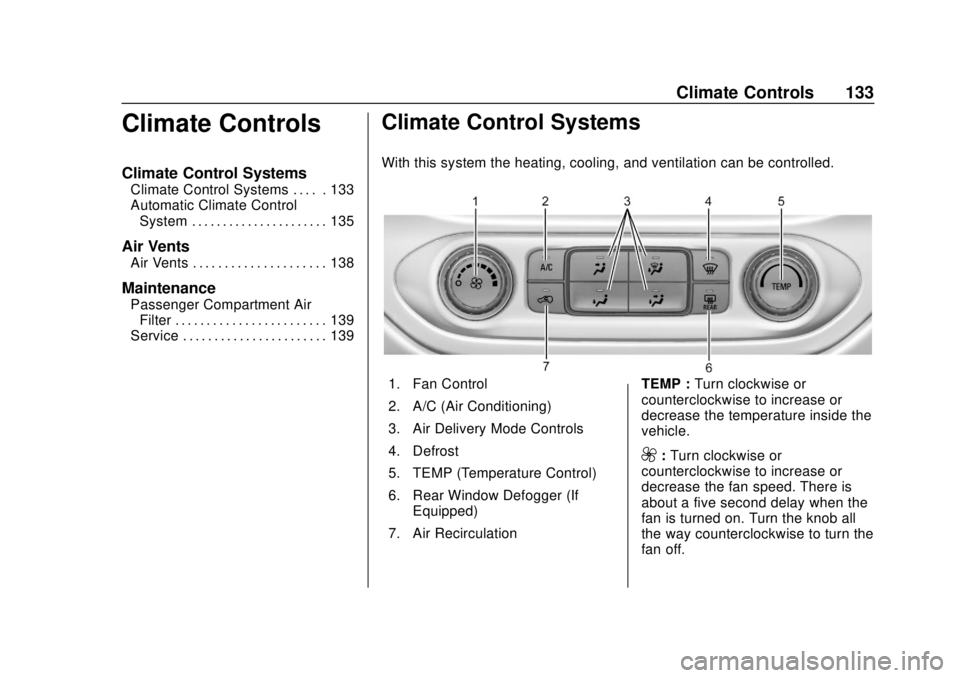
With this system the heating, cooling, and ventilation can be controlled.
1. Fan Control
2. A/C (Air Conditioning)
3. Air Delivery Mode Controls
4. Defrost
5. TEMP (Temperature Control)
6. Rear Window Defogger (If Equipped)
7. Air Recirculation TEMP :
Turn clockwise or
counterclockwise to increase or
decrease the temperature inside the
vehicle.
9: Turn clockwise or
counterclockwise to increase or
decrease the fan speed. There is
about a five second delay when the
fan is turned on. Turn the knob all
the way counterclockwise to turn the
fan off.
Page 137 of 368
Chevrolet Colorado Owner Manual (GMNA-Localizing-U.S./Canada/Mexico-
13566640) - 2020 - CRC - 9/30/19
136 Climate Controls
Climate Control Status Display
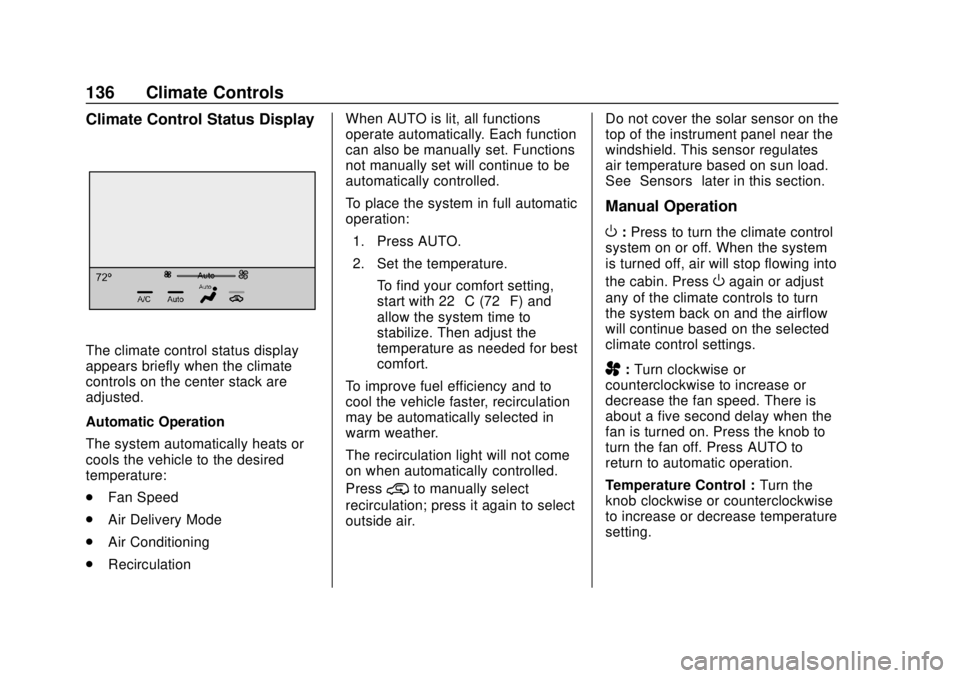
The climate control status display
appears briefly when the climate
controls on the center stack are
adjusted.
Automatic Operation
The system automatically heats or
cools the vehicle to the desired
temperature:
.Fan Speed
. Air Delivery Mode
. Air Conditioning
. Recirculation When AUTO is lit, all functions
operate automatically. Each function
can also be manually set. Functions
not manually set will continue to be
automatically controlled.
To place the system in full automatic
operation:
1. Press AUTO.
2. Set the temperature. To find your comfort setting,
start with 22 °C (72 °F) and
allow the system time to
stabilize. Then adjust the
temperature as needed for best
comfort.
To improve fuel efficiency and to
cool the vehicle faster, recirculation
may be automatically selected in
warm weather.
The recirculation light will not come
on when automatically controlled.
Press
@to manually select
recirculation; press it again to select
outside air. Do not cover the solar sensor on the
top of the instrument panel near the
windshield. This sensor regulates
air temperature based on sun load.
See
“Sensors” later in this section.
Manual Operation
O:Press to turn the climate control
system on or off. When the system
is turned off, air will stop flowing into
the cabin. Press
Oagain or adjust
any of the climate controls to turn
the system back on and the airflow
will continue based on the selected
climate control settings.
A: Turn clockwise or
counterclockwise to increase or
decrease the fan speed. There is
about a five second delay when the
fan is turned on. Press the knob to
turn the fan off. Press AUTO to
return to automatic operation.
Temperature Control : Turn the
knob clockwise or counterclockwise
to increase or decrease temperature
setting.
Page 138 of 368
Chevrolet Colorado Owner Manual (GMNA-Localizing-U.S./Canada/Mexico-
13566640) - 2020 - CRC - 9/30/19
Climate Controls 137
Air Delivery Mode Controls :
Press
Y,\,[, or-to change
the direction of the airflow. An
indicator light comes on in the
selected mode button.
Changing the mode cancels the
automatic operation and the system
goes into manual mode.
Press AUTO to return to automatic
operation.
Y: Air is directed to the instrument
panel outlets.
\: Air is divided between the
instrument panel and floor outlets.
[: Air is directed to the floor
outlets, with some to the windshield,
outboard instrument panel outlets,
side window outlets, and second
row floor outlets.
-: This mode clears the windows
of fog or moisture. Air is directed to
the windshield, floor outlets,
outboard instrument panel outlets,
and side window outlets. The
system automatically forces outside
air into the vehicle and the air conditioning compressor will run,
unless the outside temperature is
close to or below freezing.
0:
Press to clear the windshield of
fog or frost more quickly. Air is
directed to the windshield and the
side window vents, with some air
directed to the outboard instrument
panel outlets. The system
automatically forces outside air into
the vehicle and the air conditioning
compressor will run, unless the
outside temperature is close to or
below freezing.
Do not drive the vehicle until all
windows are clear.
See Air Vents 0138.
A/C : Press to turn the air
conditioning system on or off. An
indicator light comes on to show
that the air conditioning is enabled.
The A/C light will stay on even if the
outside temperatures are below
freezing. If the fan is turned off, the
air conditioner will not run. Press
AUTO to return to automatic
operation.
@: Press to turn on recirculation.
An indicator light comes on. Air is
recirculated to quickly cool the
inside of the vehicle. It can also be
used to help reduce outside air and
odors that enter the vehicle. The air
conditioning compressor also comes
on when this mode is activated.
Press AUTO to return to automatic
operation.
Auto Defog : The climate control
system may have a sensor to
automatically detect high humidity
inside the vehicle. When high
humidity is detected, the climate
control system may adjust air
delivery modes, outside air supply,
and turn on the air conditioner. If the
climate control system does not
detect possible window fogging, it
returns to normal operation. To turn
Auto Defog off or on, see “Climate
and Air Quality” underVehicle
Personalization 0120.
Rear Window Defogger
The rear window defogger uses a
warming grid to remove fog from the
rear window.
Page 141 of 368
Chevrolet Colorado Owner Manual (GMNA-Localizing-U.S./Canada/Mexico-
13566640) - 2020 - CRC - 9/30/19
140 Driving and Operating
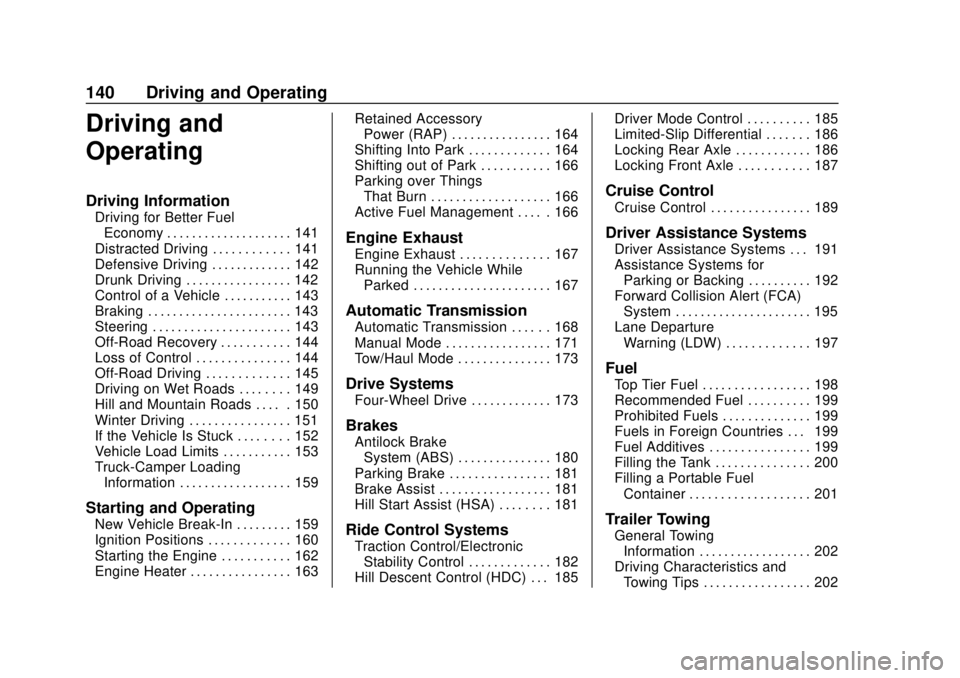
Driving and
Operating
Driving Information
Driving for Better FuelEconomy . . . . . . . . . . . . . . . . . . . . 141
Distracted Driving . . . . . . . . . . . . 141
Defensive Driving . . . . . . . . . . . . . 142
Drunk Driving . . . . . . . . . . . . . . . . . 142
Control of a Vehicle . . . . . . . . . . . 143
Braking . . . . . . . . . . . . . . . . . . . . . . . 143
Steering . . . . . . . . . . . . . . . . . . . . . . 143
Off-Road Recovery . . . . . . . . . . . 144
Loss of Control . . . . . . . . . . . . . . . 144
Off-Road Driving . . . . . . . . . . . . . 145
Driving on Wet Roads . . . . . . . . 149
Hill and Mountain Roads . . . . . 150
Winter Driving . . . . . . . . . . . . . . . . 151
If the Vehicle Is Stuck . . . . . . . . 152
Vehicle Load Limits . . . . . . . . . . . 153
Truck-Camper Loading Information . . . . . . . . . . . . . . . . . . 159
Starting and Operating
New Vehicle Break-In . . . . . . . . . 159
Ignition Positions . . . . . . . . . . . . . 160
Starting the Engine . . . . . . . . . . . 162
Engine Heater . . . . . . . . . . . . . . . . 163 Retained Accessory
Power (RAP) . . . . . . . . . . . . . . . . 164
Shifting Into Park . . . . . . . . . . . . . 164
Shifting out of Park . . . . . . . . . . . 166
Parking over Things That Burn . . . . . . . . . . . . . . . . . . . 166
Active Fuel Management . . . . . 166
Engine Exhaust
Engine Exhaust . . . . . . . . . . . . . . 167
Running the Vehicle While Parked . . . . . . . . . . . . . . . . . . . . . . 167
Automatic Transmission
Automatic Transmission . . . . . . 168
Manual Mode . . . . . . . . . . . . . . . . . 171
Tow/Haul Mode . . . . . . . . . . . . . . . 173
Drive Systems
Four-Wheel Drive . . . . . . . . . . . . . 173
Brakes
Antilock BrakeSystem (ABS) . . . . . . . . . . . . . . . 180
Parking Brake . . . . . . . . . . . . . . . . 181
Brake Assist . . . . . . . . . . . . . . . . . . 181
Hill Start Assist (HSA) . . . . . . . . 181
Ride Control Systems
Traction Control/Electronic Stability Control . . . . . . . . . . . . . 182
Hill Descent Control (HDC) . . . 185 Driver Mode Control . . . . . . . . . . 185
Limited-Slip Differential . . . . . . . 186
Locking Rear Axle . . . . . . . . . . . . 186
Locking Front Axle . . . . . . . . . . . 187
Cruise Control
Cruise Control . . . . . . . . . . . . . . . . 189
Driver Assistance Systems
Driver Assistance Systems . . . 191
Assistance Systems for
Parking or Backing . . . . . . . . . . 192
Forward Collision Alert (FCA) System . . . . . . . . . . . . . . . . . . . . . . 195
Lane Departure Warning (LDW) . . . . . . . . . . . . . 197
Fuel
Top Tier Fuel . . . . . . . . . . . . . . . . . 198
Recommended Fuel . . . . . . . . . . 199
Prohibited Fuels . . . . . . . . . . . . . . 199
Fuels in Foreign Countries . . . 199
Fuel Additives . . . . . . . . . . . . . . . . 199
Filling the Tank . . . . . . . . . . . . . . . 200
Filling a Portable FuelContainer . . . . . . . . . . . . . . . . . . . 201
Trailer Towing
General TowingInformation . . . . . . . . . . . . . . . . . . 202
Driving Characteristics and Towing Tips . . . . . . . . . . . . . . . . . 202
Page 167 of 368
Chevrolet Colorado Owner Manual (GMNA-Localizing-U.S./Canada/Mexico-
13566640) - 2020 - CRC - 9/30/19
166 Driving and Operating
If torque lock does occur, you may
need to have another vehicle push
yours a little uphill to take some of
the pressure from the parking pawl
in the transmission. You will then be
able to pull the shift lever out of
P (Park).
Shifting out of Park
This vehicle is equipped with an
electronic shift lock release system.
The shift lock release is
designed to:
.Prevent ignition key removal
unless the shift lever is in
P (Park).
. Prevent movement of the shift
lever out of P (Park), unless the
ignition is on and the regular
brake pedal is applied.
To shift out of P (Park): 1. Apply the brake pedal.
2. Press the button on the shift lever.
3. Move the shift lever to the desired position. If you still are unable to shift out of
P (Park):
1. Ease the pressure on the shift lever.
2. While holding down the brake pedal and pressing the shift
lever button, move the shift
lever all the way into P (Park).
3. While holding the shift lever button, move the shift lever to
the desired position.
If you are still having a problem
shifting, then have the vehicle
serviced soon.
This vehicle may have the Seat Belt
Assurance System, which may
prevent the vehicle from shifting out
of P (Park). See Seat Belts035.
Parking over Things
That Burn
{Warning
Things that can burn could touch
hot exhaust parts under the
vehicle and ignite. Do not park
over papers, leaves, dry grass,
or other things that can burn.
Active Fuel Management
The vehicle’s engine may be
equipped with Active Fuel
Management, which allows the
engine to operate on either all of its
cylinders, or in reduced cylinder
operation, depending on the driving
conditions.
When less power is required, such
as cruising at a constant vehicle
speed, the system will operate in
reduced operation mode, allowing
the vehicle to achieve better fuel
economy. When greater power
demands are required, such as
accelerating from a stop, passing,