fuel CHEVROLET CORVETTE 1994 4.G User Guide
[x] Cancel search | Manufacturer: CHEVROLET, Model Year: 1994, Model line: CORVETTE, Model: CHEVROLET CORVETTE 1994 4.GPages: 274, PDF Size: 15.61 MB
Page 56 of 274
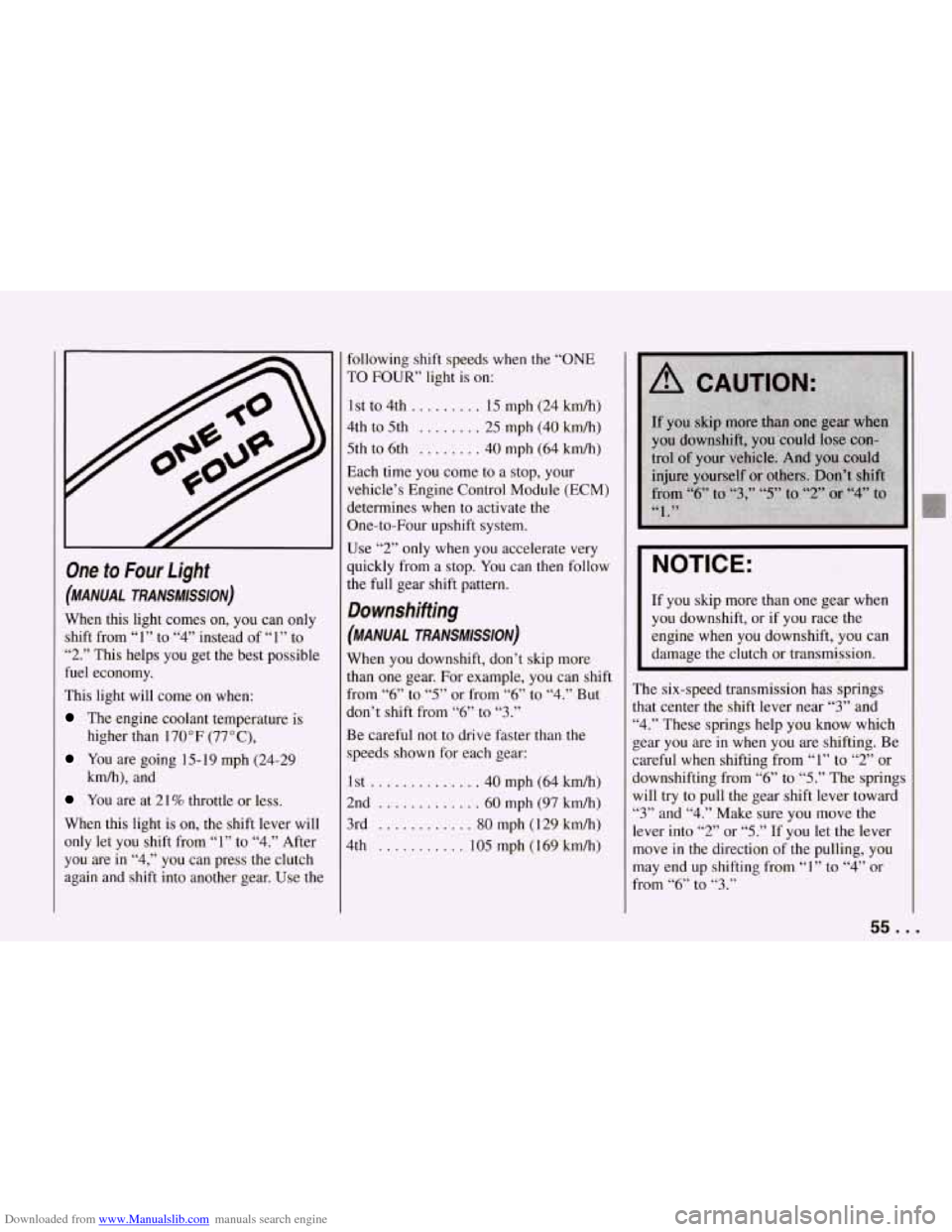
Downloaded from www.Manualslib.com manuals search engine One to Four Light
(MANUAL TRANSMISSION)
When this light comes on, you can only
shift from “1” to
“4” instead of “1” to
“2.” This helps you get the best possible
fuel economy.
This light will come on when:
The engine coolant temperature is
higher than 170°F (77”C),
You are going 15- 19 mph (24-29
kmh), and
You are at 21% throttle or less.
When this light is on, the shift lever will
only let you shift from “1” to
“4.” After
you are in “4,” you can press the clutch
again and shift into another gear. Use the following shift speeds
when the “ONE
TO FOUR’ light is on:
1st to 4th..
....... 15 mph (24 km/h)
4th to 5th ........ 25 mph (40 kmh)
5th to 6th ........ 40 mph (64 km/h)
Each time you come to a stop, your
vehicle’s Engine Control Module (ECM)
determines when to activate
the
One-to-Four upshift system.
Use
“2” only when you accelerate very
quickly from a stop. You can then follow
the full gear shift pattern.
Downshifting
(MANUAL TRANSMISSION)
When you downshift, don’t skip more
than one gear. For example, you can shift
from
“6” to “5” or from “6” to “4.” But
don’t shift from
“6” to “3.”
Be careful not to drive faster than the
speeds shown for each gear:
1st
.............. 40 mph (64 kmh)
2nd
............. 60 mph (97 kmh)
3rd
............ 80 mph (1 29 kmh)
4th ........... 105 mph (169 kmh)
I NOTICE:
If you skip more than one gear when
you downshift, or if you race the
engine when you downshift, you can
damage the clutch or transmission.
~~
The six-speed transmission has springs
that center the shift lever near
“3” and
“4.” These springs help you know which
gear you are in when you are shifting. Be
careful
when shifting from “1” to “2” or
downshifting from “6” to
“5.” The spring;
will try to pull the gear shift lever toward
“3” and “4.” Make sure you move the
lever into
“2” or “5.” If you let the lever
move
in the direction of the pulling, you
may end up shifting from
“1” to “4” or
from
“6” to “3.”
55. .
Page 68 of 274
Downloaded from www.Manualslib.com manuals search engine Ieadlights
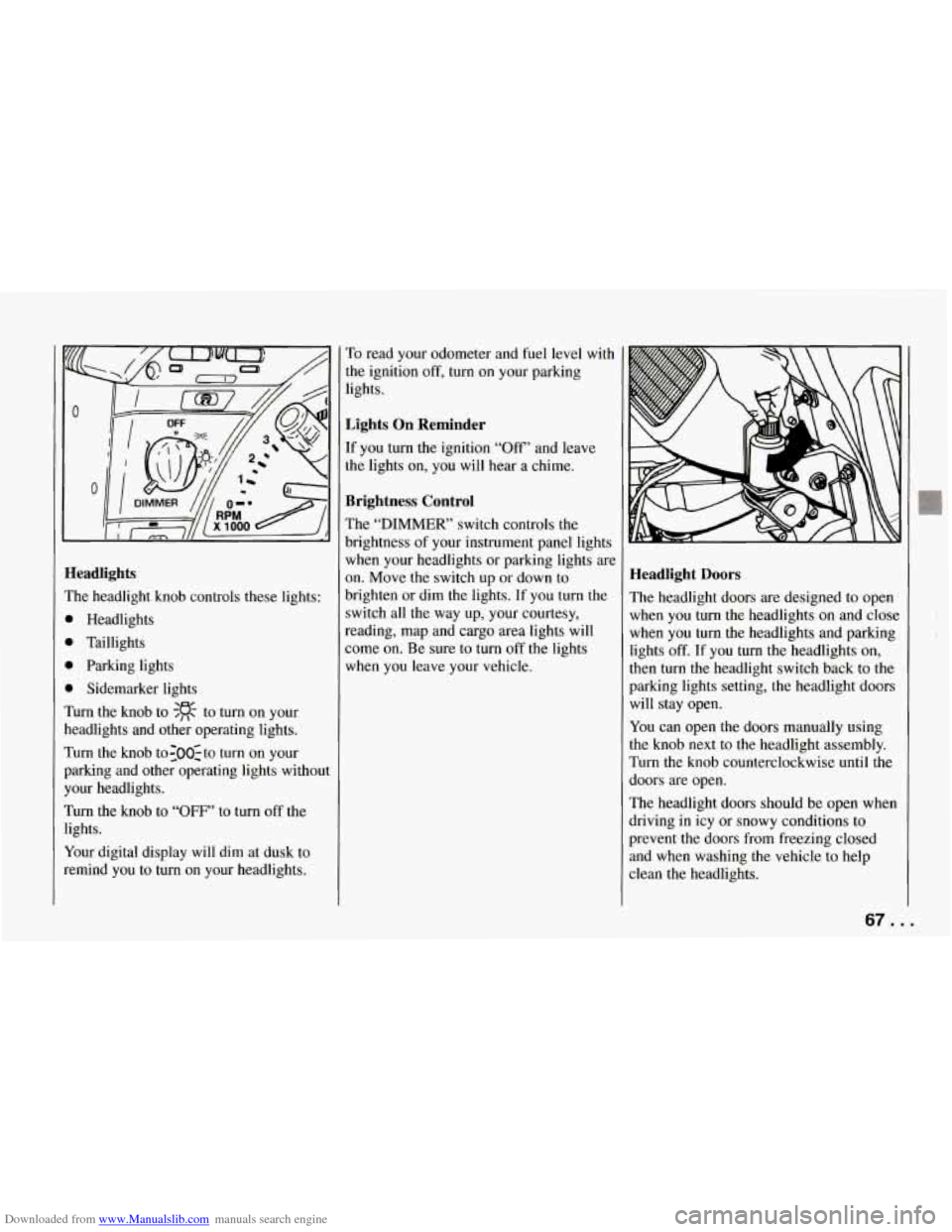
?he headlight knob controls these lights:
b Headlights
1 Taillights
1 Parking lights
1 Sidemarker lights
hm the knob to $R to turn on your
leadlights and other operating lights.
rurn the knob to:OO:to turn on your
mking and other operating lights without
‘our headlights.
rurn the knob to “OFF’ to turn off the
ights.
(our digital display will dim at dusk to
emind you to turn on your headlights. To
read your odometer and fuel level with
the ignition
off, turn on your parking
lights.
Lights On Reminder
If you turn the ignition “Off” and leave
the lights on, you will hear a chime.
Brightness Control
The “DIMMER’ switch controls the
brightness of your instrument panel lights
when your headlights or parking lights are
on. Move the switch up or down to
brighten or dim the lights. If you turn the
switch all the way up, your courtesy,
reading, map and cargo area lights will
some on. Be sure to turn off the lights
when you leave your vehicle.
Headlight Doors
The headlight doors are designed to open
when you
turn the headlights on and close
when you turn the headlights and parking
lights
off. If you turn the headlights on,
then turn
the headlight switch back to the
parking lights setting, the headlight doors
will stay open.
You can open the doors manually using
the knob next to the headlight assembly.
Turn the knob counterclockwise until the
doors are open.
The headlight doors should be open when
driving in icy or snowy conditions to
prevent the doors from freezing closed
and when washing the vehicle to help
clean the headlights.
67. .
Page 81 of 274
Downloaded from www.Manualslib.com manuals search engine Features and Controls
Instrument Cluster
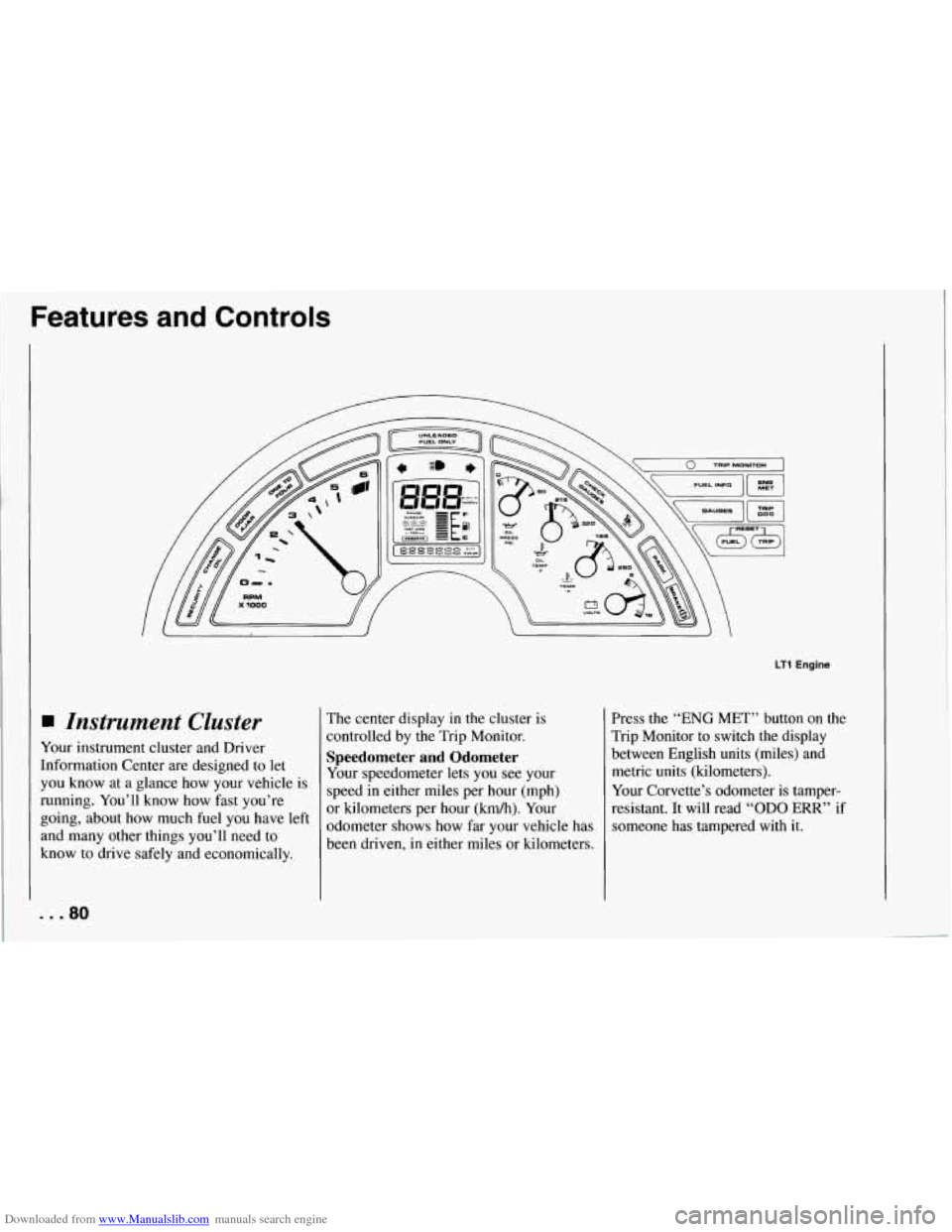
Your instrument cluster and Driver
Information Center are designed to let
you know at a glance how your vehicle is
running. You’ll know how fast you’re
going, about how much fuel you have left
and many other things you’ll need to
know to drive safely and economically. The
center display in
the cluster is
controlled by the Trip Monitor.
Speedometer and Odometer
Your speedometer lets you see your
speed in either miles per hour (mph)
or kilometers per hour (kmh).
Your
odometer shows how far your vehicle has
been driven,
in either miles or kilometers.
LT1 Engine
Press the “ENG MET” button on the
Trip Monitor to switch the display
between English units (miles) and
Your Corvette’s odometer is tamper-
resistant. It will read
“OD0 ERR” if
someone has tampered with it.
~ metric units (kilometers).
... 80
Page 82 of 274
Downloaded from www.Manualslib.com manuals search engine If a new odometer is installed, it will
automatically reset to the correct reading.
If an electrical or other problem makes
setting the odometer correctly impossible,
then it’s set at zero, but
a label on the
driver’s door must show the old reading
and when the new one was installed.
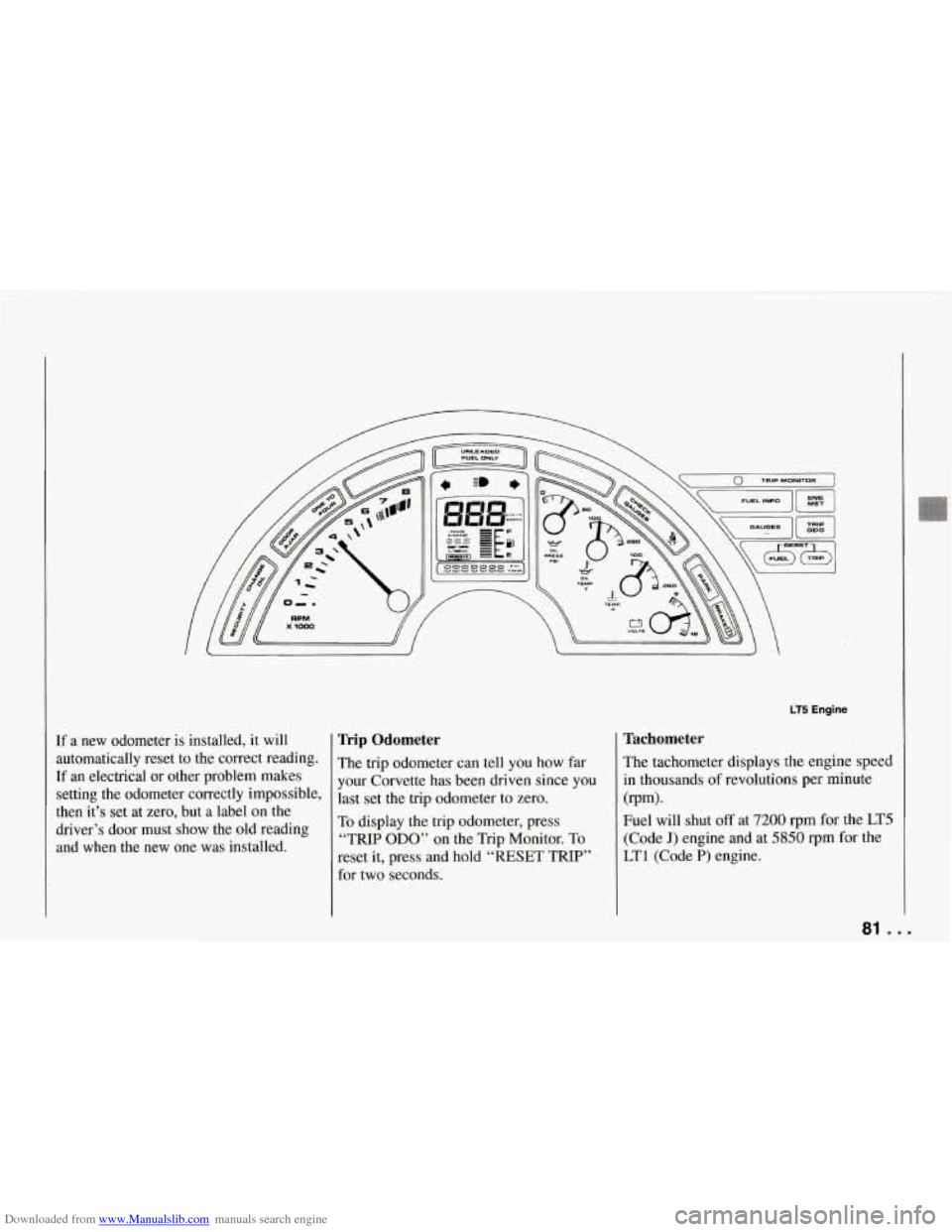
Trip Odometer
The trip odometer can tell you how far
your Corvette has been driven since you
last set the trip odometer to zero.
To display the trip odometer, press
“TRIP ODO” on the Trip Monitor. To
reset it, press and hold “RESET TRIP”
for two seconds.
LT5 Engine
Tachometer
The tachometer displays the engine speed
in thousands
of revolutions per minute
Fuel will shut
off at 7200 rpm for the LT5
(Code J) engine and at 5850 rpm for the
LTl (Code P) engine.
(rpm).
81 ...
Page 83 of 274
Downloaded from www.Manualslib.com manuals search engine Features and Controls
Warning Lights, Gauges
and Indicators
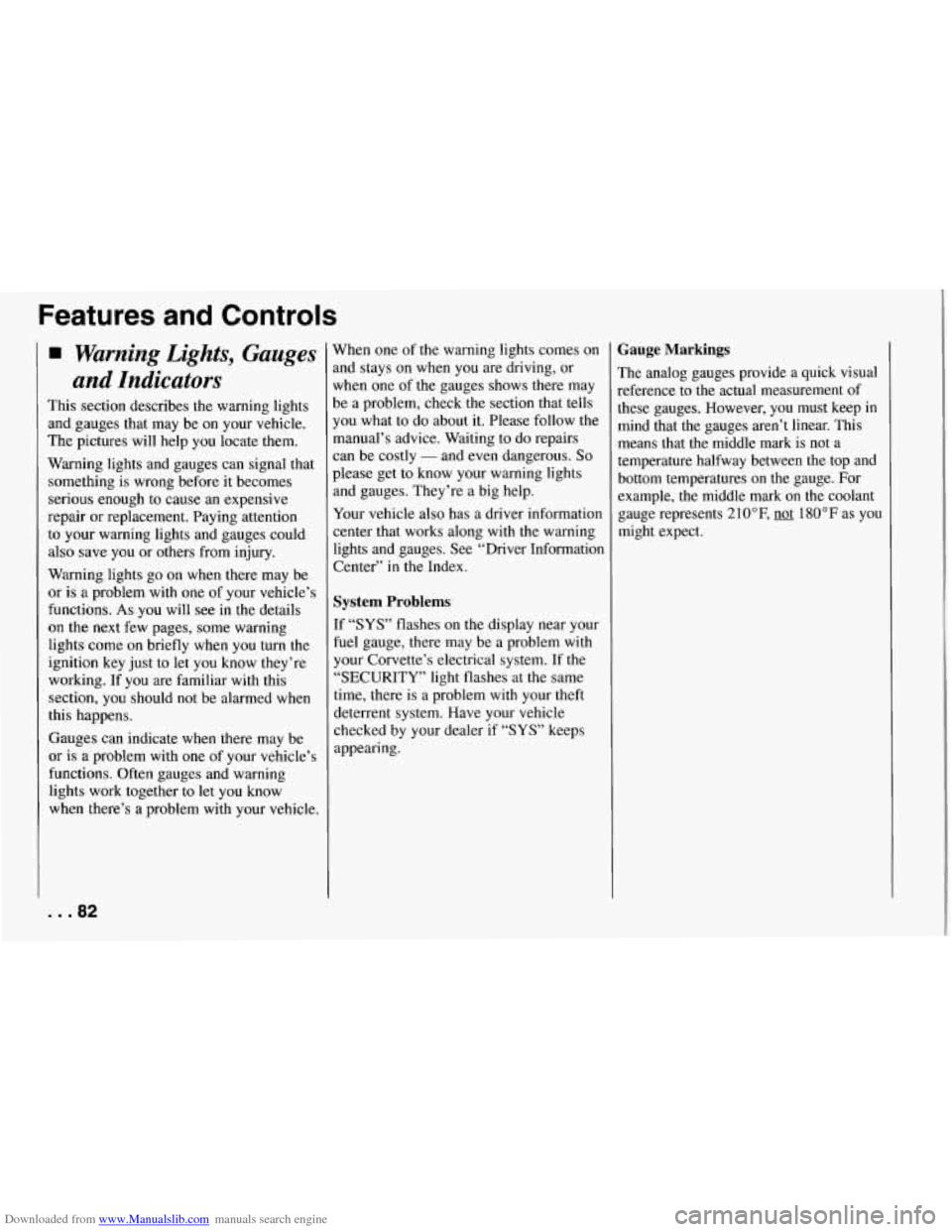
This section describes the warning lights
and gauges that may be on your vehicle.
The pictures will help you locate them.
Warning lights and gauges can signal that
something is wrong before it becomes
serious enough to cause an expensive
repair or replacement. Paying attention
to your warning lights and gauges could
also save you or others from injury.
Warning lights go on when there may be
or
is a problem with one of your vehicle’s
functions.
As you will see in the details
on the
next few pages, some warning
lights come on briefly when you turn the
ignition key just to let you know they’re
working. If you are familiar with this
section, you should not be alarmed when
this happens.
Gauges can indicate when there may be
or is a problem with one of your vehicle’s
functions. Often gauges and warning
lights work together to
let you know
when there’s a problem with your vehicle.
... 82
When one of the warning lights comes on
and stays on when you are driving, or
when one of the gauges shows there may
be a problem, check the section that tells
you what to do about
it. Please follow the
manual’s advice. Waiting to
do repairs
can be costly
- and even dangerous. So
please get to know your warning lights
and gauges. They’re a big help.
Your vehicle also has a driver information
center that works along with the warning
lights and gauges. See “Driver Information Center’’
in the Index.
System Problems
If “SYS” flashes on the display near your
fuel gauge, there may be a problem with
your Corvette’s electrical system. If the
“SECURITY” light flashes at the same
time, there is a problem with your theft
deterrent system. Have your vehicle
checked by your dealer
if “SYS’ keeps
appearing.
Gauge Markings
The analog gauges provide a quick visual
reference to the actual measurement of
these gauges. However, you must keep in mind that the gauges aren’t linear. This means that the middle mark is not
a
temperature halfway between the top and
bottom temperatures on the gauge. For
example, the middle mark on the coolant
gauge represents 210°F,
not 180°F as you
might expect.
Page 84 of 274
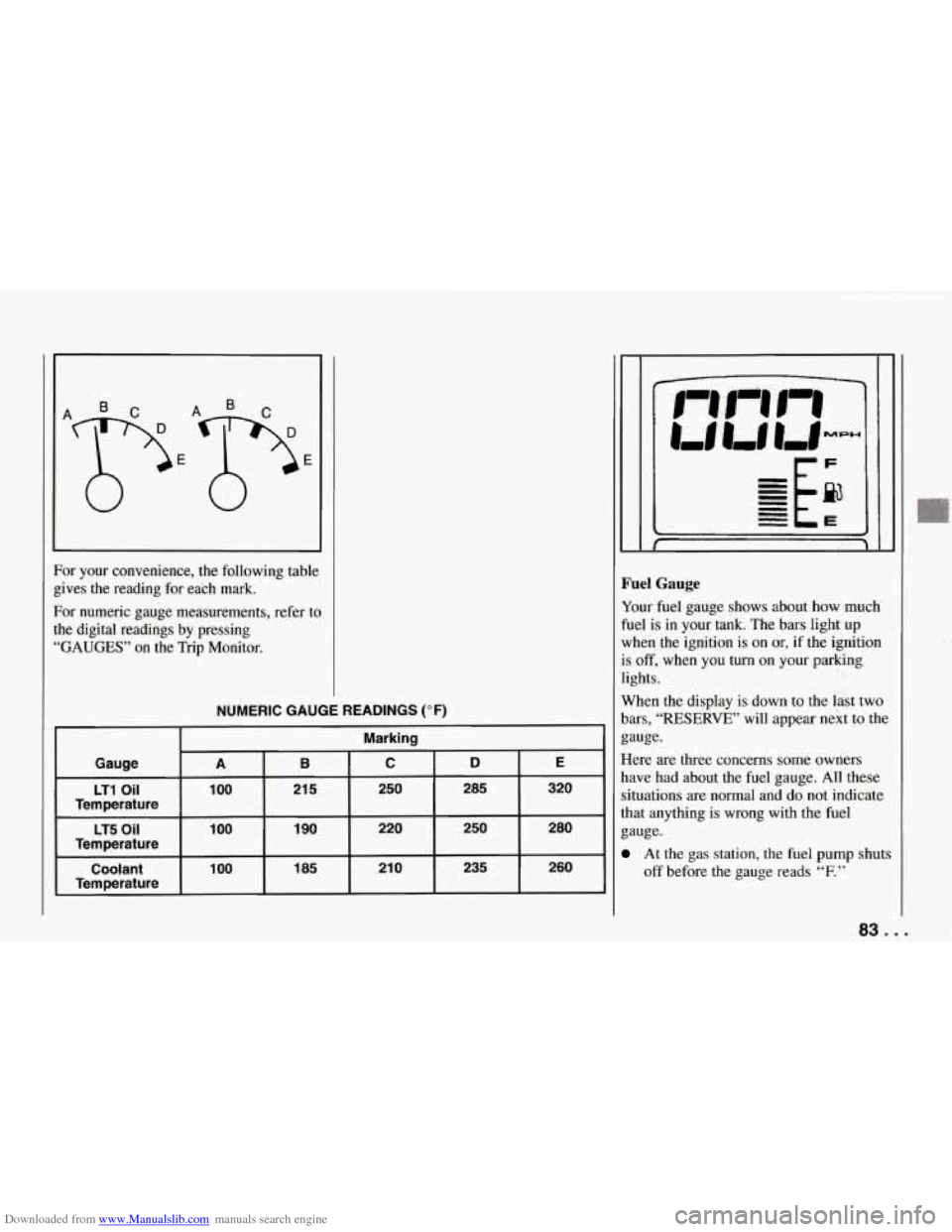
Downloaded from www.Manualslib.com manuals search engine For your convenience, the following table
gives the reading for each mark.
For numeric gauge measurements, refer to
the digital readings by pressing
“GAUGES” on the Trip Monitor.
NUMERIC GAUGE READINGS (OF)
Marking
Gauge
B C D E A
LT1 Oil 100
185 21
0 235 260 100 Coolant 1
90 220 250 280 1 00 LT5 Oil
21 5 250 285 320
Temperature
Temperature
Temperature
Fuel Gauge
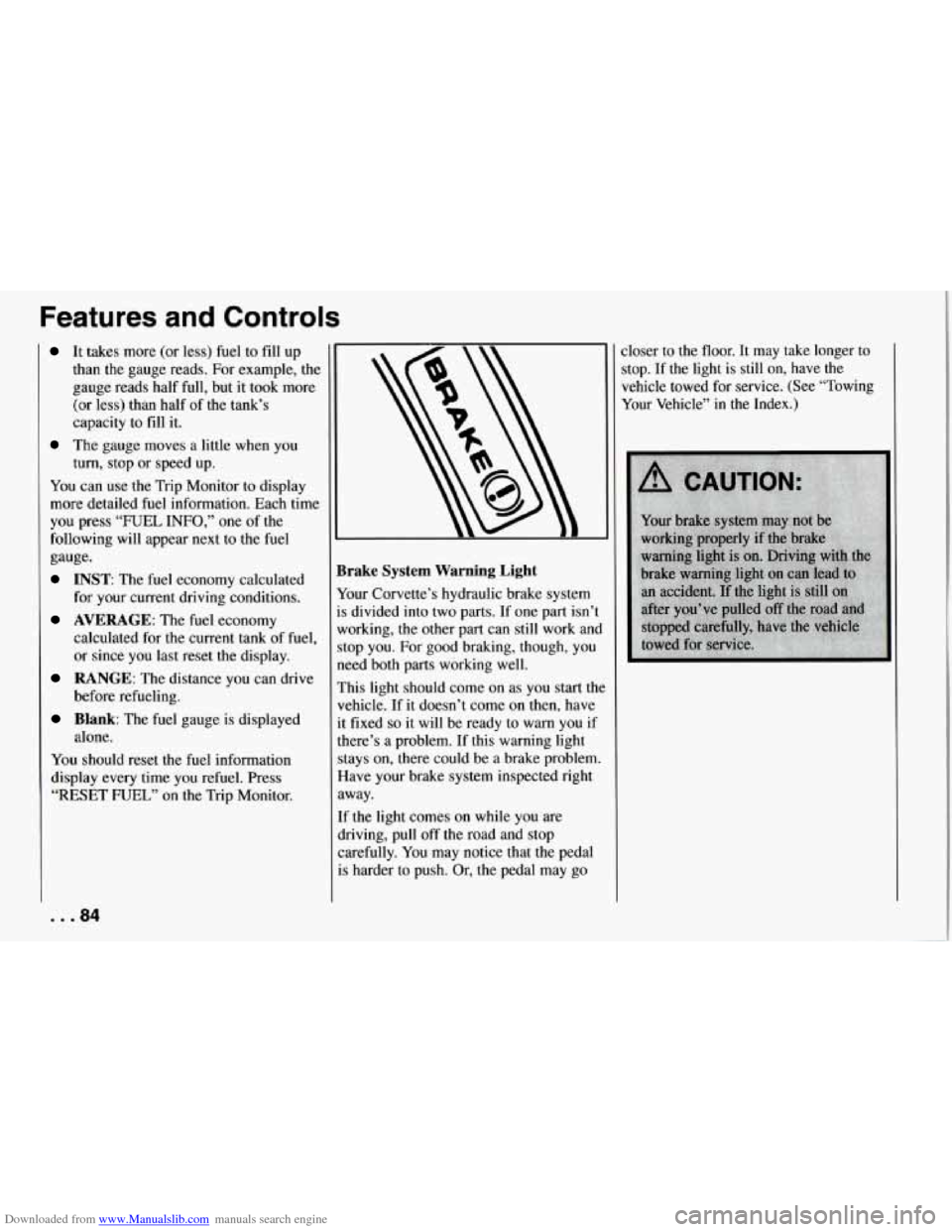
Your fuel gauge shows about how much
fuel is in your tank. The bars light up
when the ignition is on or, if the ignition
is
off, when you turn on your parking
lights.
When the display
is down to the last two
bars,
“RESERVE” will appear next to the
gauge.
Here are three concerns some owners
have had about the fuel gauge. All these
situations are normal and do not indicate
that anything is wrong with the fuel
gauge.
At the gas station, the fuel pump shuts
off before the gauge reads
“F.”
83 ...
Page 85 of 274
Downloaded from www.Manualslib.com manuals search engine Features and Controls
It takes more (or less) fuel to fill up
than the gauge reads. For example, the
gauge reads half full, but it took more
(or less) than half of the tank’s
capacity to fill it.
The gauge moves a little when you
turn, stop or speed up.
You can use the Trip Monitor to display
more detailed fuel information. Each time
you press “FUEL INFO,” one
of the
following will appear next to the fuel
gauge.
INST The fuel economy calculated
for your current driving conditions.
AVERAGE: The fuel economy
calculated for the current tank of fuel,
or since you last reset the display.
RANGE: The distance you can drive
before refueling.
Blank: The fuel gauge is displayed
alone.
You should reset the fuel information
display every time you refuel. Press
“RESET FUEL” on the Trip Monitor. :loser to the floor.
It may
take longer to
stop. If the light is still on, have the
vehicle towed for service. (See “Towing
Your Vehicle” in the Index.)
... 84
Brake System Warning Light
Your Corvette’s hydraulic brake system
is divided into two parts. If one part isn’t
working, the other part can still work and
stop you. For good braking, though, you
need both parts working well.
This light should come on as you start thc
vehicle. If it doesn’t come on then, have
it fixed
so it will be ready to warn you if
there’s a problem. If this warning light
stays on, there could be
a brake problem.
Have your brake system inspected right
away.
If the light comes on while you are
driving, pull
off the road and stop
carefully. You may notice that the pedal
is harder to push. Or, the pedal may go
Page 91 of 274
Downloaded from www.Manualslib.com manuals search engine Features and Controls
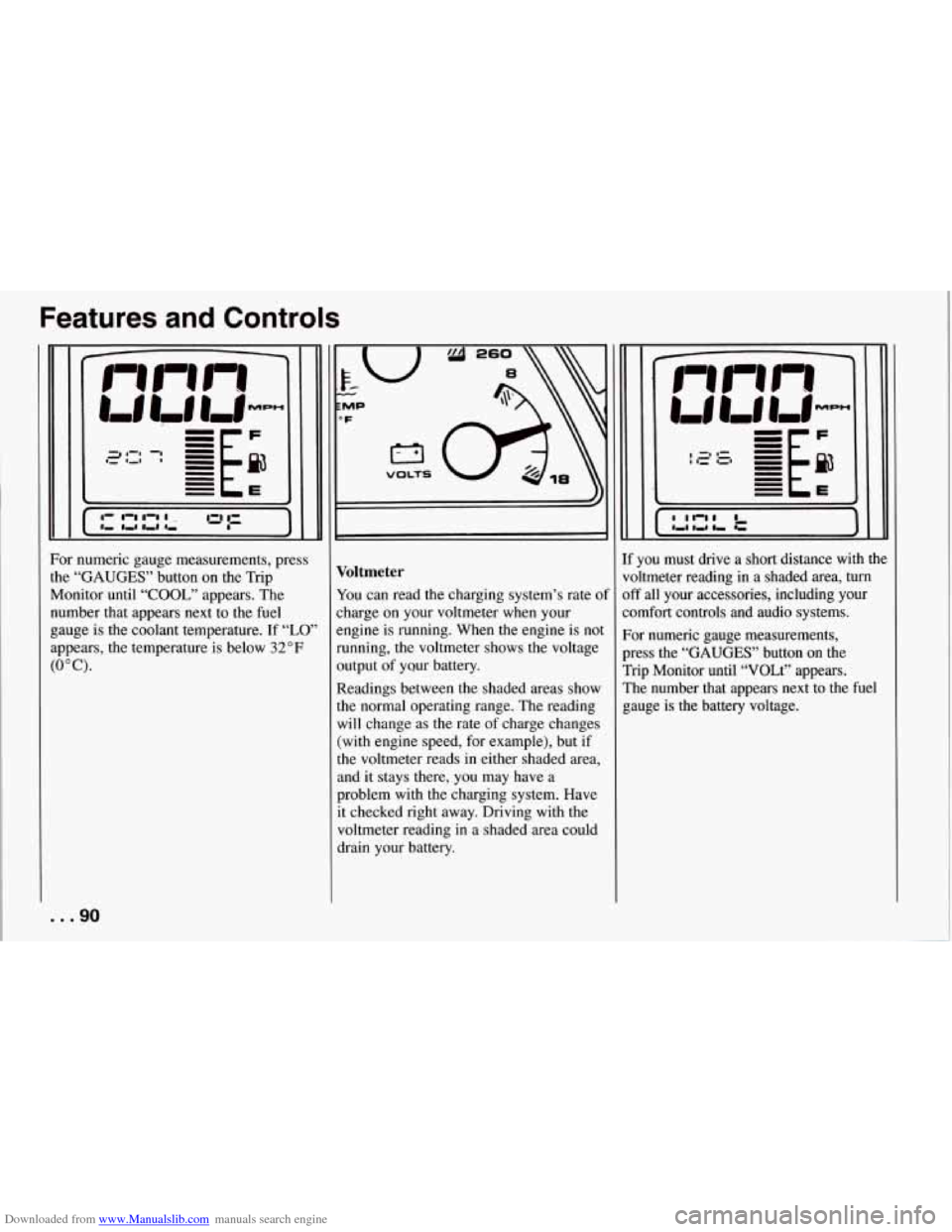
For numeric gauge measurements, press
the
“GAUGES” button on the Trip
Monitor until
“COOL,” appears. The
number that appears next to the fuel
gauge is the coolant temperature. If
“LO’
appears, the temperature is below 32°F
(0°C).
... 90
T VOLTS I
Voltmeter
You can read the charging system’s rate of
charge on your voltmeter when your
engine is running. When the engine is not
running, the voltmeter shows the voltage
output of yQur battery.
Readings between the shaded areas show
the normal operating range. The reading
will change as the rate of charge changes
(with engine speed, for example), but if
the voltmeter reads
in either shaded area,
and it stays there, you may have a
problem with the charging system. Have
it checked right away. Driving with the
voltmeter reading in a shaded area could
drain your battery. If you must
drive a short distance with the
voltmeter reading
in a shaded area, turn
off all your accessories, including your
comfort controls and audio systems.
For numeric gauge measurements,
press the
“GAUGES’’ button on the
Trip Monitor until “VOLt” appears.
The number that appears next to the fuel
gauge is
the battery voltage.
Page 92 of 274
Downloaded from www.Manualslib.com manuals search engine SERVICE
SOON
0
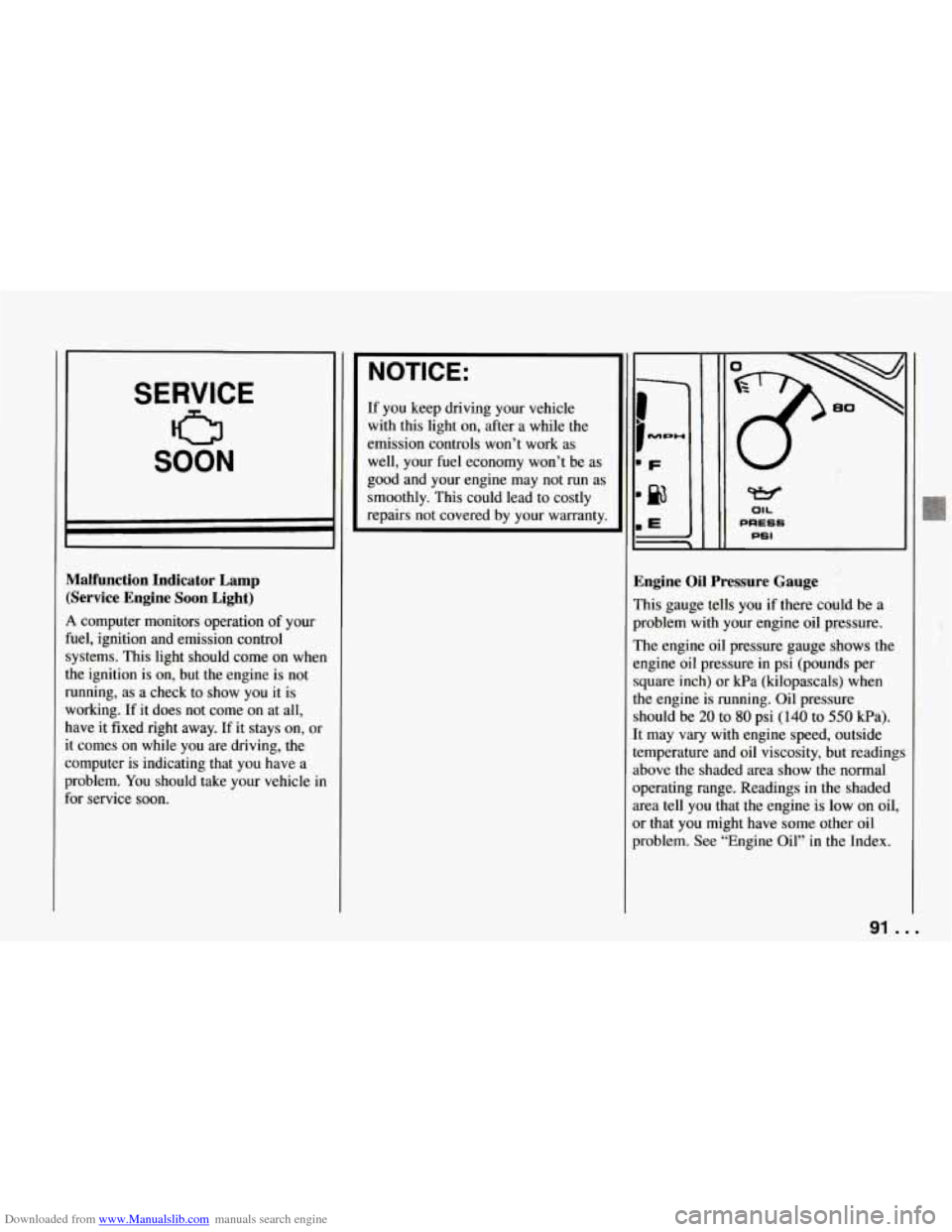
Malfunction Indicator Lamp (Service Engine Soon Light)
A computer monitors operation of your
fuel, ignition and emission control
systems. This light should come on when
the ignition is on,
but the engine is not
running, as a check to show you it is
working. If it does not come on at all,
have it fixed right away. If it stays on, or
it comes on while you are driving, the
computer is indicating that you have a
problem.
You should take your vehicle in
for service soon.
NOTICE:
If you keep driving your vehicle
with this light on, after a while the
emission controls won’t work as
well, your fuel economy won’t be as
good and your engine may not
run as
smoothly. This could lead to costly
repairs not covered by your warranty.
W
OIL
PRESS
PSI
. .,
Engine Oil Pressure Gauge
This gauge tells you if there could be a
problem with your engine oil pressure.
The engine oil pressure gauge shows the
engine oil pressure
in psi (pounds per
square inch) or kPa (kilopascals) when
the engine is running. Oil pressure
should be
20 to 80 psi (140 to 550 kPa).
It may
vary with engine speed, outside
temperature and oil viscosity, but readings
above the shaded area show the normal
operating range. Readings in the shaded
area tell you that the engine
is low on oil,
or that you might have some other oil
problem. See “Engine Oil” in the Index.
91 ...
Page 93 of 274
Downloaded from www.Manualslib.com manuals search engine Features and Controls
I NOTICE:
I
Damage to your engine from
neglected oil problems can be costly
and is not covered by your warranty.
... 92
TEMP OIL
OF TEMP OIL
‘F
280
T1 Engine LT5 Enginl
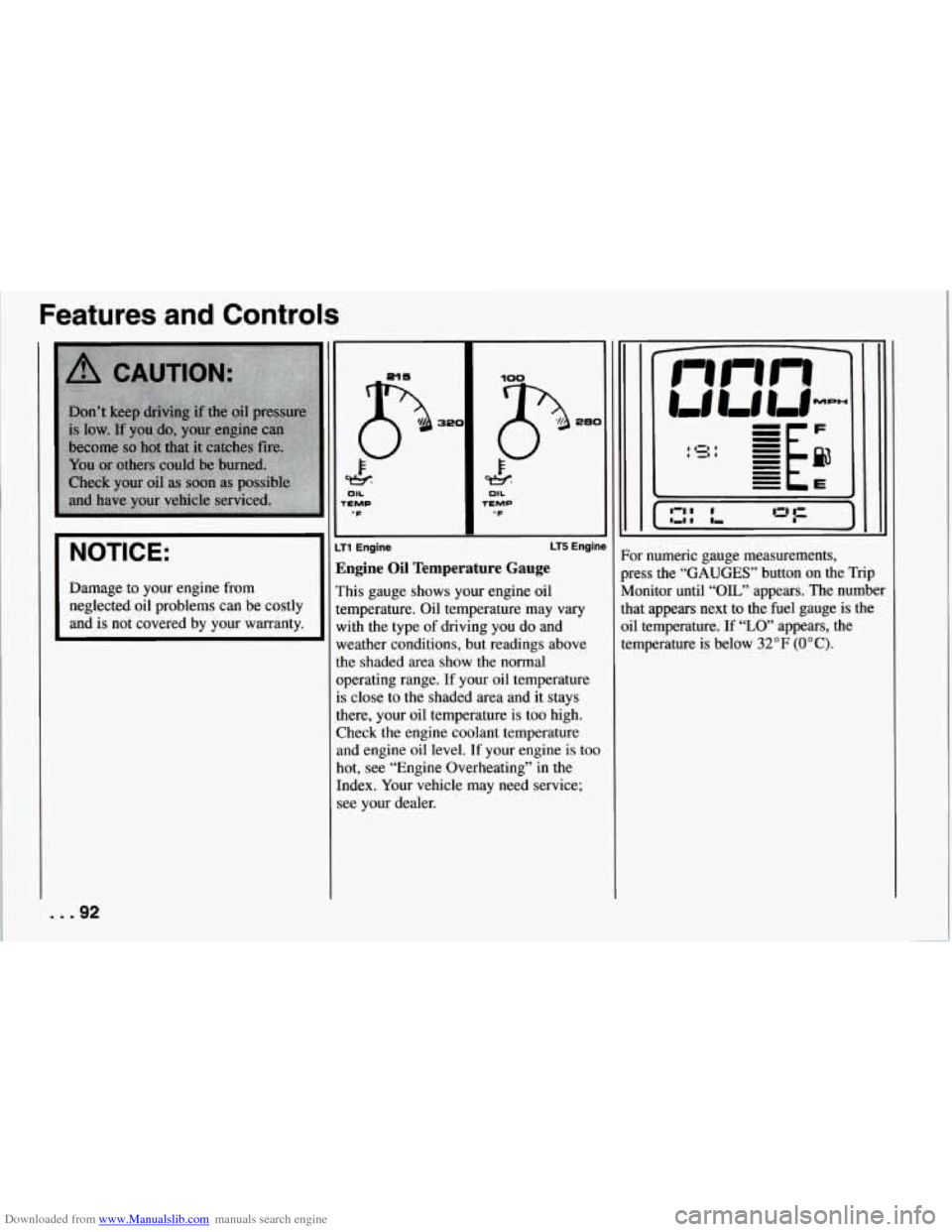
Zngine Oil Temperature Gauge
rhis gauge shows your engine oil
emperature. Oil temperature may
vary
vith the type of driving you do and
weather conditions, but readings above
the shaded area show the normal
operating range. If your oil temperature
is close to the shaded area and it stays
there, your oil temperature is too high.
Check the engine coolant temperature
and engine oil level. If your engine
is too
hot, see “Engine Overheating” in the
Index. Your vehicle may need service;
see your dealer.
1 IZI I
I ,I I
)r numeric gauge measurements,
ness the
“GAUGES” button on the Trip
[onitor until
“OIL” appears. The number
at appears next to the fuel gauge is the
1 temperature. If “LO’ appears, the
mperature
is below 32°F (OOC).