lights CHEVROLET CORVETTE 1994 4.G Owners Manual
[x] Cancel search | Manufacturer: CHEVROLET, Model Year: 1994, Model line: CORVETTE, Model: CHEVROLET CORVETTE 1994 4.GPages: 274, PDF Size: 15.61 MB
Page 10 of 274
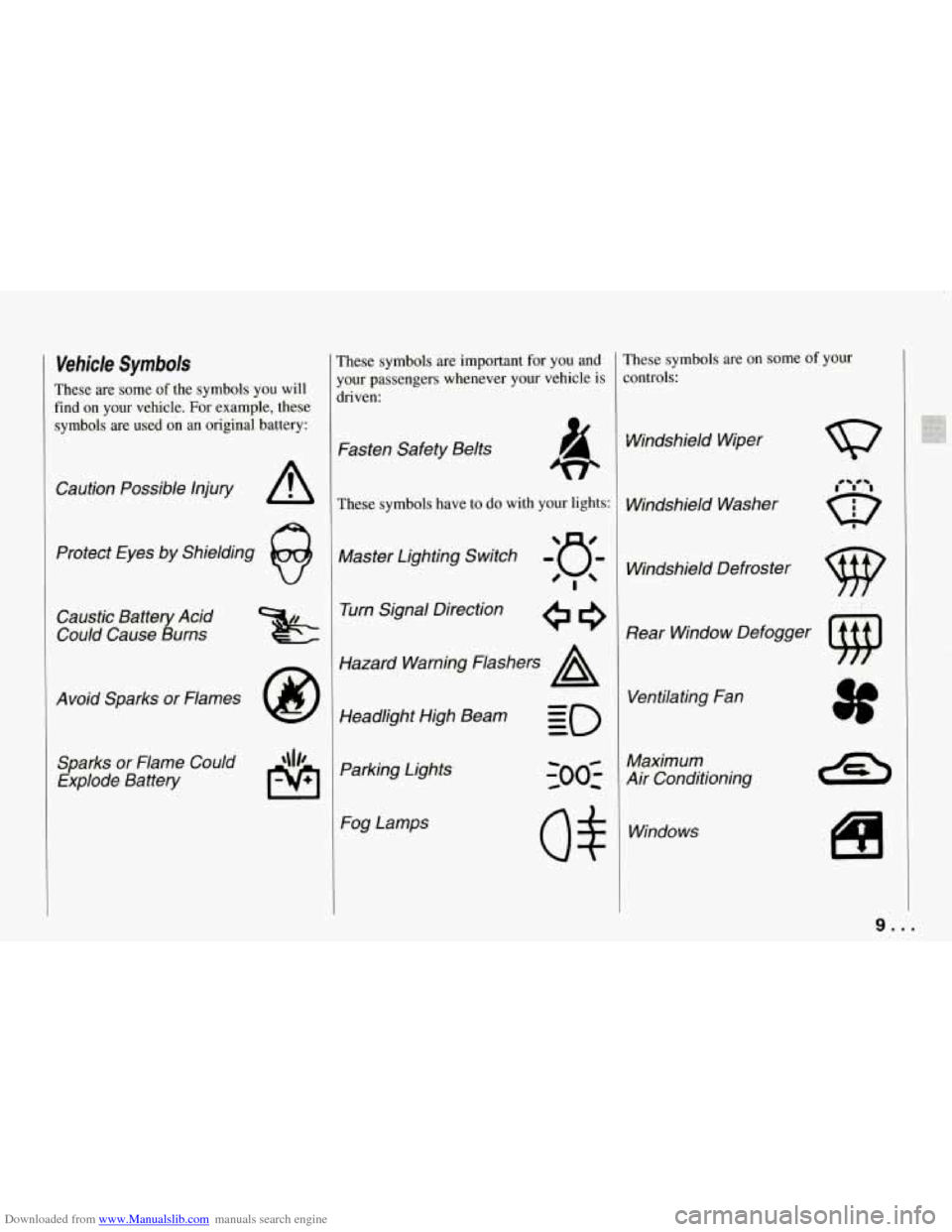
Downloaded from www.Manualslib.com manuals search engine Vehicle Symbols
These are some of the symbols you will
find on your vehicle. For example, these
symbols are used on an original battery:
Caution Possible Injury A
Protect Eyes by Shielding
Caustic Battery Acid
Could Cause Burns
Avoid Sparks
or Flames
Sparks
or Flame Could
Explode Battery
These symbols are important for you and
your passengers whenever your vehicle is
driven:
Fasten Safety Belts
These symbols have to do with your lights:
Master Lighting Switch -'a-
'!
Turn Signal Direction
Hazard Warning Flashers
A
Headlight High Beam Parking Lights Fog Lamps
rhese symbols are on some of your
:ontrols:
Windshield Wiper
Windshield Washer Windshield Defroster
Rear Window Defogger Ventilating Fan
Maximum
Air Conditioning
Windows
I
i
9...
Page 11 of 274
Downloaded from www.Manualslib.com manuals search engine How to Use This Manual
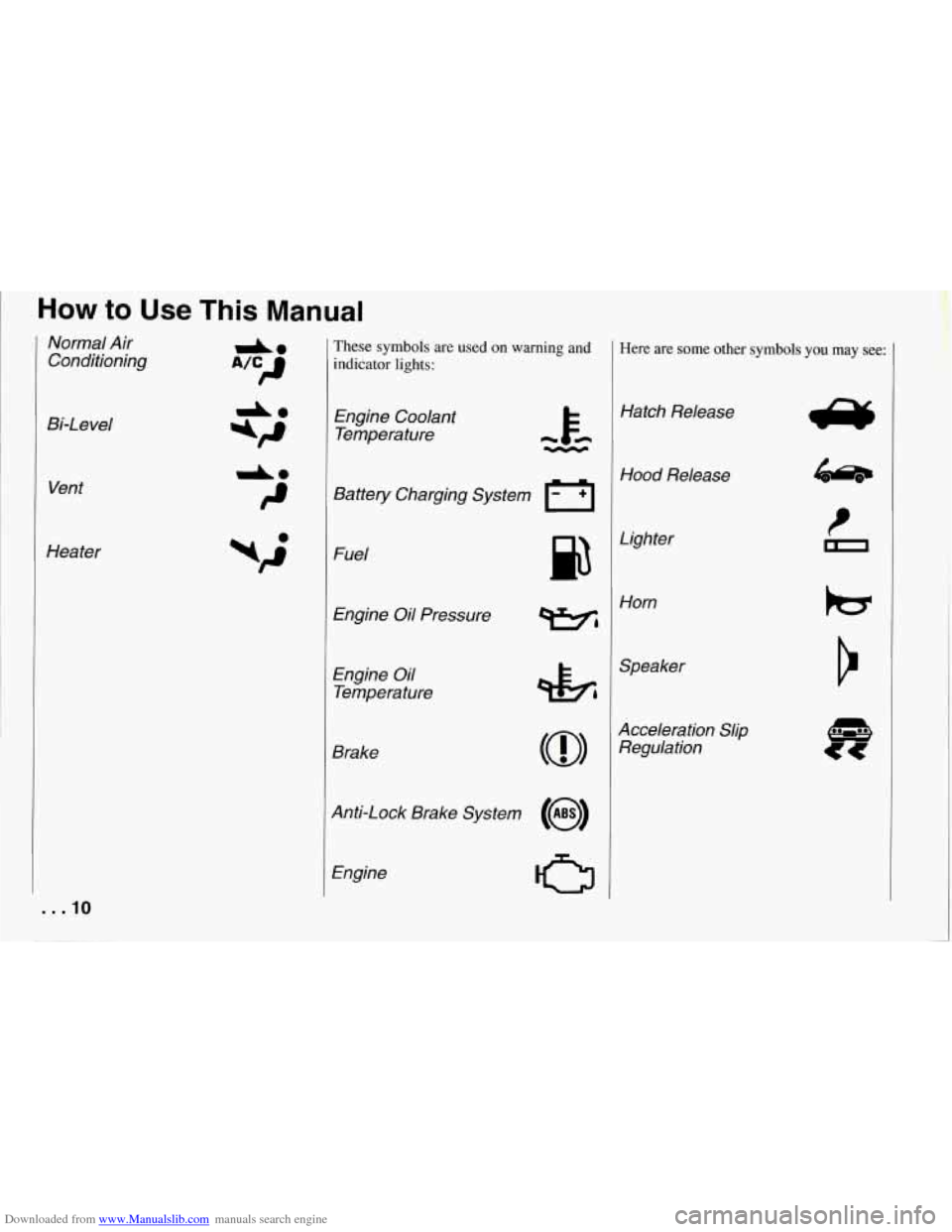
Normal Air Conditioning
Bi-Level Vent
Heater
. . .10
These symbols are used on warning and
indicator lights:
Engine Coolant Temperature
Battery Charging System
I-1
Fuel
Engine Oil Pressure
Engine Oil
Temperature
Brake
Anti-Lock Brake System
(@I
Engine
CJ
Here are some other symbols you may see:
Hatch Release
Hood Release
Lighter Horn
Speaker
Acceleration Slip Regulation
Page 16 of 274
Downloaded from www.Manualslib.com manuals search engine II
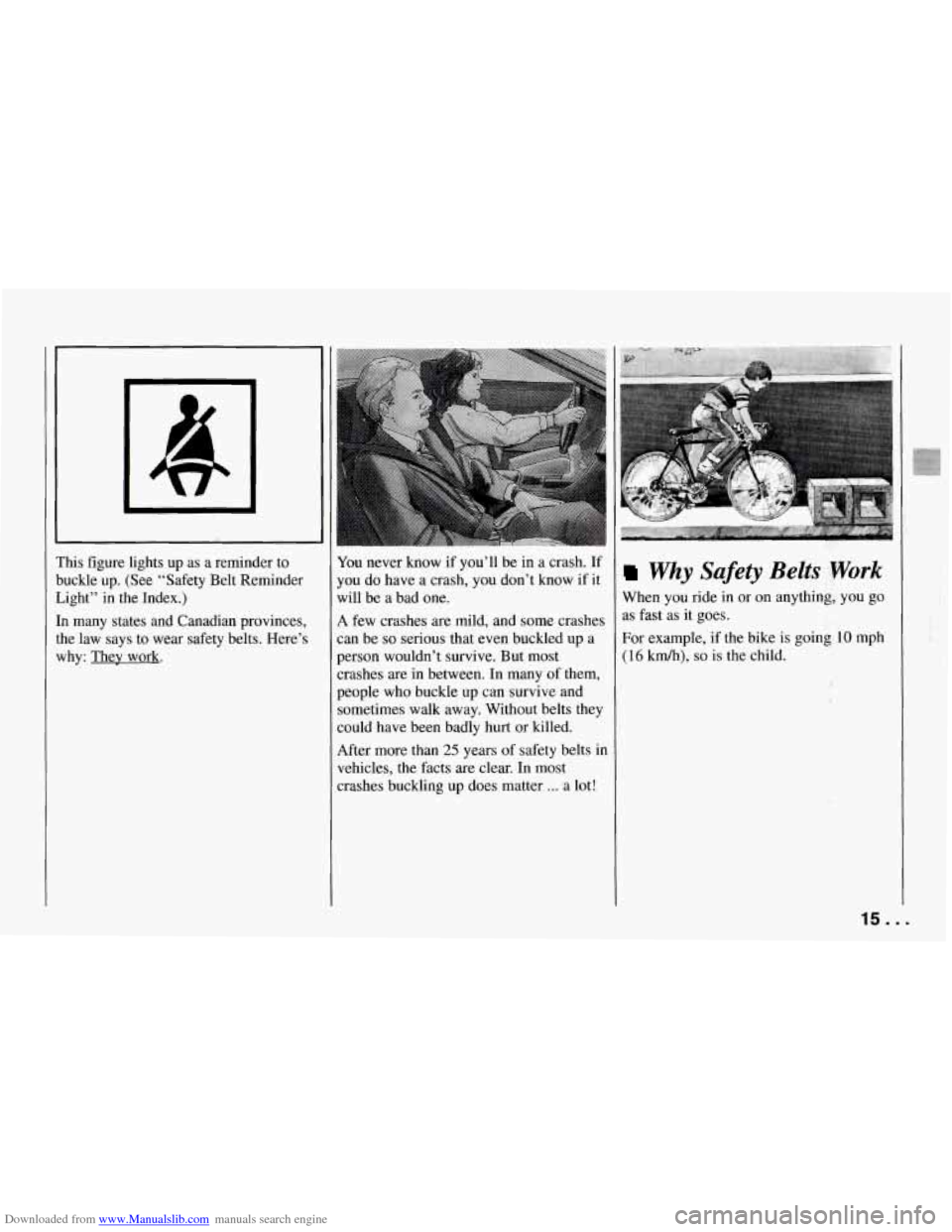
This figure lights up as a reminder to
buckle up. (See “Safety Belt Reininder
Light” in the Index.)
In many states and Canadian provinces,
the law says to wear safety belts. Here’s
why: They work.
-
I
-1
I
I
I
I
You never know if you’ll be in a crash. If
you do have a crash, you don’t know if it
will be a bad one.
A few crashes are mild, and some crashes
can be
so serious that even buckled up a
person wouldn’t survive. But most
;rashes are in between. In many of them,
people
who buckle up can survive and
sometimes walk away. Without belts they
could have been badly hurt or killed.
After more than
25 years of safety belts in
vehicles, the facts are clear. In most
crashes buckling up does matter
... a lot!
Why Safety Belts ;Work
When you ride in or on anything, you go
as fast as
it goes.
For example, if the bike
is goini.10 mph
(16 km/h), so is the child.
15 ...
Page 36 of 274
Downloaded from www.Manualslib.com manuals search engine A
Part 2
Features & Controls
Keys ........................................................... 36
DoorLocks
...................................................... 37
Theft and Theft Deterrents
.......................................... 43
New Vehicle “Break-In”
........................................... 46
IIgnitionSwitch
................................................... 46
Starting Your Engine
.............................................. 47
Automatic Transmission
........................................... 51
Manual Transmission
.............................................. 53
many standard and optional Limited-Slip Rear Axle ............................................ 56
Parking 56
Here You can learn d3out the Selective Ride Control ............................................. 56
features on your Corvette. and .........................................................
information on starting. shifting Engine Exhaust .................................................. 59
and braking . Also explained are Windows ....................................................... 60
........................................................... the instrument panel and the Horn 60
warning systems that tell you if Tiltwheel 61
everything is working properly The Turn SignaVHeadlight Beam Lever 61
- and what to do if you have a OperationofLights 66
Mirrors
......................................................... 69 problem . RoofPanel ...................................................... 70
Sunvisors
...................................................... 74
.......................................................
...............................
...............................................
Storage and Compartments ......................................... 72
Ashtray and Lighter
............................................... 75
Accessory Plug
................................................... 76
Instrument Panel and Cluster
........................................ 78
ConvertibleTop
.................................................. 96
35 ...
Page 40 of 274
Downloaded from www.Manualslib.com manuals search engine transmitter, and the system will automatically disarm your theft deterrent
system and unlock the doors. If it’s dark
enough outside, your interior lights will
come on.
If you move out of range, the PKE system
will:
1. Lock the doors after five seconds.
2. Arm the theft deterrent system.
3. Sound the horn to let you know the
4. Turn off the interior lights.
You can also use the buttons on the
transmitter. Press
“DOOR’ to open the
passenger’s door or “HATCH’ to open
the hatch. The “HATCH’ button will only
work when the ignition is
off.
The system has a feature that makes it
difficult for you to lock your keys in your
vehicle. If you leave your keys in the
ignition and lock the doors,
the system
will unlock the doors as soon as they are
closed. If you leave
the keys in the
ignition and move away with the
transmitter, the doors still
will not lock.
You should notice that the horn doesn’t
sound and return to get your keys.
doors
are locked.
[f you shake the transmitter, you may hear
1 slight rattle. This sound is from the
notion sensor inside
the transmitter. It
joes not indicate that anything is wrong
with your transmitter.
The system will allow you to lock your
keys in
the vehicle if you didn’t leave
them in the ignition.
You should,
however, be able to use
the transmitter to
get them out. After
26 seconds of no
motion, the transmitter shuts down to save
the battery. Wait about
30 seconds, then
rock the vehicle. The transmitter should
”wake
up” and unlock the doors.
This system can’t guarantee that you’ll
never be locked out of your vehicle. If
the battery is low or if
the transmitter is
in a place where the signal can’t get to
the antenna, it won’t unlock the doors.
Always remember to take your keys
with you.
PKE Settings
You can use the system for both doors or
just the driver’s door, or you can
turn the
system
off.
To change door settings:
1. Put the ignition key in the ignition,
but don’t
turn it on.
2. Press “DOOR” on the transmitter
until the door locks cycle (about two
seconds).
To turn the system off:
1. Take the ignition key out of the
2. Press “DOOR’ on the transmitter unti
ignition.
the door locks cycle (about two
seconds).
To turn the system back on, just repeat the
steps.
To check that the system is off, turn on
the ignition. The “PASSIVE KEYLESS
ENTRY” light on the Driver Information
Center should not come on. If the light
does come on for a second or two, then
the PKE system is still on.
You can also check whether the system is
on or
off by closing the door and walking
away with the keys and transmitter.
If the
doors lock, the system is on.
If you are working around your vehicle
and keeping your keys with you, you
might want to turn the PKE system
off.
If you don’t, the transmitter will keep
locking and unlocking your doors.
39 . I
Page 47 of 274
Downloaded from www.Manualslib.com manuals search engine Features and Controls
NOTICE:
Your modern Corvette doesn’t need
an elaborate “break-in.” But it will
perform better in the long run if you
follow these guidelines:
0 Keep your speed at 55 mph
(88 km/h) or less for the first
500 miles (804 km).
Don’t drive at any one speed
- fast or slow - for the
fist
500 miles (804 km).
Don’t make full-throttle
starts.
Avoid malung hard stops for
the first
200 miles (322 km)
or so. During this time your
new brake linings
aren’t yet
broken in.
Hard stops with
new linings can mean
premature wear and earlier
replacement. Follow this
“breaking-in” guideline
every time you get new
brake linings.
I
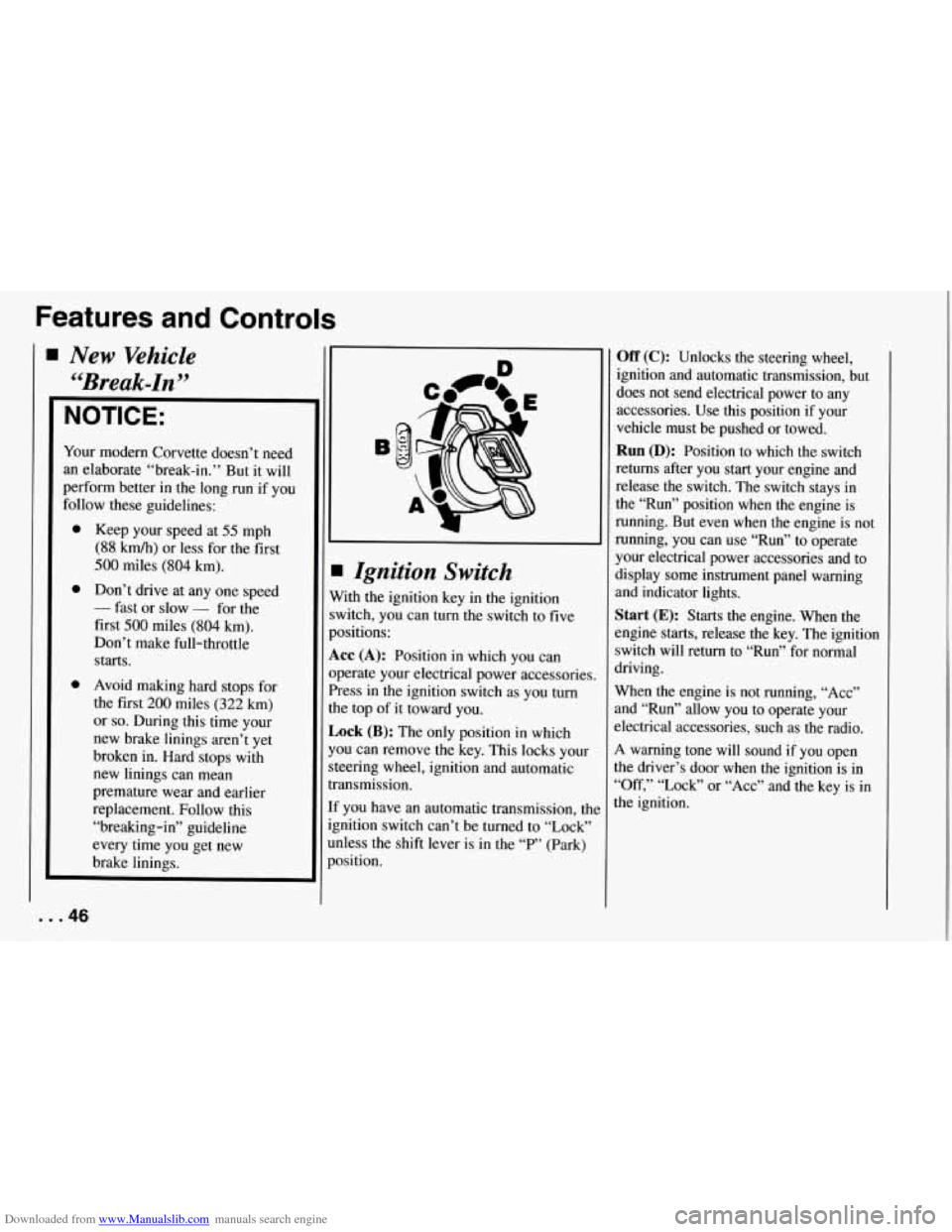
Ignition Switch
With the ignition key in the ignition
switch, you can turn the switch to five
positions:
Acc (A): Position in which you can
operate your electrical power accessories.
Press in the ignition switch as you turn
the top of it toward you.
Lock (B): The only position in which
you can remove the key. This locks your
steering wheel, ignition and automatic
transmission.
If you have an automatic transmission, tht
ignition switch can’t be turned to “Lock”
unless the shift lever
is in the “P” (Park)
position.
... 46
Off (C): Unlocks the steering wheel,
ignition and automatic transmission, but
does not send electrical power to any
accessories. Use
this position if your
vehicle must be pushed
or towed.
Run (D): Position to which the switch
returns after you start your engine and
release the switch. The switch stays in
the “Run” position when the engine is
running. But even when the engine is not
running, you can use “Run” to operate
your electrical power accessories and to
display some instrument panel warning
and indicator lights.
Start (E): Starts the engine. When the
engine
starts, release the key. The ignition
switch will return to “Run” for normal
driving.
When the engine is not running, “Acc”
and “Run” allow you to operate your
slectrical accessories, such as the radio.
A warning tone will sound if you open
the driver’s door when the ignition is in
“Off,’’ “Lock” or “Acc” and the key is in
the ignition.
Page 63 of 274
Downloaded from www.Manualslib.com manuals search engine Features and Controls
L L
c
L
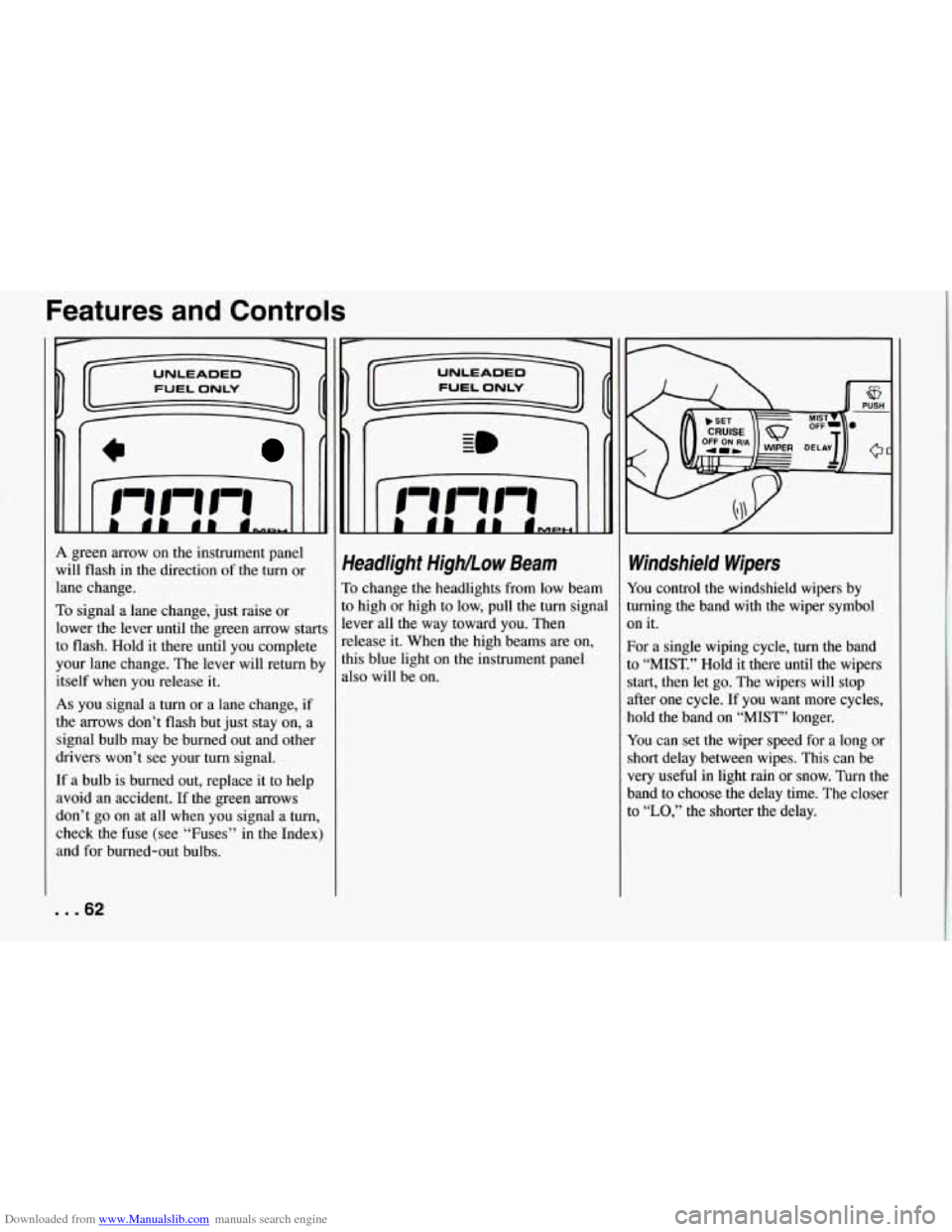
A green arrow on the instrument panel
will flash in the direction of the
turn or
lane change.
To signal a lane change, just raise or
lower the lever until the green arrow start
to flash. Hold it there until you complete
your lane change. The lever will return b!
itself when you release
it.
As you signal a turn or a lane change, if
the arrows don’t flash but just stay on, a
signal bulb may be burned out and other
drivers won’t see your
turn signal.
If a bulb is burned out, replace it to help
avoid an accident.
If the green arrows
don’t go on at all when you signal a
turn,
check the fuse (see “Fuses” in the Index)
and for burned-out bulbs.
Headlight High/..ow Beam
To change the headlights from low beam
to high or high to low, pull the turn signal
lever all the way toward you. Then
release it. When the high beams are on,
this blue light on the instrument panel
also will be on.
Windshield Wipers
You control the windshield wipers by
turning the band with the wiper symbol
on it.
For a single wiping cycle,
turn the band
to “MIST.” Hold it there until the wipers
start, then let go. The wipers will stop
after one cycle. If you want more cycles,
hold the band on “MIST” longer.
You can set the wiper speed for a long or
short delay between wipes. This can be
very useful in light rain or snow. Turn the
band to choose the delay time. The closer
to
“LO,” the shorter the delay.
... 62
Page 67 of 274
Downloaded from www.Manualslib.com manuals search engine Features and Controls
Passing Another Vehicle While Using
Cruise Control
Use the accelerator pedal to increase your
speed. When you take your foot off the
pedal, your vehicle will slow down to the
Cruise Control speed you set earlier.
Using Cruise Control on Hills
How well your Cruise Control will work
on hills depends upon your speed, load,
and the steepness of the hills. When going
up steep hills, you may have to step on
the accelerator pedal to maintain your
speed. When going downhill, you may
have to brake or shift to a lower gear to
keep your speed down. Of course,
applying the brake takes you out of
Cruise Control. Many drivers find this to
be too much trouble and don’t use Cruise
Control on steep hills.
... 66
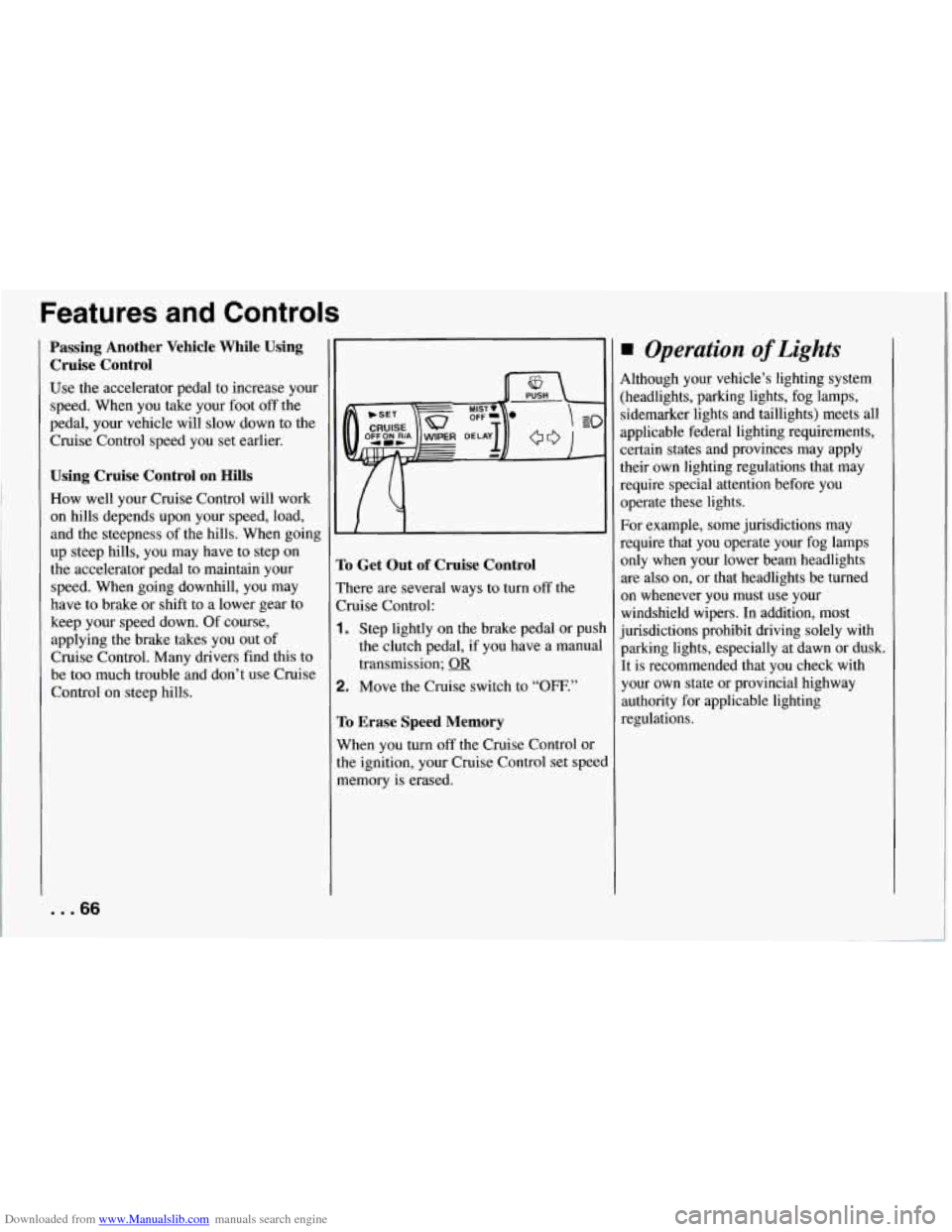
:o Get Out of Cruise Control
’here are several ways to turn off the
bise Control:
. Step lightly on the brake pedal or push
the clutch pedal, if you have a manual
transmission;
OR
!. Move the Cruise switch to “OFF.”
ro Erase Speed Memory
Nhen you turn off the Cruise Control or
he ignition, your Cruise Control set speed
nemory is erased.
Operation of Lights
4lthough your vehicle’s lighting system
:headlights, parking lights, fog lamps,
sidemarker lights and taillights) meets all
applicable federal lighting requirements,
2ertain states and provinces may apply
their own lighting regulations that may
require special attention before you
operate these lights.
For example, some jurisdictions may
require that you operate your fog lamps
only when your lower beam headlights
are also on, or that headlights be turned
on whenever you must use your
windshield wipers. In addition, most
jurisdictions prohibit driving solely with
parking lights, especially at dawn or dusk.
It is recommended that you check with
your own state or provincial highway
authority for applicable lighting
regulations.
Page 68 of 274
Downloaded from www.Manualslib.com manuals search engine Ieadlights
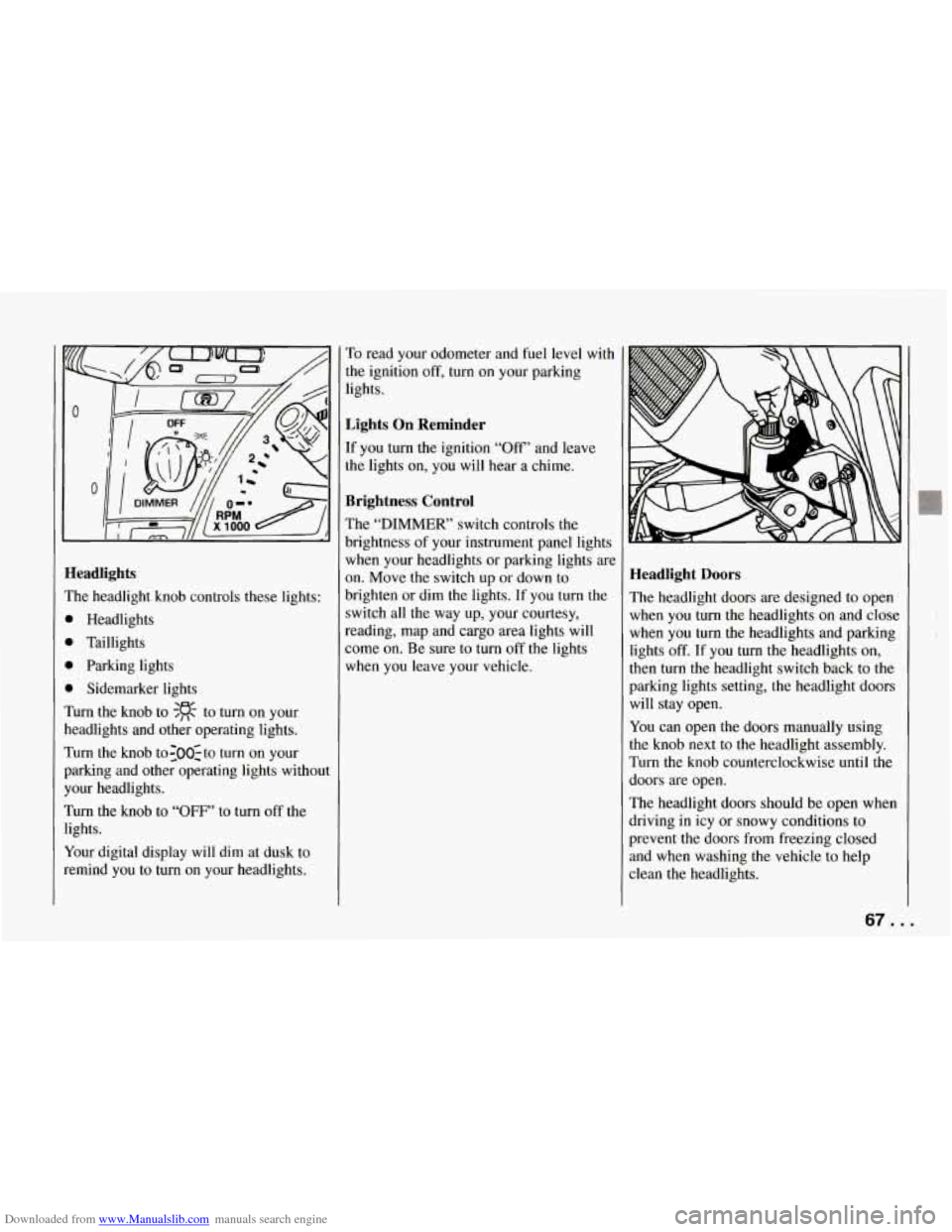
?he headlight knob controls these lights:
b Headlights
1 Taillights
1 Parking lights
1 Sidemarker lights
hm the knob to $R to turn on your
leadlights and other operating lights.
rurn the knob to:OO:to turn on your
mking and other operating lights without
‘our headlights.
rurn the knob to “OFF’ to turn off the
ights.
(our digital display will dim at dusk to
emind you to turn on your headlights. To
read your odometer and fuel level with
the ignition
off, turn on your parking
lights.
Lights On Reminder
If you turn the ignition “Off” and leave
the lights on, you will hear a chime.
Brightness Control
The “DIMMER’ switch controls the
brightness of your instrument panel lights
when your headlights or parking lights are
on. Move the switch up or down to
brighten or dim the lights. If you turn the
switch all the way up, your courtesy,
reading, map and cargo area lights will
some on. Be sure to turn off the lights
when you leave your vehicle.
Headlight Doors
The headlight doors are designed to open
when you
turn the headlights on and close
when you turn the headlights and parking
lights
off. If you turn the headlights on,
then turn
the headlight switch back to the
parking lights setting, the headlight doors
will stay open.
You can open the doors manually using
the knob next to the headlight assembly.
Turn the knob counterclockwise until the
doors are open.
The headlight doors should be open when
driving in icy or snowy conditions to
prevent the doors from freezing closed
and when washing the vehicle to help
clean the headlights.
67. .
Page 69 of 274
Downloaded from www.Manualslib.com manuals search engine Features and Controls
Daytime Running Lights (Canada)
The Canadian Federal Government has
decided that “Daytime Running Lights”
(DE) are a useful feature, in that DIU
can make your vehicle more visible to
pedestrians and other drivers during
daylight hours. DIU are required on new
vehicles sold
in Canada.
Your
DRL, work with a light sensor on top
of the instrument panel. Don’t cover it up.
The front turn signal lights will come on
in daylight when:
0 The ignition is on
0 The headlight switch is off, and
0 The parking brake is released.
At dusk, the exterior lights will come on
automatically and the front turn signal
lights will go out. At dawn, the exterior
lights will go out and the front turn signal
lights will come on (if the headlight
switch is
off).
Of course, you may still turn on the
headlights any time
you need to.
To idle your vehicle with the DRL off, set
the parking brake while the ignition is
in
the “Off” or “LOCK” position. Then start
the vehicle. The DRL will stay
off until
you release the parking brake.
... 68
$.
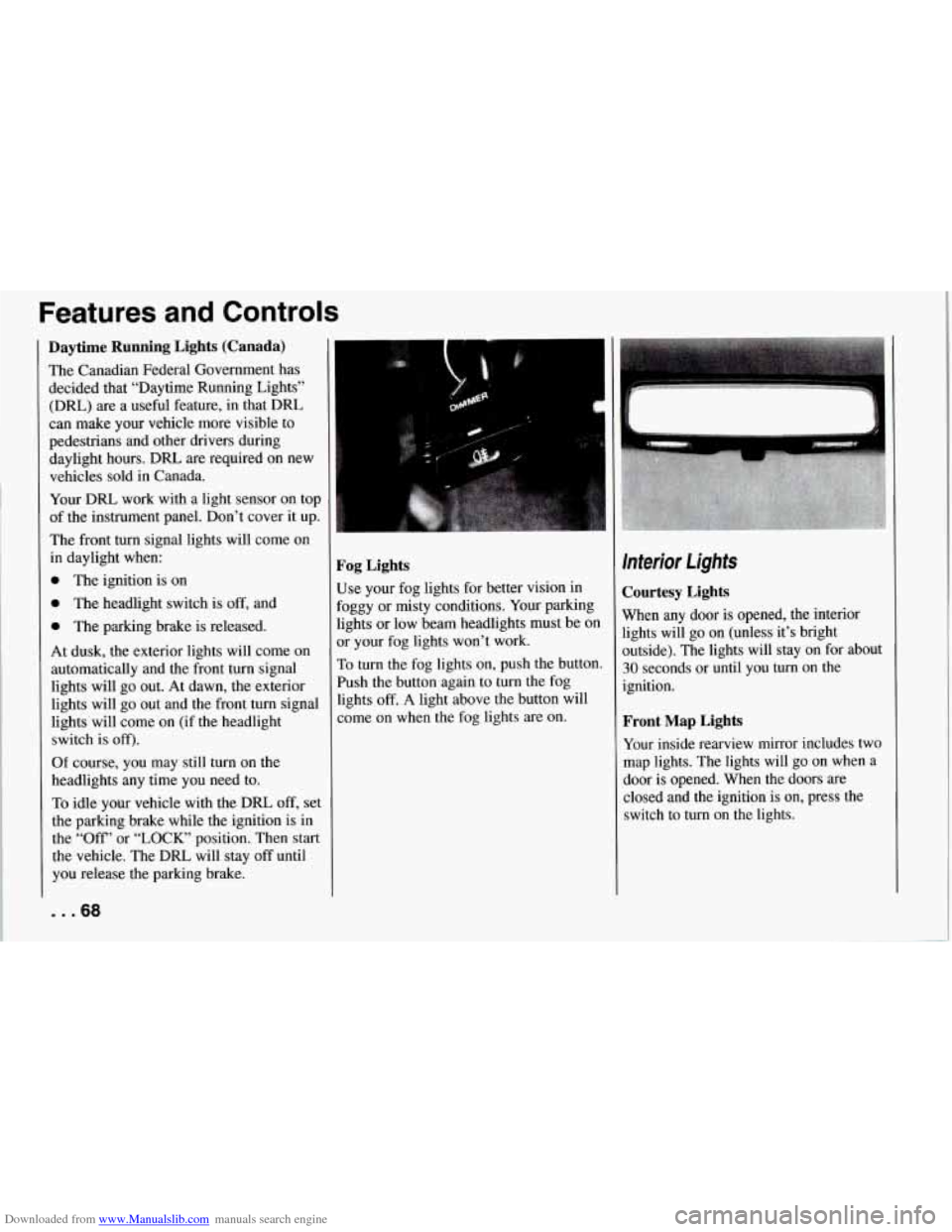
Fog Lights
Use your fog lights for better vision in
Foggy or misty conditions. Your parking
lights or low beam headlights must be
on
or your fog lights won’t work.
To turn the fog lights on, push the button.
Push the button again to turn the fog
lights
off. A light above the button will
come on when the fog lights are on.
Interior Lights
Courtesy Lights
When any door is opened, the interior
lights will go on (unless it’s bright
outside). The lights will stay on for about
30 seconds or until you turn on the
ignition.
Front Map Lights
Your inside rearview mirror includes two
map lights. The lights will go on when a
door is opened. When the doors are
closed and the ignition is on, press the
switch to turn on the lights.