engine coolant CHEVROLET CORVETTE 1997 5.G User Guide
[x] Cancel search | Manufacturer: CHEVROLET, Model Year: 1997, Model line: CORVETTE, Model: CHEVROLET CORVETTE 1997 5.GPages: 356, PDF Size: 18.43 MB
Page 141 of 356
Downloaded from www.Manualslib.com manuals search engine REDUCED ENGINE POWER: You will hear chimes
continuously when this message is displayed. To
acknowledge that you have read the message and to
remove it from the display, press RESET. The
message will reappear every
15 seconds until this
condition changes.
If the Driver Information Center displays the
REDUCED ENGINE POWER message and the
CHECK ENGINE light comes on, a noticeable
reduction in the vehicle’s performance may occur. If the
REDUCED ENGINE POWER message is displayed but
there is no reduction
in performance, proceed to your
destination. The performance may be reduced the next
time the vehicle is driven.
The vehicle may be driven at a reduced speed while the
REDUCED ENGINE POWER message is displayed,
but acceleration and speed may be reduced. Anytime the
CHECK ENGINE light stays on, the vehicle should be
taken to an authorized Chevrolet dealer as soon as
possible for diagnosis and repair.
Also, refer to “Malfunction Indicator Lamp” (Check
Engine Light) in the Index. If the REDUCED ENGINE
POWER message is displayed in combination with the
COOLANT OVER TEMP message, see “Engine
Overheating” in the Index.
SERVICE VEHICLE SOON: If this message appears
on the DIC, there may be an electrical or another system
problem with your Corvette. Have your vehicle checked
by your dealer if this message keeps appearing.
CHARGE SYSTEM FAULT Press RESET to
acknowledge that you have read the message and to
remove it from the display. The message will reappear
every
10 minutes until this condition changes. You will
hear two chimes when this message is displayed.
If this message comes
on while you are driving, you
may have a problem with the electrical charging system.
It could indicate that you have a loose or broken drive
belt or another electrical problem. Have it checked
right away. Driving while this light is
on could drain
your battery.
If you must drive a short distance with the message on,
be certain to turn off your accessories, such as the radio
and air conditioner.
TRACTION SYS ACTIVE: When your traction
control system is limiting wheel spin, the TRACTION
SYS ACTIVE message will be displayed. Slippery road
conditions may exist if this message is displayed,
so
adjust your driving accordingly. The message will stay
on for a few seconds after the traction control system
stops limiting wheel spin.
2-92
Page 143 of 356
Downloaded from www.Manualslib.com manuals search engine LOW COOLANT You will hear two chimes when this
message is displayed. To acknowledge the warning press
RESET. After you press RESET, a message will
reappear and you will hear a chime every
10 minutes
until this condition changes.
This message indicates that the coolant in the system is
low. You may need to add coolant.
See “Engine
Overheating” in the Index.
COOLANT OVER TEMP: You will hear four chimes
and the CHECK GAGES telltale will come on when this
message is displayed. To acknowledge the warning,
press the RESET button. After you press the RESET
button, a message will be displayed and you will hear a
chime every minute until this condition changes. If you
do not press RESET, the message will remain on the
digital display until the condition changes.
If the engine coolant exceeds 255
“F (124”C), this
message is displayed. If you have been operating your
vehicle under normal driving conditions, you should
pull off from the road, stop your vehicle and turn off the
engine as soon as possible. You can monitor the coolant
temperature with the GAGES button on the DIC or the
engine coolant gage on the instrument panel cluster.
See
“Engine Overheating” in the Index.
HIGH OIL TEMPERATURE REDUCE ENGINE
RPM:
You will hear four chimes and the CHECK
GAGES telltale will come on when this message is
displayed. To acknowledge the warning, press the
RESET button. After you press the RESET button, a
message will be displayed and you will hear a chime
every minute until this condition changes. If you do not
press RESET, the message will remain on the digital
display until the condition changes.
If the engine oil temperature exceeds 320°F (160” C),
this message is displayed. You should check the engine
coolant temperature and engine oil level. If your engine
is too hot, see “Engine Overheating” in the Index. Your
vehicle may need service,
so see your dealer. You can
monitor the oil temperature with the GAGES button on
the DIC.
HIGH TRANS TEMP: You will hear four chimes and
the CHECK GAGES telltale will come on when
this message is displayed. To acknowledge this
warning, press the RESET button. After you press the
RESET button, the message will be displayed every
10 minutes until the condition changes. If you do not
press RESET, the message remains on the display until
the condition changes.
2-94
Page 144 of 356
Downloaded from www.Manualslib.com manuals search engine If the transmission fluid temperature rises above 263 OF
(1 28 O C) or rises rapidly, this message is displayed.
The transmission may shift gears or apply the torque
converter clutch to reduce the fluid temperature.
Driving aggressively or driving on long hills can cause
the transmission fluid temperature to be higher than
normal. If this message appears, you may continue to
drive at a slower speed.
You should also monitor the
transmission fluid temperature and allow it to cool to at
least
230°F (1 10OC). The transmission fluid temperature
can be monitored with the GAGES button on the DIC.
See “Automatic Transmission Fluid” in the Index. You
should also check the engine coolant temperature.
If it is
also hot, see “Engine Overheating” in the Index.
If the HIGH TRANS TEMP message is displayed
during normal vehicle operation on flat roads, your
vehicle may need service. See your Chevrolet dealer
for an inspection.
LOW TIRE PRESSURE - (LF, LR, RF, RR): YOU
will hear two chimes when this message is displayed.
To acknowledge the warning, press RESET. After you
press RESET, a message will reappear and you will hear
a chime every
10 minutes until this condition changes.
This message indicates that the pressure in one of your
tires is less than
25 psi (172 kPa). Next to the LOW
TIRE PRESSURE message, you can see either LF (left
front), LR (left rear),
RF (right front) or RR (right rear) to indicate to
you which tire is low on pressure. You can
receive more than one tire pressure message at a time.
To read other messages that may have been sent at the
same time, press RESET.
If a tire pressure message
appears on the DIC, stop as soon as you can. Have the
tire pressures checked and set to those shown on your
Tire Loading Information Label. See “Extended
Mobility Tires” in the Index.
When the LOW TIRE PRESSURE or FLAT
TIRE message is displayed on the Driver
Information Center, your vehicle’s handling
capabilities will be reduced during severe
maneuvers.
If you drive too fast, you could lose
control
of your vehicle. You or others could be
injured. Don’t drive over
55 mph (90 km/h) when
the LOW TIRE PRESSURE or FLAT TIRE
message is displayed. Drive cautiously, and check
your tire pressures as soon as you can.
-1
2-95
Page 146 of 356
Downloaded from www.Manualslib.com manuals search engine SERVICE TIRE MON SYS: If this message comes on,
a part on the Tire Pressure Monitor (TPM) is not
working properly. If you drive your vehicle while any
of
the four sensors are missing or inoperable, the warning
will come on in approximately
10 minutes. If all four
sensors are missing, the warning will come on in
approximately
15 - 20 minutes. (All the sensors would
be missing, for example, if you put different wheels on
your vehicle without transferring the sensors. If the
warning comes on and stays on, there may be a problem
with the TPM. See your dealer.
Other Messages
Here are more messages that you can receive on your
Driver Information Center. To acknowledge a message
and read another message that may have come
on at the
same time, press the RESET button.
BRAKE BEFORE SHIFT
(Automatic Transmissions Only)
0 CHANGE OIL NOW
CHANGE OIL SOON
0 CRUISE DISENGAGED
0 CRUISE SET - MPH (- kmh)
0 DOOR AJAR
0 ENGINE PROTECTION REDUCE ENGINE RPM
0 HATCH AJAR
0 HIGH VOLTAGE
LOW BRAKE FLUID (See “Brake Fluid” in
0 LOW COOLANT (See “Engine Overheating” in
0 LOW FUEL (fuel range is less than 50 miles (80 km))
0 LOW VOLTAGE
the Index)
the Index)
0 LOW
WASHER FLUID
0 PULL KEY - WAIT 10 SEC
0 RESERVE FUEL
UPSHIFT NOW
2-97
Page 151 of 356
Downloaded from www.Manualslib.com manuals search engine Mode Buttons
These buttons control the air intake, the air conditioning
and the rear window defogger operation.
outside air into your vehicle. The light on the button will
come on when operating. Use this setting while trying
to
defrost or defog windows to help clear moisture.
amount of fresh
air entering your vehicle by recirculating
most of the
air inside your vehicle. The light on the button
will come on when operating.
This setting is helpful when
you are trying to cool the
air quickly or to limit odors
entering your vehicle.
RECIRCULATE cannot be used
while in the DEFROST or DEFOG modes.
a NC: This button turns the air conditioning
compressor off or on under most conditions. The light
on the
A/C button comes on when the compressor is
operating. The air conditioning does not operate at
temperatures below approximately
35 OF to 40°F
(2" C to 4" C). The air conditioning cools and
dehumidifies the air coming into the vehicle. The
air conditioning cannot be turned off in DEFROST
as it helps to remove moisture from the vehicle. It also
helps to keep the windows clear.
FRESH AIR: Press this button and it will bring
RECIRCULATE: Press this button to limit the The air
conditioning may be forced off at high engine
speeds or high engine oil or coolant temperatures,
Rear Window Defogger
@ This button turns the rear defogger and heated
outside mirrors on. The light on the button will come
on when operating. The system automatically shuts off
after approximately
10 minutes. If further defogging is
desired, press the button again.
The rear window defogger operates only when the
engine
is running.
The rear window defogger uses a warming grid to
remove fog from the rear window.
Do not attach
anything like a temporary vehicle license or a decal
across the defogger grid on the rear window.
I NOTICE:
Don't use a razor blade or something sharp on
the inside
of the rear window. If you do, you
could cut or damage the warming grid, and repairs wouldn't be covered by your warranty.
Page 154 of 356
Downloaded from www.Manualslib.com manuals search engine A Typical Cold Weather Example:
Your vehicle has been parked outside ~ver~~ight in
cold weather (below 32 OF/ 0" C) and you have set
the driver temperature at 73 OF (23
"C) and have selected
the AUTO mode. The system will automatically adjust
the temperature output to maximum heating. The fan
will start at a low speed. This
is to avoid blowing cold
air into the vehicle. The length of the delay depends
on the amount of time since the engine was last started,
the outside temperature and the engine coolant
temperature. As the coolant warms up, the fan speed
will gradually increase. Air will flow to the floor with
some air to the windshield to prevent fogging under
most normal conditions.
As the interior
of the vehicle warms up to your comfort
set temperature, the fan speed will decrease and the
temperature output may become cooler. If the interior
temperature continues to warm up due to heating from
the sun or outside temperature increases, the system
may switch to other air delivery modes (typically
DEFOG or BI-LEVEL).
A vpical Hot Weather Example:
Your vehicle has Seen parked outside all day in hot
weather (above
70 OF/ 2 1 O C) and you have set the
driver temperature at
73 "F (23 O C) and have selected
the AUTO mode. The system will automatically adjust
the temperature output to maximum cooling. The blower
will start at a low speed momentarily to push the hot
air to the floor of the vehicle and then
go to a higher
blower speed with cold airflow out of the instrument
panel outlets. A small amount of airflow will continue
through the lower ducts to cool the floor area.
The air intake may start in the recirculated mode for
maximum cooling performance. As the interior of the
vehicle cools down to your comfort set temperature,
the fan speed will decrease and the temperature output
may become warmer. The air intake may shift from
recirculation to fresh air mode.
If the interior continues
to cool due to a decrease in the amount
of heat the
vehicle is absorbing from the sun or a decrease in the
outside temperature, the system could switch to other air
delivery modes (typically BI-LEVEL or DEFOG).
3-7
Page 159 of 356
Downloaded from www.Manualslib.com manuals search engine Heating
The heater works best if you keep your windows closed.
Maximum heating will occur when airflow direction
is in the lower mode and the temperature control knob
(on a manual climate control system) is all the way in
the red area. These settings will be selected by the
Automatic Electronic Dual Climate Control System if
operating in AUTO when maximum heating is required.
The BI-LEVEL setting is designed for use on sunny
days when the air is only moderately warm or cool.
On days like these, the sun may adequately warm
your upper body, but your lower body may not be
warm enough. The BI-LEVEL setting will direct
cooler airflow to your upper body and warmer air
to the floor area.
If you have the optional engine coolant heater and use
it during cold weather
0°F (- 18OC) or lower, your
heating system will provide heat more quickly because
the coolant is already warmed. See “Engine Coolant
Heater” in the Index.
Defogging and Defrosting
To rapidly defrost the windshield, the FRONT defrost
mode (electronic dual climate control system) or defrost
mode (manual control system) should be used and the
fan speed should be adjusted to the highest speed. With
the manual control system,
turn the temperature control
knob all the way to the red area.
To keep the windshield clear and provide heated air to
the floor area of
the vehicle, use the DEFOG setting.
Your vehicle is equipped with side window defogger
vents located near the side rearview mirrors.
3-12
Page 224 of 356
Downloaded from www.Manualslib.com manuals search engine Engine Overheating
You will find an engine coolant temperature gage on the
instrument cluster and a COOLANT OVER TEMP
message on the Driver Information Center.
Overheated Engine Protection
Operating
Mode
Should a low coolant condition exist and the messages
COOLANT OVERTEMP and REDUCED ENGINE
POWER
are displayed, along with the CHECK
ENGINE light, an overheat protection mode which alternates firing groups of four cylinders helps prevent
engine damage. In this mode, you will notice a loss in
power and engine performance. This operating mode allows your vehicle to be driven to a safe place in an
emergency; you may drive up to
50 miles (80 km).
NOTICE:
After driving in the overheated engine protection
operating mode, to avoid engine damage, allow
the engine to cool before attempting any repair.
The engine
oil will be severely degraded. Repair
the cause of coolant
loss, change the oil and reset
the oil life monitor. See “Engine Oil, When to
Change” in the Index.
I I
5-13
Page 225 of 356
Downloaded from www.Manualslib.com manuals search engine If Steam Is Coming From Your Engine
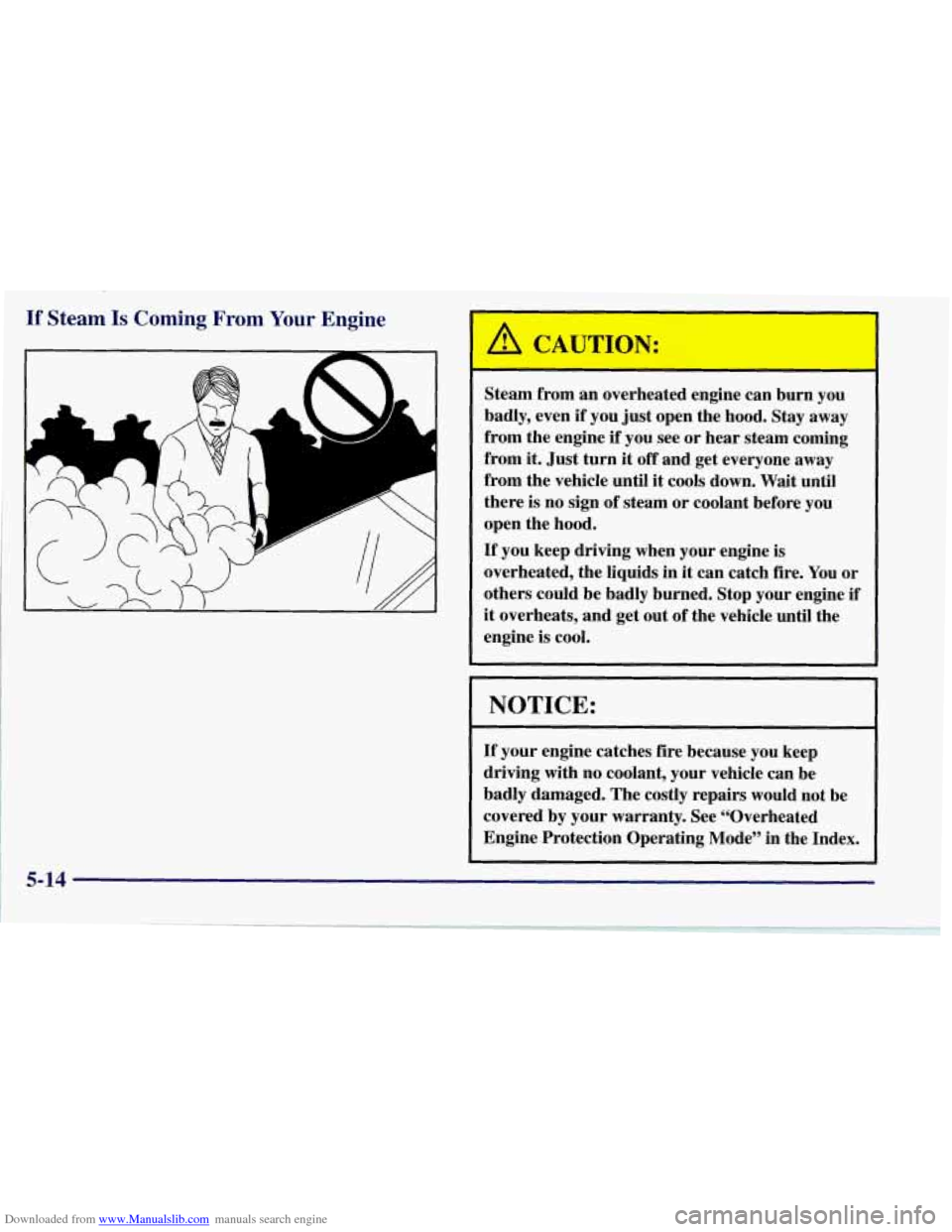
I ’L ’ F-J
A
A
-
Steam from an overheated engine can burn you
badly, even
if you just open the hood. Stay away
from the engine if you see or hear steam coming
from it. Just turn
it off and get everyone away
from the vehicle until
it cools down. Wait until
there
is no sign of steam or coolant before you
open the hood.
If you keep driving when your engine is
overheated, the liquids in it can catch fire. You or
others could be badly burned.
Stop your engine if
it overheats, and get out of the vehicle until the
engine is cool.
NOTICE:
If your engine catches fire because you keep
driving with no coolant, your vehicle can be
badly damaged. The costly repairs would not be
covered by your warranty. See “Overheated
Engine Protection Operating Mode” in the Index.
5-14
Page 227 of 356
Downloaded from www.Manualslib.com manuals search engine Cooling System
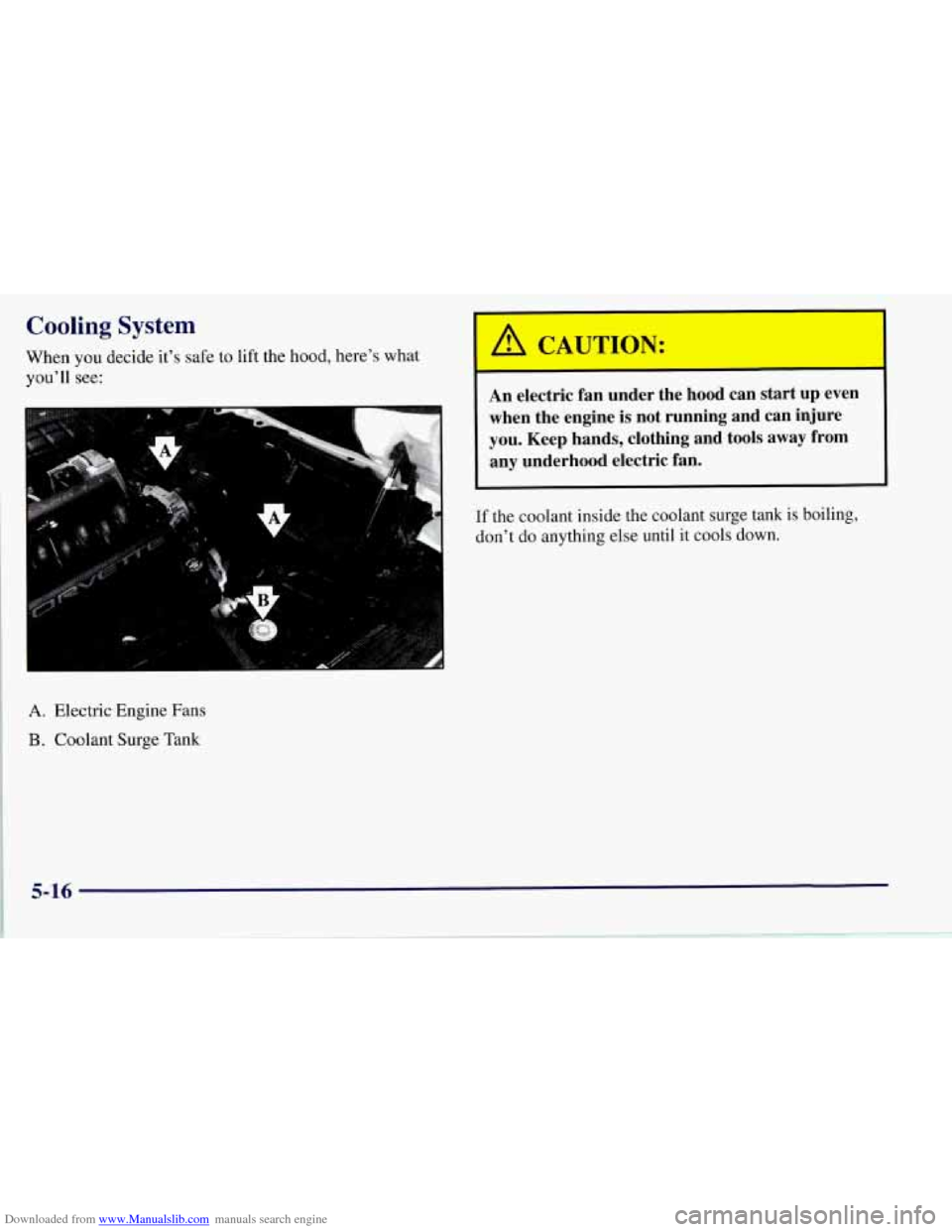
When you decide it’s safe to lift the hood, here’s what
you’ll see:
A. Electric Engine Fans
B. Coolant Surge Tank
A CAUTION:
An electric fan under the hood can start up even
when the engine
is not running and can injure
you. Keep hands, clothing and tools away from any underhood electric fan.
If the coolant inside the coolant surge tank is boiling,
don’t do anything else until it cools down.