warning light CHEVROLET CORVETTE 1997 5.G User Guide
[x] Cancel search | Manufacturer: CHEVROLET, Model Year: 1997, Model line: CORVETTE, Model: CHEVROLET CORVETTE 1997 5.GPages: 356, PDF Size: 18.43 MB
Page 140 of 356
Downloaded from www.Manualslib.com manuals search engine ABS ACTIVE (Anti-Lock Brake System Active):
When your anti-lock system is adjusting brake pressure
to help avoid a braking skid, the ABS ACTIVE message
will be displayed.
Slippery road conditions may exist
if this message is
displayed,
so adjust your driving accordingly. The
message will stay on for a few seconds after the system
stops adjusting brake pressure.
SERVICE ABS (Anti-Lock Brake System): If the
SERVICE ABS message is displayed when you are
driving, stop as soon as possible and turn the ignition
off. Then start the engine again to reset the system. If
the message stays on, or comes back on again while you
are driving, your vehicle is in need of service.
If the
regular brake system warning light isn’t on, you still
have brakes, but don’t have anti-lock brakes. If the
regular brake system light is also on, you don’t have
anti-lock brakes and there is a problem with your
brakes. See “Brake System Warning Light” earlier in
this section.
SERVICE COLUMN LOCK: The system that
controls the locking and unlocking of the steering
column may
not work properly. Have the vehicle
towed to a dealer for service.
LOW OIL PRESSURE: You will hear four chimes
and the CHECK GAGES telltale will come
on when
this message is displayed. To acknowledge the warning,
press the RESET button. After you press the RESET
button, a message will be displayed and you will hear a
chime every minute until the vehicle
is serviced. If you
do not press RESET, the message will remain on the
digital display until the vehicle
is serviced.
Low oil pressure may be the result of a combination
of low oil level and abrupt changes in the vehicle’s
direction. When this warning
is displayed, you should
not operate
the engine at high RPM or make fast abrupt
moves. When convenient, you should check the oil
level. See “Engine Oil” in the Index.
LOW OIL LEVEL: Press RESET to acknowledge that
you have read the message and to remove it from the
display. The message will reappear every
10 minutes
until this condition changes.
You will hear two chimes when this message is
displayed.
If this message appears after starting your
engine, your engine oil level may be too low. You may
need to add oil. See “Engine Overheating” in the Index.
2-91
Page 186 of 356
Downloaded from www.Manualslib.com manuals search engine Avoid needless heavy braking. Some people drive in
spurts
-- heavy acceleration followed by heavy braking
-- rather than keeping pace with traffic. This is a
mistake. Your brakes may not have time to cool between
hard stops. Your brakes will wear out much faster if you
do a lot of heavy braking. If you keep pace with the
traffic and allow realistic following distances, you will
eliminate a lot of unnecessary braking. That means
better braking and longer brake life.
If your engine ever stops while you’re driving, brake
normally but don’t pump your brakes. If you do, the
pedal may get harder to push down. If your engine
stops, you will still have some power brake assist. But
you will use it when you brake. Once the power assist
is
used up, it may take longer to stop and the brake pedal
will be harder to push.
Anti-Lock Brakes (ABS)
Your vehicle has anti-lock brakes (ABS). ABS is an
advanced electronic braking system that will help
prevent a braking skid.
When you start your engine and begin to drive away,
your anti-lock brake system will check itself. You may
hear a momentary motor or clicking noise while this test
is going on, and you may even notice that your brake
pedal moves a little. This
is normal.
If there’s a problem with the
anti-lock brake system, this
warning light will stay on.
See “Anti-Lock Brake
4-7
Page 189 of 356
Downloaded from www.Manualslib.com manuals search engine TCS Light
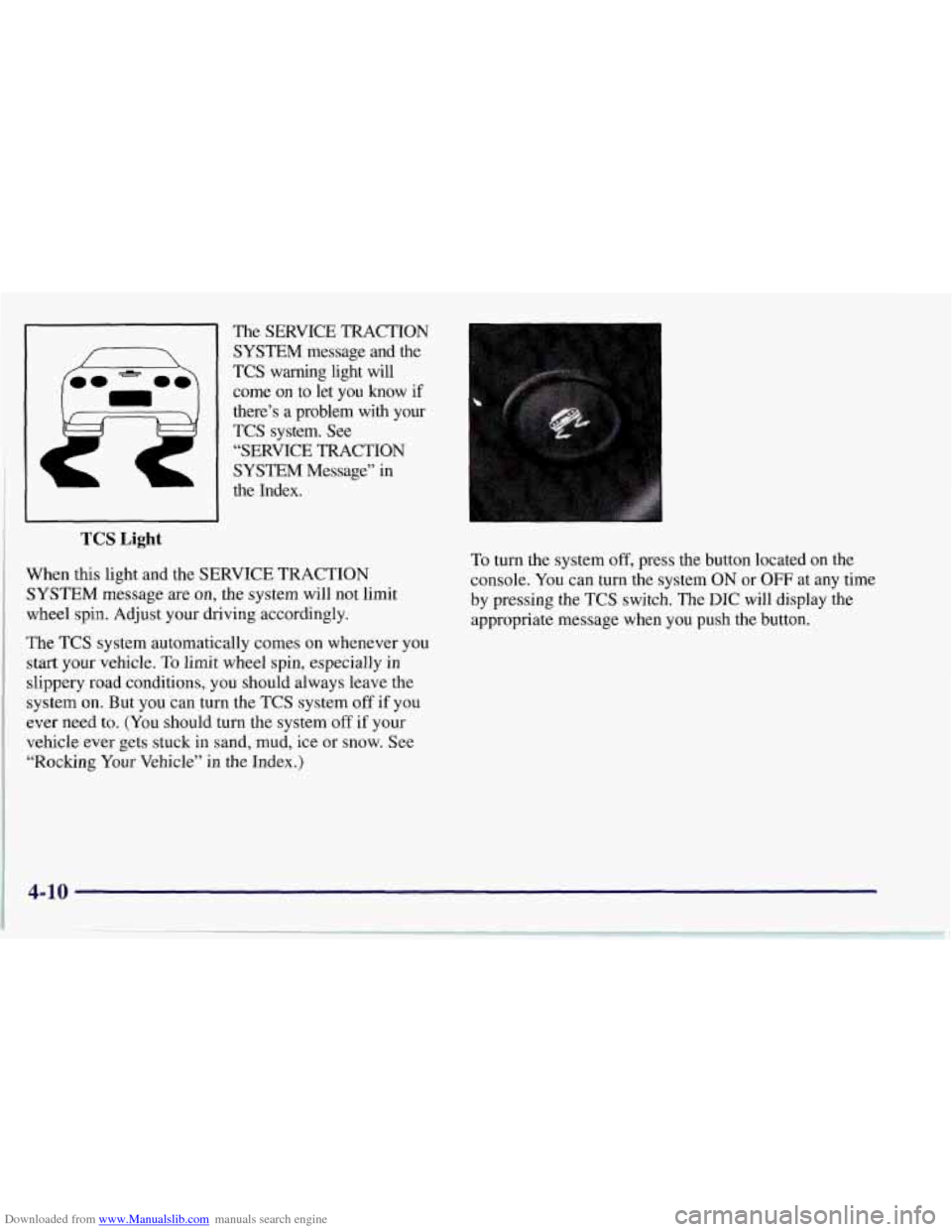
The SERVICE TRACTION
SYSTEM message and the
TCS warning light will
come on to let you know if
there’s a problem with your TCS system. See
“SERVICE TRACTION
SYSTEM Message” in
the Index.
When this light and the SERVICE TRACTION
SYSTEM message are on, the system will not limit
wheel spin. Adjust your driving accordingly.
The TCS system automatically comes on whenever you
start your vehicle. To limit wheel spin, especially in
slippery road conditions, you should always leave the
system on. But you can turn the
TCS system off if you
ever need to. (You should turn the system off if your
vehicle ever gets stuck in sand, mud, ice or
snow. See
“Rocking
Your Vehicle” in the Index.) To
turn the system
off, press the button located on the
console. You can turn the system ON or
OFF at any time
by pressing the TCS switch. The DIC will display the
appropriate message when you push the button.
4-10
Page 200 of 356
Downloaded from www.Manualslib.com manuals search engine City Driving
One of the biggest problems with city streets is the
amount of traffic on them. You’ll want to watch out for
what the other drivers are doing and pay attention to
traffic signals. Here
are ways to increase your safety in city driving:
0 Know the best way to get to where you are
going. Get a city map and plan your trip into an
unknown
part of the city just as you would for a
cross-country trip.
Try to use the freeways that rim and crisscross most
large cities. You’ll save time and energy. (See the
next part, “Freeway Driving.”)
Treat a green light as a warning signal. A traffic light
is there because the corner
is busy enough to need it.
When a light turns green, and just before
YOU start to
move, check both ways for vehicles that have not
cleared the intersection or may be running the
red light.
4-21
Page 205 of 356
Downloaded from www.Manualslib.com manuals search engine Winter Driving
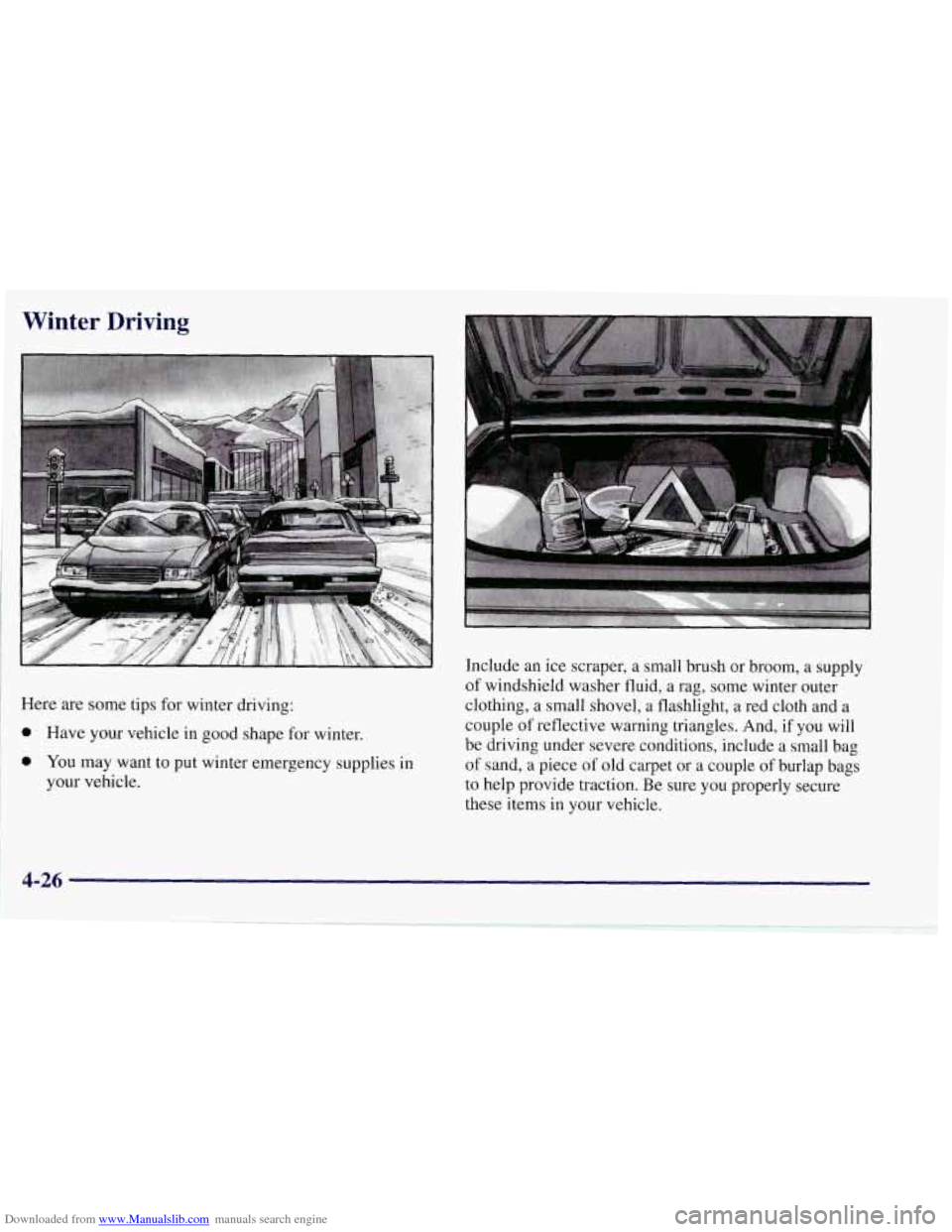
Here are some tips for winter driving:
0 Have your vehicle in good shape for winter.
0 You may want to put winter emergency supplies in
your vehicle. Include
an ice scraper, a small brush or broom, a supply
of windshield washer fluid, a rag, some winter outer
clothing, a small shovel, a flashlight, a red cloth and a
couple of reflective warning triangles. And,
if you will
be driving under severe conditions, include a small bag
of sand, a piece of old carpet or a couple of burlap bags
to help provide traction. Be sure you properly secure
these items in your vehicle.
Page 250 of 356
Downloaded from www.Manualslib.com manuals search engine Your Corvette engine is filled at the factory with a
Mobil
l@ synthetic oil, which meets all requirements for
your vehicle.
Substitute Oil: When adding oil to maintain engine oil
level, oil meeting GM Standard GM4718M may not be
available. You can add substitute oil designated SAE
5W-30 with the “Starburst” symbol at all temperatures.
If temperatures are above 0°F
(- 18 O C), you may
substitute SAE 1OW-30 with the “Starburst” symbol.
Substitute oil not meeting GM Standard GM4718M
should not be used for an oil change.
Engine Oil Additives
Don’t add anything to your oil. Your Chevrolet dealer is
ready to advise
if you think something should be added.
When to Change Engine Oil
Your Corvette has an Engine Oil Life Monitor. This
feature will let you know when to change your oil and
filter
-- usually between 3,000 miles (5 000 km) and
10,000 miles (1 6 000 km) since your last oil change.
Under severe conditions, the indicator may come on
before
3,000 miles (5 000 km). Never drive your vehicle
more than 10,000 miles
(1 6 000 km) or 12 months
(whichever occurs first) without an oil change. Use
engine oil meeting the GM Standard GM4718M. The
system won’t detect dust in the
oil. So, if you
drive in a dusty area, be sure to change your oil every
3,000 miles (5 000 km) or sooner if the CHANGE OIL
light comes on. Remember to reset the Engine Oil Life
Monitor when the oil has been changed. For more
information, see “Engine Oil Life Monitor” in the Index.
When Changing the Engine Oil
There is a special procedure for changing engine oil.
Contact your Chevrolet dealer for additional information
or the procedure can be found in a Corvette Service
Manual. To purchase a service manual, see “Service and
Owner Publications”
in the Index.
How to Reset the Engine Oil Life Monitor
Press RESET to acknowledge the CHANGE OIL SOON
warning. The oil page on the DIC will then show a
message such as OIL LIFE 0%. To reset the monitor,
press and hold RESET for two seconds.
You will then
receive a message such as OIL LIFE
99%.
Page 258 of 356
Downloaded from www.Manualslib.com manuals search engine A 50/50 mixture of water and DEX-COOL@
coolant will:
Give freezing protection down to -34°F (-37°C).
Give boiling protection up to 265 "F (129" C).
Protect against rust and corrosion.
Help keep the proper engine temperature,
Let the warning lights and gages work as
they should.
NOTICE:
When adding coolant, it is important that you use
only
DEX-COOL@ (silicate-free) coolant.
If coolant other than DEX-COOL@ is added to
the system, premature engine, heater core or
radiator corrosion
may result. In addition, the
engine coolant will require change sooner
-- at
30,000 miles (50 000 km) or 24 months,
whichever occurs first. Damage caused
by the use
of coolant other than DEX-COOL@ is not
covered by your new vehicle warranty.
What to Use
Use a mixture of one-half clean water (preferably
distilled) and one-half
DEX-COOL' coolant which
won't damage aluminum parts.
If you use this mixture,
you don't need to add anything else.
Adding only plain water to your cooling system
can be dangerous. Plain water, or some other
liquid like alcohol, can boil before the proper
coolant mix will. Your vehicle's coolant warning
system
is set for the proper coolant mix. With
plain water or the wrong mix, your engine could
get too hot but you wouldn't get the overheat
warning. Your engine could catch fire and
you or
others could be burned. Use
a 50/50 mix of clean
water and DEX-COOL@ coolant.
I
6-23
Page 266 of 356
Downloaded from www.Manualslib.com manuals search engine Brake Wear
Your Corvette has four-wheel disc brakes.
Disc brake pads have built-in wear indicators that
make a high-pitched warning sound when the brake
pads are worn and new pads are needed. The sound may
come and go or be heard all the time your vehicle is
moving (except when you
are pushing on the brake
pedal firmly).
The brake wear warning sound means that soon
your brakes won’t work well. That could lead
to
an accident. When you hear the brake wear
warning sound, have your vehicle serviced.
NOTICE:
Continuing to drive with worn-out brake pads
could result in costly brake repair.
Some driving conditions or climates may cause a brake
squeal when the brakes are first applied or lightly
applied. This does not mean something is wrong with
your brakes.
Brake linings should always be replaced as complete
axle sets.
See “Brake System Inspection” in Section
7 of this
manual under Part
C “Periodic Maintenance
Inspections.”
Brake Pedal Travel
See your dealer if the brake pedal does not return to
normal height, or if there is a rapid increase in pedal
travel. This could be a sign of brake trouble.
Brake Adjustment
As you make brake stops, your disc brakes
automatically adjust for wear.
6-31
Page 344 of 356
Downloaded from www.Manualslib.com manuals search engine e
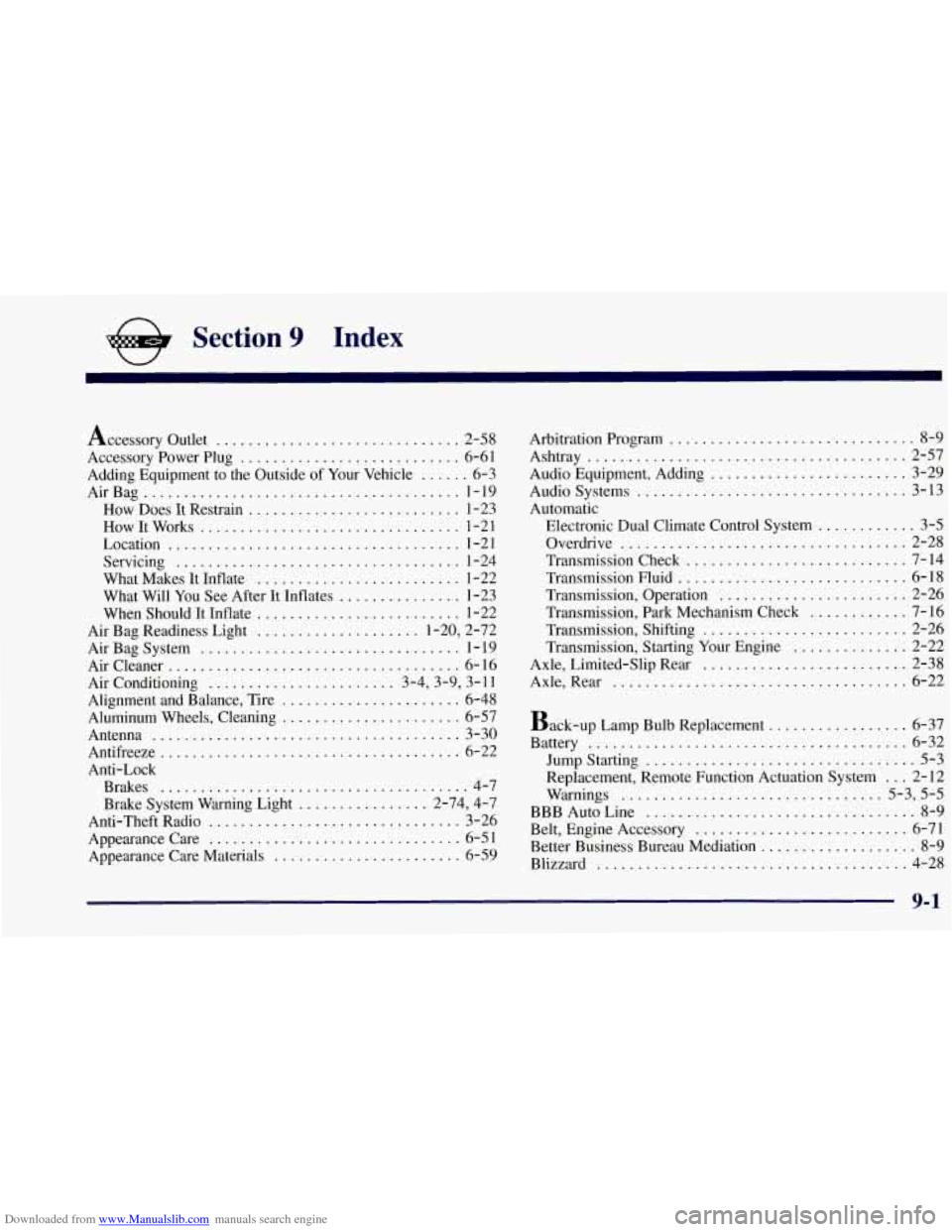
Section 9 Index
Accessory Outlet .............................. 2-58
Accessory Power Plug
........................... 6-61
Adding Equipment to the Outside
of Your Vehicle ...... 6-3
AirBag
....................................... 1-19
How Does It Restrain
.......................... 1-23
How It Works
................................ 1-2 1
Location .................................... 1-21
Servicing
................................... 1-24
What Makes It Inflate
......................... 1-22
What Will You See After It Inflates
............... 1-23
When Should It Inflate
......................... 1-22
Air Bag Readiness Light
.................... 1-20, 2-72
AirBagSystem
................................ 1-19
Aircleaner
.................................... 6-16
Air Conditioning
....................... 3-4,3-9, 3-11
Alignment and Balance, Tire
...................... 6-48
Aluminum Wheels, Cleaning
...................... 6-57
Antenna
...................................... 3-30
Antifreeze
..................................... 6-22
Anti-Lock Brakes
...................................... 4-7
Brake System Warning Light
................ 2-74, 4-7
Anti-Theft Radio
............................... 3-26
Appearancecare
............................... 6-51
Appearance Care Materials
....................... 6-59 Arbitration Program
.............................. 8-9
Ashtray ....................................... 2-57
Audio Equipment. Adding
........................ 3-29
Audio Systems
................................. 3-13
Automatic Electronic Dual Climate Control System
............ 3-5
Overdrive
................................... 2-28
Transmission Check
........................... 7-14
Transmission Fluid
............................ 6-18
Transmission. Operation
....................... 2-26
Transmission. Park Mechanism Check
............ 7-16
Transmission. Shifting
......................... 2-26
Transmission. Starting Your Engine
.............. 2-22
Axle. Limited-Slip Rear
......................... 2-38
Axle. Rear
.................................... 6-22
Back-up Lamp Bulb Replacement
................. 6-37
Battery
....................................... 6-32
Jump Starting
................................. 5-3
Replacement, Remote Function Actuation System ... 2-12
Warnings
................................ 5-3, 5-5
BBB Auto Line ................................. 8-9
Belt, Engine Accessory .......................... 6-71
Better Business Bureau Mediation
................... 8-9
Blizzard
...................................... 4-28
Page 345 of 356
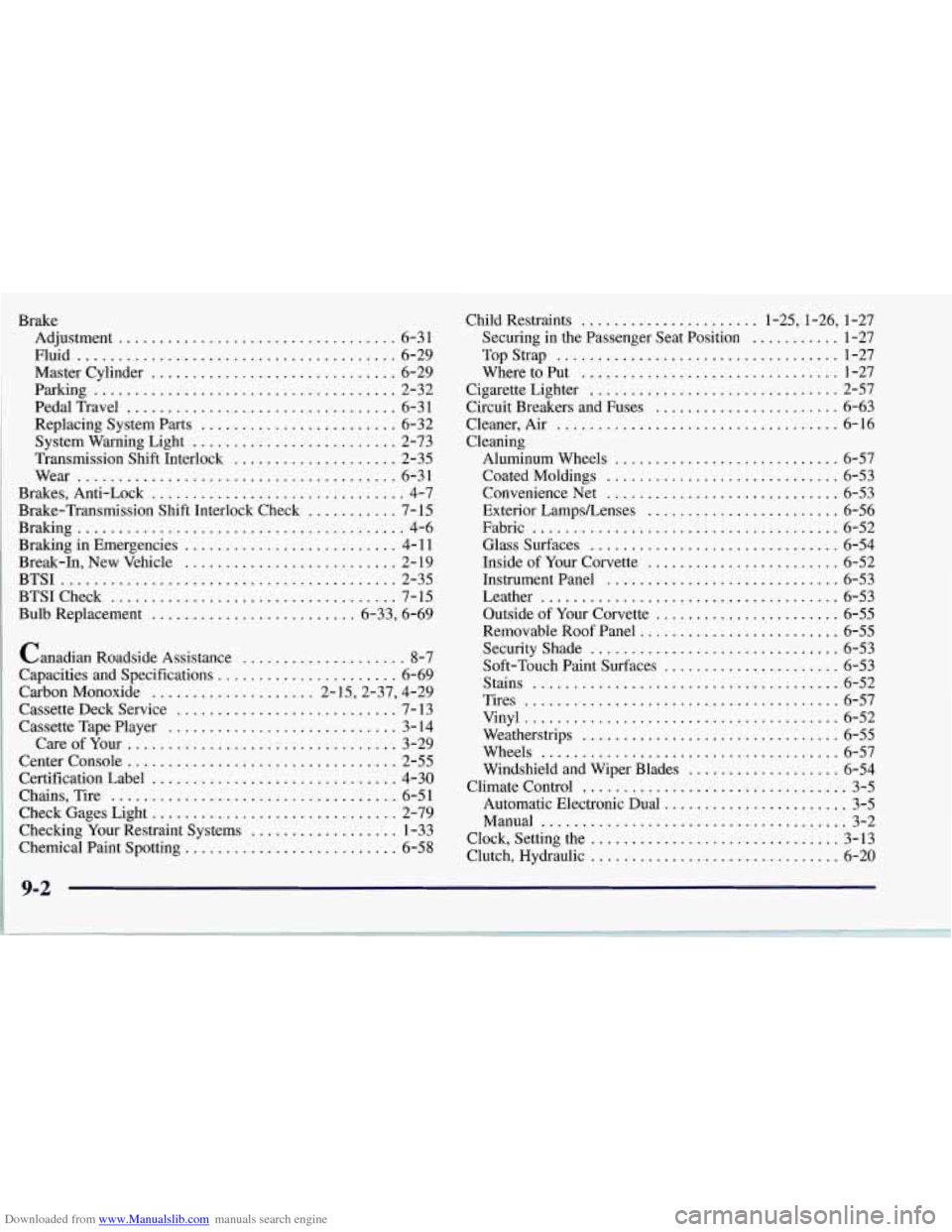
Downloaded from www.Manualslib.com manuals search engine Brake Adjustment
.................................. 6-31
Master Cylinder
.............................. 6-29
Parking
..................................... 2-32
PedalTravel
................................. 6-31
Replacing System Parts
........................ 6-32
System Warning Light
......................... 2-73
Brakes.Anti -Lock
............................... 4-7
Braking in Emergencies
.......................... 4- 11
Break-In. New Vehicle .......................... 2- 19
BTSI
......................................... 2-35
BTSICheck
................................... 7-15
Bulb Replacement
......................... 6.33. 6.69
Fluid
....................................... 6-29
Transmission Shift Interlock
.................... 2-35
Wear
....................................... 6-31
Brake-Transmission Shift Interlock Check
........... 7- 15
Braking
........................................ 4-6
Canadian Roadside Assistance
.................... 8-7
Capacities and Specifications
...................... 6-69
Carbon Monoxide
.................... 2.15.2.37. 4.29
Cassette Deck Service
........................... 7- 13
Cassette Tape Player
............................ 3- 14
Careofyour
................................. 3-29
Center Console
................................. 2-55
Certification Label
.............................. 4-30
Chains. Tire
................................... 6-51
Check Gages Light
.............................. 2-79
Checking Your Restraint Systems
.................. 1-33
Chemical Paint Spotting
.......................... 6-58 Child Restraints
...................... 1.25. 1.26.
1-27
Securing in the Passenger Seat Position
........... 1-27
Top Strap
................................... 1-27
Where to Put
................................ 1-27
Cigarette Lighter
............................... 2-57
Circuit Breakers and Fuses
....................... 6-63
Cleaner. Air
................................... 6-16
Cleaning Aluminum Wheels
............................ 6-57
Coated Moldings
............................. 6-53
Convenience Net
............................. 6-53
Exterior LampsLenses
........................ 6-56
Fabric
...................................... 6-52
Glasssurfaces
............................... 6-54
Inside of Your Corvette
........................ 6-52
Instrument Panel
............................. 6-53
Leather
..................................... 6-53
Outside of Your Corvette
....................... 6-55
Removable Roof Panel
......................... 6-55
SecurityShade
............................... 6-53
Soft-Touch Paint Surfaces
...................... 6-53
Stains
...................................... 6-52
Tires
....................................... 6-57
Vinyl
....................................... 6-52
Weatherstrips
................................ 6-55
Wheels
..................................... 6-57
Windshield and Wiper Blades
................... 6-54
Climate Control
................................. 3-5
Automatic Electronic Dual
....................... 3-5
Manual
...................................... 3-2
Clock. Setting the
............................... 3-13
Clutch. Hydraulic
............................... 6-20
9-2
......... . .... .. ..... ,