ECU CHEVROLET CORVETTE 1998 5.G User Guide
[x] Cancel search | Manufacturer: CHEVROLET, Model Year: 1998, Model line: CORVETTE, Model: CHEVROLET CORVETTE 1998 5.GPages: 378, PDF Size: 19.91 MB
Page 71 of 378
Downloaded from www.Manualslib.com manuals search engine Always use your key or the key fob transmitter to
unlock a door. Unlocking a door any other way will set
off the alarm. If you do set off the alarm, there are four
ways to stop it:
Unlock any door with your key.
Put the key in the ignition.
Press the UNLOCK button on the key fob transmitter.
0 Walk into range with the passive switch on.
Testing the Alarm
1. Make sure the rear hatch/trunk lid is latched.
2. Lower a window on the door.
3. Manually arm the system with the power door
lock switch.
4. Close the doors and wait 15 seconds.
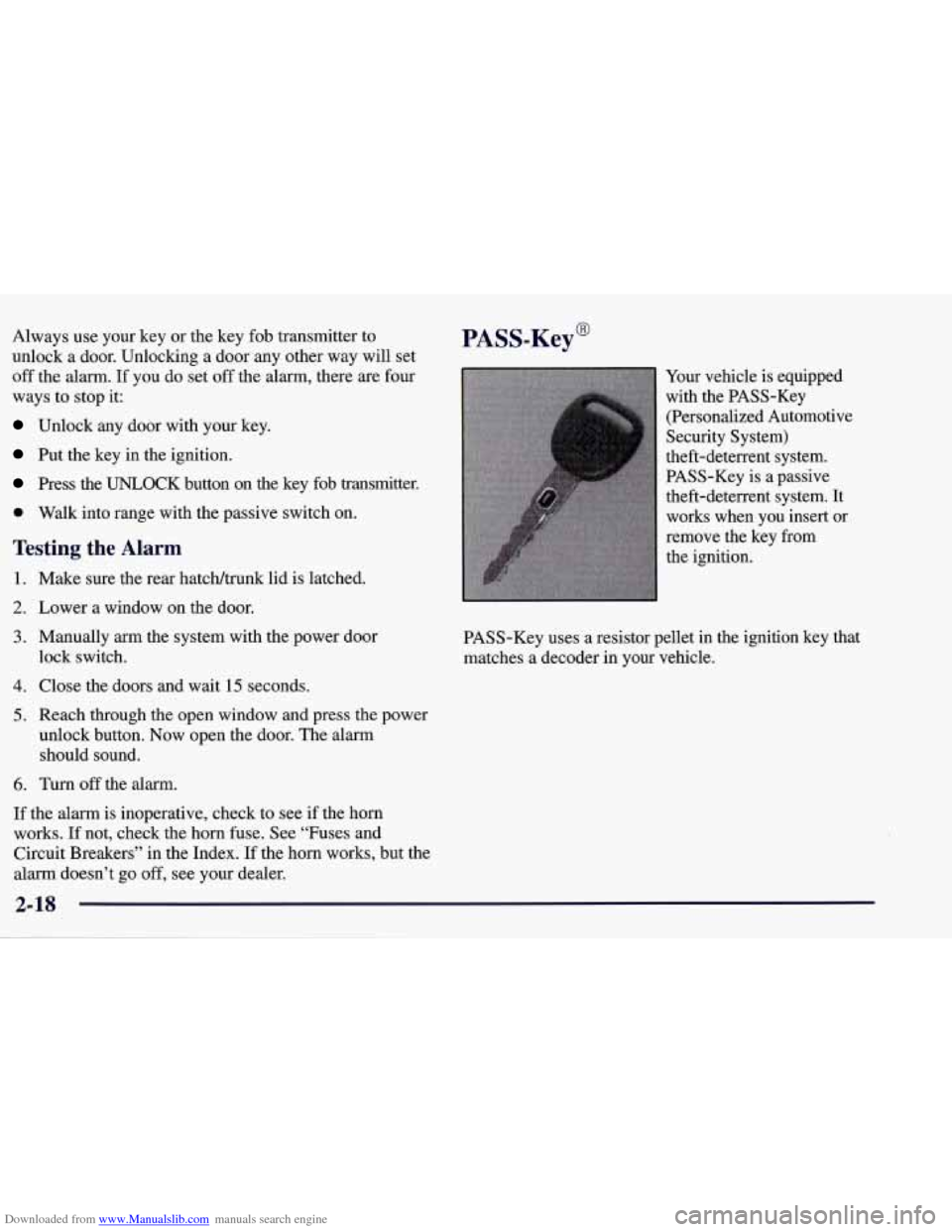
PASS-Key@
Your vehicle is equipped
with the PASS-Key
(Personalized Automotive
Security System)
theft-deterrent system.
PASS-Key is
a passive
theft-deterrent system. It
works when you insert
or
remove the key from
the ignition.
PASS-Key uses a resistor pellet in the ignition key that
matches
a decoder in your vehicle.
5. Reach through the open window and press the power
unlock button. Now open the door. The alarm
should sound.
6. Turn off the alarm.
If the alarm is inoperative, check to see if the horn
works. If not, check the horn fuse. See “Fuses and
Circuit Breakers” in the Index.
If the horn works, but the
alarm doesn’t go
off, see your dealer.
2-18
Page 72 of 378
Downloaded from www.Manualslib.com manuals search engine When the PASS-Key system senses that someone is
using the wrong key, it shuts down the vehicle’s starter
and fuel systems. For about three minutes, the starter
won’t work and fuel won’t go to the engine.
If someone
tries to start your vehicle again or uses another key
during this time, the shutdown period will start over
again. This discourages someone from randomly trying
different keys with different resistor pellets in an attempt
to make a match.
The key must be clean and dry before it’s inserted in the
ignition or the engine may not start. If the SECURITY
light comes on, the key may be dirty or wet.
If this happens and the starter won’t work, turn the
ignition
off. Clean and dry the key, wait three minutes
and try again. If the starter still won’t work, wait
three minutes and try the other ignition key. At this time,
you may
also want to check the fuses (see “Fuses and
Circuit Breakers” in the Index). If the starter won’t work
with the other key, your vehicle needs service. If your
vehicle does start, the first ignition key may be faulty.
See your dealer or a locksmith who can service the
PASS-Key. If
you accidentally use a key that has a damaged or
missing resistor pellet, you will see no SECURITY
light. You don’t have to wait three minutes before trying
the proper key.
If the resistor pellet is damaged or missing, the starter
won’t work. Use the other ignition key, and see your
dealer or a locksmith who can service the PASS-Key to
have a new key made.
If the SECURITY light comes on while driving, have
your vehicle serviced as soon as possible.
If you lose or damage a PASS-Key ignition key, see
your dealer or a locksmith who can service PASS-Key.
In an emergency, call the Chevrolet Roadside Assistance
Center at 1-800-CHEV-USA
(1-800-243-8872). In
Canada, call 1-800-268-6800.
2-19
Page 108 of 378
Downloaded from www.Manualslib.com manuals search engine Center Console
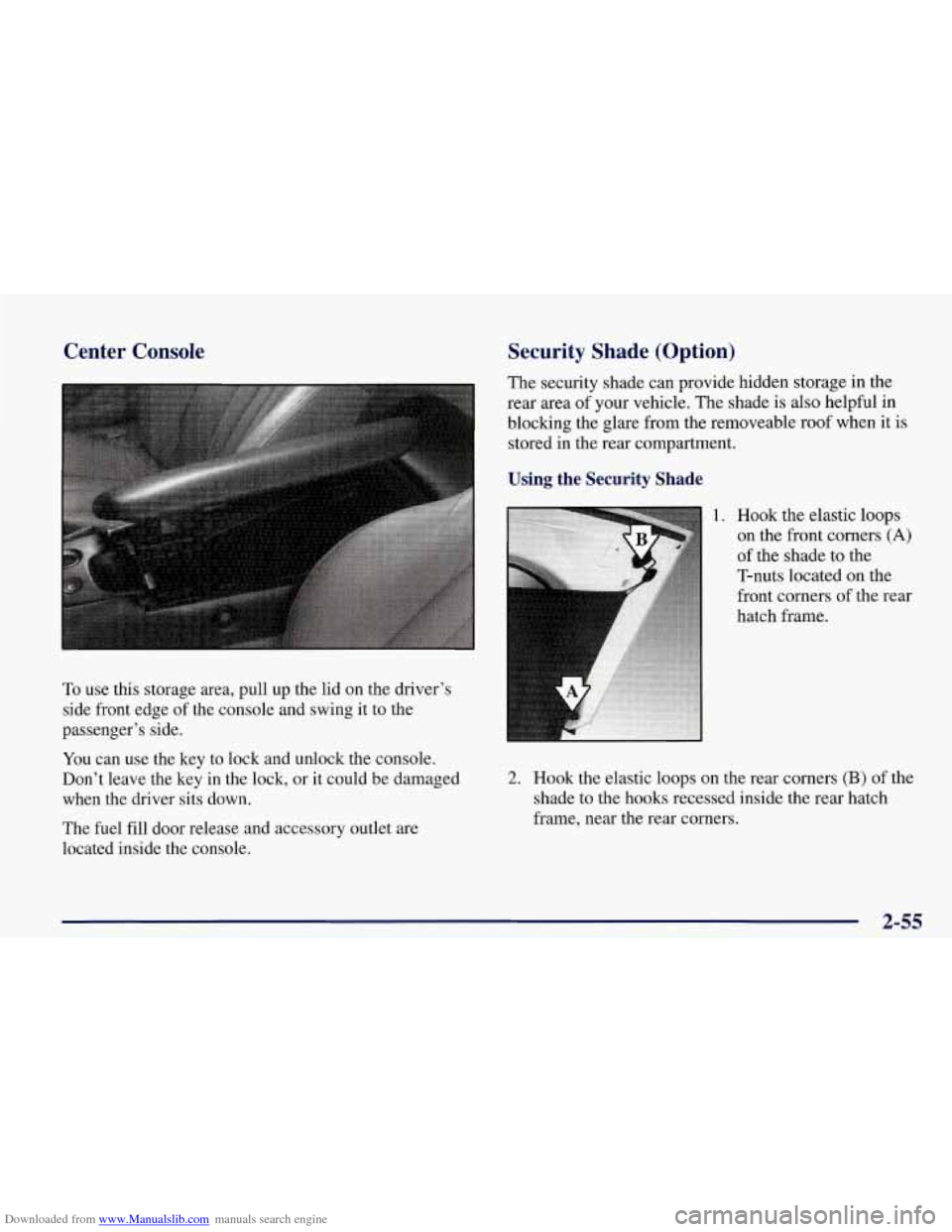
To use this storage area, pull up the lid on the driver's
side front edge of the console and swing it to the
passenger's side.
You can use the key to lock and unlock the console.
Don't leave the key in the lock, or it could be damaged
when the driver sits down.
The fuel fill door release and accessory outlet are
located inside the console.
Security Shade (Option)
The security shade can provide hidden storage in the
rear area of your vehicle. The shade is also helpful in
blocking the glare from the removeable roof when it is
stored in the rear compartment.
Using the Security Shade
1. Hook the elastic loops
on the front corners
(A)
of the shade to the
T-nuts located on the
front corners of the rear
hatch frame.
2. Hook the elastic loops on the rear corners (B) of the
shade to the hooks recessed inside the rear hatch
frame, near the rear corners.
2-55
Page 114 of 378
Downloaded from www.Manualslib.com manuals search engine NOTICE:
To avoid damage to the roof panel, paint and
weatherstripping do not drop or rest it on its
edges. Place the roof panel in the egg-shaped
stowage receivers after removing it from
the vehicle.
1. Park on a level surface, set the parking brake firmly
and shift an automatic transmission into PARK (P).
Shift a manual transmission into REVERSE
(R).
Turn the ignition key to OFF. Lower both sunshades
and rotate them toward the door glass.
2. Open the rear liftgate and remove any items that may
interfere with proper storage
of the roof panel. Also
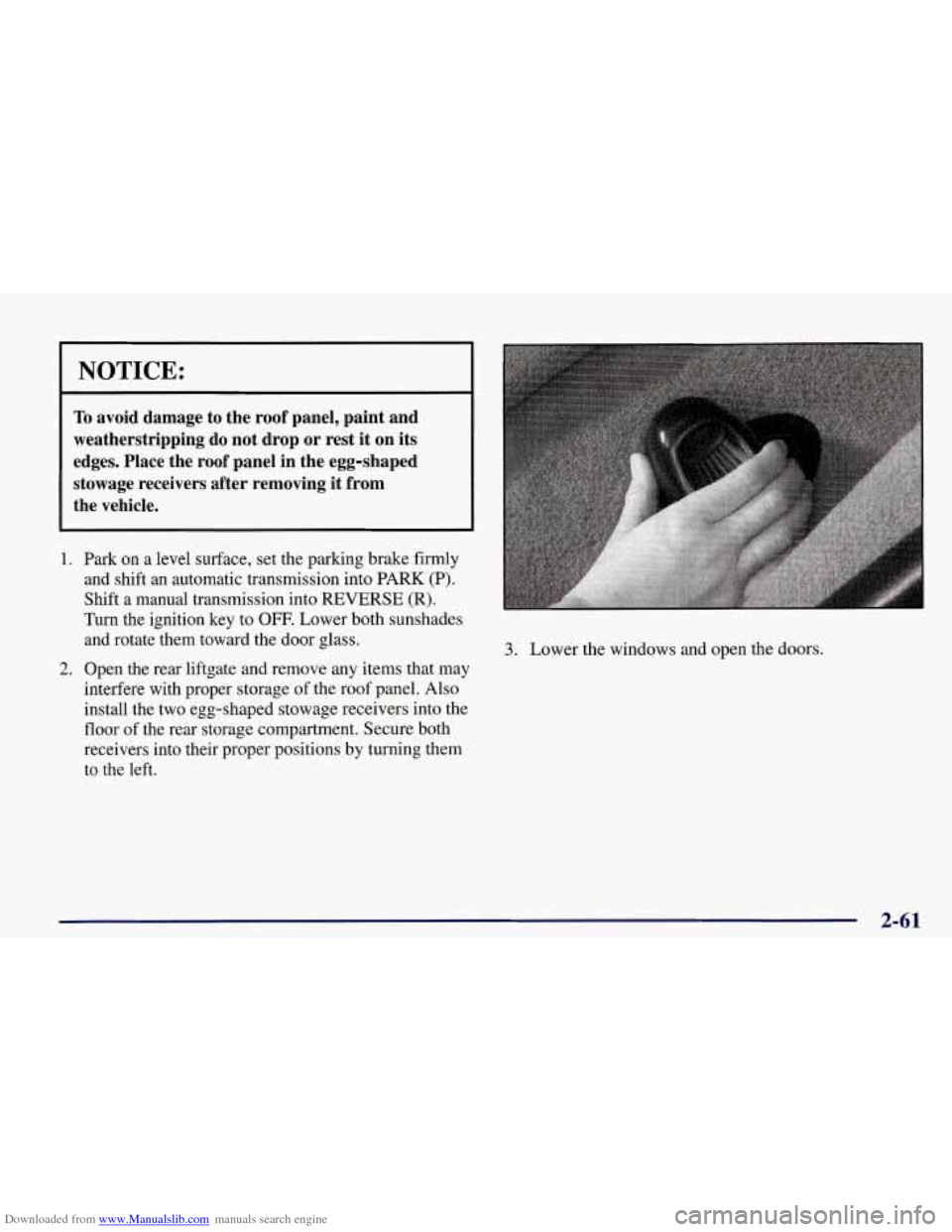
install the two egg-shaped stowage receivers into the
floor of the rear storage compartment. Secure both
receivers into their proper positions by turning them
to the left.
3. Lower the windows and open the doors.
2-61
Page 117 of 378
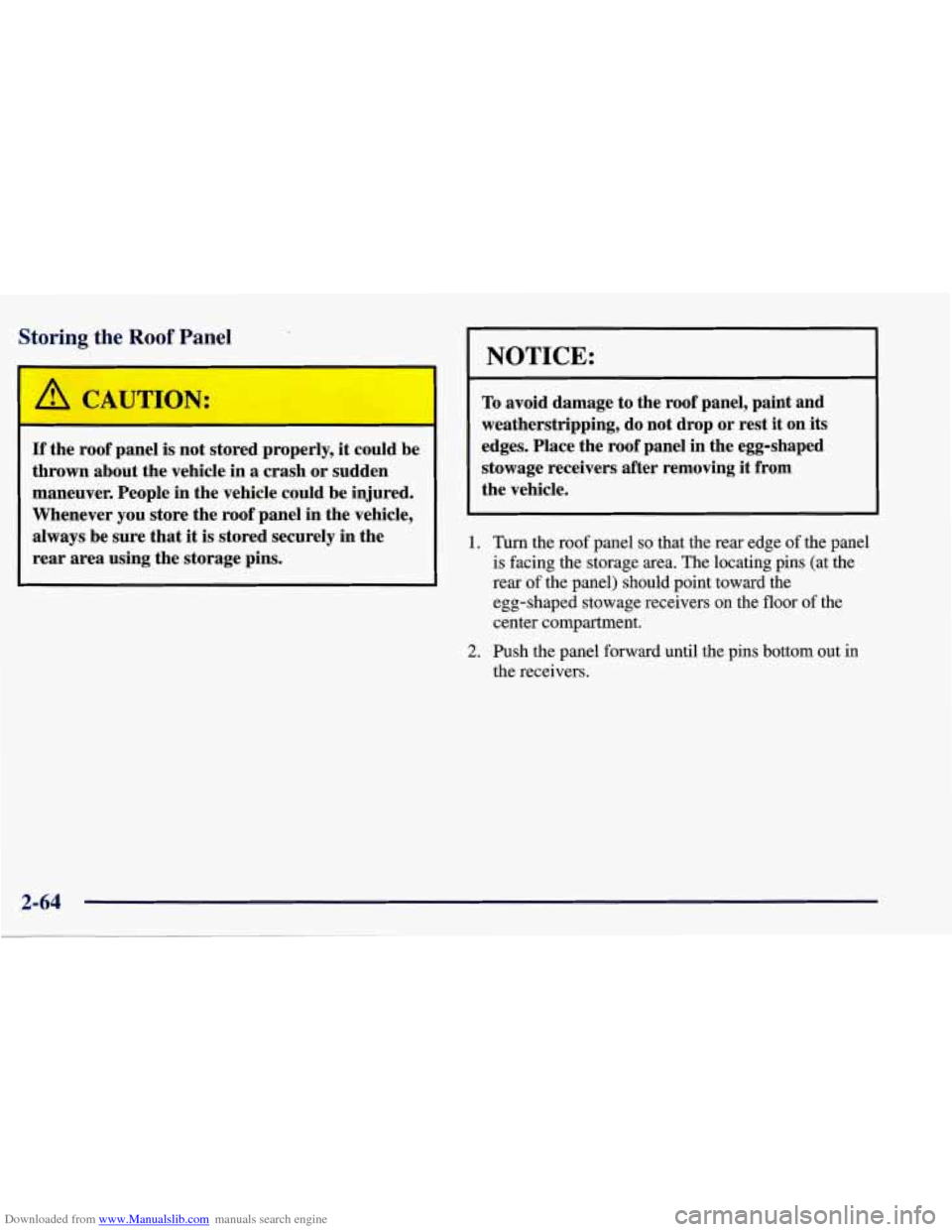
Downloaded from www.Manualslib.com manuals search engine Storing the Roof Panel
I A CAUTION
If the roof panel is not stored properly, it could be
thrown about the vehicle in a crash or sudden
maneuver. People in the vehicle could be injured.
Whenever you store the roof panel
in the vehicle,
always be sure that
it is stored securely in the
rear area using the storage pins.
NOTICE:
To avoid damage to the roof panel, paint and
weatherstripping, do not drop or rest it on its
edges. Place the roof panel in the egg-shaped
stowage receivers after removing it from
the vehicle.
1. Turn the roof panel so that the rear edge of the panel
is facing the storage area. The locating pins (at the
rear
of the panel) should point toward the
egg-shaped stowage receivers on the floor of the
center compartment.
2. Push the panel forward until the pins bottom out in
the receivers.
Page 120 of 378
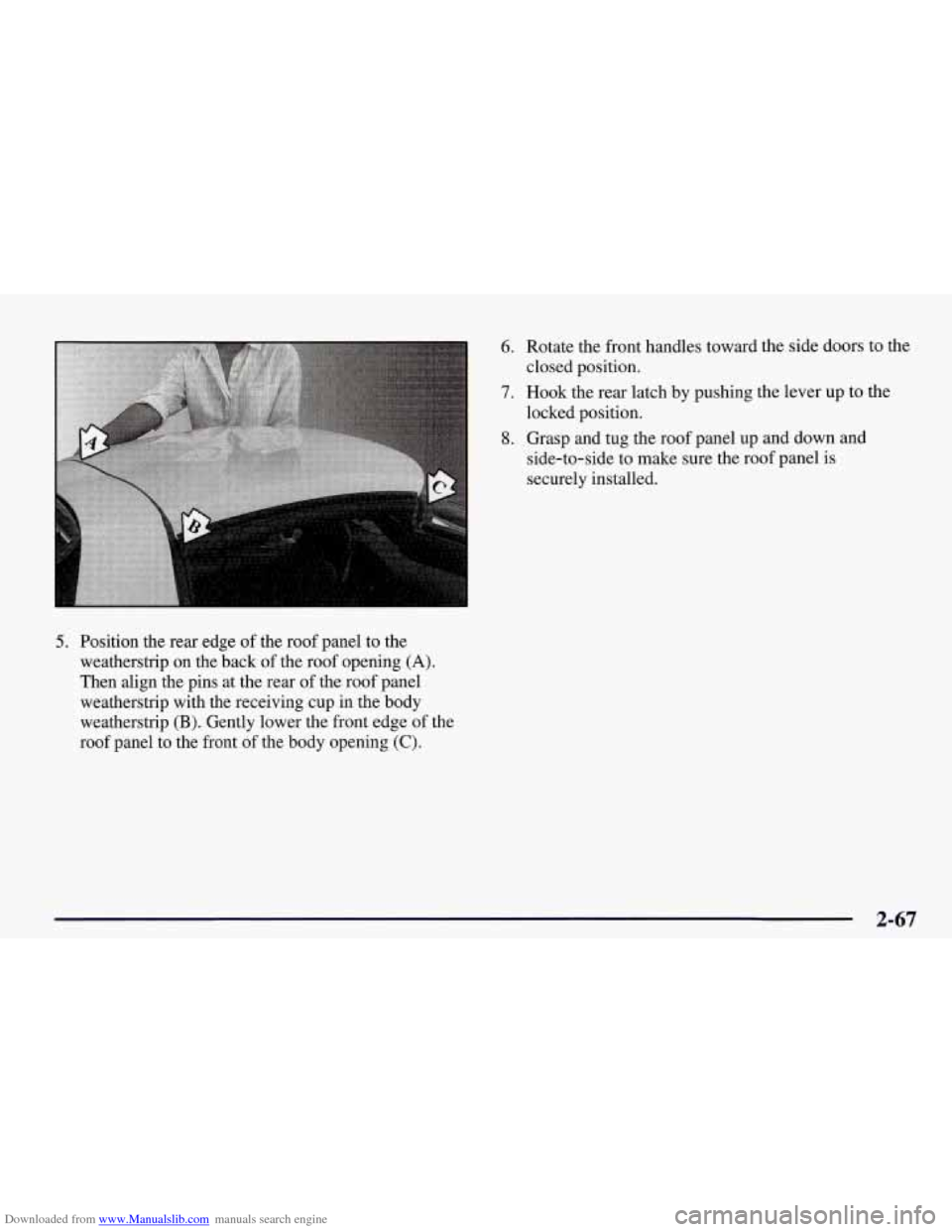
Downloaded from www.Manualslib.com manuals search engine 5. Position the rear edge of the roof panel to the
weatherstrip on the back
of the roof opening (A).
Then align the pins at the rear of the roof panel
weatherstrip with the receiving cup in the body
weatherstrip
(B). Gently lower the front edge of the
roof panel to the front of the body opening
(C).
6. Rotate the front handles toward the side doors to the
closed position.
7. Hook the rear latch by pushing the lever up to the
locked position.
8. Grasp and tug the roof panel up and down and
side-to-side to make sure the roof panel is
securely installed.
2-67
Page 126 of 378
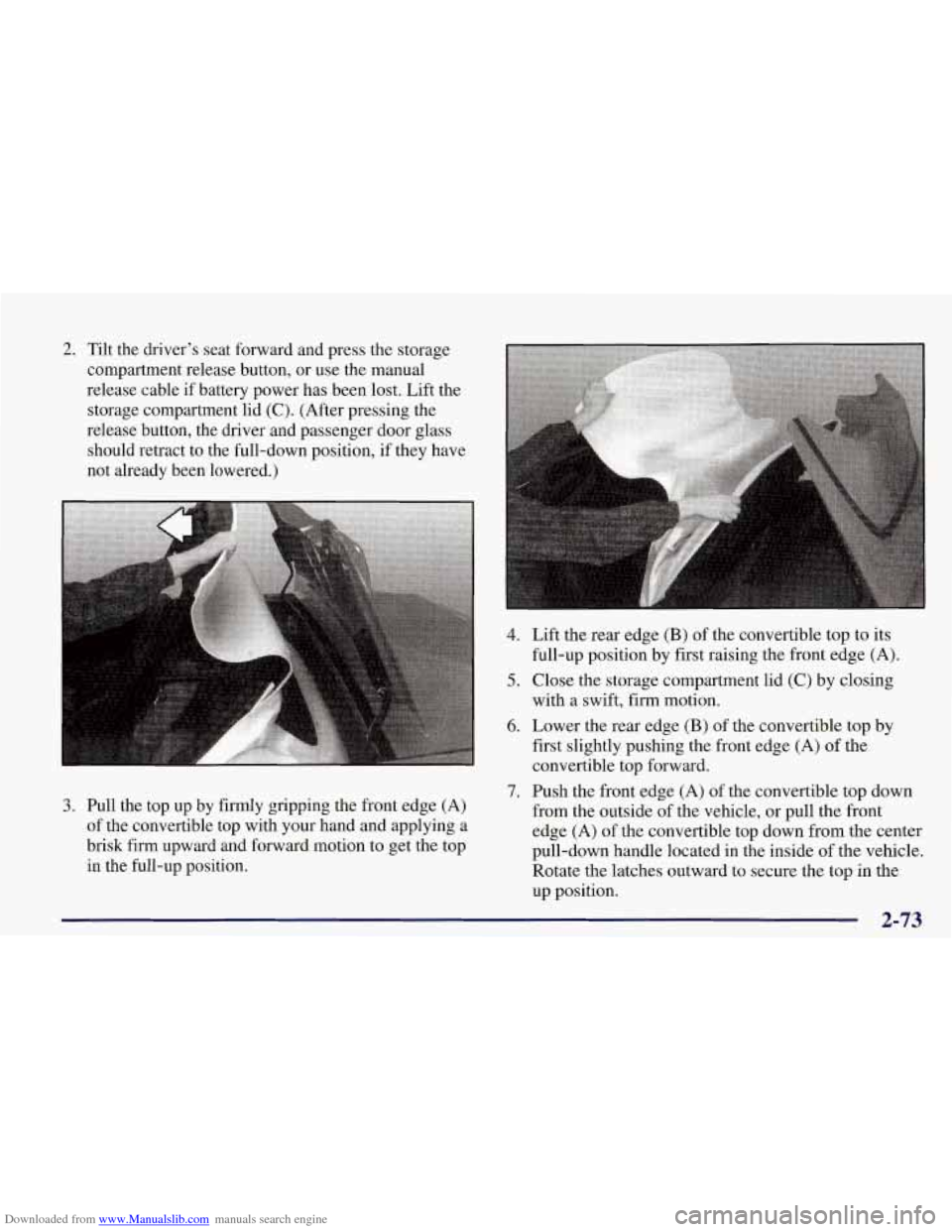
Downloaded from www.Manualslib.com manuals search engine 2. Tilt the driver’s seat forward and press the storage
compartment release button, or use the manual
release cable if battery power has been lost. Lift the
storage compartment lid
(C). (After pressing the
release button, the driver and passenger door glass
should retract to the full-down position, if they have
not already been lowered.)
4.
5.
6.
7.
3. Pull the top up by firmly gripping the front edge (A)
of the convertible top with your hand and applying a
brisk firm upward and forward motion to get the top
in the full-up position. Lift the
re
ar edge
(B) of the convertible top to its
full-up position by first raising the front edge
(A).
Close the storage compartment lid (C) by closing
with a swift, firm motion.
Lower the rear edge
(B) of the convertible top by
first slightly pushing the front edge (A) of the
convertible top forward.
Push the front edge
(A) of the convertible top down
from the outside
of the vehicle, or pull the front
edge
(A) of the convertible top down from the center
pull-down handle located
in the inside of the vehicle.
Rotate the latches outward to secure the top in the
up position.
2-73
Page 138 of 378
Downloaded from www.Manualslib.com manuals search engine I NOTICE:
Damage to your engine from neglected oil
problems can be costly and
is not covered by
your warranty.
Security Light
This light comes on to
remind you to
arrn your
I SECURITY
theft-deterrent system. If it
comes on and stays on when
I
your ignition is on, there
may be a problem with your
theft-deterrent system.
Check Gages, Light
CHECK
GAGES
This light will come on
briefly when you are
starting the engine. If the
light comes on and stays on
while you are driving, check
your gages to see
if they are
in the warning areas.
This light can come on for the following reasons:
0 Low Oil Pressure
0 High Coolant Temperature
0 High or Low Battery Voltage
0 Low Fuel Level
See “Universal Theft-Deterrent” and “PASS-Key
System” in the Index.
2-85
Page 140 of 378
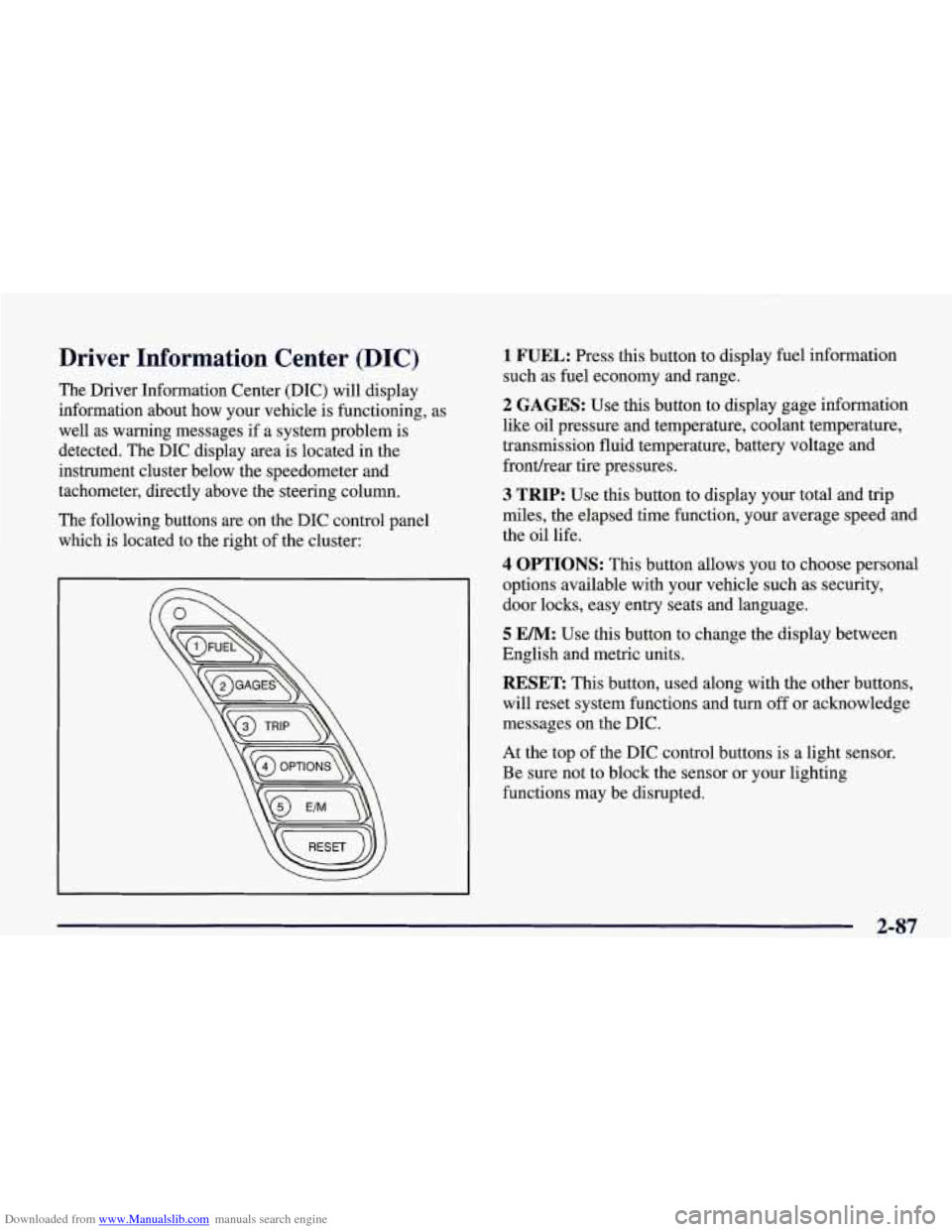
Downloaded from www.Manualslib.com manuals search engine Driver Information Center (DIC)
The Driver Information Center (DIC) will display
information about how your vehicle is functioning, as
well as warning messages if a system problem is
detected. The DIC display area is located in the
instrument cluster below the speedometer and
tachometer, directly above the steering column.
The following buttons are on the DIC control panel which is located to the right of the cluster:
1 FUEL: Press this button to display fuel information
such as fuel economy and range.
2 GAGES: Use this button to display gage information
like oil pressure and temperature, coolant temperature,
transmission fluid temperature, battery voltage and
fronthear tire pressures.
3 TRIP: Use this button to display your total and trip
miles, the elapsed time function, your average speed and
the oil life.
4 OPTIONS: This button allows you to choose personal
options available with your vehicle such as security,
door locks, easy entry seats and language.
5 EM: Use this button to change the display between
English and metric units.
RESET: This button, used along with the other buttons,
will reset system functions and turn
off or acknowledge
messages on the DIC.
At the top of the DIC control buttons is a light sensor.
Be sure not to block the sensor or your lighting
functions may be disrupted.
2-87
Page 147 of 378
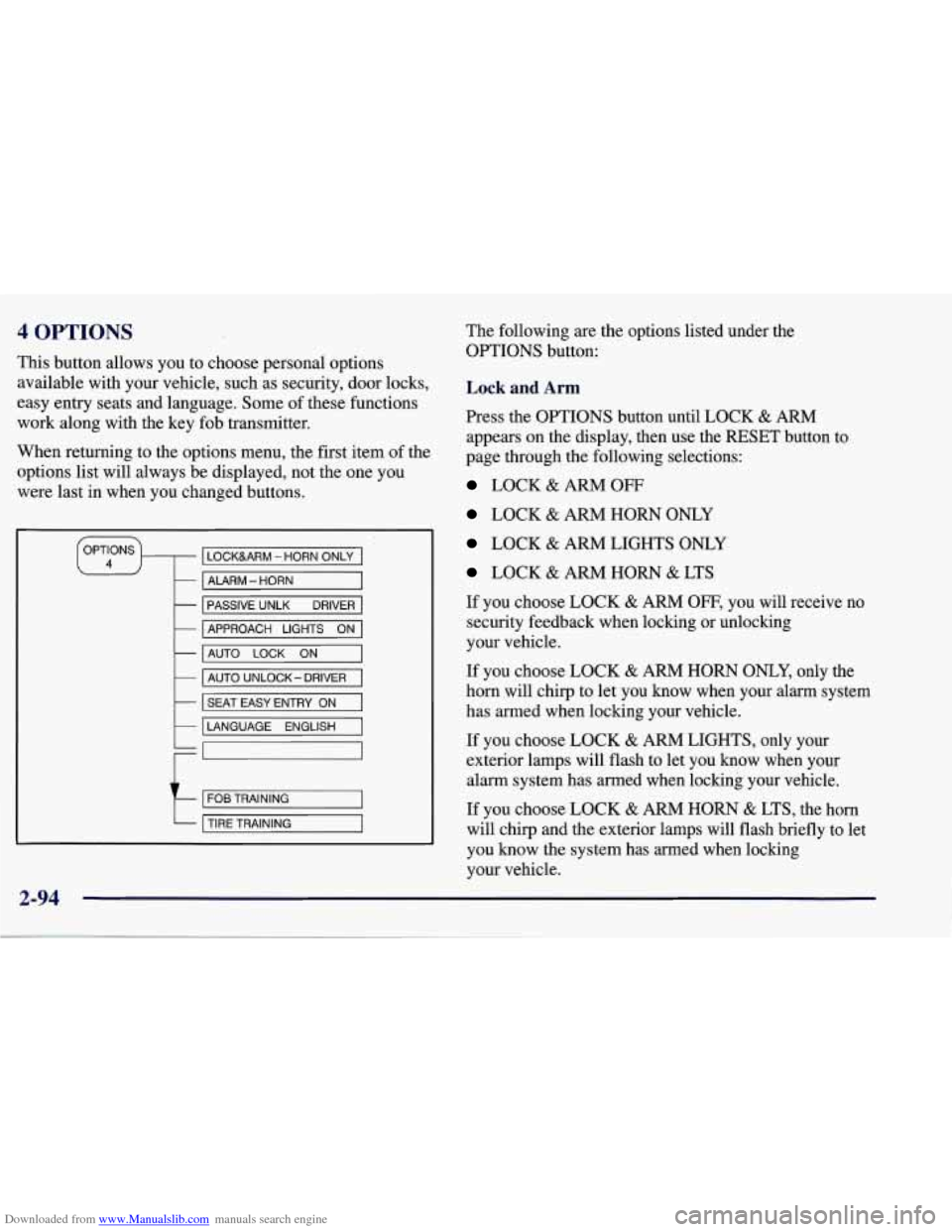
Downloaded from www.Manualslib.com manuals search engine 4 OPTIONS
This button allows you to choose personal options
available with your vehicle, such as security, door locks,
easy entry seats and language. Some of these functions
work along with the key fob transmitter.
When returning to the options menu, the first, item of the
options list will always be displayed, not the one you
were last in when you changed buttons.
LOCKURM - HORN ONLY
- ALARM - HORN
-
-
PASSIVE UNLK DRIVER
AUTO
LOCK ON -
APPROACH LIGHTS ON
- AUTO UNLOCK- DRIVER
k I SEAT EASY ENTRY ON I
LANGUAGE ENGLISH
t
FOB TRAINING
TIRE TRAINING
2-94
The following are the options listed under the
OPTIONS button:
Lock and Arm
Press the OPTIONS button until LOCK & ARM
appears on the display, then use the RESET button to
page through the following selections:
LOCK & ARM OFF
LOCK & ARM HORN ONLY
LOCK & ARM LIGHTS ONLY
LOCK & ARM HORN & LTS
If you choose LOCK
& ARM OFF, you will receive no
security feedback when locking or unlocking
your vehicle.
If you choose LOCK
& ARM HORN ONLY, only the
horn will chirp to let you know when your alarm system
has armed when locking your vehicle.
If you choose LOCK
& ARM LIGHTS, only your
exterior lamps will flash to let you know when your
alarm system has armed when locking your vehicle.
If you choose LOCK & ARM HORN & LTS, the horn
will clvrp
and the exterior lamps will flash briefly to let
you know the system has armed when locking
your vehicle.