oil CHEVROLET CORVETTE 2003 5.G User Guide
[x] Cancel search | Manufacturer: CHEVROLET, Model Year: 2003, Model line: CORVETTE, Model: CHEVROLET CORVETTE 2003 5.GPages: 368, PDF Size: 2.55 MB
Page 161 of 368

Average Speed
Press the TRIP button until the average speed is
displayed, such as:
·AVERAGE SPEED 62 MPH or
·AVERAGE SPEED 100 km/h
Press reset in this mode to start calculating the average
speed. Press and hold RESET to clear.
Engine Oil Life
Press the TRIP button until the engine oil life is
displayed, such as OIL LIFE REMAIN 89%.
This is an estimate of the engine oil's remaining useful
life. It will show 100% when the system is reset after
an oil change. It will alert you to change your oil
on a schedule consistent with your driving conditions.When the remaining oil life is low, the system will alert
you with the message CHANGE OIL SOON.
When the oil life is down to zero, you will receive the
message CHANGE OIL NOW.
Remember, you must reset the OIL LIFE yourself after
each oil change. It will not reset itself. Also, be
careful not to reset the OIL LIFE accidentally at any
time other than when the oil has just been changed. It
can't be reset accurately until the next oil change.
To reset the system, see ªHow to Reset the Change Oil
Soon Messageº underEngine Oil on page 5-13.
Also, see
Engine Oil on page 5-13andScheduled
Maintenance on page 6-4.
3-49
Page 167 of 368

If the SERVICE ABS message is being displayed, your
Traction Control System and the Active Handling
System will also be disabled. The Driver Information
Center will scroll three messages: SERVICE ABS,
SERVICE TRACTION SYS and SERVICE ACTIVE
HNDLG, and the instrument cluster car icon will
be illuminated. The driver can acknowledge these
messages by pressing the reset button three times.
When the service message is displayed the computer
controlled systems will not assist the driver and you
should have the system repaired as soon as possible.
Adjust your driving accordingly.
SERVICE COLUMN LOCK (Manual Transmission
Only):If the system that controls the locking and
unlocking of the steering column does not work properly,
have the vehicle towed to a dealer for service.
PULL KEY ± WAIT 10 SEC (Manual Transmission
Only):If this message comes on, the steering column
lock system has detected a problem while disengaging
the steering column lock. This message may occur when
the ignition key is removed and reinserted before the
steering column lock system fully locks or unlocks
the steering column. To acknowledge that you have read
this message, and to clear it from the display, remove
the ignition key and wait 10 seconds before reinserting
the key into the ignition. If you attempt to operate
your vehicle without removing the key for 10 seconds,
the vehicle's fuel system will shut off when you
reach 1.5 mph (2.4 km/h). If the message stays on afterremoving the key and waiting 10 seconds, have your
vehicle taken to an authorized dealer as soon as
possible for diagnosis and repair.
LOW OIL PRESSURE:You will hear four chimes and
the CHECK GAGES telltale will come on when this
message is displayed. To acknowledge the warning,
press the RESET button. After you press the RESET
button, a message will be displayed and you will hear a
chime every minute until the vehicle is serviced. If
you do not press RESET, the message will remain on
the digital display until the vehicle is serviced.
Low oil pressure may be the result of a combination of
low oil level and abrupt changes in the vehicle's
direction. When this warning is displayed, you should
not operate the engine at high rpm or make fast abrupt
moves. As soon as possible, you should check the
oil level. See
Engine Oil on page 5-13.
LOW OIL LEVEL:Press RESET to acknowledge that
you have read the message and to remove it from
the display. The message will reappear every
10 minutes until this condition changes. Once the
vehicle senses a temperature change in the engine oil,
the light will remain off.
You will hear two chimes when this message is
displayed. If this message appears after starting your
engine, your engine oil level may be too low. You
may need to add oil. See
Engine Overheating on
page 5-26.
3-55
Page 170 of 368

COOLANT OVER TEMP:You will hear four chimes
and the CHECK GAGES telltale will come on when this
message is displayed. To acknowledge the warning,
press the RESET button. After you press the RESET
button, a message will be displayed and you will hear a
chime every minute until this condition changes. If
you do not press RESET, the message will remain on
the digital display until the condition changes.
If the engine coolant exceeds 255ÉF (124ÉC), this
message is displayed. If you have been operating your
vehicle under normal driving conditions, you should
pull off the road, stop your vehicle and turn off the
engine as soon as possible. You can monitor the coolant
temperature with the GAGES button on the DIC or
the engine coolant gage on the instrument panel cluster.
See
Engine Overheating on page 5-26.
REDUCE ENGINE RPM:You will hear four chimes
when this message is displayed. To acknowledge
the warning, press the RESET button. After you press
the RESET button, a message will be displayed and you
will hear a chime every minute until this condition
changes. If you do not press RESET, the message will
remain on the digital display until the condition
changes.
If the engine oil temperature exceeds 320ÉF (160ÉC),
this message is displayed. You should check the engine
coolant temperature and engine oil level. If your
engine is too hot, see
Engine Overheating on page 5-26.Your vehicle may need service, so see your dealer. You
can monitor the oil temperature with the GAGES
button on the DIC.
HIGH TRANS TEMP (Automatic Transmission
Only):You will hear four chimes when this message is
displayed. To acknowledge this warning, press the
RESET button. After you press the RESET button, the
message will be displayed every 10 minutes until
the condition changes. If you do not press RESET, the
message remains on the display until the condition
changes.
If the transmission ¯uid temperature rises above 270ÉF
(132ÉC) or rises rapidly, this message is displayed.
The transmission may shift gears or apply the torque
converter clutch to reduce the ¯uid temperature. Driving
aggressively or driving on long hills can cause the
transmission ¯uid temperature to be higher than normal.
If this message appears, you may continue to drive at
a slower speed. You should also monitor the
transmission ¯uid temperature and allow it to cool to at
least 230ÉF (110ÉC). The transmission ¯uid temperature
can be monitored with the GAGES button on the
DIC. See
Automatic Transmission Fluid on page 5-20.
You should also check the engine coolant temperature.
If it is also hot, see
Engine Overheating on page 5-26.
If the HIGH TRANS TEMP message is displayed during
normal vehicle operation on ¯at roads, your vehicle
may need service. See your dealer for an inspection.
3-58
Page 173 of 368

Other Messages
Here are more messages that you can receive on your
Driver Information Center (DIC). To acknowledge a
message and read another message that may have
come on at the same time, press the RESET button.
·BRAKE BEFORE SHIFT
(See ªAutomatic Transmissions Onlyº under
Automatic Transmission Operation on page 2-24.)
·CHANGE OIL NOW
(See ªGM Oil Life SystemŸº under
Engine Oil on
page 5-13.)
·CHANGE OIL SOON
(See ªGM Oil Life SystemŸº under
Engine Oil on
page 5-13.)
·CRUISE DISENGAGED
(See ªCruise Controlº under
Turn
Signal/Multifunction Lever on page 3-6.)
·CRUISE SET_MPH (_km/h)
(See ªCruise Controlº under
Turn
Signal/Multifunction Lever on page 3-6.)
·DOOR AJAR
·ENGINE PROTECTION REDUCE ENGINE RPM
·HATCH AJAR (Coupe)
·HIGH VOLTAGE
(See
Voltmeter Gage on page 3-34.)
·LOW BRAKE FLUID
(See ªBrake Fluidº under
Brakes on page 5-37.)
·LOW FUEL
(See
Fuel Gage on page 3-42.)
·LOW VOLTAGE
(See
Voltmeter Gage on page 3-34.)
·LOW WASHER FLUID
(See
Windshield Washer Fluid on page 5-36.)
·RESERVE FUEL
(See
Fuel Gage on page 3-42.)
·TONNEAU AJAR (Convertible)
·TRUNK AJAR (Convertible/Z06)
·UPSHIFT NOW
(See
Manual Transmission Operation on
page 2-27.)
3-61
Page 191 of 368

After you clean the player, press and hold the EJECT
button for ®ve seconds to reset the CLN indicator.
The radio will display --- or CLEANED to show the
indicator was reset.
Cassettes are subject to wear and the sound quality
may degrade over time. Always make sure the cassette
tape is in good condition before you have your tape
player serviced.
Care of Your CDs
Handle discs carefully. Store them in their original cases
or other protective cases and away from direct sunlight
and dust. If the surface of a disc is soiled, dampen
a clean, soft cloth in a mild, neutral detergent solution
and clean it, wiping from the center to the edge.
Be sure never to touch the side without writing when
handling discs. Pick up discs by grasping the outer
edges or the edge of the hole and the outer edge.
Care of Your CD Player
The use of CD lens cleaner discs is not advised, due to
the risk of contaminating the lens of the CD optics
with lubricants internal to the CD mechanism.
Fixed Mast Antenna (Z06)
The ®xed mast antenna can withstand most car washes
without being damaged. If the mast should ever
become slightly bent, you can straighten it out by hand.
If the mast is badly bent, as it might be by vandals,
you should replace it.
Check occasionally to be sure the mast is still tightened
to the rear quarter panel.
Power Antenna Mast Care
(Convertible)
Your power antenna will look its best and work well if
it's cleaned from time to time. To clean the antenna mast
do the following:
1. Turn on the ignition and radio to raise the antenna.
2. Dampen a clean cloth with mineral spirits or
equivalent solvent.
3. Wipe the cloth over the mast sections, removing
any dirt.
4. Wipe dry with a clean cloth.
5. Make the antenna go up and down by turning the
radio or ignition off and on.
6. Repeat if necessary.
3-79
Page 216 of 368

Once you are moving on the freeway, make certain you
allow a reasonable following distance.
Expect to move slightly slower at night.
When you want to leave the freeway, move to the
proper lane well in advance. If you miss your exit, do
not, under any circumstances, stop and back up. Drive
on to the next exit.
The exit ramp can be curved, sometimes quite sharply.
The exit speed is usually posted. Reduce your speed
according to your speedometer, not to your sense
of motion. After driving for any distance at higher
speeds, you may tend to think you are going slower
than you actually are.
Before Leaving on a Long Trip
Make sure you're ready. Try to be well rested. If you
must start when you're not fresh Ð such as after a day's
work Ð don't plan to make too many miles that ®rst
part of the journey. Wear comfortable clothing and shoes
you can easily drive in.Is your vehicle ready for a long trip? If you keep it
serviced and maintained, it's ready to go. If it needs
service, have it done before starting out. Of course,
you'll ®nd experienced and able service experts in GM
dealerships all across North America. They'll be
ready and willing to help if you need it.
Here are some things you can check before a trip:
·Windshield Washer Fluid:Is the reservoir full? Are
all windows clean inside and outside?
·Wiper Blades:Are they in good shape?
·Fuel, Engine Oil, Other Fluids:Have you checked
all levels?
·Lamps:Are they all working? Are the lenses clean?
·Tires:They are vitally important to a safe,
trouble-free trip. Is the tread good enough for
long-distance driving? Are the tires all in¯ated to the
recommended pressure?
·Weather Forecasts:What's the weather outlook
along your route? Should you delay your trip a
short time to avoid a major storm system?
·Maps:Do you have up-to-date maps?
4-24
Page 229 of 368

Service............................................................5-3
Doing Your Own Service Work.........................5-3
Adding Equipment to the Outside of Your
Vehicle......................................................5-4
Fuel................................................................5-4
Gasoline Octane............................................5-4
Gasoline Speci®cations....................................5-5
California Fuel...............................................5-5
Additives.......................................................5-6
Fuels in Foreign Countries...............................5-6
Filling Your Tank............................................5-7
Filling a Portable Fuel Container.......................5-9
Checking Things Under
the Hood....................................................5-10
Hood Release..............................................5-11
Engine Compartment Overview.......................5-12
Engine Oil...................................................5-13
Engine Air Cleaner/Filter................................5-18
Automatic Transmission Fluid.........................5-20
Manual Transmission Fluid.............................5-20
Hydraulic Clutch...........................................5-22
Engine Coolant.............................................5-23
Coolant Surge Tank Pressure Cap..................5-26
Engine Overheating.......................................5-26
Cooling System............................................5-29
Power Steering Fluid.....................................5-35Windshield Washer Fluid................................5-36
Brakes........................................................5-37
Battery........................................................5-40
Jump Starting...............................................5-41
Rear Axle.......................................................5-46
Bulb Replacement..........................................5-47
Halogen Bulbs..............................................5-47
Headlamps..................................................5-47
Taillamps and Turn Signal Lamps...................5-49
Back-Up Lamps............................................5-51
Replacement Bulbs.......................................5-51
Windshield Wiper Blade Replacement..............5-51
Tires..............................................................5-54
Extended Mobility Tires (Except Z06)...............5-54
In¯ation -- Tire Pressure................................5-56
Tire Pressure Monitor System (Except Z06)......5-57
Tire Rotation................................................5-58
Buying New Tires.........................................5-59
Uniform Tire Quality Grading..........................5-60
Wheel Alignment and Tire Balance..................5-61
Wheel Replacement......................................5-61
Tire Chains..................................................5-64
Lifting Your Vehicle.......................................5-64
If a Tire Goes Flat........................................5-68
Tire In¯ator Kit (Z06 Only).............................5-70
Section 5 Service and Appearance Care
5-1
Page 234 of 368

Additives
To provide cleaner air, all gasolines in the United States
are now required to contain additives that will help
prevent engine and fuel system deposits from forming,
allowing your emission control system to work
properly. You should not have to add anything to your
fuel. Gasolines containing oxygenates, such as
ethers and ethanol, and reformulated gasolines may be
available in your area to contribute to clean air.
General Motors recommends that you use these
gasolines, particularly if they comply with the
speci®cations described earlier.
Notice:Your vehicle was not designed for fuel that
contains methanol. Don't use fuel containing
methanol. It can corrode metal parts in your fuel
system and also damage the plastic and rubber
parts. That damage wouldn't be covered under your
warranty.
Some gasolines that are not reformulated for low
emissions may contain an octane-enhancing additive
called methylcyclopentadienyl manganese tricarbonyl(MMT); ask the attendant where you buy gasoline
whether the fuel contains MMT. General Motors does
not recommend the use of such gasolines. Fuels
containing MMT can reduce the life of spark plugs and
the performance of the emission control system may
be affected. The malfunction indicator lamp may turn on.
If this occurs, return to your authorized GM dealer for
service.
Fuels in Foreign Countries
If you plan on driving in another country outside the
United States or Canada, the proper fuel may be hard
to ®nd. Never use leaded gasoline or any other fuel
not recommended in the previous text on fuel. Costly
repairs caused by use of improper fuel wouldn't be
covered by your warranty.
To check the fuel availability, ask an auto club, or
contact a major oil company that does business in the
country where you'll be driving.
5-6
Page 238 of 368
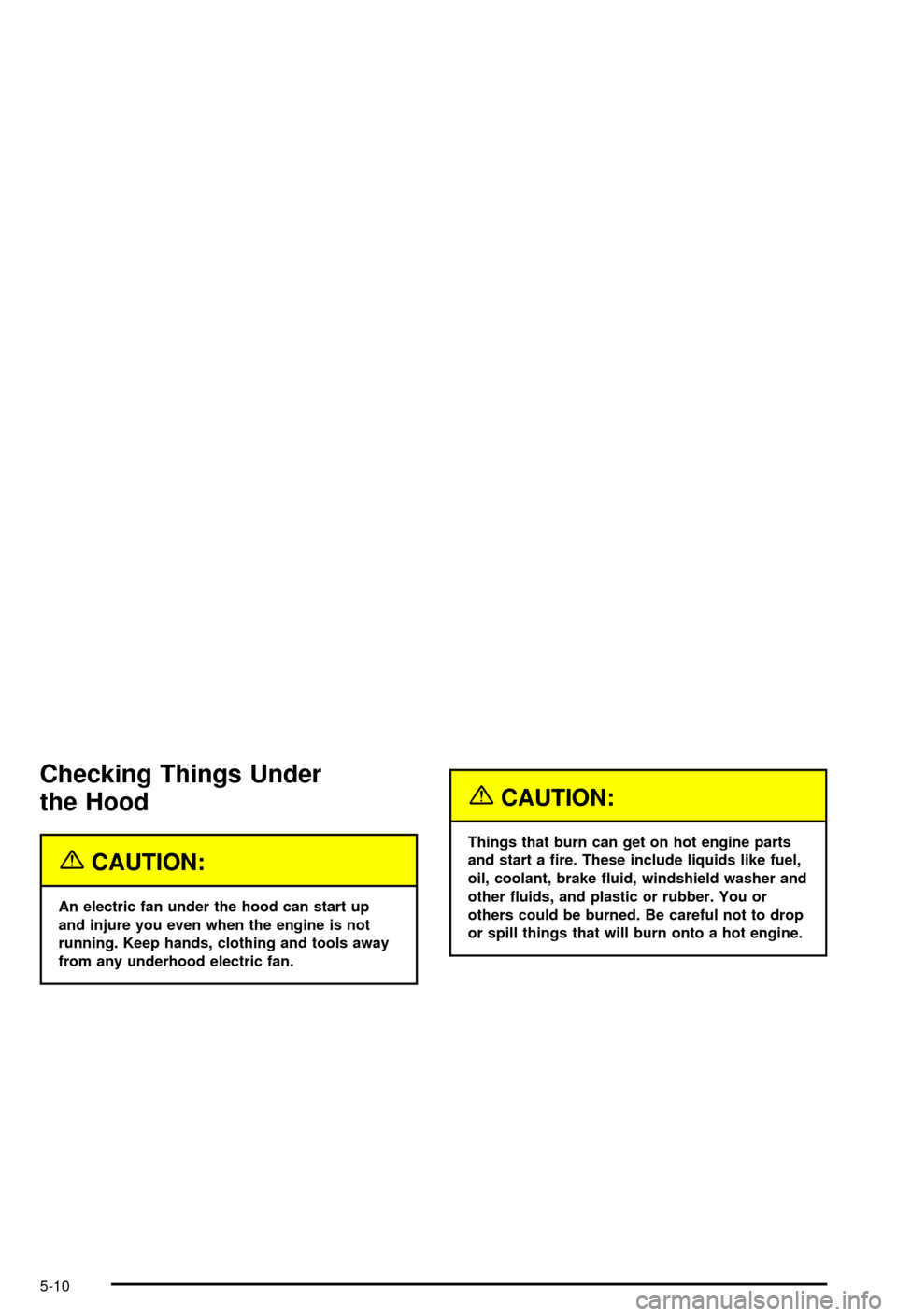
Checking Things Under
the Hood
{CAUTION:
An electric fan under the hood can start up
and injure you even when the engine is not
running. Keep hands, clothing and tools away
from any underhood electric fan.
{CAUTION:
Things that burn can get on hot engine parts
and start a ®re. These include liquids like fuel,
oil, coolant, brake ¯uid, windshield washer and
other ¯uids, and plastic or rubber. You or
others could be burned. Be careful not to drop
or spill things that will burn onto a hot engine.
5-10
Page 241 of 368

A. Coolant Surge Tank and Pressure Cap
B. Battery
C. Engine Oil Dipstick
D. Engine Oil Fill Cap
E. Engine Air Cleaner/Filter
F. Power Steering Fluid Reservoir
G. Brake Fluid Reservoir
H. Clutch Master Cylinder Reservoir
I. Windshield Washer Fluid Reservoir
Engine Oil
If the LOW OIL LEVEL message on the Driver
Information Center comes on, it means you need to
check your engine oil level right away. For more
information, see
Driver Information Center (DIC) on
page 3-44.
You should check your engine oil level regularly; this is
an added reminder.
Checking Engine Oil
It's a good idea to check your engine oil level every
time you get fuel. In order to get an accurate reading,
the oil must be warm and the vehicle must be on
level ground.
The engine oil dipstick
handle is a yellow ring
located near the coolant
surge tank. See
Engine
Compartment Overview on
page 5-12
for more
information on location.
Turn off the engine and give the oil a few minutes to
drain back into the oil pan. If you don't, the oil dipstick
might not show the actual level.
Pull out the dipstick and clean it with a paper towel or a
cloth, then push it back in all the way. Remove it
again, keeping the tip down.
5-13