trunk CHEVROLET CORVETTE 2003 5.G User Guide
[x] Cancel search | Manufacturer: CHEVROLET, Model Year: 2003, Model line: CORVETTE, Model: CHEVROLET CORVETTE 2003 5.GPages: 368, PDF Size: 2.55 MB
Page 107 of 368
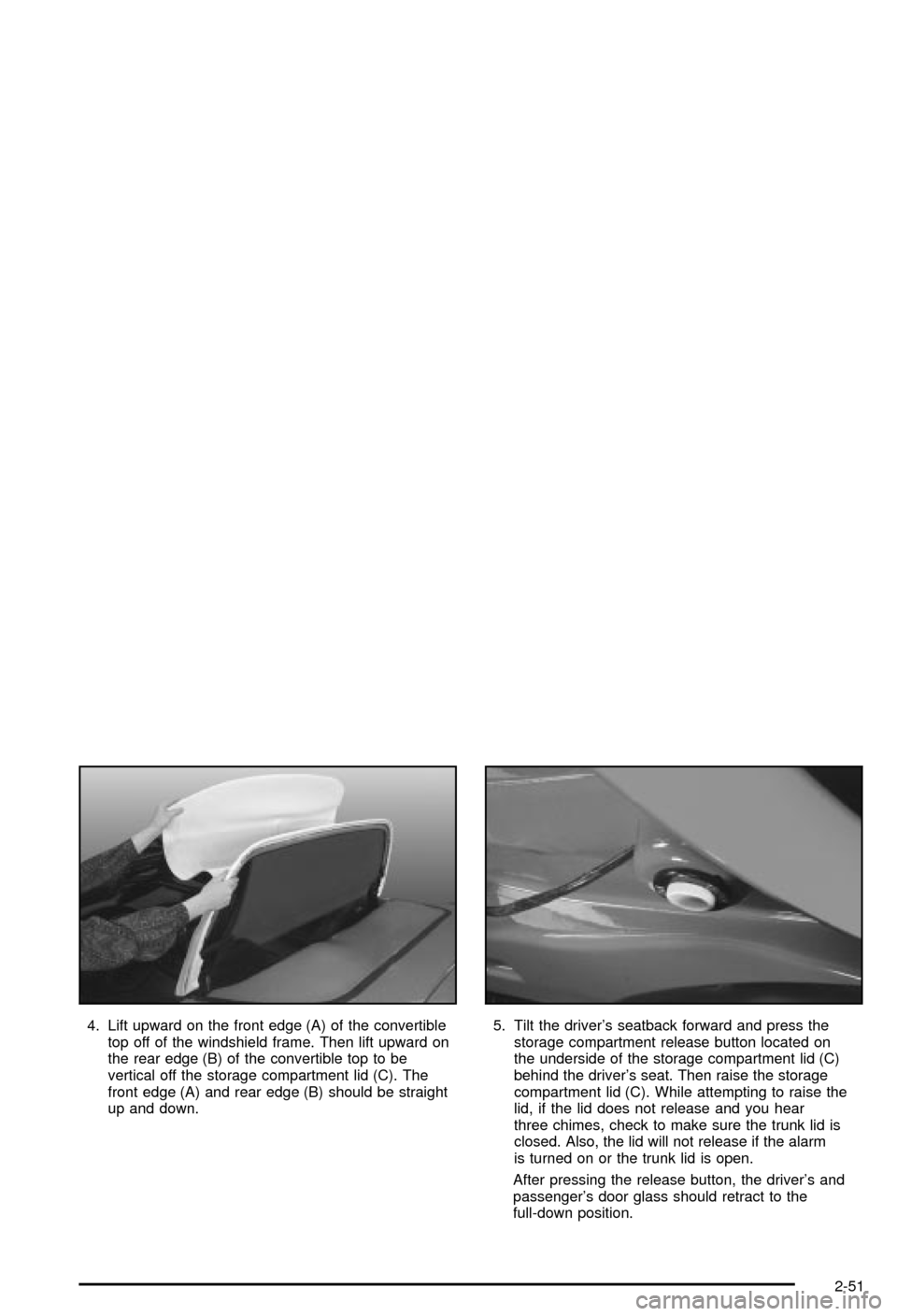
4. Lift upward on the front edge (A) of the convertible
top off of the windshield frame. Then lift upward on
the rear edge (B) of the convertible top to be
vertical off the storage compartment lid (C). The
front edge (A) and rear edge (B) should be straight
up and down.5. Tilt the driver's seatback forward and press the
storage compartment release button located on
the underside of the storage compartment lid (C)
behind the driver's seat. Then raise the storage
compartment lid (C). While attempting to raise the
lid, if the lid does not release and you hear
three chimes, check to make sure the trunk lid is
closed. Also, the lid will not release if the alarm
is turned on or the trunk lid is open.
After pressing the release button, the driver's and
passenger's door glass should retract to the
full-down position.
2-51
Page 113 of 368

Instrument Panel Overview...............................3-2
Hazard Warning Flashers................................3-4
Other Warning Devices...................................3-4
Horn.............................................................3-5
Tilt Wheel.....................................................3-5
Turn Signal/Multifunction Lever.........................3-6
Exterior Lamps.............................................3-12
Interior Lamps..............................................3-15
Head-Up Display (HUD).................................3-17
Accessory Power Outlets...............................3-20
Ashtrays and Cigarette Lighter........................3-21
Climate Controls............................................3-22
Dual Automatic Climate Control System...........3-22
Outlet Adjustment.........................................3-28
Warning Lights, Gages and Indicators.............3-29
Instrument Panel Cluster................................3-30
Speedometer and Odometer...........................3-31
Tachometer.................................................3-31
Safety Belt Reminder Light.............................3-31
Air Bag Readiness Light................................3-32
Air Bag Off Light..........................................3-33
Voltmeter Gage............................................3-34
Brake System Warning Light..........................3-35
Anti-Lock Brake System Warning Light.............3-36
Traction Control System (TCS) Warning Light . . .3-36Active Handling System Light.........................3-37
Engine Coolant Temperature Gage..................3-38
Malfunction Indicator Lamp.............................3-38
Engine Oil Pressure Gage.............................3-41
Security Light...............................................3-42
Check Gages Warning Light...........................3-42
Fuel Gage...................................................3-42
Driver Information Center (DIC).......................3-44
DIC Controls and Displays.............................3-45
DIC Warnings and Messages.........................3-53
Other Messages...........................................3-61
Audio System(s).............................................3-62
Setting the Time...........................................3-62
Radio with Cassette......................................3-63
Radio with CD..............................................3-67
Trunk-Mounted CD Changer...........................3-71
Theft-Deterrent Feature..................................3-75
Understanding Radio Reception......................3-77
Care of Your Cassette Tape Player.................3-78
Care of Your CDs.........................................3-79
Care of Your CD Player................................3-79
Fixed Mast Antenna (Z06)..............................3-79
Power Antenna Mast Care (Convertible)...........3-79
Integrated Windshield and Rear Window
Antennas (Coupe).....................................3-80
Section 3 Instrument Panel
3-1
Page 115 of 368

The main components of your instrument panel are the
following:
A. Instrument Panel Brightness Control
B. Head-Up Display Controls
C. Turn Signal/Multifunction Lever
D. Driver Information Center (DIC) (Located in the
Instrument Cluster)
E. Instrument Panel Cluster
F. Windshield Wiper/Washer Lever
G. Driver Information Center (DIC) Buttons
H. Hazard Warning Flasher Button
I. Center Air Outlets
J. Audio System
K. Climate Controls
L. Fog Lamp Button
M. Remote Hatch Release Button (Coupe) or Remote
Trunk Release Button (Convertible/Z06)N. Ignition Switch
O. Shift Lever (Automatic Shown)
P. Active Handling Button
Q. Accessory Power Outlet (Located in the Center
Console)
R. Selective Ride Control Switch
S. Air Bag Off Light
T. Instrument Panel Cupholder
U. Remote Fuel Door Release Button (Located in the
Center Console)
V. Ashtray and Cigarette Lighter
W. Parking Brake
X. Glove Box
Y. Instrument Panel Fuse Block (Located Behind the
Toe-Board)
Z. Air Bag Off Switch (Located in Glove Box)
3-3
Page 128 of 368
Parade Mode
The instrument panel brightness knob has an added
feature called parade mode to assist you in seeing
certain instrument panel controls if your headlamps are
on in the daylight. Turn the knob counterclockwise to
dim the instrument panel lights or clockwise to brighten
the lights. This will occur only with the parking lamps
or headlamps on.
Courtesy Lamps
When any door or the hatch/trunk lid is opened, the
interior lamps will go on (unless it's bright outside).
You can also turn on the courtesy lamps by turning the
instrument panel brightness knob all the way clockwise.
Exit/Entry Lighting
With entry lighting, the interior lamps will come on when
entering the vehicle. The interior lamps will come on
for about 20 seconds when the key is turned to OFF or
a door is ajar.
You can turn exit and entry lighting off by quickly turning
the headlamps on and off or by quickly turning the
courtesy lamps on and off.
Reading Lamps
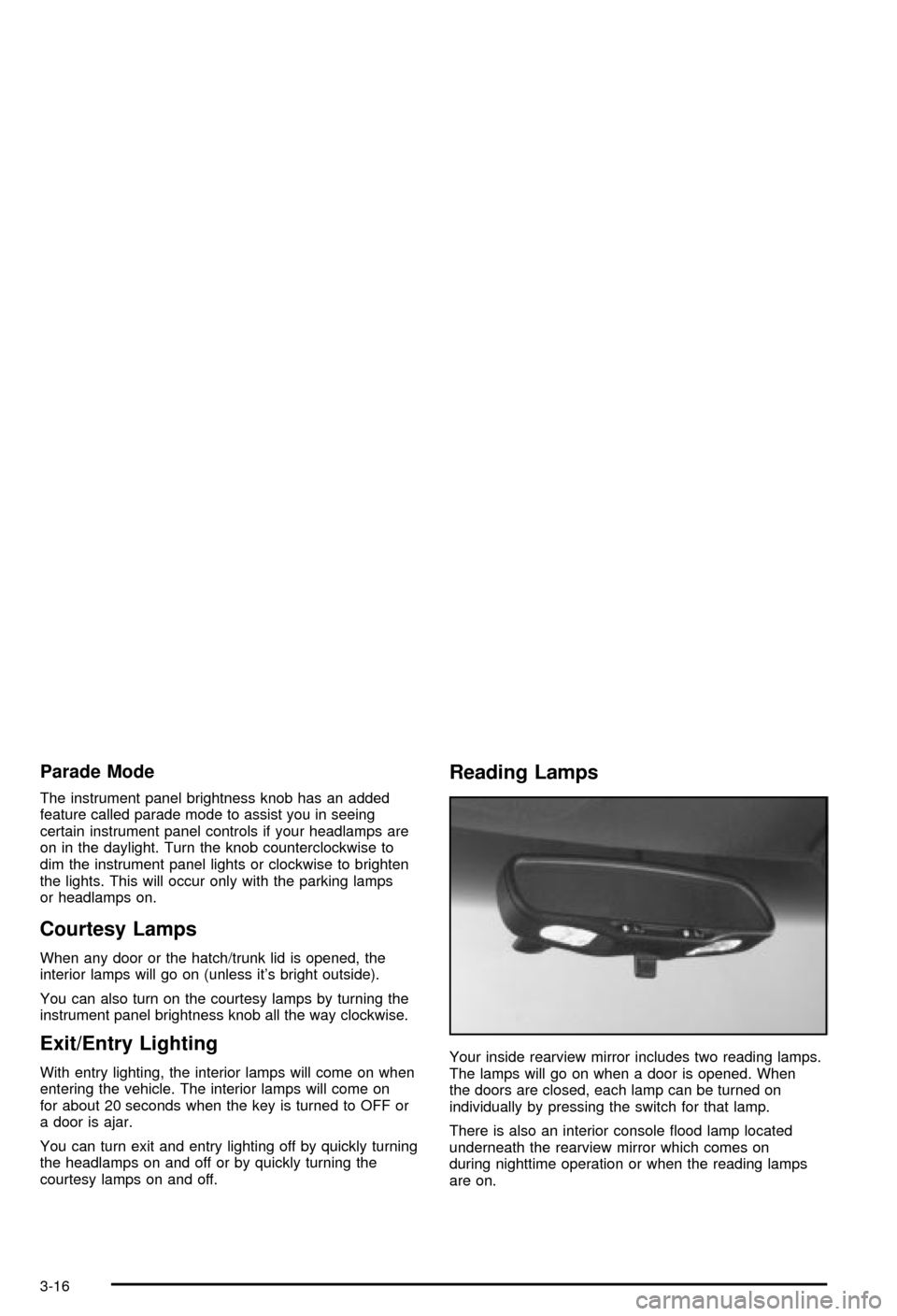
Your inside rearview mirror includes two reading lamps.
The lamps will go on when a door is opened. When
the doors are closed, each lamp can be turned on
individually by pressing the switch for that lamp.
There is also an interior console ¯ood lamp located
underneath the rearview mirror which comes on
during nighttime operation or when the reading lamps
are on.
3-16
Page 173 of 368

Other Messages
Here are more messages that you can receive on your
Driver Information Center (DIC). To acknowledge a
message and read another message that may have
come on at the same time, press the RESET button.
·BRAKE BEFORE SHIFT
(See ªAutomatic Transmissions Onlyº under
Automatic Transmission Operation on page 2-24.)
·CHANGE OIL NOW
(See ªGM Oil Life SystemŸº under
Engine Oil on
page 5-13.)
·CHANGE OIL SOON
(See ªGM Oil Life SystemŸº under
Engine Oil on
page 5-13.)
·CRUISE DISENGAGED
(See ªCruise Controlº under
Turn
Signal/Multifunction Lever on page 3-6.)
·CRUISE SET_MPH (_km/h)
(See ªCruise Controlº under
Turn
Signal/Multifunction Lever on page 3-6.)
·DOOR AJAR
·ENGINE PROTECTION REDUCE ENGINE RPM
·HATCH AJAR (Coupe)
·HIGH VOLTAGE
(See
Voltmeter Gage on page 3-34.)
·LOW BRAKE FLUID
(See ªBrake Fluidº under
Brakes on page 5-37.)
·LOW FUEL
(See
Fuel Gage on page 3-42.)
·LOW VOLTAGE
(See
Voltmeter Gage on page 3-34.)
·LOW WASHER FLUID
(See
Windshield Washer Fluid on page 5-36.)
·RESERVE FUEL
(See
Fuel Gage on page 3-42.)
·TONNEAU AJAR (Convertible)
·TRUNK AJAR (Convertible/Z06)
·UPSHIFT NOW
(See
Manual Transmission Operation on
page 2-27.)
3-61
Page 183 of 368
Press RECALL to make ERR go off of the display.
If the CD is not playing correctly, for any other reason,
try a known good CD.
If any error occurs repeatedly or if an error can't be
corrected, contact your dealer.
Trunk-Mounted CD Changer
If your vehicle has the optional trunk-mounted CD
changer it is located in the rear center storage
compartment. See
Rear Storage Area on page 2-41for
more information.
With the trunk-mounted CD changer you can play up to
12 discs continuously. Normal size discs may be
played using the trays supplied in the magazine. The
small discs (8 cm) can be played only with specially
designed trays.
Notice:Heavy objects in the center storage area
which may shift or slide while driving could damage
your CD changer. Protect your CD changer by not
placing heavy, moveable objects in the center
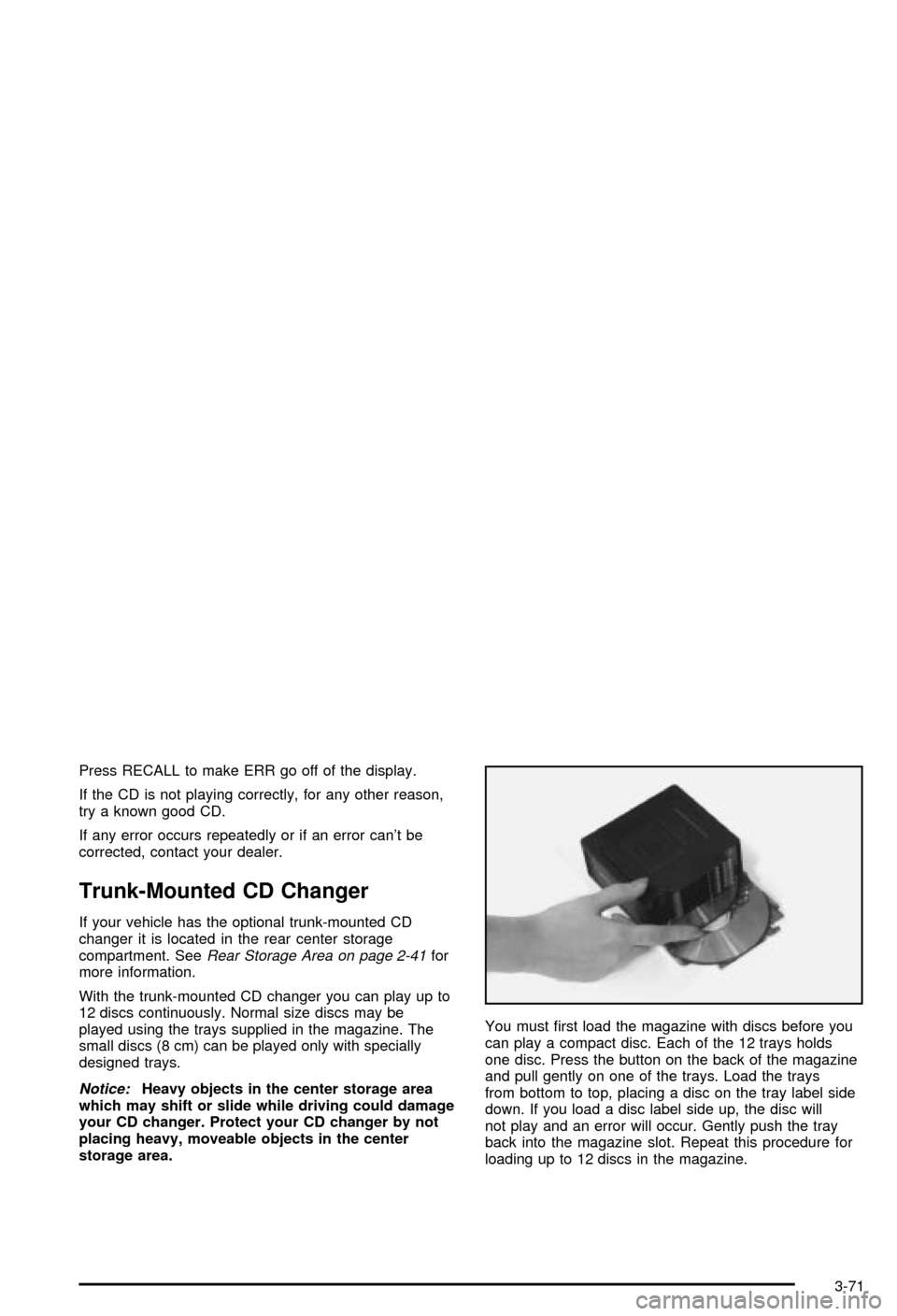
storage area.You must ®rst load the magazine with discs before you
can play a compact disc. Each of the 12 trays holds
one disc. Press the button on the back of the magazine
and pull gently on one of the trays. Load the trays
from bottom to top, placing a disc on the tray label side
down. If you load a disc label side up, the disc will
not play and an error will occur. Gently push the tray
back into the magazine slot. Repeat this procedure for
loading up to 12 discs in the magazine.
3-71
Page 185 of 368

Whenever a CD magazine with discs is loaded in the
changer, the compact disc symbol will appear on
the radio display. If the CD changer is checking the
magazine for CDs, the compact disc symbol will ¯ash on
the display until the changer is ready to play. When a
CD begins playing, CD will appear in the bottom
left corner and a disc and track number will be
displayed. The disc numbers are listed on the front of
the magazine.
All of the CD functions are controlled by the radio
pushbuttons except for ejecting the magazine.
Operating the Trunk-Mounted CD
Changer with the AM-FM Radio with
Cassette
If an error appears on the display, see ªCompact Disc
Messagesº later in this section.
The following pushbuttons are used for the
trunk-mounted CD changer.
1 PREV (Previous):Press this pushbutton to go to the
previous track if the current track has been playing
for less than eight seconds. If pressed when the current
track has been playing for more than eight seconds,
it will go to the beginning of the current track. If you hold
or press this pushbutton more than once, the player
will continue moving back through the disc.2 PROG (Program):Press this pushbutton to select
the next disc in the magazine. If a CD cannot be played,
its number will be skipped when selecting discs while
using this pushbutton.
3 NEXT:Press this pushbutton to advance to the next
track. If you press and hold this pushbutton or press
it more than once, the player will continue moving
forward through the disc.
REV 4 (Reverse):Press and hold this pushbutton to
quickly reverse within a track. Release this pushbutton
to resume play.
W5 (Dolbyž):This pushbutton has no function when
playing a CD.
FWD 6 (Forward):Press and hold this pushbutton to
quickly advance within a track. Release this pushbutton
to resume play.
RECALL:Press this button to see what track is
currently playing. Press it again within ®ve seconds to
see how long the track has been playing. When a
new track starts to play, the track number will also
appear. Press it a third time and the time of day will be
displayed.
oSEEKp:The left arrow works the same as the
PREV pushbutton and the right arrow works the
same as the NEXT pushbutton.
3-73
Page 186 of 368

P.SCAN (Preset Scan):Press this button to play the
compact discs in random, rather than sequential, order.
RDM will appear on the display. Press this button
again to turn off random play.
AM/FM:Press this button to listen to the radio when
playing a cassette tape or a compact disc.
TAPE AUX (Auxiliary):Press this button to play a CD
when listening to the radio. You can also press this
button to switch between playing a tape in the cassette
tape player and playing a CD in the trunk-mounted
CD changer, if both are loaded.
Operating the Trunk-Mounted CD
Changer with the AM-FM Radio
with CD
If an error appears on the display, see ªCompact Disc
Messagesº later in this section.
The following pushbuttons are used for the
trunk-mounted CD changer.
1 PREV (Previous):Press this pushbutton to go to the
previous track if the current track has been playing
for less than eight seconds. If pressed when the current
track has been playing for more than eight seconds,
it will go to the beginning of the current track. If you hold
or press this pushbutton more than once, the player
will continue moving back through the disc.2 RDM (Random):Press this pushbutton to play the
compact discs in random, rather than sequential, order.
RDM will appear on the display. Press this pushbutton
again to turn off random play.
3 NEXT:Press this pushbutton to advance to the next
track. If you press and hold this pushbutton or press
it more than once, the player will continue moving
forward through the disc.
REV 4 (Reverse):Press and hold this pushbutton to
quickly reverse within a track. Release this pushbutton
to resume play.
5:Press this pushbutton to select the next disc in the
magazine. If a CD cannot be played, its number
will be skipped when selecting discs while using this
pushbutton.
FWD 6 (Forward):Press and hold this pushbutton to
quickly advance within a track. Release this pushbutton
to resume play.
RECALL:Press this button to see what track is
currently playing. Press it again within ®ve seconds to
see how long the track has been playing. When a
new track starts to play, the track number will also
appear. Press it a third time and the time of day will be
displayed.
3-74
Page 187 of 368

oSEEKp:The left arrow works the same as the
PREV pushbutton and the right arrow works the
same as the NEXT pushbutton.
AM/FM:Press this button to listen to the radio when
playing a compact disc.
CD AUX (Auxiliary):Press this button to play a CD
when listening to the radio. You can also press
this button to switch between playing a CD in the
compact disc player and playing a CD in the
trunk-mounted CD changer, if both are loaded.
Compact Disc Messages
If an error occurs while trying to play a CD in the
compact disc player or changer, the following conditions
may have caused the error:
·You're driving on a very rough road. When the road
becomes smoother, the disc should play.
·The disc is dirty, scratched, wet or upside down.
·The air is very humid. If so, wait about an hour and
try again.
·The CD changer door is open. Completely close the
changer door to restore normal operation.
·An empty magazine is in the CD changer. Try the
magazine again with a disc loaded on one of the
trays.If the CD is not playing correctly, for any other reason,
try a known good CD.
If any error occurs repeatedly or if an error can't be
corrected, contact your dealer. If your radio displays an
error message, write it down and provide it to your
dealer when reporting the problem.
Theft-Deterrent Feature
THEFTLOCKžis designed to discourage theft of your
radio. It works by using a secret code to disable all radio
functions whenever battery power is interrupted.
The THEFTLOCK feature for the radio may be used or
ignored. If ignored, the system plays normally and
the radio is not protected by the feature. If THEFTLOCK
is activated, your radio will not operate if stolen.
When THEFTLOCK is activated, the radio will display
LOC to indicate a locked condition anytime battery
power has been interrupted. If your battery loses power
for any reason, you must unlock the radio with the
secret code before it will operate.
3-75
Page 237 of 368
{CAUTION:
If you get fuel on yourself and then something
ignites it, you could be badly burned. Fuel can
spray out on you if you open the fuel cap too
quickly. This spray can happen if your tank is
nearly full, and is more likely in hot weather.
Open the fuel cap slowly and wait for any
ªhissº noise to stop. Then unscrew the cap all
the way.
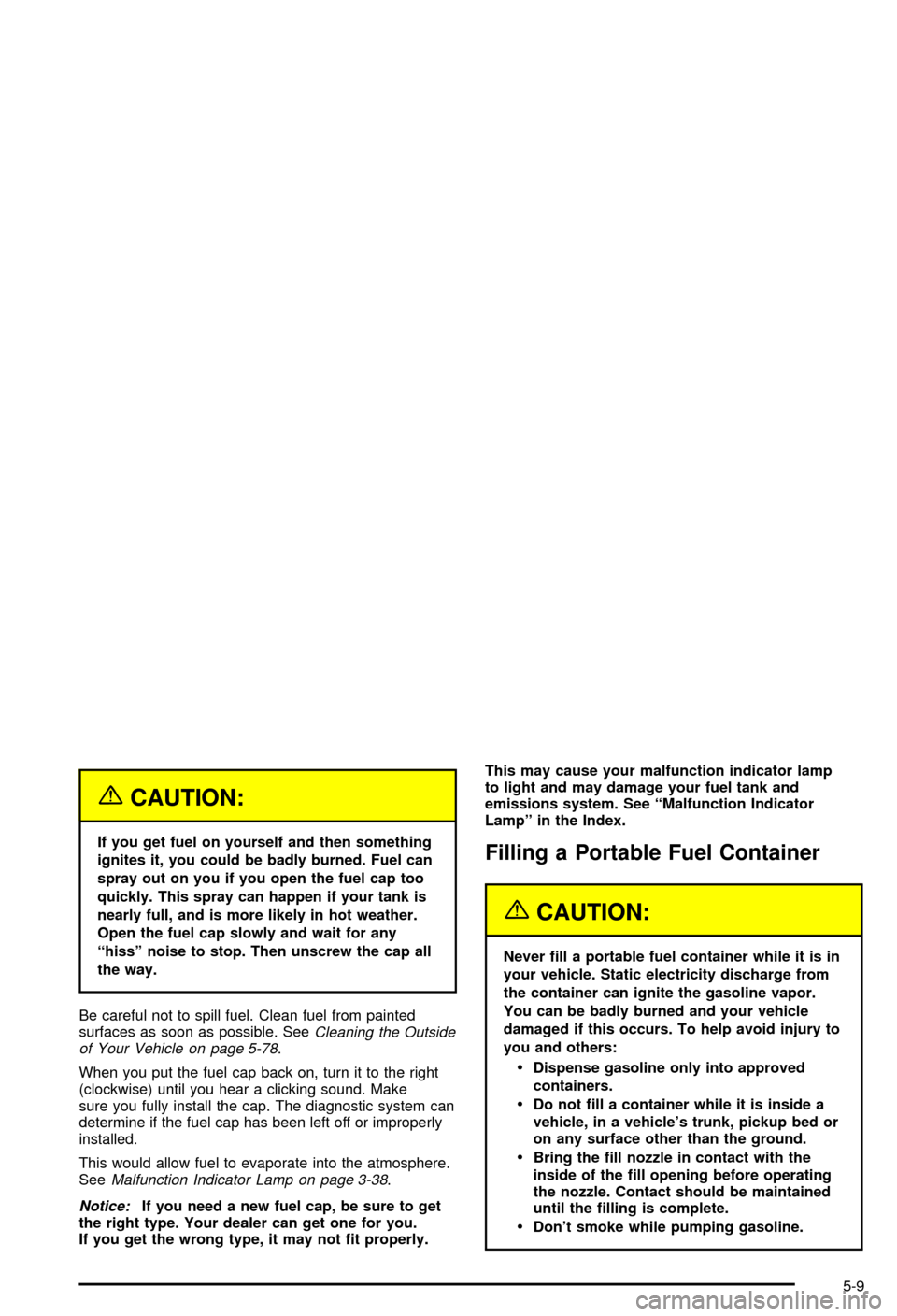
Be careful not to spill fuel. Clean fuel from painted
surfaces as soon as possible. See
Cleaning the Outside
of Your Vehicle on page 5-78.
When you put the fuel cap back on, turn it to the right
(clockwise) until you hear a clicking sound. Make
sure you fully install the cap. The diagnostic system can
determine if the fuel cap has been left off or improperly
installed.
This would allow fuel to evaporate into the atmosphere.
See
Malfunction Indicator Lamp on page 3-38.
Notice:If you need a new fuel cap, be sure to get
the right type. Your dealer can get one for you.
If you get the wrong type, it may not ®t properly.This may cause your malfunction indicator lamp
to light and may damage your fuel tank and
emissions system. See ªMalfunction Indicator
Lampº in the Index.
Filling a Portable Fuel Container
{CAUTION:
Never ®ll a portable fuel container while it is in
your vehicle. Static electricity discharge from
the container can ignite the gasoline vapor.
You can be badly burned and your vehicle
damaged if this occurs. To help avoid injury to
you and others:
·Dispense gasoline only into approved
containers.
·Do not ®ll a container while it is inside a
vehicle, in a vehicle's trunk, pickup bed or
on any surface other than the ground.
·Bring the ®ll nozzle in contact with the
inside of the ®ll opening before operating
the nozzle. Contact should be maintained
until the ®lling is complete.
·Don't smoke while pumping gasoline.
5-9