fuel CHEVROLET CORVETTE 2004 5.G Owner's Manual
[x] Cancel search | Manufacturer: CHEVROLET, Model Year: 2004, Model line: CORVETTE, Model: CHEVROLET CORVETTE 2004 5.GPages: 384, PDF Size: 2.46 MB
Page 164 of 384
The average fuel economy is viewed as a long-term
approximation of your overall driving conditions. If you
press RESET in this mode while you’re driving, the
system will begin figuring fuel economy from that point
in time.
Press FUEL again to display instantaneous fuel
economy, such as:
•INST. 20.1 MPG or
•INST. 5.3 L/100 km
Press FUEL again to display the range, such as:
•RANGE 20 MI or
•RANGE 32 km
The range calculates the remaining distance you can
drive without refueling. It’s based on fuel economy and
the fuel remaining in the tank.
If the range is lower than 30 miles (48 km), the display
will read RANGE LOW.
The fuel economy data used to determine fuel range is
an average of recent driving conditions. As your
driving conditions change, this data is gradually updated.
Resetting the fuel range causes the fuel economy
data to be updated immediately. Press RESET to reset
the fuel range.
2 GAGES
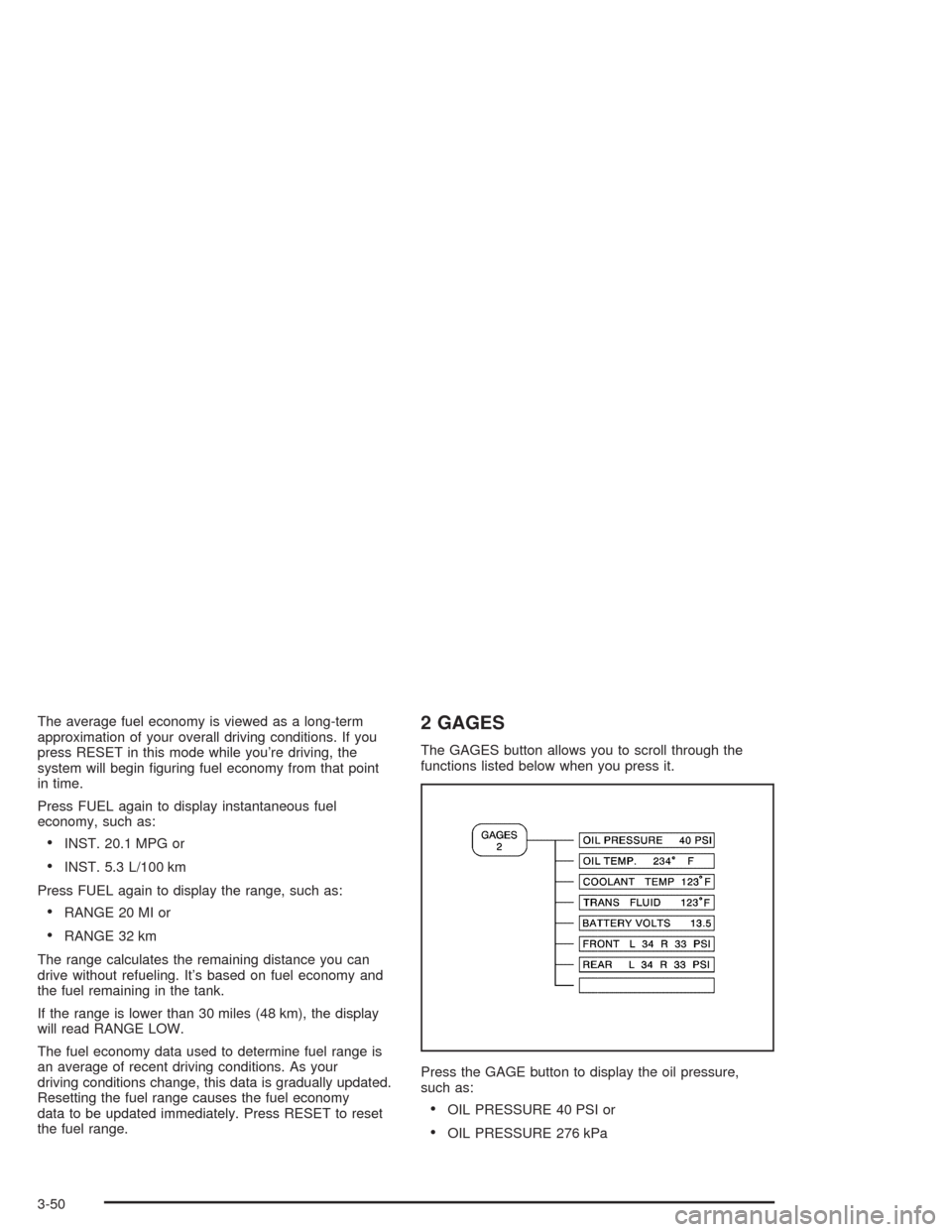
The GAGES button allows you to scroll through the
functions listed below when you press it.
Press the GAGE button to display the oil pressure,
such as:
•OIL PRESSURE 40 PSI or
•OIL PRESSURE 276 kPa
3-50
Page 168 of 384
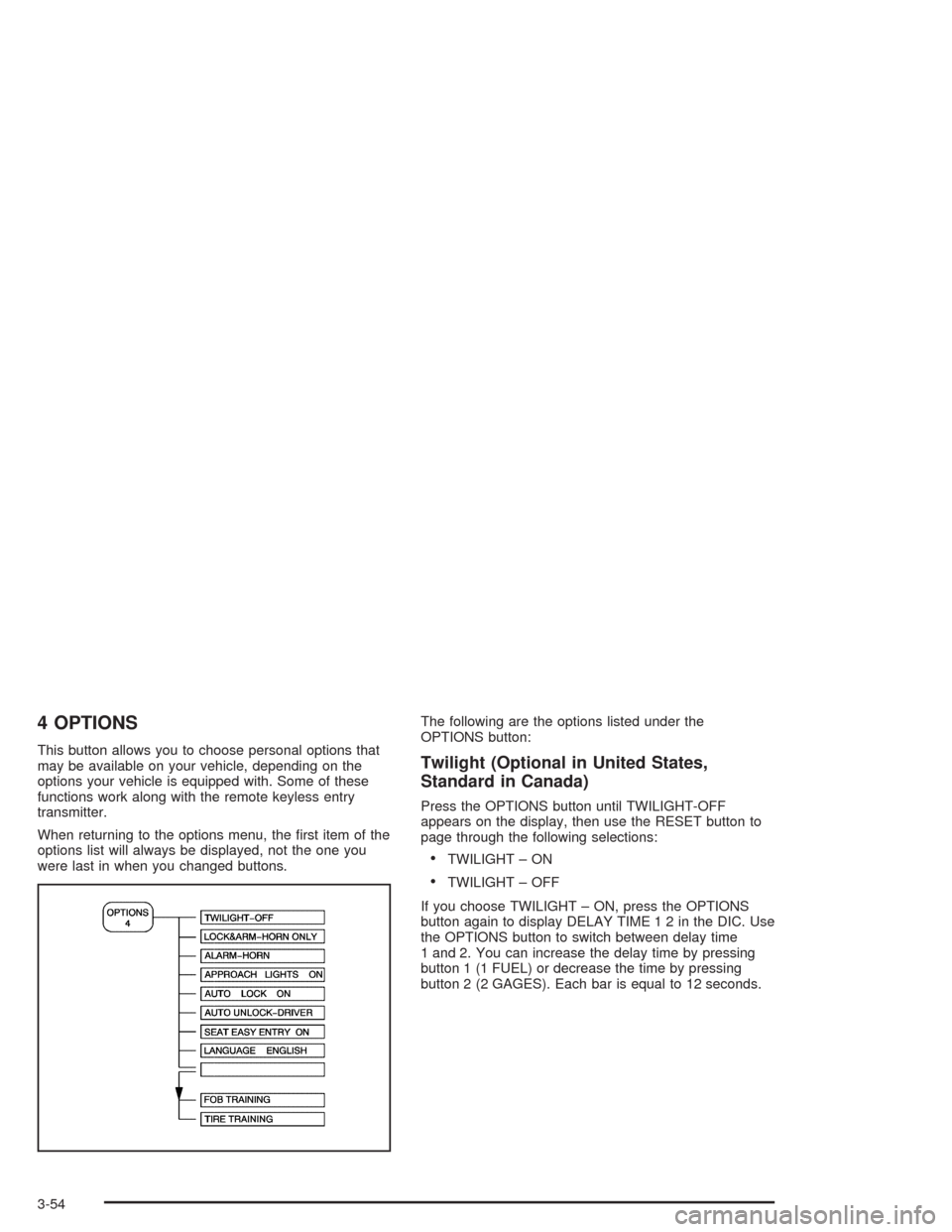
4 OPTIONS
This button allows you to choose personal options that
may be available on your vehicle, depending on the
options your vehicle is equipped with. Some of these
functions work along with the remote keyless entry
transmitter.
When returning to the options menu, the first item of the
options list will always be displayed, not the one you
were last in when you changed buttons.The following are the options listed under the
OPTIONS button:Twilight (Optional in United States,
Standard in Canada)
Press the OPTIONS button until TWILIGHT-OFF
appears on the display, then use the RESET button to
page through the following selections:
•TWILIGHT – ON
•TWILIGHT – OFF
If you choose TWILIGHT – ON, press the OPTIONS
button again to display DELAY TIME 1 2 in the DIC. Use
the OPTIONS button to switch between delay time
1 and 2. You can increase the delay time by pressing
button 1 (1 FUEL) or decrease the time by pressing
button 2 (2 GAGES). Each bar is equal to 12 seconds.
3-54
Page 177 of 384
{CAUTION:
When the LOW TIRE PRESSURE or FLAT TIRE
message is displayed on the Driver Information
Center, your vehicle’s handling capabilities will
be reduced during severe maneuvers. If you
drive too fast, you could lose control of your
vehicle. You or others could be injured. Don’t
drive over 55 mph (90 km/h) when the LOW
TIRE PRESSURE or FLAT TIRE message is
displayed. Drive cautiously and check your tire
pressures as soon as you can.MAXIMUM SPEED 80 MPH (129 km/h):You will hear
four chimes when this message is displayed. To
acknowledge the warning, press RESET. After you
press RESET, a message will reappear every
10 minutes until this condition changes.
This message indicates that a malfunction is present in
the selective real time damping system. The vehicle
speed will be limited to 80 mph (129 km/h) when
the shock absorber system has failed and the shocks
are in their full soft mode. Have your vehicle serviced as
soon as possible.
PULL KEY – WAIT 10 SEC (Manual Transmission
Only):If this message comes on, the steering column
lock system has detected a problem while disengaging
the steering column lock. This message may occur when
the ignition key is removed and reinserted before the
steering column lock system fully locks or unlocks
the steering column. To acknowledge that you have read
this message, and to clear it from the display, remove
the ignition key and wait 10 seconds before reinserting
the key into the ignition. If you attempt to operate
your vehicle without removing the key for 10 seconds,
the vehicle’s fuel system will shut off when you
reach 1.5 mph (2.4 km/h). If the message stays on after
removing the key and waiting 10 seconds, have your
vehicle taken to an authorized dealer as soon as
possible for diagnosis and repair.
3-63
Page 182 of 384
Other Messages
Here are more messages that you can receive on your
Driver Information Center (DIC). To acknowledge a
message and read another message that may have
come on at the same time, press the RESET button.
•BRAKE BEFORE SHIFT
(See “Automatic Transmissions Only” under
Automatic Transmission Operation on page 2-25.)
•CHANGE OIL NOW
(See “GM Oil Life System™” underEngine Oil on
page 5-13.)
•CHANGE OIL SOON
(See “GM Oil Life System™” underEngine Oil on
page 5-13andScheduled Maintenance on
page 6-4.)
•CRUISE DISENGAGED
(See “Cruise Control” underTurn
Signal/Multifunction Lever on page 3-6.)
•CRUISE SET_MPH (_km/h)
(See “Cruise Control” underTurn
Signal/Multifunction Lever on page 3-6.)
•DOOR AJAR
•ENGINE PROTECTION REDUCE ENGINE RPM
•HATCH AJAR (Coupe)
•HIGH VOLTAGE
(SeeVoltmeter Gage on page 3-37.)
•LOW BRAKE FLUID
(See “Brake Fluid” underBrakes on page 5-37.)
•LOW FUEL
(SeeFuel Gage on page 3-46.)
•LOW VOLTAGE
(SeeVoltmeter Gage on page 3-37.)
•LOW WASHER FLUID
(SeeWindshield Washer Fluid on page 5-36.)
•RESERVE FUEL
(SeeFuel Gage on page 3-46.)
•TONNEAU AJAR (Convertible)
•TRUNK AJAR (Convertible/Z06)
•UPSHIFT NOW
(SeeManual Transmission Operation on
page 2-28.)
3-68
Page 229 of 384
The exit ramp can be curved, sometimes quite sharply.
The exit speed is usually posted. Reduce your speed
according to your speedometer, not to your sense
of motion. After driving for any distance at higher
speeds, you may tend to think you are going slower
than you actually are.
Before Leaving on a Long Trip
Make sure you are ready. Try to be well rested. If you
must start when you are not fresh — such as after
a day’s work — do not plan to make too many miles that
first part of the journey. Wear comfortable clothing
and shoes you can easily drive in.
Is your vehicle ready for a long trip? If you keep it
serviced and maintained, it is ready to go. If it needs
service, have it done before starting out. Of course, you
will find experienced and able service experts in GM
dealerships all across North America. They will be ready
and willing to help if you need it.Here are some things you can check before a trip:
•Windshield Washer Fluid:Is the reservoir full? Are
all windows clean inside and outside?
•Wiper Blades:Are they in good shape?
•Fuel, Engine Oil, Other Fluids:Have you checked
all levels?
•Lamps:Are they all working? Are the lenses clean?
•Tires:They are vitally important to a safe,
trouble-free trip. Is the tread good enough for
long-distance driving? Are the tires all inflated to the
recommended pressure?
•Weather Forecasts:What is the weather outlook
along your route? Should you delay your trip a
short time to avoid a major storm system?
•Maps:Do you have up-to-date maps?
4-25
Page 235 of 384
{CAUTION:
Snow can trap exhaust gases under your
vehicle. This can cause deadly CO (carbon
monoxide) gas to get inside. CO could
overcome you and kill you. You can not see it
or smell it, so you might not know it is in your
vehicle. Clear away snow from around the
base of your vehicle, especially any that is
blocking your exhaust pipe. And check around
again from time to time to be sure snow does
not collect there.
Open a window just a little on the side of the
vehicle that is away from the wind. This will
help keep CO out.Run your engine only as long as you must. This saves
fuel. When you run the engine, make it go a little
faster than just idle. That is, push the accelerator
slightly. This uses less fuel for the heat that you get and
it keeps the battery charged. You will need a
well-charged battery to restart the vehicle, and possibly
for signaling later on with your headlamps. Let the
heater run for a while.
Then, shut the engine off and close the window almost
all the way to preserve the heat. Start the engine
again and repeat this only when you feel really
uncomfortable from the cold. But do it as little as
possible. Preserve the fuel as long as you can. To help
keep warm, you can get out of the vehicle and do
some fairly vigorous exercises every half hour or so until
help comes.
4-31
Page 241 of 384
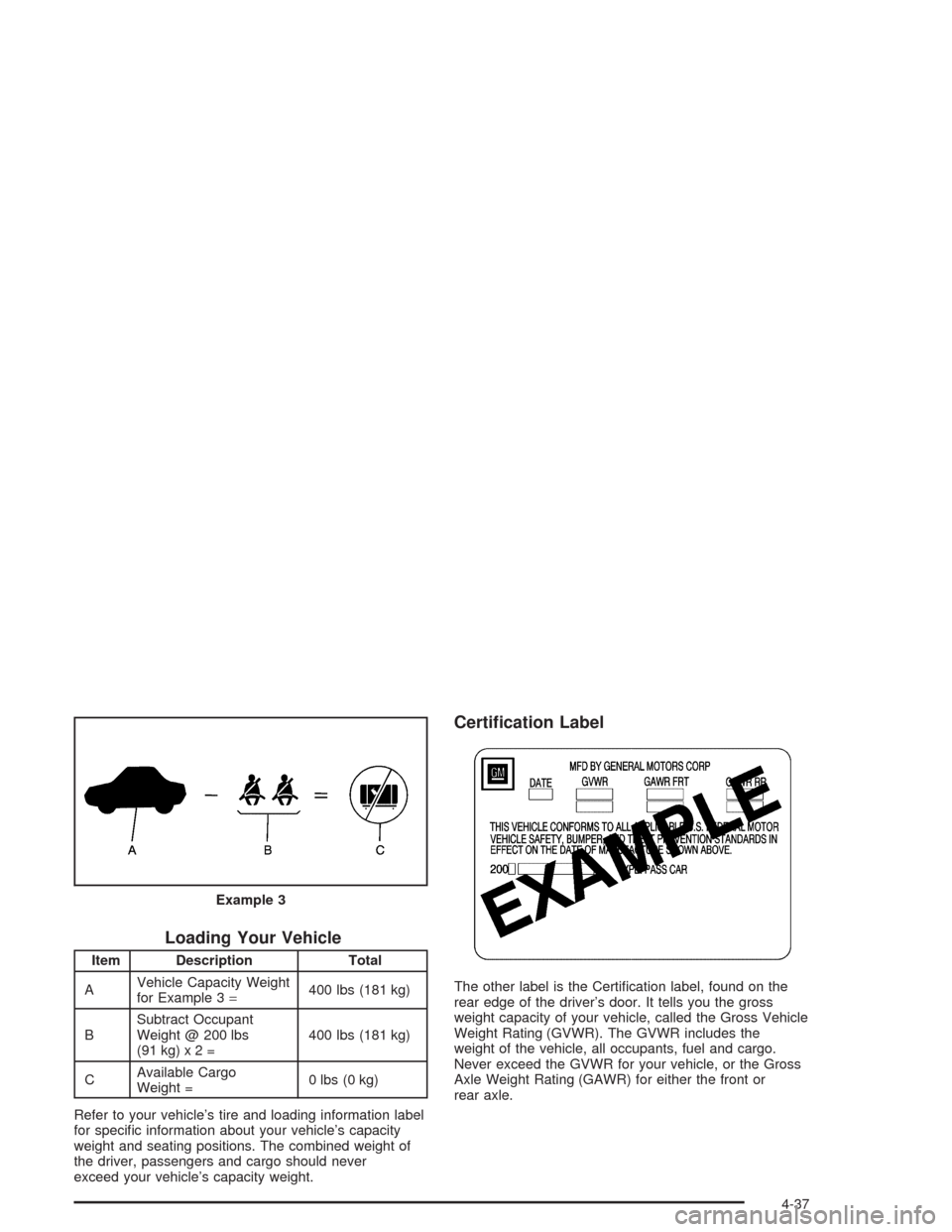
Loading Your Vehicle
Item Description Total
AVehicle Capacity Weight
for Example 3=400 lbs (181 kg)
BSubtract Occupant
Weight @ 200 lbs
(91kg)x2=400 lbs (181 kg)
CAvailable Cargo
Weight =0 lbs (0 kg)
Refer to your vehicle’s tire and loading information label
for specific information about your vehicle’s capacity
weight and seating positions. The combined weight of
the driver, passengers and cargo should never
exceed your vehicle’s capacity weight.
Certication Label
The other label is the Certification label, found on the
rear edge of the driver’s door. It tells you the gross
weight capacity of your vehicle, called the Gross Vehicle
Weight Rating (GVWR). The GVWR includes the
weight of the vehicle, all occupants, fuel and cargo.
Never exceed the GVWR for your vehicle, or the Gross
Axle Weight Rating (GAWR) for either the front or
rear axle. Example 3
4-37
Page 243 of 384
Service............................................................5-3
Doing Your Own Service Work.........................5-4
Adding Equipment to the Outside of
Your Vehicle..............................................5-4
Fuel................................................................5-4
Gasoline Octane............................................5-5
Gasoline Specifications....................................5-5
California Fuel...............................................5-5
Additives.......................................................5-6
Fuels in Foreign Countries...............................5-6
Filling Your Tank............................................5-7
Filling a Portable Fuel Container.....................5-10
Checking Things Under the Hood....................5-10
Hood Release..............................................5-11
Engine Compartment Overview.......................5-12
Engine Oil...................................................5-13
Engine Air Cleaner/Filter................................5-18
Automatic Transmission Fluid.........................5-20
Manual Transmission Fluid.............................5-21
Hydraulic Clutch...........................................5-22
Engine Coolant.............................................5-23
Coolant Surge Tank Pressure Cap..................5-26
Engine Overheating.......................................5-26
Cooling System............................................5-29
Power Steering Fluid.....................................5-35
Windshield Washer Fluid................................5-36Brakes........................................................5-37
Battery........................................................5-40
Jump Starting...............................................5-41
Rear Axle.......................................................5-47
Bulb Replacement..........................................5-48
Halogen Bulbs..............................................5-48
Headlamps..................................................5-48
Taillamps and Turn Signal Lamps...................5-50
Back-Up Lamps............................................5-52
Windshield Wiper Blade Replacement..............5-52
Tires..............................................................5-55
Extended Mobility Tires (Except Z06)...............5-61
Inflation - Tire Pressure.................................5-62
Tire Pressure Monitor Operation
(Except Z06).............................................5-64
Tire Rotation................................................5-65
When It Is Time for New Tires.......................5-65
Buying New Tires.........................................5-66
Uniform Tire Quality Grading..........................5-67
Wheel Alignment and Tire Balance..................5-68
Wheel Replacement......................................5-68
Tire Chains..................................................5-71
Lifting Your Vehicle.......................................5-71
If a Tire Goes Flat........................................5-75
Tire Inflator Kit (Z06 Only).............................5-77
Section 5 Service and Appearance Care
5-1
Page 246 of 384
Doing Your Own Service Work
If you want to do some of your own service work, you
will want to use the proper service manual. It tells
you much more about how to service your vehicle than
this manual can. To order the proper service manual,
seeService Publications Ordering Information on
page 7-11.
Your vehicle may have an air bag system. If it does, see
Servicing Your Air Bag-Equipped Vehicle on page 1-49
before attempting to do your own service work.
You should keep a record with all parts receipts and list
the mileage and the date of any service work you
perform. SeeMaintenance Record on page 6-15.
{CAUTION:
You can be injured and your vehicle could be
damaged if you try to do service work on a
vehicle without knowing enough about it.
Be sure you have sufficient knowledge,
experience, the proper replacement parts
and tools before you attempt any vehicle
maintenance task.
CAUTION: (Continued)
CAUTION: (Continued)
Be sure to use the proper nuts, bolts and
other fasteners. “English” and “metric”
fasteners can be easily confused. If you
use the wrong fasteners, parts can later
break or fall off. You could be hurt.
Adding Equipment to the Outside of
Your Vehicle
Things you might add to the outside of your vehicle can
affect the airflow around it. This may cause wind
noise and affect windshield washer performance. Check
with your dealer before adding equipment to the
outside of your vehicle.
Fuel
Use of the recommended fuel is an important part of the
proper maintenance of your vehicle.
5-4
Page 247 of 384
Gasoline Octane
Use premium unleaded gasoline with a posted octane of
91 or higher for best performance. You may also use
middle grade or regular unleaded gasoline rated at
87 octane or higher, but your vehicle’s acceleration may
be slightly reduced. If the octane is less than 87, you
may get a heavy knocking noise when you drive. If this
occurs, use a gasoline rated at 87 octane or higher
as soon as possible. Otherwise, you might damage
your engine.
Gasoline Specications
It is recommended that gasoline meet specifications
which were developed by automobile manufacturers
around the world and contained in the World-Wide Fuel
Charter which is available from the Alliance of
Automobile Manufacturers at
www.autoalliance.org/fuel_charter.htm. Gasoline
meeting these specifications could provide improved
driveability and emission control system performance
compared to other gasoline.In Canada, look for the
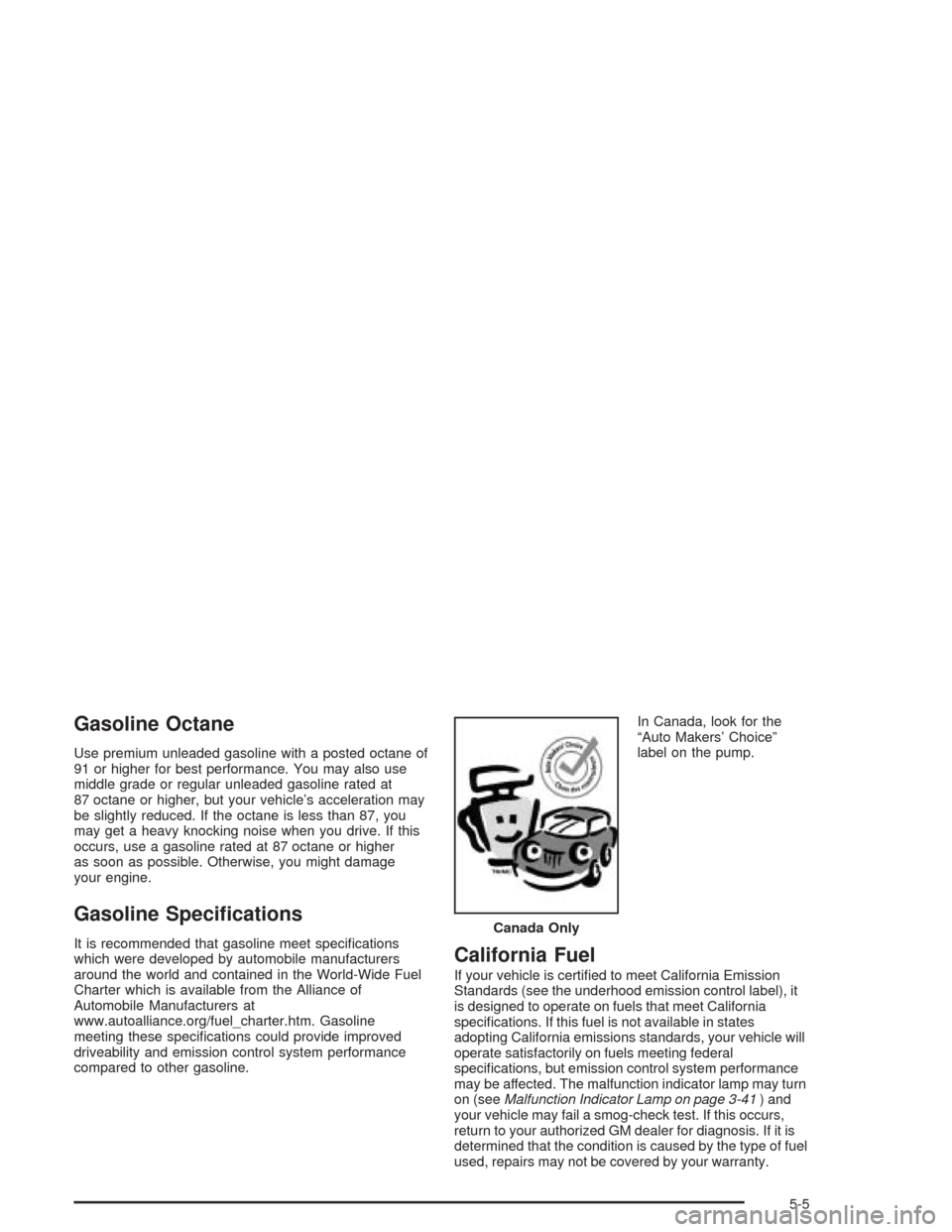
“Auto Makers’ Choice”
label on the pump.California Fuel
If your vehicle is certified to meet California Emission
Standards (see the underhood emission control label), it
is designed to operate on fuels that meet California
specifications. If this fuel is not available in states
adopting California emissions standards, your vehicle will
operate satisfactorily on fuels meeting federal
specifications, but emission control system performance
may be affected. The malfunction indicator lamp may turn
on (seeMalfunction Indicator Lamp on page 3-41) and
your vehicle may fail a smog-check test. If this occurs,
return to your authorized GM dealer for diagnosis. If it is
determined that the condition is caused by the type of fuel
used, repairs may not be covered by your warranty.Canada Only
5-5