tow CHEVROLET CORVETTE 2004 5.G Owner's Manual
[x] Cancel search | Manufacturer: CHEVROLET, Model Year: 2004, Model line: CORVETTE, Model: CHEVROLET CORVETTE 2004 5.GPages: 384, PDF Size: 2.46 MB
Page 152 of 384
Brake System Warning Light
Your vehicle’s hydraulic brake system is divided into two
parts. If one part is not working, the other part can
still work and stop you. For good braking, though, you
need both parts working well.
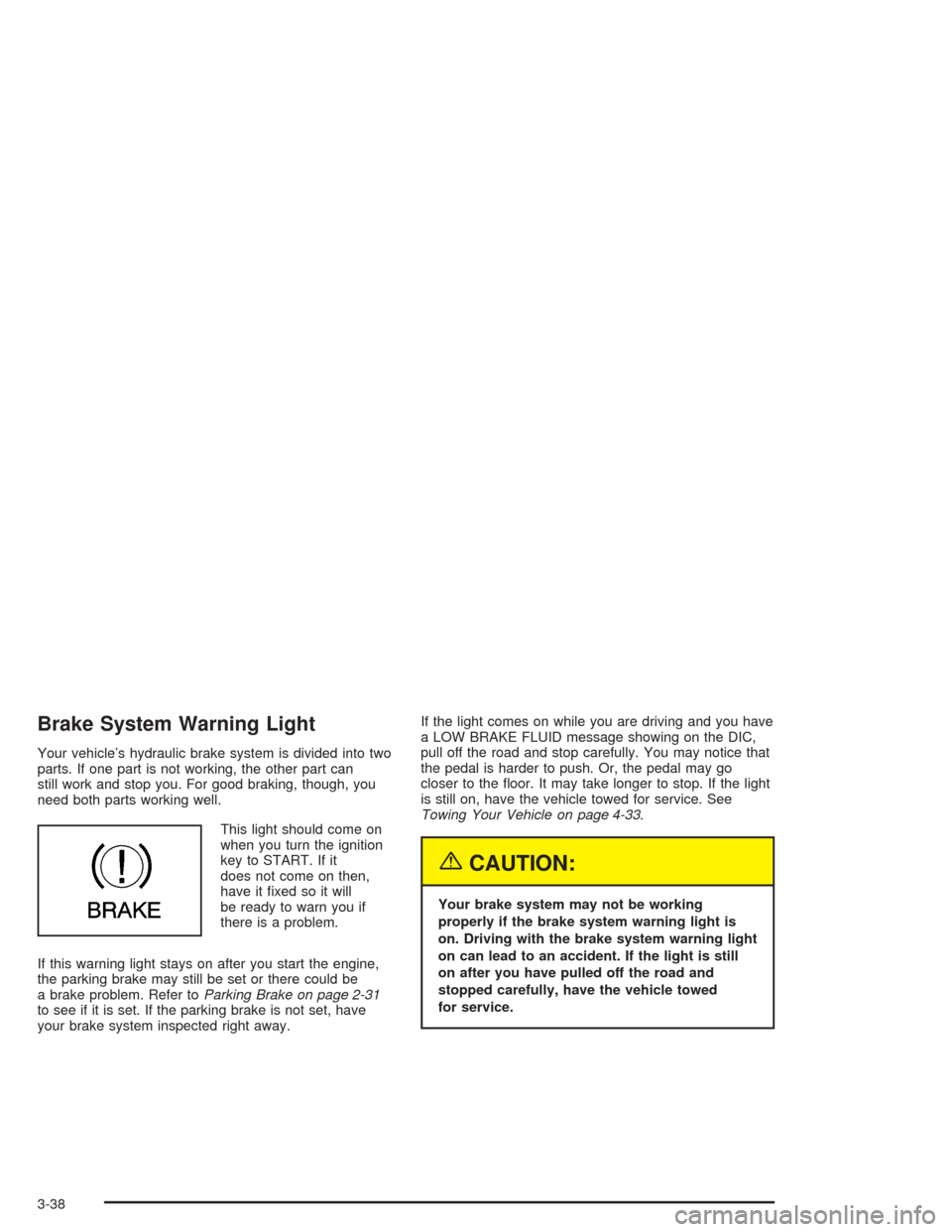
This light should come on
when you turn the ignition
key to START. If it
does not come on then,
have it fixed so it will
be ready to warn you if
there is a problem.
If this warning light stays on after you start the engine,
the parking brake may still be set or there could be
a brake problem. Refer toParking Brake on page 2-31
to see if it is set. If the parking brake is not set, have
your brake system inspected right away.If the light comes on while you are driving and you have
a LOW BRAKE FLUID message showing on the DIC,
pull off the road and stop carefully. You may notice that
the pedal is harder to push. Or, the pedal may go
closer to the floor. It may take longer to stop. If the light
is still on, have the vehicle towed for service. See
Towing Your Vehicle on page 4-33.
{CAUTION:
Your brake system may not be working
properly if the brake system warning light is
on. Driving with the brake system warning light
on can lead to an accident. If the light is still
on after you have pulled off the road and
stopped carefully, have the vehicle towed
for service.
3-38
Page 179 of 384
If the SERVICE ABS message is being displayed, your
Traction Control System and the Active Handling
System will also be disabled. The Driver Information
Center will scroll three messages: SERVICE ABS,
SERVICE TRACTION SYS and SERVICE ACTIVE
HNDLG, and the instrument cluster car icon will
be illuminated. The driver can acknowledge these
messages by pressing the reset button three times.
When the service message is displayed the computer
controlled systems will not assist the driver and you
should have the system repaired as soon as possible.
Adjust your driving accordingly.
SERVICE ACTIVE HANDLING:If the SERVICE
ACTIVE HNDLG message is displayed, there is a
problem with your Active Handling System and your
vehicle needs service. The instrument cluster light
will also be on and a chime will sound. When this
message is displayed, the system is not working. Adjust
your driving accordingly.SERVICE COLUMN LOCK (Manual Transmission
Only):If the system that controls the locking and
unlocking of the steering column does not work properly,
have the vehicle towed to a dealer for service.
SERVICE RIDE CONTROL:This message is used to
indicate to the driver that the Selective Ride Control
system has detected a malfunction and that the system
must be serviced. The SERVICE RIDE CONTROL
message will always come on when a failure is detected
by the Selective Ride Control system. If a fault is
present in the Selective Ride Control system which
causes the shocks to be in their full soft condition, the
SERVICE RIDE CONTROL, SHOCKS INOPERATIVE
and MAXIMUM SPEED 80 MPH (129 km/h) will
display together. You will never get a SHOCKS
INOPERATIVE and MAXIMUM SPEED 80 MPH
(129 km/h) message without a SERVICE RIDE
CONTROL message.
3-65
Page 186 of 384
Setting the Tone (Bass/Treble)
BASS:To adjust the bass, press this knob lightly so it
extends. Turn the knob to increase or to decrease
the bass.
TREB (Treble):To adjust the treble, press this knob
lightly so it extends. Turn the knob to increase or
to decrease treble. If a station is weak or noisy,
decrease the treble.
Return these knobs to their stored positions when you
are not using them.
AUTO TONE (Automatic Tone):Press this button to
select customized equalization settings designed
for country/western, jazz, talk, pop, rock, and classical.
To return the bass and treble to the manual mode,
either press and release the AUTO TONE button until
the display goes blank or press and release the BASS or
TREB knob and turn it until the display goes blank.
Adjusting the Speakers (Balance/Fade)
BAL (Balance):To adjust the balance between the
right and the left speakers, press this knob lightly so it
extends. Turn the knob to move the sound toward
the right or the left speakers.
FADE:To adjust the fade between the front and the
rear speakers, press this knob lightly so it extends. Turn
the knob to move the sound toward the front or the
rear speakers.
Return these knobs to their stored positions when you
are not using them.
3-72
Page 192 of 384
Setting the Tone (Bass/Treble)
BASS:To adjust the bass, press this knob lightly so it
extends. Turn the knob to increase or to decrease bass.
TREB (Treble):To adjust the treble, press this knob
lightly so it extends. Turn the knob to increase or
to decrease treble. If a station is weak or noisy, you
may want to decrease the treble.
Return these knobs to their stored positions when you
are not using them.
AUTO TONE (Automatic Tone):Press this button to
select customized equalization settings designed
for country/western, jazz, talk, pop, rock, and classical.
To return the bass and treble to the manual mode,
either press and release the AUTO TONE button until
the display goes blank or press and release the BASS or
TREB knob and turn it until the display goes blank.
Adjusting the Speakers (Balance/Fade)
BAL (Balance):To adjust the balance between the
right and the left speakers, press this knob lightly so it
extends. Turn the knob to move the sound toward
the right or the left speakers.
FADE:To adjust the fade between the front and the
rear speakers, press this knob lightly so it extends. Turn
the knob to move the sound toward the front or the
rear speakers.
Return these knobs to their stored positions when you
are not using them.
3-78
Page 205 of 384
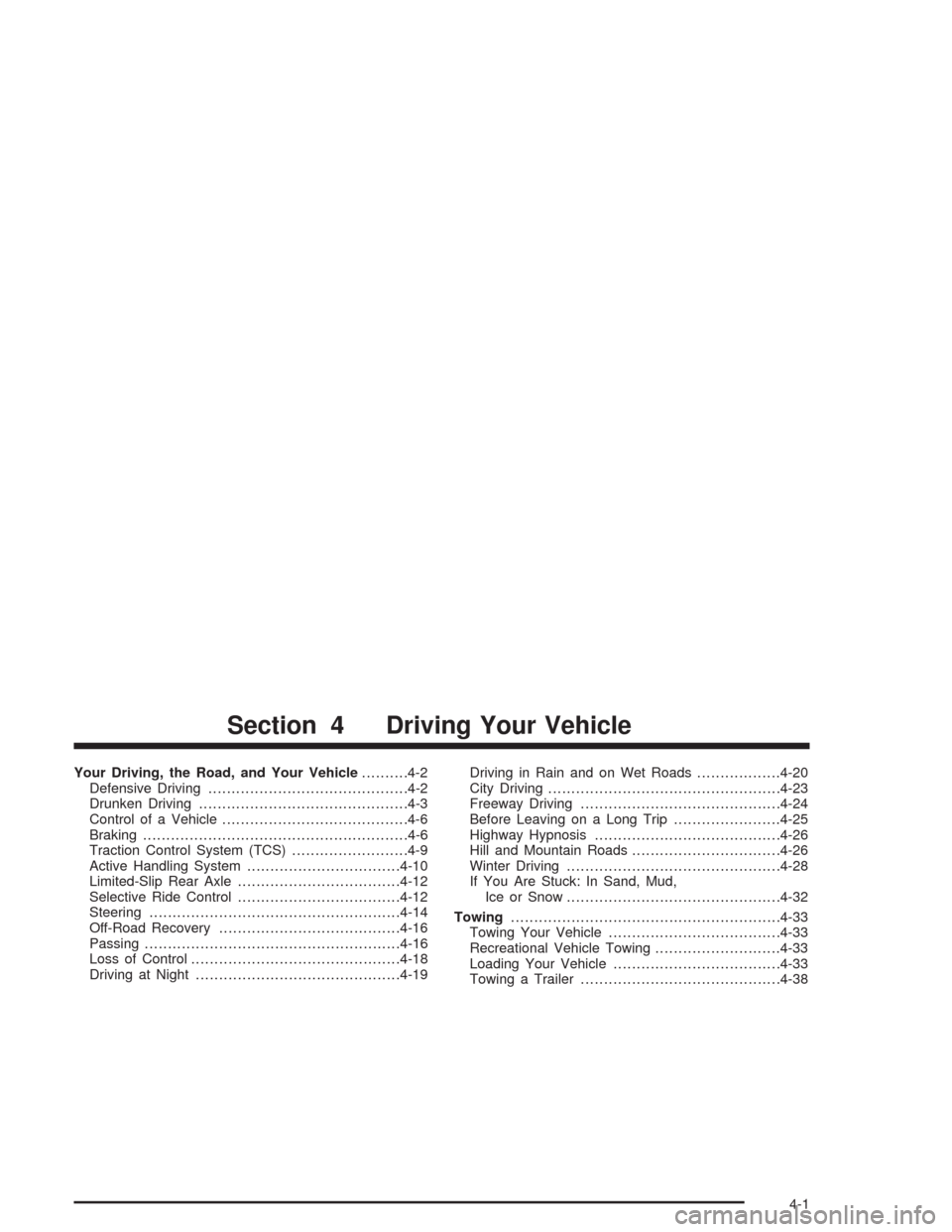
Your Driving, the Road, and Your Vehicle..........4-2
Defensive Driving...........................................4-2
Drunken Driving.............................................4-3
Control of a Vehicle........................................4-6
Braking.........................................................4-6
Traction Control System (TCS).........................4-9
Active Handling System.................................4-10
Limited-Slip Rear Axle...................................4-12
Selective Ride Control...................................4-12
Steering......................................................4-14
Off-Road Recovery.......................................4-16
Passing.......................................................4-16
Loss of Control.............................................4-18
Driving at Night............................................4-19Driving in Rain and on Wet Roads..................4-20
City Driving..................................................4-23
Freeway Driving...........................................4-24
Before Leaving on a Long Trip.......................4-25
Highway Hypnosis........................................4-26
Hill and Mountain Roads................................4-26
Winter Driving..............................................4-28
If You Are Stuck: In Sand, Mud,
Ice or Snow..............................................4-32
Towing..........................................................4-33
Towing Your Vehicle.....................................4-33
Recreational Vehicle Towing...........................4-33
Loading Your Vehicle....................................4-33
Towing a Trailer...........................................4-38
Section 4 Driving Your Vehicle
4-1
Page 236 of 384
If You Are Stuck: In Sand, Mud,
Ice or Snow
In order to free your vehicle when it is stuck, you will
need to spin the wheels, but you do not want to
spin your wheels too fast. The method known as
“rocking” can help you get out when you are stuck, but
you must use caution.
{CAUTION:
If you let your tires spin at high speed, they can
explode, and you or others could be injured.
And, the transmission or other parts of the
vehicle can overheat. That could cause an
engine compartment re or other damage.
When you are stuck, spin the wheels as little as
possible. Do not spin the wheels above 35 mph
(55 km/h) as shown on the speedometer.
Notice:Spinning your wheels can destroy parts of
your vehicle as well as the tires. If you spin the
wheels too fast while shifting your transmission
back and forth, you can destroy your transmission.
For information about using tire chains on your
vehicle, seeTire Chains on page 5-71.
Rocking Your Vehicle To Get It Out
First, turn your steering wheel left and right. That will
clear the area around your front wheels. You should turn
your TCS System off. SeeTraction Control System
(TCS) on page 4-9. Then shift back and forth between
REVERSE (R) and a forward gear, spinning the
wheels as little as possible. For a manual transmission,
shift slowly between either FIRST (1) or SECOND (2)
and REVERSE (R), allowing the wheels to stop
before shifting into gear. Release the accelerator pedal
while you shift, and press lightly on the accelerator
pedal when the transmission is in gear. By slowly
spinning your wheels in the forward and reverse
directions, you will cause a rocking motion that may free
your vehicle. If that does not get you out after a few
tries, you may need to be towed out. If you do need to
be towed out, seeTowing Your Vehicle on page 4-33.
4-32
Page 237 of 384
Towing
Towing Your Vehicle
Consult your dealer or a professional towing service if
you need to have your disabled vehicle towed. See
Roadside Assistance Program on page 7-6.
Recreational Vehicle Towing
Recreational vehicle towing means towing your vehicle
behind another vehicle — such as behind a motorhome.
The two most common types of recreational vehicle
towing are known as “dinghy towing” (towing your vehicle
with all four wheels on the ground) and “dolly towing”
(towing your vehicle with two wheels on the ground and
two wheels up on a device known as a “dolly”).
Your vehicle was not designed to be towed with any of
its wheels on the ground. If your vehicle must be
towed, see “Towing Your Vehicle” earlier in this section.
Loading Your Vehicle
It is very important to know how much weight your
vehicle can carry. This weight is called the vehicle
capacity weight and includes the weight of all occupants,
cargo and all nonfactory-installed options. Two labels
on your vehicle show how much weight it may properly
carry, the Tire and Loading Information label and the
Certification label.
{CAUTION:
Do not load your vehicle any heavier than the
GVWR, or either the maximum front or rear
GAWR. If you do, parts on your vehicle can
break, and it can change the way your vehicle
handles. These could cause you to lose
control and crash. Also, overloading can
shorten the life of your vehicle.
4-33
Page 239 of 384
The Tire and Loading Information label also gives you
the size and recommended inflation pressure for
the factory-installed, original equipment tires on your
vehicle. For more information on tires and inflation see
Tires on page 5-55andInation - Tire Pressure on
page 5-62.
There is also important loading information on the
Certification label. It tells you the Gross Vehicle Weight
Rating (GVWR) and the Gross Axle Weight Rating
(GAWR) for the front and rear axle; see “Certification
Label” later in this section.
Steps for Determining Correct Load Limit
1. Locate the statement “The combined weight of
occupants and cargo should never exceed XXX
pounds” on your vehicle placard.
2. Determine the combined weight of the driver and
passengers that will be riding in your vehicle.
3. Subtract the combined weight of the driver and
passengers from XXX kilograms or XXX pounds.4. The resulting figure equals the available amount of
cargo and luggage load capacity. For example, if the
“XXX” amount equals 1400 lbs. and there will be five
150 lb. passengers in your vehicle, the amount of
available cargo and luggage load capacity is 650 lbs.
(1400−750 (5 x 150) = 650 lbs).
5. Determine the combined weight of luggage and
cargo being loaded on the vehicle. That weight
may not safely exceed the available cargo
and luggage load capacity calculated in Step 4.
6. If your vehicle will be towing a trailer, the load from
your trailer will be transferred to your vehicle.
Consult this manual to determine how this reduces
the available cargo and luggage load capacity of
your vehicle.
Your vehicle is neither designed nor intended to tow
a trailer.
4-35
Page 242 of 384
And, if you do have a heavy load, you should spread it
out. Do not carry more than 100 lbs. (45 kg) in your
rear area.
{CAUTION:
Do not load your vehicle any heavier than the
GVWR, or either the maximum front or rear
GAWR. If you do, parts on your vehicle can
break, and it can change the way your vehicle
handles. These could cause you to lose
control and crash. Also, overloading can
shorten the life of your vehicle.
Notice:Overloading your vehicle may cause
damage. Repairs would not be covered by your
warranty. Do not overload your vehicle.
If you put things inside your vehicle – like suitcases,
tools, packages or anything else – they will go as fast as
the vehicle goes. If you have to stop or turn quickly,
or if there is a crash, they will keep going.
{CAUTION:
Things you put inside your vehicle can strike
and injure people in a sudden stop or turn, or
in a crash.
Put things in the rear area of your vehicle.
Try to spread the weight evenly.
Never stack heavier things, like suitcases,
inside the vehicle so that some of them
are above the tops of the seats.
Do not leave an unsecured child restraint
in your vehicle.
When you carry something inside the
vehicle, secure it whenever you can.
Towing a Trailer
Your Corvette is neither designed nor intended to tow a
trailer.
4-38
Page 255 of 384
A. Coolant Surge Tank and Pressure Cap. SeeEngine
Coolant on page 5-23.
B. Battery. SeeBattery on page 5-40.
C. Engine Oil Dipstick. SeeEngine Oil on page 5-13.
D. Engine Oil Fill Cap. SeeEngine Oil on page 5-13.
E. Engine Air Cleaner/Filter. SeeEngine Air
Cleaner/Filter on page 5-18.
F. Power Steering Fluid Reservoir. SeePower Steering
Fluid on page 5-35.
G. Brake Fluid Reservoir. SeeBrakes on page 5-37.
H. Clutch Master Cylinder Reservoir. SeeHydraulic
Clutch on page 5-22.
I. Windshield Washer Fluid Reservoir. SeeWindshield
Washer Fluid on page 5-36.Engine Oil
If the LOW OIL LEVEL message on the Driver
Information Center comes on, it means you need to
check your engine oil level right away. For more
information, seeDriver Information Center (DIC) on
page 3-48.
You should check your engine oil level regularly; this is
an added reminder.
Checking Engine Oil
It is a good idea to check your engine oil level every
time you get fuel. In order to get an accurate reading,
the oil must be warm and the vehicle must be on
level ground.
The engine oil dipstick handle is a yellow loop. See
Engine Compartment Overview on page 5-12for
the location of the engine oil dipstick.
Turn off the engine and give the oil a few minutes to
drain back into the oil pan. If you don’t, the oil dipstick
might not show the actual level.
Pull out the dipstick and clean it with a paper towel or a
cloth, then push it back in all the way. Remove it
again, keeping the tip down.
5-13