ESP CHEVROLET CORVETTE 2006 6.G User Guide
[x] Cancel search | Manufacturer: CHEVROLET, Model Year: 2006, Model line: CORVETTE, Model: CHEVROLET CORVETTE 2006 6.GPages: 426, PDF Size: 2.48 MB
Page 212 of 426
To program a name, use the following procedure:
1. Enter the PERSONAL OPTIONS menu and
select the driver number (1 or 2) that you would
like to program by following the instructions
listed previously under “Entering the Personal
Options Menu”.
2. Press the OPTION button until the PERSONALIZE
NAME option appears on the display.
3. Select YES under PERSONALIZE NAME by
pressing the RESET button.
4. Press the OPTION button and a cursor will display
where you can insert a letter.
5. Press the OPTION button again until the letter
you want is displayed. To scroll through the
letters faster and without a beeping noise, keep
the OPTIONS button depressed. There are
alpha/numeric characters and a blank space
available.
6. Then press the RESET button to select the letter of
your choice and proceed on to the next space to
the right.If you make a mistake and would like to clear or
replace a letter, perform the following steps:
6.1. Press the RESET button to reach the letter
you would like to change.
6.2. Press the OPTION button to scroll through
the letter choices.
6.3. Press the RESET button to select the letter
and proceed on to the next space to the right.
7. Repeat Steps 5 and 6 until the name or greeting
you want is complete. After the name or greeting
is complete, keep pressing the RESET button
until the display turns blank and exits out of this
option. You can program up to 20 characters.
If you choose NO, this option will turn off.
If a customized name or greeting is not programmed,
the DIC display will show Driver 1 or Driver 2 to
correspond with either the number on the back of the
keyless access transmitter (1 or 2) that is being used or
to the memory button (1 or 2) that is pressed.
PERSONALIZE NAME is the last option available to
program in the PERSONAL OPTIONS menu. Pressing
the OPTION button after this setting will exit you
from the PERSONAL OPTIONS menu. The last item
you were in prior to entering PERSONAL OPTIONS will
then display on the DIC.
3-76
Page 227 of 426
Playing a Specic Loaded CD
For every CD loaded, a number will appear on the
display. To play a specic CD press the numbered
pushbutton that corresponds to the CD.
If an error appears on the display, see “CD Messages”
later in this section.
X(Eject):Press this button to eject CD(s).
To eject the CD that is currently playing, press and
release this button.
To eject multiple CDs, do the following:
1. Press and hold the eject button for two seconds.
You will hear a beep and EJECT ALL DISCS will
appear on the display.
2. When REMOVE DISC appears on the display, the
CD will eject and can be removed.
To stop ejecting the CDs, press the load or the
eject button.
If the CD is not removed, after 25 seconds, the CD will
be automatically pulled back into the player. If CD is
pushed back into the player, before the 25 second
time period is complete, the player will sense an error
and will try to eject the CD several times before
stopping.Do not repeatedly press the eject button to eject a
CD after you have tried to push it in manually.
The player’s 25-second eject timer will reset at each
press of eject, causing the player to not eject the
CD until the 25-second time period has elapsed.
O/e(Tune):Turn this knob to go to the next or
previous track.
{(Reverse):Press and hold this button to reverse
within the current track.
|(Fast Forward):Press and hold this button to fast
forward through the current track.
RDM (Random):Press this button to hear the tracks
in random, rather than sequential order, on one CD or all
of the loaded CDs.
To use random, do one of the following:
To play the tracks on the CD you are listening to in
random order, press and release this button until
RANDOM DISC PLAY appears on the display.
To play the tracks on all of the CDs that are loaded
in random order, press and release this button until
RANDOM ALL DISCS appears on the display.
To turn off random play, press and release the RDM
button until RANDOM OFF appears on the display
3-91
Page 236 of 426
Radio Reception
You may experience frequency interference and static
during normal radio reception if items such as cellphone
chargers, vehicle convenience accessories, and
external electronic devices are plugged into the
accessory power outlet. If there is interference or static,
unplug the item from the accessory power outlet.
AM
The range for most AM stations is greater than for FM,
especially at night. The longer range can cause
station frequencies to interfere with each other. For
better radio reception, most AM radio stations will boost
the power levels during the day, and then reduce
these levels during the night. Static can also occur when
things like storms and power lines interfere with radio
reception. When this happens, try reducing the treble on
your radio.
FM Stereo
FM stereo will give the best sound, but FM signals will
reach only about 10 to 40 miles (16 to 65 km). Tall
buildings or hills can interfere with FM signals, causing
the sound to fade in and out.
XM™ Satellite Radio Service
XM™ Satellite Radio Service gives digital radio
reception from coast-to-coast in the 48 contiguous
United States, and in Canada (if available). Just as with
FM, tall buildings or hills can interfere with satellite
radio signals, causing the sound to fade in and out.
In addition, traveling or standing under heavy foliage,
bridges, garages, or tunnels may cause loss of the XM™
signal for a period of time. The radio may display NO
SIGNAL to indicate interference.
Care of Your CDs
Handle CDs carefully. Store them in their original
cases or other protective cases and away from direct
sunlight and dust. The CD player scans the bottom
surface of the disc. If the surface of a CD is damaged,
such as cracked, broken, or scratched, the CD will
not play properly or not at all. If the surface of a CD is
soiled, take a soft, lint free cloth or dampen a clean, soft
cloth in a mild, neutral detergent solution mixed with
water, and clean it. Make sure the wiping process starts
from the center to the edge.
Do not touch the bottom side of a CD while handling
it; this could damage the surface. Pick up CDs by
grasping the outer edges or the edge of the hole and
the outer edge.
3-100
Page 243 of 426
Statistics show that the chance of being in a collision
increases sharply for drivers who have a BAC of
0.05 percent or above. A driver with a BAC level of
0.06 percent has doubled his or her chance of having a
collision. At a BAC level of 0.10 percent, the chance
of this driver having a collision is 12 times greater; at a
level of 0.15 percent, the chance is 25 times greater!
The body takes about an hour to rid itself of the alcohol
in one drink. No amount of coffee or number of cold
showers will speed that up. “I will be careful” is not the
right answer. What if there is an emergency, a need to
take sudden action, as when a child darts into the street?
A person with even a moderate BAC might not be able to
react quickly enough to avoid the collision.
There is something else about drinking and driving that
many people do not know. Medical research shows that
alcohol in a person’s system can make crash injuries
worse, especially injuries to the brain, spinal cord, or
heart. This means that when anyone who has been
drinking — driver or passenger — is in a crash, that
person’s chance of being killed or permanently disabled
is higher than if the person had not been drinking.
{CAUTION:
Drinking and then driving is very dangerous.
Your reexes, perceptions, attentiveness, and
judgment can be affected by even a small
amount of alcohol. You can have a serious — or
even fatal — collision if you drive after drinking.
Please do not drink and drive or ride with a
driver who has been drinking. Ride home in a
cab; or if you are with a group, designate a
driver who will not drink.
4-5
Page 247 of 426
Using ABS
Do not pump the brakes. Just hold the brake pedal
down rmly and let anti-lock work for you. You may hear
a motor or clicking noise and feel the brake pedal
move a little during a stop, but this is normal.
Braking in Emergencies
With ABS, you can steer and brake at the same time.
In many emergencies, steering can help you more than
even the very best braking.
Traction Control System (TCS)
Your vehicle has a traction control system called TCS
that limits wheel spin. This is especially useful in slippery
road conditions. The system operates only if it senses
that the rear wheels are spinning too much or are
beginning to lose traction. When this happens, the
system works the rear brakes and reduces engine power
(by closing the throttle and managing engine spark) to
limit wheel spin.The TRACTION SYSTEM ACTIVE message will come
on when the TCS system is limiting wheel spin. See
DIC Warnings and Messages on page 3-53. You
may feel or hear the system working, but this is normal.
If your vehicle is in cruise control when the TCS system
begins to limit wheel spin, the cruise control will
automatically disengage. When road conditions allow you
to safely use it again, you may re-engage the cruise
control. SeeTurn Signal/Multifunction Lever on page 3-8.
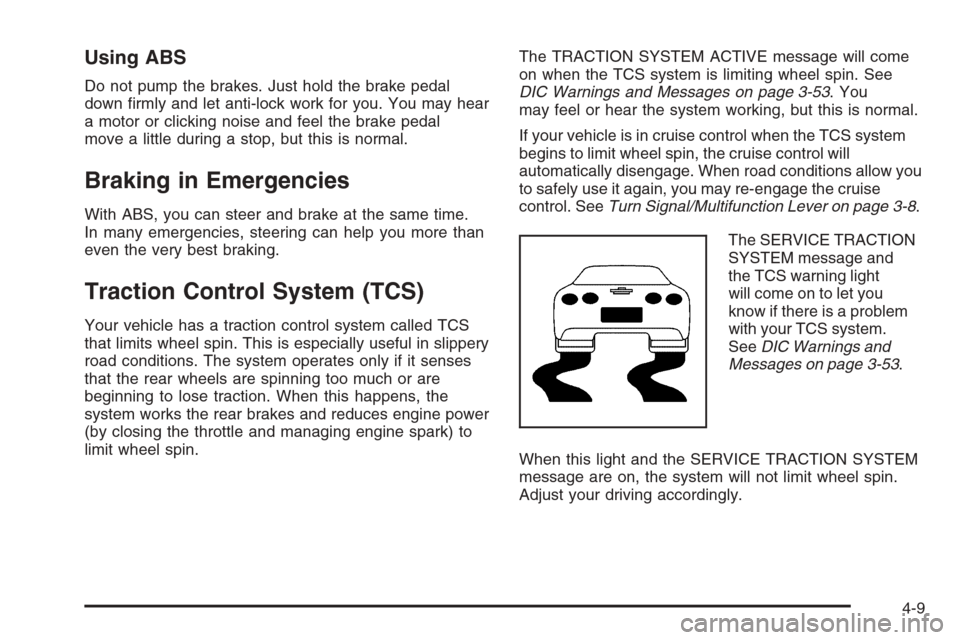
The SERVICE TRACTION
SYSTEM message and
the TCS warning light
will come on to let you
know if there is a problem
with your TCS system.
SeeDIC Warnings and
Messages on page 3-53.
When this light and the SERVICE TRACTION SYSTEM
message are on, the system will not limit wheel spin.
Adjust your driving accordingly.
4-9
Page 248 of 426
The TCS system automatically comes on whenever you
start your vehicle. To limit wheel spin, especially in
slippery road conditions, you should always leave the
system on. But you can turn the TCS system off if
you ever need to.
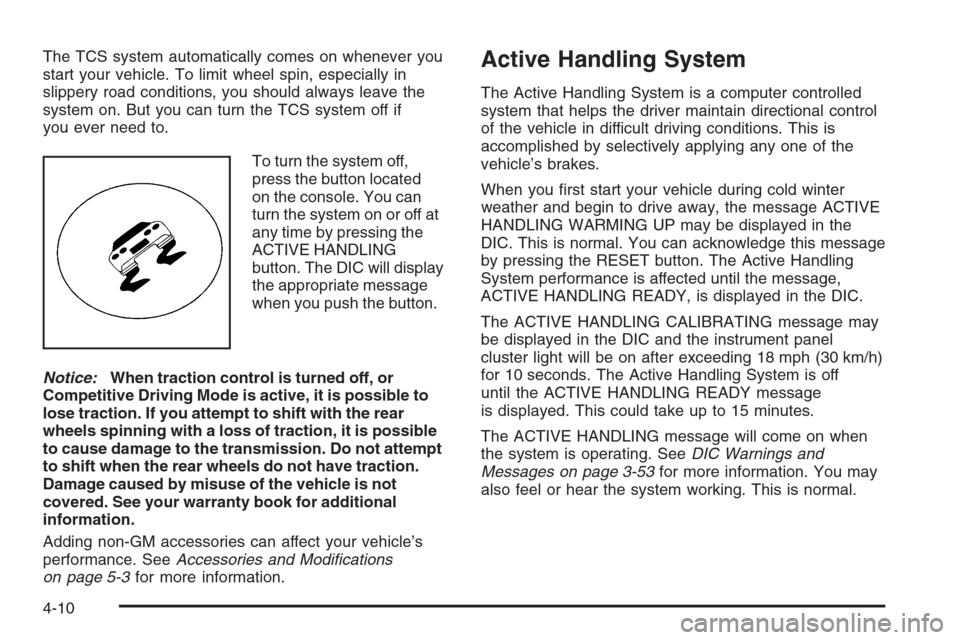
To turn the system off,
press the button located
on the console. You can
turn the system on or off at
any time by pressing the
ACTIVE HANDLING
button. The DIC will display
the appropriate message
when you push the button.
Notice:When traction control is turned off, or
Competitive Driving Mode is active, it is possible to
lose traction. If you attempt to shift with the rear
wheels spinning with a loss of traction, it is possible
to cause damage to the transmission. Do not attempt
to shift when the rear wheels do not have traction.
Damage caused by misuse of the vehicle is not
covered. See your warranty book for additional
information.
Adding non-GM accessories can affect your vehicle’s
performance. SeeAccessories and Modications
on page 5-3for more information.Active Handling System
The Active Handling System is a computer controlled
system that helps the driver maintain directional control
of the vehicle in difficult driving conditions. This is
accomplished by selectively applying any one of the
vehicle’s brakes.
When you rst start your vehicle during cold winter
weather and begin to drive away, the message ACTIVE
HANDLING WARMING UP may be displayed in the
DIC. This is normal. You can acknowledge this message
by pressing the RESET button. The Active Handling
System performance is affected until the message,
ACTIVE HANDLING READY, is displayed in the DIC.
The ACTIVE HANDLING CALIBRATING message may
be displayed in the DIC and the instrument panel
cluster light will be on after exceeding 18 mph (30 km/h)
for 10 seconds. The Active Handling System is off
until the ACTIVE HANDLING READY message
is displayed. This could take up to 15 minutes.
The ACTIVE HANDLING message will come on when
the system is operating. SeeDIC Warnings and
Messages on page 3-53for more information. You may
also feel or hear the system working. This is normal.
4-10
Page 250 of 426
Competitive Driving Mode
The driver can select this optional handling mode by
pressing the ACTIVE HANDLING button on the
console two times within a ve second time period.
COMPETITIVE DRIVING MODE will be displayed in
the DIC. Competitive Driving Mode allows the driver to
have full control of the rear wheels while the Active
Handling System helps maintain directional control of the
vehicle by selective brake application. The instrument
cluster light will not be on. The Traction Control System
will not be operating. Adjust your driving accordingly.
When you press the ACTIVE HANDLING button again, or
turn the ignition to ACC, the Active Handling and Traction
Control Systems will be on. The TRACTION SYSTEM
AND ACTIVE HANDLING-ON message will be displayed
temporarily in the DIC and a chime will be heard.
Notice:When traction control is turned off, or
Competitive Driving Mode is active, it is possible to
lose traction. If you attempt to shift with the rear
wheels spinning with a loss of traction, it is possible
to cause damage to the transmission. Do not
attempt to shift when the rear wheels do not have
traction. Damage caused by misuse of the vehicle is
not covered. See your warranty book for additional
information.
Limited-Slip Rear Axle
Your limited-slip rear axle can give you additional traction
on snow, mud, ice, sand or gravel. It works like a
standard axle most of the time, but when one of the rear
wheels has no traction and the other does, this feature
will allow the wheel with traction to move the vehicle.
Selective Ride Control
You may have a ride control system on your vehicle
called Magnetic Selective Ride Control. The system
provides the following performance benets:
Reduced Impact Harshness
Improved Road Isolation
Improved High-Speed Stability
Improved Handling Response
Better Control of Body Ride Motions
4-12
Page 251 of 426
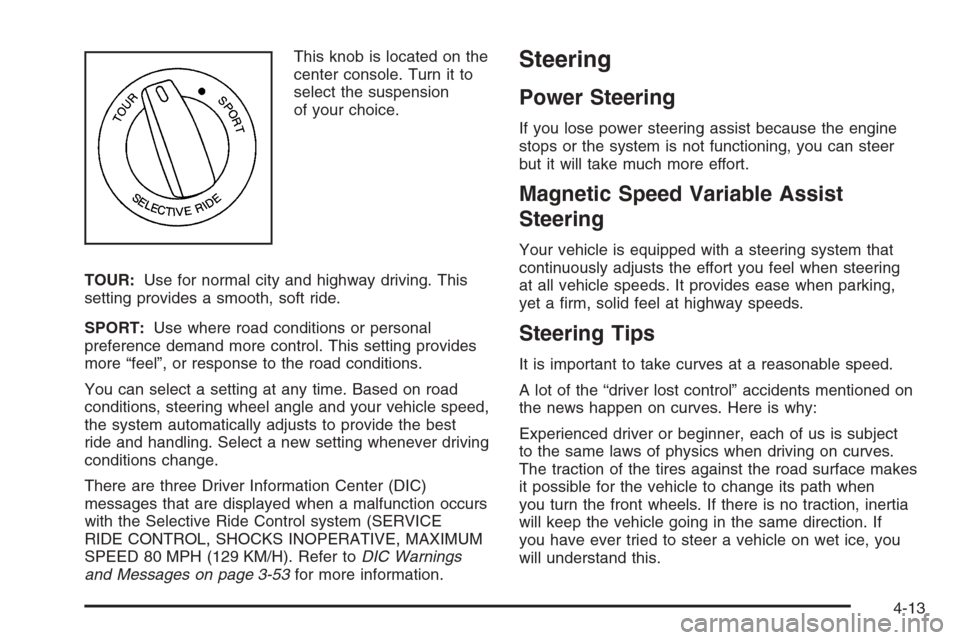
This knob is located on the
center console. Turn it to
select the suspension
of your choice.
TOUR:Use for normal city and highway driving. This
setting provides a smooth, soft ride.
SPORT:Use where road conditions or personal
preference demand more control. This setting provides
more “feel”, or response to the road conditions.
You can select a setting at any time. Based on road
conditions, steering wheel angle and your vehicle speed,
the system automatically adjusts to provide the best
ride and handling. Select a new setting whenever driving
conditions change.
There are three Driver Information Center (DIC)
messages that are displayed when a malfunction occurs
with the Selective Ride Control system (SERVICE
RIDE CONTROL, SHOCKS INOPERATIVE, MAXIMUM
SPEED 80 MPH (129 KM/H). Refer toDIC Warnings
and Messages on page 3-53for more information.Steering
Power Steering
If you lose power steering assist because the engine
stops or the system is not functioning, you can steer
but it will take much more effort.
Magnetic Speed Variable Assist
Steering
Your vehicle is equipped with a steering system that
continuously adjusts the effort you feel when steering
at all vehicle speeds. It provides ease when parking,
yet a rm, solid feel at highway speeds.
Steering Tips
It is important to take curves at a reasonable speed.
A lot of the “driver lost control” accidents mentioned on
the news happen on curves. Here is why:
Experienced driver or beginner, each of us is subject
to the same laws of physics when driving on curves.
The traction of the tires against the road surface makes
it possible for the vehicle to change its path when
you turn the front wheels. If there is no traction, inertia
will keep the vehicle going in the same direction. If
you have ever tried to steer a vehicle on wet ice, you
will understand this.
4-13
Page 254 of 426
Passing
The driver of a vehicle about to pass another on a
two-lane highway waits for just the right moment,
accelerates, moves around the vehicle ahead, then
goes back into the right lane again. A simple maneuver?
Not necessarily! Passing another vehicle on a two-lane
highway is a potentially dangerous move, since the
passing vehicle occupies the same lane as oncoming
traffic for several seconds. A miscalculation, an error in
judgment, or a brief surrender to frustration or anger
can suddenly put the passing driver face to face with the
worst of all traffic accidents — the head-on collision.
So here are some tips for passing:
Drive ahead. Look down the road, to the sides
and to crossroads for situations that might affect
your passing patterns. If you have any doubt
whatsoever about making a successful pass, wait
for a better time.
Watch for traffic signs, pavement markings and lines.
If you can see a sign up ahead that might indicate a
turn or an intersection, delay your pass. A broken
center line usually indicates it is all right to pass,
providing the road ahead is clear. Never cross a solid
line on your side of the lane or a double solid line,
even if the road seems empty of approaching traffic.
Do not get too close to the vehicle you want to
pass while you are awaiting an opportunity. For
one thing, following too closely reduces your area of
vision, especially if you are following a larger vehicle.
Also, you will not have adequate space if the vehicle
ahead suddenly slows or stops. Keep back a
reasonable distance.
When it looks like a chance to pass is coming up,
start to accelerate but stay in the right lane and do
not get too close. Time your move so you will be
increasing speed as the time comes to move into the
other lane. If the way is clear to pass, you will have
a running start that more than makes up for the
distance you would lose by dropping back. And if
something happens to cause you to cancel your
pass, you need only slow down and drop back again
and wait for another opportunity.
If other vehicles are lined up to pass a slow vehicle,
wait your turn. But take care that someone is not
trying to pass you as you pull out to pass the slow
vehicle. Remember to glance over your shoulder and
check the blind spot.
4-16
Page 255 of 426
Check your mirrors, glance over your shoulder,
and start your left lane change signal before moving
out of the right lane to pass. When you are far
enough ahead of the passed vehicle to see its front in
your inside mirror, activate your right lane change
signal and move back into the right lane. Remember
that your passenger side outside mirror is convex.
The vehicle you just passed may seem to be farther
away from you than it really is.
Try not to pass more than one vehicle at a time on
two-lane roads. Reconsider before passing the next
vehicle.
Do not overtake a slowly moving vehicle too rapidly.
Even though the brake lamps are not ashing, it may
be slowing down or starting to turn.
If you are being passed, make it easy for the
following driver to get ahead of you. Perhaps
you can ease a little to the right.
Loss of Control
Let us review what driving experts say about what
happens when the three control systems — brakes,
steering, and acceleration — do not have enough
friction where the tires meet the road to do what the
driver has asked.In any emergency, do not give up. Keep trying to
steer and constantly seek an escape route or area
of less danger.
Skidding
In a skid, a driver can lose control of the vehicle.
Defensive drivers avoid most skids by taking reasonable
care suited to existing conditions, and by not overdriving
those conditions. But skids are always possible.
The three types of skids correspond to your vehicle’s
three control systems. In the braking skid, your wheels
are not rolling. In the steering or cornering skid, too much
speed or steering in a curve causes tires to slip and lose
cornering force. And in the acceleration skid, too much
throttle causes the driving wheels to spin.
A cornering skid is best handled by easing your foot off
the accelerator pedal.
Remember: Any traction control system helps avoid only
the acceleration skid. If your traction control system is
off, then an acceleration skid is also best handled
by easing your foot off the accelerator pedal.
If your vehicle starts to slide, ease your foot off the
accelerator pedal and quickly steer the way you want
the vehicle to go. If you start steering quickly enough,
your vehicle may straighten out. Always be ready
for a second skid if it occurs.
4-17