ECU CHEVROLET CORVETTE 2006 6.G Owner's Manual
[x] Cancel search | Manufacturer: CHEVROLET, Model Year: 2006, Model line: CORVETTE, Model: CHEVROLET CORVETTE 2006 6.GPages: 426, PDF Size: 2.48 MB
Page 78 of 426
Emergency Trunk Release Handle
(Convertible Only)
Notice:Do not use the emergency trunk release
handle as a tie-down or anchor point when securing
items in the trunk as it could damage the handle.
The emergency trunk release handle is only
intended to aid a person trapped in a latched trunk,
enabling them to open the trunk from the inside.
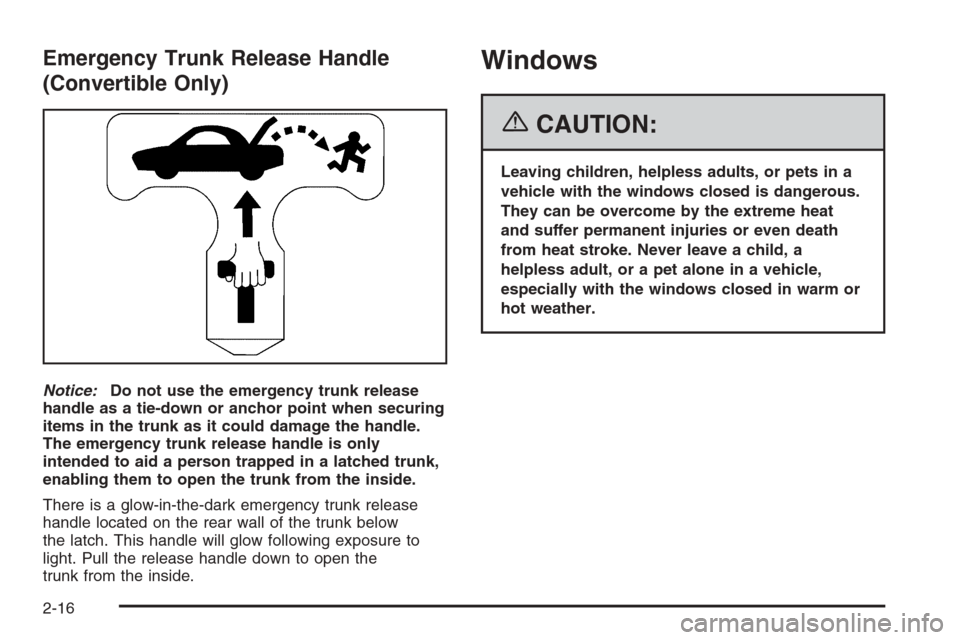
There is a glow-in-the-dark emergency trunk release
handle located on the rear wall of the trunk below
the latch. This handle will glow following exposure to
light. Pull the release handle down to open the
trunk from the inside.
Windows
{CAUTION:
Leaving children, helpless adults, or pets in a
vehicle with the windows closed is dangerous.
They can be overcome by the extreme heat
and suffer permanent injuries or even death
from heat stroke. Never leave a child, a
helpless adult, or a pet alone in a vehicle,
especially with the windows closed in warm or
hot weather.
2-16
Page 81 of 426
Sun Visors
To block out glare, you can swing down the visors. You
can also swing them to the side.
Lighted Visor Vanity Mirrors
Pull down the sun visor and lift the cover to expose the
lighted vanity mirror. When the cover is lifted, the
lamps will come on automatically, even if the ignition
is off.
Theft-Deterrent Systems
Vehicle theft is big business, especially in some cities.
Although your vehicle has a number of theft-deterrent
features, we know that nothing we put on it can make it
impossible to steal.
Theft-Deterrent System
Your vehicle is equipped with a theft-deterrent alarm
system.
With this system, the
security light will ash when
the door is open and locked
with the power door lock
switch.
If this light is on continuously while the engine is
running, your vehicle needs service.
2-19
Page 82 of 426
Arming the System
Use one of the three following items listed here to arm
the system:
Press the lock button on the keyless access
transmitter.
Open the door. Lock the door with the power door
lock switch. The security light should ash.
Remove the keyless access transmitter from inside
the vehicle and close the door. The security light
will stop ashing and stay on. After 30 seconds, the
light should turn off.
The vehicle can be programmed to automatically
lock the doors and arm the theft-deterrent system
when you exit the vehicle. SeeDIC Vehicle
Personalization on page 3-68.
Now, if a door or the hatch/trunk is opened without
the keyless access transmitter, the alarm will go
off. Your horn will sound for two minutes, then it will go
off to save battery power. Your vehicle will not start
without a keyless access transmitter present.
The theft-deterrent system will not arm if you lock the
driver’s door with the power door lock switch after
the doors are closed.
If your passenger stays in the vehicle when you leave
with the keyless access transmitter, have the passenger
lock the vehicle after the doors are closed. This way the
alarm will not arm, and your passenger will not set it off.
Testing the Alarm
Do the following to test the system:
1. Make sure the trunk lid/hatch is latched.
2. Lower the window on the driver’s door.
3. Manually arm the system.
4. Close the doors and wait 30 seconds.
5. Reach through the open window and manually pull
the release lever on the oor.
6. Turn off the alarm by pressing the unlock button on
the transmitter.
If the alarm is inoperative, check to see if the horn
works. If not, check the horn fuse. SeeFuses and Circuit
Breakers on page 5-93. If the horn works, but the
alarm doesn’t go off, see your dealer.
Disarming the System
Always use your keyless access transmitter to unlock
a door either by pressing the unlock button on the
transmitter or by squeezing the door handle sensor while
you have the transmitter with you. Unlocking a door
any other way will set off the alarm. If your alarm
sounds, press the unlock button on the keyless access
transmitter to disarm it.
2-20
Page 107 of 426
OnStar®System
OnStar®uses several innovative technologies and live
advisors to provide you with a wide range of safety,
security, information, and convenience services. If your
airbags deploy, the system is designed to make an
automatic call to OnStar
®Emergency where we
can request emergency services be sent to your
location. If you lock your keys in the car, call OnStar
®
at 1-888-4-ONSTAR and they can send a signal to
unlock your doors. If you need roadside assistance,
press the OnStar
®button and they can contact
Roadside Service for you.
A complete OnStar
®Owner’s Guide and the Terms and
Conditions of the OnStar®Subscription Service
Agreement are included in the vehicle’s OnStar®
Subscriber Information packet located in your vehicle.For more information, visit www.onstar.com or
www.onstar.ca, contact OnStar
®at 1-888-4-ONSTAR
(1-888-466-7827), or press the OnStar®button to
speak with an OnStar®advisor 24 hours a day,
7 days a week.
OnStar®Services
For new vehicles equipped with OnStar®, the
Safe & Sound Plan is included for one year from the
date of purchase. You can extend this plan beyond the
rst year, or upgrade to the Directions & Connections
®
Plan to meet your needs. For more information,
press the OnStar®button to speak with an advisor.
Safe & Sound Plan
Automatic Notication of Airbag Deployment
Emergency Services
Roadside Assistance
Stolen Vehicle Location Assistance
AccidentAssist
Remote Door Unlock/Vehicle Alert
OnStar®Vehicle Diagnostics
OnStar®Hands-Free Calling
OnStar®Virtual Advisor
2-45
Page 108 of 426
Directions & Connections®Plan
All Safe & Sound Plan Services
Driving Directions
RideAssist
Information and Convenience Services
OnStar®Hands-Free Calling
OnStar®Hands-Free Calling allows OnStar®subscribers
to make and receive calls using voice commands at
the touch of a button. Hands-Free Calling is fully
integrated into the vehicle, and may be used with
Pre-Paid Minute Packages or linked to a cell phone
through OnStar
®Shared Minutes Plan. To nd out more,
refer to the OnStar®Owner’s Guide in the vehicle’s
glove box, visit www.onstar.com or www.onstar.ca, or
speak with an OnStar
®advisor by pressing the OnStar®
button or calling 1-888-4-ONSTAR (1-888-466-7827).
OnStar®Virtual Advisor
Your vehicle may have Virtual Advisor. It is a feature of
OnStar®Hands-Free Calling that uses your minutes
to access weather, local traffic reports, and stock quotes.
By pressing the phone button and giving a few simple
voice commands, you can browse through the
various topics. Customize your information prole at
www.myonstar.com. See the OnStar
®Owner’s Guide for
more information.
Universal Home Remote
System
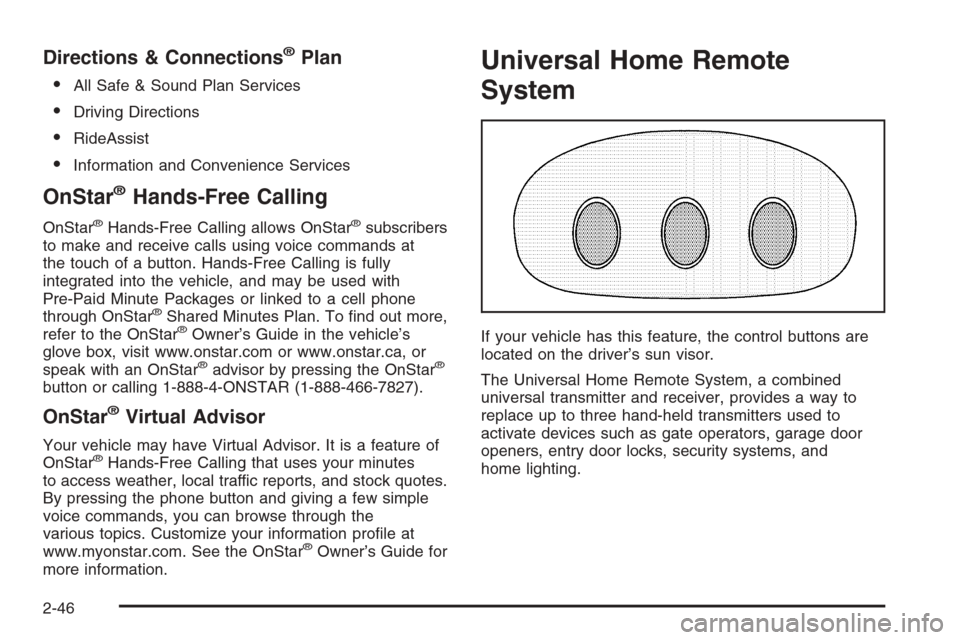
If your vehicle has this feature, the control buttons are
located on the driver’s sun visor.
The Universal Home Remote System, a combined
universal transmitter and receiver, provides a way to
replace up to three hand-held transmitters used to
activate devices such as gate operators, garage door
openers, entry door locks, security systems, and
home lighting.
2-46
Page 109 of 426
The Universal Home Remote transmitter operates on a
radio frequency subject to Federal Communications
Commission (FCC) Rules and with Industry Canada.
This device complies with Part 15 of the FCC Rules.
Operation is subject to the following two conditions:
1. This device may not cause harmful interference.
2. This device must accept any interference received,
including interference that may cause undesired
operation.
This device complies with RSS-210 of Industry Canada.
Operation is subject to the following two conditions:
1. This device may not cause harmful interference.
2. This device must accept any interference received,
including interference that may cause undesired
operation of the device.
Changes or modications to this system by other than
an authorized service facility could void authorization to
use this equipment.Universal Home Remote System
Operation
Do not use the Universal Home Remote with any garage
door opener that does not have the stop and reverse
feature. This includes any garage door opener model
manufactured before April 1, 1982. If you have a newer
garage door opener with rolling codes, please be sure to
follow Steps 6 through 8 to complete the programming of
your Universal Home Remote Transmitter.
Read the instructions completely before attempting to
program the Universal Home Remote. Because of
the steps involved, it may be helpful to have another
person available to assist you in the programming steps.
Keep the original hand-held transmitter for use in other
vehicles as well as for future Universal Home Remote
programming. It is also recommended that upon the sale
of the vehicle, the programmed Universal Home Remote
buttons should be erased for security purposes. See
“Erasing Universal Home Remote Buttons” later in this
section or, for assistance, seeCustomer Assistance
Offices on page 7-4.
Be sure that people and objects are clear of the garage
door or gate operator you are programming. When
programming a garage door, it is advised to park
outside of the garage.
It is recommended that a new battery be installed in
your hand-held transmitter for quicker and more
accurate transmission of the radio-frequency signal.
2-47
Page 112 of 426
Using Universal Home Remote
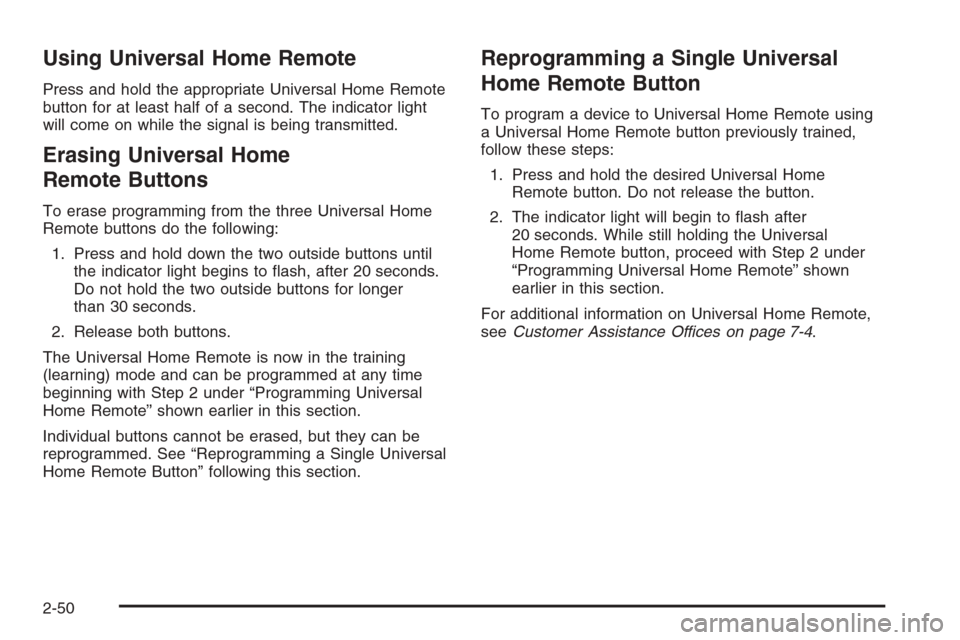
Press and hold the appropriate Universal Home Remote
button for at least half of a second. The indicator light
will come on while the signal is being transmitted.
Erasing Universal Home
Remote Buttons
To erase programming from the three Universal Home
Remote buttons do the following:
1. Press and hold down the two outside buttons until
the indicator light begins to ash, after 20 seconds.
Do not hold the two outside buttons for longer
than 30 seconds.
2. Release both buttons.
The Universal Home Remote is now in the training
(learning) mode and can be programmed at any time
beginning with Step 2 under “Programming Universal
Home Remote” shown earlier in this section.
Individual buttons cannot be erased, but they can be
reprogrammed. See “Reprogramming a Single Universal
Home Remote Button” following this section.
Reprogramming a Single Universal
Home Remote Button
To program a device to Universal Home Remote using
a Universal Home Remote button previously trained,
follow these steps:
1. Press and hold the desired Universal Home
Remote button. Do not release the button.
2. The indicator light will begin to ash after
20 seconds. While still holding the Universal
Home Remote button, proceed with Step 2 under
“Programming Universal Home Remote” shown
earlier in this section.
For additional information on Universal Home Remote,
seeCustomer Assistance Offices on page 7-4.
2-50
Page 115 of 426
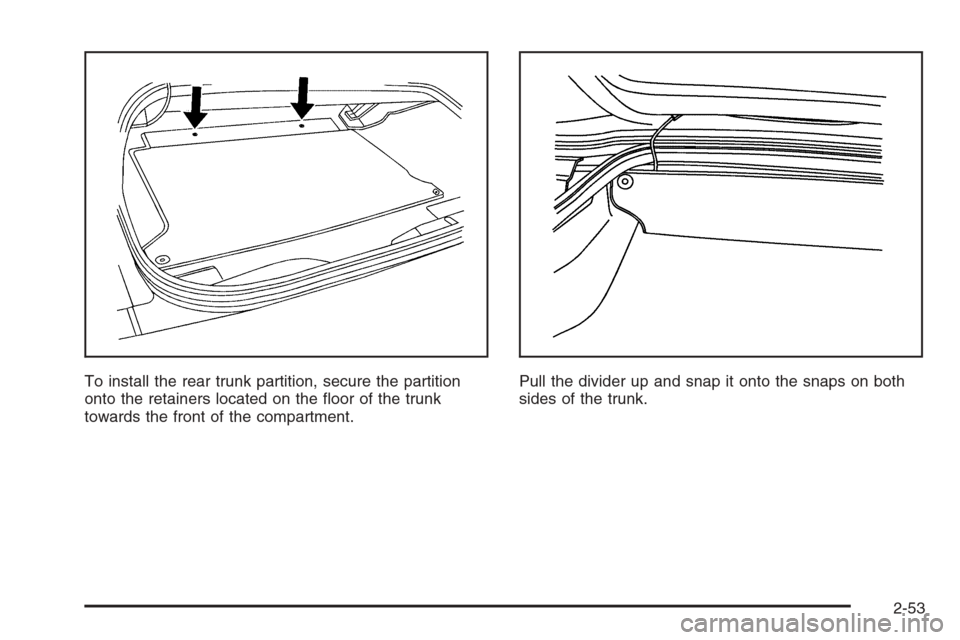
To install the rear trunk partition, secure the partition
onto the retainers located on the oor of the trunk
towards the front of the compartment.Pull the divider up and snap it onto the snaps on both
sides of the trunk.
2-53
Page 116 of 426
Convenience Net
If your vehicle has this feature you will see it on the
back wall of the rear area of the vehicle.
Put small loads, like grocery bags, in the net. It can help
keep them from falling over during sharp turns or quick
starts and stops. The convenience net is not for larger,
heavier loads.
You can unhook the net and place it in one of the rear
storage compartments when you are not using it.
Cargo Cover
If your vehicle has this feature, the security shade can
provide hidden storage in the rear area of the vehicle.
The shade is also helpful in blocking the glare from the
removable roof when it is stored in the rear compartment.
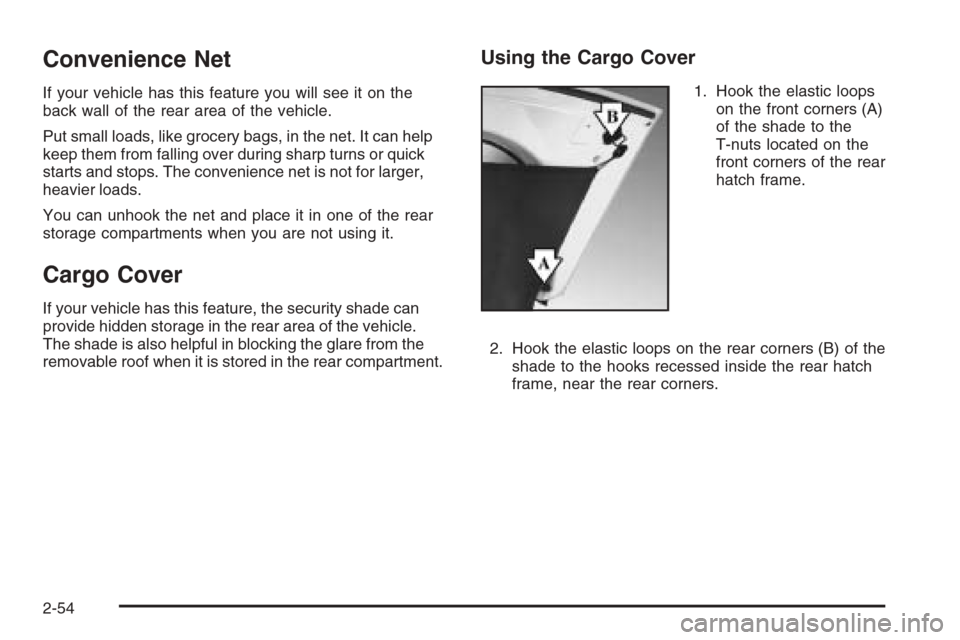
Using the Cargo Cover
1. Hook the elastic loops
on the front corners (A)
of the shade to the
T-nuts located on the
front corners of the rear
hatch frame.
2. Hook the elastic loops on the rear corners (B) of the
shade to the hooks recessed inside the rear hatch
frame, near the rear corners.
2-54
Page 120 of 426
Storing the Roof Panel
{CAUTION:
If a roof panel is not stored properly, it could
be thrown about the vehicle in a crash or
sudden maneuver. People in the vehicle could
be injured. Whenever you store a roof panel in
the vehicle, always be sure that it is stored
securely in the proper location.
Notice:If you drop or rest a roof panel on its edges,
the roof panel, paint and/or weatherstripping may be
damaged. Always place the roof panel in the stowage
receivers after removing it from the vehicle.
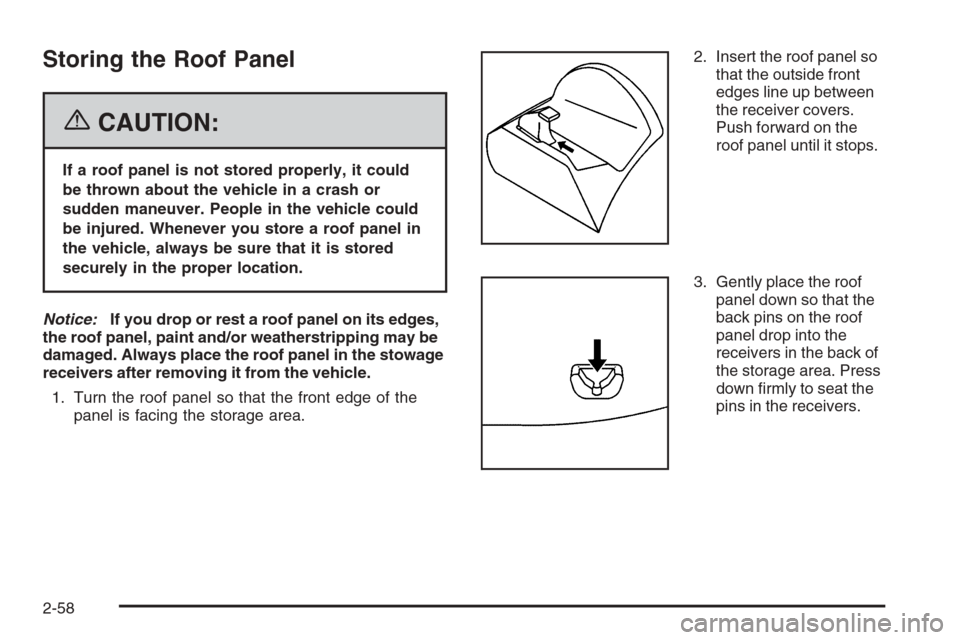
1. Turn the roof panel so that the front edge of the
panel is facing the storage area.2. Insert the roof panel so
that the outside front
edges line up between
the receiver covers.
Push forward on the
roof panel until it stops.
3. Gently place the roof
panel down so that the
back pins on the roof
panel drop into the
receivers in the back of
the storage area. Press
down rmly to seat the
pins in the receivers.
2-58