parking brake CHEVROLET CORVETTE 2006 6.G Owner's Manual
[x] Cancel search | Manufacturer: CHEVROLET, Model Year: 2006, Model line: CORVETTE, Model: CHEVROLET CORVETTE 2006 6.GPages: 426, PDF Size: 2.48 MB
Page 199 of 426
SET PARK BRAKE FOR SEAT RECALL:If you have
a manual transmission vehicle, this message displays
if you try to recall the memory positions when the ignition
is on and the parking brake is not set. If the vehicle is
on, you must set the parking brake in order for the
memory positions to recall. SeeMemory on page 2-72
for more information.
SET PARK BRAKE TO MOVE TOP:If you have a
manual transmission vehicle, this message will display
and a chime will sound if you try to operate the
power convertible top without rst setting the parking
brake. Set the parking brake before trying to operate the
power convertible top. SeeConvertible Top (Manual)
on page 2-60orConvertible Top (Power) on page 2-67
for more information.
SHIFT TO PARK:If you have an automatic
transmission vehicle, this message indicates that the
vehicle is not in PARK (P) when the engine is being
turned off. The vehicle will be in ACCESSORY. Once
the shifter is moved to PARK (P), the vehicle will turn off.
The vehicle will remain in ACCESSORY, without the
20 minute time-out period, until the shifter is moved
to PARK (P) or until the driver presses the pushbutton
to restart the vehicle. SeeIgnition Positions on
page 2-22for more information.SHIFT TO PARK OR SET PARK BRAKE FOR TOP:
If you have an automatic transmission vehicle, this
message will display and a chime will sound if you try
to operate the power convertible top without rst shifting
into PARK (P) or setting the parking brake. Either
shift the vehicle into PARK (P) or set the parking brake
before trying to operate the power convertible top.
SeeConvertible Top (Manual) on page 2-60or
Convertible Top (Power) on page 2-67for more
information.
SHOCKS INOPERATIVE:To acknowledge that you
have read the message and to remove it from the
display, press the RESET button. The message will
reappear every 10 minutes until this condition changes.
This message indicates that a malfunction is present
in the Selective Ride Control system which is causing
the shocks to be in their full soft mode. This is a warning
to the driver that the vehicle handling may be affected.
Have your vehicle serviced by your GM dealer as
soon as possible.
3-63
Page 205 of 426
Entering the Personal Options Menu
To enter the personal options menu, use the
following steps:
1. If you have an automatic transmission vehicle, turn
the vehicle on with the shift lever in PARK (P).
If you have a manual transmission vehicle, turn the
vehicle on with the parking brake set.
2. Press the OPTION button and you will enter the
PERSONAL OPTIONS menu.
The DIC will display the current driver
number (1 or 2) for a few seconds and then will
display instructions on which buttons to use
for setting the personalizations. The RESET button
is used to select a setting for a particular feature.
The OPTION button is used to move to the
next feature.
3. Press the OPTION button while the instruction
screen is displayed to enter the rst personalization
menu item.
4. Once you have cycled through all of the personal
options, pressing the OPTION button a nal time
exits the personal options menu. In addition, if
no button is pressed within 45 seconds, the DIC will
exit the personal options menu.
Personal Options
The following options are available for programming:
Display Units:This option allows you to choose
the measurement units.
Press the OPTION button until DISPLAY UNITS
appears on the display, then press the RESET button to
scroll through the following modes:
ENGLISH (default)
METRIC
If you choose ENGLISH, all information will be displayed
in English units.
If you choose METRIC, all information will be displayed
in metric units.
When the mode you want is selected, press the
OPTION button to set your choice and advance to the
next personal option.
Auto Memory Recall (Automatic Transmission
only):If your automatic transmission vehicle has the
memory package, you may have this option. This option
allows the driver’s seat, the telescopic steering
column, if equipped, and the outside rearview mirrors to
automatically move to the current driver’s set position
when the engine starts.
3-69
Page 206 of 426
Press the OPTION button until AUTO MEMORY
RECALL appears on the display, then press the RESET
button to scroll through the following modes:
YES
NO (default)
If you choose YES, the driver’s seat, the outside
rearview mirrors and the telescopic steering column, if
equipped, positions are recalled when you turn the
ignition on.
If you choose NO, this option will turn off.
When the mode you want is selected, press the
OPTION button to set your choice and advance to the
next personal option.
Auto Exit Recall:If your vehicle has the memory
package, you may have this option. This option allows
the driver’s seat and telescopic steering column, if
equipped, to automatically move to the current driver’s
exit position when one of the following occurs:
The vehicle is turned off or in Retained Accessory
Power (RAP) or accessory mode and the driver’s
door is opened.
The vehicle is turned off or in RAP and the unlock
button on the keyless access transmitter is
pressed.In order for the Auto Exit Recall feature to work on an
automatic transmission vehicle, the vehicle must be
in PARK (P). On a manual transmission vehicle,
the parking brake must be set.
Press the OPTION button until AUTO EXIT RECALL
appears on the display, then press the RESET button to
scroll through the following modes:
YES
NO (default)
If you choose YES, when you turn the ignition off and
open the driver’s door or press the unlock button on the
keyless access transmitter, the seat and the telescopic
steering wheel, if equipped, will return to their stored exit
positions for an easy exit or an easy entrance when
returning to the vehicle.
The seat and steering wheel will only return to the
stored driving position if you press the appropriate
memory button or activate the auto memory recall
feature.
If you choose NO, this option will turn off.
When the mode you want is selected, press the
OPTION button to set your choice and advance to the
next personal option.
3-70
Page 214 of 426
Here are some ways in which you can help avoid
distraction while driving.
While your vehicle is parked:
Familiarize yourself with all of its controls.
Familiarize yourself with its operation.
Set up your audio system by presetting your
favorite radio stations, setting the tone, and
adjusting the speakers. Then, when driving
conditions permit, you can tune to your favorite
radio stations using the presets and steering wheel
controls if the vehicle has them.
Notice:Before adding any sound equipment to
your vehicle, such as an audio system, CD player,
CB radio, mobile telephone, or two-way radio, make
sure that it can be added by checking with your
dealer. Also, check federal rules covering mobile
radio and telephone units. If sound equipment can
be added, it is very important to do it properly.
Added sound equipment may interfere with
the operation of your vehicle’s engine, radio, or
other systems, and even damage them. Your
vehicle’s systems may interfere with the operation
of sound equipment that has been added.Notice:The chime signals related to safety belts,
parking brake, and other functions of your vehicle
operate through the radio/entertainment system.
If that equipment is replaced or additional equipment
is added to your vehicle, the chimes may not
work. Make sure that replacement or additional
equipment is compatible with your vehicle before
installing it. SeeAccessories and Modifications
on page 5-3.
Your vehicle may have a feature called Retained
Accessory Power (RAP). With RAP, the audio system
can be played even after the ignition is turned off.
SeeRetained Accessory Power (RAP) on page 2-23
for more information.
Setting the Time
With the ignition on and the radio off, press the H or the
M button to enter clock mode. Press and hold H until
the correct hour appears on the display. Press and
hold M until the correct minute appears on the display.
To change the time default setting from 12 hour to
24 hour, press either the H or the M button for
two seconds to enter the clock mode. Press the tune
knob to select between the 12 or 24 hour display format.
The clock mode will automatically time out with the
changed display format set as the current default setting.
3-78
Page 277 of 426
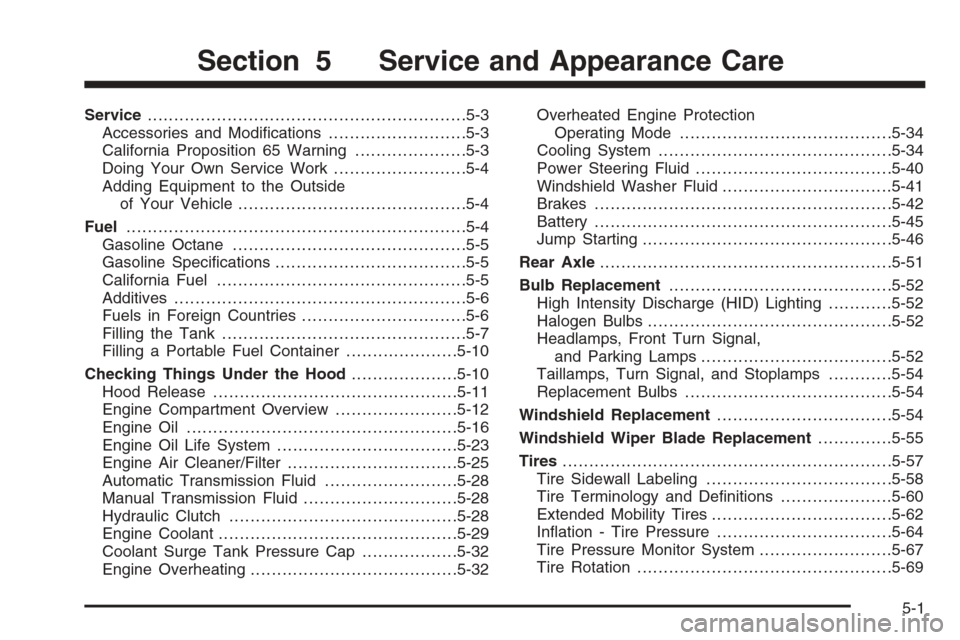
Service............................................................5-3
Accessories and Modications..........................5-3
California Proposition 65 Warning.....................5-3
Doing Your Own Service Work.........................5-4
Adding Equipment to the Outside
of Your Vehicle...........................................5-4
Fuel................................................................5-4
Gasoline Octane............................................5-5
Gasoline Specications....................................5-5
California Fuel...............................................5-5
Additives.......................................................5-6
Fuels in Foreign Countries...............................5-6
Filling the Tank..............................................5-7
Filling a Portable Fuel Container.....................5-10
Checking Things Under the Hood....................5-10
Hood Release..............................................5-11
Engine Compartment Overview.......................5-12
Engine Oil...................................................5-16
Engine Oil Life System..................................5-23
Engine Air Cleaner/Filter................................5-25
Automatic Transmission Fluid.........................5-28
Manual Transmission Fluid.............................5-28
Hydraulic Clutch...........................................5-28
Engine Coolant.............................................5-29
Coolant Surge Tank Pressure Cap..................5-32
Engine Overheating.......................................5-32Overheated Engine Protection
Operating Mode........................................5-34
Cooling System............................................5-34
Power Steering Fluid.....................................5-40
Windshield Washer Fluid................................5-41
Brakes........................................................5-42
Battery........................................................5-45
Jump Starting...............................................5-46
Rear Axle.......................................................5-51
Bulb Replacement..........................................5-52
High Intensity Discharge (HID) Lighting............5-52
Halogen Bulbs..............................................5-52
Headlamps, Front Turn Signal,
and Parking Lamps....................................5-52
Taillamps, Turn Signal, and Stoplamps............5-54
Replacement Bulbs.......................................5-54
Windshield Replacement.................................5-54
Windshield Wiper Blade Replacement..............5-55
Tires..............................................................5-57
Tire Sidewall Labeling...................................5-58
Tire Terminology and Denitions.....................5-60
Extended Mobility Tires..................................5-62
Ination - Tire Pressure.................................5-64
Tire Pressure Monitor System.........................5-67
Tire Rotation................................................5-69
Section 5 Service and Appearance Care
5-1
Page 322 of 426
Jump Starting
If your battery has run down, you may want to use
another vehicle and some jumper cables to start your
vehicle. Be sure to use the following steps to do it safely.
{CAUTION:
Batteries can hurt you. They can be dangerous
because:
They contain acid that can burn you.
They contain gas that can explode or ignite.
They contain enough electricity to
burn you.
If you do not follow these steps exactly, some or
all of these things can hurt you.
Notice:If you try to start your vehicle by pushing
or pulling it, you could damage your vehicle. Do not
push or pull your vehicle to start it; instead, use
the jump starting procedure in this manual to start
your vehicle when the battery has run down.
1. Check the other vehicle. It must have a 12-volt
battery with a negative ground system.Notice:If the other vehicle’s system is not a 12-volt
system with a negative ground, both vehicles can
be damaged. Only use vehicles with 12-volt systems
with negative grounds to jump start your vehicle.
2. Get the vehicles close enough so the jumper cables
can reach, but be sure the vehicles are not touching
each other. If they are, it could cause a ground
connection you do not want. You would not be able
to start your vehicle, and the bad grounding
could damage the electrical systems.
To avoid the possibility of the vehicles rolling, set
the parking brake rmly on both vehicles involved in
the jump start procedure. Put an automatic
transmission in PARK (P) or a manual transmission
in NEUTRAL before setting the parking brakes.
Notice:If you leave your radio or other accessories
on during the jump starting procedure, they could
be damaged. The repairs would not be covered
by your warranty. Always turn off your radio and
other accessories when jump starting your vehicle.
3. Turn off the ignition on both vehicles. Unplug
unnecessary accessories plugged into the cigarette
lighter or the accessory power outlet. Turn off
the radio and all lamps that are not needed.
This will avoid sparks and help save both batteries.
And it could save the radio!
5-46
Page 352 of 426
Tire Chains
{CAUTION:
Do not use tire chains. There is not enough
clearance. Tire chains used on a vehicle
without the proper amount of clearance can
cause damage to the brakes, suspension, or
other vehicle parts. The area damaged by the
tire chains could cause you to lose control of
your vehicle and you or others may be injured
in a crash. Use another type of traction device
only if its manufacturer recommends it for use
on your vehicle and tire size combination and
road conditions. Follow that manufacturer’s
instructions. To help avoid damage to your
vehicle, drive slowly, re-adjust or remove the
device if it is contacting your vehicle, and
do not spin your wheels. If you do nd
traction devices that will t, install them on
the rear tires.
Lifting Your Vehicle
{CAUTION:
Lifting a vehicle can cause an injury. The
vehicle can slip off the jack and roll over you
or other people. You and they could be badly
injured. Find a level place to lift your vehicle.
To help prevent the vehicle from moving:
1. Set the parking brake rmly.
2. Put an automatic transmission shift lever in
PARK (P), or shift a manual transmission to
FIRST (1) or REVERSE (R).
3. Turn off the engine.
To be even more certain the vehicle won’t move,
you can put blocks in front of and behind the
wheels.
5-76
Page 385 of 426
Maintenance Footnotes
(a)Visually inspect brake lines and hoses for proper
hook-up, binding, leaks, cracks, chang, etc. Inspect disc
brake pads for wear and rotors for surface condition.
Inspect other brake parts, including calipers, parking
brake, etc.
(b)Visually inspect front and rear suspension and
steering system for damaged, loose, or missing parts or
signs of wear. Inspect power steering lines and hoses
for proper hook-up, binding, leaks, cracks, chang, etc.
If you have the Z51 performance package, lubricate
the outer ends of both rear toe-links.
(c)Visually inspect hoses and have them replaced if they
are cracked, swollen, or deteriorated. Inspect all pipes,
ttings, and clamps; replace with genuine GM parts as
needed. To help ensure proper operation, a pressure test
of the cooling system and pressure cap and cleaning the
outside of the radiator and air conditioning condenser is
recommended at least once a year.
(d)Visually inspect wiper blades for wear or cracking.
Replace wiper blades that appear worn or damaged
or that streak or miss areas of the windshield.(e)Make sure the safety belt reminder light and all your
belts, buckles, latch plates, retractors, and anchorages
are working properly. Look for any other loose or
damaged safety belt system parts. If you see anything
that might keep a safety belt system from doing its job,
have it repaired. Have any torn or frayed safety belts
replaced. Also look for any opened or broken airbag
coverings, and have them repaired or replaced. The
airbag system does not need regular maintenance.
(f)Lubricate all key lock cylinders and body door hinges.
Lubricate all hinges and latches, including those for the
hood, rear compartment, console door, and any folding
seat hardware. More frequent lubrication may be required
when exposed to a corrosive environment. Applying
silicone grease on weatherstrips with a clean cloth will
make them last longer, seal better, and not stick or
squeak.
(g)A uid loss in any vehicle system could indicate a
problem. Have the system inspected and repaired
and the uid level checked. Add uid if needed.
6-7
Page 387 of 426
At Each Fuel Fill
It is important to perform these underhood checks at
each fuel ll.
Engine Oil Level Check
Check the engine oil level and add the proper oil if
necessary. SeeEngine Oil on page 5-16for further
details.
Notice:It is important to check your oil regularly
and keep it at the proper level. Failure to keep your
engine oil at the proper level can cause damage
to your engine not covered by your warranty.
Engine Coolant Level Check
Check the engine coolant level and add
DEX-COOL®coolant mixture if necessary.
SeeEngine Coolant on page 5-29for further details.
Windshield Washer Fluid Level Check
Check the windshield washer uid level in the windshield
washer uid reservoir and add the proper uid if
necessary.
At Least Once a Month
Tire Inspection and Ination Check
Visually inspect your tires for wear and make sure tires
are inated to the correct pressures. SeeTires on
page 5-57for further details.
At Least Once a Year
Starter Switch Check
{CAUTION:
When you are doing this inspection, the
vehicle could move suddenly. If the vehicle
moves, you or others could be injured.
1. Before you start, be sure you have enough room
around the vehicle.
2. Firmly apply both the parking brake and the regular
brake. SeeParking Brake on page 2-33.
Do not use the accelerator pedal, and be ready to
turn off the engine immediately if it starts.
6-9
Page 388 of 426
3. On automatic transmission vehicles, try to start the
engine in each gear. The vehicle should start only
in PARK (P) or NEUTRAL (N). If the vehicle
starts in any other position, contact your
GM Goodwrench
®dealer for service.
4. On manual transmission vehicles, put the shift lever
in NEUTRAL, push the clutch pedal down halfway,
and try to start the engine. The vehicle should start
only when the clutch pedal is pushed down all the
way to the oor. If the vehicle starts when the clutch
is not pushed all the way down, contact your GM
Goodwrench
®dealer for service.
Automatic Transmission Shift Lock
Control System Check
{CAUTION:
When you are doing this inspection, the
vehicle could move suddenly. If the vehicle
moves, you or others could be injured.
1. Before you start, be sure you have enough room
around the vehicle. It should be parked on a level
surface.
2. Firmly apply the parking brake. SeeParking Brake
on page 2-33.
Be ready to apply the regular brake immediately if
the vehicle begins to move.
3. With the engine off and without applying the regular
brake, try to move the shift lever out of PARK (P)
with normal effort. If the shift lever moves out
of PARK (P), contact your GM Goodwrench
®dealer
for service.
6-10