light CHEVROLET CORVETTE 2006 6.G Manual PDF
[x] Cancel search | Manufacturer: CHEVROLET, Model Year: 2006, Model line: CORVETTE, Model: CHEVROLET CORVETTE 2006 6.GPages: 426, PDF Size: 2.48 MB
Page 197 of 426
SERVICE ACTIVE HANDLING SYSTEM:If the
SERVICE ACTIVE HANDLING SYSTEM message is
displayed, there is a problem with your Active Handling
System and your vehicle needs service. See your
GM dealer. The instrument cluster light will also be
on and a chime will sound. When this message
is displayed, the system is not working. Adjust your
driving accordingly. SeeActive Handling System
on page 4-10for more information.
SERVICE AIR CONDITIONING:This message
displays when the electronic sensors that control the
air conditioning and heating systems are no longer
working. Have the climate control system serviced by
your GM dealer if you notice a drop in heating and
air conditioning efficiency.
SERVICE ANTILOCK BRAKES:If the SERVICE
ANTILOCK BRAKES message is displayed when you
are driving, stop as soon as possible and turn the
ignition off. Then start the engine again to reset the
system. If the message stays on, or comes back
on again while you are driving, your vehicle is in need
of service. See your GM dealer. If the anti-lock
brake system warning light is on and the regular brake
system warning light is not on, you still have brakes,
but do not have anti-lock brakes. If the regular
brake system light is also on, you do not have anti-lock
brakes and there is a problem with your brakes. See
Anti-Lock Brake System Warning Light on page 3-39
andBrake System Warning Light on page 3-38.If the SERVICE ANTILOCK BRAKES message is being
displayed, your Traction Control System and the
Active Handling System will also be disabled. The Driver
Information Center will scroll three messages: SERVICE
ANTILOCK BRAKES, SERVICE TRACTION SYSTEM,
and SERVICE ACTIVE HANDLING, and the instrument
cluster lights will be illuminated along with a chime.
The driver can acknowledge these messages by
pressing the RESET button. When the service message
is displayed the computer controlled systems will not
assist the driver and you should have the system
repaired by your GM dealer as soon as possible.
Adjust your driving accordingly.
SERVICE CHARGING SYSTEM:Press the RESET
button to acknowledge that you have read the message
and to remove it from the display. The message will
reappear every 10 minutes until this condition changes.
You will hear multiple chimes when this message is
displayed.
If this message comes on while you are driving, you
may have a problem with the electrical charging system.
It could indicate that you have a loose or broken drive
belt or another electrical problem. Have it checked
right away by your GM dealer. Driving while this warning
message is on could drain your battery.
If you must drive a short distance with the message on,
be certain to turn off your accessories, such as the
radio and air conditioner.
3-61
Page 200 of 426
TIRE FLAT:You will hear two chimes when this
message is displayed followed by the message
MAXIMUM SPEED 55 MPH (90 km/h). Also, the tire
pressure light on the instrument panel cluster will come
on. SeeTire Pressure Light on page 3-42. If this
message appears, do not drive your vehicle above
this limit. The next message to appear is REDUCED
HANDLING. The active handling system will intervene
more quickly when a at tire has been detected.
Adjust your driving accordingly. To acknowledge these
warnings, press the RESET button. After you press
the RESET button, a message will reappear every
10 minutes until this condition changes. This message
indicates that the pressure in one of your tires is
lower than 10 psi (68 kPa). Next to the TIRE FLAT
message, you can see either LEFT FRONT, RIGHT
FRONT, LEFT REAR, or RIGHT REAR to indicate
to you which tire is at. You can receive more than
one tire pressure message at a time. To read other
messages that may have been sent at the same time,
press the RESET button. If a tire pressure message
appears on the DIC, stop as soon as you can. Have
the tire pressures checked and set to those shown on
your Tire Loading Information Label. SeeExtended
Mobility Tires on page 5-62andInation - Tire Pressure
on page 5-64.
{CAUTION:
When the LOW TIRE PRESSURE or TIRE FLAT
message is displayed on the Driver Information
Center, your vehicle’s handling capabilities will
be reduced during severe maneuvers. If you
drive too fast, you could lose control of your
vehicle. You or others could be injured. Don’t
drive over 55 mph (90 km/h) when the LOW
TIRE PRESSURE or TIRE FLAT message is
displayed. Drive cautiously and check your tire
pressures as soon as you can.
TOO COLD TO MOVE TOP:This message displays
and a chime sounds when the power convertible
top button is pressed and the power convertible top
pump motor temperature is below -4°F (-20°C). Wait
for the power convertible top pump motor to warm
up before using the power convertible top.
TOP MOTOR OVER TEMPERATURE:This message
displays and a chime sounds when the power convertible
top button is pressed and the power convertible top pump
motor temperature is over 221°F (105°C). Wait for the
power convertible top pump motor to cool down before
using the power convertible top.
3-64
Page 201 of 426
TOP NOT SECURE:This message displays and a
chime sounds when the power convertible top button
is released before the top open or close operation
is complete or if the top is closed without the header
latch engaged. Press and hold the convertible top button
to fully open or close the top, and make sure that the
header latch is engaged after the top is closed.
TRACTION SYSTEM AND ACTIVE
HANDLING – OFF:By pressing the Active Handling
System console button for ve seconds, the driver can
turn the Traction Control and Active Handling Systems
off. The message TRACTION SYSTEM AND ACTIVE
HANDLING – OFF will be displayed in the DIC, the
instrument panel cluster light will be on and a chime will
sound. You can acknowledge this message by pressing
the RESET button. The anti-lock brake systems remains
on with the Traction Control and Active Handling Systems
off. You should adjust your driving accordingly.
TRACTION SYSTEM AND ACTIVE HANDLING ON:
If the Traction Control and Active Handling Systems are
off, pressing the Active Handling System console button
momentarily will turn both systems on. The message
TRACTION SYSTEM AND ACTIVE HANDLING – ON will
be displayed temporarily in the DIC, the instrument panel
cluster light will be off and a chime will sound.TRACTION SYSTEM ACTIVE:When your Traction
Control System is limiting wheel spin, the TRACTION
SYSTEM ACTIVE message will be displayed. Slippery
road conditions may exist if this message is displayed,
so adjust your driving accordingly. The message
will stay on for a few seconds after the Traction Control
System stops limiting wheel spin.
TRACTION SYSTEM – OFF:You will hear a single
quick tone when this message is displayed and the
traction control system warning light on the instrument
panel cluster will come on. SeeTraction Control System
(TCS) Warning Light on page 3-40. This message comes
on and stays on when the Active Handling System
console button is pressed to turn the system off. To
acknowledge this message, press the RESET button.
TRACTION SYSTEM – ON:You will hear a single quick
tone when this message is displayed. This message
is displayed when you decide to turn on the Traction
Control System by pressing the Active Handling System
console button on the console. This message will
shut off automatically on its own.
3-65
Page 207 of 426
Approach Lights:This option briey turns on the
parking lamps, the front fog lamps and the back-up
lamps during low light periods when the keyless access
transmitter is used to unlock the vehicle.
Press the OPTION button until APPROACH LIGHTS
appears on the display, then press the RESET button to
scroll through the following modes:
OFF
ON (default)
If you choose OFF, this option will turn off.
If you choose ON, the parking lamps, the front fog
lamps, and the back-up lamps will come on for
20 seconds during low light periods when all of the
following occurs:
You press the unlock button on the keyless access
transmitter.
Both of the doors are closed.
The vehicle is off or in RAP.
The lamps remain on for 20 seconds or until a door
is opened, the lock button on the keyless access
transmitter is pressed or the vehicle is no longer off
or in RAP.
SeeKeyless Access System on page 2-4for more
information.
When the mode you want is selected, press the
OPTION button to set your choice and advance to the
next personal option.Twilight Delay:This option allows you to set the
amount of time you want the parking lamps and front
fog lamps to remain on after you exit the vehicle.
This will occur when the vehicle is off or in RAP and
the headlamps are on due to the automatic headlamp
system. The parking lamps and front fog lamps will
remain on until the driver selected time expires,
the exterior lamp control is activated or the vehicle is
no longer off or in RAP.
Press the OPTION button until TWILIGHT DELAY
appears on the display, then press the RESET button
to scroll through the following modes:
OFF
15 S
30 S (default)
90 S
If you choose OFF, this option will turn off.
If you choose 15 S, the twilight delay time will be set to
15 seconds.
If you choose 30 S, the twilight delay time will be set to
30 seconds.
If you choose 90 S, the twilight delay time will be set to
90 seconds.
When the mode you want is selected, press the
OPTION button to set your choice and advance to the
next personal option.
3-71
Page 215 of 426
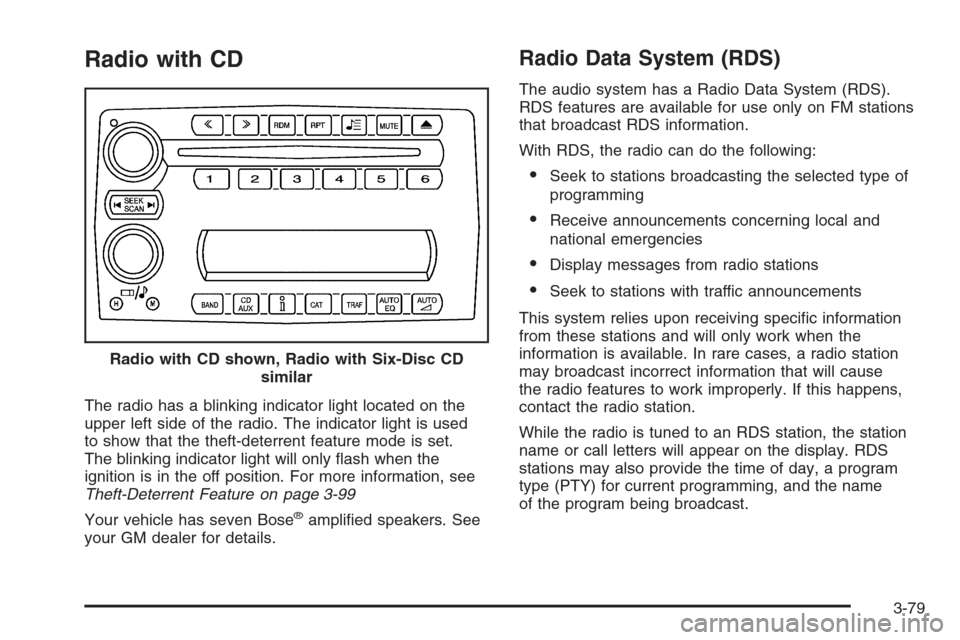
Radio with CD
The radio has a blinking indicator light located on the
upper left side of the radio. The indicator light is used
to show that the theft-deterrent feature mode is set.
The blinking indicator light will only ash when the
ignition is in the off position. For more information, see
Theft-Deterrent Feature on page 3-99
Your vehicle has seven Bose
®amplied speakers. See
your GM dealer for details.
Radio Data System (RDS)
The audio system has a Radio Data System (RDS).
RDS features are available for use only on FM stations
that broadcast RDS information.
With RDS, the radio can do the following:
Seek to stations broadcasting the selected type of
programming
Receive announcements concerning local and
national emergencies
Display messages from radio stations
Seek to stations with traffic announcements
This system relies upon receiving specic information
from these stations and will only work when the
information is available. In rare cases, a radio station
may broadcast incorrect information that will cause
the radio features to work improperly. If this happens,
contact the radio station.
While the radio is tuned to an RDS station, the station
name or call letters will appear on the display. RDS
stations may also provide the time of day, a program
type (PTY) for current programming, and the name
of the program being broadcast. Radio with CD shown, Radio with Six-Disc CD
similar
3-79
Page 235 of 426
CD Messages
CHECK CD:If this message appears on the display
and/or the CD comes out, it could be for one of the
following reasons:
It is very hot. When the temperature returns to
normal, the CD should play.
You are driving on a very rough road. When the
road becomes smoother, the CD should play.
The CD is dirty, scratched, wet, or upside down.
The air is very humid. If so, wait about an hour and
try again.
There may have been a problem while burning
the CD.
The label may be caught in the CD player.
If the CD is not playing correctly, for any other reason,
try a known good CD.
If any error occurs repeatedly or if an error cannot be
corrected, contact your GM dealer. If the radio displays
an error message, write it down and provide it to
your GM dealer when reporting the problem.
Navigation/Radio System
Your vehicle may have a navigation radio system.
The navigation system has built-in features intended to
minimize driver distraction. Technology alone, no
matter how advanced, can never replace your own
judgment. See the Navigation System manual for some
tips to help you reduce distractions while driving.
Theft-Deterrent Feature
THEFTLOCK®is designed to discourage theft of your
vehicle’s radio. The feature works automatically by
learning a portion of the Vehicle Identication Number
(VIN). If the radio is moved to a different vehicle, it
will not operate and LOCKED will appear on the display.
With THEFTLOCK
®activated, the radio will not
operate if stolen.
Your radio has a blinking indicator light located on the
upper left side of the radio. The indicator light is used to
show that the theft-deterrent feature mode is set. The
blinking indicator light will only ash when the ignition is
in the off position.
3-99
Page 236 of 426
Radio Reception
You may experience frequency interference and static
during normal radio reception if items such as cellphone
chargers, vehicle convenience accessories, and
external electronic devices are plugged into the
accessory power outlet. If there is interference or static,
unplug the item from the accessory power outlet.
AM
The range for most AM stations is greater than for FM,
especially at night. The longer range can cause
station frequencies to interfere with each other. For
better radio reception, most AM radio stations will boost
the power levels during the day, and then reduce
these levels during the night. Static can also occur when
things like storms and power lines interfere with radio
reception. When this happens, try reducing the treble on
your radio.
FM Stereo
FM stereo will give the best sound, but FM signals will
reach only about 10 to 40 miles (16 to 65 km). Tall
buildings or hills can interfere with FM signals, causing
the sound to fade in and out.
XM™ Satellite Radio Service
XM™ Satellite Radio Service gives digital radio
reception from coast-to-coast in the 48 contiguous
United States, and in Canada (if available). Just as with
FM, tall buildings or hills can interfere with satellite
radio signals, causing the sound to fade in and out.
In addition, traveling or standing under heavy foliage,
bridges, garages, or tunnels may cause loss of the XM™
signal for a period of time. The radio may display NO
SIGNAL to indicate interference.
Care of Your CDs
Handle CDs carefully. Store them in their original
cases or other protective cases and away from direct
sunlight and dust. The CD player scans the bottom
surface of the disc. If the surface of a CD is damaged,
such as cracked, broken, or scratched, the CD will
not play properly or not at all. If the surface of a CD is
soiled, take a soft, lint free cloth or dampen a clean, soft
cloth in a mild, neutral detergent solution mixed with
water, and clean it. Make sure the wiping process starts
from the center to the edge.
Do not touch the bottom side of a CD while handling
it; this could damage the surface. Pick up CDs by
grasping the outer edges or the edge of the hole and
the outer edge.
3-100
Page 244 of 426
Control of a Vehicle
You have three systems that make your vehicle go where
you want it to go. They are the brakes, the steering, and
the accelerator. All three systems have to do their work at
the places where the tires meet the road.
Sometimes, as when you are driving on snow or ice, it is
easy to ask more of those control systems than the tires
and road can provide. That means you can lose control of
your vehicle. SeeTraction Control System (TCS) on
page 4-9andActive Handling System on page 4-10.
Adding non-GM accessories can affect your vehicle’s
performance. SeeAccessories and Modications
on page 5-3.
Braking
SeeBrake System Warning Light on page 3-38.
Braking action involves perception time and
reaction time.First, you have to decide to push on the brake pedal.
That is perception time. Then you have to bring up your
foot and do it. That is reaction time.
Average reaction time is about three-fourths of a
second. But that is only an average. It might be less
with one driver and as long as two or three seconds or
more with another. Age, physical condition, alertness,
coordination, and eyesight all play a part. So do alcohol,
drugs, and frustration. But even in three-fourths of a
second, a vehicle moving at 60 mph (100 km/h) travels
66 feet (20 m). That could be a lot of distance in an
emergency, so keeping enough space between
your vehicle and others is important.
And, of course, actual stopping distances vary greatly
with the surface of the road, whether it is pavement
or gravel; the condition of the road, whether it is
wet, dry, or icy; tire tread; the condition of your brakes;
the weight of the vehicle; and the amount of brake
force applied.
4-6
Page 245 of 426
Avoid needless heavy braking. Some people drive
in spurts — heavy acceleration followed by heavy
braking — rather than keeping pace with traffic. This is
a mistake. Your brakes may not have time to cool
between hard stops. Your brakes will wear out much
faster if you do a lot of heavy braking. If you keep pace
with the traffic and allow realistic following distances,
you will eliminate a lot of unnecessary braking.
That means better braking and longer brake life.
If your engine ever stops while you are driving, brake
normally but do not pump your brakes. If you do,
the pedal may get harder to push down. If your engine
stops, you will still have some power brake assist.
But you will use it when you brake. Once the power
assist is used up, it may take longer to stop and
the brake pedal will be harder to push.
Under certain weather or operating conditions,
occasional brake squeak, squeal, or other noise may
be heard with your performance braking system.
This brake system is designed for superior fade
resistance and consistent operation using high
performance brake pads. Brake noise is normal and
does not affect system performance.
Adding non-GM accessories can affect your vehicle’s
performance. SeeAccessories and Modications
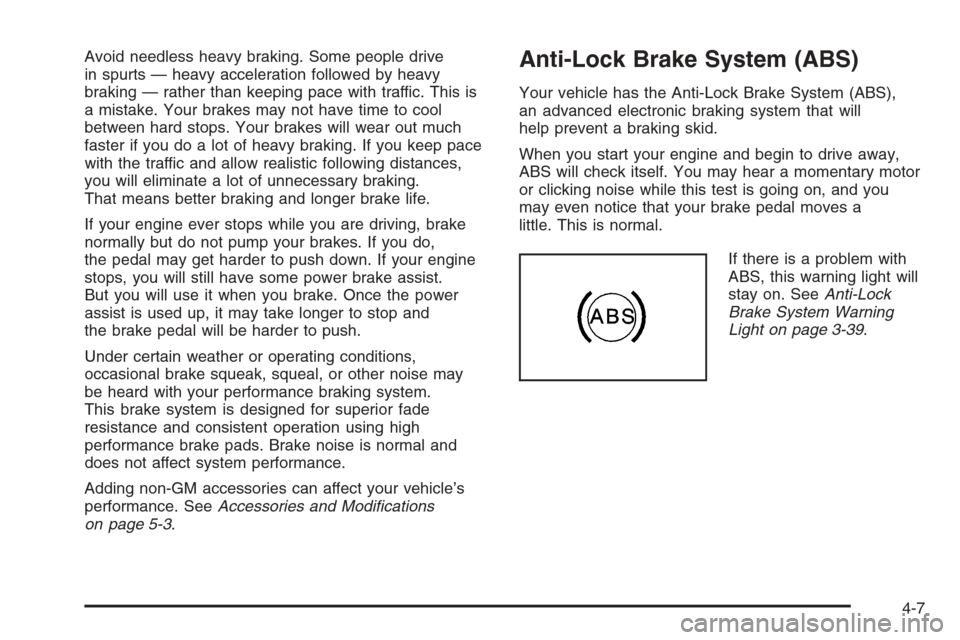
on page 5-3.Anti-Lock Brake System (ABS)
Your vehicle has the Anti-Lock Brake System (ABS),
an advanced electronic braking system that will
help prevent a braking skid.
When you start your engine and begin to drive away,
ABS will check itself. You may hear a momentary motor
or clicking noise while this test is going on, and you
may even notice that your brake pedal moves a
little. This is normal.
If there is a problem with
ABS, this warning light will
stay on. SeeAnti-Lock
Brake System Warning
Light on page 3-39.
4-7
Page 247 of 426
Using ABS
Do not pump the brakes. Just hold the brake pedal
down rmly and let anti-lock work for you. You may hear
a motor or clicking noise and feel the brake pedal
move a little during a stop, but this is normal.
Braking in Emergencies
With ABS, you can steer and brake at the same time.
In many emergencies, steering can help you more than
even the very best braking.
Traction Control System (TCS)
Your vehicle has a traction control system called TCS
that limits wheel spin. This is especially useful in slippery
road conditions. The system operates only if it senses
that the rear wheels are spinning too much or are
beginning to lose traction. When this happens, the
system works the rear brakes and reduces engine power
(by closing the throttle and managing engine spark) to
limit wheel spin.The TRACTION SYSTEM ACTIVE message will come
on when the TCS system is limiting wheel spin. See
DIC Warnings and Messages on page 3-53. You
may feel or hear the system working, but this is normal.
If your vehicle is in cruise control when the TCS system
begins to limit wheel spin, the cruise control will
automatically disengage. When road conditions allow you
to safely use it again, you may re-engage the cruise
control. SeeTurn Signal/Multifunction Lever on page 3-8.
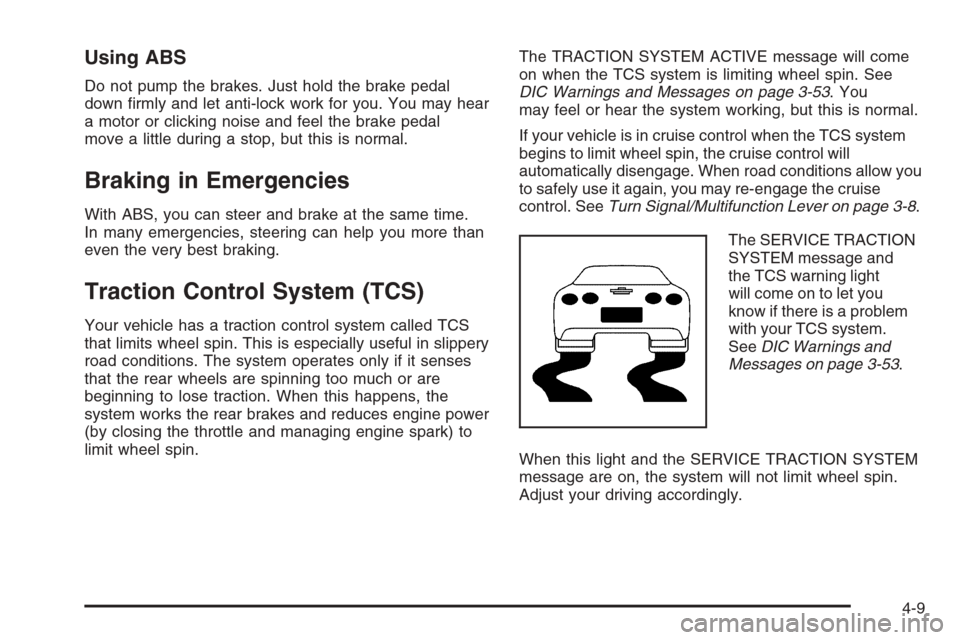
The SERVICE TRACTION
SYSTEM message and
the TCS warning light
will come on to let you
know if there is a problem
with your TCS system.
SeeDIC Warnings and
Messages on page 3-53.
When this light and the SERVICE TRACTION SYSTEM
message are on, the system will not limit wheel spin.
Adjust your driving accordingly.
4-9