clock CHEVROLET CORVETTE 2007 6.G User Guide
[x] Cancel search | Manufacturer: CHEVROLET, Model Year: 2007, Model line: CORVETTE, Model: CHEVROLET CORVETTE 2007 6.GPages: 488, PDF Size: 2.62 MB
Page 265 of 488
If an error displays, see “CD Messages” later in
this section.
O/e(Tune):Turn theO/eknob
clockwise or counterclockwise to go to the next
or previous track.
{(Previous Folder):Press the{button to
go to the rst track in the previous folder.
Press and hold the
{button to reverse through
the current track.
|(Next Folder):Press the|button to go to
the rst track in the next folder. Press and hold
the
|button to fast forward the current track.RDM (Random):Press this button to hear the
tracks in random, rather than sequential order,
on one CD, one folder, or all of the loaded CDs.
To use random, do one of the following:
To play the tracks on the CD you are listening
to in random order, press and release this
button until RANDOM DISC displays.
To play the tracks in the folder you are
listening to in random order, press and release
this button until RANDOM FOLDER displays.
To play the tracks on all of the CDs that are
loaded in random order, press and release
this button until RANDOM ALL displays.
To turn off random play, press and release the
RDM button until RANDOM OFF displays.
265
Page 288 of 488
Steering in Emergencies
There are times when steering can be more
effective than braking. For example, you come
over a hill and nd a truck stopped in your lane,
or a car suddenly pulls out from nowhere, or
a child darts out from between parked cars
and stops right in front of you. You can avoid
these problems by braking — if you can stop in
time. But sometimes you cannot; there is not room.
That is the time for evasive action — steering
around the problem.
Your vehicle can perform very well in emergencies
like these. First apply the brakes. SeeBraking
on page 278. It is better to remove as much speed
as you can from a possible collision. Then steer
around the problem, to the left or right depending
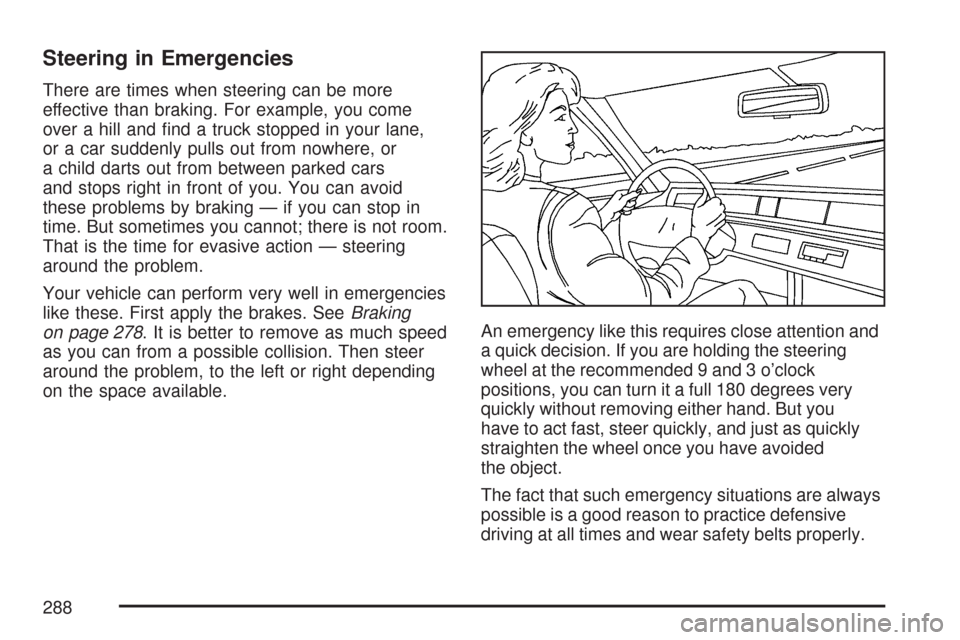
on the space available.An emergency like this requires close attention and
a quick decision. If you are holding the steering
wheel at the recommended 9 and 3 o’clock
positions, you can turn it a full 180 degrees very
quickly without removing either hand. But you
have to act fast, steer quickly, and just as quickly
straighten the wheel once you have avoided
the object.
The fact that such emergency situations are always
possible is a good reason to practice defensive
driving at all times and wear safety belts properly.
288
Page 325 of 488
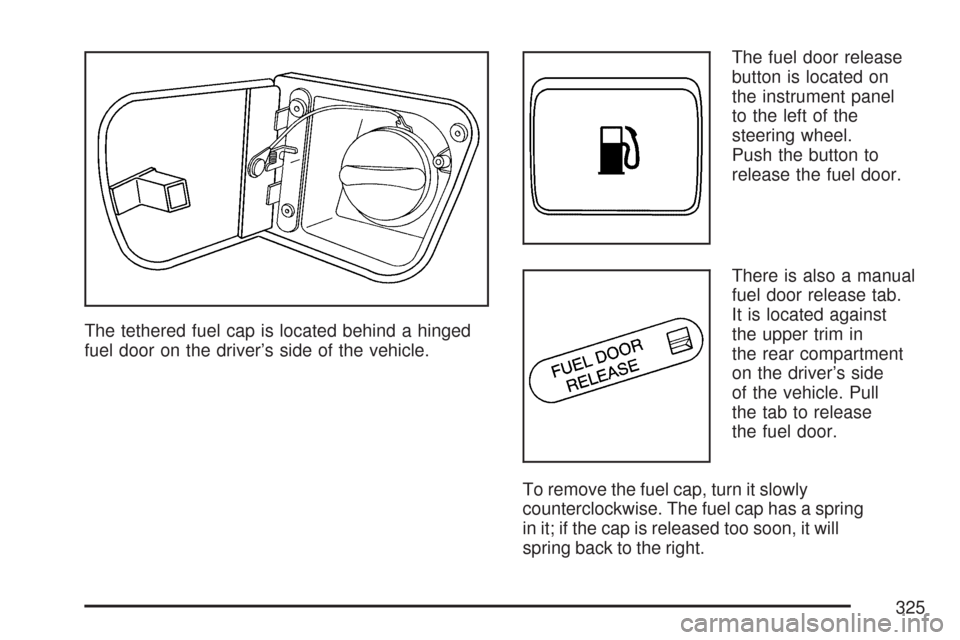
The tethered fuel cap is located behind a hinged
fuel door on the driver’s side of the vehicle.The fuel door release
button is located on
the instrument panel
to the left of the
steering wheel.
Push the button to
release the fuel door.
There is also a manual
fuel door release tab.
It is located against
the upper trim in
the rear compartment
on the driver’s side
of the vehicle. Pull
the tab to release
the fuel door.
To remove the fuel cap, turn it slowly
counterclockwise. The fuel cap has a spring
in it; if the cap is released too soon, it will
spring back to the right.
325
Page 326 of 488
While refueling, let the cap hang by the tether
below the fuel ll opening.
{CAUTION:
Fuel can spray out on you if you open the
fuel cap too quickly. If you spill fuel and
then something ignites it, you could be
badly burned. This spray can happen if
your tank is nearly full, and is more likely
in hot weather. Open the fuel cap slowly
and wait for any hiss noise to stop.
Then unscrew the cap all the way.
Be careful not to spill fuel. Do not top off or overll
the tank and wait a few seconds after you have
nished pumping before removing the nozzle.
Clean fuel from painted surfaces as soon as
possible. SeeWashing Your Vehicle on page 411.
When replacing the fuel cap, turn it clockwise
until it clicks. Make sure the cap is fully installed.
The diagnostic system can determine if the fuel caphas been left off or improperly installed. This would
allow fuel to evaporate into the atmosphere. See
Malfunction Indicator Lamp on page 200.
The CHECK GAS CAP message will be displayed
on the Driver Information Center (DIC) if the fuel
cap is not properly installed. SeeDIC Warnings and
Messages on page 214for more information.
{CAUTION:
If a re starts while you are refueling,
do not remove the nozzle. Shut off the
ow of fuel by shutting off the pump
or by notifying the station attendant.
Leave the area immediately.
Notice:If you need a new fuel cap, be sure
to get the right type. Your dealer/retailer can
get one for you. If you get the wrong type,
it may not t properly. This may cause your
malfunction indicator lamp to light and may
damage your fuel tank and emissions system.
SeeMalfunction Indicator Lamp on page 200.
326
Page 356 of 488
{CAUTION:
You can be burned if you spill coolant
on hot engine parts. Coolant contains
ethylene glycol and it will burn if the
engine parts are hot enough. Do not
spill coolant on a hot engine.
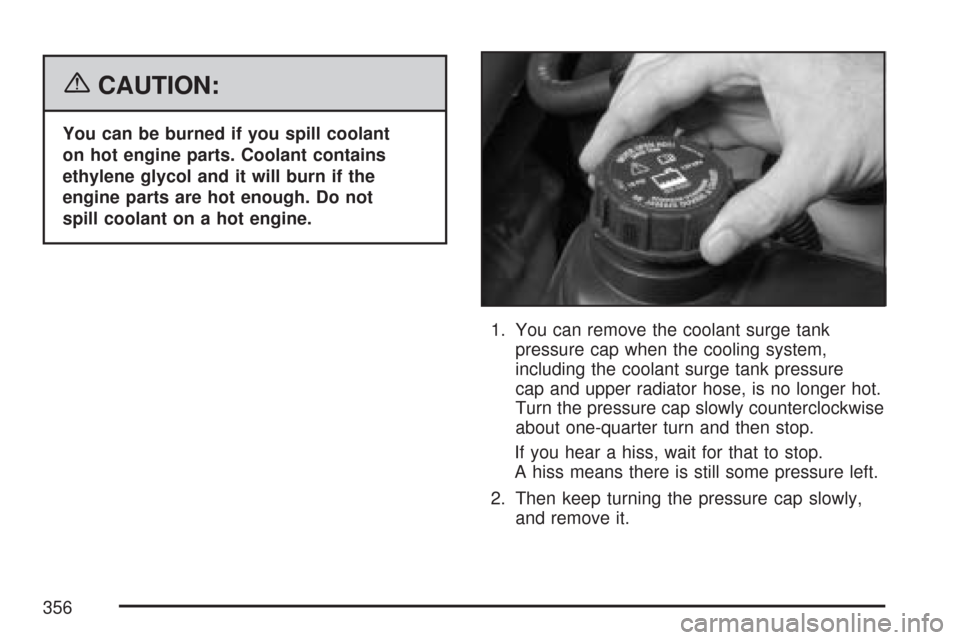
1. You can remove the coolant surge tank
pressure cap when the cooling system,
including the coolant surge tank pressure
cap and upper radiator hose, is no longer hot.
Turn the pressure cap slowly counterclockwise
about one-quarter turn and then stop.
If you hear a hiss, wait for that to stop.
A hiss means there is still some pressure left.
2. Then keep turning the pressure cap slowly,
and remove it.
356
Page 373 of 488
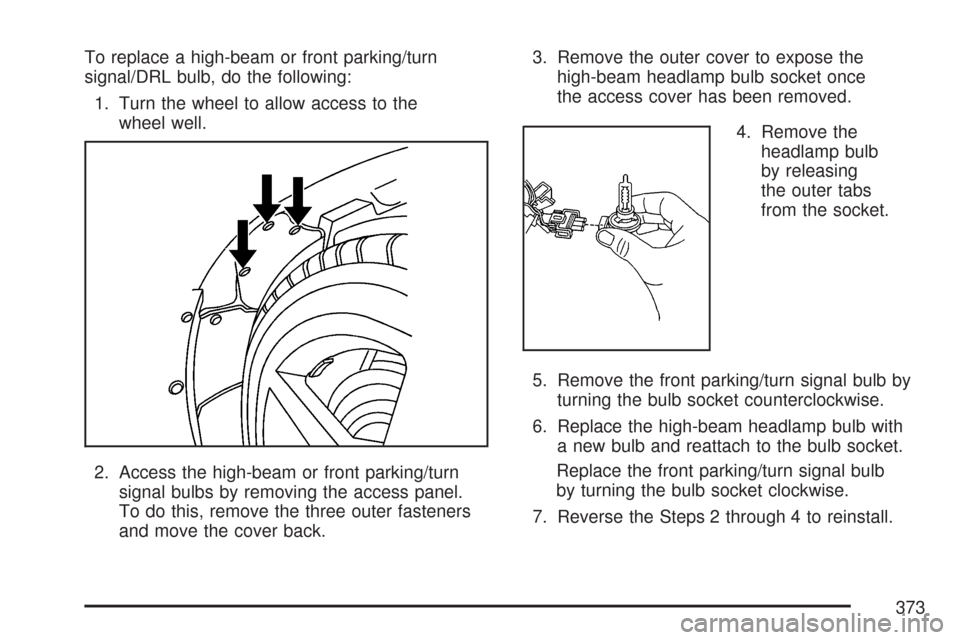
To replace a high-beam or front parking/turn
signal/DRL bulb, do the following:
1. Turn the wheel to allow access to the
wheel well.
2. Access the high-beam or front parking/turn
signal bulbs by removing the access panel.
To do this, remove the three outer fasteners
and move the cover back.3. Remove the outer cover to expose the
high-beam headlamp bulb socket once
the access cover has been removed.
4. Remove the
headlamp bulb
by releasing
the outer tabs
from the socket.
5. Remove the front parking/turn signal bulb by
turning the bulb socket counterclockwise.
6. Replace the high-beam headlamp bulb with
a new bulb and reattach to the bulb socket.
Replace the front parking/turn signal bulb
by turning the bulb socket clockwise.
7. Reverse the Steps 2 through 4 to reinstall.
373
Page 374 of 488
Taillamps, Turn Signal, and
Stoplamps
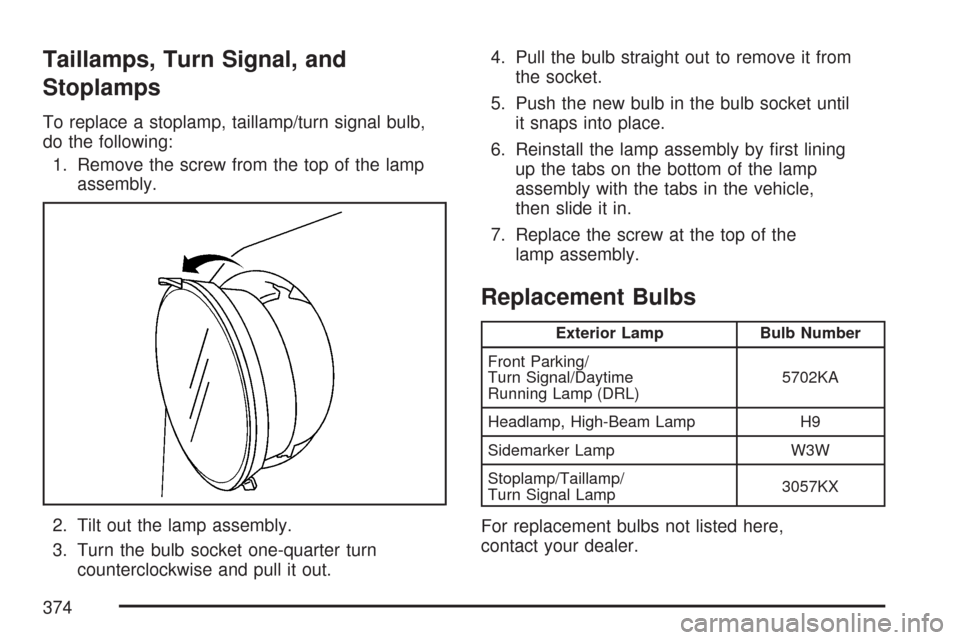
To replace a stoplamp, taillamp/turn signal bulb,
do the following:
1. Remove the screw from the top of the lamp
assembly.
2. Tilt out the lamp assembly.
3. Turn the bulb socket one-quarter turn
counterclockwise and pull it out.4. Pull the bulb straight out to remove it from
the socket.
5. Push the new bulb in the bulb socket until
it snaps into place.
6. Reinstall the lamp assembly by rst lining
up the tabs on the bottom of the lamp
assembly with the tabs in the vehicle,
then slide it in.
7. Replace the screw at the top of the
lamp assembly.
Replacement Bulbs
Exterior Lamp Bulb Number
Front Parking/
Turn Signal/Daytime
Running Lamp (DRL)5702KA
Headlamp, High-Beam Lamp H9
Sidemarker Lamp W3W
Stoplamp/Taillamp/
Turn Signal Lamp3057KX
For replacement bulbs not listed here,
contact your dealer.
374
Page 476 of 488
Climate Control System
Air Filter, Passenger Compartment........... 186
Dual Automatic......................................... 179
Outlet Adjustment..................................... 186
Clock.......................................................... 245
Clutch, Hydraulic......................................... 346
Collision Damage Repair............................. 463
Compass............................................108, 110
Competitive Driving, Racing or Other........... 292
Control of a Vehicle..................................... 278
Convenience Net......................................... 132
Convertible Top..................................139, 146
Coolant
Engine Temperature Gage........................ 199
Heater, Engine........................................... 93
Surge Tank Pressure Cap........................ 350
Cooling System........................................... 353
Courtesy Lamps.......................................... 173Cruise Control............................................. 164
Cupholder(s)................................................ 130
Customer Assistance Information
Courtesy Transportation........................... 461
Customer Assistance for Text
Telephone (TTY) Users ......................... 456
Customer Assistance Offices.................... 456
Customer Satisfaction Procedure.............. 452
GM Mobility Reimbursement Program...... 457
Reporting Safety Defects to
General Motors..................................... 468
Reporting Safety Defects to the
Canadian Government.......................... 467
Reporting Safety Defects to the
United States Government.................... 467
Roadside Assistance Program.................. 458
Service Publications Ordering
Information........................................... 468
476