headlamp CHEVROLET CORVETTE 2007 6.G User Guide
[x] Cancel search | Manufacturer: CHEVROLET, Model Year: 2007, Model line: CORVETTE, Model: CHEVROLET CORVETTE 2007 6.GPages: 488, PDF Size: 2.62 MB
Page 172 of 488
You can idle the vehicle with the lamps off, even
when it is dark outside.
After starting the vehicle, turn the exterior lamp
control band on the multifunction lever to off
and then release it. The lamps will remain off until
you turn the control band to off again.
Twilight Sentinel
®also provides exterior
illumination as you leave the vehicle. If Twilight
Sentinel
®has turned on the lamps when you turn
off the ignition, your lamps will remain on until:
The exterior lamp switch is moved from
off to the parking lamp position, or
A delay time that you select has elapsed.
See “Personal Options” underDIC Vehicle
Personalization on page 234to select the
delay time that you want. You can also select
no delay time.
If you turn off the ignition with the exterior lamp
switch in the parking lamp or headlamp position, the
Twilight Sentinel
®delay will not occur. The lamps
will turn off as soon as the switch is turned off.
As with any vehicle, you should turn on the regular
headlamp system when you need it.
Exterior Lighting Battery Saver
If the manual parking lamps or headlamps have
been left on, the exterior lamps will turn off as soon
as the ignition is turned off or Retained Accessory
Power (RAP) is active. This protects against
draining the battery in case you have accidentally
left the headlamps or parking lamps on. The battery
saver does not work if the headlamps are turned on
after the ignition switch is turned to off.
If you need to leave the lamps on, use the exterior
lamp control to turn the lamps back on.
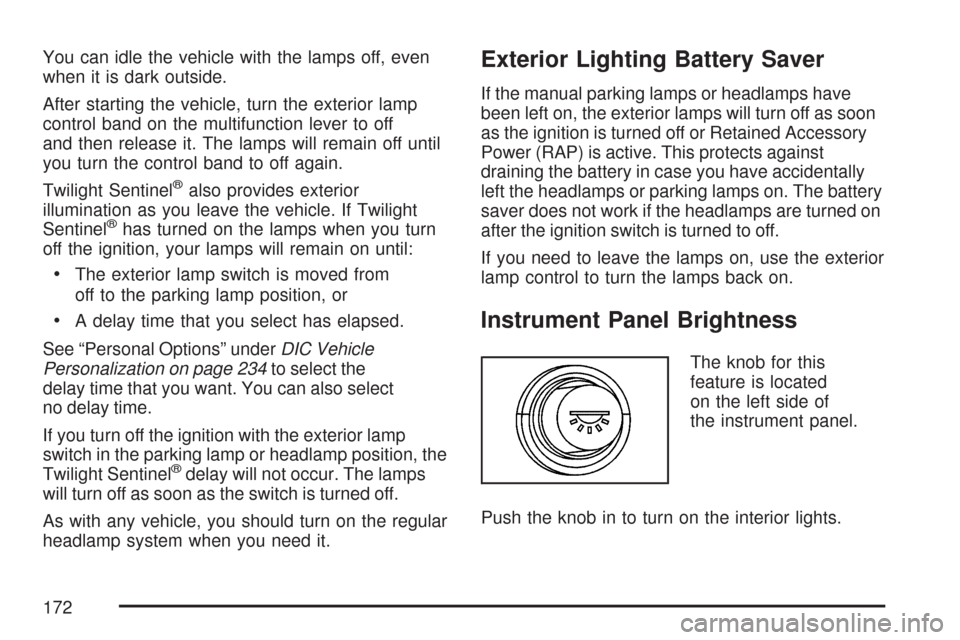
Instrument Panel Brightness
The knob for this
feature is located
on the left side of
the instrument panel.
Push the knob in to turn on the interior lights.
172
Page 206 of 488
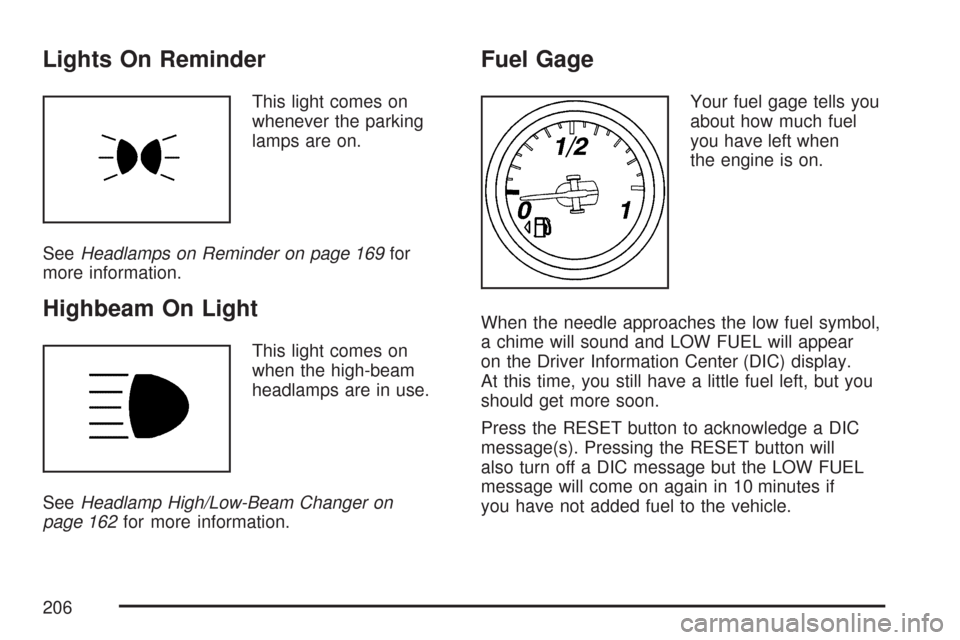
Lights On Reminder
This light comes on
whenever the parking
lamps are on.
SeeHeadlamps on Reminder on page 169for
more information.
Highbeam On Light
This light comes on
when the high-beam
headlamps are in use.
SeeHeadlamp High/Low-Beam Changer on
page 162for more information.
Fuel Gage
Your fuel gage tells you
about how much fuel
you have left when
the engine is on.
When the needle approaches the low fuel symbol,
a chime will sound and LOW FUEL will appear
on the Driver Information Center (DIC) display.
At this time, you still have a little fuel left, but you
should get more soon.
Press the RESET button to acknowledge a DIC
message(s). Pressing the RESET button will
also turn off a DIC message but the LOW FUEL
message will come on again in 10 minutes if
you have not added fuel to the vehicle.
206
Page 219 of 488
ENGINE DRAG CONTROL ACTIVE
This message displays when engine drag control
is active. When driving in a lower gear in rainy,
snowy, or icy conditions and then letting up on the
accelerator or downshifting, the rear wheels
may begin to slip and this message displays. This
message stays on for a few seconds following
the engine drag control event.
ENGINE OVERHEATED – STOP
ENGINE
This message displays and a continuous chime
sounds when the engine has overheated. Stop and
turn the engine off immediately to avoid severe
engine damage. SeeEngine Overheating on
page 350.
ENGINE PROTECTION REDUCE
ENGINE RPM
This message displays if the engine oil
temperature exceeds 320°F (160°C). Check the
engine coolant temperature and engine oil level. If
the engine is too hot, seeEngine Overheating
on page 350. Your vehicle may need service, so
see your dealer.You can monitor the oil temperature with the
gages button on the DIC. SeeDIC Controls and
Displays on page 208.
Multiple chimes sound when this message is
displayed. This message remains displayed and
active until the issue is resolved.
HEADLAMPS SUGGESTED
This message displays if it is dark enough outside
and the headlamps and the Twilight Sentinel®
controls are off. This message informs the driver
that turning on the exterior lamps is recommended.
It has become dark enough outside to require
the headlamps and/or other exterior lamps.
HIGH TIRE PRESSURE
This message displays when one or more of the
tires is over-inated. This message also displays
LEFT FRONT, RIGHT FRONT, LEFT REAR, or
RIGHT REAR to indicate which tire is affected. You
can receive more than one tire pressure message
at a time. To read other messages that may have
been sent at the same time, press the RESET
button. If a tire pressure message appears on the
DIC, stop as soon as you can.
219
Page 235 of 488
Entering the Personal Options Menu
To enter the personal options menu, use the
following steps:
1. If you have an automatic transmission vehicle,
turn the vehicle on with the shift lever in
PARK (P).
If you have a manual transmission vehicle,
turn the vehicle on with the parking brake set.
To avoid excessive drain on the battery, it
is recommended that the headlamps are
turned off.
2. Press the OPTION button and you will enter
the PERSONAL OPTIONS menu.
The DIC will display the current driver
number (1 or 2) for a few seconds and then
will display instructions on which buttons
to use for setting the personalizations. The
RESET button is used to select a setting for a
particular feature. The OPTION button is
used to move to the next feature.
3. Press the OPTION button while the instruction
screen is displayed to enter the rst
personalization menu item.4. Once you have cycled through all of the
personal options, pressing the OPTION
button a nal time exits the personal options
menu. In addition, if no button is pressed
within 45 seconds, the DIC will exit the
personal options menu.
Personal Options
The following options are available for
programming:
Display Units:This option allows you to choose
the measurement units.
Press the OPTION button until DISPLAY UNITS
appears on the display, then press the RESET
button to scroll through the following modes:
ENGLISH (default)
METRIC
If you choose ENGLISH, all information will be
displayed in English units.
If you choose METRIC, all information will be
displayed in metric units.
When the mode you want is selected, press the
OPTION button to set your choice and advance to
the next personal option.
235
Page 238 of 488
Twilight Delay:This option allows you to set the
amount of time you want the parking lamps
and front fog lamps to remain on after you exit the
vehicle. This will occur when the vehicle is off
or in RAP and the headlamps are on due to the
automatic headlamp system. The parking
lamps and front fog lamps will remain on until the
driver selected time expires, the exterior lamp
control is activated or the vehicle is no longer off
or in RAP.
Press the OPTION button until TWILIGHT DELAY
appears on the display, then press the RESET
button to scroll through the following modes:
OFF
15 S
30 S (default)
90 S
If you choose OFF, this option will turn off.
If you choose 15 S, the twilight delay time will be
set to 15 seconds.
If you choose 30 S, the twilight delay time will be
set to 30 seconds.
If you choose 90 S, the twilight delay time will be
set to 90 seconds.When the mode you want is selected, press the
OPTION button to set your choice and advance to
the next personal option.
Flash at Unlock:This option activates the front
and rear turn signals for two short ashes
when the unlock or hatch/trunk button on the
keyless access transmitter is pressed. This will
only occur when the vehicle is off.
Press the OPTION button until FLASH AT
UNLOCK appears on the display, then press the
RESET button to scroll through the following
modes:
YES (default)
NO
If you choose YES, the front and rear turn signals
will ash twice when you press the unlock button or
the hatch/trunk button on the keyless access
transmitter.
If you choose NO, this option will turn off.
When the mode you want is selected, press the
OPTION button to set your choice and advance to
the next personal option.
238
Page 293 of 488
Vehicles with the Z51 performance package
have greaseable outer ends on both of the rear
toe-links. Under normal use, lubrication should
be performed as described in the maintenance
schedule. SeeScheduled Maintenance on
page 433andRecommended Fluids and
Lubricants on page 443. If you use the vehicle
for racing, lubrication should be performed at the
end of each racing day. See your dealer/retailer
for lubrication and make sure any needed
repairs are made at once. Proper procedures for
performing these services can be found in the
service manual. SeeService Publications
Ordering Information on page 468.Driving at Night
Night driving is more dangerous than day driving.
One reason is that some drivers are likely to
be impaired — by alcohol or drugs, with night
vision problems, or by fatigue.
Here are some tips on night driving.
Drive defensively.
Do not drink and drive.
Adjust the inside rearview mirror to reduce
the glare from headlamps behind you.
Since you cannot see as well, slow down
and keep more space between you and
other vehicles.
Slow down, especially on higher speed roads.
Your vehicle’s headlamps can light up only so
much road ahead.
In remote areas, watch for animals.
If you are tired, pull off the road in a safe
place and rest.
293
Page 294 of 488
No one can see as well at night as in the daytime.
But as we get older these differences increase.
A 50-year-old driver might require at least twice as
much light to see the same thing at night as a
20-year-old.
What you do in the daytime can also affect your
night vision. For example, if you spend the
day in bright sunshine you are wise to wear
sunglasses. Your eyes will have less trouble
adjusting to night. But if you are driving, do not
wear sunglasses at night. They might cut down on
glare from headlamps, but they also make a lot
of things invisible.
You can be temporarily blinded by approaching
headlamps. It can take a second or two, or
even several seconds, for your eyes to re-adjust
to the dark. When you are faced with severe glare,
as from a driver who does not lower the high
beams, or a vehicle with misaimed headlamps,
slow down a little. Avoid staring directly into
the approaching headlamps.Keep the windshield and all the glass on your
vehicle clean — inside and out. Glare at night is
made much worse by dirt on the glass. Even
the inside of the glass can build up a lm caused
by dust. Dirty glass makes lights dazzle and
ash more than clean glass would, making the
pupils of your eyes contract repeatedly.
Remember that the headlamps light up far less of a
roadway when you are in a turn or curve. Keep your
eyes moving; that way, it is easier to pick out dimly
lighted objects. Just as the headlamps should be
checked regularly for proper aim, so should your
eyes be examined regularly. Some drivers suffer
from night blindness — the inability to see in dim
light — and are not even aware of it.
294
Page 308 of 488
You will need a well-charged battery to restart the
vehicle, and possibly for signaling later on with
your headlamps. Let the heater run for a while.
Then, shut the engine off and close the window
almost all the way to preserve the heat. Start
the engine again and repeat this only when you
feel really uncomfortable from the cold. But do it as
little as possible. Preserve the fuel as long as
you can. To help keep warm, you can get out of
the vehicle and do some fairly vigorous exercises
every half hour or so until help comes.
If Your Vehicle is Stuck in Sand,
Mud, Ice, or Snow
In order to free your vehicle when it is stuck, you
need to spin the wheels, but you do not want
to spin the wheels too fast. The method known
as rocking can help you get out when you
are stuck, but you must use caution.
{CAUTION:
If you let your vehicle’s tires spin at high
speed, they can explode, and you or others
could be injured. And, the transmission or
other parts of the vehicle can overheat.
That could cause an engine compartment
re or other damage. When you are stuck,
spin the wheels as little as possible. Do not
spin the wheels above 35 mph (55 km/h)
as shown on the speedometer.
Notice:Spinning the wheels can destroy
parts of your vehicle as well as the tires.
If you spin the wheels too fast while shifting
the transmission back and forth, you can
destroy the transmission.
For information about using tire chains on your
vehicle, seeTire Chains on page 401.
308
Page 317 of 488
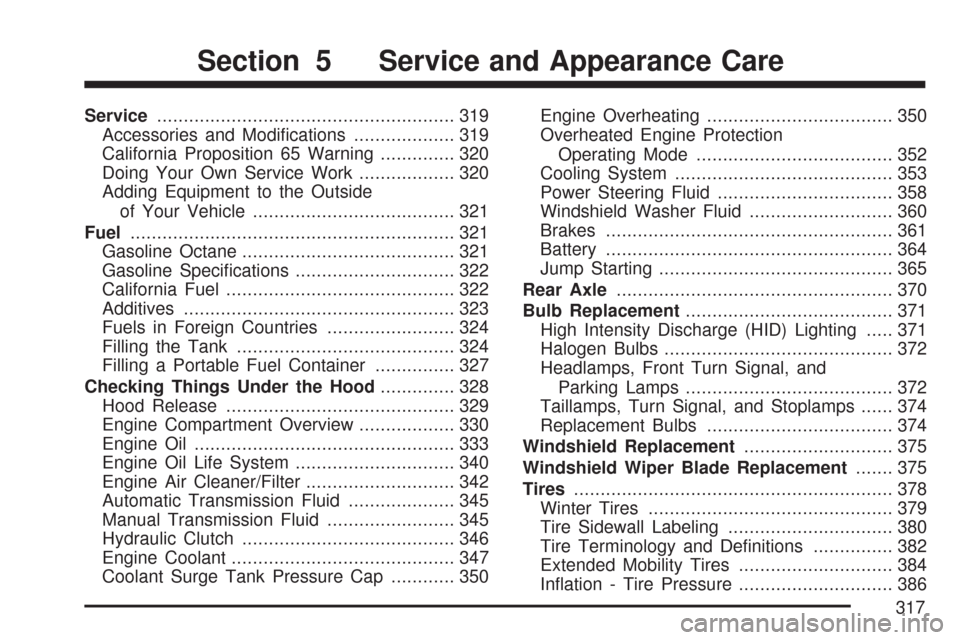
Service........................................................ 319
Accessories and Modications................... 319
California Proposition 65 Warning.............. 320
Doing Your Own Service Work.................. 320
Adding Equipment to the Outside
of Your Vehicle...................................... 321
Fuel............................................................. 321
Gasoline Octane........................................ 321
Gasoline Specications.............................. 322
California Fuel........................................... 322
Additives................................................... 323
Fuels in Foreign Countries........................ 324
Filling the Tank......................................... 324
Filling a Portable Fuel Container............... 327
Checking Things Under the Hood.............. 328
Hood Release........................................... 329
Engine Compartment Overview.................. 330
Engine Oil................................................. 333
Engine Oil Life System.............................. 340
Engine Air Cleaner/Filter............................ 342
Automatic Transmission Fluid.................... 345
Manual Transmission Fluid........................ 345
Hydraulic Clutch........................................ 346
Engine Coolant.......................................... 347
Coolant Surge Tank Pressure Cap............ 350Engine Overheating................................... 350
Overheated Engine Protection
Operating Mode..................................... 352
Cooling System......................................... 353
Power Steering Fluid................................. 358
Windshield Washer Fluid........................... 360
Brakes...................................................... 361
Battery...................................................... 364
Jump Starting............................................ 365
Rear Axle.................................................... 370
Bulb Replacement....................................... 371
High Intensity Discharge (HID) Lighting..... 371
Halogen Bulbs........................................... 372
Headlamps, Front Turn Signal, and
Parking Lamps....................................... 372
Taillamps, Turn Signal, and Stoplamps...... 374
Replacement Bulbs................................... 374
Windshield Replacement............................ 375
Windshield Wiper Blade Replacement....... 375
Tires............................................................ 378
Winter Tires.............................................. 379
Tire Sidewall Labeling............................... 380
Tire Terminology and Denitions............... 382
Extended Mobility Tires............................. 384
Ination - Tire Pressure............................. 386
Section 5 Service and Appearance Care
317
Page 318 of 488
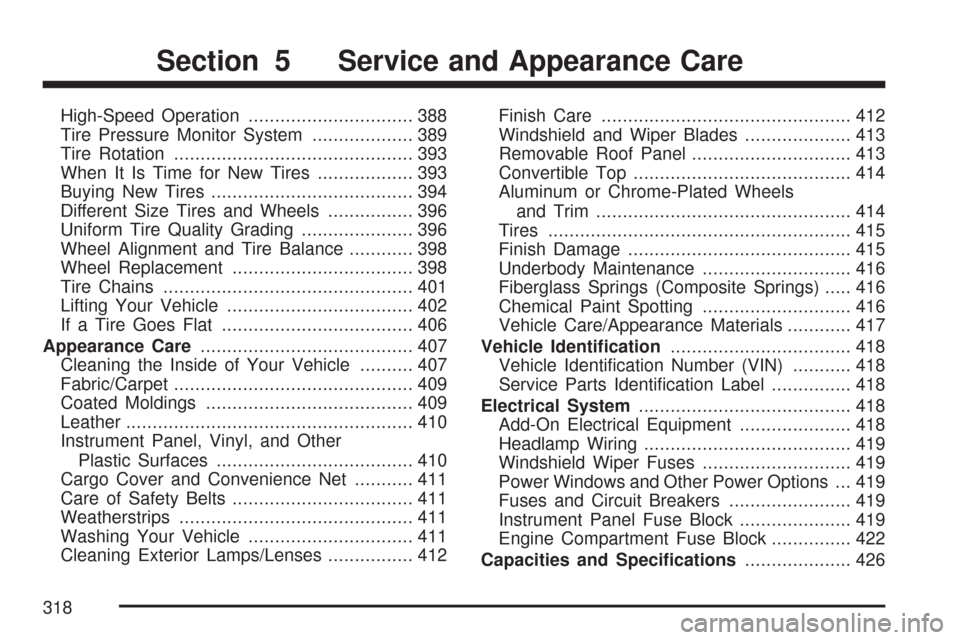
High-Speed Operation............................... 388
Tire Pressure Monitor System................... 389
Tire Rotation............................................. 393
When It Is Time for New Tires.................. 393
Buying New Tires...................................... 394
Different Size Tires and Wheels................ 396
Uniform Tire Quality Grading..................... 396
Wheel Alignment and Tire Balance............ 398
Wheel Replacement.................................. 398
Tire Chains............................................... 401
Lifting Your Vehicle................................... 402
If a Tire Goes Flat.................................... 406
Appearance Care........................................ 407
Cleaning the Inside of Your Vehicle.......... 407
Fabric/Carpet............................................. 409
Coated Moldings....................................... 409
Leather...................................................... 410
Instrument Panel, Vinyl, and Other
Plastic Surfaces..................................... 410
Cargo Cover and Convenience Net........... 411
Care of Safety Belts.................................. 411
Weatherstrips............................................ 411
Washing Your Vehicle............................... 411
Cleaning Exterior Lamps/Lenses................ 412Finish Care............................................... 412
Windshield and Wiper Blades.................... 413
Removable Roof Panel.............................. 413
Convertible Top......................................... 414
Aluminum or Chrome-Plated Wheels
and Trim................................................ 414
Tires......................................................... 415
Finish Damage.......................................... 415
Underbody Maintenance............................ 416
Fiberglass Springs (Composite Springs)..... 416
Chemical Paint Spotting............................ 416
Vehicle Care/Appearance Materials............ 417
Vehicle Identication.................................. 418
Vehicle Identication Number (VIN)........... 418
Service Parts Identication Label............... 418
Electrical System........................................ 418
Add-On Electrical Equipment..................... 418
Headlamp Wiring....................................... 419
Windshield Wiper Fuses............................ 419
Power Windows and Other Power Options ... 419
Fuses and Circuit Breakers....................... 419
Instrument Panel Fuse Block..................... 419
Engine Compartment Fuse Block............... 422
Capacities and Specications.................... 426
Section 5 Service and Appearance Care
318