lights CHEVROLET CORVETTE 2007 6.G User Guide
[x] Cancel search | Manufacturer: CHEVROLET, Model Year: 2007, Model line: CORVETTE, Model: CHEVROLET CORVETTE 2007 6.GPages: 488, PDF Size: 2.62 MB
Page 154 of 488
Tire Pressure Light.................................... 199
Malfunction Indicator Lamp........................ 200
Engine Oil Pressure Gage......................... 204
Security Light............................................ 205
Fog Lamp Light......................................... 205
Lights On Reminder.................................. 206
Highbeam On Light................................... 206
Fuel Gage................................................. 206
Driver Information Center (DIC).................. 207
DIC Controls and Displays........................ 208
DIC Warnings and Messages.................... 214
Other Messages........................................ 232
DIC Vehicle Personalization....................... 234Audio System(s)......................................... 244
Setting the Time........................................ 245
Radio with CD........................................... 246
Using an MP3........................................... 261
XM Radio Messages................................. 267
Navigation/Radio System........................... 269
Theft-Deterrent Feature............................. 269
Audio Steering Wheel Controls.................. 269
Radio Reception........................................ 270
Care of Your CDs..................................... 271
Care of the CD Player.............................. 272
Diversity Antenna System.......................... 272
XM™ Satellite Radio Antenna System....... 272
Section 3 Instrument Panel
154
Page 168 of 488
Exterior Lamps
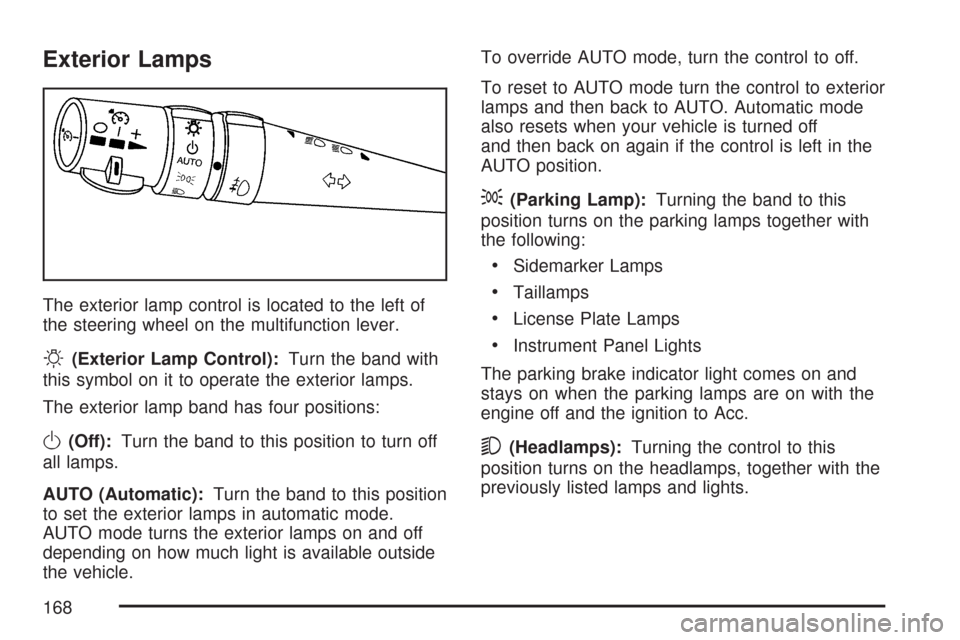
The exterior lamp control is located to the left of
the steering wheel on the multifunction lever.
O(Exterior Lamp Control):Turn the band with
this symbol on it to operate the exterior lamps.
The exterior lamp band has four positions:
O(Off):Turn the band to this position to turn off
all lamps.
AUTO (Automatic):Turn the band to this position
to set the exterior lamps in automatic mode.
AUTO mode turns the exterior lamps on and off
depending on how much light is available outside
the vehicle.To override AUTO mode, turn the control to off.
To reset to AUTO mode turn the control to exterior
lamps and then back to AUTO. Automatic mode
also resets when your vehicle is turned off
and then back on again if the control is left in the
AUTO position.
;(Parking Lamp):Turning the band to this
position turns on the parking lamps together with
the following:
Sidemarker Lamps
Taillamps
License Plate Lamps
Instrument Panel Lights
The parking brake indicator light comes on and
stays on when the parking lamps are on with the
engine off and the ignition to Acc.
5(Headlamps):Turning the control to this
position turns on the headlamps, together with the
previously listed lamps and lights.
168
Page 172 of 488
You can idle the vehicle with the lamps off, even
when it is dark outside.
After starting the vehicle, turn the exterior lamp
control band on the multifunction lever to off
and then release it. The lamps will remain off until
you turn the control band to off again.
Twilight Sentinel
®also provides exterior
illumination as you leave the vehicle. If Twilight
Sentinel
®has turned on the lamps when you turn
off the ignition, your lamps will remain on until:
The exterior lamp switch is moved from
off to the parking lamp position, or
A delay time that you select has elapsed.
See “Personal Options” underDIC Vehicle
Personalization on page 234to select the
delay time that you want. You can also select
no delay time.
If you turn off the ignition with the exterior lamp
switch in the parking lamp or headlamp position, the
Twilight Sentinel
®delay will not occur. The lamps
will turn off as soon as the switch is turned off.
As with any vehicle, you should turn on the regular
headlamp system when you need it.
Exterior Lighting Battery Saver
If the manual parking lamps or headlamps have
been left on, the exterior lamps will turn off as soon
as the ignition is turned off or Retained Accessory
Power (RAP) is active. This protects against
draining the battery in case you have accidentally
left the headlamps or parking lamps on. The battery
saver does not work if the headlamps are turned on
after the ignition switch is turned to off.
If you need to leave the lamps on, use the exterior
lamp control to turn the lamps back on.
Instrument Panel Brightness
The knob for this
feature is located
on the left side of
the instrument panel.
Push the knob in to turn on the interior lights.
172
Page 173 of 488
Turn and hold the knob clockwise to brighten the
lights or counterclockwise to dim them. During
the day, this knob will adjust the instrument panel
brightness and at night will adjust all interior
lighting.
Be sure not to have this knob turned all the way
down with the lamps on during the day. Your
Driver Information Center (DIC) may not be visible.
Courtesy Lamps
When any door or the hatch/trunk lid is opened,
the interior lamps will go on unless it is bright
outside.
You can also turn the courtesy lamps on and off
by pressing the instrument panel brightness knob.
Entry/Exit Lighting
With entry lighting, the interior lamps will come on
when entering the vehicle. The interior lamps
will come on for about 20 seconds when the
engine is off.
You can turn exit and entry lighting off by quickly
turning the courtesy lamps on and off.
Reading Lamps
The inside rearview mirror includes two reading
lamps. The lamps will go on when a door is
opened. When the doors are closed, each lamp
can be turned on individually by pressing the
switch for that lamp.
An ambient light is located in the passenger sun
visor clip. This light stays on while driving to
keep the cabin from being too dark.
Battery Run-Down Protection
This vehicle has a feature to help prevent the
battery from being drained in case any of
the following lamps are left on; the underhood
lamp, if your vehicle has this feature, vanity mirror
lamps, cargo lamps, reading lamps, console or
glove box lamps. If any of these lamps are left on,
they will automatically time-out after about
10 minutes. To reset it, all of the above lamps
must be turned off or the ignition key on.
173
Page 188 of 488
Warning Lights, Gages, and
Indicators
This part describes the warning lights and gages
on your vehicle. The pictures help to locate them.
Warning lights and gages can signal that something
is wrong before it becomes serious enough to
cause an expensive repair or replacement. Paying
attention to the warning lights and gages could also
save you or others from injury.
Warning lights come on when there may be or
is a problem with one of your vehicle’s functions.
As the details show on the next few pages,
some warning lights come on briey when you
start the engine just to let you know they are
working. If you are familiar with this section,
you should not be alarmed when this happens.Gages can indicate when there may be or is a
problem with one of your vehicle’s functions.
Often gages and warning lights work together to
let you know when there is a problem with
your vehicle.
When one of the warning lights comes on and
stays on as you are driving, or when one of
the gages shows there may be a problem, check
the section that tells you what to do about it.
Please follow this manual’s advice. Waiting to
do repairs can be costly and even dangerous.
So please get to know your vehicle’s warning lights
and gages. They can be a big help.
Your vehicle may also have a Driver Information
Center (DIC) that works along with the warning
lights and gages. SeeDriver Information Center
(DIC) on page 207for more information.
188
Page 189 of 488
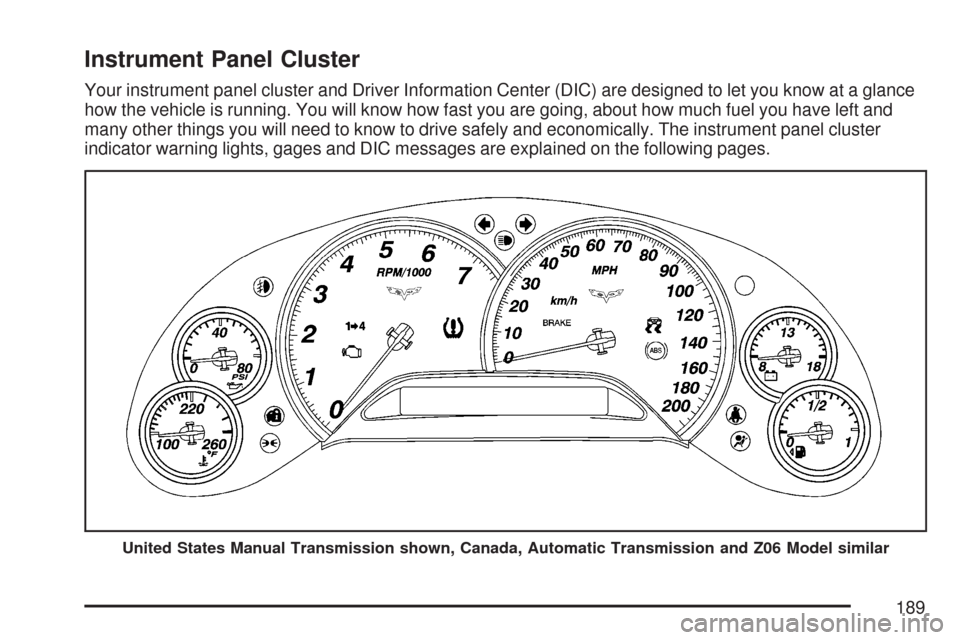
Instrument Panel Cluster
Your instrument panel cluster and Driver Information Center (DIC) are designed to let you know at a glance
how the vehicle is running. You will know how fast you are going, about how much fuel you have left and
many other things you will need to know to drive safely and economically. The instrument panel cluster
indicator warning lights, gages and DIC messages are explained on the following pages.
United States Manual Transmission shown, Canada, Automatic Transmission and Z06 Model similar
189
Page 194 of 488
If the word OFF or the off symbol is lit on the
passenger airbag status indicator, it means that
the passenger sensing system has turned off
the passenger’s airbag(s). SeePassenger Sensing
System on page 59for more on this, including
important safety information.
If, after several seconds, all status indicator lights
remain on, or if there are no lights at all, there
may be a problem with the lights or the passenger
sensing system. See your dealer for service.
{CAUTION:
If the airbag off indicator and the airbag
readiness light ever come on together, it
means that something may be wrong with
the airbag system. If this ever happens,
have the vehicle serviced promptly,
because an adult-size person sitting in
the right front passenger seat may not
have the protection of the airbag. See
Airbag Readiness Light on page 191.
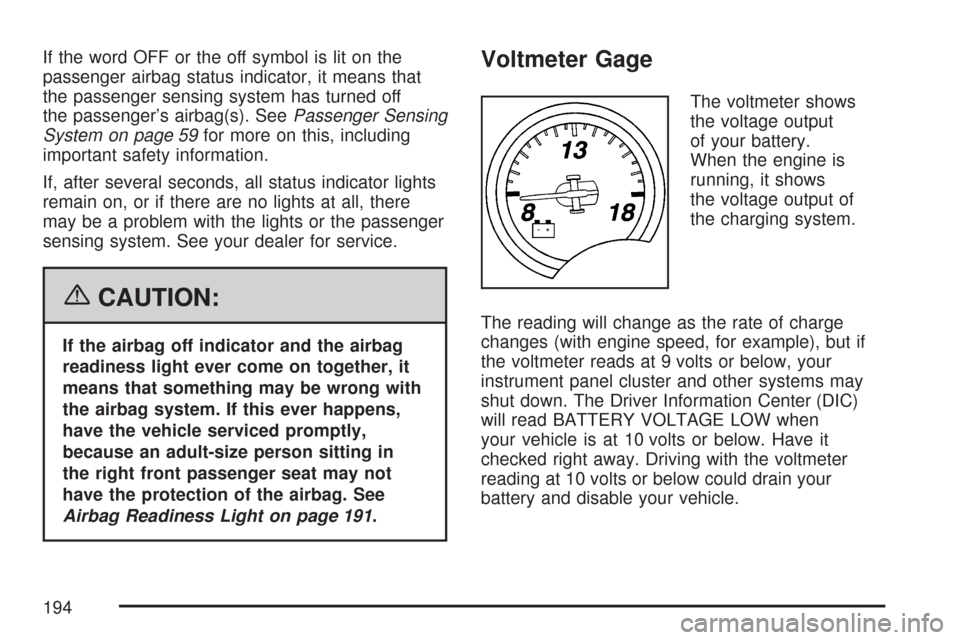
Voltmeter Gage
The voltmeter shows
the voltage output
of your battery.
When the engine is
running, it shows
the voltage output of
the charging system.
The reading will change as the rate of charge
changes (with engine speed, for example), but if
the voltmeter reads at 9 volts or below, your
instrument panel cluster and other systems may
shut down. The Driver Information Center (DIC)
will read BATTERY VOLTAGE LOW when
your vehicle is at 10 volts or below. Have it
checked right away. Driving with the voltmeter
reading at 10 volts or below could drain your
battery and disable your vehicle.
194
Page 206 of 488
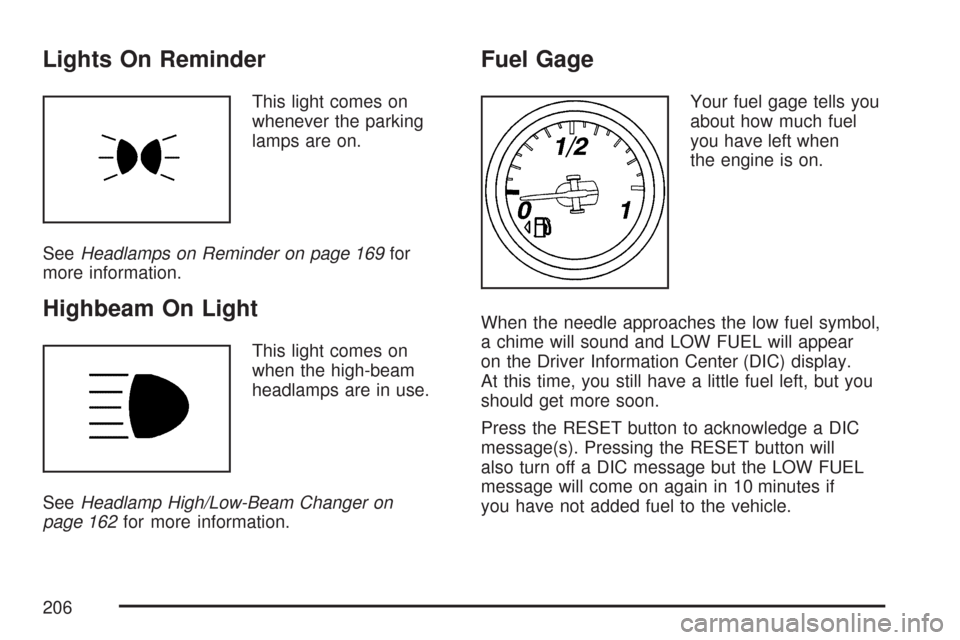
Lights On Reminder
This light comes on
whenever the parking
lamps are on.
SeeHeadlamps on Reminder on page 169for
more information.
Highbeam On Light
This light comes on
when the high-beam
headlamps are in use.
SeeHeadlamp High/Low-Beam Changer on
page 162for more information.
Fuel Gage
Your fuel gage tells you
about how much fuel
you have left when
the engine is on.
When the needle approaches the low fuel symbol,
a chime will sound and LOW FUEL will appear
on the Driver Information Center (DIC) display.
At this time, you still have a little fuel left, but you
should get more soon.
Press the RESET button to acknowledge a DIC
message(s). Pressing the RESET button will
also turn off a DIC message but the LOW FUEL
message will come on again in 10 minutes if
you have not added fuel to the vehicle.
206
Page 225 of 488
SERVICE AIR CONDITIONING
This message displays when the electronic sensors
that control the air conditioning and heating
systems are no longer working. Have the climate
control system serviced by your dealer if you notice
a drop in heating and air conditioning efficiency.
SERVICE ANTILOCK BRAKES
If this message displays while you are driving, stop
as soon as possible and turn the ignition off. Then
start the engine again to reset the system. If the
message stays on, or comes back on again while
you are driving, your vehicle is in need of service.
See your dealer. If the anti-lock brake system (ABS)
warning light is on and the regular brake system
warning light is not on, you still have brakes, but do
not have ABS. If the regular brake system warning
light is also on, you do not have ABS and there is a
problem with the brakes. SeeAnti-Lock Brake
System Warning Light on page 197andBrake
System Warning Light on page 196.
If this message is displayed, the Traction Control
System (TCS) and the Active Handling System
will also be disabled. The DIC will scroll three
messages: SERVICE ANTILOCK BRAKES,
SERVICE TRACTION SYSTEM, and SERVICEACTIVE HANDLING, and the instrument panel
cluster lights will come on along with a chime.
When the service message is displayed, the
computer controlled systems will not assist the
driver. Have the system repaired by your dealer as
soon as possible. Adjust your driving accordingly.
To acknowledge these messages, press the
RESET button.SERVICE CHARGING SYSTEM
If this message displays while you are driving,
there may be a problem with the electrical charging
system. It could mean that there is a loose or
broken drive belt or that there is another electrical
problem. Have your vehicle checked right away
by your dealer. Driving while this message is
on could drain the battery.
If you must drive a short distance with the
message on, be certain to turn off the vehicle’s
accessories, such as the radio and air conditioner.
Multiple chimes sound when this message is
displayed.
To acknowledge the message, press the RESET
button. The message reappears every 10 minutes
until this condition changes.
225
Page 237 of 488
If you choose YES, when you turn the ignition off
and open the driver’s door or press the unlock
button on the keyless access transmitter, the seat
and the telescopic steering wheel, if your
vehicle has this feature, will return to their stored
exit positions for an easy exit or an easy
entrance when returning to the vehicle.
The seat and steering wheel will only return to the
stored driving position if you press the appropriate
memory button or activate the auto memory
recall feature.
If you choose NO, this option will turn off.
When the mode you want is selected, press the
OPTION button to set your choice and advance to
the next personal option.
Approach Lights:This option briey turns on the
parking lamps, the front fog lamps and the
back-up lamps during low light periods when the
keyless access transmitter is used to unlock
the vehicle.Press the OPTION button until APPROACH
LIGHTS appears on the display, then press the
RESET button to scroll through the following
modes:
OFF
ON (default)
If you choose OFF, this option will turn off.
If you choose ON, the parking lamps, the front fog
lamps, and the back-up lamps will come on for
20 seconds during low light periods when all of the
following occurs:
You press the unlock button on the keyless
access transmitter.
Both of the doors are closed.
The vehicle is off or in RAP.
The lamps remain on for 20 seconds or until a door
is opened, the lock button on the keyless access
transmitter is pressed or the vehicle is no longer off
or in RAP.
SeeKeyless Access System on page 72for more
information.
When the mode you want is selected, press the
OPTION button to set your choice and advance to
the next personal option.
237