warning light CHEVROLET CORVETTE 2007 6.G User Guide
[x] Cancel search | Manufacturer: CHEVROLET, Model Year: 2007, Model line: CORVETTE, Model: CHEVROLET CORVETTE 2007 6.GPages: 488, PDF Size: 2.62 MB
Page 176 of 488
Be sure to continue scanning the displays,
controls and driving environment just as you would
in a vehicle without HUD. If you never look at
your instrument panel cluster, you may miss
something important, such as a warning light.
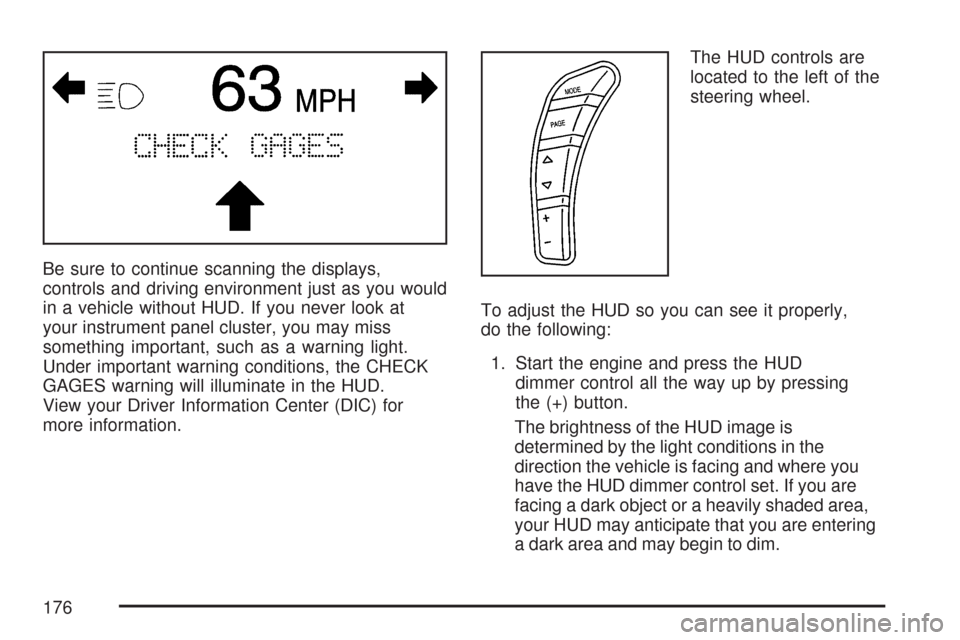
Under important warning conditions, the CHECK
GAGES warning will illuminate in the HUD.
View your Driver Information Center (DIC) for
more information.The HUD controls are
located to the left of the
steering wheel.
To adjust the HUD so you can see it properly,
do the following:
1. Start the engine and press the HUD
dimmer control all the way up by pressing
the (+) button.
The brightness of the HUD image is
determined by the light conditions in the
direction the vehicle is facing and where you
have the HUD dimmer control set. If you are
facing a dark object or a heavily shaded area,
your HUD may anticipate that you are entering
a dark area and may begin to dim.
176
Page 188 of 488
Warning Lights, Gages, and
Indicators
This part describes the warning lights and gages
on your vehicle. The pictures help to locate them.
Warning lights and gages can signal that something
is wrong before it becomes serious enough to
cause an expensive repair or replacement. Paying
attention to the warning lights and gages could also
save you or others from injury.
Warning lights come on when there may be or
is a problem with one of your vehicle’s functions.
As the details show on the next few pages,
some warning lights come on briey when you
start the engine just to let you know they are
working. If you are familiar with this section,
you should not be alarmed when this happens.Gages can indicate when there may be or is a
problem with one of your vehicle’s functions.
Often gages and warning lights work together to
let you know when there is a problem with
your vehicle.
When one of the warning lights comes on and
stays on as you are driving, or when one of
the gages shows there may be a problem, check
the section that tells you what to do about it.
Please follow this manual’s advice. Waiting to
do repairs can be costly and even dangerous.
So please get to know your vehicle’s warning lights
and gages. They can be a big help.
Your vehicle may also have a Driver Information
Center (DIC) that works along with the warning
lights and gages. SeeDriver Information Center
(DIC) on page 207for more information.
188
Page 189 of 488
Instrument Panel Cluster
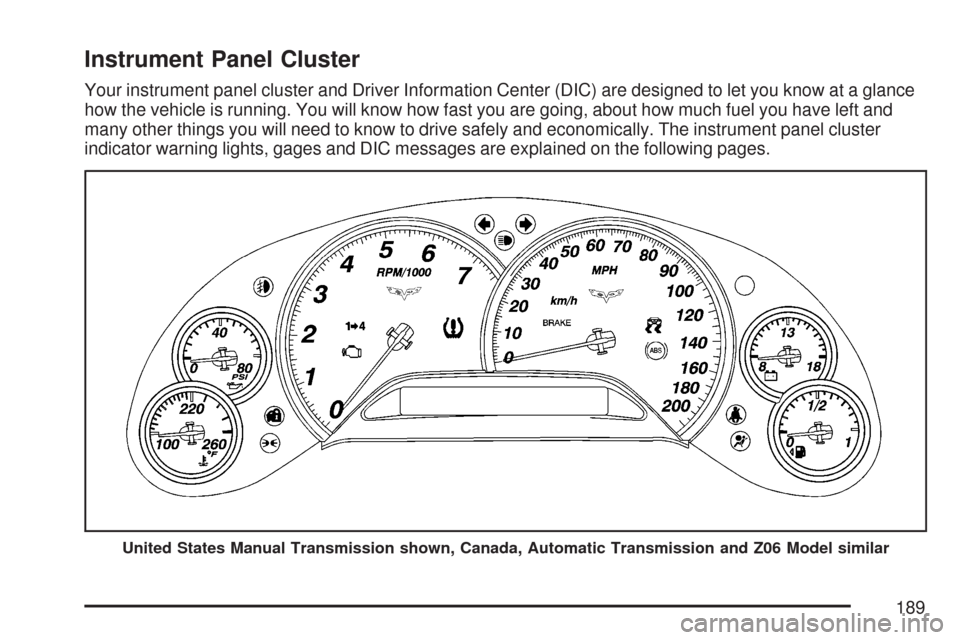
Your instrument panel cluster and Driver Information Center (DIC) are designed to let you know at a glance
how the vehicle is running. You will know how fast you are going, about how much fuel you have left and
many other things you will need to know to drive safely and economically. The instrument panel cluster
indicator warning lights, gages and DIC messages are explained on the following pages.
United States Manual Transmission shown, Canada, Automatic Transmission and Z06 Model similar
189
Page 196 of 488
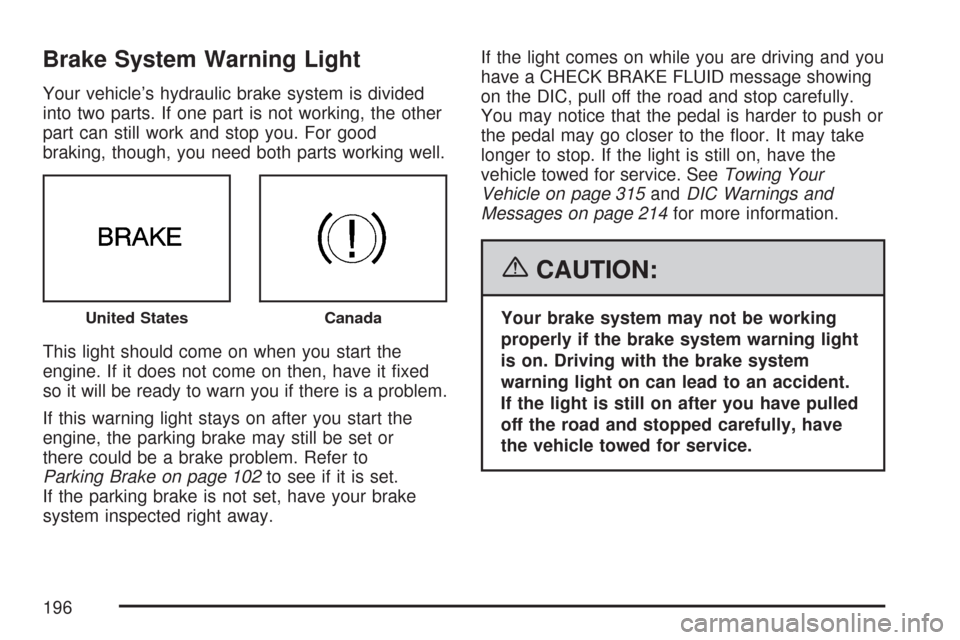
Brake System Warning Light
Your vehicle’s hydraulic brake system is divided
into two parts. If one part is not working, the other
part can still work and stop you. For good
braking, though, you need both parts working well.
This light should come on when you start the
engine. If it does not come on then, have it xed
so it will be ready to warn you if there is a problem.
If this warning light stays on after you start the
engine, the parking brake may still be set or
there could be a brake problem. Refer to
Parking Brake on page 102to see if it is set.
If the parking brake is not set, have your brake
system inspected right away.If the light comes on while you are driving and you
have a CHECK BRAKE FLUID message showing
on the DIC, pull off the road and stop carefully.
You may notice that the pedal is harder to push or
the pedal may go closer to the oor. It may take
longer to stop. If the light is still on, have the
vehicle towed for service. SeeTowing Your
Vehicle on page 315andDIC Warnings and
Messages on page 214for more information.
{CAUTION:
Your brake system may not be working
properly if the brake system warning light
is on. Driving with the brake system
warning light on can lead to an accident.
If the light is still on after you have pulled
off the road and stopped carefully, have
the vehicle towed for service.United StatesCanada
196
Page 197 of 488
Anti-Lock Brake System
Warning Light
With the Anti-Lock
Brake System (ABS),
this light will come on
when the engine is
started and may stay on
for several seconds.
If the light stays on, turn the ignition off. If the light
comes on when you are driving, stop as soon as
possible and turn the ignition off. Then start the
engine again to reset the system. If the light still
stays on, or comes on again while you are driving,
your vehicle needs service. If the regular brake
system warning light is not on, you still have brakes,
but you do not have anti-lock brakes. If the regular
brake system warning light is also on, you do not
have anti-lock brakes and there is a problem with
your regular brakes. See “SERVICE ANTILOCK
BRAKES” underDIC Warnings and Messages on
page 214.
The ABS warning light will come on briey when
you turn the ignition on. This is normal. If the light
does not come on then, have it xed so it will be
ready to warn you if there is a problem.
Traction Control System (TCS)
Warning Light
This light should come
on briey as you start
the engine. If the
light does not come
on then, have it xed
so it will be ready
to warn you if there
is a problem.
If it stays on, or comes on and the Driver
Information Center (DIC) shows a SERVICE
TRACTION SYSTEM message when you
are driving, there is a problem with your Traction
Control System (TCS) and your vehicle needs
service. When this light is on, the system will not
limit wheel spin. Adjust your driving accordingly.
If the driver turns off the TCS by pressing the
button on the console, the TCS light will come
on and the TRACTION SYSTEM OFF message
will show on the DIC. SeeDIC Warnings and
Messages on page 214for more information.
197
Page 198 of 488
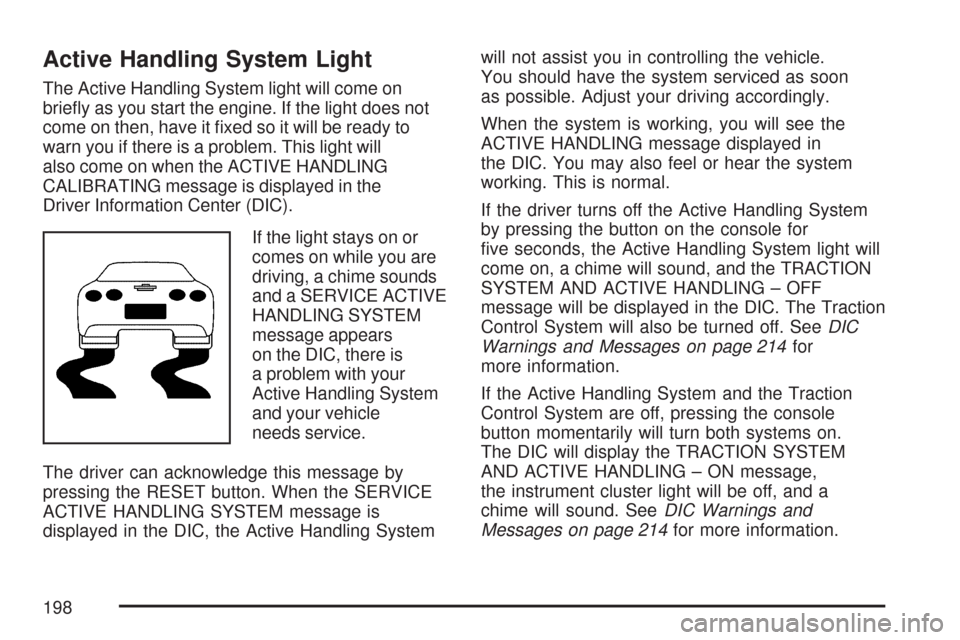
Active Handling System Light
The Active Handling System light will come on
briey as you start the engine. If the light does not
come on then, have it xed so it will be ready to
warn you if there is a problem. This light will
also come on when the ACTIVE HANDLING
CALIBRATING message is displayed in the
Driver Information Center (DIC).
If the light stays on or
comes on while you are
driving, a chime sounds
and a SERVICE ACTIVE
HANDLING SYSTEM
message appears
on the DIC, there is
a problem with your
Active Handling System
and your vehicle
needs service.
The driver can acknowledge this message by
pressing the RESET button. When the SERVICE
ACTIVE HANDLING SYSTEM message is
displayed in the DIC, the Active Handling Systemwill not assist you in controlling the vehicle.
You should have the system serviced as soon
as possible. Adjust your driving accordingly.
When the system is working, you will see the
ACTIVE HANDLING message displayed in
the DIC. You may also feel or hear the system
working. This is normal.
If the driver turns off the Active Handling System
by pressing the button on the console for
ve seconds, the Active Handling System light will
come on, a chime will sound, and the TRACTION
SYSTEM AND ACTIVE HANDLING – OFF
message will be displayed in the DIC. The Traction
Control System will also be turned off. SeeDIC
Warnings and Messages on page 214for
more information.
If the Active Handling System and the Traction
Control System are off, pressing the console
button momentarily will turn both systems on.
The DIC will display the TRACTION SYSTEM
AND ACTIVE HANDLING – ON message,
the instrument cluster light will be off, and a
chime will sound. SeeDIC Warnings and
Messages on page 214for more information.
198
Page 199 of 488
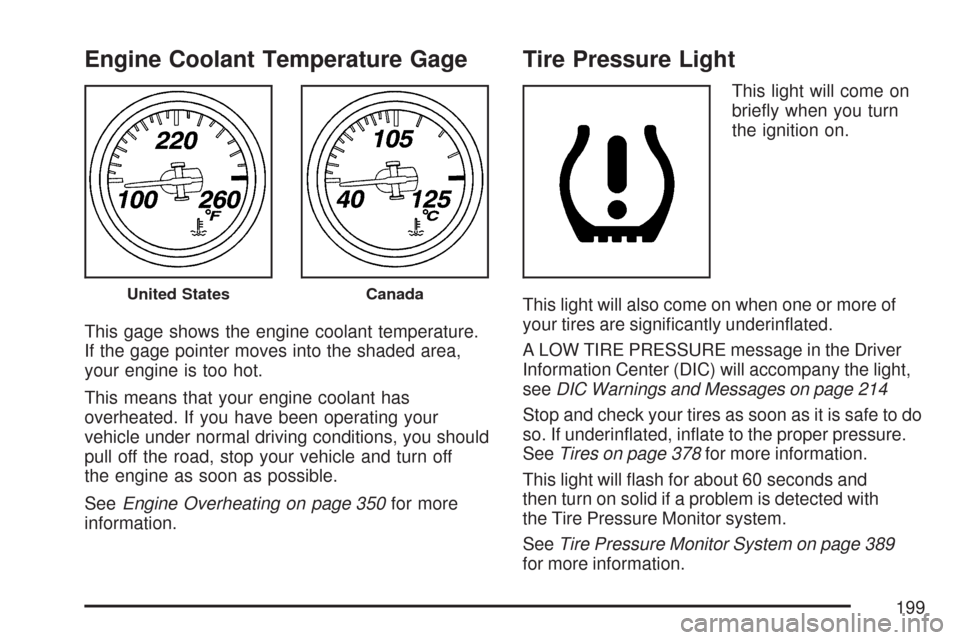
Engine Coolant Temperature Gage
This gage shows the engine coolant temperature.
If the gage pointer moves into the shaded area,
your engine is too hot.
This means that your engine coolant has
overheated. If you have been operating your
vehicle under normal driving conditions, you should
pull off the road, stop your vehicle and turn off
the engine as soon as possible.
SeeEngine Overheating on page 350for more
information.
Tire Pressure Light
This light will come on
briey when you turn
the ignition on.
This light will also come on when one or more of
your tires are signicantly underinated.
A LOW TIRE PRESSURE message in the Driver
Information Center (DIC) will accompany the light,
seeDIC Warnings and Messages on page 214
Stop and check your tires as soon as it is safe to do
so. If underinated, inate to the proper pressure.
SeeTires on page 378for more information.
This light will ash for about 60 seconds and
then turn on solid if a problem is detected with
the Tire Pressure Monitor system.
SeeTire Pressure Monitor System on page 389
for more information.
United StatesCanada
199
Page 207 of 488
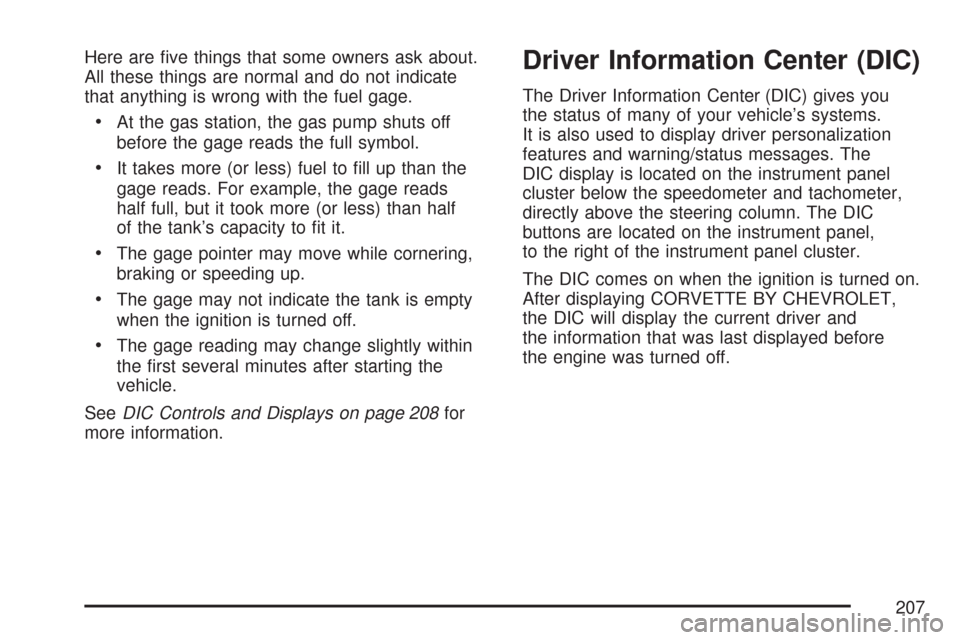
Here are ve things that some owners ask about.
All these things are normal and do not indicate
that anything is wrong with the fuel gage.
At the gas station, the gas pump shuts off
before the gage reads the full symbol.
It takes more (or less) fuel to ll up than the
gage reads. For example, the gage reads
half full, but it took more (or less) than half
of the tank’s capacity to t it.
The gage pointer may move while cornering,
braking or speeding up.
The gage may not indicate the tank is empty
when the ignition is turned off.
The gage reading may change slightly within
the rst several minutes after starting the
vehicle.
SeeDIC Controls and Displays on page 208for
more information.
Driver Information Center (DIC)
The Driver Information Center (DIC) gives you
the status of many of your vehicle’s systems.
It is also used to display driver personalization
features and warning/status messages. The
DIC display is located on the instrument panel
cluster below the speedometer and tachometer,
directly above the steering column. The DIC
buttons are located on the instrument panel,
to the right of the instrument panel cluster.
The DIC comes on when the ignition is turned on.
After displaying CORVETTE BY CHEVROLET,
the DIC will display the current driver and
the information that was last displayed before
the engine was turned off.
207
Page 217 of 488
CHANGE ENGINE OIL
This message displays when the life of the engine
oil has expired. SeeScheduled Maintenance on
page 433. After an oil change, the engine oil
life system must be reset. See “Engine Oil Life”
underDIC Controls and Displays on page 208.
Also, seeEngine Oil on page 333andEngine Oil
Life System on page 340for more information.
CHECK BRAKE FLUID
This message displays, a chime sounds, and the
brake system warning light on the instrument
panel cluster turns on if the ignition is on to inform
the driver that the brake uid level is low. See
Brake System Warning Light on page 196. Have
the brake system serviced by your dealer as
soon as possible. SeeBrakes on page 361.
CHECK COOLANT LEVEL
This message displays when the engine coolant
level is low. Have the cooling system serviced
by your dealer as soon as possible. SeeEngine
Coolant on page 347.
CHECK GAS CAP
This message displays if the fuel cap has not
been fully tightened. Check the fuel cap to make
sure that it is on properly. Once tightened, it takes
at least one overnight park to reset or clear this
message. If both the CHECK GAS CAP message
and the malfunction indicator lamp in the
instrument panel cluster are on, you may need to
see your dealer for service. SeeMalfunction
Indicator Lamp on page 200for more information.
CHECK OIL LEVEL
This message displays and two chimes sound if
the oil level in the vehicle is low. Once the vehicle
senses a change in the engine oil level, the
light remains off.
If this message appears after starting the engine,
the engine oil level may be too low. You may
need to add oil. SeeEngine Overheating on
page 350.
To acknowledge the message, press the RESET
button. The message reappears every 10 minutes
until this condition changes.
217
Page 225 of 488
SERVICE AIR CONDITIONING
This message displays when the electronic sensors
that control the air conditioning and heating
systems are no longer working. Have the climate
control system serviced by your dealer if you notice
a drop in heating and air conditioning efficiency.
SERVICE ANTILOCK BRAKES
If this message displays while you are driving, stop
as soon as possible and turn the ignition off. Then
start the engine again to reset the system. If the
message stays on, or comes back on again while
you are driving, your vehicle is in need of service.
See your dealer. If the anti-lock brake system (ABS)
warning light is on and the regular brake system
warning light is not on, you still have brakes, but do
not have ABS. If the regular brake system warning
light is also on, you do not have ABS and there is a
problem with the brakes. SeeAnti-Lock Brake
System Warning Light on page 197andBrake
System Warning Light on page 196.
If this message is displayed, the Traction Control
System (TCS) and the Active Handling System
will also be disabled. The DIC will scroll three
messages: SERVICE ANTILOCK BRAKES,
SERVICE TRACTION SYSTEM, and SERVICEACTIVE HANDLING, and the instrument panel
cluster lights will come on along with a chime.
When the service message is displayed, the
computer controlled systems will not assist the
driver. Have the system repaired by your dealer as
soon as possible. Adjust your driving accordingly.
To acknowledge these messages, press the
RESET button.SERVICE CHARGING SYSTEM
If this message displays while you are driving,
there may be a problem with the electrical charging
system. It could mean that there is a loose or
broken drive belt or that there is another electrical
problem. Have your vehicle checked right away
by your dealer. Driving while this message is
on could drain the battery.
If you must drive a short distance with the
message on, be certain to turn off the vehicle’s
accessories, such as the radio and air conditioner.
Multiple chimes sound when this message is
displayed.
To acknowledge the message, press the RESET
button. The message reappears every 10 minutes
until this condition changes.
225