warning CHEVROLET CORVETTE 2007 6.G Owner's Guide
[x] Cancel search | Manufacturer: CHEVROLET, Model Year: 2007, Model line: CORVETTE, Model: CHEVROLET CORVETTE 2007 6.GPages: 488, PDF Size: 2.62 MB
Page 210 of 488
Fuel Range:The range calculates the remaining
distance you can drive without refueling. It is
based on fuel economy and the fuel remaining in
the tank.
Press the fuel button again to display the range,
such as:
RANGE 30 MI or
RANGE 48 km
If the LOW FUEL warning is displayed or if
RANGE is less than 40 miles (64 km), the display
will read RANGE LOW.
The fuel economy data used to determine fuel
range is an average of recent driving conditions.
As your driving conditions change, this data is
gradually updated automatically.
If the vehicle has been idling for a long time, the
range displayed on the DIC could be abnormally
low. The vehicle must be driven 5–10 miles
(8–16 km) to get an accurate reading.
GAGES Button
The gages button displays oil pressure, oil
temperature, coolant temperature, transmission
uid temperature for automatic transmission
vehicles only, battery voltage, and tire pressure
information.
Oil Pressure:This display shows the oil pressure.
Press the gages button to display the oil
pressure, such as:
OIL PRESSURE 40 PSI or
OIL PRESSURE 276 kPa
Oil Temperature:This display shows the oil
temperature.
Press the gages button again to display the oil
temperature, such as:
OIL TEMPERATURE 234°F or
OIL TEMPERATURE 112°C
If the oil temperature is low, the display will
show OIL TEMPERATURE LOW. If the oil
temperature is high, the display will show OIL
TEMPERATURE HIGH.
210
Page 214 of 488
DIC Warnings and Messages
Messages are displayed on the DIC to notify the
driver that the status of the vehicle has changed
and that some action may be needed by the driver
to correct the condition. Multiple messages may
appear one after another. You can scroll through
the messages that may have been sent at the
same time. The DIC is continuously updated with
the vehicle performance status.
Some messages may not require immediate
action, but you can press the RESET button to
acknowledge that you received the messages and
to clear them from the display.
Some messages cannot be cleared from the DIC
display because they are more urgent. These
messages require action before they can be
cleared. You should take any messages that
appear on the display seriously and remember that
clearing the messages will only make the
messages disappear, not correct the problem.
The following are the possible messages that can
be displayed and some information about them.
ABS (Anti-lock Brake System) ACTIVE
This message displays when the Anti-lock
Brake System (ABS) is adjusting brake pressure
to help avoid a braking skid.
Slippery road conditions may exist if this message
is displayed, so adjust your driving accordingly.
The message stays on for a few seconds after the
system stops adjusting brake pressure. See
Anti-Lock Brake System (ABS) on page 279for
more information.
ACTIVE HANDLING
This message displays when the Active Handling
System is operating. The Active Handling
System is a computer controlled system that
assists the driver in controlling the vehicle
in difficult driving conditions. You may feel or hear
the system working and see the ACTIVE
HANDLING message displayed in the DIC. This
message stays on for a few seconds following the
active handling event. This is normal when the
system is operating. SeeActive Handling System
on page 283andBraking on page 278.
214
Page 217 of 488
CHANGE ENGINE OIL
This message displays when the life of the engine
oil has expired. SeeScheduled Maintenance on
page 433. After an oil change, the engine oil
life system must be reset. See “Engine Oil Life”
underDIC Controls and Displays on page 208.
Also, seeEngine Oil on page 333andEngine Oil
Life System on page 340for more information.
CHECK BRAKE FLUID
This message displays, a chime sounds, and the
brake system warning light on the instrument
panel cluster turns on if the ignition is on to inform
the driver that the brake uid level is low. See
Brake System Warning Light on page 196. Have
the brake system serviced by your dealer as
soon as possible. SeeBrakes on page 361.
CHECK COOLANT LEVEL
This message displays when the engine coolant
level is low. Have the cooling system serviced
by your dealer as soon as possible. SeeEngine
Coolant on page 347.
CHECK GAS CAP
This message displays if the fuel cap has not
been fully tightened. Check the fuel cap to make
sure that it is on properly. Once tightened, it takes
at least one overnight park to reset or clear this
message. If both the CHECK GAS CAP message
and the malfunction indicator lamp in the
instrument panel cluster are on, you may need to
see your dealer for service. SeeMalfunction
Indicator Lamp on page 200for more information.
CHECK OIL LEVEL
This message displays and two chimes sound if
the oil level in the vehicle is low. Once the vehicle
senses a change in the engine oil level, the
light remains off.
If this message appears after starting the engine,
the engine oil level may be too low. You may
need to add oil. SeeEngine Overheating on
page 350.
To acknowledge the message, press the RESET
button. The message reappears every 10 minutes
until this condition changes.
217
Page 225 of 488
SERVICE AIR CONDITIONING
This message displays when the electronic sensors
that control the air conditioning and heating
systems are no longer working. Have the climate
control system serviced by your dealer if you notice
a drop in heating and air conditioning efficiency.
SERVICE ANTILOCK BRAKES
If this message displays while you are driving, stop
as soon as possible and turn the ignition off. Then
start the engine again to reset the system. If the
message stays on, or comes back on again while
you are driving, your vehicle is in need of service.
See your dealer. If the anti-lock brake system (ABS)
warning light is on and the regular brake system
warning light is not on, you still have brakes, but do
not have ABS. If the regular brake system warning
light is also on, you do not have ABS and there is a
problem with the brakes. SeeAnti-Lock Brake
System Warning Light on page 197andBrake
System Warning Light on page 196.
If this message is displayed, the Traction Control
System (TCS) and the Active Handling System
will also be disabled. The DIC will scroll three
messages: SERVICE ANTILOCK BRAKES,
SERVICE TRACTION SYSTEM, and SERVICEACTIVE HANDLING, and the instrument panel
cluster lights will come on along with a chime.
When the service message is displayed, the
computer controlled systems will not assist the
driver. Have the system repaired by your dealer as
soon as possible. Adjust your driving accordingly.
To acknowledge these messages, press the
RESET button.SERVICE CHARGING SYSTEM
If this message displays while you are driving,
there may be a problem with the electrical charging
system. It could mean that there is a loose or
broken drive belt or that there is another electrical
problem. Have your vehicle checked right away
by your dealer. Driving while this message is
on could drain the battery.
If you must drive a short distance with the
message on, be certain to turn off the vehicle’s
accessories, such as the radio and air conditioner.
Multiple chimes sound when this message is
displayed.
To acknowledge the message, press the RESET
button. The message reappears every 10 minutes
until this condition changes.
225
Page 226 of 488
SERVICE ELECTRICAL SYSTEM
This message displays if an electrical problem has
occurred within the Powertrain Control Module
(PCM). Have your vehicle serviced by your dealer.
SERVICE FUEL SYSTEM
This message displays if the Powertrain Control
Module (PCM) has detected a problem within
the fuel system. Have your vehicle serviced
by your dealer. This message also displays when
the cluster is not getting fuel information from
the PCM.
SERVICE RIDE CONTROL
This message displays when the Selective Ride
Control system has detected a malfunction and
the system must be serviced. See your dealer.
If a fault is present in the Selective Ride Control
system which causes the shocks to be in their
full soft condition, the messages SERVICE RIDE
CONTROL, SHOCKS INOPERATIVE, and
MAXIMUM SPEED 80 MPH (129 km/h) will display
together. SeeSelective Ride Control on page 286
for more information.
SERVICE TIRE MONITOR
This message displays if a part on the Tire
Pressure Monitor (TPM) system is not working
properly. If you drive your vehicle while any of
the four sensors are missing or inoperable,
the warning comes on in about 30 minutes.
A sensor would be missing, for example, if you
put different wheels on your vehicle without
transferring the sensors. If the warning comes on
and stays on, there may be a problem with the
TPM. See your dealer.
SERVICE TRACTION SYSTEM
If this message displays when you are driving,
there is a problem with the Traction Control
System (TCS) and your vehicle is in need of
service. See your dealer. When this message is
displayed, the system will not limit wheel spin.
Adjust your driving accordingly.
The traction control system (TCS) warning light
on the instrument panel cluster will also turn
on and a chime will sound.
226
Page 228 of 488
SHIFT TO PARK
If your vehicle has an automatic transmission,
this message displays if the vehicle is not in
PARK (P) when the engine is being turned off.
The vehicle will be in Acc. Once the shift lever is
moved to PARK (P), the vehicle will turn off.
The vehicle will remain in Acc., without the
20 minute time-out period, until the shift lever is
moved to PARK (P) or until the driver presses the
pushbutton to restart the vehicle. SeeIgnition
Positions on page 90for more information.
SHIFT TO PARK OR SET PARK BRAKE
FOR TOP
If your vehicle has an automatic transmission, this
message displays and a chime sounds if you
try to operate the power convertible top without
rst shifting into PARK (P) or setting the parking
brake. Either shift the vehicle into PARK (P) or
set the parking brake before trying to operate the
power convertible top. SeeConvertible Top
(Manual) on page 139orConvertible Top (Power)
on page 146for more information.
SHOCKS INOPERATIVE
This message displays when a malfunction is
present in the Selective Ride Control system which
is causing the shocks to be in their full soft
mode. This is a warning to the driver that the
vehicle handling may be affected. Have your
vehicle serviced by your dealer as soon as
possible.
To acknowledge the message, press the RESET
button. The message reappears every 10 minutes
until this condition changes.
228
Page 231 of 488
TRACTION SYSTEM AND ACTIVE
HANDLING – ON
If the Traction Control System (TCS) and Active
Handling System are off, this message displays
briey, the instrument panel cluster light turns off,
and a chime sounds when the TCS and Active
Handling System are turned on by briey pressing
the Active Handling System button on the
console. SeeTraction Control System (TCS) on
page 281andActive Handling System on
page 283for more information.
TRACTION SYSTEM – OFF
This message displays and stays on, a single,
quick tone sounds, and the traction control system
(TCS) warning light on the instrument panel
cluster turns on when the TCS is turned off by
pressing the Active Handling System button on the
console. SeeTraction Control System (TCS)
Warning Light on page 197. SeeTraction Control
System (TCS) on page 281for more information.
To acknowledge the message, press the
RESET button.
TRACTION SYSTEM – ON
This message displays and a single, quick tone
sounds when the Traction Control System (TCS) is
turned on by pressing the Active Handling System
button on the console. This message automatically
clears from the DIC display on its own. SeeTraction
Control System (TCS) on page 281for more
information.
TRANSMISSION HOT IDLE ENGINE
This message displays and four chimes sound
if the transmission uid temperature rises above
270°F (132°C) or rises rapidly. The transmission
may shift gears or apply the torque converter
clutch to reduce the uid temperature. Driving
aggressively or driving on long hills can cause the
transmission uid temperature to be higher than
normal. If this message appears, you may continue
to drive at a slower speed. Monitor the transmission
uid temperature and allow it to cool to at least
230°F (110°C). The transmission uid temperature
can be monitored with the gages button on the DIC.
SeeDIC Controls and Displays on page 208and
Automatic Transmission Fluid on page 345. Also
check the engine coolant temperature. If it is also
hot, seeEngine Overheating on page 350.
231
Page 278 of 488
Control of a Vehicle
The following three systems help to control your
vehicle while driving — brakes, steering, and
accelerator. At times, as when driving on snow
or ice, it is easy to ask more of those control
systems than the tires and road can provide.
Meaning, you can lose control of your vehicle.
SeeTraction Control System (TCS) on page 281
andActive Handling System on page 283.
Adding non-dealer/non-retailer accessories
can affect your vehicle’s performance. See
Accessories and Modications on page 319.
Braking
SeeBrake System Warning Light on page 196.
Braking action involves perception time and
reaction time. First, you have to decide to push
on the brake pedal. That is perception time.
Then you have to bring up your foot and do it.
That is reaction time.Average reaction time is about three-fourths of a
second. But that is only an average. It might
be less with one driver and as long as two or
three seconds or more with another. Age, physical
condition, alertness, coordination, and eyesight
all play a part. So do alcohol, drugs, and
frustration. But even in three-fourths of a second,
a vehicle moving at 60 mph (100 km/h) travels
66 feet (20 m). That could be a lot of distance in an
emergency, so keeping enough space between
your vehicle and others is important.
And, of course, actual stopping distances vary
greatly with the surface of the road, whether it is
pavement or gravel; the condition of the road,
whether it is wet, dry, or icy; tire tread; the
condition of the brakes; the weight of the vehicle;
and the amount of brake force applied.
Avoid needless heavy braking. Some people drive
in spurts — heavy acceleration followed by heavy
braking — rather than keeping pace with traffic.
This is a mistake. The brakes might not have time
to cool between hard stops. The brakes will wear
out much faster if you do a lot of heavy braking.
278
Page 279 of 488
If you keep pace with the traffic and allow realistic
following distances, you will eliminate a lot of
unnecessary braking. That means better braking
and longer brake life.
If your vehicle’s engine ever stops while you are
driving, brake normally but do not pump the
brakes. If you do, the pedal could get harder to
push down. If the engine stops, you will still have
some power brake assist. But you will use it
when you brake. Once the power assist is used
up, it can take longer to stop and the brake pedal
will be harder to push.
Under certain weather or operating conditions,
occasional brake squeak, squeal, or other
noise might be heard with your vehicle’s
performance braking system. This brake system
is designed for superior fade resistance and
consistent operation using high performance
brake pads. Brake noise is normal and does
not affect system performance.
Adding non-dealer/non-retailer accessories
can affect your vehicle’s performance. See
Accessories and Modications on page 319.Anti-Lock Brake System (ABS)
Your vehicle has the Anti-Lock Brake
System (ABS), an advanced electronic braking
system that will help prevent a braking skid.
When you start the engine and begin to drive
away, ABS will check itself. You might hear
a momentary motor or clicking noise while this
test is going on, and you might even notice that
the brake pedal moves a little. This is normal.
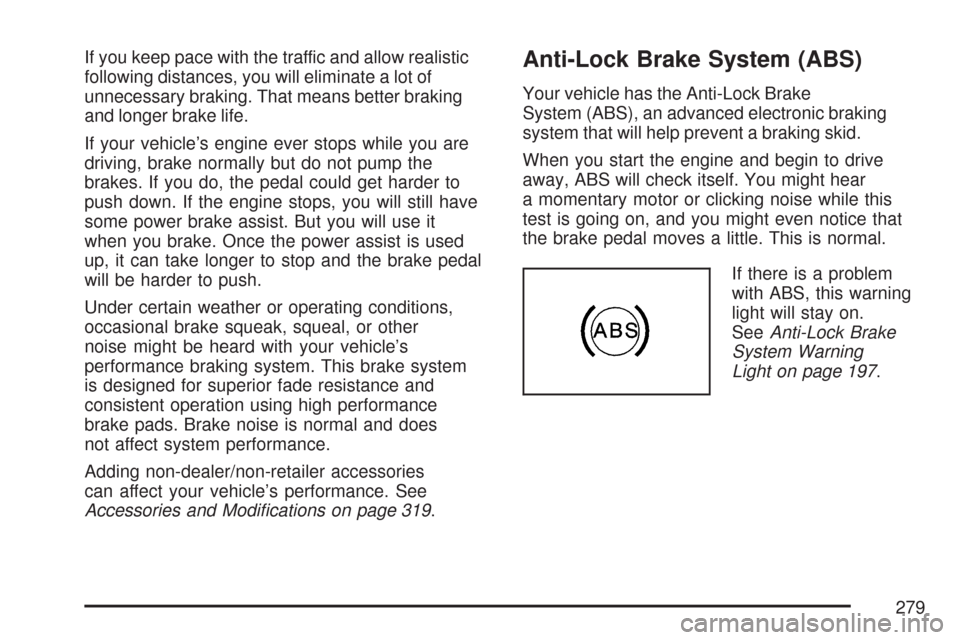
If there is a problem
with ABS, this warning
light will stay on.
SeeAnti-Lock Brake
System Warning
Light on page 197.
279
Page 281 of 488
Remember: ABS does not change the time you
need to get your foot up to the brake pedal
or always decrease stopping distance. If you get
too close to the vehicle in front of you, you will
not have time to apply the brakes if that vehicle
suddenly slows or stops. Always leave enough
room up ahead to stop, even though you
have ABS.
Using ABS
Do not pump the brakes. Just hold the brake
pedal down rmly and let anti-lock work for you.
You might hear a motor or clicking noise and
feel the brake pedal move a little during a stop,
but this is normal.
Braking in Emergencies
With ABS, you can steer and brake at the same
time. In many emergencies, steering can help you
more than even the very best braking.
Traction Control System (TCS)
Your vehicle has a traction control system called
TCS that limits wheel spin. This is especially useful
in slippery road conditions. The system operates
only if it senses that the rear wheels are spinning
too much or are beginning to lose traction.
When this happens, the system works the rear
brakes and reduces engine power (by closing the
throttle and managing engine spark) to limit
wheel spin.
The TRACTION SYSTEM ACTIVE message
displays on the Driver Information Center (DIC)
when the TCS system is limiting wheel spin.
SeeDIC Warnings and Messages on page 214.
You may feel or hear the system working,
but this is normal.
If your vehicle is in cruise control when the
TCS system begins to limit wheel spin, the cruise
control will automatically disengage. When
road conditions allow you to safely use it again,
you may re-engage the cruise control. See
Turn Signal/Multifunction Lever on page 160.
281