traction control CHEVROLET CORVETTE 2007 6.G Owners Manual
[x] Cancel search | Manufacturer: CHEVROLET, Model Year: 2007, Model line: CORVETTE, Model: CHEVROLET CORVETTE 2007 6.GPages: 488, PDF Size: 2.62 MB
Page 98 of 488
To use the system, shift from PARK (P) position
to SPORT MODE (S) while stopped and with the
engine running, or from DRIVE (D) with the vehicle
moving. When accelerating your vehicle from a stop
in snowy and icy conditions, you may want to shift
to second (2) or third (3) gear. A higher gear allows
you to gain more traction on slippery surfaces. If the
traction control is active, upshifts are delayed to
increase your control of the vehicle. SeeTraction
Control System (TCS) on page 281.
While the Manual Paddle Shift gear selection
system is active, the transmission will automatically
downshift through the gears as the vehicle slows.
The transmission will select second gear as the
vehicle stops. From a stop, the vehicle will start
from and hold second (2) gear unless the driver
manually paddle shifts into a different gear or
selects DRIVE (D). The driver can select rst (1)
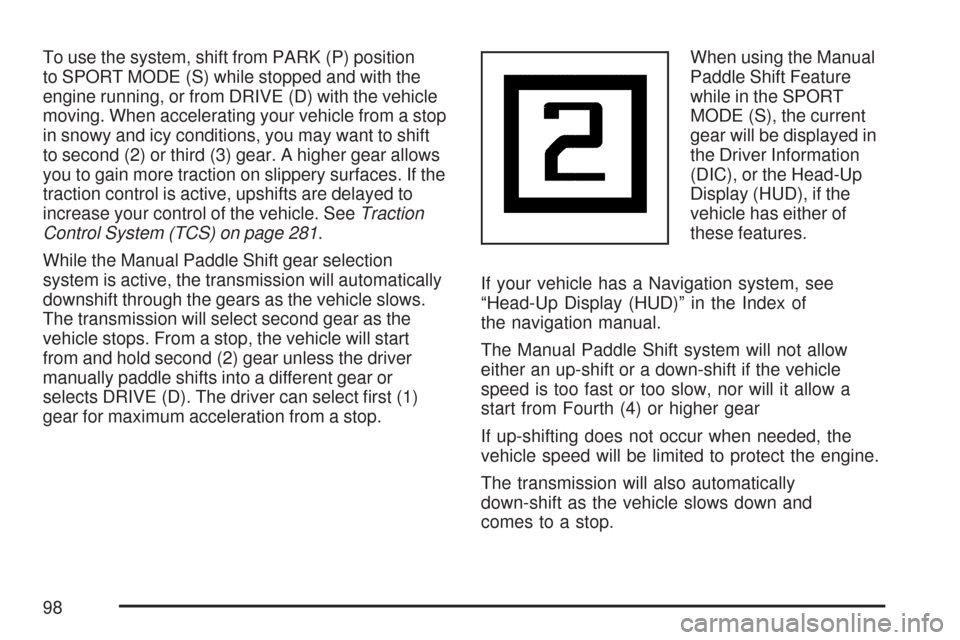
gear for maximum acceleration from a stop.When using the Manual
Paddle Shift Feature
while in the SPORT
MODE (S), the current
gear will be displayed in
the Driver Information
(DIC), or the Head-Up
Display (HUD), if the
vehicle has either of
these features.
If your vehicle has a Navigation system, see
“Head-Up Display (HUD)” in the Index of
the navigation manual.
The Manual Paddle Shift system will not allow
either an up-shift or a down-shift if the vehicle
speed is too fast or too slow, nor will it allow a
start from Fourth (4) or higher gear
If up-shifting does not occur when needed, the
vehicle speed will be limited to protect the engine.
The transmission will also automatically
down-shift as the vehicle slows down and
comes to a stop.
98
Page 153 of 488
Instrument Panel Overview........................ 156
Hazard Warning Flashers.......................... 158
Other Warning Devices............................. 159
Horn.......................................................... 159
Tilt Wheel.................................................. 159
Turn Signal/Multifunction Lever.................. 160
Turn and Lane-Change Signals
(Auto Signal).......................................... 161
Headlamp High/Low-Beam Changer.......... 162
Flash-to-Pass............................................ 162
Windshield Wipers..................................... 162
Windshield Washer.................................... 163
Cruise Control........................................... 164
Exterior Lamps.......................................... 168
Wiper Activated Headlamps....................... 169
Headlamps on Reminder........................... 169
Daytime Running Lamps (DRL)................. 169
Fog Lamps................................................ 171
Twilight Sentinel
®...................................... 171
Exterior Lighting Battery Saver.................. 172
Instrument Panel Brightness...................... 172
Courtesy Lamps........................................ 173
Entry/Exit Lighting...................................... 173
Reading Lamps......................................... 173
Battery Run-Down Protection..................... 173Head-Up Display (HUD)............................ 174
Accessory Power Outlet(s)........................ 178
Ashtray(s) and Cigarette Lighter................ 179
Climate Controls......................................... 179
Dual Automatic Climate Control System.... 179
Outlet Adjustment...................................... 186
Passenger Compartment Air Filter............. 186
Warning Lights, Gages, and Indicators..... 188
Instrument Panel Cluster........................... 189
Speedometer and Odometer...................... 190
Tachometer............................................... 190
Safety Belt Reminder Light........................ 190
Airbag Readiness Light............................. 191
Passenger Airbag Status Indicator............. 192
Voltmeter Gage......................................... 194
One-to-Four Shift Light
(Manual Transmission)........................... 195
Brake System Warning Light..................... 196
Anti-Lock Brake System Warning Light...... 197
Traction Control System (TCS)
Warning Light........................................ 197
Active Handling System Light.................... 198
Engine Coolant Temperature Gage............ 199
Section 3 Instrument Panel
153
Page 164 of 488
Cruise Control
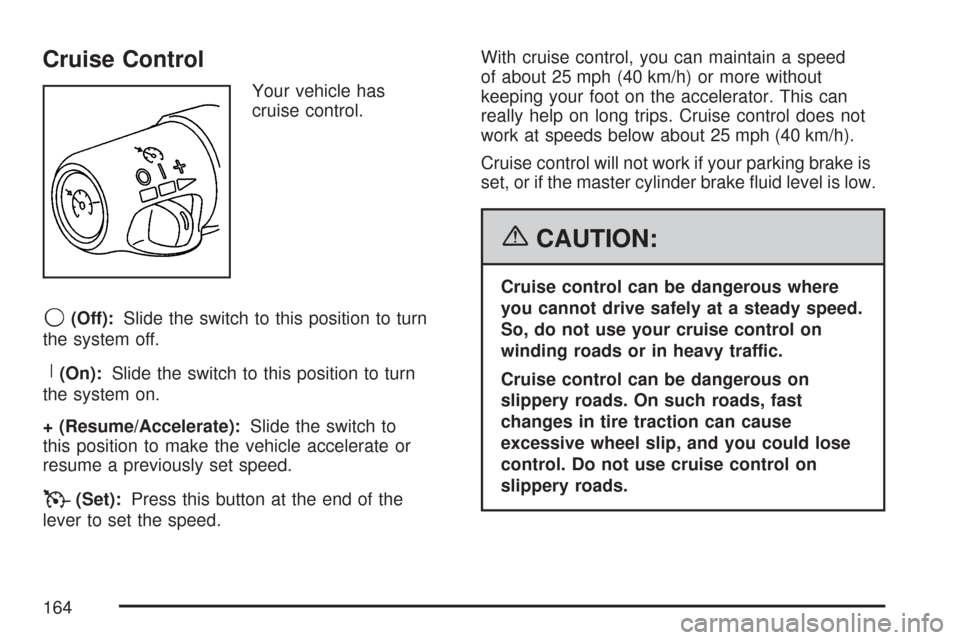
Your vehicle has
cruise control.
9(Off):Slide the switch to this position to turn
the system off.
R(On):Slide the switch to this position to turn
the system on.
+ (Resume/Accelerate):Slide the switch to
this position to make the vehicle accelerate or
resume a previously set speed.
T(Set):Press this button at the end of the
lever to set the speed.With cruise control, you can maintain a speed
of about 25 mph (40 km/h) or more without
keeping your foot on the accelerator. This can
really help on long trips. Cruise control does not
work at speeds below about 25 mph (40 km/h).
Cruise control will not work if your parking brake is
set, or if the master cylinder brake uid level is low.
{CAUTION:
Cruise control can be dangerous where
you cannot drive safely at a steady speed.
So, do not use your cruise control on
winding roads or in heavy traffic.
Cruise control can be dangerous on
slippery roads. On such roads, fast
changes in tire traction can cause
excessive wheel slip, and you could lose
control. Do not use cruise control on
slippery roads.
164
Page 165 of 488
If your vehicle is in cruise control, and has the
Traction Control System (TCS), and it begins to
limit wheel spin, the cruise control automatically
disengages. SeeTraction Control System
(TCS) on page 281. When road conditions allow
you to safely use it again, you can turn cruise
control back on.
Setting Cruise Control
{CAUTION:
If you leave your cruise control on when
you are not using cruise, you might hit a
button and go into cruise when you do not
want to. You could be startled and even
lose control. Keep the cruise control switch
off until you want to use cruise control.
1. Move the cruise control switch to on.
2. Get up to the speed desired.
3. Press in the set button at the end of the lever
and release it.
4. Take your foot off the accelerator pedal.When the cruise control is engaged, the
CRUISE SET TO XX MPH message displays
on the Driver Information Center (DIC).
SeeOther Messages on page 232.
Resuming a Set Speed
Suppose you set your cruise control at a desired
speed and then you apply the brake. This, of
course, disengages the cruise control. But you
do not need to reset it.
Once you are going about 25 mph (40 km/h) or
more, you can move the cruise control switch
briey from on to resume/accelerate.
You will go right back up to your chosen speed
and stay there.
If you hold the switch at resume/accelerate the
vehicle keeps going faster until you release
the switch or apply the brake. Do not hold the
switch at resume/accelerate, unless you want
the vehicle to go faster.
165
Page 197 of 488
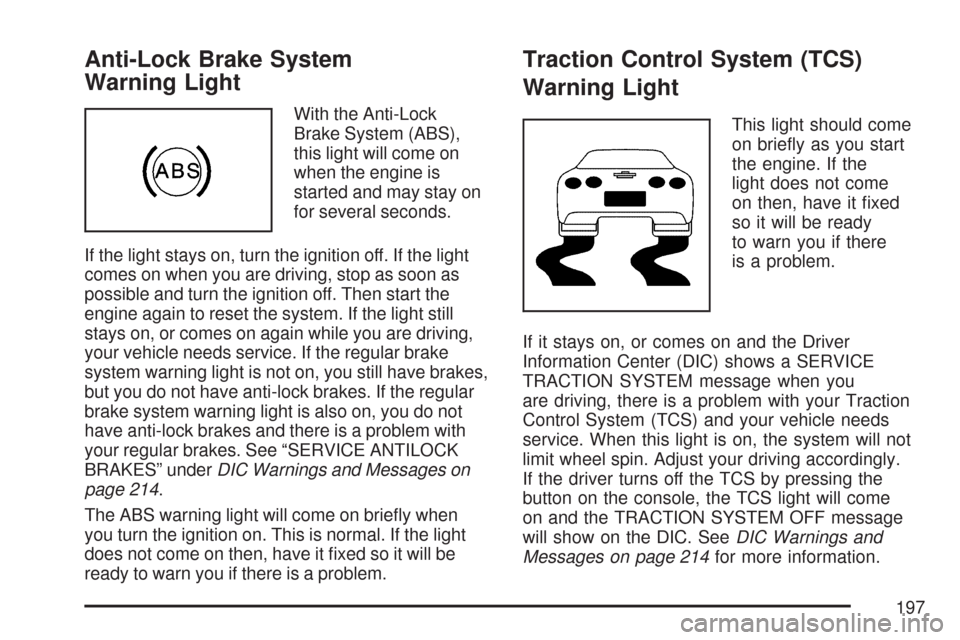
Anti-Lock Brake System
Warning Light
With the Anti-Lock
Brake System (ABS),
this light will come on
when the engine is
started and may stay on
for several seconds.
If the light stays on, turn the ignition off. If the light
comes on when you are driving, stop as soon as
possible and turn the ignition off. Then start the
engine again to reset the system. If the light still
stays on, or comes on again while you are driving,
your vehicle needs service. If the regular brake
system warning light is not on, you still have brakes,
but you do not have anti-lock brakes. If the regular
brake system warning light is also on, you do not
have anti-lock brakes and there is a problem with
your regular brakes. See “SERVICE ANTILOCK
BRAKES” underDIC Warnings and Messages on
page 214.
The ABS warning light will come on briey when
you turn the ignition on. This is normal. If the light
does not come on then, have it xed so it will be
ready to warn you if there is a problem.
Traction Control System (TCS)
Warning Light
This light should come
on briey as you start
the engine. If the
light does not come
on then, have it xed
so it will be ready
to warn you if there
is a problem.
If it stays on, or comes on and the Driver
Information Center (DIC) shows a SERVICE
TRACTION SYSTEM message when you
are driving, there is a problem with your Traction
Control System (TCS) and your vehicle needs
service. When this light is on, the system will not
limit wheel spin. Adjust your driving accordingly.
If the driver turns off the TCS by pressing the
button on the console, the TCS light will come
on and the TRACTION SYSTEM OFF message
will show on the DIC. SeeDIC Warnings and
Messages on page 214for more information.
197
Page 198 of 488
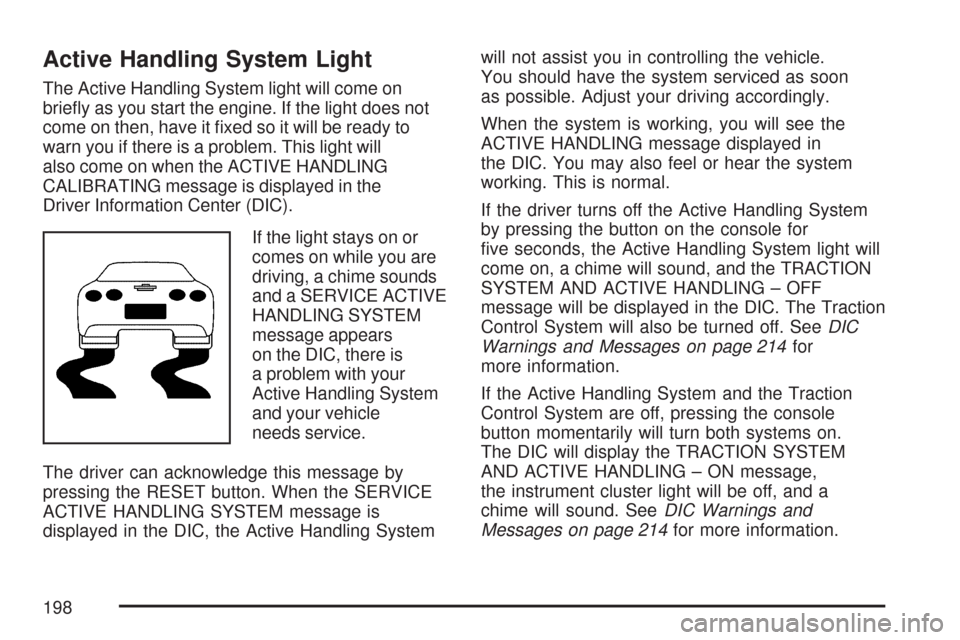
Active Handling System Light
The Active Handling System light will come on
briey as you start the engine. If the light does not
come on then, have it xed so it will be ready to
warn you if there is a problem. This light will
also come on when the ACTIVE HANDLING
CALIBRATING message is displayed in the
Driver Information Center (DIC).
If the light stays on or
comes on while you are
driving, a chime sounds
and a SERVICE ACTIVE
HANDLING SYSTEM
message appears
on the DIC, there is
a problem with your
Active Handling System
and your vehicle
needs service.
The driver can acknowledge this message by
pressing the RESET button. When the SERVICE
ACTIVE HANDLING SYSTEM message is
displayed in the DIC, the Active Handling Systemwill not assist you in controlling the vehicle.
You should have the system serviced as soon
as possible. Adjust your driving accordingly.
When the system is working, you will see the
ACTIVE HANDLING message displayed in
the DIC. You may also feel or hear the system
working. This is normal.
If the driver turns off the Active Handling System
by pressing the button on the console for
ve seconds, the Active Handling System light will
come on, a chime will sound, and the TRACTION
SYSTEM AND ACTIVE HANDLING – OFF
message will be displayed in the DIC. The Traction
Control System will also be turned off. SeeDIC
Warnings and Messages on page 214for
more information.
If the Active Handling System and the Traction
Control System are off, pressing the console
button momentarily will turn both systems on.
The DIC will display the TRACTION SYSTEM
AND ACTIVE HANDLING – ON message,
the instrument cluster light will be off, and a
chime will sound. SeeDIC Warnings and
Messages on page 214for more information.
198
Page 218 of 488
CLOSE TRUNK TO MOVE TOP
This message displays and a chime sounds if the
trunk is open while you are trying to operate
the convertible top. Make sure the trunk is closed
before operating the convertible top. See
Convertible Top (Manual) on page 139or
Convertible Top (Power) on page 146.
COMPETITIVE DRIVING MODE
This message displays and a short chime sounds
when the Competitive Driving mode is selected.
The instrument panel cluster light will not be
on when the Competitive Driving mode is selected.
The Traction Control System (TCS) will not be
operating while in the Competitive Driving mode.
Adjust your driving accordingly. SeeRacing or
Other Competitive Driving on page 292for more
information.
COOLANT OVER TEMPERATURE
This message displays and a chime sounds if the
engine coolant exceeds 255°F (124°C). If you have
been operating your vehicle under normal driving
conditions, pull off the road, stop your vehicle, and
turn off the engine as soon as possible.
You can monitor the coolant temperature with the
gages button on the DIC or the engine coolant
temperature gage on the instrument panel cluster.
SeeEngine Overheating on page 350,DIC
Controls and Displays on page 208, andEngine
Coolant Temperature Gage on page 199.
To acknowledge the message, press the RESET
button. The message reappears and a chime
sounds every minute until this condition changes.
If you do not press the RESET button, the
message remains on until the condition changes.
CRUISE DISENGAGED
This message displays briey when you disengage
the cruise control system by stepping on the brake
on an automatic transmission vehicle or the clutch
on a manual transmission vehicle, or by turning off
the cruise control switch. SeeCruise Control on
page 164for more information.
218
Page 225 of 488
SERVICE AIR CONDITIONING
This message displays when the electronic sensors
that control the air conditioning and heating
systems are no longer working. Have the climate
control system serviced by your dealer if you notice
a drop in heating and air conditioning efficiency.
SERVICE ANTILOCK BRAKES
If this message displays while you are driving, stop
as soon as possible and turn the ignition off. Then
start the engine again to reset the system. If the
message stays on, or comes back on again while
you are driving, your vehicle is in need of service.
See your dealer. If the anti-lock brake system (ABS)
warning light is on and the regular brake system
warning light is not on, you still have brakes, but do
not have ABS. If the regular brake system warning
light is also on, you do not have ABS and there is a
problem with the brakes. SeeAnti-Lock Brake
System Warning Light on page 197andBrake
System Warning Light on page 196.
If this message is displayed, the Traction Control
System (TCS) and the Active Handling System
will also be disabled. The DIC will scroll three
messages: SERVICE ANTILOCK BRAKES,
SERVICE TRACTION SYSTEM, and SERVICEACTIVE HANDLING, and the instrument panel
cluster lights will come on along with a chime.
When the service message is displayed, the
computer controlled systems will not assist the
driver. Have the system repaired by your dealer as
soon as possible. Adjust your driving accordingly.
To acknowledge these messages, press the
RESET button.SERVICE CHARGING SYSTEM
If this message displays while you are driving,
there may be a problem with the electrical charging
system. It could mean that there is a loose or
broken drive belt or that there is another electrical
problem. Have your vehicle checked right away
by your dealer. Driving while this message is
on could drain the battery.
If you must drive a short distance with the
message on, be certain to turn off the vehicle’s
accessories, such as the radio and air conditioner.
Multiple chimes sound when this message is
displayed.
To acknowledge the message, press the RESET
button. The message reappears every 10 minutes
until this condition changes.
225
Page 226 of 488
SERVICE ELECTRICAL SYSTEM
This message displays if an electrical problem has
occurred within the Powertrain Control Module
(PCM). Have your vehicle serviced by your dealer.
SERVICE FUEL SYSTEM
This message displays if the Powertrain Control
Module (PCM) has detected a problem within
the fuel system. Have your vehicle serviced
by your dealer. This message also displays when
the cluster is not getting fuel information from
the PCM.
SERVICE RIDE CONTROL
This message displays when the Selective Ride
Control system has detected a malfunction and
the system must be serviced. See your dealer.
If a fault is present in the Selective Ride Control
system which causes the shocks to be in their
full soft condition, the messages SERVICE RIDE
CONTROL, SHOCKS INOPERATIVE, and
MAXIMUM SPEED 80 MPH (129 km/h) will display
together. SeeSelective Ride Control on page 286
for more information.
SERVICE TIRE MONITOR
This message displays if a part on the Tire
Pressure Monitor (TPM) system is not working
properly. If you drive your vehicle while any of
the four sensors are missing or inoperable,
the warning comes on in about 30 minutes.
A sensor would be missing, for example, if you
put different wheels on your vehicle without
transferring the sensors. If the warning comes on
and stays on, there may be a problem with the
TPM. See your dealer.
SERVICE TRACTION SYSTEM
If this message displays when you are driving,
there is a problem with the Traction Control
System (TCS) and your vehicle is in need of
service. See your dealer. When this message is
displayed, the system will not limit wheel spin.
Adjust your driving accordingly.
The traction control system (TCS) warning light
on the instrument panel cluster will also turn
on and a chime will sound.
226
Page 227 of 488
When this message is displayed, the computer
controlled systems will not assist the driver
in controlling the vehicle. Have the system repaired
by your dealer as soon as possible. Adjust your
driving accordingly. SeeTraction Control System
(TCS) on page 281for more information.
To acknowledge the message, press the RESET
button.
SERVICE TRANSMISSION
This message displays when there is a problem
with the transmission. See your dealer for service.
SERVICE VEHICLE SOON
This message displays and a chime sounds when
there may be an electrical or another system
problem with your vehicle. Have your vehicle
checked by your dealer if this message keeps
appearing.
SET PARK BRAKE FOR SEAT RECALL
If your vehicle has a manual transmission,
this message displays if you try to recall the
memory positions when the ignition is on and
the parking brake is not set. If the vehicle is on,
you must set the parking brake in order for
the memory positions to recall. SeeMemory
Seat, Mirrors and Steering Wheel on page 10for
more information.
SET PARK BRAKE TO MOVE TOP
If your vehicle has a manual transmission, this
message displays and a chime sounds if you try to
operate the power convertible top without rst
setting the parking brake. Set the parking brake
before trying to operate the power convertible top.
SeeConvertible Top (Manual) on page 139or
Convertible Top (Power) on page 146for
more information.
227