audio CHEVROLET CORVETTE 2009 6.G Owner's Manual
[x] Cancel search | Manufacturer: CHEVROLET, Model Year: 2009, Model line: CORVETTE, Model: CHEVROLET CORVETTE 2009 6.GPages: 434, PDF Size: 2.53 MB
Page 239 of 434
Receiving a Call
When an incoming call is received, the audio system
mutes and a ring tone is heard in the vehicle.
Pressbgand begin speaking to answer the call.
Presscto ignore a call.
Call Waiting
Call waiting must be supported on the Bluetooth phone
and enabled by the wireless service carrier to work.
Pressbgto answer an incoming call when
another call is active. The original call is placed
on hold.
Pressbgagain to return to the original call.
To ignore the incoming call, continue with the
original call with no action.
Presscto disconnect the current call and switch
to the call on hold.
Three-Way Calling
Three-Way Calling must be supported on the Bluetooth
phone and enabled by the wireless service carrier
to work.
1. While on a call press
bg. The system responds
with “Ready” followed by a tone.
2. Say “Three-way call”. The system responds with
“Three-way call, please say dial or call”.
3. Use the dial or call command to dial the number of
the third party to be called.
4. Once the call is connected, press
bgto link all
the callers together.
Ending a Call
Presscto end a call.
Muting a Call
During a call, all sounds from inside the vehicle can be
muted so that the person on the other end of the
call cannot hear them.
3-103
Page 240 of 434
To Mute a call
1. Pressbg. The system responds with “Ready”
followed by a tone.
2. Say “Mute Call”. The system responds with
“Call muted”.
To Cancel Mute
1. Pressbg. The system responds with “Ready”
followed by a tone.
2. After the tone, say “Mute Call”. The system
responds with “Resuming call”.
Transferring a Call
Audio can be transferred between the in-vehicle
Bluetooth system and the cell phone.
To Transfer Audio to the Cell Phone
During a call with the audio in the vehicle:
1. Press
bg. The system responds with “Ready”
followed by a tone.
2. Say “Transfer Call.” The system responds with
“Transferring call” and the audio will switch from
the vehicle to the cell phone.
To Transfer Audio to the In-Vehicle
Bluetooth System
The cellular phone must be paired and connected with
the Bluetooth system before a call can be transferred.
The connection process can take up to two minutes after
the key is turned to the ON/RUN or ACC/ACCESSORY
position.
During a call with the audio on the cell phone,
press
bgfor more than two seconds. The audio
switches from the cell phone to the vehicle.
Voice Pass-Thru
Voice Pass-Thru allows access to the voice recognition
commands on the cell phone. See the cell phone
manufacturers user guide to see if the cell phone
supports this feature. This feature can be used to
verbally access contacts stored in the cell phone.
1. Press and hold
bgfor two seconds. The system
responds with “Ready” followed by a tone.
2. Say “Bluetooth”. The system responds with
“Bluetooth ready” followed by a tone.
3. Say “Voice”. The system responds with “OK,
accessing
The cell phone’s normal prompt messages will
go through its cycle according to the phone’s
operating instructions.
3-104
Page 242 of 434
Other Information
The Bluetooth®word mark and logos are owned by the
Bluetooth®SIG, Inc. and any use of such marks by
General Motors is under license. Other trademarks and
trade names are those of their respective owners.
This device complies with Part 15 of the FCC Rules.
Operation is subject to the following two conditions:
1. This device may not cause harmful interference.
2. This device must accept any interference received,
including interference that may cause undesired
operation.
This device complies with RSS-210 of Industry Canada.
Operation is subject to the following two conditions:
1. This device may not cause interference.
2. This device must accept any interference received,
including interference that may cause undesired
operation of the device.
Changes or modications to this system by other than
an authorized service facility could void authorization to
use this equipment.
Theft-Deterrent Feature
THEFTLOCK®is designed to discourage theft of the
vehicle’s radio by learning a portion of the Vehicle
Identication Number (VIN). The radio does not operate
and LOCKED displays if the radio is stolen or moved
to a different vehicle.
When the when the ignition is in the off position, a
blinking red light on the upper left side of the radio
indicates that THEFTLOCK
®is armed.
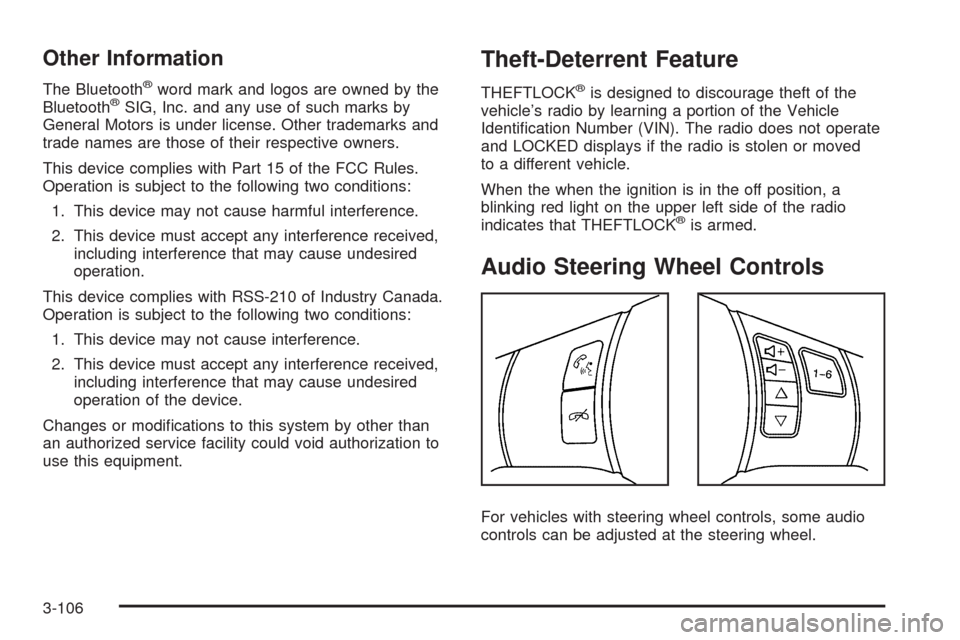
Audio Steering Wheel Controls
For vehicles with steering wheel controls, some audio
controls can be adjusted at the steering wheel.
3-106
Page 380 of 434
Fuse Usage
5 Stoplamps/Back-Up Lamps
6 Oxygen Sensor
7 Battery Main 5
8 Parking Lamps
9Powertrain Relay Input/Electronic
Throttle Control
10 Manual Transmission Solenoids
11 Antilock Braking System
12 Odd Numbered Fuel Injectors
13Electronic Suspension Control
(Option)
14Canister Purge Solenoid,
Mass Air Flow Sensor
15 Air Conditioner Compressor
16 Even Numbered Fuel Injectors
17 Windshield Washer
18 Headlamp Washer
19Passenger Side Low-Beam
Headlamp
20 Fuel PumpFuse Usage
21 Driver Side Low-Beam Headlamp
22 Front Fog Lamp
23Passenger Side High-Beam
Headlamp
24 Driver Side High-Beam Headlamp
56Engine Control Module (ECM)/
Transmission Control Module (TCM)/
Easy Key Module
J-Style Fuses Usage
25 Cooling Fan
26 Battery Main 3
27 Antilock Brake System
28Heating/Ventilation/Air Conditioning
Blower
29 Battery Main 2
30 Starter
31 Audio Amplier
32 Intercooler Pump
33 Battery Main 1
5-108
Page 422 of 434
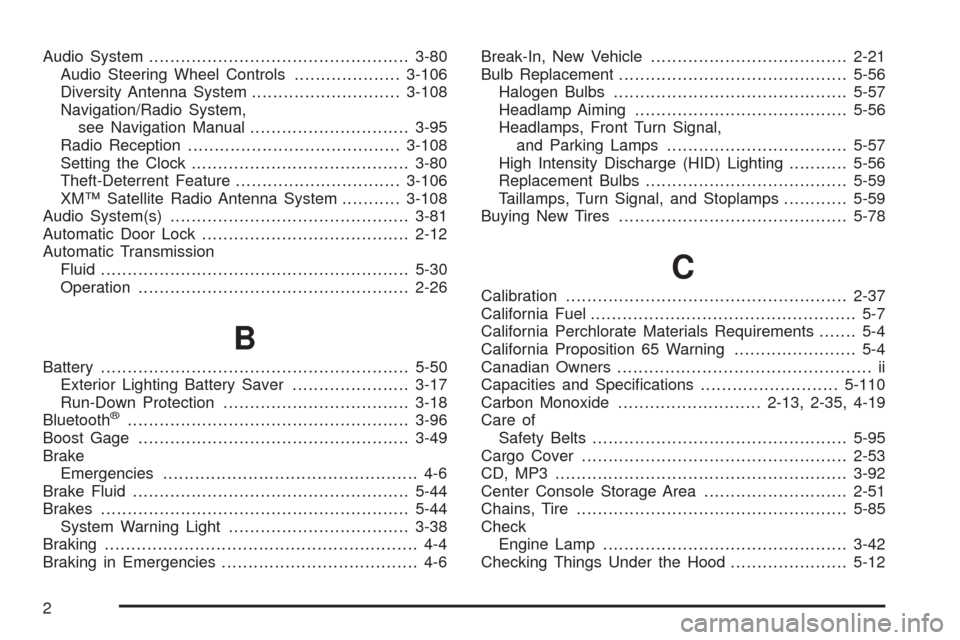
Audio System.................................................3-80
Audio Steering Wheel Controls....................3-106
Diversity Antenna System............................3-108
Navigation/Radio System,
see Navigation Manual..............................3-95
Radio Reception........................................3-108
Setting the Clock.........................................3-80
Theft-Deterrent Feature...............................3-106
XM™ Satellite Radio Antenna System...........3-108
Audio System(s).............................................3-81
Automatic Door Lock.......................................2-12
Automatic Transmission
Fluid..........................................................5-30
Operation...................................................2-26
B
Battery..........................................................5-50
Exterior Lighting Battery Saver......................3-17
Run-Down Protection...................................3-18
Bluetooth
®.....................................................3-96
Boost Gage...................................................3-49
Brake
Emergencies................................................ 4-6
Brake Fluid....................................................5-44
Brakes..........................................................5-44
System Warning Light..................................3-38
Braking........................................................... 4-4
Braking in Emergencies..................................... 4-6Break-In, New Vehicle.....................................2-21
Bulb Replacement...........................................5-56
Halogen Bulbs............................................5-57
Headlamp Aiming........................................5-56
Headlamps, Front Turn Signal,
and Parking Lamps..................................5-57
High Intensity Discharge (HID) Lighting...........5-56
Replacement Bulbs......................................5-59
Taillamps, Turn Signal, and Stoplamps............5-59
Buying New Tires...........................................5-78
C
Calibration.....................................................2-37
California Fuel.................................................. 5-7
California Perchlorate Materials Requirements....... 5-4
California Proposition 65 Warning....................... 5-4
Canadian Owners................................................ ii
Capacities and Specications..........................5-110
Carbon Monoxide...........................2-13, 2-35, 4-19
Care of
Safety Belts................................................5-95
Cargo Cover..................................................2-53
CD, MP3 .......................................................3-92
Center Console Storage Area...........................2-51
Chains, Tire...................................................5-85
Check
Engine Lamp..............................................3-42
Checking Things Under the Hood......................5-12
2
Page 431 of 434
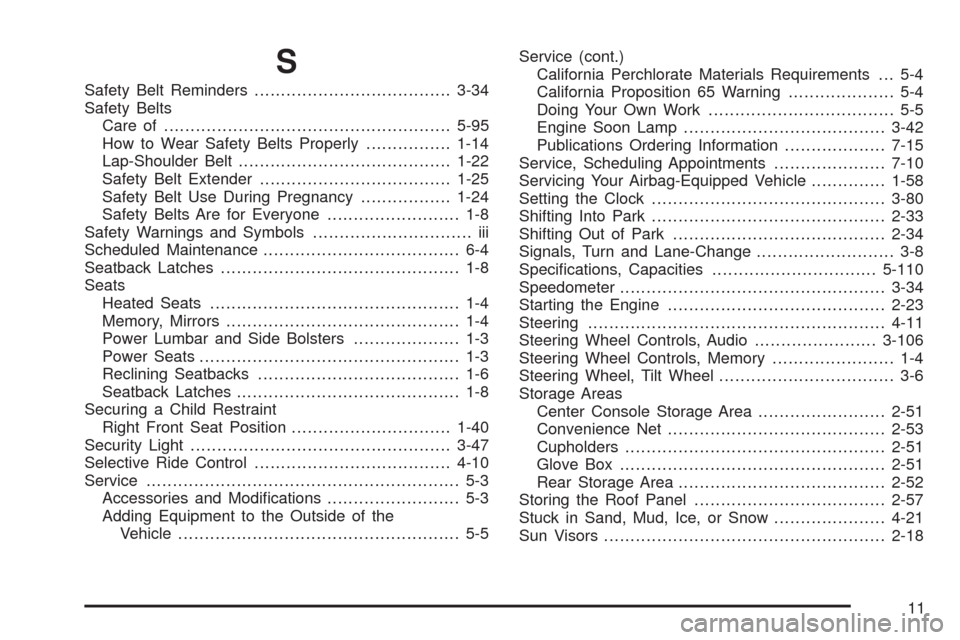
S
Safety Belt Reminders.....................................3-34
Safety Belts
Care of ......................................................5-95
How to Wear Safety Belts Properly................1-14
Lap-Shoulder Belt........................................1-22
Safety Belt Extender....................................1-25
Safety Belt Use During Pregnancy.................1-24
Safety Belts Are for Everyone......................... 1-8
Safety Warnings and Symbols.............................. iii
Scheduled Maintenance..................................... 6-4
Seatback Latches............................................. 1-8
Seats
Heated Seats............................................... 1-4
Memory, Mirrors............................................ 1-4
Power Lumbar and Side Bolsters.................... 1-3
Power Seats................................................. 1-3
Reclining Seatbacks...................................... 1-6
Seatback Latches.......................................... 1-8
Securing a Child Restraint
Right Front Seat Position..............................1-40
Security Light.................................................3-47
Selective Ride Control.....................................4-10
Service........................................................... 5-3
Accessories and Modications......................... 5-3
Adding Equipment to the Outside of the
Vehicle..................................................... 5-5Service (cont.)
California Perchlorate Materials Requirements . . . 5-4
California Proposition 65 Warning.................... 5-4
Doing Your Own Work................................... 5-5
Engine Soon Lamp......................................3-42
Publications Ordering Information...................7-15
Service, Scheduling Appointments.....................7-10
Servicing Your Airbag-Equipped Vehicle..............1-58
Setting the Clock............................................3-80
Shifting Into Park............................................2-33
Shifting Out of Park........................................2-34
Signals, Turn and Lane-Change.......................... 3-8
Specications, Capacities...............................5-110
Speedometer..................................................3-34
Starting the Engine.........................................2-23
Steering........................................................4-11
Steering Wheel Controls, Audio.......................3-106
Steering Wheel Controls, Memory....................... 1-4
Steering Wheel, Tilt Wheel................................. 3-6
Storage Areas
Center Console Storage Area........................2-51
Convenience Net.........................................2-53
Cupholders.................................................2-51
Glove Box..................................................2-51
Rear Storage Area.......................................2-52
Storing the Roof Panel....................................2-57
Stuck in Sand, Mud, Ice, or Snow.....................4-21
Sun Visors.....................................................2-18
11