buttons CHEVROLET CORVETTE 2009 6.G Owners Manual
[x] Cancel search | Manufacturer: CHEVROLET, Model Year: 2009, Model line: CORVETTE, Model: CHEVROLET CORVETTE 2009 6.GPages: 434, PDF Size: 2.53 MB
Page 8 of 434
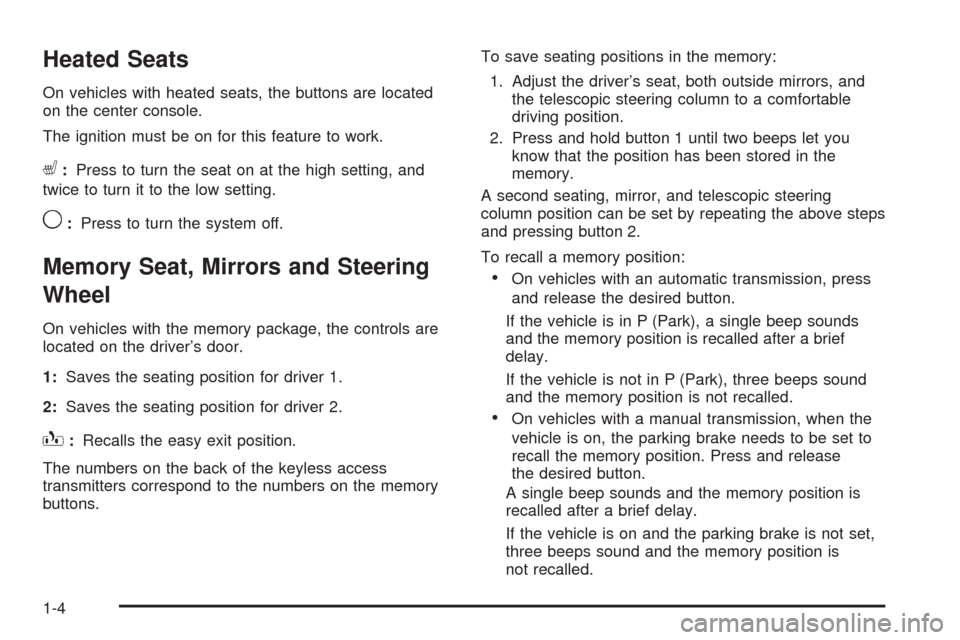
Heated Seats
On vehicles with heated seats, the buttons are located
on the center console.
The ignition must be on for this feature to work.
L:Press to turn the seat on at the high setting, and
twice to turn it to the low setting.
9:Press to turn the system off.
Memory Seat, Mirrors and Steering
Wheel
On vehicles with the memory package, the controls are
located on the driver’s door.
1:Saves the seating position for driver 1.
2:Saves the seating position for driver 2.
B:Recalls the easy exit position.
The numbers on the back of the keyless access
transmitters correspond to the numbers on the memory
buttons.To save seating positions in the memory:
1. Adjust the driver’s seat, both outside mirrors, and
the telescopic steering column to a comfortable
driving position.
2. Press and hold button 1 until two beeps let you
know that the position has been stored in the
memory.
A second seating, mirror, and telescopic steering
column position can be set by repeating the above steps
and pressing button 2.
To recall a memory position:
On vehicles with an automatic transmission, press
and release the desired button.
If the vehicle is in P (Park), a single beep sounds
and the memory position is recalled after a brief
delay.
If the vehicle is not in P (Park), three beeps sound
and the memory position is not recalled.
On vehicles with a manual transmission, when the
vehicle is on, the parking brake needs to be set to
recall the memory position. Press and release
the desired button.
A single beep sounds and the memory position is
recalled after a brief delay.
If the vehicle is on and the parking brake is not set,
three beeps sound and the memory position is
not recalled.
1-4
Page 9 of 434
For vehicles with the Auto Memory Recall, see “Auto
Memory Recall” underDIC Vehicle Personalization
on page 3-71for more information.
To stop recall movement of the memory feature, press
one of the power seat controls, power mirror or
memory buttons, or the telescopic steering column
switch.
Easy Exit Seat
B
(Easy Exit Seat):This button is used to program
and recall the desired driver’s seat exit position.
To program an exit position:
1. Recall the desired driving position by pressing
button 1.
2. Adjust the seat and the telescopic steering column
position to a comfortable exit position.
3. Press and hold the exit button until two beeps
sound to let you know that the exit position is
now programmed.A second exit position can be programmed by repeating
the above steps and pressing button 2.
To recall an exit position:
On vehicles with an automatic transmission, the
vehicle needs to be in (P) Park.
On vehicles with a manual transmission, the
parking brake must be set.
B:Press to recall an exit position.
One beep will sound and the exit position for the
currently identied driver will be recalled.
For vehicles with the Auto Exit Recall, see “Auto Exit
Recall” underDIC Vehicle Personalization on page 3-71
for more information.
1-5
Page 73 of 434
Programming Transmitters to the
Vehicle
Only keyless access transmitters programmed to
this vehicle will work. If a transmitter is lost or stolen,
a replacement can be purchased and programmed
through your dealer/retailer. The vehicle can be
reprogrammed so that lost or stolen transmitters
no longer work. Each vehicle can have up to four
transmitters programmed to it.
Programming with a Recognized
Transmitter
A new transmitter can be programmed to the vehicle
when there is one recognized transmitter. For vehicles
sold in Canada, two recognized transmitters are required
to program a new transmitter.
1. The vehicle must be off.
2. Both the recognized and new transmitters must be
with you.
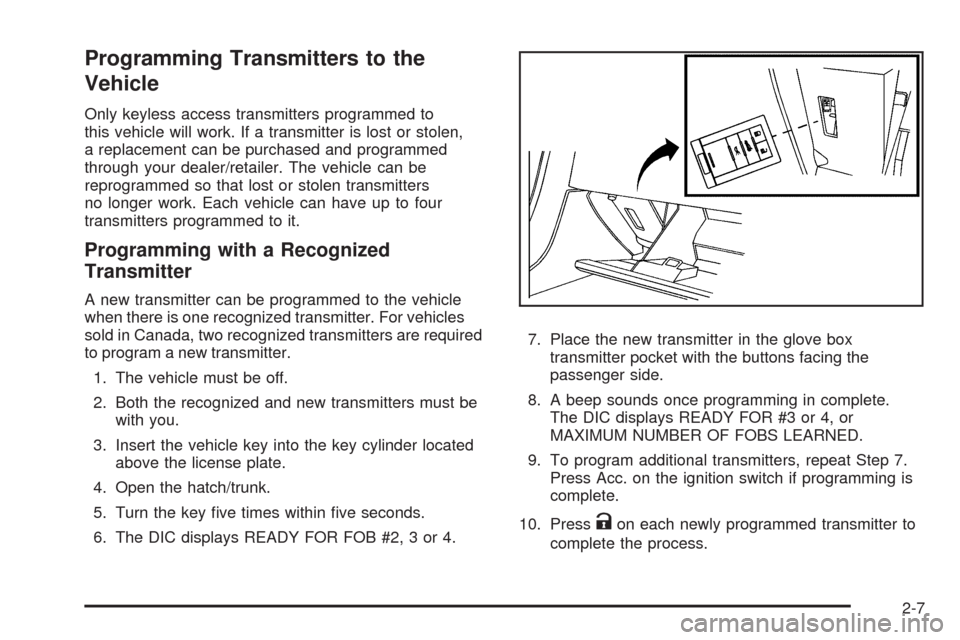
3. Insert the vehicle key into the key cylinder located
above the license plate.
4. Open the hatch/trunk.
5. Turn the key ve times within ve seconds.
6. The DIC displays READY FOR FOB #2, 3 or 4.7. Place the new transmitter in the glove box
transmitter pocket with the buttons facing the
passenger side.
8. A beep sounds once programming in complete.
The DIC displays READY FOR #3 or 4, or
MAXIMUM NUMBER OF FOBS LEARNED.
9. To program additional transmitters, repeat Step 7.
Press Acc. on the ignition switch if programming is
complete.
10. Press
Kon each newly programmed transmitter to
complete the process.
2-7
Page 74 of 434
Programming without a Recognized
Transmitter
This procedure requires three ten minutes cycles
to complete the programming process. United States
owners are permitted to program a new transmitter
to their vehicle when a recognized transmitter is not
available. The Canadian immobilizer standard requires
that Canadian owners see their dealer/retailer for
programming new transmitters when two recognized
transmitters are not available.
1. The vehicle must be off.
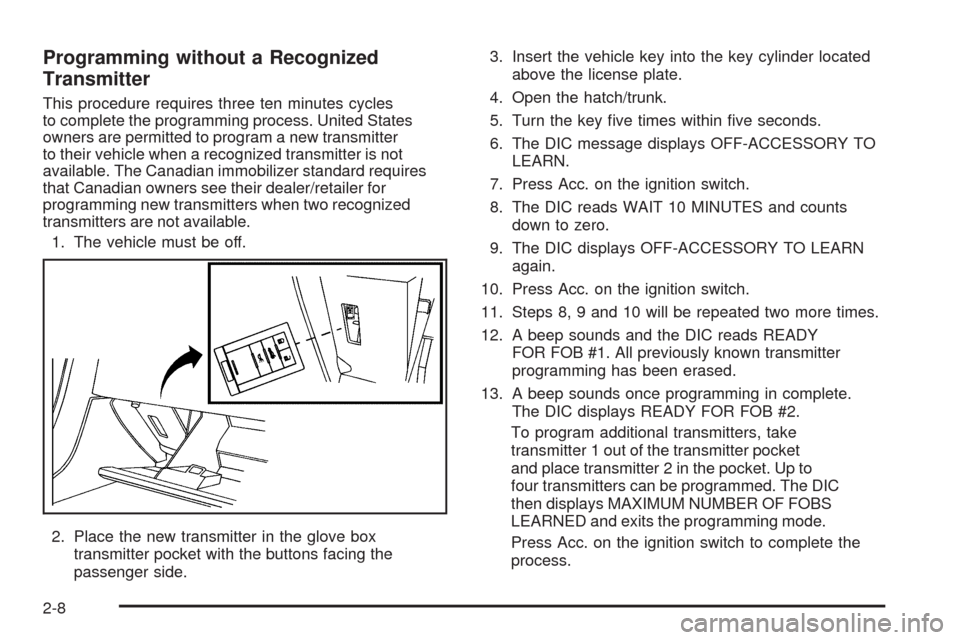
2. Place the new transmitter in the glove box
transmitter pocket with the buttons facing the
passenger side.3. Insert the vehicle key into the key cylinder located
above the license plate.
4. Open the hatch/trunk.
5. Turn the key ve times within ve seconds.
6. The DIC message displays OFF-ACCESSORY TO
LEARN.
7. Press Acc. on the ignition switch.
8. The DIC reads WAIT 10 MINUTES and counts
down to zero.
9. The DIC displays OFF-ACCESSORY TO LEARN
again.
10. Press Acc. on the ignition switch.
11. Steps 8, 9 and 10 will be repeated two more times.
12. A beep sounds and the DIC reads READY
FOR FOB #1. All previously known transmitter
programming has been erased.
13. A beep sounds once programming in complete.
The DIC displays READY FOR FOB #2.
To program additional transmitters, take
transmitter 1 out of the transmitter pocket
and place transmitter 2 in the pocket. Up to
four transmitters can be programmed. The DIC
then displays MAXIMUM NUMBER OF FOBS
LEARNED and exits the programming mode.
Press Acc. on the ignition switch to complete the
process.
2-8
Page 75 of 434
14. Press Acc. on the ignition switch if programming is
complete.
15. Press
Kon each newly programmed transmitter to
complete the process.
Starting the Vehicle with a Low
Transmitter Battery
If the transmitter battery is weak, the DIC may display
NO FOBS DETECTED when trying to start the vehicle.
To start the vehicle, place the transmitter in the glove box
transmitter pocket with the buttons facing the passenger
side. Then, with the vehicle in P (Park) for an automatic
transmission, press the brake pedal and
/. If the vehicle
has a manual transmission, press the clutch and
/.
Replace the transmitter battery as soon as possible.
Change the transmitter battery if the DIC displays FOB
BATTERY LOW.
Battery Replacement
Notice:When replacing the battery, do not touch
any of the circuitry on the transmitter. Static
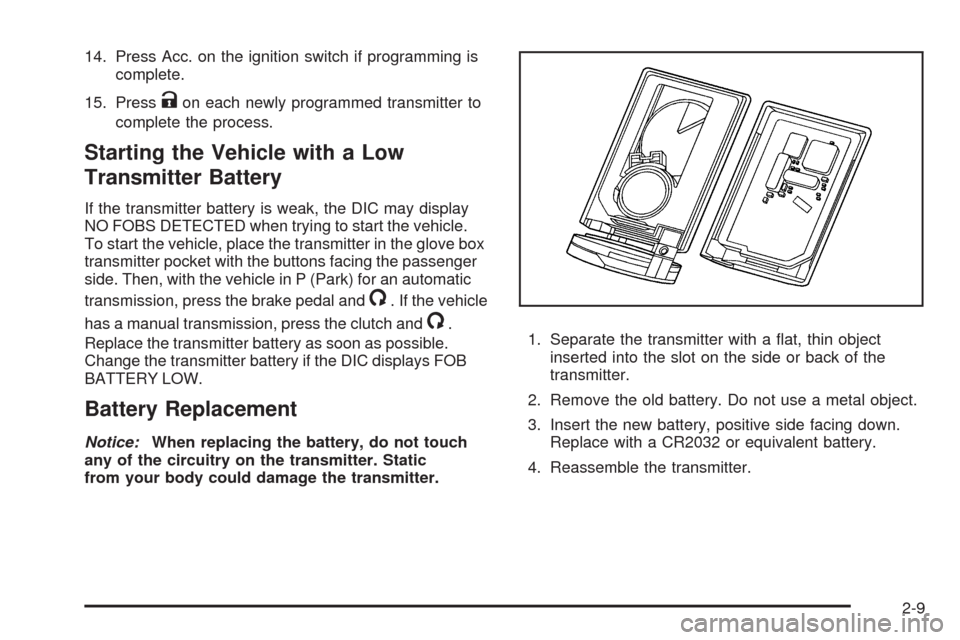
from your body could damage the transmitter.1. Separate the transmitter with a at, thin object
inserted into the slot on the side or back of the
transmitter.
2. Remove the old battery. Do not use a metal object.
3. Insert the new battery, positive side facing down.
Replace with a CR2032 or equivalent battery.
4. Reassemble the transmitter.
2-9
Page 103 of 434
Mirrors
Automatic Dimming Rearview Mirror
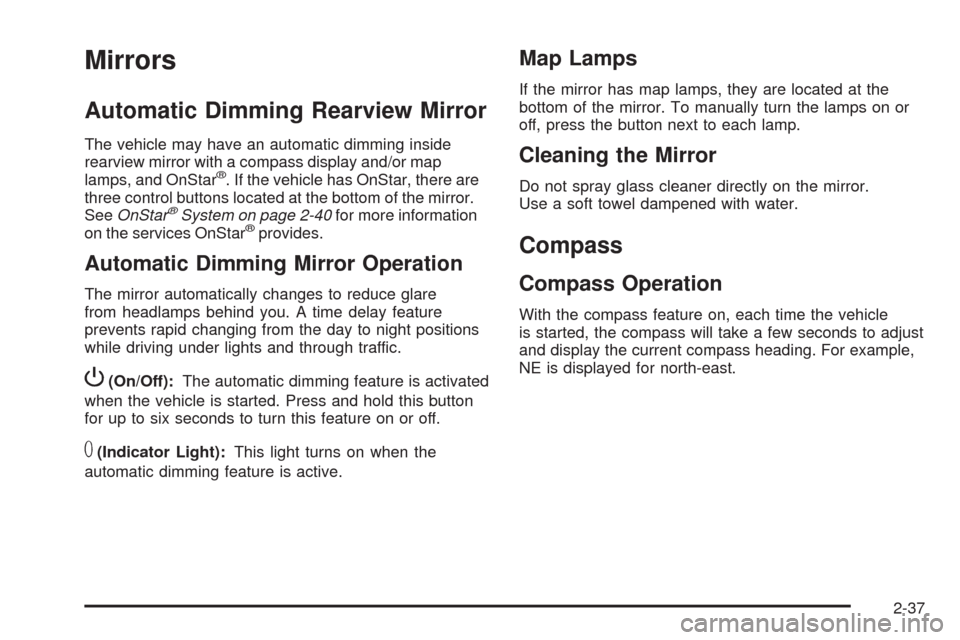
The vehicle may have an automatic dimming inside
rearview mirror with a compass display and/or map
lamps, and OnStar
®. If the vehicle has OnStar, there are
three control buttons located at the bottom of the mirror.
SeeOnStar
®System on page 2-40for more information
on the services OnStar®provides.
Automatic Dimming Mirror Operation
The mirror automatically changes to reduce glare
from headlamps behind you. A time delay feature
prevents rapid changing from the day to night positions
while driving under lights and through traffic.
P(On/Off):The automatic dimming feature is activated
when the vehicle is started. Press and hold this button
for up to six seconds to turn this feature on or off.
T(Indicator Light):This light turns on when the
automatic dimming feature is active.
Map Lamps
If the mirror has map lamps, they are located at the
bottom of the mirror. To manually turn the lamps on or
off, press the button next to each lamp.
Cleaning the Mirror
Do not spray glass cleaner directly on the mirror.
Use a soft towel dampened with water.
Compass
Compass Operation
With the compass feature on, each time the vehicle
is started, the compass will take a few seconds to adjust
and display the current compass heading. For example,
NE is displayed for north-east.
2-37
Page 109 of 434
How OnStar Service Works
The OnStar system can record and transmit vehicle
information. This information is automatically sent to an
OnStar Call Center when the OnStar button is pressed,
the emergency button is pressed, or if the airbags or
AACN system deploy. This information usually includes
the vehicle’s GPS location and, in the event of a crash,
additional information regarding the crash that the vehicle
was involved in (e.g. the direction from which the vehicle
was hit). When the Virtual Advisor feature of OnStar
Hands-Free Calling is used, the vehicle also sends
OnStar the vehicle’s GPS location so they can provide
services where it is located.
OnStar service cannot work unless the vehicle is in a
place where OnStar has an agreement with a wireless
service provider for service in that area. OnStar service
also cannot work unless the vehicle is in a place where
the wireless service provider OnStar has hired for that
area has coverage, network capacity and reception when
the service is needed, and technology that is compatible
with the OnStar service. Not all services are available
everywhere, particularly in remote or enclosed areas,
or at all times.Location information about the vehicle is only available if
the GPS satellite signals are unobstructed and available.
The vehicle must have a working electrical system,
including adequate battery power, for the OnStar
equipment to operate. There are other problems OnStar
cannot control that may prevent OnStar from providing
OnStar service at any particular time or place. Some
examples are damage to important parts of the vehicle
in a crash, hills, tall buildings, tunnels, weather or
wireless phone network congestion.
Your Responsibility
Increase the volume of the radio if the OnStar advisor
cannot be heard. If the light next to the OnStar buttons
is red, the system may not be functioning properly.
Press the OnStar button and request a vehicle
diagnostic. If the light appears clear (no light is
appearing), your OnStar subscription has expired and
all services have been deactivated. Press the OnStar
button to conrm that the OnStar equipment is active.
2-43
Page 110 of 434
Universal Home Remote
System
The Universal Home Remote System provides a way to
replace up to three hand-held radio-frequency (RF)
transmitters used to activate devices such as garage
door openers, security systems, and home lighting.
This device complies with Part 15 of the FCC Rules.
Operation is subject to the following two conditions:
1. This device may not cause harmful interference.
2. This device must accept any interference received,
including interference that may cause undesired
operation.
The FCC Grant of Equipment Authorization Certicate
number is KOBGTV06A.
This device complies with RSS-210 of Industry Canada.
Operation is subject to the following two conditions:
1. This device may not cause interference.
2. This device must accept any interference received,
including interference that may cause undesired
operation of the device.
The Canadian Registration ID number is
3521A-GTV06A.
Changes or modications to this system by other than
an authorized service facility could void authorization to
use this equipment.
Universal Home Remote System
Operation
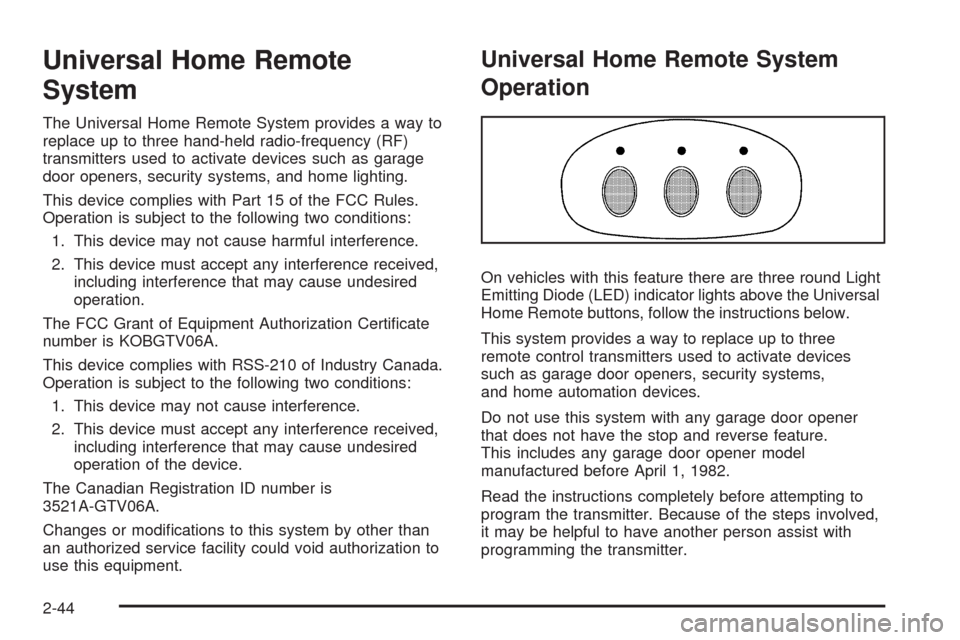
On vehicles with this feature there are three round Light
Emitting Diode (LED) indicator lights above the Universal
Home Remote buttons, follow the instructions below.
This system provides a way to replace up to three
remote control transmitters used to activate devices
such as garage door openers, security systems,
and home automation devices.
Do not use this system with any garage door opener
that does not have the stop and reverse feature.
This includes any garage door opener model
manufactured before April 1, 1982.
Read the instructions completely before attempting to
program the transmitter. Because of the steps involved,
it may be helpful to have another person assist with
programming the transmitter.
2-44
Page 111 of 434
Be sure to keep the original remote control
transmitter for use in other vehicles, as well as,
for future programming. Only the original remote control
transmitter is needed for Fixed Code programming.
The programmed buttons should be erased when the
vehicle is sold or the lease ends. See “Erasing Universal
Home Remote Buttons” later in this section.
Park the vehicle outside of the garage when
programming a garage door. Be sure that people
and objects are clear of the garage door or gate
that is being programmed.
Programming Universal Home
Remote — Rolling Code
For questions or help programming the Universal
Home Remote System, call 1-866-572-2728 or go to
learcar2u.com.
Most garage door openers sold after 1996 are Rolling
Code units.
Programming a garage door opener involves
time-sensitive actions, so read the entire procedure
before starting. Otherwise, the device will time out
and the procedure will have to be repeated.To program up to three devices:
1. Press START or put the vehicle in accessory mode.
SeeIgnition Positions on page 2-22for additional
information.
Programming can only occur when the vehicle is
running or in accessory mode.
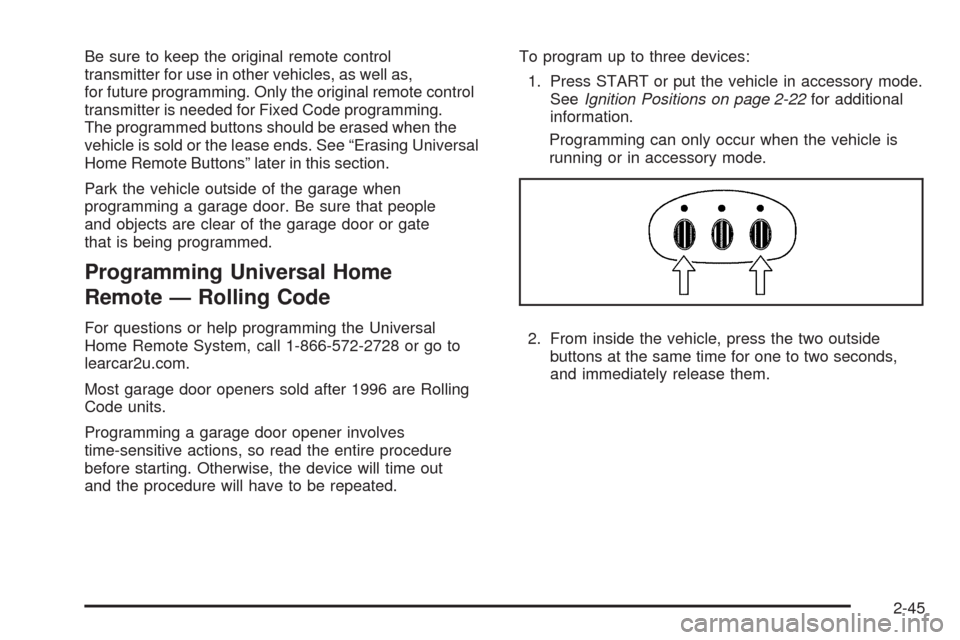
2. From inside the vehicle, press the two outside
buttons at the same time for one to two seconds,
and immediately release them.
2-45
Page 115 of 434
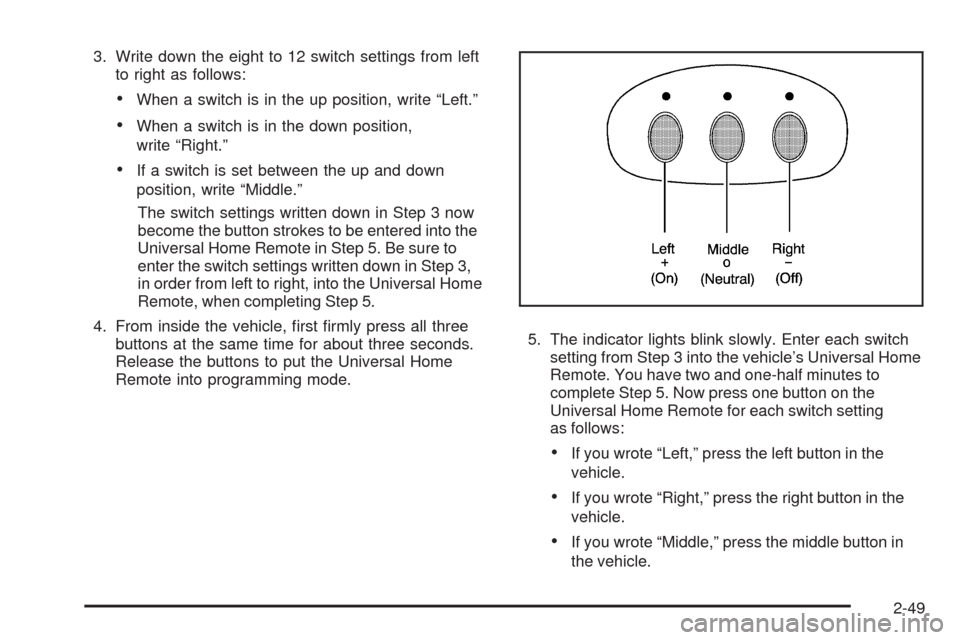
3. Write down the eight to 12 switch settings from left
to right as follows:
When a switch is in the up position, write “Left.”
When a switch is in the down position,
write “Right.”
If a switch is set between the up and down
position, write “Middle.”
The switch settings written down in Step 3 now
become the button strokes to be entered into the
Universal Home Remote in Step 5. Be sure to
enter the switch settings written down in Step 3,
in order from left to right, into the Universal Home
Remote, when completing Step 5.
4. From inside the vehicle, rst rmly press all three
buttons at the same time for about three seconds.
Release the buttons to put the Universal Home
Remote into programming mode.5. The indicator lights blink slowly. Enter each switch
setting from Step 3 into the vehicle’s Universal Home
Remote. You have two and one-half minutes to
complete Step 5. Now press one button on the
Universal Home Remote for each switch setting
as follows:
If you wrote “Left,” press the left button in the
vehicle.
If you wrote “Right,” press the right button in the
vehicle.
If you wrote “Middle,” press the middle button in
the vehicle.
2-49