stop start CHEVROLET CORVETTE 2010 6.G User Guide
[x] Cancel search | Manufacturer: CHEVROLET, Model Year: 2010, Model line: CORVETTE, Model: CHEVROLET CORVETTE 2010 6.GPages: 472, PDF Size: 11.44 MB
Page 128 of 472
Manual Transmission Operation
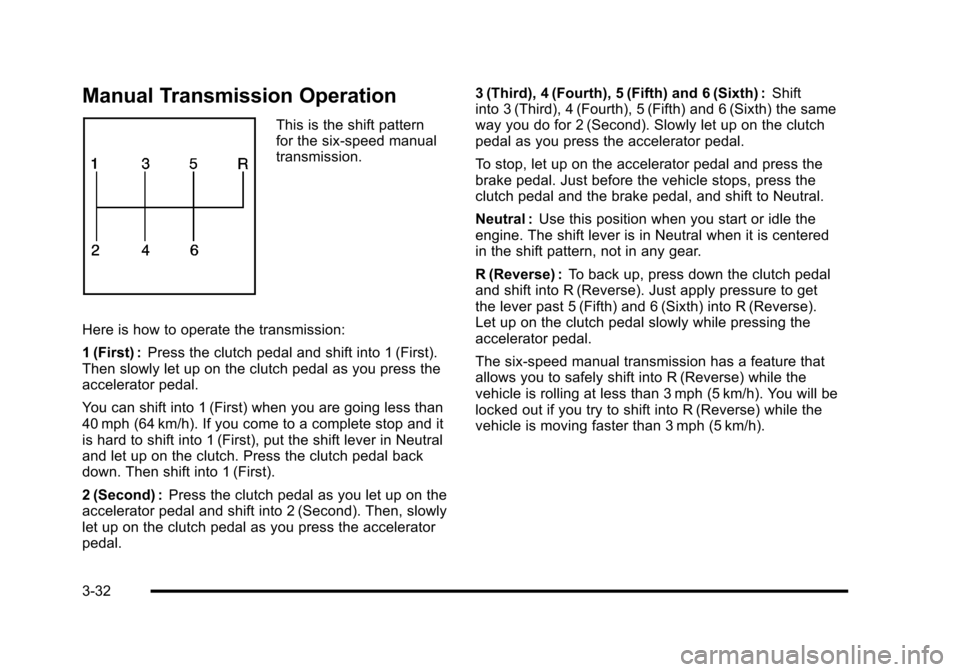
This is the shift pattern
for the six-speed manual
transmission.
Here is how to operate the transmission:
1 (First) : Press the clutch pedal and shift into 1 (First).
Then slowly let up on the clutch pedal as you press the
accelerator pedal.
You can shift into 1 (First) when you are going less than
40 mph (64 km/h). If you come to a complete stop and it
is hard to shift into 1 (First), put the shift lever in Neutral
and let up on the clutch. Press the clutch pedal back
down. Then shift into 1 (First).
2 (Second) : Press the clutch pedal as you let up on the
accelerator pedal and shift into 2 (Second). Then, slowly
let up on the clutch pedal as you press the accelerator
pedal. 3 (Third), 4 (Fourth), 5 (Fifth) and 6 (Sixth) :
Shift
into 3 (Third), 4 (Fourth), 5 (Fifth) and 6 (Sixth) the same
way you do for 2 (Second). Slowly let up on the clutch
pedal as you press the accelerator pedal.
To stop, let up on the accelerator pedal and press the
brake pedal. Just before the vehicle stops, press the
clutch pedal and the brake pedal, and shift to Neutral.
Neutral : Use this position when you start or idle the
engine. The shift lever is in Neutral when it is centered
in the shift pattern, not in any gear.
R (Reverse) : To back up, press down the clutch pedal
and shift into R (Reverse). Just apply pressure to get
the lever past 5 (Fifth) and 6 (Sixth) into R (Reverse).
Let up on the clutch pedal slowly while pressing the
accelerator pedal.
The six-speed manual transmission has a feature that
allows you to safely shift into R (Reverse) while the
vehicle is rolling at less than 3 mph (5 km/h). You will be
locked out if you try to shift into R (Reverse) while the
vehicle is moving faster than 3 mph (5 km/h).
3-32
Page 139 of 472
Universal Home Remote System
Operation
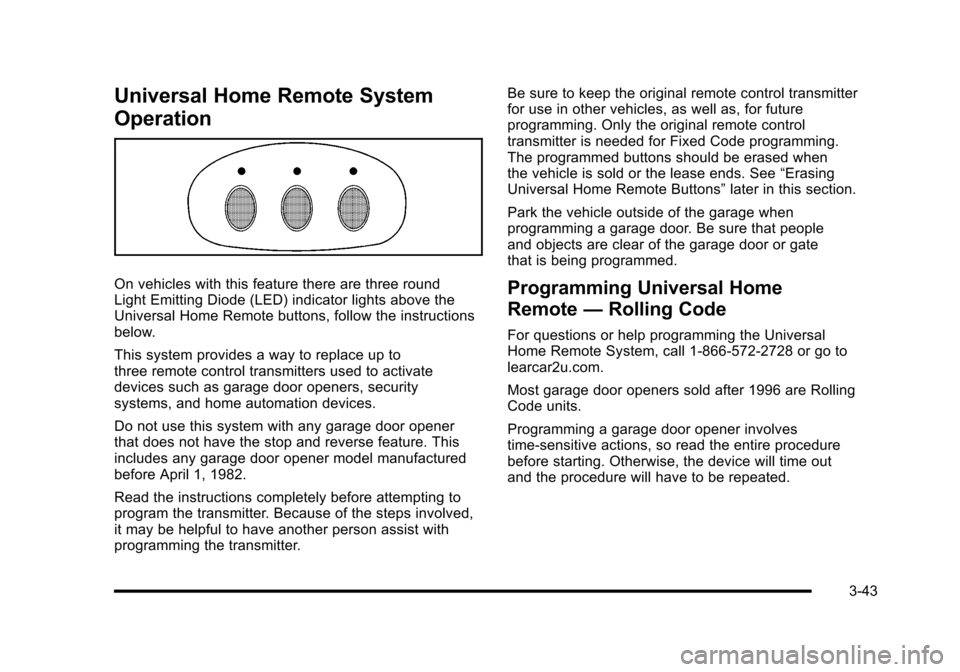
On vehicles with this feature there are three round
Light Emitting Diode (LED) indicator lights above the
Universal Home Remote buttons, follow the instructions
below.
This system provides a way to replace up to
three remote control transmitters used to activate
devices such as garage door openers, security
systems, and home automation devices.
Do not use this system with any garage door opener
that does not have the stop and reverse feature. This
includes any garage door opener model manufactured
before April 1, 1982.
Read the instructions completely before attempting to
program the transmitter. Because of the steps involved,
it may be helpful to have another person assist with
programming the transmitter. Be sure to keep the original remote control transmitter
for use in other vehicles, as well as, for future
programming. Only the original remote control
transmitter is needed for Fixed Code programming.
The programmed buttons should be erased when
the vehicle is sold or the lease ends. See
“Erasing
Universal Home Remote Buttons” later in this section.
Park the vehicle outside of the garage when
programming a garage door. Be sure that people
and objects are clear of the garage door or gate
that is being programmed.Programming Universal Home
Remote —Rolling Code
For questions or help programming the Universal
Home Remote System, call 1-866-572-2728 or go to
learcar2u.com.
Most garage door openers sold after 1996 are Rolling
Code units.
Programming a garage door opener involves
time-sensitive actions, so read the entire procedure
before starting. Otherwise, the device will time out
and the procedure will have to be repeated.
3-43
Page 205 of 472
This light comes on briefly while starting the engine. If it
does not come on, have it fixed so it is ready to warn if
there is a problem.
{WARNING:
The brake system might not be working properly if
the brake system warning light is on. Driving with
the brake system warning light on can lead to a
crash. If the light is still on after the vehicle has
been pulled off the road and carefully stopped,
have the vehicle towed for service.
If this warning light stays on after the engine is started,
the parking brake may still be set or there could be a
brake problem. Refer to Parking Brake
on page 3‑34to
see if it is set. If the parking brake is not set, have the
brake system inspected right away.
If the light comes on while driving and a CHECK
BRAKE FLUID message shows on the DIC, pull off the
road and stop carefully. The pedal may be harder to
push or the pedal may go closer to the floor. It may take
longer to stop. If the light is still on, have the vehicle
towed for service. See Towing Your Vehicle
on
page 5‑33and DIC Warnings and Messageson
page 4‑52for more information.
Antilock Brake System (ABS)
Warning Light
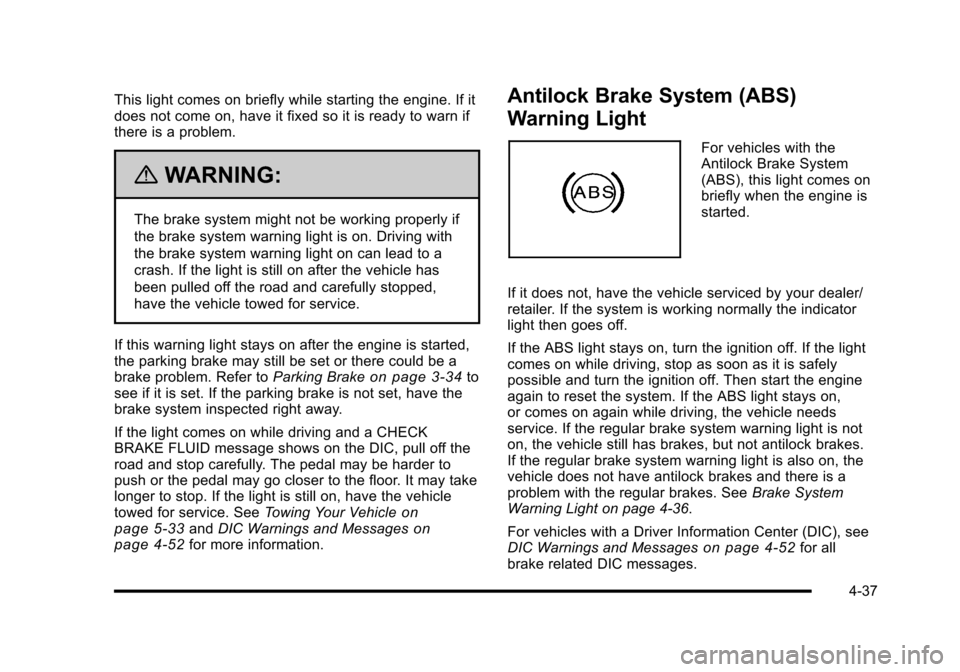
For vehicles with the
Antilock Brake System
(ABS), this light comes on
briefly when the engine is
started.
If it does not, have the vehicle serviced by your dealer/
retailer. If the system is working normally the indicator
light then goes off.
If the ABS light stays on, turn the ignition off. If the light
comes on while driving, stop as soon as it is safely
possible and turn the ignition off. Then start the engine
again to reset the system. If the ABS light stays on,
or comes on again while driving, the vehicle needs
service. If the regular brake system warning light is not
on, the vehicle still has brakes, but not antilock brakes.
If the regular brake system warning light is also on, the
vehicle does not have antilock brakes and there is a
problem with the regular brakes. See Brake System
Warning Light on page 4‑36.
For vehicles with a Driver Information Center (DIC), see
DIC Warnings and Messages
on page 4‑52for all
brake related DIC messages.
4-37
Page 208 of 472
Engine Coolant Temperature Gauge
United StatesCanada
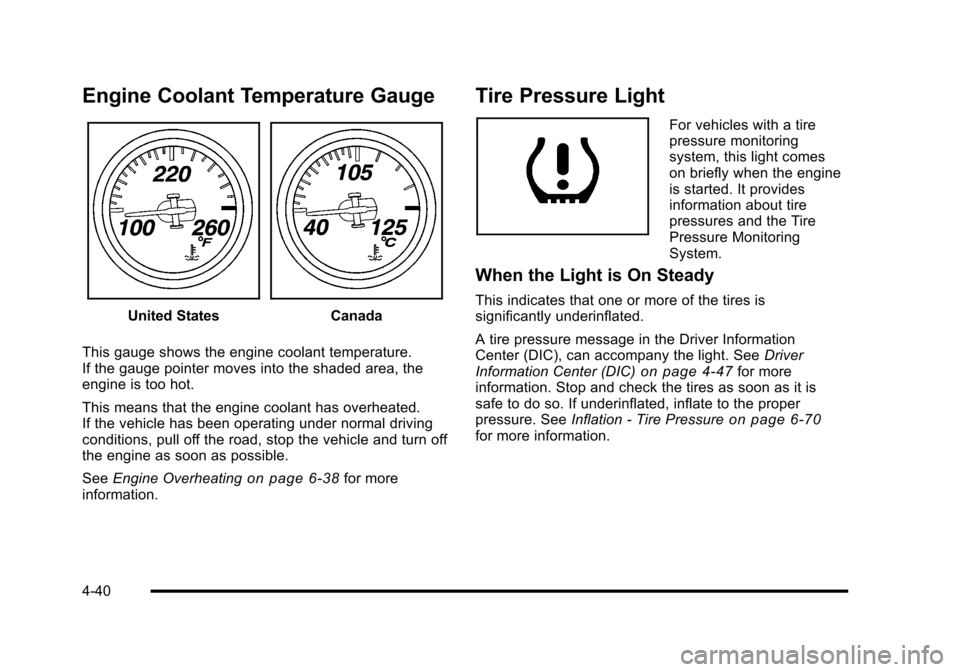
This gauge shows the engine coolant temperature.
If the gauge pointer moves into the shaded area, the
engine is too hot.
This means that the engine coolant has overheated.
If the vehicle has been operating under normal driving
conditions, pull off the road, stop the vehicle and turn off
the engine as soon as possible.
See Engine Overheating
on page 6‑38for more
information.
Tire Pressure Light
For vehicles with a tire
pressure monitoring
system, this light comes
on briefly when the engine
is started. It provides
information about tire
pressures and the Tire
Pressure Monitoring
System.
When the Light is On Steady
This indicates that one or more of the tires is
significantly underinflated.
A tire pressure message in the Driver Information
Center (DIC), can accompany the light. See Driver
Information Center (DIC)
on page 4‑47for more
information. Stop and check the tires as soon as it is
safe to do so. If underinflated, inflate to the proper
pressure. See Inflation - Tire Pressure
on page 6‑70for more information.
4-40
Page 210 of 472
This light comes on during a malfunction in one of
two ways:
Light Flashing : A misfire condition has been detected.
A misfire increases vehicle emissions and could
damage the emission control system on the vehicle.
Diagnosis and service might be required.
The following can prevent more serious damage to the
vehicle:
.Reduce vehicle speed.
.Avoid hard accelerations.
.Avoid steep uphill grades.
If the light continues to flash, when it is safe to do so,
stop the vehicle. Find a safe place to park the vehicle.
Turn off the ignition, wait at least 10 seconds, and
restart the engine. If the light is still flashing, follow the
previous steps and see your dealer/retailer for service
as soon as possible.
Light On Steady : An emission control system
malfunction has been detected on the vehicle.
Diagnosis and service might be required. An emission system malfunction might be corrected by
doing the following:
.Make sure the fuel cap is fully installed. See
Filling
the Tankon page 6‑9. The diagnostic system
can determine if the fuel cap has been left off or
improperly installed. A loose or missing fuel cap
allows fuel to evaporate into the atmosphere. A few
driving trips with the cap properly installed should
turn the light off.
.If the vehicle has been driven through a deep
puddle of water, the vehicle's electrical system
might be wet. The condition is usually corrected
when the electrical system dries out. A few driving
trips should turn the light off.
.Make sure to fuel the vehicle with quality fuel.
Poor fuel quality causes the engine not to run as
efficiently as designed and may cause: stalling
after start-up, stalling when the vehicle is changed
into gear, misfiring, hesitation on acceleration,
or stumbling on acceleration. These conditions
might go away once the engine is warmed up.
If one or more of these conditions occurs, change
the fuel brand used. It will require at least one full
tank of the proper fuel to turn the light off.
See Gasoline Octane on page 6‑7.
4-42
Page 219 of 472
TRIP Button
The TRIP button displays the odometer, trip distance,
elapsed time, average speed, and oil life remaining
information.
Odometer : The odometer shows how far your vehicle
has been driven in either kilometers or miles. Press the
TRIP button to display odometer readings, such as:
.ODOMETER 20008 km or
.ODOMETER 12345 MI
You can also display the odometer by turning on the
parking lamps.
Trip Odometers : There are two trip odometers.
Press the TRIP button to display TRIP ODOMETER A
readings and press the button again to display TRIP
ODOMETER B readings, such as:
.TRIP ODOMETER A 209.9 km or
.TRIP ODOMETER A 130.5 MI
.TRIP ODOMETER B 483.5 km or
.TRIP ODOMETER B 300.5 MI
Both of the trip odometers can be used simultaneously.
The trip odometers can be reset by pressing the RESET
button on the DIC. There is also a miles since last ignition feature that
displays the number of kilometers (miles) driven since
you last started the vehicle. Press and hold the RESET
button for three seconds, then release it. The kilometers
(miles) since the last ignition cycle will be set into the
trip odometer.
Elapsed Timer :
Press the TRIP button until ELAPSED
TIMER is displayed, such as ELAPSED TIMER .00.
When the ignition is in on, the DIC can be used as a
stopwatch. The display can show hours, minutes and
seconds. The elapsed time indicator will record up to
23 hours, 59 minutes and 59 seconds, then it will reset
to zero and continue counting. The display appears as
ELAPSED TIMER .00 in the elapsed time function.
You can start or stop the elapsed time by pressing the
RESET button. To reset the elapsed time to zero, press
the RESET button for three seconds while the timer is
displayed.
Pressing and holding the RESET button for at least
10 seconds will reset the timer display to the time since
last ignition cycle.
Average Speed : Press the TRIP button until the
average speed is displayed, such as:
.AVERAGE SPEED 100 km/h or
.AVERAGE SPEED 62 MPH
4-51
Page 221 of 472
ABS (Antilock Brake System) ACTIVE
This message displays when the Antilock Brake System
(ABS) is adjusting brake pressure to help avoid a
braking skid.
Slippery road conditions may exist if this message
is displayed, so adjust your driving accordingly. The
message stays on for a few seconds after the system
stops adjusting brake pressure. See Antilock Brake
System (ABS)
on page 5‑5for more information.
ACTIVE HANDLING
This message displays when the Active Handling
System is operating. The Active Handling System is a
computer controlled system that assists the driver in
controlling the vehicle in difficult driving conditions.
You may feel or hear the system working and see the
ACTIVE HANDLING message displayed in the DIC.
This message stays on for a few seconds following the
active handling event. This is normal when the system
is operating. See Active Handling System
on page 5‑8andBraking on page 5‑4.
ACTIVE HANDLING READY
This message displays when the functional check
of the Active Handling System has been completed.
See Active Handling System
on page 5‑8for more
information.
ATTACH TRUNK PARTITION
If the vehicle has a power convertible top, this message
displays and a sound will be heard if the trunk partition
is not in place. Open the hatch/trunk and make sure the
trunk partition is secure and no objects are on the trunk
partition. See Rear Storage Area
on page 3‑51for
more information.
BATTERY SAVER ACTIVE
This message displays when the vehicle has
detected that the battery voltage is dropping beyond
a reasonable point. The battery saver system starts
reducing certain features of the vehicle that you may
be able to notice. At the point that features are disabled,
this message is displayed. It means that the vehicle
is trying to save the charge in the battery. Turn off
unnecessary accessories to allow the battery to
recharge.
4-53
Page 231 of 472
SERVICE ACTIVE HANDLING SYSTEM
This message displays if there is a problem with the
Active Handling System and the vehicle needs service.
The active handling system light on the instrument
panel cluster also turns on and a sound will be heard.
See your dealer/retailer. When this message is
displayed, the system is not working. Adjust your driving
accordingly. See Active Handling System
on page 5‑8for more information.
SERVICE AIR CONDITIONING
This message displays when the electronic sensors
that control the air conditioning and heating systems
are no longer working. Have the climate control system
serviced by your dealer/retailer if you notice a drop in
heating and air conditioning efficiency.
SERVICE ANTILOCK BRAKES
If this message displays while you are driving, stop as
soon as possible and turn the ignition off. Then start the
engine again to reset the system. If the message stays
on, or comes back on again while you are driving, the
vehicle is in need of service. See your dealer/retailer. If the antilock brake system (ABS) warning light is on
and the regular brake system warning light is not on,
you still have brakes, but do not have ABS. If the
regular brake system warning light is also on, you do
not have ABS and there is a problem with the brakes.
See
Antilock Brake System (ABS) Warning Light
on
page 4‑37and Brake System Warning Lighton
page 4‑36.
If this message is displayed, the Traction Control
System (TCS) and the Active Handling System will
also be disabled. The DIC will scroll three messages:
SERVICE ANTILOCK BRAKES, SERVICE TRACTION
SYSTEM, and SERVICE ACTIVE HANDLING, and the
instrument panel cluster lights will come on along with a
sound. When the service message is displayed, the
computer controlled systems will not assist the driver.
Have the system repaired by your dealer/retailer as
soon as possible. Adjust your driving accordingly.
To acknowledge these messages, press the RESET
button.
4-63
Page 255 of 472
TRAF (Traffic) :TA (traffic) displays when the station
broadcasts traffic announcements, the announcement
will be played.
Press TRAF and the radio seeks to a station that
broadcasts traffic announcements. When a station
is found, the radio stops seeking and TA displays.
NO TRAFFIC INFO displays if a station that broadcasts
traffic announcements can not be found.
Press TRAF to turn off the traffic announcements if TA
is on the display.
The radio plays the traffic announcement even if the
volume is low. The radio interrupts the play of a CD if
the last tuned station broadcasts traffic announcements.
This function does not apply to XM Satellite Radio
Service.
Radio Messages for XM Only
See XM Radio Messageson page 4‑95XM Radio
Messages later in this section for further detail.
Using the CD Player
The CD player can play smaller 3 inch (8 cm) single
CDs with an adapter ring.
A CD in the player it stays in the player when the
ignition is turned off. When the ignition or radio is turned
on, the CD starts to play where it stopped, if it was the
last selected audio source.
Loading a CD
Single CD Radio:
Insert the CD partway into the slot, label side up, until
the player pulls the CD in. The CD begins playing
automatically.
The CD symbol displays when a CD is inserted, and
the track number displays when each new track starts
to play.
Six-Disc CD Radio:
If more than one CD has been loaded, a number for
each CD displays.
M(Load): Press to load CDs into the CD player.
To insert one CD:
1. Press
M.
2. Load a CD and insert the CD partway into the slot, label side up when INSERT CD # displays.
The player pulls the CD in.
4-87
Page 256 of 472
To insert multiple CDs: 1. Press and hold
Mfor two seconds. Two beeps
sound and LOAD ALL DISCS displays.
2. Load a CD and insert the CD partway into the slot, label side up when INSERT CD # displays.
The player pulls the CD in.
3. Wait for INSERT CD # to display after the previous CD is loaded, then load the next CD.
The CD player takes up to six CDs.
To load more than one CD but less than six, complete
Steps 1 through 3. When finished loading CDs, press
the
Mbutton to cancel the loading function. The radio
begins to play the last CD loaded.
Playing a CD
O e(Tune): Turn to go to the next or previous track.
{(Reverse): Press and hold to reverse within the
current track.
|(Fast Forward): Press and hold to fast forward
through the current track.
tSEEKu: Press the left arrow to go to the start of
the current track if more than eight seconds have
played. Press the right arrow to go to the start of the
next track. If either arrow is held or pressed more than
once, the player continues moving backward or forward
through the CD.
tSCANu: To scan one CD, press and hold either
arrow for more than two seconds until SCAN displays
and a beep sounds. The radio goes to the next track,
plays for 10 seconds, then goes to the next track.
Press either arrow again, to stop scanning.
To scan all loaded CDs, press and hold either arrow
for more than four seconds until SCAN displays and a
beep sounds. Use this feature to listen to 10 seconds of
the first track of each loaded CD. Press either arrow
again, to stop scanning.
AUTO EQ (Automatic Equalization) : Press to
select the equalization setting while playing a CD.
The equalization is stored when a CD is played. For
more information on AUTO EQ, see “AUTO EQ”listed
previously in this section.
BAND : Press to listen to the radio when a CD is
playing. The inactive CD(s) remains inside the radio for
future listening.
CD AUX (Auxiliary) : Press to play a CD when listening
to the radio. CD displays when a CD is in the player.
If your system has a remote playback device, pressing
this button a second time allows the remote device
to play.
X(Eject): Press to eject a CD from the Single CD
Radio and the Six‐Disc CD Radio.
Single CD Radio: PressXto eject a CD.
4-88