traction control CHEVROLET CORVETTE 2010 6.G User Guide
[x] Cancel search | Manufacturer: CHEVROLET, Model Year: 2010, Model line: CORVETTE, Model: CHEVROLET CORVETTE 2010 6.GPages: 472, PDF Size: 11.44 MB
Page 229 of 472
This system is available only on ZR1 models. See
“Performance Traction Management” and“Launch
Control” underCompetitive Driving Mode
on page 5‑9andRacing or Other Competitive Drivingon page 5‑19for more information about the use of this mode.
PERF TRAC 3 –SPORT ACTIVE
HANDLING ON
This message displays and a sound will be heard
when this Performance Traction Management mode
is selected. The instrument panel cluster light will also
be on when this mode is selected. Launch Control is
available when this mode selected. In this mode the
Traction Control and Active Handling System are
available but intended for use on dry race track
conditions. Adjust your driving accordingly. This system
is available only on ZR1 models. See “Performance
Traction Management” and“Launch Control” under
Competitive Driving Mode
on page 5‑9and Racing or
Other Competitive Drivingon page 5‑19for more
information about the use of this mode.
PERF TRAC 4 –SPORT ACTIVE
HANDLING OFF
This message displays and a sound will be heard
when this Performance Traction Management mode
is selected. The instrument panel cluster light will also
be on when this mode is selected. Launch Control is
available when this mode selected. In this mode the
Traction Control is available but intended for use on dry
race track conditions. The Active Handling System is
disabled when this mode is selected. This mode will
require more driver skill than modes 1-3. Adjust your
driving accordingly. This system is available only on
ZR1 models. See “Performance Traction Management”
and “Launch Control” underCompetitive Driving Mode
on page 5‑9andRacing or Other Competitive Drivingon page 5‑19for more information about the use of
this mode.
4-61
Page 230 of 472
PERF TRAC 5–RACE ACTIVE
HANDLING OFF
This message displays and a sound will be heard
when this Performance Traction Management mode
is selected. The instrument panel cluster light will also
be on when this mode is selected. Launch Control is
available when this mode selected. In this mode the
Traction Control is available but intended for use on dry
race track conditions. The Active Handling System is
disabled when this mode is selected. This mode will
require more driver skill than modes 1-4. Adjust your
driving accordingly. This system is available only on
ZR1 models. See “Performance Traction Management”
and “Launch Control” underCompetitive Driving Mode
on page 5‑9andRacing or Other Competitive Drivingon page 5‑19for more information about the use of
this mode.
PRESS BRAKE TO START ENGINE
(Automatic Transmission Only)
This message displays if you try to start the engine by
pressing the keyless ignition start button without having
the brake pressed. The brake needs to be pressed
when starting the engine. See Ignition Positions
on
page 3‑23for more information.
REDUCED ENGINE POWER
If this message displays and the check engine light
comes on, a noticeable reduction in the vehicle's
performance may occur. If the REDUCED ENGINE
POWER message is displayed, but there is no
reduction in performance, proceed to your destination.
The performance may be reduced the next time the
vehicle is driven.
The vehicle may be driven at a reduced speed while the
REDUCED ENGINE POWER message is displayed, but
acceleration and speed may be reduced. Anytime the
check engine light stays on, the vehicle should be taken
to your dealer/retailer as soon as possible for diagnosis
and repair. See Malfunction Indicator Lamp
on
page 4‑41for more information.
Multiple chimes sound when this message is displayed.
To acknowledge the message, press the RESET button.
The message reappears every five minutes until this
condition changes.
If the REDUCED ENGINE POWER message is
displayed in combination with the COOLANT OVER
TEMPERATURE message, see Engine Overheating
on
page 6‑38.
4-62
Page 231 of 472
SERVICE ACTIVE HANDLING SYSTEM
This message displays if there is a problem with the
Active Handling System and the vehicle needs service.
The active handling system light on the instrument
panel cluster also turns on and a sound will be heard.
See your dealer/retailer. When this message is
displayed, the system is not working. Adjust your driving
accordingly. See Active Handling System
on page 5‑8for more information.
SERVICE AIR CONDITIONING
This message displays when the electronic sensors
that control the air conditioning and heating systems
are no longer working. Have the climate control system
serviced by your dealer/retailer if you notice a drop in
heating and air conditioning efficiency.
SERVICE ANTILOCK BRAKES
If this message displays while you are driving, stop as
soon as possible and turn the ignition off. Then start the
engine again to reset the system. If the message stays
on, or comes back on again while you are driving, the
vehicle is in need of service. See your dealer/retailer. If the antilock brake system (ABS) warning light is on
and the regular brake system warning light is not on,
you still have brakes, but do not have ABS. If the
regular brake system warning light is also on, you do
not have ABS and there is a problem with the brakes.
See
Antilock Brake System (ABS) Warning Light
on
page 4‑37and Brake System Warning Lighton
page 4‑36.
If this message is displayed, the Traction Control
System (TCS) and the Active Handling System will
also be disabled. The DIC will scroll three messages:
SERVICE ANTILOCK BRAKES, SERVICE TRACTION
SYSTEM, and SERVICE ACTIVE HANDLING, and the
instrument panel cluster lights will come on along with a
sound. When the service message is displayed, the
computer controlled systems will not assist the driver.
Have the system repaired by your dealer/retailer as
soon as possible. Adjust your driving accordingly.
To acknowledge these messages, press the RESET
button.
4-63
Page 233 of 472
SERVICE TRACTION SYSTEM
If this message displays when you are driving, there is a
problem with the Traction Control System (TCS) and the
vehicle is in need of service. See your dealer/retailer.
When this message is displayed, the system will not
limit wheel spin. Adjust your driving accordingly.
The traction control system (TCS) warning light on the
instrument panel cluster will also turn on and a sound
will be heard.
When this message is displayed, the computer
controlled systems will not assist the driver in controlling
the vehicle. Have the system repaired by your dealer/
retailer as soon as possible. Adjust your driving
accordingly. See Traction Control System (TCS)
on
page 5‑6for more information.
To acknowledge the message, press the RESET button.
SERVICE TRANSMISSION
This message displays when there is a problem with the
transmission. See your dealer/retailer for service.
SERVICE VEHICLE SOON
This message displays and a sound will be heard when
there may be an electrical or another system problem
with the vehicle. Have your vehicle checked by your
dealer/retailer if this message keeps appearing.
SET PARK BRAKE FOR SEAT RECALL
If the vehicle has a manual transmission, this message
displays if you try to recall the memory positions when
the ignition is on and the parking brake is not set. If the
vehicle is on, you must set the parking brake in order
for the memory positions to recall. See Memory Seat,
Mirrors and Steering Wheel
on page 2‑4for more
information.
SET PARK BRAKE TO MOVE TOP
If the vehicle has a manual transmission, this message
displays and a sound will be heard if you try to operate
the power convertible top without first setting the
parking brake. Set the parking brake before trying to
operate the power convertible top. See Convertible Top
(Manual)
on page 3‑59or Convertible Top (Power)on
page 3‑66for more information.
SHIFT TO PARK
If the vehicle has an automatic transmission, this
message displays if the vehicle is not in P (Park) when
the engine is being turned off. The vehicle will be in
ACCESSORY Once the shift lever is moved to P (Park),
the vehicle will turn off.
4-65
Page 235 of 472
This message is followed by the MAXIMUM
SPEED 90 km/h (55 MPH) message, and then by
the REDUCED HANDLING message. The Active
Handling System will intervene more quickly when a flat
tire has been detected. Adjust your driving accordingly.
You can receive more than one tire pressure message
at a time. To read other messages that may have been
sent at the same time, press the RESET button. If a tire
pressure message appears on the DIC, stop as soon as
you can. Have the tire pressures checked and set to
those shown on the Tire Loading Information label. See
Run-Flat Tires
on page 6‑69, Loading the Vehicleon
page 5‑28, Inflation - Tire Pressureon page 6‑70, and
Tire Pressure Monitor Systemon page 6‑72. The DIC
also shows the tire pressure values. See DIC Operation
and Displays
on page 4‑47.
To acknowledge the message, press the RESET button.
A message reappears every 10 minutes until the
condition is corrected.
TOO COLD TO MOVE TOP
This message displays and a sound will be heard when
the power convertible top button is pressed and the
power convertible top pump motor temperature is
below −20°C (−4°F). Wait for the power convertible
top pump motor to warm up before using the power
convertible top.
TOP MOTOR OVER TEMPERATURE
This message displays and a sound will be heard when
the power convertible top button is pressed and the
power convertible top pump motor temperature is over
105°C (221°F). Wait for the power convertible top pump
motor to cool down before using the power
convertible top.
TOP NOT SECURE
This message displays and a sound will be heard when
the power convertible top button is released before the
top open or close operation is complete or if the top is
closed without the header latch engaged. Press and
hold the convertible top button to fully open or close the
top, and make sure that the header latch is engaged
after the top is closed.
TRACTION SYSTEM ACTIVE
This message displays when the Traction Control
System (TCS) is limiting wheel spin. Slippery road
conditions may exist if this message is displayed, so
adjust your driving accordingly. The message stays on
for a few seconds after the TCS stops limiting wheel
spin. See Traction Control System (TCS)
on page 5‑6for more information.
4-67
Page 236 of 472
TRACTION SYSTEM AND ACTIVE
HANDLING –OFF
This message displays, the instrument panel cluster
light turns on, and a sound will be heard when the
Traction Control System (TCS) and Active Handling
System are turned off by pressing the Active Handling
System button on the console for five seconds. The
Antilock Brake System (ABS) remains on with the TCS
and Active Handling System off. Adjust your driving
accordingly. See Traction Control System (TCS)
on
page 5‑6and Active Handling Systemon page 5‑8for more information.
To acknowledge this message, press the RESET
button.
TRACTION SYSTEM AND ACTIVE
HANDLING –ON
If the Traction Control System (TCS) and Active
Handling System are off, this message displays briefly,
the instrument panel cluster light turns off, and a sound
will be heard when the TCS and Active Handling
System are turned on by briefly pressing the Active
Handling System button on the console. See Traction
Control System (TCS)
on page 5‑6and Active
Handling Systemon page 5‑8for more information.
TRACTION SYSTEM –OFF
This message displays and stays on, a sound will be
heard, and the traction control system (TCS) warning
light on the instrument panel cluster turns on when the
TCS is turned off by pressing the Active Handling
System button on the console. See Traction Control
System (TCS) Warning Light
on page 4‑38. See
Traction Control System (TCS)on page 5‑6for more
information.
To acknowledge the message, press the RESET button.
TRACTION SYSTEM –ON
This message displays and a sound will be heard when
the Traction Control System (TCS) is turned on by
pressing the Active Handling System button on the
console. This message automatically clears from the
DIC display on its own. See Traction Control System
(TCS)
on page 5‑6for more information.
4-68
Page 279 of 472
Section 5 Driving Your Vehicle
Your Driving, the Road, and the Vehicle. . . . . . . . . . 5-2
Defensive Driving . . . . . . . . . . . . . . . . . . . . . . . . . . . . . . . 5-2
Drunk Driving . . . . . . . . . . . . . . . . . . . . . . . . . . . . . . . . . . . 5-2
Control of a Vehicle . . . . . . . . . . . . . . . . . . . . . . . . . . . . . 5-3
Braking . . . . . . . . . . . . . . . . . . . . . . . . . . . . . . . . . . . . . . . . . 5-4
Antilock Brake System (ABS) . . . . . . . . . . . . . . . . . . . 5-5
Braking in Emergencies . . . . . . . . . . . . . . . . . . . . . . . . . 5-6
Traction Control System (TCS) . . . . . . . . . . . . . . . . . . 5-6
Active Handling System . . . . . . . . . . . . . . . . . . . . . . . . . 5-8
Competitive Driving Mode . . . . . . . . . . . . . . . . . . . . . . . 5-9
Limited-Slip Rear Axle . . . . . . . . . . . . . . . . . . . . . . . . . 5-14
Selective Ride Control . . . . . . . . . . . . . . . . . . . . . . . . . 5-14
Steering . . . . . . . . . . . . . . . . . . . . . . . . . . . . . . . . . . . . . . . 5-16
Off-Road Recovery . . . . . . . . . . . . . . . . . . . . . . . . . . . . 5-17
Passing . . . . . . . . . . . . . . . . . . . . . . . . . . . . . . . . . . . . . . . . 5-18
Loss of Control . . . . . . . . . . . . . . . . . . . . . . . . . . . . . . . . 5-18 Racing or Other Competitive Driving . . . . . . . . . . . 5-19
Driving at Night . . . . . . . . . . . . . . . . . . . . . . . . . . . . . . . . 5-22
Driving in Rain and on Wet Roads . . . . . . . . . . . . . 5-22
Before Leaving on a Long Trip . . . . . . . . . . . . . . . . . 5-23
Highway Hypnosis . . . . . . . . . . . . . . . . . . . . . . . . . . . . . 5-24
Hill and Mountain Roads . . . . . . . . . . . . . . . . . . . . . . . 5-24
Winter Driving . . . . . . . . . . . . . . . . . . . . . . . . . . . . . . . . . 5-25
If Your Vehicle is Stuck in Sand, Mud, Ice,
or Snow . . . . . . . . . . . . . . . . . . . . . . . . . . . . . . . . . . . . . 5-27
Rocking Your Vehicle to Get It Out . . . . . . . . . . . . . 5-28
Loading the Vehicle . . . . . . . . . . . . . . . . . . . . . . . . . . . . 5-28
Towing . . . . . . . . . . . . . . . . . . . . . . . . . . . . . . . . . . . . . . . . . . . . 5-33
Towing Your Vehicle . . . . . . . . . . . . . . . . . . . . . . . . . . . 5-33
Recreational Vehicle Towing . . . . . . . . . . . . . . . . . . . 5-33
Towing a Trailer . . . . . . . . . . . . . . . . . . . . . . . . . . . . . . . . 5-33
5-1
Page 281 of 472
For persons under 21, it is against the law in every
U.S. state to drink alcohol. There are good medical,
psychological, and developmental reasons for
these laws.
The obvious way to eliminate the leading highway
safety problem is for people never to drink alcohol and
then drive.
Medical research shows that alcohol in a person's
system can make crash injuries worse, especially
injuries to the brain, spinal cord, or heart. This means
that when anyone who has been drinking —driver or
passenger —is in a crash, that person's chance of
being killed or permanently disabled is higher than if
the person had not been drinking.Control of a Vehicle
The following three systems help to control the vehicle
while driving —brakes, steering, and accelerator. At
times, as when driving on snow or ice, it is easy to ask
more of those control systems than the tires and road
can provide. Meaning, you can lose control of the
vehicle. See Traction Control System (TCS)
on
page 5‑6and Active Handling System on page 5‑8.
Adding non‐dealer/non‐retailer accessories can affect
vehicle performance. See Accessories and
Modifications on page 6‑3.
5-3
Page 284 of 472
Braking in Emergencies
ABS allows the driver to steer and brake at the same
time. In many emergencies, steering can help more
than even the very best braking.
Brake Assist
This vehicle has a brake assist feature that responds to
emergency braking by generating additional pressure
and engaging the ABS. When this happens, the brake
pedal will feel easier to push. Just hold the brake pedal
down firmly and let the system work for you. You might
feel the brakes vibrate or notice some noise, but this is
normal. The brakes will return to normal operation after
the brake pedal is released.
Brake assist cannot compensate for unsafe driving
practices and braking effectiveness, itself, depends on
the condition of the road, tires, and brakes and
vehicle mass.
Traction Control System (TCS)
The vehicle has a Traction Control System (TCS) that
limits wheel spin. This is especially useful in slippery
road conditions. The system operates only if it senses
that the rear wheels are spinning too much or are
beginning to lose traction. When this happens, the
system works the rear brakes and reduces engine
power (by closing the throttle and managing engine
spark) to limit wheel spin.
The TRACTION SYSTEM ACTIVE message displays
on the Driver Information Center (DIC) when TCS is
limiting wheel spin. See DIC Warnings and Messages
on page 4‑52. The system may be heard or felt while it
is working, but this is normal.
If cruise control is being used when TCS begins to limit
wheel spin, the cruise control will automatically
disengage. Cruise control may be reengaged when
road conditions allow. See Cruise Control on page 4‑7.
5-6
Page 285 of 472
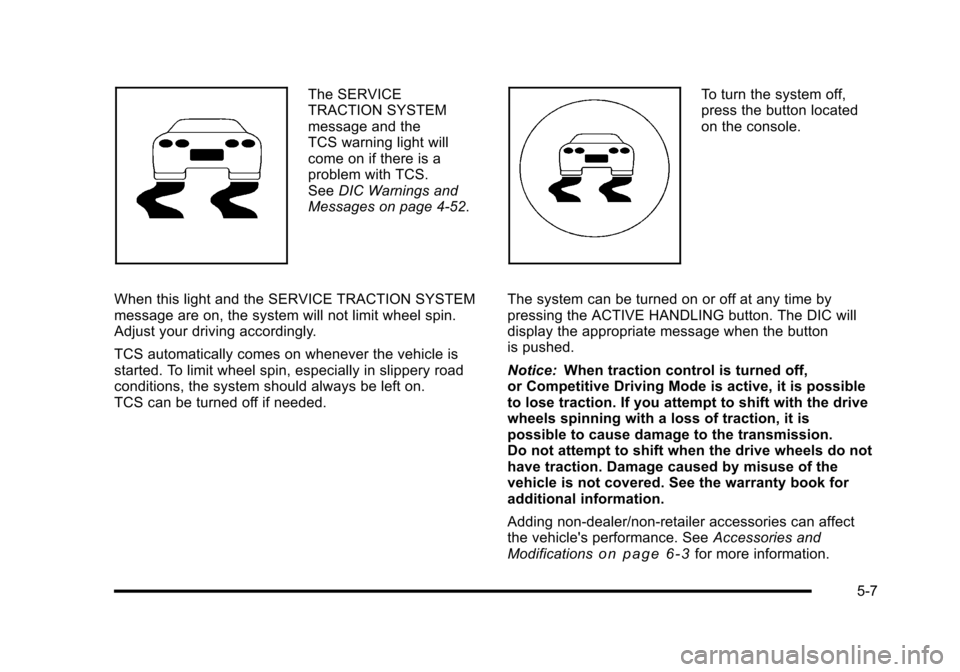
The SERVICE
TRACTION SYSTEM
message and the
TCS warning light will
come on if there is a
problem with TCS.
See DIC Warnings and
Messages on page 4‑52.
When this light and the SERVICE TRACTION SYSTEM
message are on, the system will not limit wheel spin.
Adjust your driving accordingly.
TCS automatically comes on whenever the vehicle is
started. To limit wheel spin, especially in slippery road
conditions, the system should always be left on.
TCS can be turned off if needed. To turn the system off,
press the button located
on the console.
The system can be turned on or off at any time by
pressing the ACTIVE HANDLING button. The DIC will
display the appropriate message when the button
is pushed.
Notice: When traction control is turned off,
or Competitive Driving Mode is active, it is possible
to lose traction. If you attempt to shift with the drive
wheels spinning with a loss of traction, it is
possible to cause damage to the transmission.
Do not attempt to shift when the drive wheels do not
have traction. Damage caused by misuse of the
vehicle is not covered. See the warranty book for
additional information.
Adding non‐dealer/non-retailer accessories can affect
the vehicle's performance. See Accessories and
Modifications
on page 6‑3for more information.
5-7