warning CHEVROLET CORVETTE 2010 6.G Manual Online
[x] Cancel search | Manufacturer: CHEVROLET, Model Year: 2010, Model line: CORVETTE, Model: CHEVROLET CORVETTE 2010 6.GPages: 472, PDF Size: 11.44 MB
Page 231 of 472
SERVICE ACTIVE HANDLING SYSTEM
This message displays if there is a problem with the
Active Handling System and the vehicle needs service.
The active handling system light on the instrument
panel cluster also turns on and a sound will be heard.
See your dealer/retailer. When this message is
displayed, the system is not working. Adjust your driving
accordingly. See Active Handling System
on page 5‑8for more information.
SERVICE AIR CONDITIONING
This message displays when the electronic sensors
that control the air conditioning and heating systems
are no longer working. Have the climate control system
serviced by your dealer/retailer if you notice a drop in
heating and air conditioning efficiency.
SERVICE ANTILOCK BRAKES
If this message displays while you are driving, stop as
soon as possible and turn the ignition off. Then start the
engine again to reset the system. If the message stays
on, or comes back on again while you are driving, the
vehicle is in need of service. See your dealer/retailer. If the antilock brake system (ABS) warning light is on
and the regular brake system warning light is not on,
you still have brakes, but do not have ABS. If the
regular brake system warning light is also on, you do
not have ABS and there is a problem with the brakes.
See
Antilock Brake System (ABS) Warning Light
on
page 4‑37and Brake System Warning Lighton
page 4‑36.
If this message is displayed, the Traction Control
System (TCS) and the Active Handling System will
also be disabled. The DIC will scroll three messages:
SERVICE ANTILOCK BRAKES, SERVICE TRACTION
SYSTEM, and SERVICE ACTIVE HANDLING, and the
instrument panel cluster lights will come on along with a
sound. When the service message is displayed, the
computer controlled systems will not assist the driver.
Have the system repaired by your dealer/retailer as
soon as possible. Adjust your driving accordingly.
To acknowledge these messages, press the RESET
button.
4-63
Page 232 of 472
SERVICE CHARGING SYSTEM
If this message displays while you are driving, there
may be a problem with the electrical charging system.
It could mean that there is a loose or broken drive belt
or that there is another electrical problem. Have the
vehicle checked right away by your dealer/retailer.
Driving while this message is on could drain the battery.
If you must drive a short distance with the message on,
be certain to turn off the vehicle's accessories, such as
the radio and air conditioner.
Multiple chimes sound when this message is displayed.
To acknowledge the message, press the RESET button.
The message reappears every 10 minutes until this
condition changes.
SERVICE ELECTRICAL SYSTEM
This message displays if an electrical problem has
occurred within the Powertrain Control Module (PCM).
Have the vehicle serviced by your dealer/retailer.
SERVICE FUEL SYSTEM
This message displays if the Powertrain Control Module
(PCM) has detected a problem within the fuel system.
Have the vehicle serviced by your dealer/retailer. This
message also displays when the cluster is not getting
fuel information from the PCM.
SERVICE RIDE CONTROL
This message displays when the Selective Ride Control
system has detected a malfunction and the system
must be serviced. See your dealer/retailer. If a fault is
present in the Selective Ride Control system which
causes the shocks to be in their full soft condition, the
messages SERVICE RIDE CONTROL, SHOCKS
INOPERATIVE, and MAXIMUM SPEED 129 km/h
(80 MPH) will display together. See Selective Ride
Control
on page 5‑14for more information.
SERVICE TIRE MONITOR
This message displays if a part on the Tire Pressure
Monitor System (TPMS) is not working properly. The tire
pressure light also flashes and then remains on during
the same ignition cycle. See Tire Pressure Light
on
page 4‑40. Several conditions may cause this message
to appear. See Tire Pressure Monitor Operationon
page 6‑74for more information. If the warning comes
on and stays on, there may be a problem with the
TPMS. See your dealer/retailer.
4-64
Page 233 of 472
SERVICE TRACTION SYSTEM
If this message displays when you are driving, there is a
problem with the Traction Control System (TCS) and the
vehicle is in need of service. See your dealer/retailer.
When this message is displayed, the system will not
limit wheel spin. Adjust your driving accordingly.
The traction control system (TCS) warning light on the
instrument panel cluster will also turn on and a sound
will be heard.
When this message is displayed, the computer
controlled systems will not assist the driver in controlling
the vehicle. Have the system repaired by your dealer/
retailer as soon as possible. Adjust your driving
accordingly. See Traction Control System (TCS)
on
page 5‑6for more information.
To acknowledge the message, press the RESET button.
SERVICE TRANSMISSION
This message displays when there is a problem with the
transmission. See your dealer/retailer for service.
SERVICE VEHICLE SOON
This message displays and a sound will be heard when
there may be an electrical or another system problem
with the vehicle. Have your vehicle checked by your
dealer/retailer if this message keeps appearing.
SET PARK BRAKE FOR SEAT RECALL
If the vehicle has a manual transmission, this message
displays if you try to recall the memory positions when
the ignition is on and the parking brake is not set. If the
vehicle is on, you must set the parking brake in order
for the memory positions to recall. See Memory Seat,
Mirrors and Steering Wheel
on page 2‑4for more
information.
SET PARK BRAKE TO MOVE TOP
If the vehicle has a manual transmission, this message
displays and a sound will be heard if you try to operate
the power convertible top without first setting the
parking brake. Set the parking brake before trying to
operate the power convertible top. See Convertible Top
(Manual)
on page 3‑59or Convertible Top (Power)on
page 3‑66for more information.
SHIFT TO PARK
If the vehicle has an automatic transmission, this
message displays if the vehicle is not in P (Park) when
the engine is being turned off. The vehicle will be in
ACCESSORY Once the shift lever is moved to P (Park),
the vehicle will turn off.
4-65
Page 234 of 472
The vehicle will remain in ACCESSORY, without the
20 minute time-out period, until the shift lever is moved
to P (Park) or until the driver presses the pushbutton to
restart the vehicle. See Ignition Positions
on page 3‑23for more information.
SHIFT TO PARK OR SET PARK BRAKE
FOR TOP
If the vehicle has an automatic transmission, this
message displays and a sound will be heard if you
try to operate the power convertible top without first
shifting into P (Park) or setting the parking brake.
Either shift the vehicle into P (Park) or set the parking
brake before trying to operate the power convertible
top. See Convertible Top (Manual)
on page 3‑59or
Convertible Top (Power)on page 3‑66for more
information.
SHOCKS INOPERATIVE
This message displays when a malfunction is present in
the Selective Ride Control system which is causing the
shocks to be in their full soft mode. This is a warning to
the driver that the vehicle handling may be affected.
Have the vehicle serviced by your dealer/retailer as
soon as possible.
To acknowledge the message, press the RESET button.
The message reappears every 10 minutes until this
condition changes.
TIRE FLAT
{WARNING:
When the LOW TIRE PRESSURE or TIRE FLAT
message is displayed on the Driver Information
Center, your vehicle's handling capabilities will
be reduced during severe maneuvers. If you drive
too fast, you could lose control of your vehicle.
You or others could be injured. Do not drive
over 55 mph (90 km/h) when the LOW TIRE
PRESSURE or TIRE FLAT message is displayed.
Drive cautiously and check your tire pressures as
soon as you can.
This message displays when one or more of the tires is
flat. This message also displays LEFT FRONT, RIGHT
FRONT, LEFT REAR, or RIGHT REAR to indicate
which tire is affected. Multiple chimes sound and the tire
pressure light on the instrument panel cluster comes on
when this message is displayed. See Tire Pressure
Light
on page 4‑40.
4-66
Page 236 of 472
TRACTION SYSTEM AND ACTIVE
HANDLING –OFF
This message displays, the instrument panel cluster
light turns on, and a sound will be heard when the
Traction Control System (TCS) and Active Handling
System are turned off by pressing the Active Handling
System button on the console for five seconds. The
Antilock Brake System (ABS) remains on with the TCS
and Active Handling System off. Adjust your driving
accordingly. See Traction Control System (TCS)
on
page 5‑6and Active Handling Systemon page 5‑8for more information.
To acknowledge this message, press the RESET
button.
TRACTION SYSTEM AND ACTIVE
HANDLING –ON
If the Traction Control System (TCS) and Active
Handling System are off, this message displays briefly,
the instrument panel cluster light turns off, and a sound
will be heard when the TCS and Active Handling
System are turned on by briefly pressing the Active
Handling System button on the console. See Traction
Control System (TCS)
on page 5‑6and Active
Handling Systemon page 5‑8for more information.
TRACTION SYSTEM –OFF
This message displays and stays on, a sound will be
heard, and the traction control system (TCS) warning
light on the instrument panel cluster turns on when the
TCS is turned off by pressing the Active Handling
System button on the console. See Traction Control
System (TCS) Warning Light
on page 4‑38. See
Traction Control System (TCS)on page 5‑6for more
information.
To acknowledge the message, press the RESET button.
TRACTION SYSTEM –ON
This message displays and a sound will be heard when
the Traction Control System (TCS) is turned on by
pressing the Active Handling System button on the
console. This message automatically clears from the
DIC display on its own. See Traction Control System
(TCS)
on page 5‑6for more information.
4-68
Page 248 of 472
Audio System(s)
Determine which radio the vehicle has and read the
following pages to become familiar with its features.
{WARNING:
Taking your eyes off the road for extended periods
could cause a crash resulting in injury or death to
you or others. Do not give extended attention to
entertainment tasks while driving.
This system provides access to many audio and non
audio listings.
To minimize taking your eyes off the road while driving,
do the following while the vehicle is parked:
.Become familiar with the operation and controls of
the audio system.
.Set up the tone, speaker adjustments, and preset
radio stations.
For more information, see Defensive Driving
on
page 5‑2. Notice:
Contact your dealer/retailer before adding
any equipment.
Adding audio or communication equipment could
interfere with the operation of the vehicle's engine,
radio, or other systems, and could damage them.
Follow federal rules covering mobile radio and
telephone equipment.
The vehicle has Retained Accessory Power (RAP). With
RAP, the audio system can be played even after the
ignition is turned off. See Retained Accessory Power
(RAP)
on page 3‑24for more information.
Setting the Clock
To set the clock:
1. Press and hold H until the correct hour displays.
2. Press and hold M until the correct minute displays.
The clock mode automatically times out with the
changed display format set as the current default
setting.
4-80
Page 280 of 472
Your Driving, the Road, and
the Vehicle
Defensive Driving
Defensive driving means “always expect the
unexpected.” The first step in driving defensively is to
wear your safety belt —See Safety Belts: They Are for
Everyone on page 2‑9.
{WARNING:
Assume that other road users (pedestrians,
bicyclists, and other drivers) are going to be
careless and make mistakes. Anticipate what they
might do and be ready. In addition:
.Allow enough following distance between you
and the driver in front of you.
.Focus on the task of driving.
Driver distraction can cause collisions resulting in
injury or possible death. These simple defensive
driving techniques could save your life.
Drunk Driving
{WARNING:
Drinking and then driving is very dangerous.
Your reflexes, perceptions, attentiveness, and
judgment can be affected by even a small amount
of alcohol. You can have a serious —or even
fatal —collision if you drive after drinking. Do not
drink and drive or ride with a driver who has been
drinking. Ride home in a cab; or if you are with a
group, designate a driver who will not drink.
Death and injury associated with drinking and driving is
a global tragedy.
Alcohol affects four things that anyone needs to drive a
vehicle: judgment, muscular coordination, vision, and
attentiveness.
Police records show that almost 40 percent of all motor
vehicle-related deaths involve alcohol. In most cases,
these deaths are the result of someone who was
drinking and driving. In recent years, more than
17,000 annual motor vehicle-related deaths have been
associated with the use of alcohol, with about
250,000 people injured.
5-2
Page 282 of 472
Braking
SeeBrake System Warning Light on page 4‑36.
Braking action involves perception time and reaction
time. Deciding to push the brake pedal is perception
time. Actually doing it is reaction time.
Average reaction time is about three‐fourths of a
second. But that is only an average. It might be less
with one driver and as long as two or three seconds
or more with another. Age, physical condition, alertness,
coordination, and eyesight all play a part. So do alcohol,
drugs, and frustration. But even in three‐fourths of a
second, a vehicle moving at 100 km/h (60 mph) travels
20 m (66 feet). That could be a lot of distance in an
emergency, so keeping enough space between the
vehicle and others is important.
And, of course, actual stopping distances vary greatly
with the surface of the road, whether it is pavement or
gravel; the condition of the road, whether it is wet, dry,
or icy; tire tread; the condition of the brakes; the weight
of the vehicle; and the amount of brake force applied.
Avoid needless heavy braking. Some people drive in
spurts, heavy acceleration followed by heavy braking,
rather than keeping pace with traffic. This is a mistake. The brakes might not have time to cool between hard
stops. The brakes will wear out much faster with a lot of
heavy braking. Keeping pace with the traffic and
allowing realistic following distances eliminates a lot of
unnecessary braking. That means better braking and
longer brake life.
If the engine ever stops while the vehicle is being
driven, brake normally but do not pump the brakes.
If the brakes are pumped, the pedal could get harder to
push down. If the engine stops, there will still be some
power brake assist but it will be used when the brake is
applied. Once the power assist is used up, it can take
longer to stop and the brake pedal will be harder
to push.
Under certain weather or operating conditions,
occasional brake squeak, squeal, or other noise might
be heard with the vehicle's performance braking
system. This brake system is designed for superior fade
resistance and consistent operation using high
performance brake pads. Brake noise and brake dust
are normal and do not affect system performance.
Adding non‐dealer/non‐retailer accessories can affect
vehicle performance. See
Accessories and
Modifications on page 6‑3.
5-4
Page 283 of 472
Antilock Brake System (ABS)
This vehicle has the Antilock Brake System (ABS), an
advanced electronic braking system that helps prevent
a braking skid.
When the engine is started and the vehicle begins to
drive away, ABS checks itself. A momentary motor or
clicking noise might be heard while this test is going on,
and it might even be noticed that the brake pedal
moves a little. This is normal.
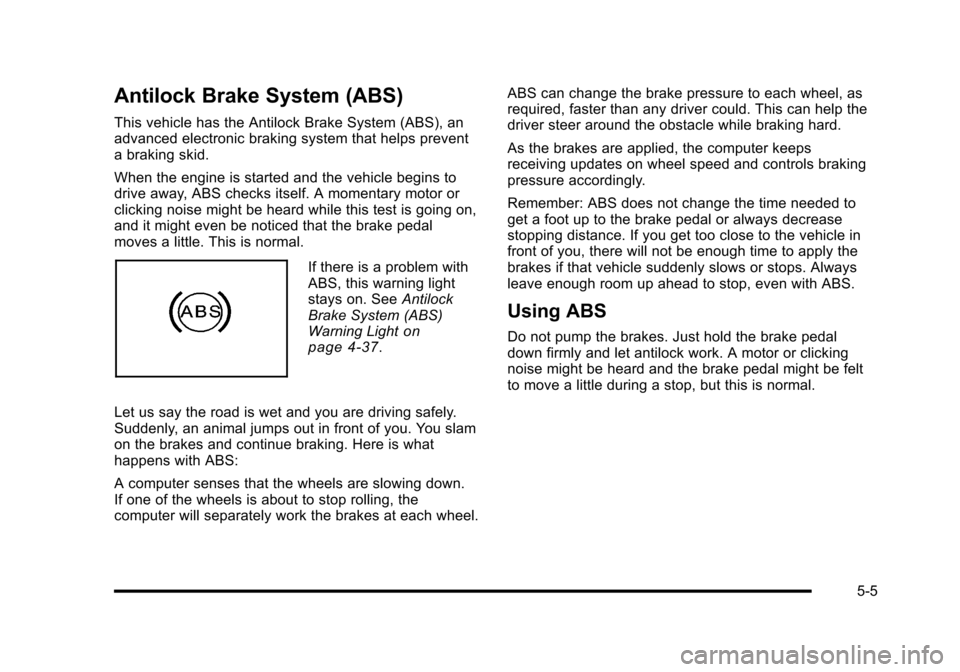
If there is a problem with
ABS, this warning light
stays on. See Antilock
Brake System (ABS)
Warning Light
on
page 4‑37.
Let us say the road is wet and you are driving safely.
Suddenly, an animal jumps out in front of you. You slam
on the brakes and continue braking. Here is what
happens with ABS:
A computer senses that the wheels are slowing down.
If one of the wheels is about to stop rolling, the
computer will separately work the brakes at each wheel. ABS can change the brake pressure to each wheel, as
required, faster than any driver could. This can help the
driver steer around the obstacle while braking hard.
As the brakes are applied, the computer keeps
receiving updates on wheel speed and controls braking
pressure accordingly.
Remember: ABS does not change the time needed to
get a foot up to the brake pedal or always decrease
stopping distance. If you get too close to the vehicle in
front of you, there will not be enough time to apply the
brakes if that vehicle suddenly slows or stops. Always
leave enough room up ahead to stop, even with ABS.
Using ABS
Do not pump the brakes. Just hold the brake pedal
down firmly and let antilock work. A motor or clicking
noise might be heard and the brake pedal might be felt
to move a little during a stop, but this is normal.
5-5
Page 284 of 472
Braking in Emergencies
ABS allows the driver to steer and brake at the same
time. In many emergencies, steering can help more
than even the very best braking.
Brake Assist
This vehicle has a brake assist feature that responds to
emergency braking by generating additional pressure
and engaging the ABS. When this happens, the brake
pedal will feel easier to push. Just hold the brake pedal
down firmly and let the system work for you. You might
feel the brakes vibrate or notice some noise, but this is
normal. The brakes will return to normal operation after
the brake pedal is released.
Brake assist cannot compensate for unsafe driving
practices and braking effectiveness, itself, depends on
the condition of the road, tires, and brakes and
vehicle mass.
Traction Control System (TCS)
The vehicle has a Traction Control System (TCS) that
limits wheel spin. This is especially useful in slippery
road conditions. The system operates only if it senses
that the rear wheels are spinning too much or are
beginning to lose traction. When this happens, the
system works the rear brakes and reduces engine
power (by closing the throttle and managing engine
spark) to limit wheel spin.
The TRACTION SYSTEM ACTIVE message displays
on the Driver Information Center (DIC) when TCS is
limiting wheel spin. See DIC Warnings and Messages
on page 4‑52. The system may be heard or felt while it
is working, but this is normal.
If cruise control is being used when TCS begins to limit
wheel spin, the cruise control will automatically
disengage. Cruise control may be reengaged when
road conditions allow. See Cruise Control on page 4‑7.
5-6