fuel CHEVROLET CORVETTE 2011 6.G User Guide
[x] Cancel search | Manufacturer: CHEVROLET, Model Year: 2011, Model line: CORVETTE, Model: CHEVROLET CORVETTE 2011 6.GPages: 428, PDF Size: 6.63 MB
Page 121 of 428
Black plate (1,1)Chevrolet Corvette Owner Manual - 2011
Instruments and Controls 5-1
Instruments and
Controls
Controls
Steering Wheel Adjustment . . . 5-2
Steering Wheel Controls . . . . . . 5-3
Horn . . . . . . . . . . . . . . . . . . . . . . . . . . 5-4
Windshield Wiper/Washer . . . . . 5-4
Compass . . . . . . . . . . . . . . . . . . . . . 5-5
Clock . . . . . . . . . . . . . . . . . . . . . . . . . 5-6
Power Outlets . . . . . . . . . . . . . . . . . 5-6
Cigarette Lighter . . . . . . . . . . . . . . 5-7
Ashtrays . . . . . . . . . . . . . . . . . . . . . . 5-8
Warning Lights, Gauges, and
Indicators
Warning Lights, Gauges, andIndicators . . . . . . . . . . . . . . . . . . . . 5-8
Instrument Cluster . . . . . . . . . . . . 5-9
Speedometer . . . . . . . . . . . . . . . . 5-11
Odometer . . . . . . . . . . . . . . . . . . . . 5-11
Tachometer . . . . . . . . . . . . . . . . . . 5-11
Fuel Gauge . . . . . . . . . . . . . . . . . . 5-11
Boost Gauge (ZR1) . . . . . . . . . . 5-12
Engine Oil Pressure Gauge . . . . . . . . . . . . . . . . . . . . . . 5-13 Engine Coolant Temperature
Gauge . . . . . . . . . . . . . . . . . . . . . . 5-15
Voltmeter Gauge . . . . . . . . . . . . . 5-15
Safety Belt Reminders . . . . . . . 5-16
Airbag Readiness Light . . . . . . 5-16
Passenger Airbag Status Indicator . . . . . . . . . . . . . . . . . . . . 5-17
Malfunction Indicator Lamp . . . . . . . . . . . . . 5-18
Brake System Warning Light . . . . . . . . . . . . . . . . . . . . . . . 5-21
Antilock Brake System (ABS) Warning Light . . . . . . . . . . . . . . 5-22
One-to-Four Shift Light (Manual Transmission) . . . . . 5-22
Active Handling System Light . . . . . . . . . . . . . . . . . . . . . . . 5-23
Traction Control System (TCS) Warning Light . . . . . . . 5-23
Tire Pressure Light . . . . . . . . . . 5-24
Security Light . . . . . . . . . . . . . . . . 5-24
High-Beam on Light . . . . . . . . . 5-25
Front Fog Lamp Light . . . . . . . . 5-25
Lamps on Reminder . . . . . . . . . 5-25
Information Displays
Driver Information Center (DIC) . . . . . . . . . . . . . . . 5-25
Head-Up Display (HUD) . . . . . 5-31
Vehicle Messages
Vehicle Messages . . . . . . . . . . . 5-35
Battery Voltage and Charging Messages . . . . . . . . . . . . . . . . . . 5-35
Brake System Messages . . . . 5-36
Convertible Top Messages . . . 5-37
Cruise Control Messages . . . . 5-38
Door Ajar Messages . . . . . . . . . 5-39
Engine Cooling System Messages . . . . . . . . . . . . . . . . . . 5-39
Engine Oil Messages . . . . . . . . 5-40
Engine Power Messages . . . . 5-41
Fuel System Messages . . . . . . 5-41
Key and Lock Messages . . . . . 5-42
Lamp Messages . . . . . . . . . . . . . 5-44
Ride Control System Messages . . . . . . . . . . . . . . . . . . 5-44
Safety Belt Messages . . . . . . . 5-49
Anti-Theft Alarm System Messages . . . . . . . . . . . . . . . . . . 5-50
Service Vehicle Messages . . . 5-50
Starting the Vehicle Messages . . . . . . . . . . . . . . . . . . 5-50
Tire Messages . . . . . . . . . . . . . . . 5-51
Transmission Messages . . . . . 5-53
Vehicle Reminder Messages . . . . . . . . . . . . . . . . . . 5-54
Washer Fluid Messages . . . . . 5-54
Page 131 of 428
Black plate (11,1)Chevrolet Corvette Owner Manual - 2011
Instruments and Controls 5-11
Speedometer
The speedometer shows the speed
in either kilometers per hour (km/h)
or miles per hour (mph). For more
information see“Personal Options”
under Vehicle Personalization on
page 5‑55.
Odometer
To read the odometer with the
ignition off, turn on the parking
lamps.
If the vehicle needs a new odometer
installed, the mileage total of the
new odometer will be set to the
original kilometers (miles) of the
old odometer. See your dealer if
the odometer must be replaced
in the vehicle.
Tachometer
The tachometer displays the engine
speed in thousands of revolutions
per minute (rpm).
Notice: Fuel shuts off at about
6500 rpm for the base model,
7000 rpm for the Z06 model, and
6600 rpm for the ZR1 model. If the
vehicle continues to be driven at
the fuel shut off rpm, the engine
could be damaged. Be sure to
operate the vehicle below the
fuel shut off rpm or reduce the
vehicle's rpm quickly when the
fuel shuts off.
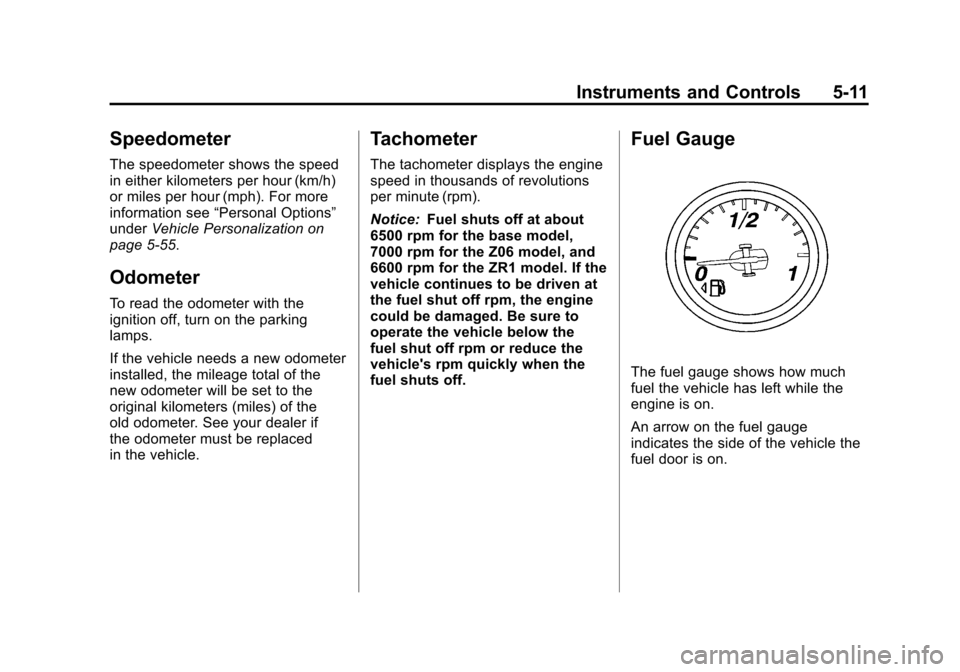
Fuel Gauge
The fuel gauge shows how much
fuel the vehicle has left while the
engine is on.
An arrow on the fuel gauge
indicates the side of the vehicle the
fuel door is on.
Page 132 of 428
Black plate (12,1)Chevrolet Corvette Owner Manual - 2011
5-12 Instruments and Controls
When the needle approaches the
low fuel symbol, a chime sounds
and LOW FUEL appears on the
Driver Information Center (DIC)
display. There is still a little fuel left,
but the vehicle's fuel tank should be
filled soon.
Press the RESET button to
acknowledge a DIC message(s).
Pressing the RESET button also
turns off a DIC message but the
LOW FUEL message comes on
again in 10 minutes if fuel is not
added to the vehicle.
Here are five things that some
owners ask about. All these things
are normal and do not indicate that
anything is wrong with the fuel
gauge.
.At the service station, the gas
pump shuts off before the gauge
reads the full.
.It takes a little more or less
fuel to fill up than the gauge
indicated. For example, the
gauge may have indicated half
full, but it took a little more or
less than half of the tank's
capacity to fill the tank.
.The gauge pointer may move
while cornering, braking or
speeding up.
.The gauge may not indicate the
tank is empty when the ignition
is turned off.
.The gauge reading may change
slightly within the first several
minutes after starting the
vehicle.
See “DIC Operation and Displays”
in Driver Information Center (DIC)
on page 5‑25 for more information.
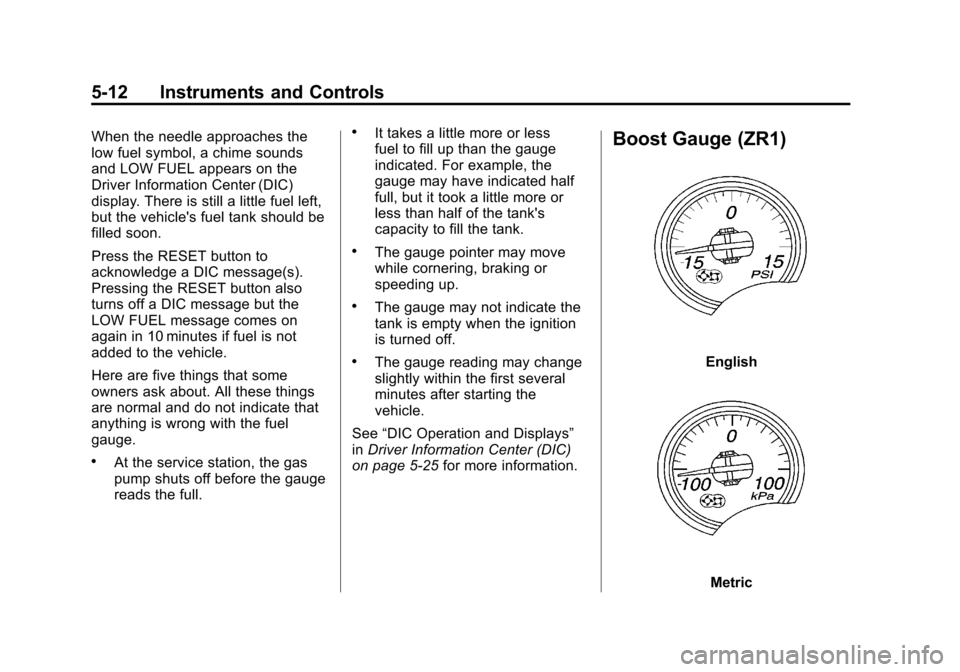
Boost Gauge (ZR1)
English
Metric
Page 138 of 428
Black plate (18,1)Chevrolet Corvette Owner Manual - 2011
5-18 Instruments and Controls
If the word OFF or the off symbol
is lit on the passenger airbag
status indicator, it means that
the passenger sensing system
has turned off the right front
passenger frontal airbag and
seat-mounted side impact airbag
(if equipped). SeePassenger
Sensing System on page 3‑30 for
more on this, including important
safety information.
If, after several seconds, both status
indicator lights remain on, or if there
are no lights at all, there may be
a problem with the lights or the
passenger sensing system.
See your dealer for service.{WARNING
If the airbag readiness light ever
comes on and stays on, it means
that something may be wrong
with the airbag system. To help
avoid injury to yourself or others,
have the vehicle serviced right
away. See Airbag Readiness
Light on page 5‑16 for more
information, including important
safety information.
Malfunction
Indicator Lamp
A computer system called OBD II
(On-Board Diagnostics-Second
Generation) monitors operation
of the fuel, ignition, and emission
control systems. It makes sure that
emissions are at acceptable levels
for the life of the vehicle, helping to
produce a cleaner environment.
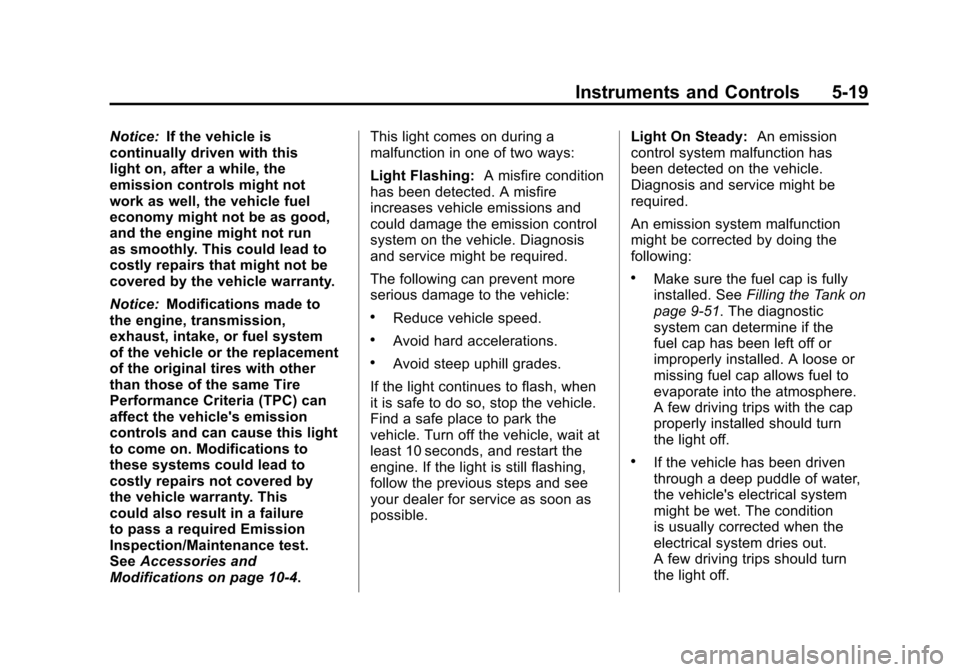
This comes on briefly while starting
the engine. If it does not come on,
have the vehicle serviced by your
dealer.
If the Malfunction Indicator Lamp
comes on and stays on, while the
engine is running, this indicates that
there is an OBD II problem and
service is required.
Malfunctions often are indicated by
the system before any problem is
apparent. Being aware of the light
can prevent more serious damage
to the vehicle. This system assists
the service technician in correctly
diagnosing any malfunction.
Page 139 of 428
Black plate (19,1)Chevrolet Corvette Owner Manual - 2011
Instruments and Controls 5-19
Notice:If the vehicle is
continually driven with this
light on, after a while, the
emission controls might not
work as well, the vehicle fuel
economy might not be as good,
and the engine might not run
as smoothly. This could lead to
costly repairs that might not be
covered by the vehicle warranty.
Notice: Modifications made to
the engine, transmission,
exhaust, intake, or fuel system
of the vehicle or the replacement
of the original tires with other
than those of the same Tire
Performance Criteria (TPC) can
affect the vehicle's emission
controls and can cause this light
to come on. Modifications to
these systems could lead to
costly repairs not covered by
the vehicle warranty. This
could also result in a failure
to pass a required Emission
Inspection/Maintenance test.
See Accessories and
Modifications on page 10‑4. This light comes on during a
malfunction in one of two ways:
Light Flashing:
A misfire condition
has been detected. A misfire
increases vehicle emissions and
could damage the emission control
system on the vehicle. Diagnosis
and service might be required.
The following can prevent more
serious damage to the vehicle:
.Reduce vehicle speed.
.Avoid hard accelerations.
.Avoid steep uphill grades.
If the light continues to flash, when
it is safe to do so, stop the vehicle.
Find a safe place to park the
vehicle. Turn off the vehicle, wait at
least 10 seconds, and restart the
engine. If the light is still flashing,
follow the previous steps and see
your dealer for service as soon as
possible. Light On Steady:
An emission
control system malfunction has
been detected on the vehicle.
Diagnosis and service might be
required.
An emission system malfunction
might be corrected by doing the
following:
.Make sure the fuel cap is fully
installed. See Filling the Tank on
page 9‑51. The diagnostic
system can determine if the
fuel cap has been left off or
improperly installed. A loose or
missing fuel cap allows fuel to
evaporate into the atmosphere.
A few driving trips with the cap
properly installed should turn
the light off.
.If the vehicle has been driven
through a deep puddle of water,
the vehicle's electrical system
might be wet. The condition
is usually corrected when the
electrical system dries out.
A few driving trips should turn
the light off.
Page 140 of 428
Black plate (20,1)Chevrolet Corvette Owner Manual - 2011
5-20 Instruments and Controls
.Make sure to fuel the vehicle
with quality fuel. Poor fuel quality
causes the engine not to run as
efficiently as designed and may
cause: stalling after start-up,
stalling when the vehicle is
changed into gear, misfiring,
hesitation on acceleration,
or stumbling on acceleration.
These conditions might go away
once the engine is warmed up.
If one or more of these
conditions occurs, change
the fuel brand used. It will
require at least one full tank
of the proper fuel to turn the
light off.
SeeRecommended Fuel on
page 9‑48.
If none of the above have made
the light turn off, your dealer can
check the vehicle. The dealer
has the proper test equipment
and diagnostic tools to fix any
mechanical or electrical problems
that might have developed.Emissions Inspection and
Maintenance Programs
Some state/provincial and
local governments may have
programs to inspect the on-vehicle
emission control equipment For
the inspection, the emission
system test equipment is connected
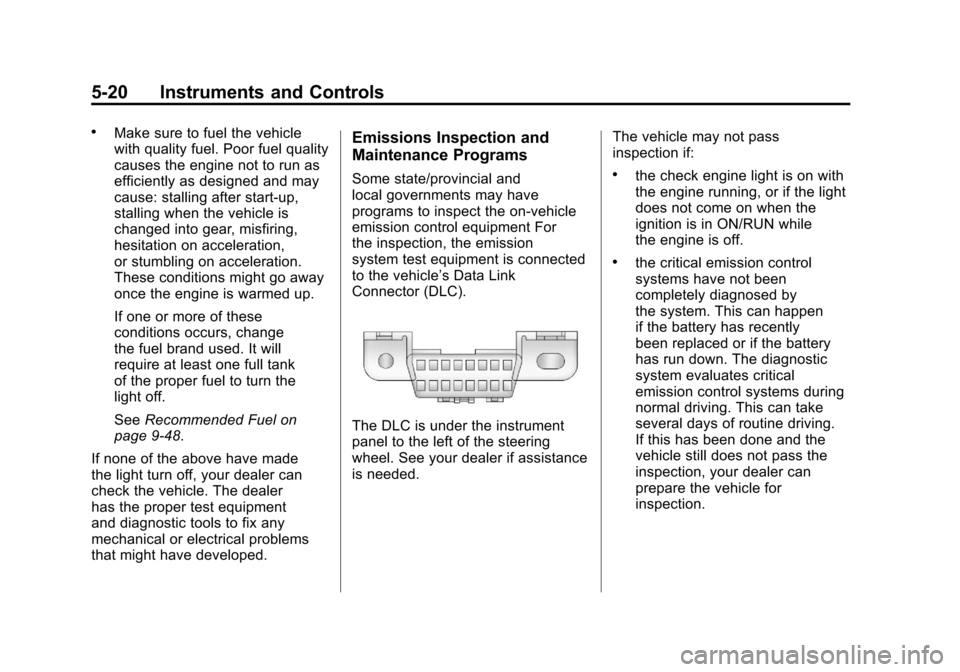
to the vehicle’s Data Link
Connector (DLC).
The DLC is under the instrument
panel to the left of the steering
wheel. See your dealer if assistance
is needed. The vehicle may not pass
inspection if:
.the check engine light is on with
the engine running, or if the light
does not come on when the
ignition is in ON/RUN while
the engine is off.
.the critical emission control
systems have not been
completely diagnosed by
the system. This can happen
if the battery has recently
been replaced or if the battery
has run down. The diagnostic
system evaluates critical
emission control systems during
normal driving. This can take
several days of routine driving.
If this has been done and the
vehicle still does not pass the
inspection, your dealer can
prepare the vehicle for
inspection.
Page 142 of 428
Black plate (22,1)Chevrolet Corvette Owner Manual - 2011
5-22 Instruments and Controls
Antilock Brake System
(ABS) Warning Light
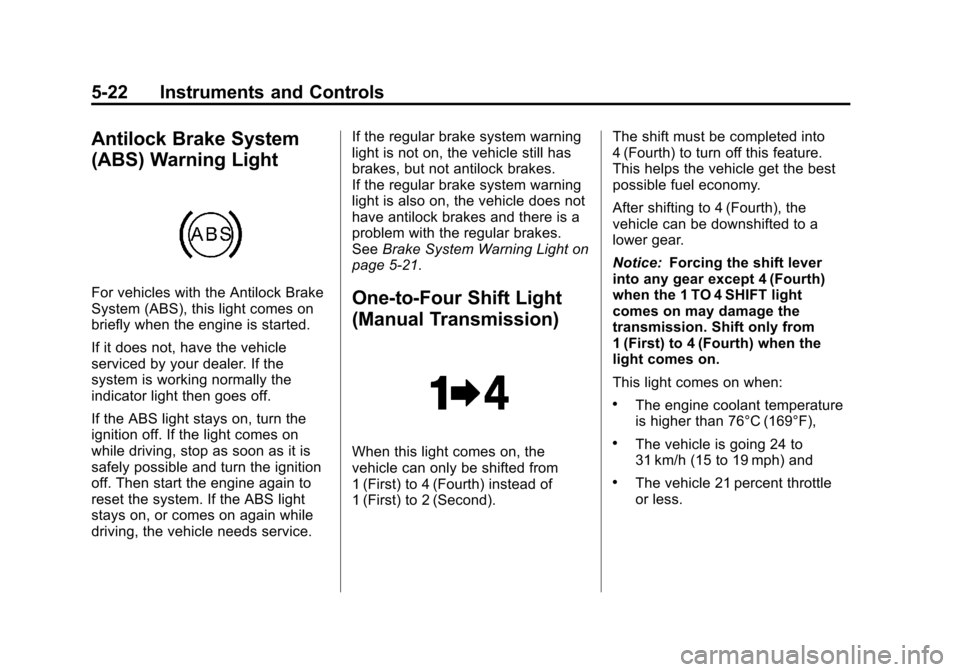
For vehicles with the Antilock Brake
System (ABS), this light comes on
briefly when the engine is started.
If it does not, have the vehicle
serviced by your dealer. If the
system is working normally the
indicator light then goes off.
If the ABS light stays on, turn the
ignition off. If the light comes on
while driving, stop as soon as it is
safely possible and turn the ignition
off. Then start the engine again to
reset the system. If the ABS light
stays on, or comes on again while
driving, the vehicle needs service.If the regular brake system warning
light is not on, the vehicle still has
brakes, but not antilock brakes.
If the regular brake system warning
light is also on, the vehicle does not
have antilock brakes and there is a
problem with the regular brakes.
See
Brake System Warning Light on
page 5‑21.One-to-Four Shift Light
(Manual Transmission)
When this light comes on, the
vehicle can only be shifted from
1 (First) to 4 (Fourth) instead of
1 (First) to 2 (Second). The shift must be completed into
4 (Fourth) to turn off this feature.
This helps the vehicle get the best
possible fuel economy.
After shifting to 4 (Fourth), the
vehicle can be downshifted to a
lower gear.
Notice:
Forcing the shift lever
into any gear except 4 (Fourth)
when the 1 TO 4 SHIFT light
comes on may damage the
transmission. Shift only from
1 (First) to 4 (Fourth) when the
light comes on.
This light comes on when:
.The engine coolant temperature
is higher than 76°C (169°F),
.The vehicle is going 24 to
31 km/h (15 to 19 mph) and
.The vehicle 21 percent throttle
or less.
Page 146 of 428
Black plate (26,1)Chevrolet Corvette Owner Manual - 2011
5-26 Instruments and Controls
DIC Operation and Displays
Depending on the features on the
vehicle, the drive gear may display
on the DIC. See“Manual Paddle
Shift” under Automatic Transmission
on page 9‑28 and“Head-Up
Display (HUD)” in the index of
the Navigation system manual
for more information.
The Driver Information Center (DIC)
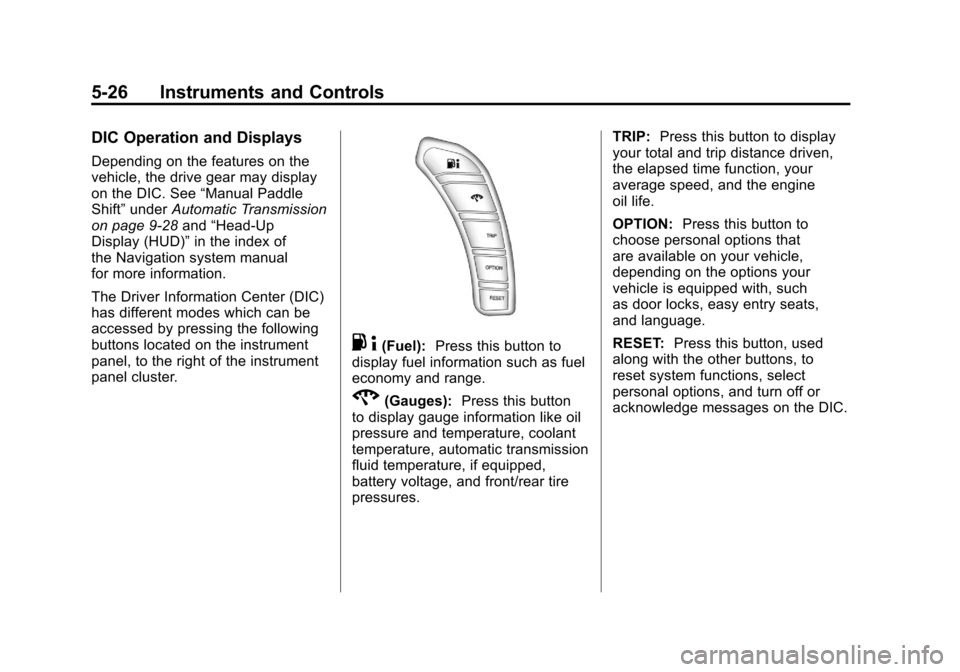
has different modes which can be
accessed by pressing the following
buttons located on the instrument
panel, to the right of the instrument
panel cluster.
. 4(Fuel): Press this button to
display fuel information such as fuel
economy and range.
2(Gauges): Press this button
to display gauge information like oil
pressure and temperature, coolant
temperature, automatic transmission
fluid temperature, if equipped,
battery voltage, and front/rear tire
pressures. TRIP:
Press this button to display
your total and trip distance driven,
the elapsed time function, your
average speed, and the engine
oil life.
OPTION: Press this button to
choose personal options that
are available on your vehicle,
depending on the options your
vehicle is equipped with, such
as door locks, easy entry seats,
and language.
RESET: Press this button, used
along with the other buttons, to
reset system functions, select
personal options, and turn off or
acknowledge messages on the DIC.
Page 147 of 428
Black plate (27,1)Chevrolet Corvette Owner Manual - 2011
Instruments and Controls 5-27
FUEL Button
The fuel button displays average
fuel economy and instantaneous
fuel economy, calculated for your
specific driving conditions, and
range information.
Average Fuel Economy:The
average fuel economy is viewed
as a long-term approximation of
your overall driving conditions.
You should reset the average fuel
economy display every time you
refuel. If you press the RESET
button in this mode while you are
driving, the system will reset this
display and begin figuring fuel
economy from that point in time.
Press the fuel button to display
average fuel economy, such as:
.AVERAGE FUEL ECONOMY
11.7 L/100 km or
.AVERAGE FUEL ECONOMY
20.1 MPG Instantaneous Fuel Economy:
Instantaneous fuel economy
reflects only the fuel economy
that the vehicle has right now and
will change frequently as driving
conditions change. Unlike average
fuel economy, this menu item
cannot be reset.
Press the fuel button again to
display instantaneous fuel economy,
such as:
.INSTANT FUEL ECONOMY
11.7 L/100 km or
.INSTANT FUEL ECONOMY
20.1 MPG
Fuel Range: The range calculates
the remaining distance you can
drive without refueling. It is based
on fuel economy and the fuel
remaining in the tank. Press the fuel button again to
display the range, such as:
.RANGE 48 km or
.RANGE 30 MI
If the LOW FUEL warning is
displayed or if RANGE is less
than 64 km (40 miles), the display
will read RANGE LOW.
The fuel economy data used to
determine fuel range is an average
of recent driving conditions. As your
driving conditions change, this data
is gradually updated automatically.
If the vehicle has been idling for a
long time, the range displayed on
the DIC could be abnormally low.
The vehicle must be driven 8–16 km
(5–10 miles) to get an accurate
reading.
Page 151 of 428
Black plate (31,1)Chevrolet Corvette Owner Manual - 2011
Instruments and Controls 5-31
Head-Up Display (HUD)
{WARNING
If the HUD image is too bright,
or too high in your field of view, it
may take you more time to see
things you need to see when it is
dark outside. Be sure to keep the
HUD image dim and placed low in
your field of view.
For vehicles with the Head-Up
Display (HUD), you can see some
of the driver information that
appears on the instrument panel
cluster. The information may be displayed
in English or metric units and
appears as an image focused
out toward the front of the vehicle.
The HUD consists of the following
information:
.Speedometer
.Turn Signal Indicators
.High-Beam Indicator Symbol
.Tachometer
.Manual Paddle Shift Gear
Indicator (If Equipped)
These displays on the HUD are
for use when using the manual
paddle shift controls to shift the
transmission. See
“Manual
Paddle Shift” inAutomatic
Transmission on page 9‑28.
.Shift Light
This light is used for
performance driving to
indicate that the vehicle's
best performance level has
been reached to shift the transmission into the next higher
gear. An arrow pointing up will
light up on the display just prior
to reaching the engine fuel
cut-off mode. This cut-off is
about 6,500 RPM for the
LS3 engine, 6,600 RPM for
the LS9 & ZR1 engines and
7,000 RPM for the LS7 engine.
.Check Gauges Warning
.Engine Coolant Temperature
Gauge
.Transmission Fluid Temperature
Gauge, (Automatic Transmission
Vehicles Only)
.Engine Oil Temperature Gauge
.Engine Oil Pressure Gauge
.G-Force Gauge
.Boost Gauge (If Equipped)
.Audio Functions, Street
Mode Only
.Navigation, Only with Navigation
Radio, Turn-by-Turn Guidance