lights CHEVROLET CORVETTE 2011 6.G User Guide
[x] Cancel search | Manufacturer: CHEVROLET, Model Year: 2011, Model line: CORVETTE, Model: CHEVROLET CORVETTE 2011 6.GPages: 428, PDF Size: 6.63 MB
Page 184 of 428
Black plate (64,1)Chevrolet Corvette Owner Manual - 2011
5-64 Instruments and Controls
Universal Remote
System
SeeRadio Frequency Statement on
page 13‑19 for information
regarding Part 15 of the Federal
Communications Commission
(FCC) rules and Industry Canada
Standards RSS-210/220/310.
The FCC Grant of Equipment
Authorization Certificate number
is KOBFTE05A.
The Canadian Registration
ID number is 3521A-FTE05A.
Universal Remote System
Programming
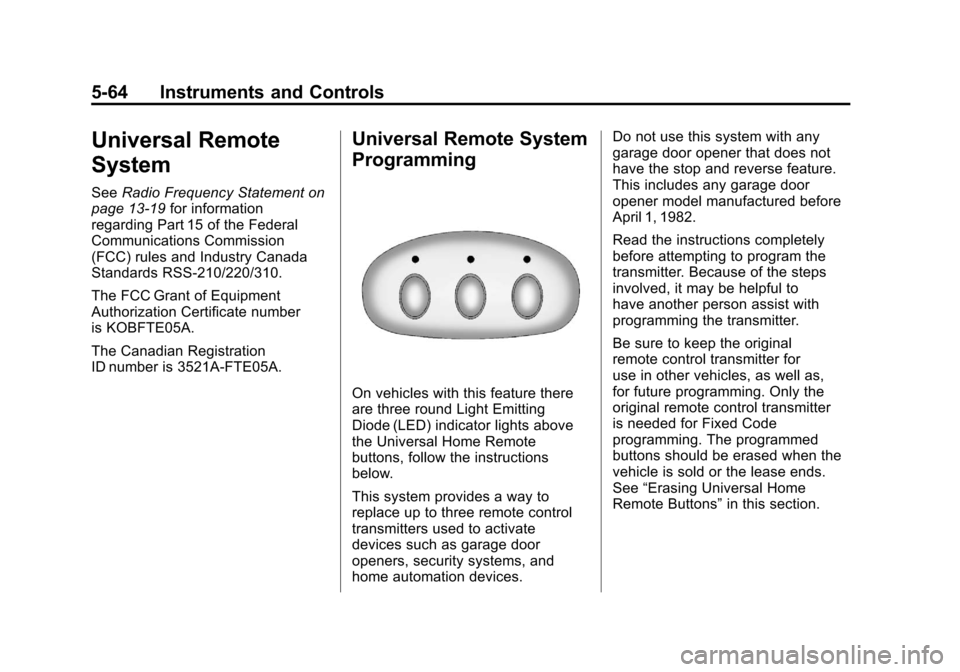
On vehicles with this feature there
are three round Light Emitting
Diode (LED) indicator lights above
the Universal Home Remote
buttons, follow the instructions
below.
This system provides a way to
replace up to three remote control
transmitters used to activate
devices such as garage door
openers, security systems, and
home automation devices. Do not use this system with any
garage door opener that does not
have the stop and reverse feature.
This includes any garage door
opener model manufactured before
April 1, 1982.
Read the instructions completely
before attempting to program the
transmitter. Because of the steps
involved, it may be helpful to
have another person assist with
programming the transmitter.
Be sure to keep the original
remote control transmitter for
use in other vehicles, as well as,
for future programming. Only the
original remote control transmitter
is needed for Fixed Code
programming. The programmed
buttons should be erased when the
vehicle is sold or the lease ends.
See
“Erasing Universal Home
Remote Buttons” in this section.
Page 188 of 428
Black plate (68,1)Chevrolet Corvette Owner Manual - 2011
5-68 Instruments and Controls
The switch positions on the
hand-held transmitter could be
labeled, as follows:
.A switch in the up position
could be labeled as“Up,”
“+,” or“On.”
.A switch in the down
position could be labeled
as “Down,” “−,” or“Off.”
.A switch in the middle
position could be labeled as
“Middle,” “0,” or“Neutral.”
3. Write down the eight to 12 switch settings from left to right as
follows:
.When a switch is in the up
position, write “Left.”
.When a switch is in the
down position, write “Right.”
.If a switch is set between
the up and down position,
write“Middle.”
The switch settings written
down in Step 3 now
become the button strokes
to be entered into the
Universal Home Remote
in Step 5. Be sure to enter
the switch settings written
down in Step 3, in order
from left to right, into the
Universal Home Remote,
when completing Step 5.
4. From inside the vehicle, first firmly press all three buttons
at the same time for about
three seconds. Release the
buttons to put the Universal
Home Remote into
programming mode.
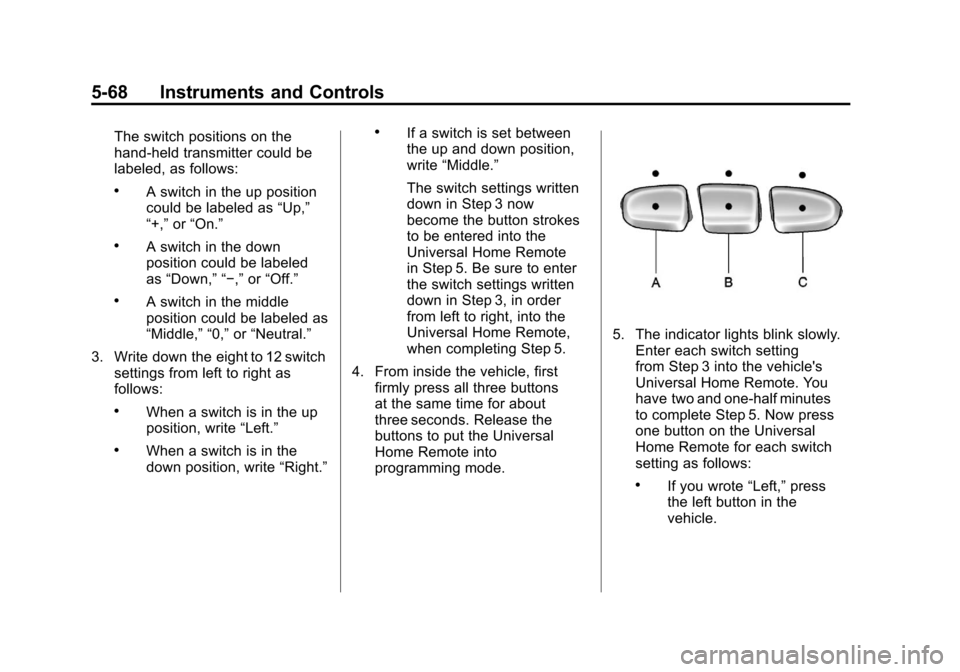
5. The indicator lights blink slowly.Enter each switch setting
from Step 3 into the vehicle's
Universal Home Remote. You
have two and one-half minutes
to complete Step 5. Now press
one button on the Universal
Home Remote for each switch
setting as follows:
.If you wrote “Left,”press
the left button in the
vehicle.
Page 189 of 428
Black plate (69,1)Chevrolet Corvette Owner Manual - 2011
Instruments and Controls 5-69
.If you wrote“Right,”press
the right button in the
vehicle.
.If you wrote “Middle,”press
the middle button in the
vehicle.
6. After entering all of the switch positions, again, firmly press and
release all three buttons at the
same time. The indicator lights
turn on.
7. Press and hold the button that will be used to control the
garage door until the garage
door moves. The indicator
light above the selected button
should slowly blink. This button
may need to be held for up to
55 seconds. 8. Immediately release the button
when the garage door moves.
The indicator light blinks rapidly
until programming is complete.
9. Press and release the same button again. The garage door
should move, confirming that
programming is successful and
complete.
To program another Fixed Code
device such as an additional garage
door opener, a security device,
or home automation device, repeat
Steps 1-9, choosing a different
button in Step 7 than what was
used for the garage door opener.
Universal Remote System
Operation
Press and hold the appropriate
button for at least half of a second.
The indicator light comes on while
the signal is being transmitted.
Operation can occur:
.If the vehicle is in
accessory mode.
.If the vehicle is in running.
.If the vehicle is in Retained
Accessory Mode (RAP).
See Retained Accessory
Power (RAP) on page 9‑21 for
more information.
.Up to an additional 10 minutes
after RAP finishes.
.Up to 10 minutes after any door
is opened.
Page 190 of 428
Black plate (70,1)Chevrolet Corvette Owner Manual - 2011
5-70 Instruments and Controls
Reprogramming Universal
Home Remote Buttons
Any of the three buttons can be
reprogrammed by repeating the
instructions.
Erasing Universal Home
Remote Buttons
The programmed buttons should be
erased when the vehicle is sold or
the lease ends.
To erase either Rolling Code or
Fixed Code on the Universal Home
Remote device:
1. Press and hold the two outsidebuttons at the same time for
approximately 20 seconds,
until the indicator lights, located
directly above the buttons, begin
to blink rapidly. 2. Once the indicator lights begin
to blink, release both buttons.
The codes from all buttons are
erased.
For help or information on the
Universal Home Remote System,
call the customer assistance phone
number under Customer Assistance
Offices (United States and Canada)
on page 13‑5 orCustomer
Assistance Offices (Mexico) on
page 13‑5.
Page 191 of 428
Black plate (1,1)Chevrolet Corvette Owner Manual - 2011
Lighting 6-1
Lighting
Exterior Lighting
Exterior Lamp Controls . . . . . . . . 6-1
Exterior Lamps OffReminder . . . . . . . . . . . . . . . . . . . . 6-2
Headlamp High/Low-Beam Changer . . . . . . . . . . . . . . . . . . . . . 6-2
Flash-to-Pass . . . . . . . . . . . . . . . . . 6-2
Daytime Running Lamps (DRL) . . . . . . . . . . . . . . . . 6-2
Twilight Sentinel . . . . . . . . . . . . . . 6-3
Hazard Warning Flashers . . . . . 6-4
Turn and Lane-Change Signals (Auto Signal) . . . . . . . . . . . . . . . . 6-4
Fog Lamps . . . . . . . . . . . . . . . . . . . . 6-5
Interior Lighting
Instrument Panel Illumination Control . . . . . . . . . . . . . . . . . . . . . . 6-5
Courtesy Lamps . . . . . . . . . . . . . . 6-6
Reading Lamps . . . . . . . . . . . . . . . 6-6
Lighting Features
Entry/Exit Lighting . . . . . . . . . . . . . 6-6
Battery Power Protection . . . . . . 6-7
Exterior Lighting Battery Saver . . . . . . . . . . . . . . . . . . . . . . . . 6-7
Exterior Lighting
Exterior Lamp Controls
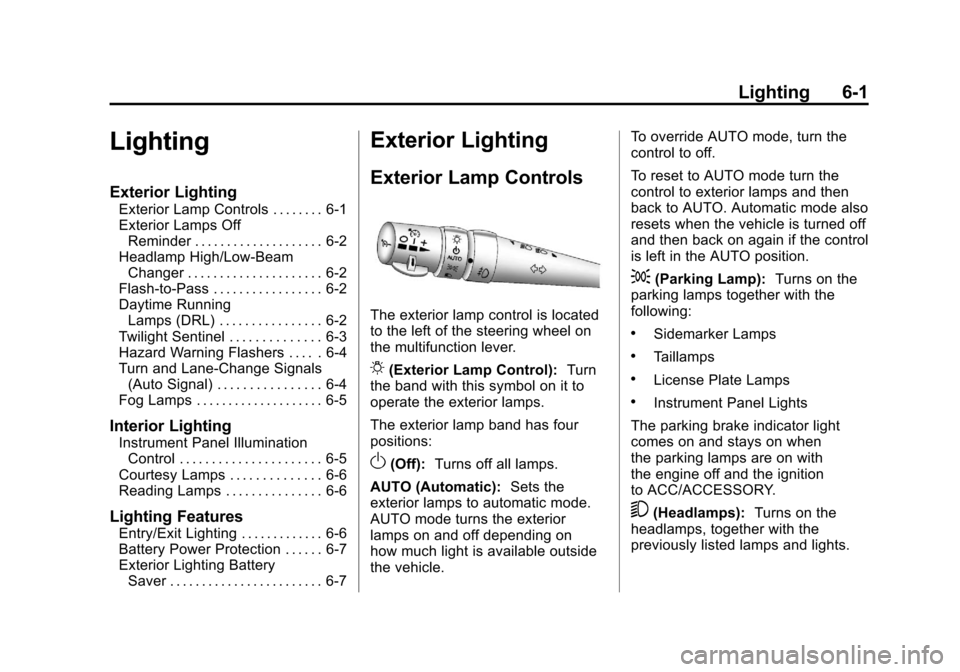
The exterior lamp control is located
to the left of the steering wheel on
the multifunction lever.
O(Exterior Lamp Control): Turn
the band with this symbol on it to
operate the exterior lamps.
The exterior lamp band has four
positions:
O(Off): Turns off all lamps.
AUTO (Automatic): Sets the
exterior lamps to automatic mode.
AUTO mode turns the exterior
lamps on and off depending on
how much light is available outside
the vehicle. To override AUTO mode, turn the
control to off.
To reset to AUTO mode turn the
control to exterior lamps and then
back to AUTO. Automatic mode also
resets when the vehicle is turned off
and then back on again if the control
is left in the AUTO position.
;(Parking Lamp):
Turns on the
parking lamps together with the
following:
.Sidemarker Lamps
.Taillamps
.License Plate Lamps
.Instrument Panel Lights
The parking brake indicator light
comes on and stays on when
the parking lamps are on with
the engine off and the ignition
to ACC/ACCESSORY.
5(Headlamps): Turns on the
headlamps, together with the
previously listed lamps and lights.
Page 192 of 428
Black plate (2,1)Chevrolet Corvette Owner Manual - 2011
6-2 Lighting
Exterior Lamps Off
Reminder
A warning chime will sound if the
exterior lamp control is left on in
either the headlamp or parking lamp
position and the driver's door is
opened with the ignition off.
Headlamp High/
Low-Beam Changer
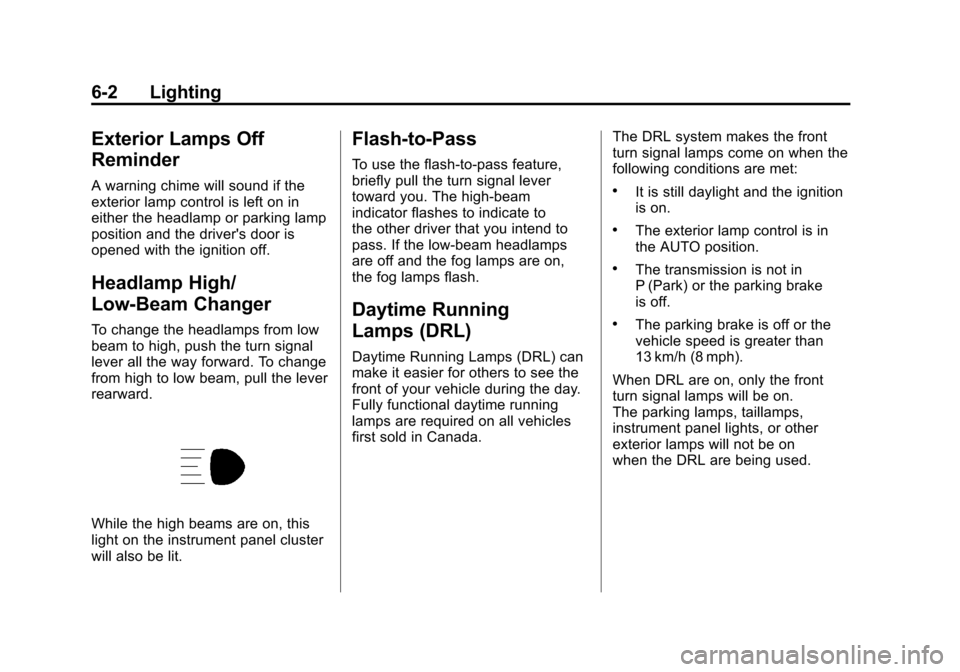
To change the headlamps from low
beam to high, push the turn signal
lever all the way forward. To change
from high to low beam, pull the lever
rearward.
While the high beams are on, this
light on the instrument panel cluster
will also be lit.
Flash-to-Pass
To use the flash-to-pass feature,
briefly pull the turn signal lever
toward you. The high-beam
indicator flashes to indicate to
the other driver that you intend to
pass. If the low-beam headlamps
are off and the fog lamps are on,
the fog lamps flash.
Daytime Running
Lamps (DRL)
Daytime Running Lamps (DRL) can
make it easier for others to see the
front of your vehicle during the day.
Fully functional daytime running
lamps are required on all vehicles
first sold in Canada.The DRL system makes the front
turn signal lamps come on when the
following conditions are met:
.It is still daylight and the ignition
is on.
.The exterior lamp control is in
the AUTO position.
.The transmission is not in
P (Park) or the parking brake
is off.
.The parking brake is off or the
vehicle speed is greater than
13 km/h (8 mph).
When DRL are on, only the front
turn signal lamps will be on.
The parking lamps, taillamps,
instrument panel lights, or other
exterior lamps will not be on
when the DRL are being used.
Page 195 of 428
Black plate (5,1)Chevrolet Corvette Owner Manual - 2011
Lighting 6-5
The lever returns to its starting
position when it is released.
If after signaling a turn or lane
change the arrows flash rapidly or
do not come on, a signal bulb may
be burned out.
Have the bulbs replaced. If the bulb
is not burned out, check the fuse.
SeeFuses and Circuit Breakers on
page 10‑51.
Turn Signal on Chime
A chime sounds if the turn signal
has been on for more than 1.2 km
(0.75 miles) of driving.
If you need to leave the turn
signal on for more than 1.2 km
(0.75 miles), turn off the signal
and then turn it back on.Fog Lamps
Use fog lamps for better vision in
foggy or misty conditions.
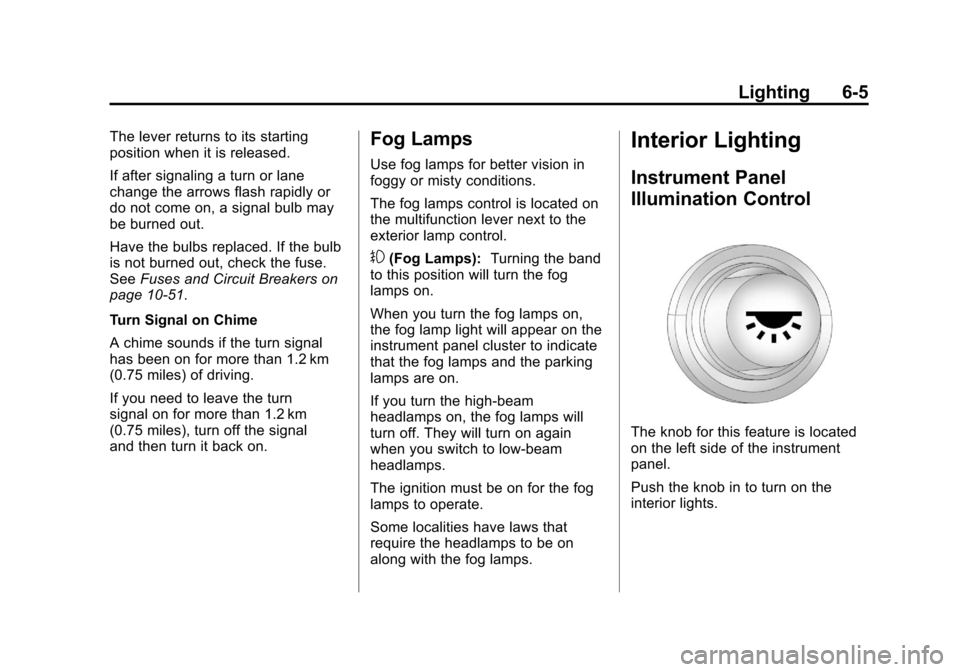
The fog lamps control is located on
the multifunction lever next to the
exterior lamp control.
#(Fog Lamps): Turning the band
to this position will turn the fog
lamps on.
When you turn the fog lamps on,
the fog lamp light will appear on the
instrument panel cluster to indicate
that the fog lamps and the parking
lamps are on.
If you turn the high-beam
headlamps on, the fog lamps will
turn off. They will turn on again
when you switch to low-beam
headlamps.
The ignition must be on for the fog
lamps to operate.
Some localities have laws that
require the headlamps to be on
along with the fog lamps.
Interior Lighting
Instrument Panel
Illumination Control
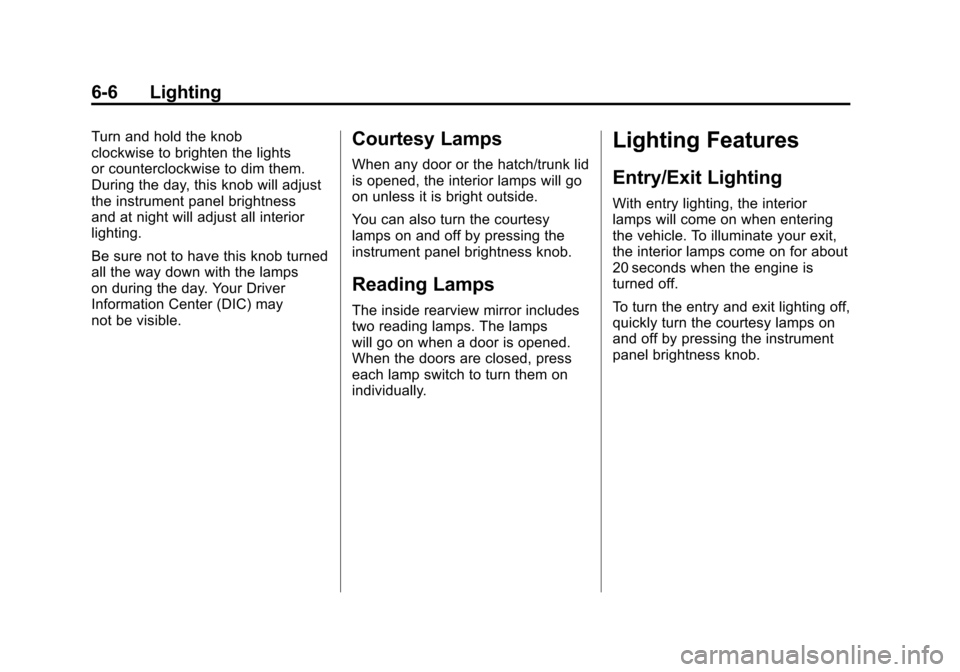
The knob for this feature is located
on the left side of the instrument
panel.
Push the knob in to turn on the
interior lights.
Page 196 of 428
Black plate (6,1)Chevrolet Corvette Owner Manual - 2011
6-6 Lighting
Turn and hold the knob
clockwise to brighten the lights
or counterclockwise to dim them.
During the day, this knob will adjust
the instrument panel brightness
and at night will adjust all interior
lighting.
Be sure not to have this knob turned
all the way down with the lamps
on during the day. Your Driver
Information Center (DIC) may
not be visible.Courtesy Lamps
When any door or the hatch/trunk lid
is opened, the interior lamps will go
on unless it is bright outside.
You can also turn the courtesy
lamps on and off by pressing the
instrument panel brightness knob.
Reading Lamps
The inside rearview mirror includes
two reading lamps. The lamps
will go on when a door is opened.
When the doors are closed, press
each lamp switch to turn them on
individually.
Lighting Features
Entry/Exit Lighting
With entry lighting, the interior
lamps will come on when entering
the vehicle. To illuminate your exit,
the interior lamps come on for about
20 seconds when the engine is
turned off.
To turn the entry and exit lighting off,
quickly turn the courtesy lamps on
and off by pressing the instrument
panel brightness knob.
Page 421 of 428

Black plate (5,1)Chevrolet Corvette Owner Manual - 2011
INDEX i-5
Fuel EconomyDriving for Better . . . . . . . 1-22, 1-23
Fuses Engine CompartmentFuse Block . . . . . . . . . . . . . . . . 10-52
Fuses and Circuit Breakers . . . . . . . . . . . . . . . . . . 10-51
Instrument Panel Fuse Block . . . . . . . . . . . . . . . . . . . . . . 10-55
G
Garage Door Opener . . . . . . . . . . 5-64Programming . . . . . . . . . . . . . . . . . 5-64
Gasoline Specifications . . . . . . . . . . . . . . . . . 9-49
Gauges Boost . . . . . . . . . . . . . . . . . . . . . . . . . 5-12
Engine CoolantTemperature . . . . . . . . . . . . . . . . 5-15
Engine Oil Pressure . . . . . . . . . . 5-13
Fuel . . . . . . . . . . . . . . . . . . . . . . . . . . 5-11
Odometer . . . . . . . . . . . . . . . . . . . . . 5-11
Speedometer . . . . . . . . . . . . . . . . . 5-11 Gauges (cont.)
Tachometer . . . . . . . . . . . . . . . . . . . 5-11
Voltmeter . . . . . . . . . . . . . . . . . . . . . 5-15
Warning Lights and
Indicators . . . . . . . . . . . . . . . . . . . . 5-8
General Information Service and Maintenance . . . . . 11-1
Towing . . . . . . . . . . . . . . . . . . . . . . . . 9-54
Vehicle Care . . . . . . . . . . . . . . . . . . 10-3
Glove Box . . . . . . . . . . . . . . . . . . . . . . 4-1
GM Mobility Reimbursement Program . . . . . . . . . . . . . . . . . . . . . . 13-7
H
Halogen Bulbs . . . . . . . . . . . . . . . . 10-48
Hatch . . . . . . . . . . . . . . . . . . . . . . . . . . 2-10
Hazard Warning Flashers . . . . . . . 6-4
Head Restraints . . . . . . . . . . . . . . . . 3-2
Head-Up Display (HUD) . . . . . . . 5-31
HeadlampsAiming . . . . . . . . . . . . . . . . . . . . . . 10-48
Bulb Replacement . . . . . . . . . . 10-48
Daytime RunningLamps (DRL) . . . . . . . . . . . . . . . . . 6-2
Flash-to-Pass . . . . . . . . . . . . . . . . . . 6-2 Headlamps (cont.)
High Intensity Discharge
(HID) Lighting . . . . . . . . . . . . . 10-48
High-Beam On Light . . . . . . . . . . 5-25
High/Low Beam Changer . . . . . . 6-2
Lamps On Reminder . . . . . . . . . 5-25
Twilight Sentinel . . . . . . . . . . . . . . . 6-3
Heated Front Seats . . . . . . . . . . . . . 3-8
Heated Mirrors . . . . . . . . . . . . . . . . . 2-16
High-Beam On Light . . . . . . . . . . . 5-25
High-Speed Operation . . . . . . . . 10-67
Highway Hypnosis . . . . . . . . . . . . . 9-10
Hill and Mountain Roads . . . . . . . 9-10
Hood . . . . . . . . . . . . . . . . . . . . . . . . . . 10-9
Horn . . . . . . . . . . . . . . . . . . . . . . . . . . . . 5-4
How to Wear Safety Belts Properly . . . . . . . . . . . . . . . . . . . . . . 3-13
Hydraulic Clutch . . . . . . . . . . . . . . 10-24
Page 422 of 428

Black plate (6,1)Chevrolet Corvette Owner Manual - 2011
i-6 INDEX
I
Ignition Positions . . . . . . . . . . . . . . 9-20
Immobilizer . . . . . . . . . . . . . . . . . . . . 2-14
Infants and Young Children,Restraints . . . . . . . . . . . . . . . . . . . . 3-39
Instrument Cluster . . . . . . . . . . . . . . 5-9
Introduction . . . . . . . . . . . . . . . . . . .iii, 7-1
J
Jump Starting . . . . . . . . . . . . . . . . . 10-82
K
Key and Lock Messages . . . . . . . 5-42
Keyless Entry Remote (RKE) System . . . . . . . . 2-3
Keyless Entry System . . . . . . . . . . 2-3
Keys . . . . . . . . . . . . . . . . . . . . . . . . . . . . 2-2
L
Labeling, Tire Sidewall . . . . . . . . 10-61
Lamp Messages . . . . . . . . . . . . . . . 5-44
Lamps Courtesy . . . . . . . . . . . . . . . . . . . . . . . 6-6
Daytime Running (DRL) . . . . . . . 6-2
Exterior Controls . . . . . . . . . . . . . . . 6-1
Exterior Lamps OffReminder . . . . . . . . . . . . . . . . . . . . 6-2
Exterior Lighting Battery Saver . . . . . . . . . . . . . . . . . . . . . . . . 6-7
Headlamps, Front Turn Signal and Parking
Lamps . . . . . . . . . . . . . . . . . . . . 10-49
Malfunction Indicator . . . . . . . . . 5-18
On Reminder . . . . . . . . . . . . . . . . . 5-25
Reading . . . . . . . . . . . . . . . . . . . . . . . 6-6
Lap-Shoulder Belt . . . . . . . . . . . . . 3-18 LATCH System
Replacing Parts After a
Crash . . . . . . . . . . . . . . . . . . . . . . . 3-48
Latch, Lower Anchors and Tethers for
Children . . . . . . . . . . . . . . . . 3-43, 3-44
Latches, Seatback . . . . . . . . . . . . . . 3-8
Lifting the Vehicle, Tires . . . . . . . 10-5
Lighter, Cigarette . . . . . . . . . . . . . . . 5-7
Lighting Entry/Exit . . . . . . . . . . . . . . . . . . . . . . 6-6
Illumination Control . . . . . . . . . . . . 6-5
Lights Active Handling System . . . . . . 5-23
Airbag Readiness . . . . . . . . . . . . . 5-16
Antilock Brake System(ABS) Warning . . . . . . . . . . . . . . 5-22
Flash-to-Pass . . . . . . . . . . . . . . . . . . 6-2