mirror CHEVROLET CORVETTE 2011 6.G User Guide
[x] Cancel search | Manufacturer: CHEVROLET, Model Year: 2011, Model line: CORVETTE, Model: CHEVROLET CORVETTE 2011 6.GPages: 428, PDF Size: 6.63 MB
Page 47 of 428
Black plate (15,1)Chevrolet Corvette Owner Manual - 2011
Keys, Doors and Windows 2-15
Exterior Mirrors
Convex Mirrors
{WARNING
A convex mirror can make things,
like other vehicles, look farther
away than they really are. If you
cut too sharply into the right lane,
you could hit a vehicle on the
right. Check the inside mirror or
glance over your shoulder before
changing lanes.
The passenger side mirror is convex
shaped. A convex mirror's surface is
curved so more can be seen from
the driver seat.
Power Mirrors
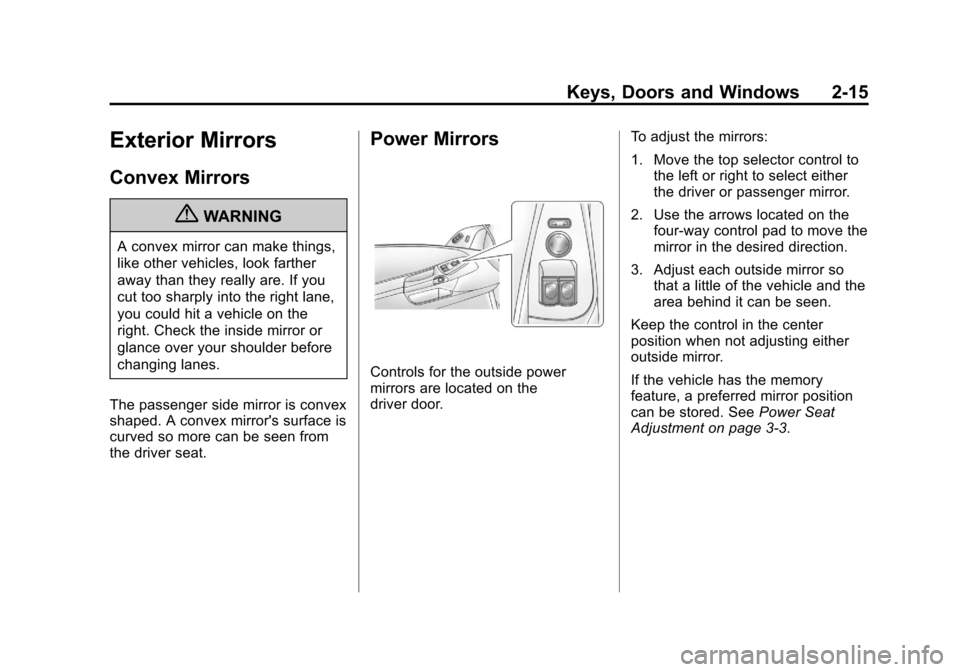
Controls for the outside power
mirrors are located on the
driver door. To adjust the mirrors:
1. Move the top selector control to
the left or right to select either
the driver or passenger mirror.
2. Use the arrows located on the four-way control pad to move the
mirror in the desired direction.
3. Adjust each outside mirror so that a little of the vehicle and the
area behind it can be seen.
Keep the control in the center
position when not adjusting either
outside mirror.
If the vehicle has the memory
feature, a preferred mirror position
can be stored. See Power Seat
Adjustment on page 3‑3.
Page 48 of 428
Black plate (16,1)Chevrolet Corvette Owner Manual - 2011
2-16 Keys, Doors and Windows
Folding Mirrors
Manually fold the mirrors inward
to prevent damage when going
through an automatic car wash.
To fold, pull the mirror toward the
vehicle. Push the mirror outward,
to return it to the original position.
Heated Mirrors
<
(Rear Window Defogger):
Press to heat the mirrors.
See “Rear Window Defogger” under
Dual Automatic Climate Control
System on page 8‑1 for more
information.
Automatic Dimming
Mirror
If the vehicle has this feature, the
driver side outside mirror adjusts for
the glare of headlamps behind you.
This feature is controlled by the
on and off setting on the inside
rearview mirror.
Interior Mirrors
Automatic Dimming
Rearview Mirror
Vehicles with an automatic dimming
inside rearview mirror, compass
display, and/or map lamps, and
OnStar
®will automatically change
to reduce glare from headlamps
behind you. A time delay feature
prevents rapid changing from the
day to night positions while driving
under lights and through traffic.
If the vehicle has OnStar
®, there
are three control buttons located at
the bottom of the mirror. See the
OnStar
®owner's guide for more
information on the services OnStar®
provides.
P(On/Off): The automatic
dimming feature is activated
when the vehicle is started.
Press and hold this button for
up to six seconds to turn this
feature on or off.
T(Indicator Light): This light turns
on when the automatic dimming
feature is active.
Map Lamps
If the mirror has map lamps, they
are located at the bottom of the
mirror. To manually turn the lamps
on or off, press the button next to
each lamp.
Cleaning the Mirror
Do not spray glass cleaner directly
on the mirror. Use a soft towel
dampened with water.
Page 50 of 428
Black plate (18,1)Chevrolet Corvette Owner Manual - 2011
2-18 Keys, Doors and Windows
Express-Down Window
Press the front of the switch to
the second position to activate the
express-down feature. If you want
to stop the window as it is lowering,
press the switch again.
Window Indexing
This feature automatically lowers
the window a small amount when
the door is opened. When the door
is closed, the window will raise to
its full up position. If either window
does not index properly, it could
be due to loss of power. Before
returning to your dealer for service,
perform the power window initialize
procedure.
Power Window Initialize
After a power reconnect such as
battery replacement, the window
index‐up feature will not function
until the system is initialized.
Once power is restored:
1. Close the door.
2. Raise the window and hold theswitch up for three seconds after
the window is closed.
3. Release the switch, then hold the switch up again for
three seconds and release.
Sun Visors
Pull the visor toward you, or move it
to the side to help reduce glare.
To use the lighted mirror, lift the
cover.
Roof
Roof Panel
On vehicles with a removable roof
panel, follow the procedures when
removing or installing it.
Removing the Roof Panel
{WARNING
Do not try to remove a roof panel
while the vehicle is moving.
Trying to remove the roof panel
while the vehicle is moving could
cause an accident. The panel
could fall into the vehicle and
cause you to lose control, or it
could fly off and strike another
vehicle. You or others could be
injured. Remove the roof panel
only when the vehicle is parked.
Page 56 of 428
Black plate (24,1)Chevrolet Corvette Owner Manual - 2011
2-24 Keys, Doors and Windows
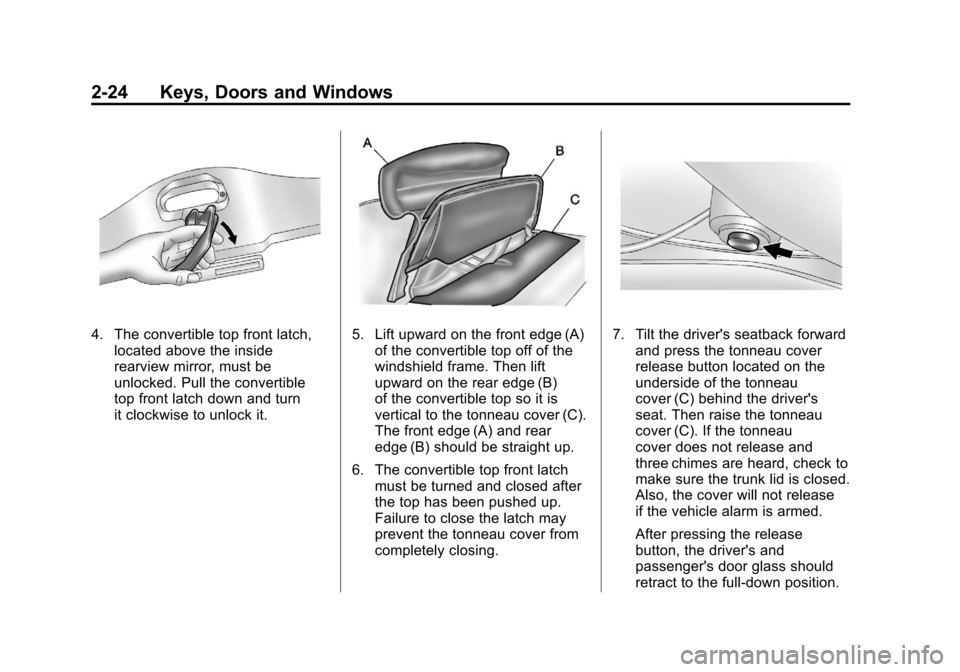
4. The convertible top front latch,located above the inside
rearview mirror, must be
unlocked. Pull the convertible
top front latch down and turn
it clockwise to unlock it.5. Lift upward on the front edge (A)of the convertible top off of the
windshield frame. Then lift
upward on the rear edge (B)
of the convertible top so it is
vertical to the tonneau cover (C).
The front edge (A) and rear
edge (B) should be straight up.
6. The convertible top front latch must be turned and closed after
the top has been pushed up.
Failure to close the latch may
prevent the tonneau cover from
completely closing.7. Tilt the driver's seatback forward
and press the tonneau cover
release button located on the
underside of the tonneau
cover (C) behind the driver's
seat. Then raise the tonneau
cover (C). If the tonneau
cover does not release and
three chimes are heard, check to
make sure the trunk lid is closed.
Also, the cover will not release
if the vehicle alarm is armed.
After pressing the release
button, the driver's and
passenger's door glass should
retract to the full-down position.
Page 60 of 428
Black plate (28,1)Chevrolet Corvette Owner Manual - 2011
2-28 Keys, Doors and Windows
Power Operation
For care and cleaning of the
convertible top see“Cleaning the
Convertible Top” in this section.
High pressure car washes may
cause water to enter the vehicle.
To operate the power convertible
top use the following steps.
Notice: Leaving the convertible
top down and exposing the
interior of your vehicle to outdoor
conditions may cause damage.
Always close the convertible top
if leaving your vehicle outdoors.
Notice: Lowering the convertible
top when there are objects in the
storage area could damage it or
break the glass rear window.
Always verify that no objects
are in the storage area before
lowering the convertible top.
Notice: Lowering the top if it is
damp, wet, or dirty can cause
stains, mildew, and damage to the
inside of your vehicle. Dry off the
top before lowering it. Notice:
If you lower the top on
your vehicle in cold weather
(0°F/-18°C or lower), you may
damage top components. Do not
lower the top in cold weather.
Notice: If you raise or lower the
convertible top while the vehicle
is in motion, you could damage
the top or the top mechanism.
The repairs would not be covered
by your warranty. Always put
an automatic transmission
in (P) Park or a manual
transmission in (N) Neutral
before raising or lowering the
convertible top.
Lowering the Power
Convertible Top
1. Park on a level surface. Start the engine. Shift an automatic
transmission into P (Park) and
set the parking brake. Shift
a manual transmission into
N (Neutral), and set the parking
brake. 2. Make sure the trunk is closed
and the rear trunk partition in
the rear storage area is in the
fastened upright position, and
that no objects are forward of
the divider. See “Rear Trunk
Partition” underRear Storage on
page 4‑1.
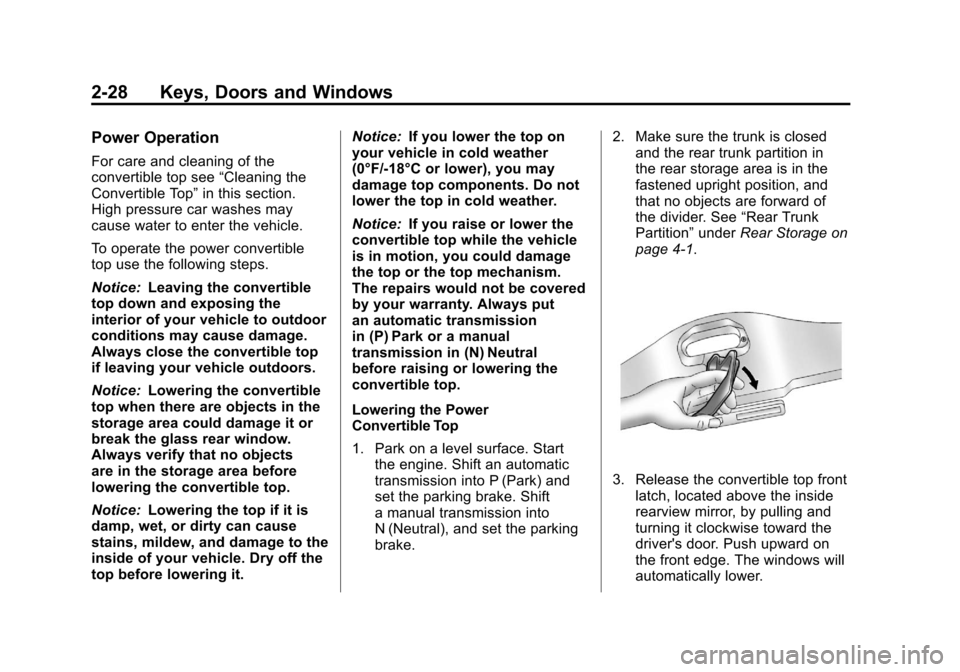
3. Release the convertible top front latch, located above the inside
rearview mirror, by pulling and
turning it clockwise toward the
driver's door. Push upward on
the front edge. The windows will
automatically lower.
Page 67 of 428
Black plate (3,1)Chevrolet Corvette Owner Manual - 2011
Seats and Restraints 3-3
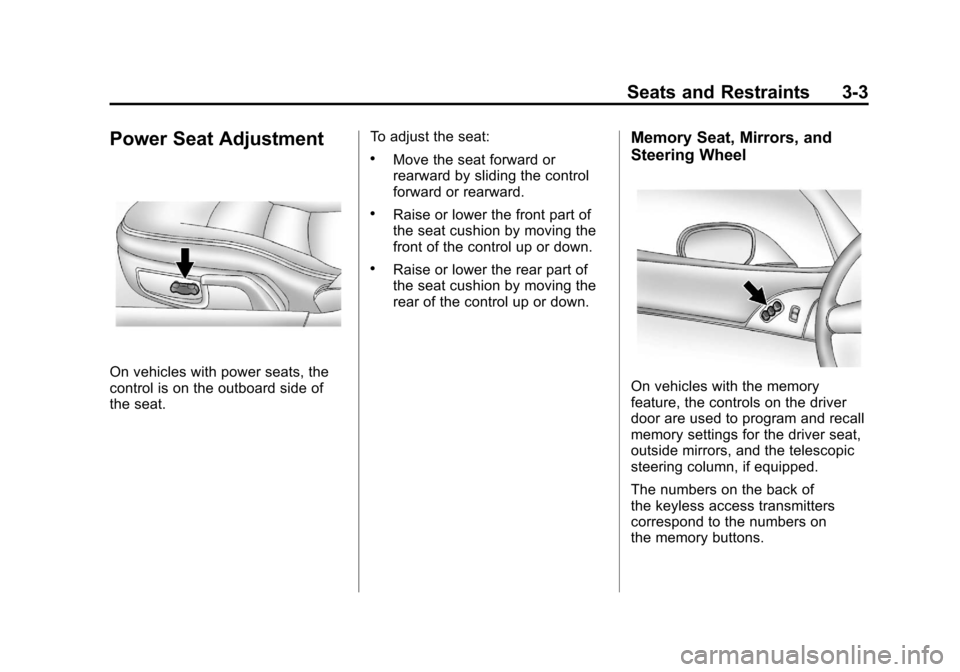
Power Seat Adjustment
On vehicles with power seats, the
control is on the outboard side of
the seat.To adjust the seat:
.Move the seat forward or
rearward by sliding the control
forward or rearward.
.Raise or lower the front part of
the seat cushion by moving the
front of the control up or down.
.Raise or lower the rear part of
the seat cushion by moving the
rear of the control up or down.
Memory Seat, Mirrors, and
Steering Wheel
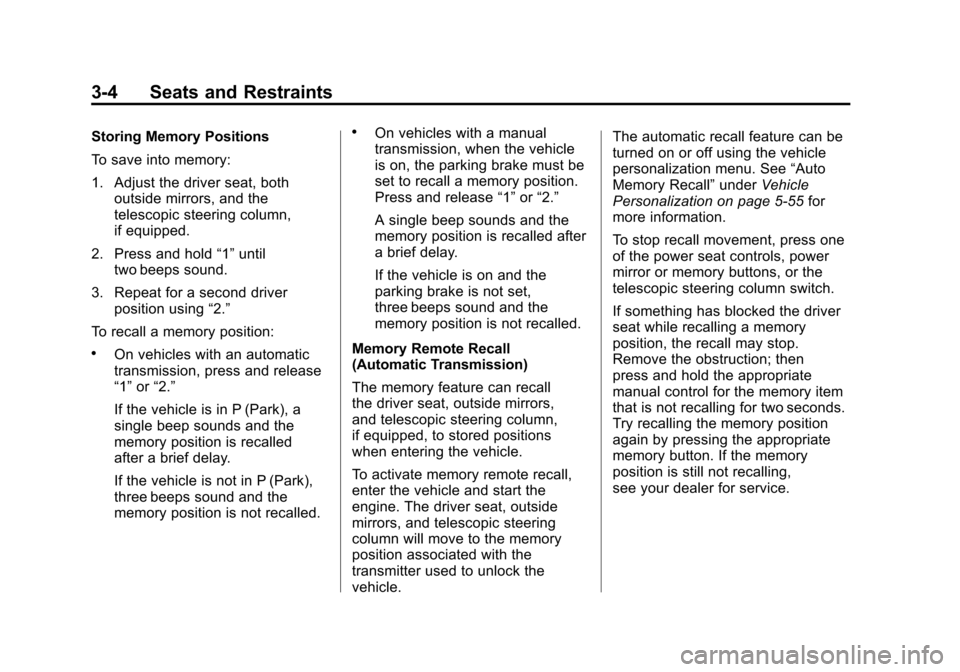
On vehicles with the memory
feature, the controls on the driver
door are used to program and recall
memory settings for the driver seat,
outside mirrors, and the telescopic
steering column, if equipped.
The numbers on the back of
the keyless access transmitters
correspond to the numbers on
the memory buttons.
Page 68 of 428
Black plate (4,1)Chevrolet Corvette Owner Manual - 2011
3-4 Seats and Restraints
Storing Memory Positions
To save into memory:
1. Adjust the driver seat, bothoutside mirrors, and the
telescopic steering column,
if equipped.
2. Press and hold “1”until
two beeps sound.
3. Repeat for a second driver position using “2.”
To recall a memory position:
.On vehicles with an automatic
transmission, press and release
“1” or“2.”
If the vehicle is in P (Park), a
single beep sounds and the
memory position is recalled
after a brief delay.
If the vehicle is not in P (Park),
three beeps sound and the
memory position is not recalled.
.On vehicles with a manual
transmission, when the vehicle
is on, the parking brake must be
set to recall a memory position.
Press and release “1”or“2.”
A single beep sounds and the
memory position is recalled after
a brief delay.
If the vehicle is on and the
parking brake is not set,
three beeps sound and the
memory position is not recalled.
Memory Remote Recall
(Automatic Transmission)
The memory feature can recall
the driver seat, outside mirrors,
and telescopic steering column,
if equipped, to stored positions
when entering the vehicle.
To activate memory remote recall,
enter the vehicle and start the
engine. The driver seat, outside
mirrors, and telescopic steering
column will move to the memory
position associated with the
transmitter used to unlock the
vehicle. The automatic recall feature can be
turned on or off using the vehicle
personalization menu. See
“Auto
Memory Recall” underVehicle
Personalization on page 5‑55 for
more information.
To stop recall movement, press one
of the power seat controls, power
mirror or memory buttons, or the
telescopic steering column switch.
If something has blocked the driver
seat while recalling a memory
position, the recall may stop.
Remove the obstruction; then
press and hold the appropriate
manual control for the memory item
that is not recalling for two seconds.
Try recalling the memory position
again by pressing the appropriate
memory button. If the memory
position is still not recalling,
see your dealer for service.
Page 94 of 428
Black plate (30,1)Chevrolet Corvette Owner Manual - 2011
3-30 Seats and Restraints
Passenger Sensing
System
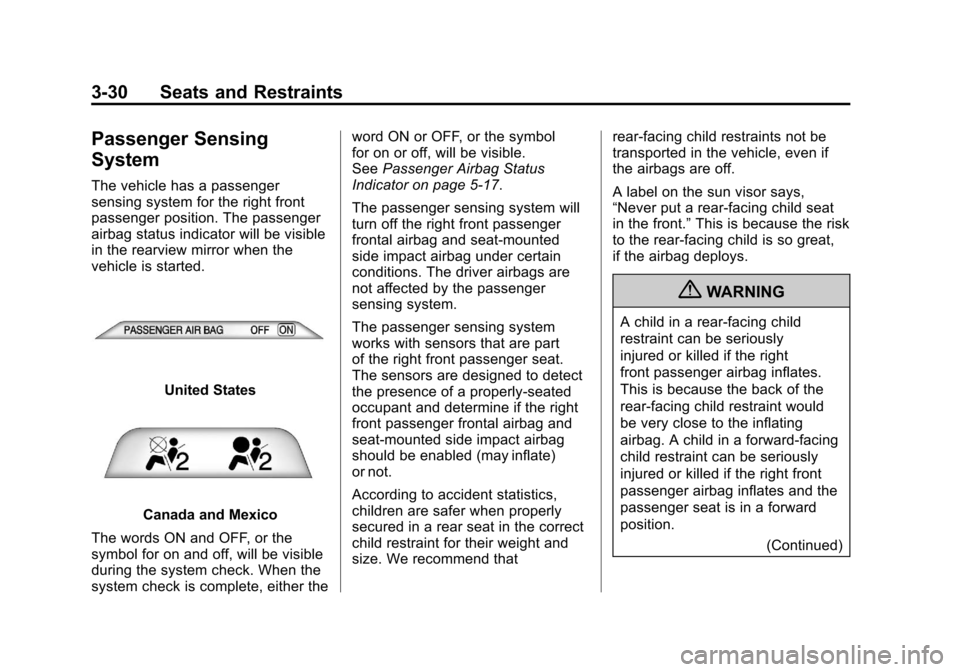
The vehicle has a passenger
sensing system for the right front
passenger position. The passenger
airbag status indicator will be visible
in the rearview mirror when the
vehicle is started.
United States
Canada and Mexico
The words ON and OFF, or the
symbol for on and off, will be visible
during the system check. When the
system check is complete, either the word ON or OFF, or the symbol
for on or off, will be visible.
See
Passenger Airbag Status
Indicator on page 5‑17.
The passenger sensing system will
turn off the right front passenger
frontal airbag and seat-mounted
side impact airbag under certain
conditions. The driver airbags are
not affected by the passenger
sensing system.
The passenger sensing system
works with sensors that are part
of the right front passenger seat.
The sensors are designed to detect
the presence of a properly-seated
occupant and determine if the right
front passenger frontal airbag and
seat-mounted side impact airbag
should be enabled (may inflate)
or not.
According to accident statistics,
children are safer when properly
secured in a rear seat in the correct
child restraint for their weight and
size. We recommend that rear-facing child restraints not be
transported in the vehicle, even if
the airbags are off.
A label on the sun visor says,
“Never put a rear-facing child seat
in the front.”
This is because the risk
to the rear-facing child is so great,
if the airbag deploys.
{WARNING
A child in a rear-facing child
restraint can be seriously
injured or killed if the right
front passenger airbag inflates.
This is because the back of the
rear-facing child restraint would
be very close to the inflating
airbag. A child in a forward-facing
child restraint can be seriously
injured or killed if the right front
passenger airbag inflates and the
passenger seat is in a forward
position.
(Continued)
Page 99 of 428
Black plate (35,1)Chevrolet Corvette Owner Manual - 2011
Seats and Restraints 3-35
Adding Equipment to the
Airbag-Equipped Vehicle
Q: Is there anything I might addto or change about the vehicle
that could keep the airbags
from working properly?
A: Yes. If you add things that
change the vehicle's frame,
bumper system, height, front
end or side sheet metal, they
may keep the airbag system
from working properly. Changing
or moving any parts of the front
seats, safety belts, the airbag
sensing and diagnostic module,
steering wheel, instrument
panel, the inside rear mirror,
front sensors, or airbag wiring
can affect the operation of the
airbag system.
In addition, the vehicle has
a passenger sensing system
for the right front passenger
position, which includes sensors
that are part of the passenger seat. The passenger sensing
system may not operate properly
if the original seat trim is
replaced with non-GM covers,
upholstery or trim, or with
GM covers, upholstery or
trim designed for a different
vehicle. Any object, such as
an aftermarket seat heater or
a comfort enhancing pad or
device, installed under or on
top of the seat fabric, could
also interfere with the operation
of the passenger sensing
system. This could either
prevent proper deployment
of the passenger airbag(s) or
prevent the passenger sensing
system from properly turning
off the passenger airbag(s).
See
Passenger Sensing System
on page 3‑30.
If you have any questions
about this, you should contact
Customer Assistance before you
modify your vehicle. The phone
numbers and addresses for
Customer Assistance are in Step Two of the Customer
Satisfaction Procedure in
this manual. See
Customer
Satisfaction Procedure
(United States and Canada) on
page 13‑1 orCustomer
Satisfaction Procedure (Mexico)
on page 13‑3.
Q: Because I have a disability, I have to get my vehicle
modified. How can I find out
whether this will affect my
airbag system?
A: If you have questions,
call Customer Assistance.
The phone numbers and
addresses for Customer
Assistance are in Step Two
of the Customer Satisfaction
Procedure in this manual.
See Customer Satisfaction
Procedure (United States and
Canada) on page 13‑1 or
Customer Satisfaction
Procedure (Mexico) on
page 13‑3.
Page 123 of 428
Black plate (3,1)Chevrolet Corvette Owner Manual - 2011
Instruments and Controls 5-3
The telescopic steering column
position can be stored with your
memory settings. See“Memory
Seat, Mirrors and Steering Wheel”
under Power Seat Adjustment on
page 3‑3 for more information.
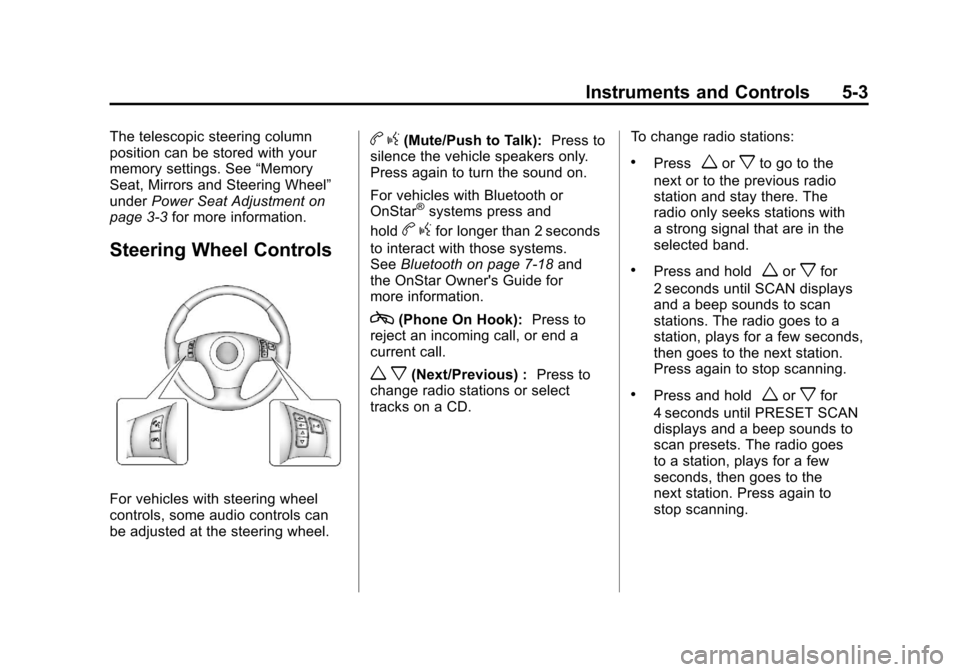
Steering Wheel Controls
For vehicles with steering wheel
controls, some audio controls can
be adjusted at the steering wheel.
bg(Mute/Push to Talk): Press to
silence the vehicle speakers only.
Press again to turn the sound on.
For vehicles with Bluetooth or
OnStar
®systems press and
hold
b gfor longer than 2 seconds
to interact with those systems.
See Bluetooth on page 7‑18 and
the OnStar Owner's Guide for
more information.
c(Phone On Hook): Press to
reject an incoming call, or end a
current call.
w x(Next/Previous) : Press to
change radio stations or select
tracks on a CD. To change radio stations:
.Pressworxto go to the
next or to the previous radio
station and stay there. The
radio only seeks stations with
a strong signal that are in the
selected band.
.Press and holdworxfor
2 seconds until SCAN displays
and a beep sounds to scan
stations. The radio goes to a
station, plays for a few seconds,
then goes to the next station.
Press again to stop scanning.
.Press and holdworxfor
4 seconds until PRESET SCAN
displays and a beep sounds to
scan presets. The radio goes
to a station, plays for a few
seconds, then goes to the
next station. Press again to
stop scanning.