warning CHEVROLET CORVETTE 2011 6.G Workshop Manual
[x] Cancel search | Manufacturer: CHEVROLET, Model Year: 2011, Model line: CORVETTE, Model: CHEVROLET CORVETTE 2011 6.GPages: 428, PDF Size: 6.63 MB
Page 137 of 428
Black plate (17,1)Chevrolet Corvette Owner Manual - 2011
Instruments and Controls 5-17
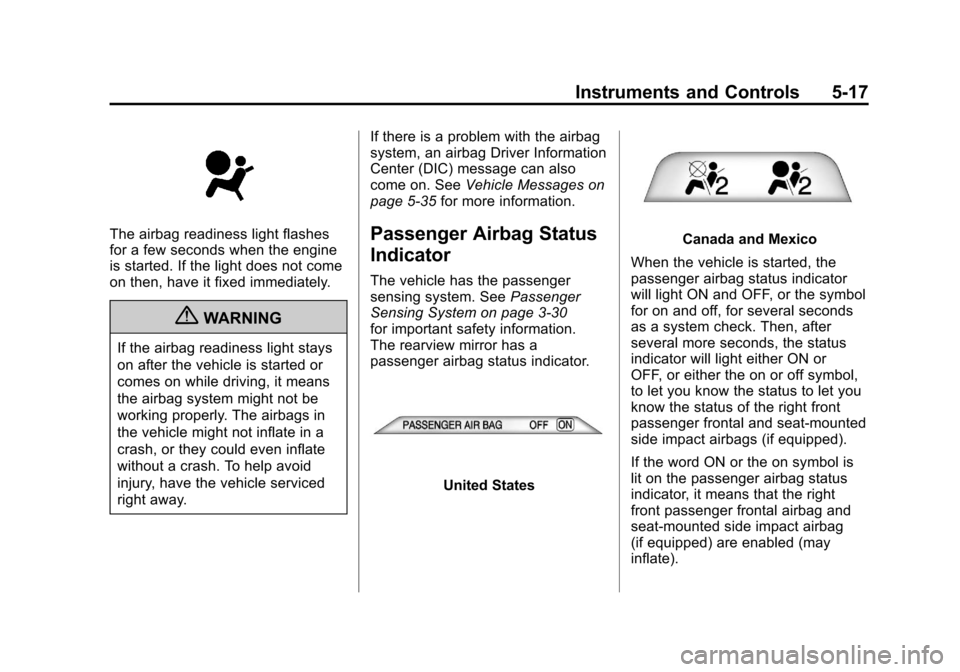
The airbag readiness light flashes
for a few seconds when the engine
is started. If the light does not come
on then, have it fixed immediately.
{WARNING
If the airbag readiness light stays
on after the vehicle is started or
comes on while driving, it means
the airbag system might not be
working properly. The airbags in
the vehicle might not inflate in a
crash, or they could even inflate
without a crash. To help avoid
injury, have the vehicle serviced
right away.If there is a problem with the airbag
system, an airbag Driver Information
Center (DIC) message can also
come on. See
Vehicle Messages on
page 5‑35 for more information.
Passenger Airbag Status
Indicator
The vehicle has the passenger
sensing system. See Passenger
Sensing System on page 3‑30
for important safety information.
The rearview mirror has a
passenger airbag status indicator.
United States
Canada and Mexico
When the vehicle is started, the
passenger airbag status indicator
will light ON and OFF, or the symbol
for on and off, for several seconds
as a system check. Then, after
several more seconds, the status
indicator will light either ON or
OFF, or either the on or off symbol,
to let you know the status to let you
know the status of the right front
passenger frontal and seat-mounted
side impact airbags (if equipped).
If the word ON or the on symbol is
lit on the passenger airbag status
indicator, it means that the right
front passenger frontal airbag and
seat-mounted side impact airbag
(if equipped) are enabled (may
inflate).
Page 138 of 428
Black plate (18,1)Chevrolet Corvette Owner Manual - 2011
5-18 Instruments and Controls
If the word OFF or the off symbol
is lit on the passenger airbag
status indicator, it means that
the passenger sensing system
has turned off the right front
passenger frontal airbag and
seat-mounted side impact airbag
(if equipped). SeePassenger
Sensing System on page 3‑30 for
more on this, including important
safety information.
If, after several seconds, both status
indicator lights remain on, or if there
are no lights at all, there may be
a problem with the lights or the
passenger sensing system.
See your dealer for service.{WARNING
If the airbag readiness light ever
comes on and stays on, it means
that something may be wrong
with the airbag system. To help
avoid injury to yourself or others,
have the vehicle serviced right
away. See Airbag Readiness
Light on page 5‑16 for more
information, including important
safety information.
Malfunction
Indicator Lamp
A computer system called OBD II
(On-Board Diagnostics-Second
Generation) monitors operation
of the fuel, ignition, and emission
control systems. It makes sure that
emissions are at acceptable levels
for the life of the vehicle, helping to
produce a cleaner environment.
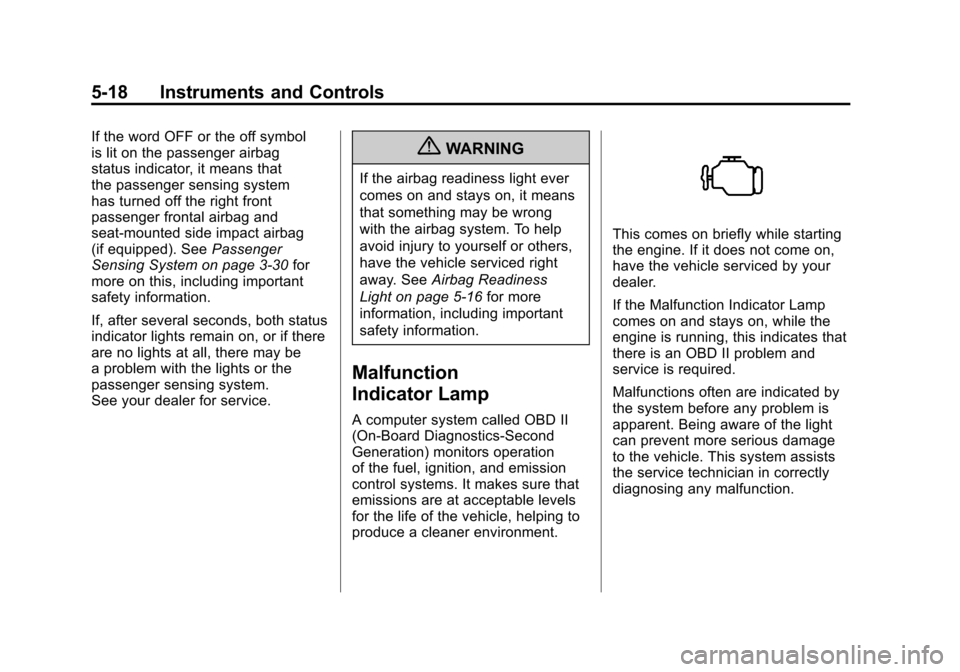
This comes on briefly while starting
the engine. If it does not come on,
have the vehicle serviced by your
dealer.
If the Malfunction Indicator Lamp
comes on and stays on, while the
engine is running, this indicates that
there is an OBD II problem and
service is required.
Malfunctions often are indicated by
the system before any problem is
apparent. Being aware of the light
can prevent more serious damage
to the vehicle. This system assists
the service technician in correctly
diagnosing any malfunction.
Page 141 of 428
Black plate (21,1)Chevrolet Corvette Owner Manual - 2011
Instruments and Controls 5-21
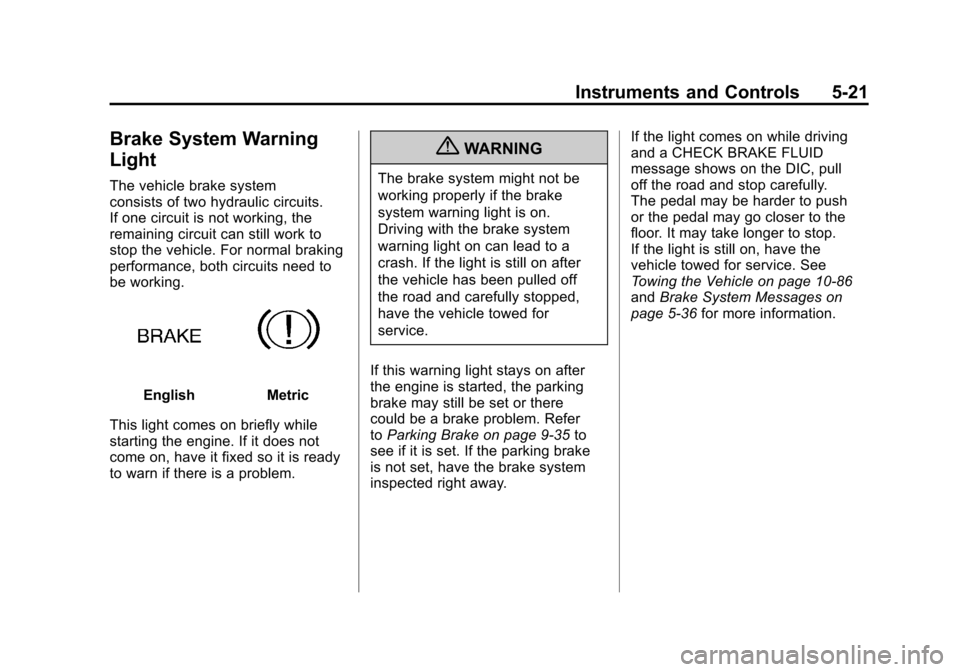
Brake System Warning
Light
The vehicle brake system
consists of two hydraulic circuits.
If one circuit is not working, the
remaining circuit can still work to
stop the vehicle. For normal braking
performance, both circuits need to
be working.
EnglishMetric
This light comes on briefly while
starting the engine. If it does not
come on, have it fixed so it is ready
to warn if there is a problem.
{WARNING
The brake system might not be
working properly if the brake
system warning light is on.
Driving with the brake system
warning light on can lead to a
crash. If the light is still on after
the vehicle has been pulled off
the road and carefully stopped,
have the vehicle towed for
service.
If this warning light stays on after
the engine is started, the parking
brake may still be set or there
could be a brake problem. Refer
to Parking Brake on page 9‑35 to
see if it is set. If the parking brake
is not set, have the brake system
inspected right away. If the light comes on while driving
and a CHECK BRAKE FLUID
message shows on the DIC, pull
off the road and stop carefully.
The pedal may be harder to push
or the pedal may go closer to the
floor. It may take longer to stop.
If the light is still on, have the
vehicle towed for service. See
Towing the Vehicle on page 10‑86
and
Brake System Messages on
page 5‑36 for more information.
Page 142 of 428
Black plate (22,1)Chevrolet Corvette Owner Manual - 2011
5-22 Instruments and Controls
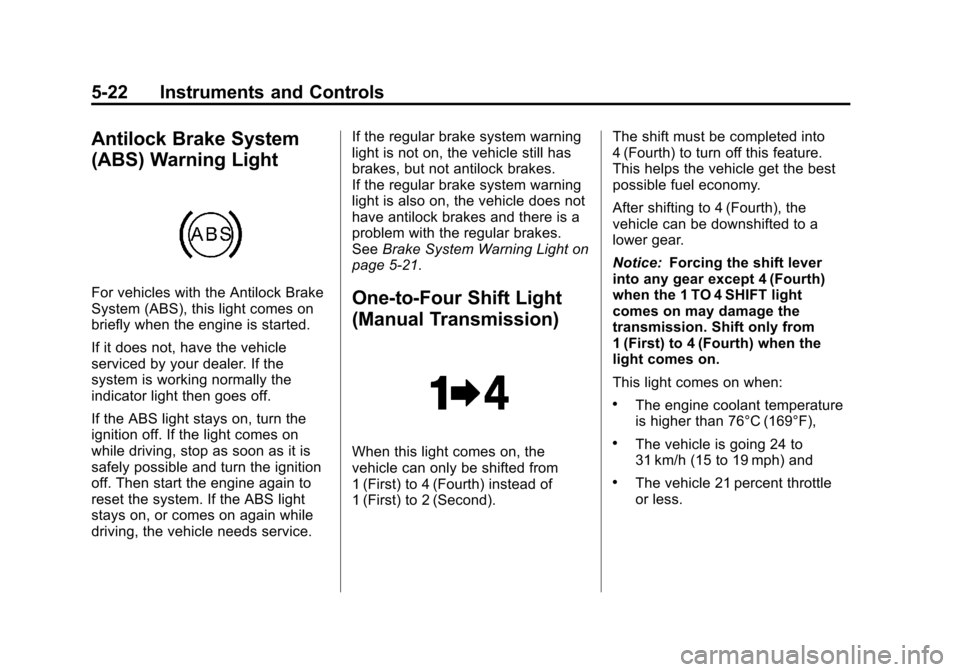
Antilock Brake System
(ABS) Warning Light
For vehicles with the Antilock Brake
System (ABS), this light comes on
briefly when the engine is started.
If it does not, have the vehicle
serviced by your dealer. If the
system is working normally the
indicator light then goes off.
If the ABS light stays on, turn the
ignition off. If the light comes on
while driving, stop as soon as it is
safely possible and turn the ignition
off. Then start the engine again to
reset the system. If the ABS light
stays on, or comes on again while
driving, the vehicle needs service.If the regular brake system warning
light is not on, the vehicle still has
brakes, but not antilock brakes.
If the regular brake system warning
light is also on, the vehicle does not
have antilock brakes and there is a
problem with the regular brakes.
See
Brake System Warning Light on
page 5‑21.One-to-Four Shift Light
(Manual Transmission)
When this light comes on, the
vehicle can only be shifted from
1 (First) to 4 (Fourth) instead of
1 (First) to 2 (Second). The shift must be completed into
4 (Fourth) to turn off this feature.
This helps the vehicle get the best
possible fuel economy.
After shifting to 4 (Fourth), the
vehicle can be downshifted to a
lower gear.
Notice:
Forcing the shift lever
into any gear except 4 (Fourth)
when the 1 TO 4 SHIFT light
comes on may damage the
transmission. Shift only from
1 (First) to 4 (Fourth) when the
light comes on.
This light comes on when:
.The engine coolant temperature
is higher than 76°C (169°F),
.The vehicle is going 24 to
31 km/h (15 to 19 mph) and
.The vehicle 21 percent throttle
or less.
Page 143 of 428
Black plate (23,1)Chevrolet Corvette Owner Manual - 2011
Instruments and Controls 5-23
Active Handling System
Light
The Active Handling System light
comes on briefly as the engine is
started. If the light does not, have
the vehicle serviced by your dealer.
If the system is working normally the
light goes off.
If the light stays on or comes on
while driving, a chime sounds and
a SERVICE ACTIVE HANDLING
SYSTEM message appears on the
DIC and the vehicle need service.
This light also comes on while
the vehicle is in the Competitive
Driving Mode.For the ZR1 this light comes on
when Performance Traction mode is
activated, along with DIC messages
for the five traction modes.
When the Active Handling System
is turned off, the light comes on,
a chime sounds, and the
TRACTION SYSTEM AND
ACTIVE HANDLING
–OFF
message displays in the DIC.
The Traction Control System
is off and the Active Handling
System does not assist with
controlling the vehicle.
When the Active Handling System
is turned back on, the light turns
off, a chime sounds and the
TRACTION SYSTEM AND
ACTIVE HANDLING –ON
message displays in the DIC.
See Ride Control System Messages
on page 5‑44 for more information.
Traction Control System
(TCS) Warning Light
The Traction Control System (TCS)
Warning light comes on briefly when
the engine is started.
If the light does not, have the
vehicle serviced by your dealer.
If the system is working normally
the light then goes off.
If the light stays on, or comes on
while driving and a SERVICE
TRACTION SYSTEM message
displays in the Driver Information
Center (DIC), the vehicle needs
service.
Page 145 of 428
Black plate (25,1)Chevrolet Corvette Owner Manual - 2011
Instruments and Controls 5-25
High-Beam on Light
This light comes on when the
high-beam headlamps are in use.
SeeHeadlamp High/Low-Beam
Changer on page 6‑2 for more
information.
Front Fog Lamp Light
The fog lamp light comes on when
the fog lamps are in use. The light goes out when the fog
lamps are turned off. See
Fog
Lamps on page 6‑5 for more
information.
Lamps on Reminder
This light comes on whenever the
parking lamps are on.
See Exterior Lamps Off Reminder
on page 6‑2 for more information.
Information Displays
Driver Information
Center (DIC)
The Driver Information Center
(DIC) display is located on the
instrument panel cluster and shows
driver personalization features
and warning/status messages.
The DIC buttons are located on
the instrument panel, to the right
of the cluster.
The DIC comes on when the ignition
is turned on. After displaying
CORVETTE BY CHEVROLET, the
DIC shows the information that was
last displayed before the engine
was turned off.
If a problem is detected, a warning
message appears on the DIC
display. See Vehicle Messages on
page 5‑35 for more information.
Page 147 of 428
Black plate (27,1)Chevrolet Corvette Owner Manual - 2011
Instruments and Controls 5-27
FUEL Button
The fuel button displays average
fuel economy and instantaneous
fuel economy, calculated for your
specific driving conditions, and
range information.
Average Fuel Economy:The
average fuel economy is viewed
as a long-term approximation of
your overall driving conditions.
You should reset the average fuel
economy display every time you
refuel. If you press the RESET
button in this mode while you are
driving, the system will reset this
display and begin figuring fuel
economy from that point in time.
Press the fuel button to display
average fuel economy, such as:
.AVERAGE FUEL ECONOMY
11.7 L/100 km or
.AVERAGE FUEL ECONOMY
20.1 MPG Instantaneous Fuel Economy:
Instantaneous fuel economy
reflects only the fuel economy
that the vehicle has right now and
will change frequently as driving
conditions change. Unlike average
fuel economy, this menu item
cannot be reset.
Press the fuel button again to
display instantaneous fuel economy,
such as:
.INSTANT FUEL ECONOMY
11.7 L/100 km or
.INSTANT FUEL ECONOMY
20.1 MPG
Fuel Range: The range calculates
the remaining distance you can
drive without refueling. It is based
on fuel economy and the fuel
remaining in the tank. Press the fuel button again to
display the range, such as:
.RANGE 48 km or
.RANGE 30 MI
If the LOW FUEL warning is
displayed or if RANGE is less
than 64 km (40 miles), the display
will read RANGE LOW.
The fuel economy data used to
determine fuel range is an average
of recent driving conditions. As your
driving conditions change, this data
is gradually updated automatically.
If the vehicle has been idling for a
long time, the range displayed on
the DIC could be abnormally low.
The vehicle must be driven 8–16 km
(5–10 miles) to get an accurate
reading.
Page 151 of 428
Black plate (31,1)Chevrolet Corvette Owner Manual - 2011
Instruments and Controls 5-31
Head-Up Display (HUD)
{WARNING
If the HUD image is too bright,
or too high in your field of view, it
may take you more time to see
things you need to see when it is
dark outside. Be sure to keep the
HUD image dim and placed low in
your field of view.
For vehicles with the Head-Up
Display (HUD), you can see some
of the driver information that
appears on the instrument panel
cluster. The information may be displayed
in English or metric units and
appears as an image focused
out toward the front of the vehicle.
The HUD consists of the following
information:
.Speedometer
.Turn Signal Indicators
.High-Beam Indicator Symbol
.Tachometer
.Manual Paddle Shift Gear
Indicator (If Equipped)
These displays on the HUD are
for use when using the manual
paddle shift controls to shift the
transmission. See
“Manual
Paddle Shift” inAutomatic
Transmission on page 9‑28.
.Shift Light
This light is used for
performance driving to
indicate that the vehicle's
best performance level has
been reached to shift the transmission into the next higher
gear. An arrow pointing up will
light up on the display just prior
to reaching the engine fuel
cut-off mode. This cut-off is
about 6,500 RPM for the
LS3 engine, 6,600 RPM for
the LS9 & ZR1 engines and
7,000 RPM for the LS7 engine.
.Check Gauges Warning
.Engine Coolant Temperature
Gauge
.Transmission Fluid Temperature
Gauge, (Automatic Transmission
Vehicles Only)
.Engine Oil Temperature Gauge
.Engine Oil Pressure Gauge
.G-Force Gauge
.Boost Gauge (If Equipped)
.Audio Functions, Street
Mode Only
.Navigation, Only with Navigation
Radio, Turn-by-Turn Guidance
Page 153 of 428
Black plate (33,1)Chevrolet Corvette Owner Manual - 2011
Instruments and Controls 5-33
Within each mode, the display, can
be further customized by pressing
the PAGE button. Pressing this
button in each mode will turn off
and on the following:
.Street Mode—No tachometer,
circular tachometer, and linear
tachometer.
.Track Modes 1 and 2 —No
minor gauge, coolant
temperature, transmission
oil temperature, engine oil
temperature, engine oil
pressure, and boost gauge.
While in Track Mode 1 or 2, the
maximum G value achieved
during the current ignition cycle
can be displayed by pressing
and holding the PAGE button.
The maximum G display will be
shown until the PAGE button is
released. The maximum G value
display will be identical to the
normal G value display, except
the maximum G gauge digits (X.XX G) and corresponding
G gauge bar will overwrite the
current G value.English
Metric
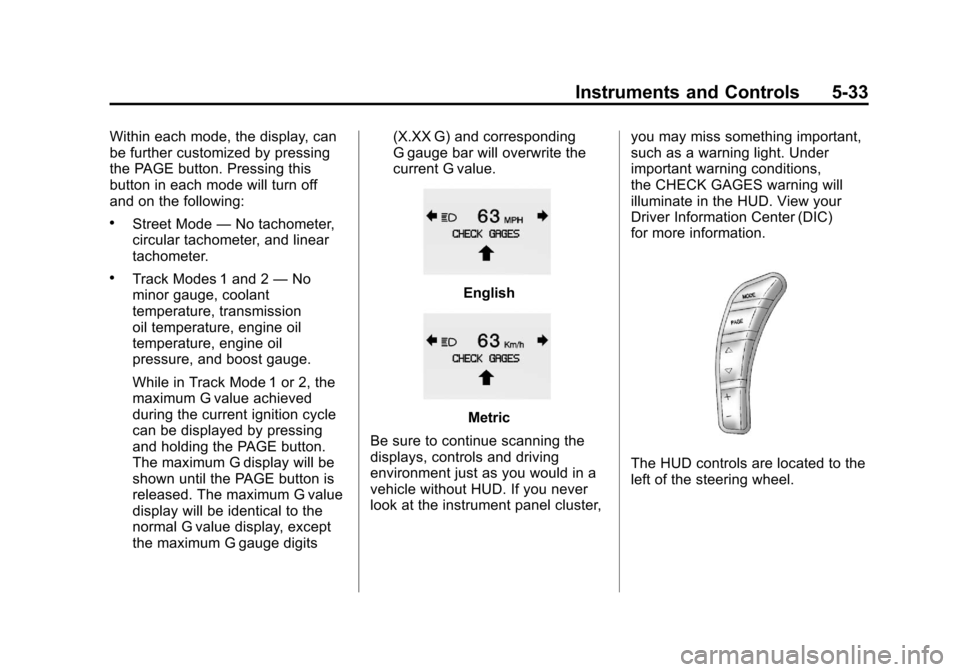
Be sure to continue scanning the
displays, controls and driving
environment just as you would in a
vehicle without HUD. If you never
look at the instrument panel cluster, you may miss something important,
such as a warning light. Under
important warning conditions,
the CHECK GAGES warning will
illuminate in the HUD. View your
Driver Information Center (DIC)
for more information.
The HUD controls are located to the
left of the steering wheel.
Page 156 of 428
Black plate (36,1)Chevrolet Corvette Owner Manual - 2011
5-36 Instruments and Controls
SERVICE CHARGING SYSTEM
If this message displays while you
are driving, there may be a problem
with the electrical charging system.
It could mean that there is a loose
or broken drive belt or that there is
another electrical problem. Have the
vehicle checked right away by your
dealer. Driving while this message is
on could drain the battery.
If you must drive a short distance
with the message on, be certain to
turn off the vehicle's accessories,
such as the radio and air
conditioner.
Multiple chimes sound when this
message is displayed.
To acknowledge the message, press
the RESET button. The message
reappears every 10 minutes until
this condition changes.
Brake System Messages
ABS (Antilock Brake System)
ACTIVE
This message displays when the
Antilock Brake System (ABS) is
adjusting brake pressure to help
avoid a braking skid.
Slippery road conditions may exist
if this message is displayed, so
adjust your driving accordingly.
The message stays on for a few
seconds after the system stops
adjusting brake pressure. See
Antilock Brake System (ABS) on
page 9‑34for more information.
CHANGE BRAKE PADS
On vehicles with electronic brake
pad wear sensors, this message will
be displayed when the pads are
worn. See your dealer for service.
CHECK BRAKE FLUID
This message displays, a sound
will be heard, and the brake
system warning light on the
instrument panel cluster turns
on if the ignition is on to inform the
driver that the brake fluid level is
low. SeeBrake System Warning
Light on page 5‑21. Have the brake
system serviced by your dealer as
soon as possible. See Brakes on
page 10‑38.
SERVICE ANTILOCK BRAKES
If this message displays while
you are driving, stop as soon as
possible and turn the ignition off.
Then start the engine again to reset
the system. If the message stays
on, or comes back on again while
you are driving, the vehicle is in
need of service. See your dealer.
If the antilock brake system (ABS)
warning light is on and the regular
brake system warning light
is not on, you still have brakes,
but do not have ABS.