service reset CHEVROLET CORVETTE 2011 6.G Owners Manual
[x] Cancel search | Manufacturer: CHEVROLET, Model Year: 2011, Model line: CORVETTE, Model: CHEVROLET CORVETTE 2011 6.GPages: 428, PDF Size: 6.63 MB
Page 132 of 428
Black plate (12,1)Chevrolet Corvette Owner Manual - 2011
5-12 Instruments and Controls
When the needle approaches the
low fuel symbol, a chime sounds
and LOW FUEL appears on the
Driver Information Center (DIC)
display. There is still a little fuel left,
but the vehicle's fuel tank should be
filled soon.
Press the RESET button to
acknowledge a DIC message(s).
Pressing the RESET button also
turns off a DIC message but the
LOW FUEL message comes on
again in 10 minutes if fuel is not
added to the vehicle.
Here are five things that some
owners ask about. All these things
are normal and do not indicate that
anything is wrong with the fuel
gauge.
.At the service station, the gas
pump shuts off before the gauge
reads the full.
.It takes a little more or less
fuel to fill up than the gauge
indicated. For example, the
gauge may have indicated half
full, but it took a little more or
less than half of the tank's
capacity to fill the tank.
.The gauge pointer may move
while cornering, braking or
speeding up.
.The gauge may not indicate the
tank is empty when the ignition
is turned off.
.The gauge reading may change
slightly within the first several
minutes after starting the
vehicle.
See “DIC Operation and Displays”
in Driver Information Center (DIC)
on page 5‑25 for more information.
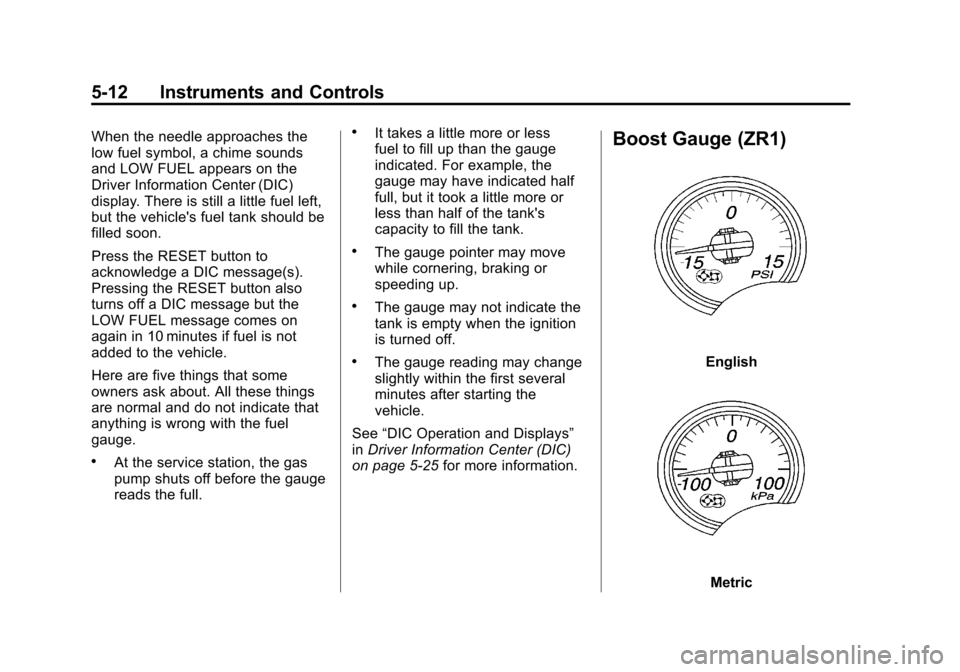
Boost Gauge (ZR1)
English
Metric
Page 142 of 428
Black plate (22,1)Chevrolet Corvette Owner Manual - 2011
5-22 Instruments and Controls
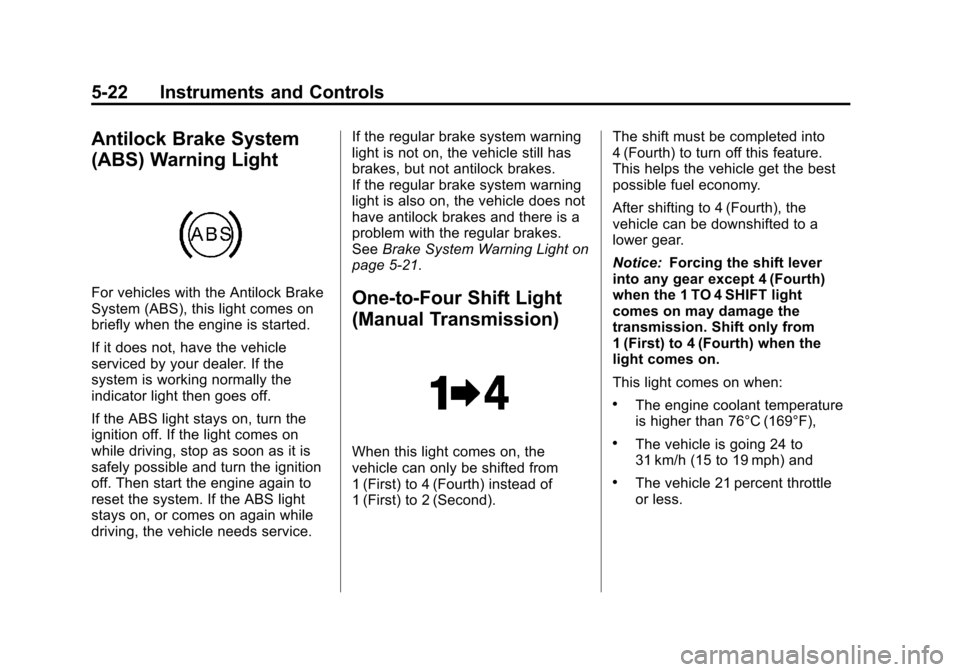
Antilock Brake System
(ABS) Warning Light
For vehicles with the Antilock Brake
System (ABS), this light comes on
briefly when the engine is started.
If it does not, have the vehicle
serviced by your dealer. If the
system is working normally the
indicator light then goes off.
If the ABS light stays on, turn the
ignition off. If the light comes on
while driving, stop as soon as it is
safely possible and turn the ignition
off. Then start the engine again to
reset the system. If the ABS light
stays on, or comes on again while
driving, the vehicle needs service.If the regular brake system warning
light is not on, the vehicle still has
brakes, but not antilock brakes.
If the regular brake system warning
light is also on, the vehicle does not
have antilock brakes and there is a
problem with the regular brakes.
See
Brake System Warning Light on
page 5‑21.One-to-Four Shift Light
(Manual Transmission)
When this light comes on, the
vehicle can only be shifted from
1 (First) to 4 (Fourth) instead of
1 (First) to 2 (Second). The shift must be completed into
4 (Fourth) to turn off this feature.
This helps the vehicle get the best
possible fuel economy.
After shifting to 4 (Fourth), the
vehicle can be downshifted to a
lower gear.
Notice:
Forcing the shift lever
into any gear except 4 (Fourth)
when the 1 TO 4 SHIFT light
comes on may damage the
transmission. Shift only from
1 (First) to 4 (Fourth) when the
light comes on.
This light comes on when:
.The engine coolant temperature
is higher than 76°C (169°F),
.The vehicle is going 24 to
31 km/h (15 to 19 mph) and
.The vehicle 21 percent throttle
or less.
Page 156 of 428
Black plate (36,1)Chevrolet Corvette Owner Manual - 2011
5-36 Instruments and Controls
SERVICE CHARGING SYSTEM
If this message displays while you
are driving, there may be a problem
with the electrical charging system.
It could mean that there is a loose
or broken drive belt or that there is
another electrical problem. Have the
vehicle checked right away by your
dealer. Driving while this message is
on could drain the battery.
If you must drive a short distance
with the message on, be certain to
turn off the vehicle's accessories,
such as the radio and air
conditioner.
Multiple chimes sound when this
message is displayed.
To acknowledge the message, press
the RESET button. The message
reappears every 10 minutes until
this condition changes.
Brake System Messages
ABS (Antilock Brake System)
ACTIVE
This message displays when the
Antilock Brake System (ABS) is
adjusting brake pressure to help
avoid a braking skid.
Slippery road conditions may exist
if this message is displayed, so
adjust your driving accordingly.
The message stays on for a few
seconds after the system stops
adjusting brake pressure. See
Antilock Brake System (ABS) on
page 9‑34for more information.
CHANGE BRAKE PADS
On vehicles with electronic brake
pad wear sensors, this message will
be displayed when the pads are
worn. See your dealer for service.
CHECK BRAKE FLUID
This message displays, a sound
will be heard, and the brake
system warning light on the
instrument panel cluster turns
on if the ignition is on to inform the
driver that the brake fluid level is
low. SeeBrake System Warning
Light on page 5‑21. Have the brake
system serviced by your dealer as
soon as possible. See Brakes on
page 10‑38.
SERVICE ANTILOCK BRAKES
If this message displays while
you are driving, stop as soon as
possible and turn the ignition off.
Then start the engine again to reset
the system. If the message stays
on, or comes back on again while
you are driving, the vehicle is in
need of service. See your dealer.
If the antilock brake system (ABS)
warning light is on and the regular
brake system warning light
is not on, you still have brakes,
but do not have ABS.
Page 157 of 428
Black plate (37,1)Chevrolet Corvette Owner Manual - 2011
Instruments and Controls 5-37
If the regular brake system warning
light is also on, you do not have
ABS and there is a problem with the
brakes. SeeAntilock Brake System
(ABS) Warning Light on page 5‑22
and Brake System Warning Light on
page 5‑21.
If this message is displayed, the
Traction Control System (TCS)
and the Active Handling System
will also be disabled. The DIC will
scroll three messages: SERVICE
ANTILOCK BRAKES, SERVICE
TRACTION SYSTEM, and
SERVICE ACTIVE HANDLING,
and the instrument panel cluster
lights will come on along with a
sound. When the service message
is displayed, the computer
controlled systems will not assist the
driver. Have the system repaired by
your dealer as soon as possible.
Adjust your driving accordingly.
To acknowledge these messages,
press the RESET button.Convertible Top
Messages
ATTACH TRUNK PARTITION
If the vehicle has a power
convertible top, this message
displays and a sound will be heard
if the trunk partition is not in place.
Open the hatch/trunk and make
sure the trunk partition is secure
and no objects are on the trunk
partition. See Rear Storage on
page 4‑1 for more information.
CLOSE TRUNK TO MOVE TOP
This message displays and a sound
will be heard if the trunk is open
while you are trying to operate
the convertible top. Make sure
the trunk is closed before operating
the convertible top. See Convertible
Top on page 2‑22.
SET PARK BRAKE TO
MOVE TOP
If the vehicle has a manual
transmission, this message displays
and a sound will be heard if you
try to operate the power convertible
top without first setting the parking
brake. Set the parking brake
before trying to operate the power
convertible top. See Convertible Top
on page 2‑22 for more information.
SHIFT TO PARK OR SET PARK
BRAKE FOR TOP
If the vehicle has an automatic
transmission, this message displays
and a sound will be heard if you try
to operate the power convertible top
without first shifting into P (Park) or
setting the parking brake. Either
shift the vehicle into P (Park) or set
the parking brake before trying to
operate the power convertible top.
SeeConvertible Top on page 2‑22
for more information.
Page 159 of 428
Black plate (39,1)Chevrolet Corvette Owner Manual - 2011
Instruments and Controls 5-39
Door Ajar Messages
DRIVER DOOR AJAR
This message displays if the driver
door is not closed properly. Make
sure that the door is closed
completely.
HATCH AJAR (Coupe)
This message displays when the
hatch is not closed completely.
Make sure that the hatch is closed
completely. SeeHatch on page 2‑10
for more information.
PASSENGER DOOR AJAR
This message displays if the
passenger door is not closed
properly. Make sure that the door
is closed completely.
TONNEAU AJAR (Convertible)
This message displays when
the convertible top is not closed
completely. Make sure that the
top is closed completely. See
Convertible Top on page 2‑22 for
more information.
TRUNK AJAR (Convertible)
This message displays when the
trunk is not closed completely.
Make sure that the trunk is closed
completely. See Hatch on page 2‑10
for more information.
Engine Cooling System
Messages
CHECK COOLANT LEVEL
This message displays when the
engine coolant level is low. Have
the cooling system serviced by your
dealer as soon as possible. See
Engine Coolant on page 10‑29.
COOLANT OVER
TEMPERATURE
This message displays and a sound
will be heard if the engine coolant
exceeds 124°C (255°F). If you have
been operating the vehicle under
normal driving conditions, pull off
the road, stop the vehicle, and turn
off the engine as soon as possible.
You can monitor the coolant
temperature with the gauges
button on the DIC or the engine
coolant temperature gauge on
the instrument panel cluster. See
Engine Overheating on page 10‑34,
Driver Information Center (DIC) on
page 5‑25, and Engine Coolant
Temperature Gauge on page 5‑15.
To acknowledge the message, press
the RESET button. The message
and sound will come back on until
this condition changes. If you do
not press the RESET button, the
message remains on until the
condition changes.
Page 160 of 428
Black plate (40,1)Chevrolet Corvette Owner Manual - 2011
5-40 Instruments and Controls
ENGINE OVERHEATED–
STOP ENGINE
This message displays and a sound
will be heard when the engine
has overheated. Stop and turn the
engine off immediately to avoid
severe engine damage. See Engine
Overheating on page 10‑34.
ENGINE PROTECTION
REDUCE ENGINE RPM
This message displays if the
engine oil temperature exceeds
160°C (320°F). Check the engine
coolant temperature and engine oil
level. If the engine is too hot, see
Engine Overheating on page 10‑34.
The vehicle may need service, so
see your dealer.
You can monitor the oil temperature
with the gauges button on the DIC.
See Driver Information Center (DIC)
on page 5‑25.
Multiple chimes sound when
this message is displayed. This
message remains displayed and
active until the issue is resolved.
HOT ENGINE AIR
CONDITIONING OFF
This message displays when
the engine coolant becomes
hotter than the normal operating
temperature. To avoid added strain
on a hot engine, the air conditioning
compressor is automatically turned
off. When the coolant temperature
returns to normal, the A/C operation
automatically resumes. You can
continue to drive the vehicle. If this
message continues to appear, have
the system repaired by your dealer
as soon as possible to avoid
compressor damage.
Engine Oil Messages
CHANGE ENGINE OIL
This message displays when the
life of the engine oil has expired.
See Scheduled Maintenance on
page 11‑2. After an oil change, the engine oil life system must be reset.
See
“Engine Oil Life” underDriver
Information Center (DIC) on
page 5‑25. Also, see Engine Oil on
page 10‑15 andEngine Oil Life
System on page 10‑22 for more
information.
CHECK OIL LEVEL
On some vehicles, this message
displays and two chimes sound if
the oil level in the vehicle is low.
Once the vehicle senses a change
in the engine oil level, the light
remains off.
If this message appears after
starting the engine, the engine oil
level may be too low. You may need
to add oil. See Engine Overheating
on page 10‑34.
To acknowledge the message, press
the RESET button. The message
reappears every 10 minutes until
this condition changes.
Page 161 of 428
Black plate (41,1)Chevrolet Corvette Owner Manual - 2011
Instruments and Controls 5-41
LOW OIL PRESSURE
This message displays if low
oil pressure levels occur. If this
message appears while the engine
is running, stop the engine and do
not operate it until the cause of low
oil pressure is corrected. Severe
damage to the engine can result.
A sound will be heard when this
message is displayed. SeeEngine
Oil on page 10‑15.
Engine Power Messages
ENGINE DRAG CONTROL
ACTIVE
This message displays when
engine drag control is active.
When driving in a lower gear in
rainy, snowy, or icy conditions and
then letting up on the accelerator
or downshifting, the rear wheels
may begin to slip and this message
displays. This message stays on for
a few seconds following the engine
drag control event.
REDUCED ENGINE POWER
If this message displays and the
check engine light comes on,
a noticeable reduction in the
vehicle's performance may occur.
If the REDUCED ENGINE POWER
message is displayed, but there
is no reduction in performance,
proceed to your destination. The
performance may be reduced the
next time the vehicle is driven.
The vehicle may be driven at a
reduced speed while the REDUCED
ENGINE POWER message is
displayed, but acceleration and
speed may be reduced. Anytime
the check engine light stays on,
the vehicle should be taken to
your dealer as soon as possible
for diagnosis and repair. See
Malfunction Indicator Lamp on
page 5‑18 for more information.
Multiple chimes sound when this
message is displayed. To acknowledge the message, press
the RESET button. The message
reappears every five minutes until
this condition changes.
If the REDUCED ENGINE
POWER message is displayed in
combination with the COOLANT
OVER TEMPERATURE message,
see
Engine Overheating on
page 10‑34.
Fuel System Messages
CHECK GAS CAP
This message displays if the fuel
cap has not been fully tightened.
Check the fuel cap to make
sure that it is on properly. Once
tightened, it takes at least one
overnight park to reset or clear this
message. If both the CHECK GAS
CAP message and the malfunction
indicator lamp in the instrument
panel cluster are on, you may need
to see your dealer for service.
See Malfunction Indicator Lamp on
page 5‑18 for more information.
Page 165 of 428
Black plate (45,1)Chevrolet Corvette Owner Manual - 2011
Instruments and Controls 5-45
MAXIMUM SPEED
129 km/h (80 MPH)
This message displays when
a malfunction is present in the
Selective Ride Control system.
The vehicle speed will be limited to
a value determined by the vehicle
when the shock absorber system
has failed and the shocks are in
their full soft mode. Have the vehicle
serviced by your dealer as soon as
possible.
To acknowledge the message, press
the RESET button. The message
reappears every 10 minutes until
this condition changes.
PERF TRAC 1–WET ACTIVE
HANDLING ON
This message displays and a sound
will be heard when this Performance
Traction Management mode is
selected. The instrument panel
cluster light will also be on when
this mode is selected. Launch
Control is available when this
mode selected. In this mode
the Traction Control and Active
Handling System are available
but intended for use on wet race
track conditions. Adjust your
driving accordingly. This system
is available only on ZR1 models.
See “Performance Traction
Management” and“Launch Control”
under Competitive Driving Mode on
page 9‑38 for more information
about the use of this mode.
PERF TRAC 2 –DRY ACTIVE
HANDLING ON
This message displays and a sound
will be heard when this Performance
Traction Management mode is
selected. The instrument panel
cluster light will also be on when
this mode is selected. Launch
Control is available when this
mode selected. In this mode
the Traction Control and Active
Handling System are available
but intended for use on dry race
track conditions. Adjust your
driving accordingly. This system
is available only on ZR1 models.
See “Performance Traction
Management” and“Launch Control”
under Competitive Driving Mode on
page 9‑38 for more information
about the use of this mode.
Page 167 of 428
Black plate (47,1)Chevrolet Corvette Owner Manual - 2011
Instruments and Controls 5-47
SERVICE ACTIVE HANDLING
SYSTEM
This message displays if there is a
problem with the Active Handling
System and the vehicle needs
service. The active handling system
light on the instrument panel cluster
also turns on and a sound will be
heard. See your dealer. When this
message is displayed, the system
is not working. Adjust your driving
accordingly. SeeActive Handling
System on page 9‑37 for more
information.
SERVICE RIDE CONTROL
This message displays when the
Selective Ride Control system
has detected a malfunction and
the system must be serviced.
See your dealer. If a fault is
present in the Selective Ride
Control system which causes
the shocks to be in their full soft
condition, the messages SERVICE
RIDE CONTROL, SHOCKS
INOPERATIVE, and MAXIMUM
SPEED 129 km/h (80 MPH) will
display together. See Selective Ride
Control on page 9‑42 for more
information.
SERVICE TRACTION SYSTEM
If this message displays when you
are driving, there is a problem with
the Traction Control System (TCS)
and the vehicle is in need of
service. See your dealer. When this
message is displayed, the system
will not limit wheel spin. Adjust your
driving accordingly.
The traction control system (TCS)
warning light on the instrument
panel cluster will also turn on and
a sound will be heard.
When this message is displayed,
the computer controlled systems will
not assist the driver in controlling
the vehicle. Have the system
repaired by your dealer as soon
as possible. Adjust your driving
accordingly. See Traction Control
System (TCS) on page 9‑36 for
more information.
To acknowledge the message, press
the RESET button.
Page 168 of 428
Black plate (48,1)Chevrolet Corvette Owner Manual - 2011
5-48 Instruments and Controls
SHOCKS INOPERATIVE
This message displays when a
malfunction is present in the
Selective Ride Control system
which is causing the shocks to
be in their full soft mode. This is a
warning to the driver that the vehicle
handling may be affected. Have the
vehicle serviced by your dealer as
soon as possible.
To acknowledge the message, press
the RESET button. The message
reappears every 10 minutes until
this condition changes.
TRACTION SYSTEM ACTIVE
This message displays when the
Traction Control System (TCS) is
limiting wheel spin. Slippery road
conditions may exist if this message
is displayed, so adjust your driving
accordingly. The message stays
on for a few seconds after the
TCS stops limiting wheel spin.
SeeTraction Control System (TCS)
on page 9‑36 for more information.
TRACTION SYSTEM AND
ACTIVE HANDLING –OFF
This message displays, the
instrument panel cluster light
turns on, and a sound will be
heard when the Traction Control
System (TCS) and Active Handling
System are turned off by pressing
the Active Handling System button
on the console for five seconds.
The Antilock Brake System (ABS)
remains on with the TCS and Active
Handling System off. Adjust your
driving accordingly. See Traction
Control System (TCS) on page 9‑36
and Active Handling System on
page 9‑37 for more information.
To acknowledge this message,
press the RESET button.
TRACTION SYSTEM AND
ACTIVE HANDLING –ON
If the Traction Control System (TCS)
and Active Handling System are
off, this message displays briefly,
the instrument panel cluster light
turns off, and a sound will be heard
when the TCS and Active Handling
System are turned on by briefly
pressing the Active Handling
System button on the console.
See Traction Control System (TCS)
on page 9‑36 andActive Handling
System on page 9‑37 for more
information.