tire pressure CHEVROLET CORVETTE 2012 6.G Owners Manual
[x] Cancel search | Manufacturer: CHEVROLET, Model Year: 2012, Model line: CORVETTE, Model: CHEVROLET CORVETTE 2012 6.GPages: 434, PDF Size: 6.96 MB
Page 5 of 434

Black plate (5,1)Chevrolet Corvette Owner Manual - 2012
Introduction v
Vehicle Symbol Chart
Here are some additional symbols
that may be found on the vehicle
and what they mean. For more
information on the symbol, refer to
the Index.
9:Airbag Readiness Light
#:Air Conditioning
!:Antilock Brake System (ABS)
%:Audio Steering Wheel Controls
or OnStar®
$: Brake System Warning Light
":Charging System
I:Cruise Control
B: Engine Coolant Temperature
O:Exterior Lamps
#:Fog Lamps
.: Fuel Gauge
+:Fuses
3: Headlamp High/
Low-Beam Changer
j: LATCH System Child
Restraints
*: Malfunction Indicator Lamp
::Oil Pressure
}:Power
/:Remote Vehicle Start
>:Safety Belt Reminders
7:Tire Pressure Monitor
d:Traction Control/Stabilitrak®
M:Windshield Washer Fluid
Page 7 of 434
Black plate (1,1)Chevrolet Corvette Owner Manual - 2012
In Brief 1-1
In Brief
Instrument Panel
Instrument Panel . . . . . . . . . . . . . . 1-2
Initial Drive Information
Initial Drive Information . . . . . . . . 1-4
Remote Keyless Entry (RKE)System . . . . . . . . . . . . . . . . . . . . . . 1-4
Door Locks . . . . . . . . . . . . . . . . . . . 1-5
Trunk Release . . . . . . . . . . . . . . . . 1-6
Windows . . . . . . . . . . . . . . . . . . . . . . 1-7
Seat Adjustment . . . . . . . . . . . . . . 1-8
Memory Features . . . . . . . . . . . . . 1-9
Safety Belts . . . . . . . . . . . . . . . . . . 1-11
Passenger Sensing System . . . . . . . . . . . . . . . . . . . . . 1-11
Mirror Adjustment . . . . . . . . . . . . 1-12 Steering Wheel
Adjustment . . . . . . . . . . . . . . . . . 1-12
Interior Lighting . . . . . . . . . . . . . . 1-13
Exterior Lighting . . . . . . . . . . . . . 1-14
Windshield Wiper/Washer . . . . 1-14
Climate Controls . . . . . . . . . . . . . 1-15
Transmission . . . . . . . . . . . . . . . . 1-16Vehicle Features
Radio(s) . . . . . . . . . . . . . . . . . . . . . 1-17
Satellite Radio . . . . . . . . . . . . . . . 1-18
Portable Audio Devices . . . . . . 1-18
Bluetooth
®. . . . . . . . . . . . . . . . . . . 1-18
Steering Wheel Controls . . . . . 1-19
Cruise Control . . . . . . . . . . . . . . . 1-19
Navigation System . . . . . . . . . . . 1-19
Driver Information Center (DIC) . . . . . . . . . . . . . . . 1-20
Power Outlets . . . . . . . . . . . . . . . 1-21
Roof Panel . . . . . . . . . . . . . . . . . . 1-21
Convertible . . . . . . . . . . . . . . . . . . 1-21
Performance and Maintenance
Traction Control System (TCS) . . . . . . . . . . . . . . 1-21
Tire Pressure Monitor . . . . . . . . 1-22
Z06, Z16, and ZR1 Features . . . . . . . . . . . . . . . . . . . 1-22
Engine Oil Life System . . . . . . 1-23
Driving for Better Fuel Economy . . . . . . . . . . . . . . . . . . . 1-24
Battery . . . . . . . . . . . . . . . . . . . . . . . 1-24
Roadside Assistance Program . . . . . . . . . . . . . . . . . . . . 1-25
OnStar
®. . . . . . . . . . . . . . . . . . . . . 1-25
Page 26 of 434
Black plate (20,1)Chevrolet Corvette Owner Manual - 2012
1-20 In Brief
Driver Information
Center (DIC)
The DIC display is located at the
bottom of the instrument panel
cluster. It shows the status of
many vehicle systems and enables
access to the personalization menu.
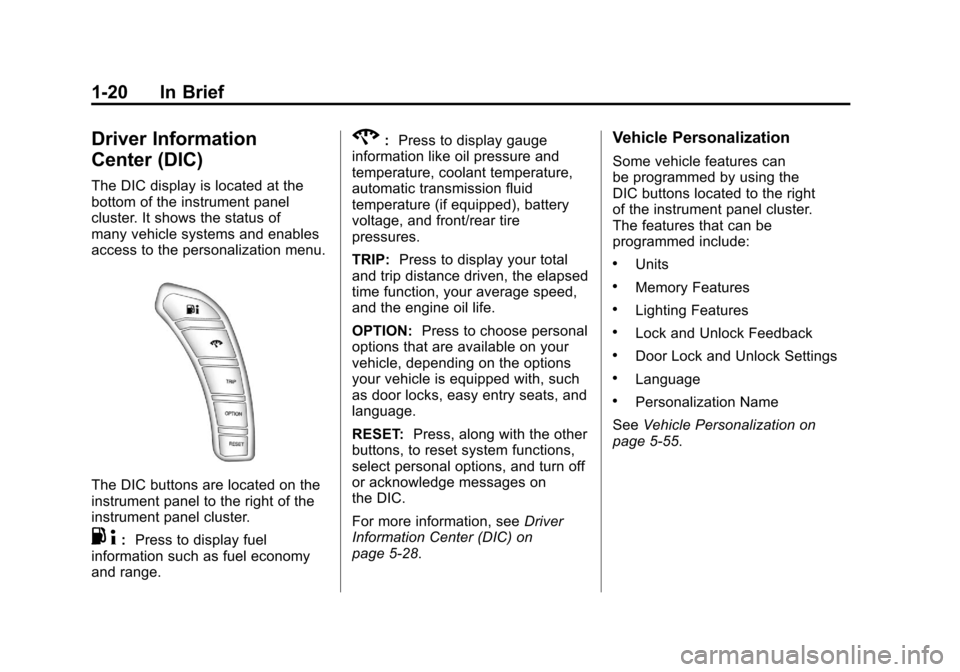
The DIC buttons are located on the
instrument panel to the right of the
instrument panel cluster.
.4:Press to display fuel
information such as fuel economy
and range.
2: Press to display gauge
information like oil pressure and
temperature, coolant temperature,
automatic transmission fluid
temperature (if equipped), battery
voltage, and front/rear tire
pressures.
TRIP: Press to display your total
and trip distance driven, the elapsed
time function, your average speed,
and the engine oil life.
OPTION: Press to choose personal
options that are available on your
vehicle, depending on the options
your vehicle is equipped with, such
as door locks, easy entry seats, and
language.
RESET: Press, along with the other
buttons, to reset system functions,
select personal options, and turn off
or acknowledge messages on
the DIC.
For more information, see Driver
Information Center (DIC) on
page 5‑28.Vehicle Personalization
Some vehicle features can
be programmed by using the
DIC buttons located to the right
of the instrument panel cluster.
The features that can be
programmed include:
.Units
.Memory Features
.Lighting Features
.Lock and Unlock Feedback
.Door Lock and Unlock Settings
.Language
.Personalization Name
See Vehicle Personalization on
page 5‑55.
Page 28 of 434
Black plate (22,1)Chevrolet Corvette Owner Manual - 2012
1-22 In Brief
The vehicle has an Active Handling
System that helps maintain
directional control of the vehicle in
difficult driving conditions. See
Active Handling System on
page 9‑38.
The vehicle may have Competitive
Driving Mode (except ZR1),
Performance Traction
Management (Z06, ZR1), and
Launch Control systems designed to
allow increased performance while
accelerating and cornering. See
Competitive Driving Mode on
page 9‑39.Tire Pressure Monitor
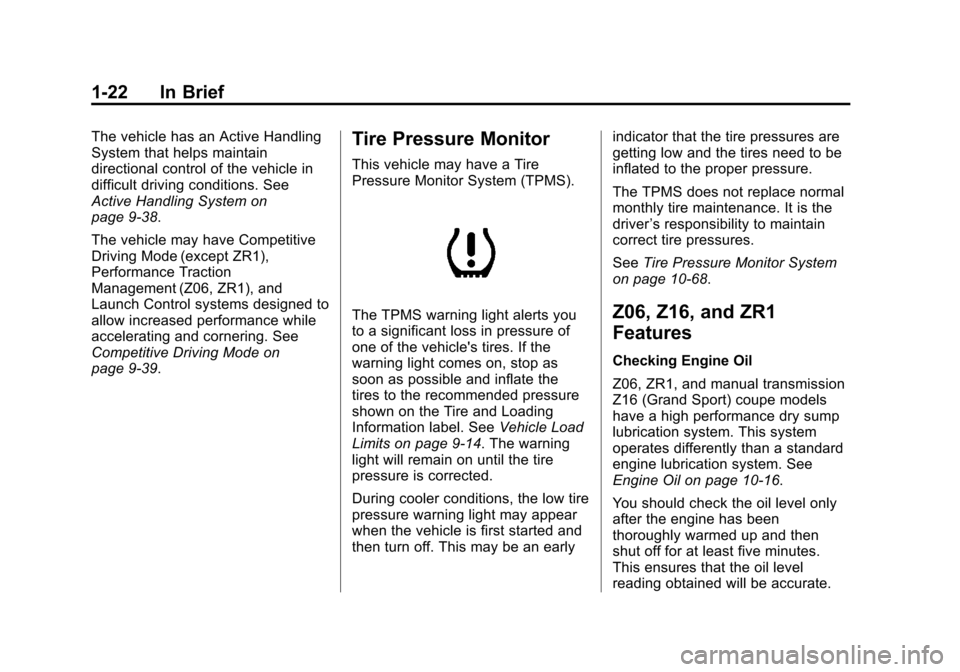
This vehicle may have a Tire
Pressure Monitor System (TPMS).
The TPMS warning light alerts you
to a significant loss in pressure of
one of the vehicle's tires. If the
warning light comes on, stop as
soon as possible and inflate the
tires to the recommended pressure
shown on the Tire and Loading
Information label. SeeVehicle Load
Limits on page 9‑14. The warning
light will remain on until the tire
pressure is corrected.
During cooler conditions, the low tire
pressure warning light may appear
when the vehicle is first started and
then turn off. This may be an early indicator that the tire pressures are
getting low and the tires need to be
inflated to the proper pressure.
The TPMS does not replace normal
monthly tire maintenance. It is the
driver
’s responsibility to maintain
correct tire pressures.
See Tire Pressure Monitor System
on page 10‑68.Z06, Z16, and ZR1
Features
Checking Engine Oil
Z06, ZR1, and manual transmission
Z16 (Grand Sport) coupe models
have a high performance dry sump
lubrication system. This system
operates differently than a standard
engine lubrication system. See
Engine Oil on page 10‑16.
You should check the oil level only
after the engine has been
thoroughly warmed up and then
shut off for at least five minutes.
This ensures that the oil level
reading obtained will be accurate.
Page 64 of 434
Black plate (32,1)Chevrolet Corvette Owner Manual - 2012
2-32 Keys, Doors, and Windows
5. Then follow the steps underraising the manual convertible
top. See “Manual Operation” or
“Power Operation” in this
section.
When power is restored to the
vehicle, the hydraulic bolt must be
tightened, by turning it clockwise.
The convertible top switch can then
be used to lower or raise the
convertible top.
If the convertible top is operated
multiple times, the engine should
be running to prevent drain on the
vehicle's battery. Under certain
conditions, the Driver Information
Center (DIC) may display a
message regarding the convertible
top. See Convertible Top Messages
on page 5‑38 for more information. If the battery has been
disconnected, the power windows
must be initialized for the power
convertible top to operate. See
Power Windows on page 2‑18
for
more information.
Cleaning the Convertible Top
The convertible top should be
cleaned often. However, high
pressure car washes may cause
water to enter the vehicle.
When hand washing the convertible
top, do it in partial shade. Use a
mild soap, lukewarm water, and a
soft sponge. A chamois or cloth may
leave lint on the top, and a brush
can chafe the threads in the top
fabric. Do not use detergents,
harsh cleaners, solvents,
or bleaching agents. Wet the entire vehicle and wash the
top evenly to avoid spots or rings.
Let the soap remain on the fabric
for a few minutes. When the top is
really dirty, use a mild foam-type
cleaner. Thoroughly rinse the
entire vehicle, then let the top dry
in direct sunlight.
To protect the convertible top:
.After washing the vehicle, make
sure the convertible top is
completely dry before lowering it.
.Do not get any cleaner on the
vehicle's painted finish; it could
leave streaks.
Page 111 of 434
Black plate (1,1)Chevrolet Corvette Owner Manual - 2012
Instruments and Controls 5-1
Instruments and
Controls
Controls
Steering Wheel Adjustment . . . 5-2
Steering Wheel Controls . . . . . . 5-3
Horn . . . . . . . . . . . . . . . . . . . . . . . . . . 5-4
Windshield Wiper/Washer . . . . . 5-4
Compass . . . . . . . . . . . . . . . . . . . . . 5-5
Clock . . . . . . . . . . . . . . . . . . . . . . . . . 5-6
Power Outlets . . . . . . . . . . . . . . . . . 5-6
Cigarette Lighter . . . . . . . . . . . . . . 5-7
Ashtrays . . . . . . . . . . . . . . . . . . . . . . 5-7
Warning Lights, Gauges, and
Indicators
Warning Lights, Gauges, andIndicators . . . . . . . . . . . . . . . . . . . . 5-8
Instrument Cluster . . . . . . . . . . . . 5-9
Speedometer . . . . . . . . . . . . . . . . 5-12
Odometer . . . . . . . . . . . . . . . . . . . . 5-12
Tachometer . . . . . . . . . . . . . . . . . . 5-12
Fuel Gauge . . . . . . . . . . . . . . . . . . 5-13
Boost Gauge (ZR1) . . . . . . . . . . 5-14
Engine Oil Pressure Gauge . . . . . . . . . . . . . . . . . . . . . . 5-14 Engine Coolant Temperature
Gauge . . . . . . . . . . . . . . . . . . . . . . 5-16
Voltmeter Gauge . . . . . . . . . . . . . 5-17
Safety Belt Reminders . . . . . . . 5-17
Airbag Readiness Light . . . . . . 5-18
Passenger Airbag Status Indicator . . . . . . . . . . . . . . . . . . . . 5-18
Malfunction Indicator Lamp . . . . . . . . . . . . . 5-19
Brake System Warning Light . . . . . . . . . . . . . . . . . . . . . . . 5-22
Antilock Brake System (ABS) Warning Light . . . . . . . . . . . . . . 5-22
One-to-Four Shift Light (Manual Transmission) . . . . . 5-23
Traction Off Light . . . . . . . . . . . . 5-24
StabiliTrak
®OFF Light . . . . . . . 5-24
Active Handling System Light . . . . . . . . . . . . . . . . . . . . . . . 5-25
Tire Pressure Light . . . . . . . . . . 5-25
Security Light . . . . . . . . . . . . . . . . 5-26
High-Beam On Light . . . . . . . . . 5-27
Front Fog Lamp Light . . . . . . . . 5-27
Lamps On Reminder . . . . . . . . . 5-27
Information Displays
Driver Information Center (DIC) . . . . . . . . . . . . . . . 5-28
Head-Up Display (HUD) . . . . . 5-32
Vehicle Messages
Vehicle Messages . . . . . . . . . . . 5-36
Battery Voltage and Charging Messages . . . . . . . . . . . . . . . . . . 5-37
Brake System Messages . . . . 5-37
Convertible Top Messages . . . 5-38
Cruise Control Messages . . . . 5-39
Door Ajar Messages . . . . . . . . . 5-40
Engine Cooling System Messages . . . . . . . . . . . . . . . . . . 5-40
Engine Oil Messages . . . . . . . . 5-41
Engine Power Messages . . . . 5-42
Fuel System Messages . . . . . . 5-43
Key and Lock Messages . . . . . 5-43
Lamp Messages . . . . . . . . . . . . . 5-45
Ride Control System Messages . . . . . . . . . . . . . . . . . . 5-45
Safety Belt Messages . . . . . . . 5-49
Anti-theft Alarm System Messages . . . . . . . . . . . . . . . . . . 5-50
Service Vehicle Messages . . . 5-50
Starting the Vehicle Messages . . . . . . . . . . . . . . . . . . 5-50
Tire Messages . . . . . . . . . . . . . . . 5-51
Transmission Messages . . . . . 5-53
Vehicle Reminder Messages . . . . . . . . . . . . . . . . . . 5-54
Washer Fluid Messages . . . . . 5-54
Page 135 of 434
Black plate (25,1)Chevrolet Corvette Owner Manual - 2012
Instruments and Controls 5-25
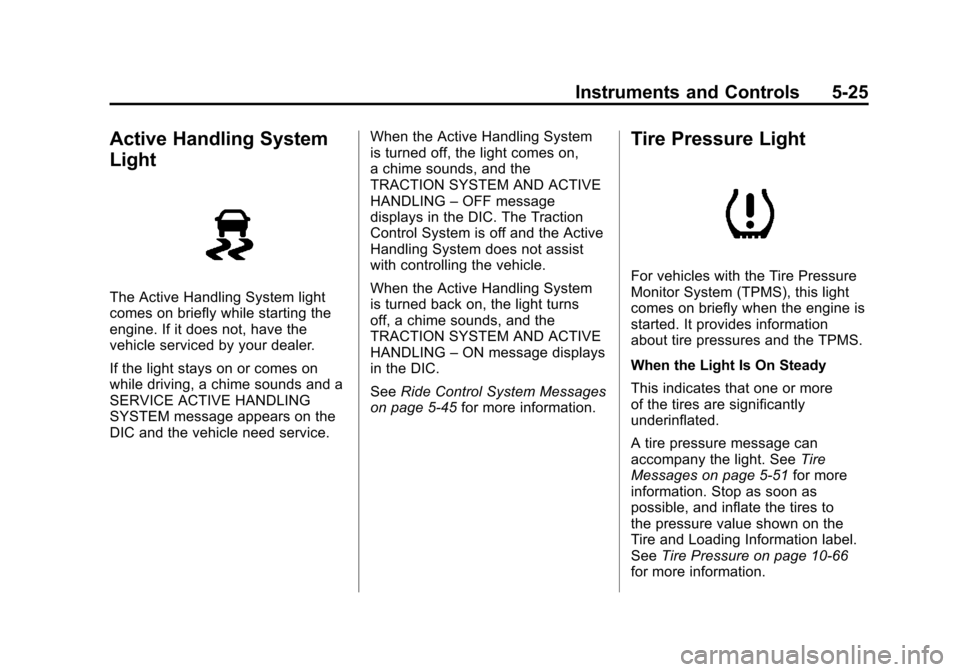
Active Handling System
Light
The Active Handling System light
comes on briefly while starting the
engine. If it does not, have the
vehicle serviced by your dealer.
If the light stays on or comes on
while driving, a chime sounds and a
SERVICE ACTIVE HANDLING
SYSTEM message appears on the
DIC and the vehicle need service.When the Active Handling System
is turned off, the light comes on,
a chime sounds, and the
TRACTION SYSTEM AND ACTIVE
HANDLING
–OFF message
displays in the DIC. The Traction
Control System is off and the Active
Handling System does not assist
with controlling the vehicle.
When the Active Handling System
is turned back on, the light turns
off, a chime sounds, and the
TRACTION SYSTEM AND ACTIVE
HANDLING –ON message displays
in the DIC.
See Ride Control System Messages
on page 5‑45 for more information.
Tire Pressure Light
For vehicles with the Tire Pressure
Monitor System (TPMS), this light
comes on briefly when the engine is
started. It provides information
about tire pressures and the TPMS.
When the Light Is On Steady
This indicates that one or more
of the tires are significantly
underinflated.
A tire pressure message can
accompany the light. See Tire
Messages on page 5‑51 for more
information. Stop as soon as
possible, and inflate the tires to
the pressure value shown on the
Tire and Loading Information label.
See Tire Pressure on page 10‑66
for more information.
Page 136 of 434
Black plate (26,1)Chevrolet Corvette Owner Manual - 2012
5-26 Instruments and Controls
When the Light Flashes First and
Then Is On Steady
This indicates that there may be a
problem with the TPMS. The light
flashes for about a minute and stays
on steady for the remainder of the
ignition cycle. This sequence
repeats with every ignition cycle.
SeeTire Pressure Monitor
Operation on page 10‑70 for
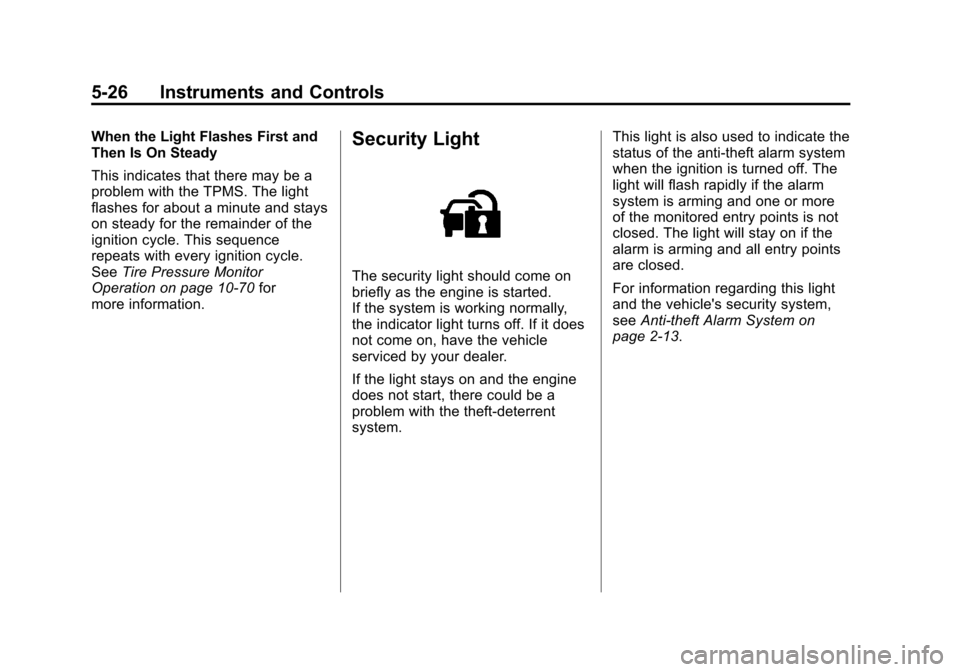
more information.Security Light
The security light should come on
briefly as the engine is started.
If the system is working normally,
the indicator light turns off. If it does
not come on, have the vehicle
serviced by your dealer.
If the light stays on and the engine
does not start, there could be a
problem with the theft-deterrent
system. This light is also used to indicate the
status of the anti-theft alarm system
when the ignition is turned off. The
light will flash rapidly if the alarm
system is arming and one or more
of the monitored entry points is not
closed. The light will stay on if the
alarm is arming and all entry points
are closed.
For information regarding this light
and the vehicle's security system,
see
Anti-theft Alarm System on
page 2‑13.
Page 138 of 434
Black plate (28,1)Chevrolet Corvette Owner Manual - 2012
5-28 Instruments and Controls
Information Displays
Driver Information
Center (DIC)
The Driver Information Center (DIC)
display is located on the instrument
panel cluster and shows driver
personalization features and
warning/status messages.
The DIC comes on when the ignition
is turned on. After displaying
CORVETTE BY CHEVROLET, the
DIC shows the information that was
last displayed before the engine
was turned off.
If a problem is detected, a warning
message appears on the DIC
display. SeeVehicle Messages on
page 5‑36 for more information.
DIC Operation and Displays
Depending on the features on the
vehicle, the drive gear may display
on the DIC. See “Manual Paddle
Shift” under Automatic Transmission on page 9‑27
andHead-Up Display
(HUD) on page 5‑32 for more
information.
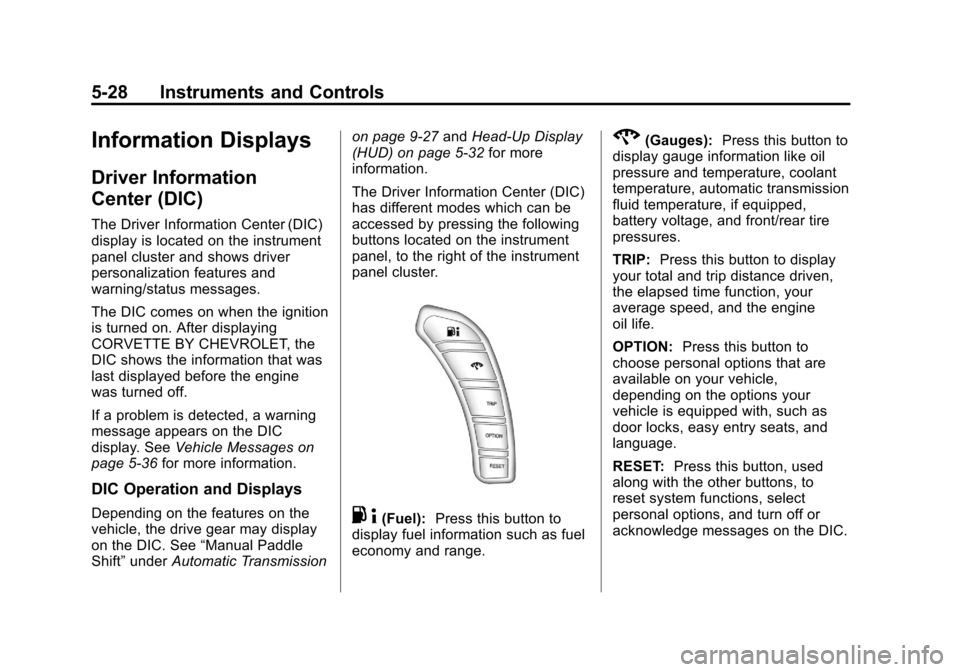
The Driver Information Center (DIC)
has different modes which can be
accessed by pressing the following
buttons located on the instrument
panel, to the right of the instrument
panel cluster.. 4(Fuel): Press this button to
display fuel information such as fuel
economy and range.
2(Gauges): Press this button to
display gauge information like oil
pressure and temperature, coolant
temperature, automatic transmission
fluid temperature, if equipped,
battery voltage, and front/rear tire
pressures.
TRIP: Press this button to display
your total and trip distance driven,
the elapsed time function, your
average speed, and the engine
oil life.
OPTION: Press this button to
choose personal options that are
available on your vehicle,
depending on the options your
vehicle is equipped with, such as
door locks, easy entry seats, and
language.
RESET: Press this button, used
along with the other buttons, to
reset system functions, select
personal options, and turn off or
acknowledge messages on the DIC.
Page 139 of 434
Black plate (29,1)Chevrolet Corvette Owner Manual - 2012
Instruments and Controls 5-29
Fuel Button
The fuel button displays average
fuel economy and instantaneous
fuel economy, calculated for your
specific driving conditions, and
range information.
Average Fuel Economy:The
average fuel economy is viewed as
a long-term approximation of your
overall driving conditions. You
should reset the average fuel
economy display every time you
refuel. If you press the RESET
button in this mode while you are
driving, the system will reset this
display and begin figuring fuel
economy from that point in time.
Press the fuel button to display
average fuel economy, such as:
.AVERAGE FUEL ECONOMY
11.7 L/100 km or
.AVERAGE FUEL ECONOMY
20.1 MPG Instantaneous Fuel Economy:
Instantaneous fuel economy reflects
only the fuel economy that the
vehicle has right now and will
change frequently as driving
conditions change. Unlike average
fuel economy, this menu item
cannot be reset.
Press the fuel button again to
display instantaneous fuel economy,
such as:
.INSTANT FUEL ECONOMY
11.7 L/100 km or
.INSTANT FUEL ECONOMY
20.1 MPG
Fuel Range: The range calculates
the remaining distance you can
drive without refueling. It is based
on fuel economy and the fuel
remaining in the tank.
Press the fuel button again to
display the range, such as:
.RANGE 48 km or
.RANGE 30 MI If the LOW FUEL warning is
displayed or if RANGE is less than
64 km (40 miles), the display will
read RANGE LOW.
The fuel economy data used to
determine fuel range is an average
of recent driving conditions. As your
driving conditions change, this data
is gradually updated automatically.
If the vehicle has been idling for a
long time, the range displayed on
the DIC could be abnormally low.
The vehicle must be driven
8 to 16 km (5 to 10 miles) to get an
accurate reading.
Gauges Button
The gauges button displays oil
pressure, oil temperature, coolant
temperature, transmission fluid
temperature for automatic
transmission vehicles only,
battery voltage, and tire pressure
information.