manual radio set CHEVROLET CORVETTE 2013 6.G User Guide
[x] Cancel search | Manufacturer: CHEVROLET, Model Year: 2013, Model line: CORVETTE, Model: CHEVROLET CORVETTE 2013 6.GPages: 414, PDF Size: 6.97 MB
Page 155 of 414
Black plate (51,1)Chevrolet Corvette Owner Manual - 2013 - crc2 - 11/8/12
Instruments and Controls 5-51
UPSHIFT NOW
SeeManual Transmission on
page 9‑29.
Vehicle Reminder
Messages
ACCESSORY MODE ON
This message displays when the
vehicle is in accessory mode.
ICE POSSIBLE
This message displays when the
outside air temperature is cold
enough to create icy road
conditions. Adjust your driving
accordingly.
OPTIONS UNAVAILABLE
This message displays for a few
seconds if a RKE transmitter that is
not labeled 1 or 2 is used and you
try to personalize the features on
the vehicle by pressing the OPTION
button. The personalization system
will not recognize the transmitter
and the DIC will not display the current driver number or the menus
used to set personalizations. The
personalization features will then be
set to the default states. See
Vehicle Personalization on
page 5‑51
for more information.
SET PARK BRAKE FOR SEAT
RECALL
If the vehicle has a manual
transmission, this message displays
if you try to recall the memory
positions when the ignition is on and
the parking brake is not set. If the
vehicle is on, you must set the
parking brake in order for the
memory positions to recall. See
Memory Seats on page 3‑4 for more
information.
Washer Fluid Messages
CHECK WASHER FLUID
See Washer Fluid on page 10‑32.
Vehicle
Personalization
Many features on your vehicle can
be personalized. This means that
the operation of these features can
be set to operate differently
depending on who is driving the
vehicle. See “Personal Options”
later in this section for the features
that you can personalize.
The personalization settings for
other features are automatically
updated and saved as the driver
adjusts them. These include the
following settings and presets:
.The radio presets, tone, volume,
fade, balance, equalization (EQ)
settings, and source (radio
or CD).
.The last climate control setting.
.The Head-Up Display (HUD)
position and dimming level,
if your vehicle has this feature.
Page 162 of 414
Black plate (58,1)Chevrolet Corvette Owner Manual - 2013 - crc2 - 11/8/12
5-58 Instruments and Controls
Auto Unlock:This option allows
you to select whether the driver
door, both doors, or neither door
automatically unlocks when the shift
lever is moved into P (Park) for
automatic transmission vehicles or
when the ignition is turned off or is
in RAP for manual transmission
vehicles.
Press the OPTION button until
AUTO UNLOCK appears on the
display, then press the RESET
button to scroll through the following
modes:
.OFF
.DRIVER
.BOTH (default)
If you choose OFF, this option will
turn off.
If you choose DRIVER, on
automatic transmission vehicles, the
driver door will automatically unlock
when the shift lever is moved into
P (Park). On manual transmission vehicles, the driver door will
automatically unlock when the
ignition is turned off or is in RAP.
If you choose BOTH, on automatic
transmission vehicles, both doors
will automatically unlock when the
shift lever is moved into P (Park).
On manual transmission vehicles,
both doors will automatically unlock
when the ignition is turned off or is
in RAP.
When the mode you want is
selected, press the OPTION button
to set your choice and advance to
the next personal option.
Language:
This option allows you
to select the language the DIC, the
Head-Up Display (HUD), if your
vehicle has this feature, and the
radio uses to display messages.
Each language mode will be
displayed in its own language. For
example, English will be displayed
as ENGLISH, Spanish as
ESPANOL, etc. If your vehicle has
the navigation system, you will not
have the Japanese language mode. Press the OPTION button until
LANGUAGE appears on the display,
then press the RESET button to
scroll through the following modes:
.ENGLISH (default)
.DEUTSCH (German)
.FRANCAIS (French)
.ITALIANO (Italian)
.ESPANOL (Spanish)
.JAPANESE
If you choose a language that you
do not understand, press the
OPTION and RESET buttons for
five seconds. The DIC will begin
displaying all of the various
languages one by one for as long
as the buttons are pressed. When
the desired language is displayed,
release the buttons and the DIC will
set to this language.
When the mode you want is
selected, press the OPTION button
to set your choice and advance to
the next personal option.
Page 164 of 414
Black plate (60,1)Chevrolet Corvette Owner Manual - 2013 - crc2 - 11/8/12
5-60 Instruments and Controls
If you choose NO, this option will
turn off.
If a customized name or greeting is
not programmed, the DIC display
will show Driver 1 or Driver 2 to
correspond with either the number
on the back of the RKE
transmitter (1 or 2) being used or to
the memory button (1 or 2) that is
pressed.
PERSONALIZE NAME is the last
option available to program in the
PERSONAL OPTIONS menu.
Pressing the OPTION button after
this setting will exit you from the
PERSONAL OPTIONS menu. The
last item you were in prior to
entering PERSONAL OPTIONS will
then display on the DIC.Universal Remote
System
SeeRadio Frequency Statement on
page 13‑20 for information
regarding Part 15 of the Federal
Communications Commission (FCC)
rules and Industry Canada
Standards RSS-210/220/310.
The FCC Grant of Equipment
Authorization Certificate number is
KOBGTE12C.
The Canadian Registration ID
number is 3521A-GTE12C.
Universal Remote System
Programming
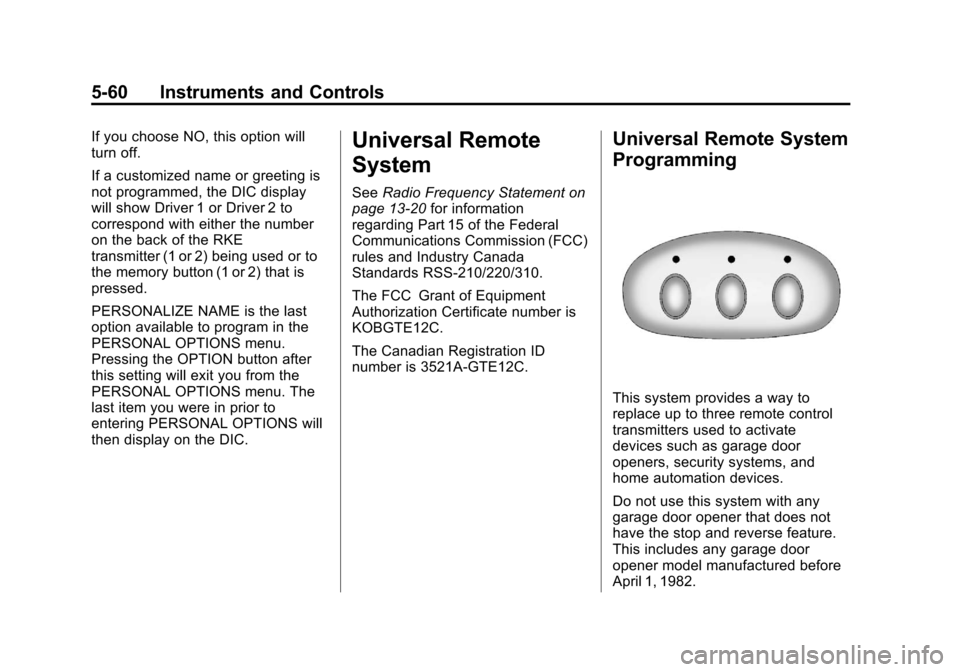
This system provides a way to
replace up to three remote control
transmitters used to activate
devices such as garage door
openers, security systems, and
home automation devices.
Do not use this system with any
garage door opener that does not
have the stop and reverse feature.
This includes any garage door
opener model manufactured before
April 1, 1982.
Page 179 of 414
Black plate (1,1)Chevrolet Corvette Owner Manual - 2013 - crc2 - 11/8/12
Infotainment System 7-1
Infotainment
System
Introduction
Infotainment . . . . . . . . . . . . . . . . . . . 7-1
Theft-Deterrent Feature . . . . . . . 7-2
Overview . . . . . . . . . . . . . . . . . . . . . . 7-2
Operation . . . . . . . . . . . . . . . . . . . . . 7-4
Radio
AM-FM Radio . . . . . . . . . . . . . . . . . 7-6
Satellite Radio . . . . . . . . . . . . . . . . 7-8
Radio Reception . . . . . . . . . . . . . 7-11
Diversity Antenna System . . . 7-12
Satellite Radio Antenna . . . . . . 7-12
Audio Players
CD Player . . . . . . . . . . . . . . . . . . . 7-12
Auxiliary Devices . . . . . . . . . . . . 7-17
Phone
Bluetooth . . . . . . . . . . . . . . . . . . . . 7-17
Trademarks and License
Agreements
Trademarks and LicenseAgreements . . . . . . . . . . . . . . . . 7-25
Introduction
Infotainment
Determine which radio the vehicle
has and read the following pages to
become familiar with its features.
{WARNING
Taking your eyes off the road for
extended periods could cause a
crash resulting in injury or death
to you or others. Do not give
extended attention to infotainment
tasks while driving.
This system provides access to
many audio and non-audio listings.
To minimize taking your eyes off the
road while driving, do the following
while the vehicle is parked:
.Become familiar with the
operation and controls of the
audio system.
.Set up the tone, speaker
adjustments, and preset radio
stations.
For more information, see Defensive
Driving on page 9‑3.
Notice: Contact your dealer
before adding any equipment.
Adding audio or communication
equipment could interfere with
the operation of the engine, radio,
or other systems, and could
damage them. Follow federal
rules covering mobile radio and
telephone equipment.
The vehicle has Retained
Accessory Power (RAP). With RAP,
the audio system can be played
even after the ignition is turned off.
See Retained Accessory Power
(RAP) on page 9‑21 for more
information.
Navigation/Radio System
For vehicles with a navigation radio
system, see the navigation manual.
Page 181 of 414

Black plate (3,1)Chevrolet Corvette Owner Manual - 2013 - crc2 - 11/8/12
Infotainment System 7-3
B. Power/Volume Knob
.Press to turn the system
on or off.
.Turn to adjust the volume.
C. Buttons 1−6
.Press to recall a favorite
station.
.Press and hold to save the
current station.
D. CD Slot
E.
{
.Radio: Press to seek the
previous station. Press and
hold to scan backward
through the strongest
stations.
.CD: Press to go to the
previous track. Press and
hold to go fast backward
within a track. F.
|
.Radio: Press to seek the
next station. Press and
hold to scan forward
through the strongest
stations.
.CD: Press to go to the next
track. Press and hold to
fast forward within a track.
G. RDM (Random)
.Press to play the CD
tracks in random order.
H. RPT (Repeat)
.Press to repeat the current
CD track.
I.
X(Song List)
.The Song List feature can
save 20 track selections.
J. MUTE
.Press to mute and unmute
the system.
K.
X(Eject)
.Press to eject the CD. L. Auxiliary Port
.3.5 mm (1/8 in) Auxiliary
Input Jack.
M.
O/e(Tune/Tone Menu)
.Press to open the Tone
Settings menu.
.Turn to manually find a
station.
N. BAND
.Press to scroll through the
available bands AM, FM,
or XM if equipped.
O. CD/AUX
.Press to listen to a CD or
an auxiliary source.
P.
V(Information)
.Press to display
information on the current
station or track.
Q. CAT (Category)
.Press to display a list of
XM categories.
Page 182 of 414
Black plate (4,1)Chevrolet Corvette Owner Manual - 2013 - crc2 - 11/8/12
7-4 Infotainment System
R. TRAF (Traffic)
.Press to find a station with
traffic information. See
AM-FM Radio on page 7‑6.
S. AUTO EQ (Auto Equalizer)
.Press to customize the EQ.
See Operation on
page 7‑4.
T. AUTO
3(Auto Volume)
.Press to set the automatic
volume to adjust for road
and wind noise. See
Operation on page 7‑4.
Operation
An indicator light on the upper left
side of the radio flashes when the
ignition is off, to indicate the
theft-deterrent feature is set. See
Theft-Deterrent Feature on
page 7‑2.
Playing the Radio
Power/Volume Knob: Press to
turn the system on and off. Turn to
increase or decrease the volume.
MUTE: Press to silence the
system. Press again to turn the
sound on.
This button is not available on the
Six-Disc CD Radio.
V(Information): Press until the
desired display is shown, then hold
for two seconds until the radio
beeps once to change the default
display. The selected display is now
the default.
For RDS:
Press
Vto change the display. The
display options are station name,
RDS station frequency, PTY, and
the name of the program (if
available).
Audio Settings
Press and holdO/ewhen no
tone or speaker control is displayed
to adjust all tone and speaker
controls to the middle position.
AUDIO SETTINGS CENTERED
displays.
Adjusting the Tone (Bass/
Treble)
O/e(Bass/Treble): To adjust
the bass or treble:
Press and release
O/euntil
BASS or TREBLE displays.
.Turn theO/eknob to
increase or to decrease the
level.
.Press and hold theO/eknob
until the level changes to the
middle position.
Page 183 of 414
Black plate (5,1)Chevrolet Corvette Owner Manual - 2013 - crc2 - 11/8/12
Infotainment System 7-5
Adjusting the Speakers
(Balance/Fade)
O/e(Balance/Fade):To adjust
the balance:
Press and release
O/euntil
BALANCE displays.
.Turn theO/eknob to move
the sound toward the right or the
left speakers.
.Press and hold theO/eknob
until the level changes to the
middle position.
To adjust the fade:
Press and release
O/euntil
FADE displays
.Turn theO/eknob to move
the sound toward the front or the
rear speakers.
.Press and hold theO/eknob
until the level changes to the
middle position. AUTO EQ (Automatic
Equalization):
The radio saves
separate AUTO EQ settings for
each preset and source.
For vehicles without the Bose
®
sound system:
.Press AUTO EQ to select
equalization settings designed
for CLASSICAL, POP, ROCK,
JAZZ, TALK, and COUNTRY.
.Select CUSTOM or change bass
or treble to return the EQ to the
manual bass and treble settings.
For vehicles with the Bose sound
system:
.Press AUTO EQ to select
equalization settings from EQ1
through EQ6.
.Select CUSTOM or change bass
or treble to return the EQ to the
manual bass and treble settings. AUTO
n(Automatic Volume):
Automatic volume automatically
adjusts the audio system to make
up for road and wind noise, by
increasing the volume as vehicle
speed increases.
For vehicles without the Bose sound
system:
1. Set the volume at the desired level.
2. Press AUTO
nto select
AUTO VOLUME MIN (minimum),
AUTO VOLUME MED (medium),
or AUTO VOLUME MAX
(maximum). Each higher setting
provides more volume
compensation at faster vehicle
speeds.
3. Press AUTO
nuntil AUTO
VOLUME OFF displays to turn
automatic volume off.
Page 184 of 414
Black plate (6,1)Chevrolet Corvette Owner Manual - 2013 - crc2 - 11/8/12
7-6 Infotainment System
For vehicles with the Bose sound
system:
Vehicles with the Bose sound
system include Bose AudioPilot
®
noise compensation technology.
AudioPilot continuously adjusts the
audio system equalization to
compensate for background noise.
This feature is most effective at
lower radio volume settings where
background noise can affect how
well the audio is heard. At higher
volume settings, there may be little
or no adjustments by AudioPilot. For
additional information on AudioPilot,
visit bose.com/audiopilot.
To use AudioPilot:
1. Set the volume at the desiredlevel.
2. Press AUTO
nuntil AUTO
VOLUME ON displays.
3. Press AUTO
nuntil AUTO
VOLUME OFF displays to turn
off AudioPilot.
Radio Messages
CAL ERR (Calibration Error):
Displays if the radio is no longer
configured properly for the vehicle.
The vehicle must be returned to
your dealer for service.
LOC (Locked): Displays when the
TheftLock system has locked up.
The vehicle must be returned to
your dealer for service.
If any error occurs repeatedly or
cannot be corrected, contact your
dealer.
Radio
AM-FM Radio
Radio Data System (RDS)
RDS features are available for use
only on FM stations that broadcast
RDS information. The station name
or call letters display while the radio
is tuned to an RDS station.
This system relies upon receiving
specific information from these
stations and works only when the
information is available. In rare
cases, a radio station can broadcast
incorrect information that causes the
radio features to work improperly.
If this happens, contact the radio
station.
With RDS, the radio can:
.Seek to stations broadcasting
the selected type of
programming.
.Receive announcements
concerning local and national
emergencies.
Page 186 of 414
Black plate (8,1)Chevrolet Corvette Owner Manual - 2013 - crc2 - 11/8/12
7-8 Infotainment System
The radio only stops at stations with
a strong signal.
tSCANu:Press and holdtorufor two seconds until
FREQUENCY SCAN displays. The
radio goes to a station, plays for a
few seconds, then goes on to the
next station. Press
toruagain to
stop scanning.
To scan preset stations:
Press and hold
torufor
four seconds until PRESET SCAN
displays. The radio goes to the next
preset station, plays for a few
seconds, then goes to the next
preset station. Press
toruagain
or press one of the pushbuttons to
stop scanning presets.
The radio only scans stations with a
strong signal.
1–6 (Preset Pushbuttons): Press
to play stations that are
programmed to the radio preset
pushbuttons.
Storing Radio Stations
Drivers are encouraged to store
radio station while the vehicle is
parked. See Defensive Driving on
page 9‑3. Tune to stored radio
stations using the presets, favorites
button, and steering wheel controls,
if the vehicle has this feature.
Up to 30 stations (six FM1, six FM2,
six AM, six M1, and six XM2), and
equalization settings for each
station can be programmed on the
six numbered pushbuttons.To set
presets:
1. Turn the radio on.
2. Press BAND to select FM1, FM2, AM, XM1, or XM2.
3. Tune in the desired station.
4. Press AUTO EQ to select the equalization.
5. Press and hold one of the six numbered pushbuttons until the
radio beeps once.
6. Repeat the steps for each pushbutton.
Satellite Radio
SiriusXM™ Satellite Radio
Service
SiriusXM is a satellite radio service
based in the 48 contiguous United
States and 10 Canadian provinces.
SiriusXM Satellite Radio has a wide
variety of programming and
commercial-free music, coast to
coast, and in digital-quality sound.
A service fee is required to receive
the SiriusXM service. If SiriusXM
Service needs to be reactivated, the
radio will display "No Subscription
Please Renew" on channel XM1.
For more information, contact
SiriusXM at www.siriusxm.com or
1-800-929-2100 in the U.S., and
www.xmradio.ca or
1-877-438-9677 in Canada.
Finding an SiriusXM Channel
BAND: Press to switch between
FM1, FM2, AM, XM1, or XM2.
O/e(Tune): Turn to manually
select an XM channel.
Page 187 of 414
Black plate (9,1)Chevrolet Corvette Owner Manual - 2013 - crc2 - 11/8/12
Infotainment System 7-9
tSEEKu:Press to go to the
previous or to the next XM channel.
tSCANu: Press and holdtorufor two seconds until
FREQUENCY SCAN displays. The
radio goes to a channel, plays for a
few seconds, then goes on to the
next station. Press
toruagain to
stop scanning.
To scan preset stations:
Press and hold
torufor
four seconds until PRESET SCAN
displays. The radio goes to the next
preset station, plays for a few
seconds, then goes to the next
preset station. Press
toruagain
or press one of the pushbuttons to
stop scanning presets.
1–6 (Preset Pushbuttons): Press
to play channels that are
programmed to the radio preset
pushbuttons.
Finding a Category (CAT)
Station
To select an SiriusXM station by
category:
1. Press the CAT button. The last selected category displays.
2. Turn the
O/eknob to select
a category.
3. Press
toruto go to a
category's station. SEEKING
CATEGORY displays.
4. To go to another station within that category, press the CAT
button to display the category,
then press
toruto go to
another station.
If the radio cannot find the desired
category, NONE displays and the
radio returns to the last station
tuned. SCAN:
To scan the stations within
a category:
1. Press CAT. The last selected
category displays.
2. Turn the
O/eknob to select
a category.
3. Press and hold
toruuntil a
beep sounds and SCAN
CATEGORY displays. The radio
begins scanning the stations in
the category.
4. Press
toruto stop scanning.
Storing SiriusXM Channels
Drivers are encouraged to store XM
channels while the vehicle is
parked. See Defensive Driving on
page 9‑3. Tune to stored radio
stations using the presets, favorites
button, and steering wheel controls,
if the vehicle has this feature.