warning CHEVROLET CORVETTE 2013 6.G Workshop Manual
[x] Cancel search | Manufacturer: CHEVROLET, Model Year: 2013, Model line: CORVETTE, Model: CHEVROLET CORVETTE 2013 6.GPages: 414, PDF Size: 6.97 MB
Page 139 of 414
Black plate (35,1)Chevrolet Corvette Owner Manual - 2013 - crc2 - 11/8/12
Instruments and Controls 5-35
If you must drive a short distance
with the message on, be certain to
turn off the vehicle's accessories,
such as the radio and air
conditioner.
Multiple chimes sound when this
message is displayed.
To acknowledge the message, press
the RESET button. The message
reappears every 10 minutes until
this condition changes.
Brake System Messages
ABS (Antilock Brake System)
ACTIVE
This message displays when the
Antilock Brake System (ABS) is
adjusting brake pressure to help
avoid a braking skid.
Slippery road conditions may exist if
this message is displayed, so adjust
your driving accordingly. The
message stays on for a few
seconds after the system stopsadjusting brake pressure. See
Antilock Brake System (ABS) on
page 9‑32
for more information.
CHANGE BRAKE PADS
On vehicles with electronic brake
pad wear sensors, this message will
be displayed when the pads are
worn. See your dealer for service.
CHECK BRAKE FLUID
This message displays, a sound will
be heard, and the brake system
warning light on the instrument
panel cluster turns on if the ignition
is on to inform the driver that the
brake fluid level is low. See Brake
System Warning Light on
page 5‑20. Have the brake system
serviced by your dealer as soon as
possible. See Brakes on
page 10‑32.
SERVICE ANTILOCK BRAKES
If this message displays while you
are driving, stop as soon as
possible and turn the ignition off.
Then start the engine again to reset the system. If the message stays
on, or comes back on again while
you are driving, the vehicle is in
need of service. See your dealer.
If the antilock brake system (ABS)
warning light is on and the regular
brake system warning light is not
on, you still have brakes, but do not
have ABS. If the regular brake
system warning light is also on, you
do not have ABS and there is a
problem with the brakes. See
Antilock Brake System (ABS)
Warning Light on page 5‑21
and
Brake System Warning Light on
page 5‑20.
If this message is displayed, the
Traction Control System (TCS) and
the Active Handling System will also
be disabled. The DIC will scroll
three messages: SERVICE
ANTILOCK BRAKES, SERVICE
TRACTION SYSTEM, and
SERVICE ACTIVE HANDLING, and
the instrument panel cluster lights
will come on along with a sound.
When the service message is
displayed, the computer controlled
Page 149 of 414
Black plate (45,1)Chevrolet Corvette Owner Manual - 2013 - crc2 - 11/8/12
Instruments and Controls 5-45
SERVICE ACTIVE HANDLING
SYSTEM
This message displays if there is a
problem with the Active Handling
System and the vehicle needs
service. The active handling system
light on the instrument panel cluster
also turns on and a sound will be
heard. See your dealer. When this
message is displayed, the system is
not working. Adjust your driving
accordingly. SeeActive Handling
System on page 9‑35 for more
information.
SERVICE RIDE CONTROL
This message displays when the
Selective Ride Control system has
detected a malfunction and the
system must be serviced. See your
dealer. If a fault is present in the
Selective Ride Control system
which causes the shocks to be in
their full soft condition, the
messages SERVICE RIDE
CONTROL, SHOCKS
INOPERATIVE, and MAXIMUM
SPEED 129 km/h (80 MPH) will display together. See
Selective Ride
Control on page 9‑40 for more
information.
SERVICE TRACTION SYSTEM
If this message displays when you
are driving, there is a problem with
the Traction Control System (TCS)
and the vehicle is in need of
service. See your dealer. When this
message is displayed, the system
will not limit wheel spin. Adjust your
driving accordingly.
The traction control system (TCS)
warning light on the instrument
panel cluster will also turn on and a
sound will be heard.
When this message is displayed,
the computer controlled systems will
not assist the driver in controlling
the vehicle. Have the system
repaired by your dealer as soon as
possible. Adjust your driving
accordingly. See Traction Control
System (TCS) on page 9‑34 for
more information. To acknowledge the message, press
the RESET button.
SHOCKS INOPERATIVE
This message displays when a
malfunction is present in the
Selective Ride Control system
which is causing the shocks to be in
their full soft mode. This is a
warning to the driver that the vehicle
handling may be affected. Have the
vehicle serviced by your dealer as
soon as possible.
To acknowledge the message, press
the RESET button . The message
reappears every 10 minutes until
this condition changes.
TRACTION SYSTEM ACTIVE
This message displays when the
Traction Control System (TCS) is
limiting wheel spin. Slippery road
conditions may exist if this message
is displayed, so adjust your driving
accordingly. The message stays on
for a few seconds after the TCS
Page 152 of 414
Black plate (48,1)Chevrolet Corvette Owner Manual - 2013 - crc2 - 11/8/12
5-48 Instruments and Controls
Tire Messages
HIGH TIRE PRESSURE
This message may be displayed
when one or more of the tires is
overinflated. This message also
displays LEFT FRONT, RIGHT
FRONT, LEFT REAR, or RIGHT
REAR to indicate which tire is
affected. You can receive more than
one tire pressure message at a
time. To read other messages that
may have been sent at the same
time, press the RESET button . If a
tire pressure message appears on
the DIC, stop as soon as you can.
Have the tire pressures checked
and set to those shown on the Tire
and Loading Information label. See
Run-Flat Tires on page 10‑53,
Vehicle Load Limits on page 9‑12,
Tire Pressure on page 10‑60, and
Tire Pressure Monitor System on
page 10‑62. The DIC also shows
the tire pressure values. SeeDriver
Information Center (DIC) on
page 5‑25. To acknowledge the message, press
the RESET button. A message
reappears every 10 minutes until the
condition is corrected.
LOW TIRE PRESSURE or TIRE
LOW ADD AIR TO TIRE
{WARNING
When the LOW TIRE
PRESSURE or TIRE FLAT
message is displayed on the
Driver Information Center, your
vehicle's handling capabilities will
be reduced during severe
maneuvers. The active handling
system will be affected. See
Active Handling System on
page 9‑35. If you drive too fast,
you could lose control of your
vehicle. You or others could be
injured. Do not drive over 90 km/h
(55 mph) when the LOW TIRE
PRESSURE or TIRE FLAT
(Continued)
WARNING (Continued)
message is displayed. Drive
cautiously and check your tire
pressures as soon as you can.
This message displays when one or
more of the tires is underinflated.
This message also displays LEFT
FRONT, RIGHT FRONT, LEFT
REAR, or RIGHT REAR to indicate
which tire is affected. Multiple
chimes sound and the tire pressure
light on the instrument panel cluster
turns on when this message is
displayed. See Tire Pressure Light
on page 5‑23. You can receive more
than one tire pressure message at a
time. To read other messages that
may have been sent at the same
time, press the RESET button. If a
tire pressure message appears on
the DIC, stop as soon as you can.
Page 153 of 414
Black plate (49,1)Chevrolet Corvette Owner Manual - 2013 - crc2 - 11/8/12
Instruments and Controls 5-49
Have the tire pressures checked
and set to those shown on the Tire
and Loading Information label. See
Run-Flat Tires on page 10‑53,
Vehicle Load Limits on page 9‑12,
Tire Pressure on page 10‑60, and
Tire Pressure Monitor System on
page 10‑62. The DIC also shows
the tire pressure values. SeeDriver
Information Center (DIC) on
page 5‑25.
To acknowledge the message, press
the RESET button. A message
reappears every 10 minutes until the
condition is corrected.
SERVICE TIRE MONITOR
This message displays if a part on
the Tire Pressure Monitor
System (TPMS) is not working
properly. The tire pressure light also
flashes and then remains on during
the same ignition cycle. See Tire
Pressure Light on page 5‑23.
Several conditions may cause this
message to appear. See Tire
Pressure Monitor Operation on
page 10‑64 for more information. If the warning comes on and stays
on, there may be a problem with the
TPMS. See your dealer.
TIRE FLAT
{WARNING
When the LOW TIRE
PRESSURE or TIRE FLAT
message is displayed on the
Driver Information Center, your
vehicle's handling capabilities will
be reduced during severe
maneuvers. If you drive too fast,
you could lose control of your
vehicle. You or others could be
injured. Do not drive over 55 mph
(90 km/h) when the LOW TIRE
PRESSURE or TIRE FLAT
message is displayed. Drive
cautiously and check your tire
pressures as soon as you can.
This message displays when one or
more of the tires is flat. This
message also displays LEFT
FRONT, RIGHT FRONT, LEFT
REAR, or RIGHT REAR to indicate
which tire is affected. Multiple
chimes sound and the tire pressure
light on the instrument panel cluster
comes on when this message is
displayed. See
Tire Pressure Light
on page 5‑23.
This message is followed by the
MAXIMUM SPEED 90 km/h
(55 MPH) message, and then by the
REDUCED HANDLING message.
The Active Handling System will
intervene more quickly when a flat
tire has been detected. Adjust your
driving accordingly.
You can receive more than one tire
pressure message at a time. To
read other messages that may have
been sent at the same time, press
the RESET button. If a tire pressure
message appears on the DIC, stop
as soon as you can. Have the tire
pressures checked and set to those
shown on the Tire and Loading
Page 171 of 414
Black plate (1,1)Chevrolet Corvette Owner Manual - 2013 - crc2 - 11/8/12
Lighting 6-1
Lighting
Exterior Lighting
Exterior Lamp Controls . . . . . . . . 6-1
Exterior Lamps OffReminder . . . . . . . . . . . . . . . . . . . . 6-2
Headlamp High/Low-Beam Changer . . . . . . . . . . . . . . . . . . . . . 6-2
Flash-to-Pass . . . . . . . . . . . . . . . . . 6-2
Daytime Running Lamps (DRL) . . . . . . . . . . . . . . . . 6-2
Twilight Sentinel . . . . . . . . . . . . . . 6-3
Hazard Warning Flashers . . . . . 6-4
Turn and Lane-Change Signals . . . . . . . . . . . . . . . . . . . . . . 6-4
Fog Lamps . . . . . . . . . . . . . . . . . . . . 6-5
Interior Lighting
Instrument Panel Illumination Control . . . . . . . . . . . . . . . . . . . . . . 6-6
Courtesy Lamps . . . . . . . . . . . . . . 6-6
Reading Lamps . . . . . . . . . . . . . . . 6-6
Lighting Features
Entry/Exit Lighting . . . . . . . . . . . . . 6-6
Battery Power Protection . . . . . . 6-7
Exterior Lighting Battery Saver . . . . . . . . . . . . . . . . . . . . . . . . 6-7
Exterior Lighting
Exterior Lamp Controls
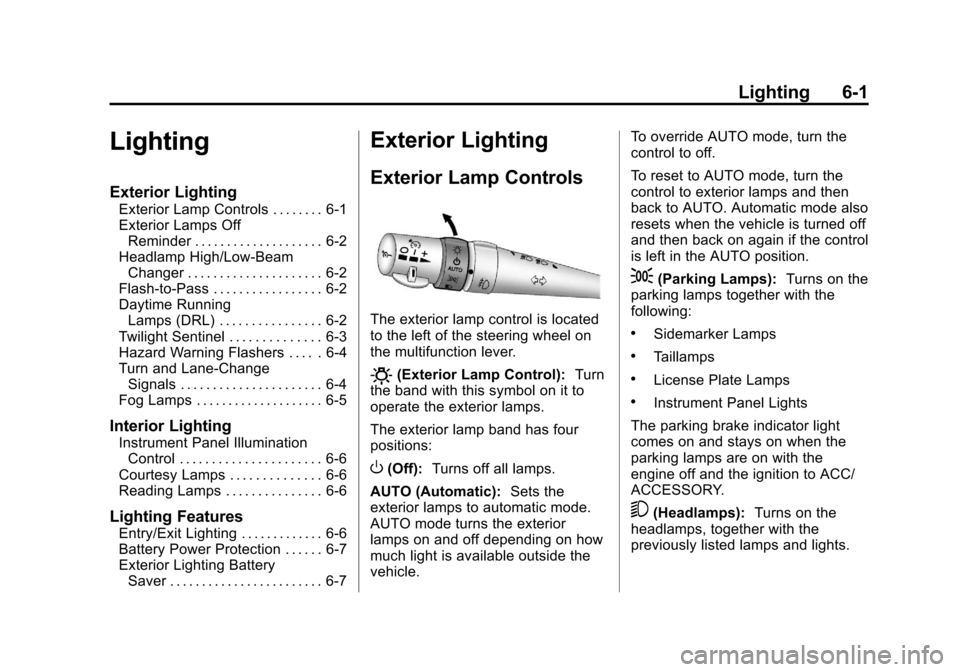
The exterior lamp control is located
to the left of the steering wheel on
the multifunction lever.
O(Exterior Lamp Control): Turn
the band with this symbol on it to
operate the exterior lamps.
The exterior lamp band has four
positions:
O(Off): Turns off all lamps.
AUTO (Automatic): Sets the
exterior lamps to automatic mode.
AUTO mode turns the exterior
lamps on and off depending on how
much light is available outside the
vehicle. To override AUTO mode, turn the
control to off.
To reset to AUTO mode, turn the
control to exterior lamps and then
back to AUTO. Automatic mode also
resets when the vehicle is turned off
and then back on again if the control
is left in the AUTO position.
;(Parking Lamps):
Turns on the
parking lamps together with the
following:
.Sidemarker Lamps
.Taillamps
.License Plate Lamps
.Instrument Panel Lights
The parking brake indicator light
comes on and stays on when the
parking lamps are on with the
engine off and the ignition to ACC/
ACCESSORY.
5(Headlamps): Turns on the
headlamps, together with the
previously listed lamps and lights.
Page 172 of 414
Black plate (2,1)Chevrolet Corvette Owner Manual - 2013 - crc2 - 11/8/12
6-2 Lighting
Exterior Lamps Off
Reminder
A warning chime will sound if the
exterior lamp control is left on in
either the headlamp or parking lamp
position and the driver door is
opened with the ignition off.
Headlamp High/
Low-Beam Changer
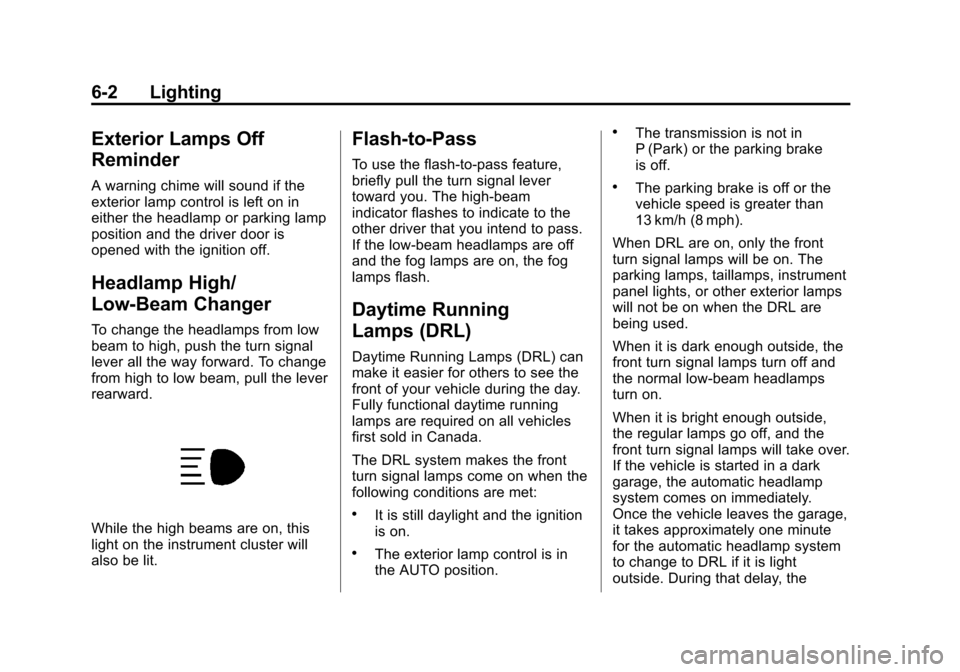
To change the headlamps from low
beam to high, push the turn signal
lever all the way forward. To change
from high to low beam, pull the lever
rearward.
While the high beams are on, this
light on the instrument cluster will
also be lit.
Flash-to-Pass
To use the flash-to-pass feature,
briefly pull the turn signal lever
toward you. The high-beam
indicator flashes to indicate to the
other driver that you intend to pass.
If the low-beam headlamps are off
and the fog lamps are on, the fog
lamps flash.
Daytime Running
Lamps (DRL)
Daytime Running Lamps (DRL) can
make it easier for others to see the
front of your vehicle during the day.
Fully functional daytime running
lamps are required on all vehicles
first sold in Canada.
The DRL system makes the front
turn signal lamps come on when the
following conditions are met:
.It is still daylight and the ignition
is on.
.The exterior lamp control is in
the AUTO position.
.The transmission is not in
P (Park) or the parking brake
is off.
.The parking brake is off or the
vehicle speed is greater than
13 km/h (8 mph).
When DRL are on, only the front
turn signal lamps will be on. The
parking lamps, taillamps, instrument
panel lights, or other exterior lamps
will not be on when the DRL are
being used.
When it is dark enough outside, the
front turn signal lamps turn off and
the normal low-beam headlamps
turn on.
When it is bright enough outside,
the regular lamps go off, and the
front turn signal lamps will take over.
If the vehicle is started in a dark
garage, the automatic headlamp
system comes on immediately.
Once the vehicle leaves the garage,
it takes approximately one minute
for the automatic headlamp system
to change to DRL if it is light
outside. During that delay, the
Page 174 of 414
Black plate (4,1)Chevrolet Corvette Owner Manual - 2013 - crc2 - 11/8/12
6-4 Lighting
To turn Twilight Sentinel back on,
turn the band to
Oagain, then
release it.
If the Twilight Sentinel has the
headlamps turned on and you turn
the ignition off, the headlamps will
stay on for a period of time while
you leave the vehicle.
Use the Driver Information Center to
turn Twilight Sentinel on or off and
to increase or decrease the length
of the delayed illumination period.
See “Personal Options” under
Vehicle Personalization on
page 5‑51.
The regular headlamp system
should be turned on when needed.
Lights On with Wipers
If the windshield wipers are
activated in daylight with the engine
on, and the exterior lamp control is
in AUTO, the headlamps, parking
lamps, and other exterior lamps
come on. The transition time for the
lamps coming on varies based on
wiper speed. When the wipers are not operating, these lamps turn off.
Move the exterior lamp control to
P
or;to disable this feature.
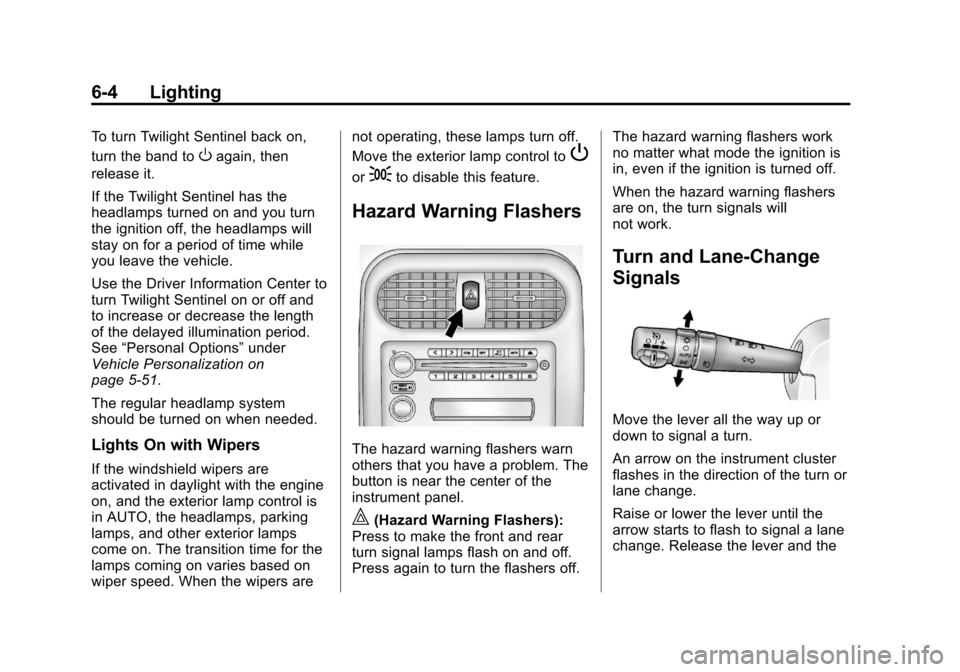
Hazard Warning Flashers
The hazard warning flashers warn
others that you have a problem. The
button is near the center of the
instrument panel.
|(Hazard Warning Flashers):
Press to make the front and rear
turn signal lamps flash on and off.
Press again to turn the flashers off. The hazard warning flashers work
no matter what mode the ignition is
in, even if the ignition is turned off.
When the hazard warning flashers
are on, the turn signals will
not work.
Turn and Lane-Change
Signals
Move the lever all the way up or
down to signal a turn.
An arrow on the instrument cluster
flashes in the direction of the turn or
lane change.
Raise or lower the lever until the
arrow starts to flash to signal a lane
change. Release the lever and the
Page 179 of 414
Black plate (1,1)Chevrolet Corvette Owner Manual - 2013 - crc2 - 11/8/12
Infotainment System 7-1
Infotainment
System
Introduction
Infotainment . . . . . . . . . . . . . . . . . . . 7-1
Theft-Deterrent Feature . . . . . . . 7-2
Overview . . . . . . . . . . . . . . . . . . . . . . 7-2
Operation . . . . . . . . . . . . . . . . . . . . . 7-4
Radio
AM-FM Radio . . . . . . . . . . . . . . . . . 7-6
Satellite Radio . . . . . . . . . . . . . . . . 7-8
Radio Reception . . . . . . . . . . . . . 7-11
Diversity Antenna System . . . 7-12
Satellite Radio Antenna . . . . . . 7-12
Audio Players
CD Player . . . . . . . . . . . . . . . . . . . 7-12
Auxiliary Devices . . . . . . . . . . . . 7-17
Phone
Bluetooth . . . . . . . . . . . . . . . . . . . . 7-17
Trademarks and License
Agreements
Trademarks and LicenseAgreements . . . . . . . . . . . . . . . . 7-25
Introduction
Infotainment
Determine which radio the vehicle
has and read the following pages to
become familiar with its features.
{WARNING
Taking your eyes off the road for
extended periods could cause a
crash resulting in injury or death
to you or others. Do not give
extended attention to infotainment
tasks while driving.
This system provides access to
many audio and non-audio listings.
To minimize taking your eyes off the
road while driving, do the following
while the vehicle is parked:
.Become familiar with the
operation and controls of the
audio system.
.Set up the tone, speaker
adjustments, and preset radio
stations.
For more information, see Defensive
Driving on page 9‑3.
Notice: Contact your dealer
before adding any equipment.
Adding audio or communication
equipment could interfere with
the operation of the engine, radio,
or other systems, and could
damage them. Follow federal
rules covering mobile radio and
telephone equipment.
The vehicle has Retained
Accessory Power (RAP). With RAP,
the audio system can be played
even after the ignition is turned off.
See Retained Accessory Power
(RAP) on page 9‑21 for more
information.
Navigation/Radio System
For vehicles with a navigation radio
system, see the navigation manual.
Page 196 of 414
Black plate (18,1)Chevrolet Corvette Owner Manual - 2013 - crc2 - 11/8/12
7-18 Infotainment System
.Pair cell phone(s) to the vehicle.
The system may not work with
all cell phones. See“Pairing”in
this section for more information.
.If the cell phone has voice
dialing capability, learn to use
that feature to access the
address book or contact list. See
“Voice Pass-Thru” in this section
for more information.
.See “Storing and Deleting Phone
Numbers” in this section for
more information.
{WARNING
When using a cell phone, it can
be distracting to look too long or
too often at the screen of the
phone or the infotainment
(navigation) system. Taking your
eyes off the road too long or too
often could cause a crash
resulting in injury or death. Focus
your attention on driving. A Bluetooth system can use a
Bluetooth-capable cell phone with a
Hands-Free Profile to make and
receive phone calls. The system
can be used while the key is in the
ON/RUN or ACC/ACCESSORY
position. The range of the Bluetooth
system can be up to 9.1 m (30 ft).
Not all phones support all functions,
and not all phones work with the
in-vehicle Bluetooth system. See
www.gm.com/bluetooth for more
information on compatible phones.
Voice Recognition
The Bluetooth system uses voice
recognition to interpret voice
commands to dial phone numbers
and name tags.
For additional information, say
“Help”
while you are in a voice
recognition menu.
Noise: Keep interior noise levels to
a minimum. The system may not
recognize voice commands if there
is too much background noise. When to Speak:
A short tone
sounds after the system responds
indicating when it is waiting for a
voice command. Wait until the tone
and then speak.
How to Speak: Speak clearly in a
calm and natural voice.
Audio System
When using the in-vehicle Bluetooth
system, sound comes through the
vehicle's front audio system
speakers and overrides the audio
system. Use the audio system
volume knob, during a call, to
change the volume level. The
adjusted volume level remains in
memory for later calls. To prevent
missed calls, a minimum volume
level is used if the volume is turned
down too low.
Bluetooth Controls
Use the buttons located on the
steering wheel to operate the
in-vehicle Bluetooth system. See
Steering Wheel Controls on
page 5‑3 for more information.
Page 214 of 414
Black plate (2,1)Chevrolet Corvette Owner Manual - 2013 - crc2 - 11/8/12
9-2 Driving and Operating
Driving Information
Distracted Driving
Distraction comes in many forms
and can take your focus from the
task of driving. Exercise good
judgment and do not let other
activities divert your attention away
from the road. Many local
governments have enacted laws
regarding driver distraction. Become
familiar with the local laws in
your area.
To avoid distracted driving, always
keep your eyes on the road, hands
on the wheel, and mind on the drive.
.Do not use a phone in
demanding driving situations.
Use a hands-free method to
place or receive necessary
phone calls.
.Watch the road. Do not read,
take notes, or look up
information on phones or other
electronic devices.
.Designate a front seat
passenger to handle potential
distractions.
.Become familiar with vehicle
features before driving, such as
programming favorite radio
stations and adjusting climate
control and seat settings.
Program all trip information into
any navigation device prior to
driving.
.Wait until the vehicle is parked
to retrieve items that have fallen
to the floor.
.Stop or park the vehicle to tend
to children.
.Keep pets in an appropriate
carrier or restraint.
.Avoid stressful conversations
while driving, whether with a
passenger or on a cell phone.
{WARNING
Taking your eyes off the road too
long or too often could cause a
crash resulting in injury or death.
Focus your attention on driving.
Refer to the infotainment section for
more information on using that
system, including pairing and using
a cell phone.
If equipped, refer to the navigation
manual for information on that
system, including pairing and using
a cell phone.