navigation CHEVROLET CORVETTE 2015 7.G User Guide
[x] Cancel search | Manufacturer: CHEVROLET, Model Year: 2015, Model line: CORVETTE, Model: CHEVROLET CORVETTE 2015 7.GPages: 393, PDF Size: 5.4 MB
Page 224 of 393
Black plate (43,1)Chevrolet Corvette Owner Manual (GMNA-Localizing-U.S./Canada/Mexico-
7576293) - 2015 - crc - 10/31/14
Driving and Operating 9-43
Driver Mode Selector Attributes
Affected
The Gauge Cluster Display is
configured for each mode when
linked (default):
.Tour: Modern theme which
features displays for audio and
navigation.
.Sport: Classic easy to read
Sports Car gauges.
.Track: Gauges design based on
Corvette Racing display with lap
timer.
Throttle Progression
Adjusts throttle sensitivity by
selecting how quick or slow the
throttle reacts to input.
Transmission Shift Mode −Paddle
Shift Automatic
.Adjusts to either a smoother or
firmer shift.
.Sport –Performance Algorithm
Liftfoot (PAL) recognizes
aggressive throttle maneuvers and holds lower gears for
greater engine braking and
enhanced vehicle control when
not using paddles. (Available in
Sport or Track mode.)
.Track
–Performance Algorithm
Shift (PAS) recognizes
aggressive cornering, heavy
braking, and high acceleration to
select and hold lower gears
when not using paddles.
Active Fuel Management (engine
cylinder shuts off)
4-Cylinder Mode
.Normal with automatic
transmission: The engine uses
8-cylinder mode when
accelerating, but changes to
4-cylinder mode when coasting.
.With manual transmission:
Active Fuel Management only
active in Eco mode.
.Off in Manual mode with
automatic transmission unless in
Eco mode.
.Eco keeps the engine in
4-cylinder mode unless heavy
acceleration is needed.
Exhaust (variable mode exhaust
system)
Changes when the variable exhaust
valves open.
Steering (Assist Effort)
Adjusts from a lighter steering feel
to reduced assist for more
steering feel.
Magnetic Ride Control (if
equipped)
Adjusts the shock dampening
firmness based on driving
conditions to improve comfort and
performance.
Launch Control
Available only in Track mode for
maximum “off–the–line” acceleration
when in Competitive or PTM modes.
Page 368 of 393
Black plate (15,1)Chevrolet Corvette Owner Manual (GMNA-Localizing-U.S./Canada/Mexico-
7576293) - 2015 - crc - 10/31/14
Customer Information 13-15
if the vehicle is leased, with the
consent of the lessee; in response
to an official request by police or
similar government office; as part of
GM's defense of litigation through
the discovery process; or, as
required by law. Data that GM
collects or receives may also be
used for GM research needs or may
be made available to others for
research purposes, where a need is
shown and the data is not tied to a
specific vehicle or vehicle owner.
OnStar®
If the vehicle is equipped with
OnStar®and has an active
subscription, additional data may be
collected through the OnStar
system. This includes information
about the vehicle’s operation;
collisions involving the vehicle; the
use of the vehicle and its features;
and, in certain situations, the
location and approximate GPS
speed of the vehicle. Refer to the OnStar Terms and Conditions and
Privacy Statement on the OnStar
website.
Infotainment System
If the vehicle is equipped with a
navigation system as part of the
infotainment system, use of the
system may result in the storage of
destinations, addresses, telephone
numbers, and other trip information.
See the infotainment manual for
information on stored data and for
deletion instructions.
Page 370 of 393
Black plate (1,1)Chevrolet Corvette Owner Manual (GMNA-Localizing-U.S./Canada/Mexico-
7576293) - 2015 - crc - 10/31/14
OnStar 14-1
OnStar
OnStar Overview
OnStar Overview . . . . . . . . . . . . 14-1
OnStar Services
Emergency . . . . . . . . . . . . . . . . . . 14-3
Security . . . . . . . . . . . . . . . . . . . . . . 14-3
Navigation . . . . . . . . . . . . . . . . . . . 14-3
Connections . . . . . . . . . . . . . . . . . 14-4
Vehicle Diagnostics . . . . . . . . . . 14-6
OnStar Additional Information
OnStar AdditionalInformation . . . . . . . . . . . . . . . . . 14-6
OnStar Overview
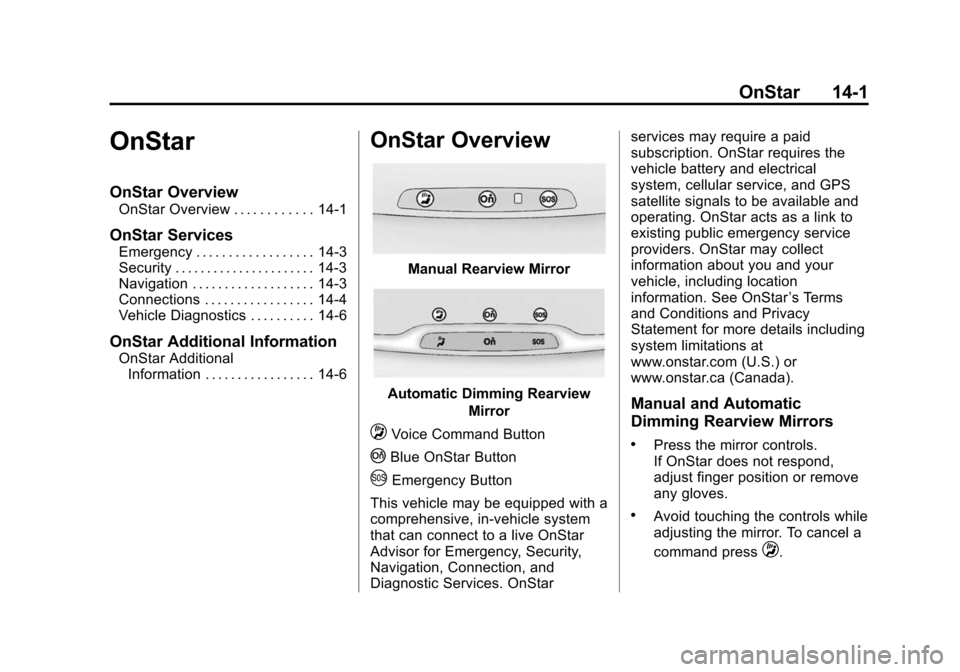
Manual Rearview Mirror
Automatic Dimming Rearview
Mirror
QVoice Command Button
|Blue OnStar Button
UEmergency Button
This vehicle may be equipped with a
comprehensive, in-vehicle system
that can connect to a live OnStar
Advisor for Emergency, Security,
Navigation, Connection, and
Diagnostic Services. OnStar services may require a paid
subscription. OnStar requires the
vehicle battery and electrical
system, cellular service, and GPS
satellite signals to be available and
operating. OnStar acts as a link to
existing public emergency service
providers. OnStar may collect
information about you and your
vehicle, including location
information. See OnStar
’s Terms
and Conditions and Privacy
Statement for more details including
system limitations at
www.onstar.com (U.S.) or
www.onstar.ca (Canada).
Manual and Automatic
Dimming Rearview Mirrors
.Press the mirror controls.
If OnStar does not respond,
adjust finger position or remove
any gloves.
.Avoid touching the controls while
adjusting the mirror. To cancel a
command press
Q.
Page 371 of 393
Black plate (2,1)Chevrolet Corvette Owner Manual (GMNA-Localizing-U.S./Canada/Mexico-
7576293) - 2015 - crc - 10/31/14
14-2 OnStar
.Clean the mirror while the
vehicle is off to avoid making
calls.
Status Indicator
The OnStar system status light is
next to the OnStar controls on the
manual rearview mirror.
If the status light is:
.Solid Green: System is on.
.Flashing Green: On a call.
.Red: Indicates a problem.
.Off: System is off. Press the blue
OnStar button twice to speak
with an OnStar Advisor.
For the automatic dimming rearview
mirror, the status is provided
through the Display on Demand
Icons.
.Three Color Icons: The system
is enabled and active.
.No Icons: The vehicle is in
motion or the OnStar
subscription is inactive
.Blinking: Button has been
pressed.
.Solid: On a call.
.~(Fault Icon On): Indicates a
problem.
OnStar Commands
Press
|or call 1-888-4-ONSTAR
(1-888-466-7827) to speak to an
Advisor.
Press
Qto:
.Make a call, end a call,
or answer an incoming call.
.Give OnStar Hands-Free Calling
voice commands.
.Give OnStar Turn-by-Turn
Navigation voice commands.
Requires a specific OnStar
subscription plan.
.Obtain the WiFi network name,
or Service Set Identifier or SSID,
and passphrase (if equipped). Press
|to connect to a live
Advisor to:
.Verify account information or
update contact information.
.Get driving directions. Requires
the available Requires a specific
OnStar subscription plan.
.Receive On-Demand
Diagnostics for a check of the
vehicle’s key operating systems.
.Receive Roadside Assistance.
.Manage WiFi Settings (if
equipped).
Press the OnStar Emergency button
Uto get a priority connection to an
Emergency Advisor available 24/
7 to:
.Get help for an emergency.
.Be a Good Samaritan or
respond to an AMBER Alert.
.Get assistance in severe
weather or other crisis and get
evacuation routes.
Page 372 of 393
Black plate (3,1)Chevrolet Corvette Owner Manual (GMNA-Localizing-U.S./Canada/Mexico-
7576293) - 2015 - crc - 10/31/14
OnStar 14-3
OnStar Services
Emergency
With Automatic Crash Response,
the OnStar system can
automatically connect to an OnStar
Emergency Advisor. The built-in
system can automatically connect to
help in certain crashes.
Press
Uto connect to an OnStar
Emergency Advisor. GPS
technology is used to identify the
vehicle location and can provide
important information to emergency
personnel. OnStar Emergency
Advisors are trained to provide
assistance and link to existing
public emergency service providers
in emergency situations.
With OnStar Crisis Assist, specially
trained Crisis Advisors are available
24 hours a day, 7 days a week, to
provide a central point of contact,
assistance, and information if a
crisis occurs.
Security
OnStar provides services including
Stolen Vehicle Assistance, Remote
Ignition Block, and Roadside
Assistance, if equipped. OnStar can
unlock the vehicle doors remotely,
if equipped with automatic door
locks, and can help police locate the
vehicle if it is stolen.
Navigation
OnStar navigation requires a
specific OnStar subscription plan.
Press
|to receive directions or
have them sent to the vehicle
navigation screen, if equipped.
Destinations can also be forwarded
to the vehicle from MapQuest.com.
Turn-by-Turn Navigation
1. Press|to connect to a live
Advisor.
2. Request directions.
3. Directions are downloaded to the vehicle. 4. Follow the voice-guided
commands.
Using Voice Commands
During a Planned Route
Cancel Route
1. Press
Q. System responds:
“OnStar ready,” then a tone. Say
“Cancel route.” System
responds: “Do you want to
cancel directions?”
2. Say “Yes.”System responds:
“OK, request completed, thank
you, goodbye.”
Route Preview
1. Press
Q. System responds:
“OnStar ready,” then a tone.
2. Say “Route preview.” System
responds with the next three
maneuvers.
Repeat
1. Press
Q. System responds:
“OnStar ready,” then a tone.
Page 373 of 393
Black plate (4,1)Chevrolet Corvette Owner Manual (GMNA-Localizing-U.S./Canada/Mexico-
7576293) - 2015 - crc - 10/31/14
14-4 OnStar
2. Say“Repeat.” System responds
with the last direction given, then
responds with “OnStar ready,”
then a tone.
Get My Destination
1. Press
Q. System responds:
“OnStar ready,” then a tone.
2. Say “Get my destination.”
System responds with the
address and the distance to the
destination, then responds with
“OnStar ready,” then a tone.
Other Navigation Services
Available from OnStar
OnStar eNav:Subscribers can
send destinations from
MapQuest.com to the vehicle
Turn-by-Turn Navigation or
screen-based navigation system (if
equipped). When ready, the
directions will be downloaded to the
vehicle.
Destination Download: Press
|,
then request the Advisor to
download directions to the navigation system in the vehicle (if
equipped). After the call ends, press
the
“Go” button on the navigation
screen to begin driving directions.
If directions are downloaded to the
navigation system, the route can
only be canceled through the
navigation system.
Destinations can also be
downloaded on the go. For
information about eNav and
Destination Download, see
www.onstar.com (U.S.) or
www.onstar.ca (Canada).
Connections
The required specific Onstar
subscription plan includes the
services that follow to help
customers stay connected.
For coverage maps, see
www.onstar.com (U.S.) or
www.onstar.ca (Canada). WiFi Connectivity (If Equipped)
The vehicle has a WiFi hotspot that
provides a high-speed, wireless
Internet connection to connect
multiple mobile devices (data plan
required).
1. To retrieve WiFi hotspot
information, press
Qand select
or say “WiFi settings.”
2. The WiFi settings will display the WiFi network name/SSID,
passphrase, and level of
encryption.
3. To change the SSID or passphrase, press
|or call
1-888-4-ONSTAR to connect
with an Advisor.
OnStar RemoteLink
®Mobile App
(If Equipped)
Download the OnStar RemoteLink
mobile app to select Apple
®,
Android™, and BlackBerry®or
Windows 7 or 8 mobile devices.
From the mobile device, check the
vehicle’s fuel level, oil life, or tire
Page 376 of 393
Black plate (7,1)Chevrolet Corvette Owner Manual (GMNA-Localizing-U.S./Canada/Mexico-
7576293) - 2015 - crc - 10/31/14
OnStar 14-7
How OnStar Service Works
Automatic Crash Response,
Emergency Services, Crisis Assist,
Stolen Vehicle Assistance, Vehicle
Diagnostics, Remote Door Unlock,
Roadside Assistance, Turn-by-Turn
Navigation, and Hands-Free Calling
are available on most vehicles. Not
all OnStar services are available
everywhere or on all vehicles. For
more information, a full description
of OnStar services, system
limitations, and OnStar terms and
conditions:
.Call 1-888-4-ONSTAR.
(1-888-466-7827).
.See www.onstar.com (U.S.).
.See www.onstar.ca (Canada).
.Call TTY 1-877-248-2080.
.Press|to speak with an
Advisor.
OnStar services cannot work unless
the vehicle is in a place where
OnStar has an agreement with a
wireless service provider for service in that area. The wireless service
provider must also have coverage,
network capacity, reception, and
technology compatible with OnStar
services. Service involving location
information about the vehicle cannot
work unless GPS signals are
available, unobstructed, and
compatible with the OnStar
hardware. OnStar services may not
work if the OnStar equipment is not
properly installed or it has not been
properly maintained. If equipment or
software is added, connected,
or modified, OnStar services may
not work. Other problems beyond
the control of OnStar may prevent
service such as hills, tall buildings,
tunnels, weather, electrical system
design and architecture of the
vehicle, damage to the vehicle in a
crash, or wireless phone network
congestion or jamming.
See
Radio Frequency Statement on
page 13-12.
Services for People with
Disabilities
Advisors provide services to help
subscribers with physical disabilities
and medical conditions.
Press
|for help with:
.Locating a gas station with an
attendant to pump gas.
.Finding a hotel, restaurant, etc.,
that meets accessibility needs.
.Providing directions to the
closest hospital or pharmacy in
urgent situations.
TTY Users
OnStar has the ability to
communicate to deaf,
hard-of-hearing, or speech-impaired
customers while in the vehicle. The
available dealer-installed TTY
system can provide in-vehicle
access to all of the OnStar services,
except Virtual Advisor and OnStar
Turn-by-Turn Navigation.
Page 377 of 393
Black plate (8,1)Chevrolet Corvette Owner Manual (GMNA-Localizing-U.S./Canada/Mexico-
7576293) - 2015 - crc - 10/31/14
14-8 OnStar
OnStar Personal Identification
Number (PIN)
A PIN is needed to access some of
the OnStar services, like Remote
Door Unlock and Stolen Vehicle
Assistance. The PIN will need to be
changed the first time when
speaking with an Advisor. To
change the OnStar PIN contact an
OnStar Advisor by pressing
|or
calling 1-888-4-ONSTAR.
Warranty
OnStar equipment may be
warranted as part of the vehicle
warranty.
Languages
The vehicle can be programmed to
respond in multiple languages.
Press
|and ask for an Advisor.
Advisors are available in English,
Spanish, and French. Available
languages may vary by country.
Potential Issues
OnStar cannot perform Remote
Door Unlock or Stolen Vehicle
Assistance after the vehicle has
been off continuously for five days.
After five days, OnStar can contact
Roadside Assistance and a
locksmith to help gain access to the
vehicle.
Global Positioning
System (GPS)
.Obstruction of the GPS can
occur in a large city with tall
buildings; in parking garages;
around airports; in tunnels,
underpasses, or parking
garages; or in an area with very
dense trees. If GPS signals are
not available, the OnStar system
should still operate to call
OnStar. However, OnStar could
have difficulty identifying the
exact location.
.In emergency situations, OnStar
can use the last stored GPS
location to send to emergency
responders.
A temporary loss of GPS can cause
loss of the ability to send a
Turn-by-Turn Navigation route. The
Advisor may give a verbal route or
may ask for a call back after the
vehicle is driven into an open area.
Cellular and GPS Antennas
Do not place items over or near the
antenna to prevent blocking cellular
and GPS signal reception. Cellular
reception is required for OnStar to
send remote signals to the vehicle.
Unable to Connect to OnStar
Message
If there is limited cellular coverage
or the cellular network has reached
maximum capacity, this message
may come on. Press
|to try the
call again or try again after driving a
few miles into another cellular area.
Page 388 of 393

Black plate (7,1)Chevrolet Corvette Owner Manual (GMNA-Localizing-U.S./Canada/Mexico-
7576293) - 2015 - crc - 10/31/14
INDEX i-7
M
MaintenanceRecords . . . . . . . . . . . . . . . . . . . . .11-15
Maintenance and Care Additional . . . . . . . . . . . . . . . . . . . . . 11-9
Maintenance Schedule . . . . . . . . 11-2 Recommended Fluids
and Lubricants . . . . . . . . . . . . .11-12
Malfunction Indicator Lamp . . . . 5-18
Manual Mode . . . . . . . . . . . . . . . . . . 9-29
Manual Transmission . . . . . . . . . . 9-32 Fluid . . . . . . . . . . . . . . . . . . . . . . . . 10-19
Matching Active Rev . . . . . . . . . . . . . . . . . . . . 9-34
Memory Features . . . . . . . . . . . . . . . 1-9
Memory Seats . . . . . . . . . . . . . . . . . . 3-4
Messages Airbag System . . . . . . . . . . . . . . . . 5-42
Battery Voltage andCharging . . . . . . . . . . . . . . . . . . . . 5-34
Brake System . . . . . . . . . . . . . . . . 5-34
Compass . . . . . . . . . . . . . . . . . . . . . 5-35
Convertible Top . . . . . . . . . . . . . . . 5-35
Door Ajar . . . . . . . . . . . . . . . . . . . . . 5-36
Engine Cooling System . . . . . . . 5-37
Engine Oil . . . . . . . . . . . . . . . . . . . . 5-37 Messages (cont'd)
Engine Power . . . . . . . . . . . . . . . . 5-38
Fuel System . . . . . . . . . . . . . . . . . . 5-38
Key and Lock . . . . . . . . . . . . . . . . . 5-38
Lamp . . . . . . . . . . . . . . . . . . . . . . . . . 5-39
Ride Control System . . . . . . . . . . 5-39
Security . . . . . . . . . . . . . . . . . . . . . . 5-42
Service Vehicle . . . . . . . . . . . . . . . 5-42
Starting the Vehicle . . . . . . . . . . . 5-43
Tire . . . . . . . . . . . . . . . . . . . . . . . . . . . 5-43
Transmission . . . . . . . . . . . . . . . . . 5-44
Vehicle . . . . . . . . . . . . . . . . . . . . . . . 5-34
Vehicle Reminder . . . . . . . . . . . . . 5-44
Vehicle Speed . . . . . . . . . . . . . . . . 5-44
Washer Fluid . . . . . . . . . . . . . . . . . 5-45
Window . . . . . . . . . . . . . . . . . . . . . . . 5-45
Mirrors Automatic Dimming . . . . . . . . . . . 2-20
Automatic Dimming
Rearview . . . . . . . . . . . . . . . . . . . . 2-21
Convex . . . . . . . . . . . . . . . . . . . . . . . 2-19
Folding . . . . . . . . . . . . . . . . . . . . . . . 2-20
Heated . . . . . . . . . . . . . . . . . . . . . . . 2-20
Manual Rearview . . . . . . . . . . . . . 2-21
Power . . . . . . . . . . . . . . . . . . . . . . . . 2-20
Tilt in Reverse . . . . . . . . . . . . . . . . 2-20
Mirrors, Interior Rearview . . . . . . 2-21 Mode
Driver Control . . . . . . . . . . . . . . . . . 9-40
Monitor System, Tire Pressure . . . . . . . . . . . . . . . . . . . . 10-59
N
NavigationOnStar®. . . . . . . . . . . . . . . . . . . . . . 14-3
Net, Convenience . . . . . . . . . . . . . . 4-5
New Vehicle Break-In . . . . . . . . . . 9-19
O
Odometer . . . . . . . . . . . . . . . . . . . . . . 5-12
Trip . . . . . . . . . . . . . . . . . . . . . . . . . . . 5-12
Off-Road Recovery . . . . . . . . . . . . . . . . . . . . . . 9-4
Oil Engine . . . . . . . . . . . . . . . . . . . . . . 10-12
Engine Oil Life System . . . . . 10-18
Messages . . . . . . . . . . . . . . . . . . . . 5-37
Pressure Light . . . . . . . . . . . . . . . . 5-24
Older Children, Restraints . . . . . 3-27
Online Owner Center . . . . . . . . . . 13-4
OnStar . . . . . . . . . . . . . . . . . . . . . . . 13-15
OnStar
®
System, In Brief . . . . . . . . . . . . . . 1-22
Page 389 of 393

Black plate (8,1)Chevrolet Corvette Owner Manual (GMNA-Localizing-U.S./Canada/Mexico-
7576293) - 2015 - crc - 10/31/14
i-8 INDEX
OnStar®Additional
Information . . . . . . . . . . . . . . . . . . . 14-6
OnStar
®Connections . . . . . . . . . . 14-4
OnStar®Emergency . . . . . . . . . . . 14-3
OnStar®Navigation . . . . . . . . . . . . 14-3
OnStar®Overview . . . . . . . . . . . . . 14-1
OnStar®Security . . . . . . . . . . . . . . 14-3
OnStar®Vehicle
Diagnostics . . . . . . . . . . . . . . . . . . 14-6
Ordering Service Publications . . . . . . . . .13-11
Outlets Power . . . . . . . . . . . . . . . . . . . . . . . . . 5-4
Overheating, Engine . . . . . . . . . . 10-27
P
Panel, Roof . . . . . . . . . . . . . . . . . . . . 2-24
Park Shifting Into . . . . . . . . . . . . . . . . . . . 9-24
Shifting Out of . . . . . . . . . . . . . . . . 9-25
Parking . . . . . . . . . . . . . . . . . . . . . . . . 9-26 Brake and P (Park)Mechanism Check . . . . . . . . 10-36
Over Things That Burn . . . . . . . 9-26
Passenger Airbag Status Indicator . . . . . . . . . . . . . . . . . . . . . 5-17 Passenger Compartment Air
Filter . . . . . . . . . . . . . . . . . . . . . . . . . . 8-5
Passenger Sensing System . . . 3-20
Perchlorate Materials Requirements, California . . . . . 10-2
Performance Data Recorder (PDR) . . . . . . . . . . . . . . . 7-1
Personalization Vehicle . . . . . . . . . . . . . . . . . . . . . . . 5-45
Power Door Locks . . . . . . . . . . . . . . . . . . . 2-13
Mirrors . . . . . . . . . . . . . . . . . . . . . . . . 2-20
Outlets . . . . . . . . . . . . . . . . . . . . . . . . 5-4
Protection, Battery . . . . . . . . . . . . . 6-6
Retained Accessory (RAP) . . . 9-24
Seat Adjustment . . . . . . . . . . . . . . . 3-2
Windows . . . . . . . . . . . . . . . . . . . . . 2-22
Pregnancy, Using Safety Belts . . . . . . . . . . . . . . . . . . . . . . . . . 3-13
Privacy Vehicle Data Recording . . . . . 13-14
Program Courtesy Transportation . . . . . . 13-7
Proposition 65 Warning, California . . . . . . . . . . . . . . . . . . . . . 10-2
R
Radio Frequency
Identification (RFID) . . . . . . . . . 13-12
Radio Frequency Statement . . . . . . . . . . . . . . . . . . . 13-12
Reading Lamps . . . . . . . . . . . . . . . . . 6-6
Rear Axle . . . . . . . . . . . . . . . . . . . . . 10-35
Rear Storage . . . . . . . . . . . . . . . . . . . 4-2
Rear Vision Camera (RVC) . . . . 9-52
Rearview Mirrors . . . . . . . . . . . . . . 2-21 Automatic Dimming . . . . . . . . . . . 2-21
Reclining Seatbacks . . . . . . . . . . . . 3-3
Recommended Fluids and Lubricants . . . . . . . . . . . . . . . . . . . 11-12
Records Maintenance . . . . . . . . . . . . . . . . .11-15
Recreational Vehicle Towing . . . . . . . . . . . . . . . . . . . . . . 10-83
Reimbursement Program, GM Mobility . . . . . . . . . . . . . . . . . . 13-5
Remote Keyless Entry (RKE) System . . . . . . . . . . . . . 2-2, 2-3
Remote Vehicle Start . . . . . . . . . . . 2-9
Replacement Bulbs . . . . . . . . . . . 10-39