remote control CHEVROLET CORVETTE 2015 7.G User Guide
[x] Cancel search | Manufacturer: CHEVROLET, Model Year: 2015, Model line: CORVETTE, Model: CHEVROLET CORVETTE 2015 7.GPages: 393, PDF Size: 5.4 MB
Page 39 of 393
Black plate (10,1)Chevrolet Corvette Owner Manual (GMNA-Localizing-U.S./Canada/Mexico-
7576293) - 2015 - crc - 10/31/14
2-10 Keys, Doors, and Windows
The RKE transmitter range may be
less while the vehicle is running.
Other conditions can affect the
performance of the transmitter. See
Remote Keyless Entry (RKE)
System on page 2-2.
Starting the Engine Using Remote
Start
1. Press and release
Qon the
RKE transmitter.
2. Immediately press and hold
/
for at least four seconds or until
the turn signal lamps flash. The
lamps flash to confirm the
request to remote start the
vehicle has been received.
During the remote start, the
doors will be locked and the
parking lamps will remain on as
long as the engine is running.
The engine will shut off after
10 minutes unless a time
extension is done. 3. To drive, have the RKE
transmitter in the vehicle, press
the brake pedal, and then start
the vehicle.
Extending Engine Run Time
The engine run time can also be
extended by another 10 minutes,
if during the first 10 minutes
Steps 1–2 are repeated while the
engine is still running. An extension
can be requested, 30 seconds after
starting. This provides a total of
20 minutes.
The remote start can only be
extended once per ignition cycle.
A maximum of two remote starts,
or a remote start with an extension,
are allowed between ignition cycles.
After two remote starts, the vehicle's
ignition must be changed to ON/
RUN/START and then back to OFF
before the remote start procedure
can be used again. Canceling a Remote Start
To cancel a remote start, do any of
the following:
.Press and hold/until the
parking lamps turn off.
.Turn on the hazard warning
flashers.
.Turn the vehicle on and then
back off.
Conditions in Which Remote Start
Will Not Work
The remote start will not operate if
any of the following occur:
.The ignition is in any mode other
than OFF.
.The transmitter is in the vehicle.
.The hood is not closed.
.The hazard warning flashers
are on.
.There is an emission control
system malfunction.
.The engine coolant temperature
is too high.
Page 44 of 393
Black plate (15,1)Chevrolet Corvette Owner Manual (GMNA-Localizing-U.S./Canada/Mexico-
7576293) - 2015 - crc - 10/31/14
Keys, Doors, and Windows 2-15
Warning (Continued)
.Adjust the climate control
system to a setting that
brings in only outside air and
set the fan speed to the
highest setting. See“Climate
Control Systems” in the
Index.
.If the vehicle is equipped with
a power liftgate, disable the
power liftgate function.
For more information about
carbon monoxide, see Engine
Exhaust on page 9-27.
Hatch/Trunk Release
For automatic transmissions, the
vehicle must be in P (Park).
For manual transmissions, the
vehicle must be off or stationary
with the parking brake set. See
Electric Parking Brake on
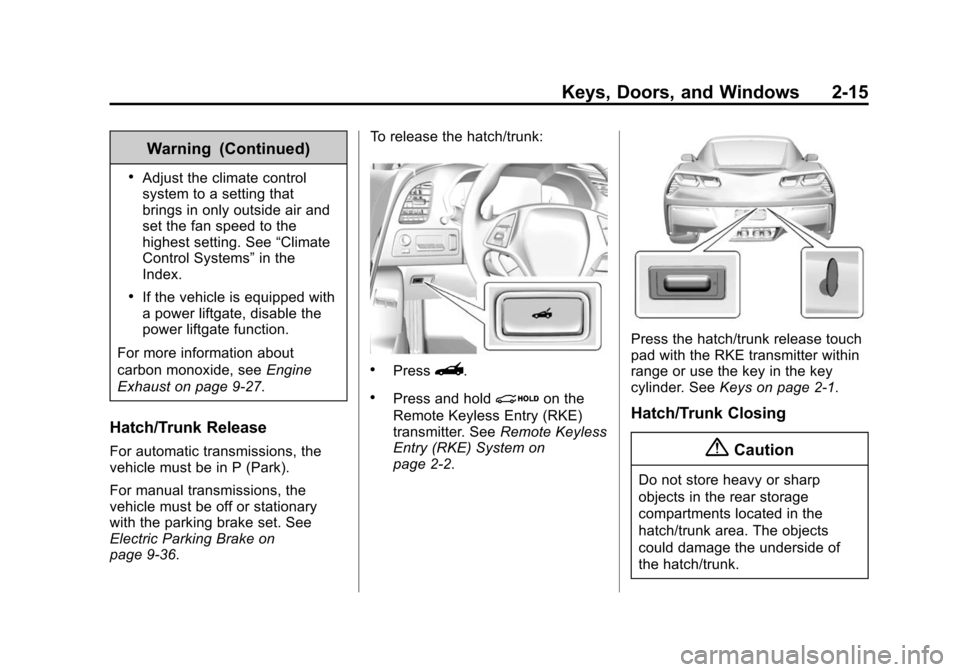
page 9-36. To release the hatch/trunk:
.Press}.
.Press and holdion the
Remote Keyless Entry (RKE)
transmitter. See Remote Keyless
Entry (RKE) System on
page 2-2.
Press the hatch/trunk release touch
pad with the RKE transmitter within
range or use the key in the key
cylinder. See Keys on page 2-1.
Hatch/Trunk Closing
{Caution
Do not store heavy or sharp
objects in the rear storage
compartments located in the
hatch/trunk area. The objects
could damage the underside of
the hatch/trunk.
Page 48 of 393
Black plate (19,1)Chevrolet Corvette Owner Manual (GMNA-Localizing-U.S./Canada/Mexico-
7576293) - 2015 - crc - 10/31/14
Keys, Doors, and Windows 2-19
The immobilization system is
disarmed when the ignition is placed
in ACC/ACCESSORY or ON/RUN/
START and a valid transmitter is
found in the vehicle.
You do not have to manually arm or
disarm the system.
The system has one or more RKE
transmitters that are matched to an
immobilizer control unit in the
vehicle. Only a correctly matched
RKE transmitter starts the vehicle.
The vehicle may not start if the RKE
transmitter is damaged.
If the engine does not start and the
security light comes on, there may
be a problem with the immobilizer
system. Press the ENGINE START/
STOP button again.If the vehicle does not start and the
RKE transmitter appears to be
undamaged, try another RKE
transmitter. Or, place the transmitter
in the transmitter pocket. See
“NO
REMOTE DETECTED” underKey
and Lock Messages on page 5-38.
Check the fuse. See Fuses on
page 10-40. If the engine still does
not start with the other transmitter,
the vehicle needs service. If the
engine does start, the first
transmitter may be faulty. See your
dealer or have a new RKE
transmitter programmed to the
vehicle.
The immobilizer system can learn
new or replacement RKE
transmitters. Up to eight RKE
transmitters can be programmed for
the vehicle. To program additional
transmitters, see “Programming
Transmitters to the Vehicle” under
Remote Keyless Entry (RKE)
System Operation on page 2-3.
Do not leave the key or device that
disarms or deactivates the
theft-deterrent system in the vehicle.Exterior Mirrors
Convex Mirrors
{Warning
A convex mirror can make things,
like other vehicles, look farther
away than they really are. If you
cut too sharply into the right lane,
you could hit a vehicle on the
right. Check the inside mirror or
glance over your shoulder before
changing lanes.
The passenger side mirror is convex
shaped. A convex mirror's surface is
curved so more can be seen from
the driver seat.
Page 51 of 393
Black plate (22,1)Chevrolet Corvette Owner Manual (GMNA-Localizing-U.S./Canada/Mexico-
7576293) - 2015 - crc - 10/31/14
2-22 Keys, Doors, and Windows
Power Windows
{Warning
Leaving children in a vehicle with
the Remote Keyless Entry (RKE)
transmitter is dangerous for many
reasons; children or others could
be badly injured or even killed.
They could operate the power
windows or other controls or even
make the vehicle move. The
windows will function with the
RKE transmitter in the vehicle
and they could be seriously
injured or killed if caught in the
path of a closing window. Do not
leave the RKE transmitter in a
vehicle with children.
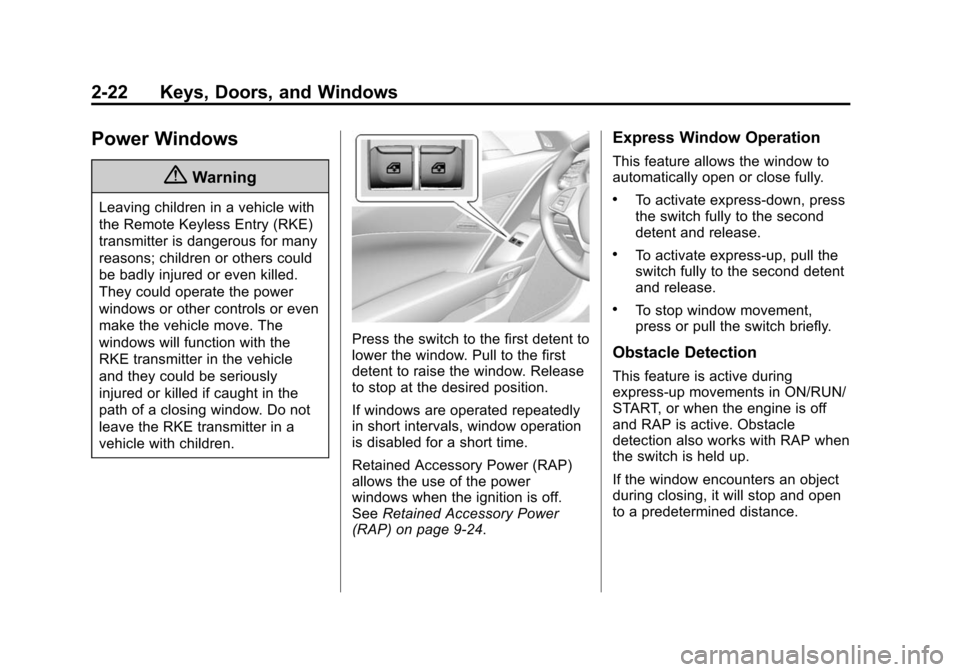
Press the switch to the first detent to
lower the window. Pull to the first
detent to raise the window. Release
to stop at the desired position.
If windows are operated repeatedly
in short intervals, window operation
is disabled for a short time.
Retained Accessory Power (RAP)
allows the use of the power
windows when the ignition is off.
SeeRetained Accessory Power
(RAP) on page 9-24.
Express Window Operation
This feature allows the window to
automatically open or close fully.
.To activate express-down, press
the switch fully to the second
detent and release.
.To activate express-up, pull the
switch fully to the second detent
and release.
.To stop window movement,
press or pull the switch briefly.
Obstacle Detection
This feature is active during
express-up movements in ON/RUN/
START, or when the engine is off
and RAP is active. Obstacle
detection also works with RAP when
the switch is held up.
If the window encounters an object
during closing, it will stop and open
to a predetermined distance.
Page 71 of 393
Black plate (8,1)Chevrolet Corvette Owner Manual (GMNA-Localizing-U.S./Canada/Mexico-
7576293) - 2015 - crc - 10/31/14
3-8 Seats and Restraints
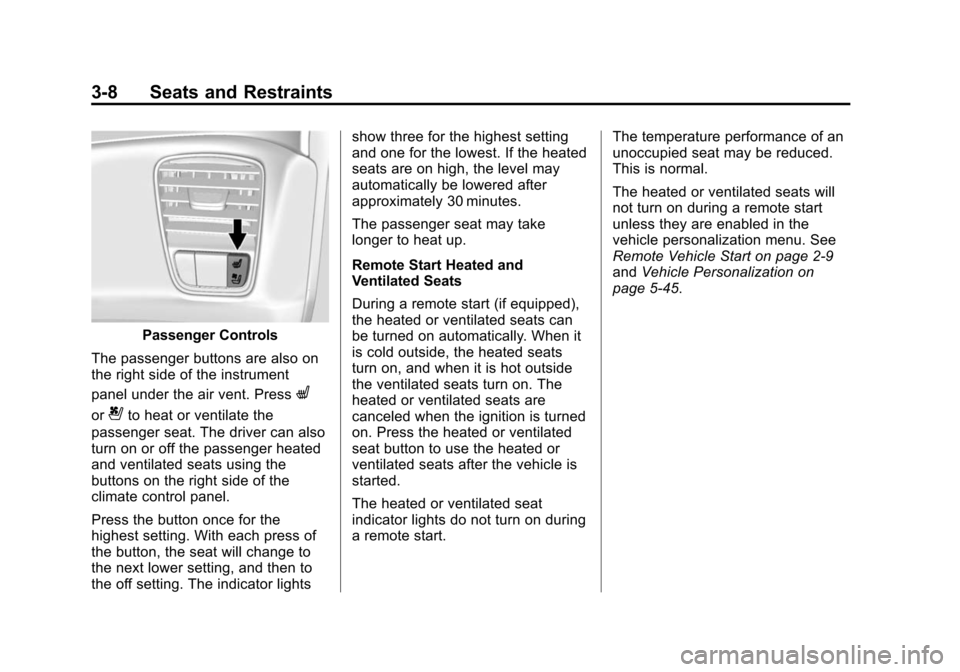
Passenger Controls
The passenger buttons are also on
the right side of the instrument
panel under the air vent. Press
L
or{to heat or ventilate the
passenger seat. The driver can also
turn on or off the passenger heated
and ventilated seats using the
buttons on the right side of the
climate control panel.
Press the button once for the
highest setting. With each press of
the button, the seat will change to
the next lower setting, and then to
the off setting. The indicator lights show three for the highest setting
and one for the lowest. If the heated
seats are on high, the level may
automatically be lowered after
approximately 30 minutes.
The passenger seat may take
longer to heat up.
Remote Start Heated and
Ventilated Seats
During a remote start (if equipped),
the heated or ventilated seats can
be turned on automatically. When it
is cold outside, the heated seats
turn on, and when it is hot outside
the ventilated seats turn on. The
heated or ventilated seats are
canceled when the ignition is turned
on. Press the heated or ventilated
seat button to use the heated or
ventilated seats after the vehicle is
started.
The heated or ventilated seat
indicator lights do not turn on during
a remote start.
The temperature performance of an
unoccupied seat may be reduced.
This is normal.
The heated or ventilated seats will
not turn on during a remote start
unless they are enabled in the
vehicle personalization menu. See
Remote Vehicle Start on page 2-9
and
Vehicle Personalization on
page 5-45.
Page 107 of 393
Black plate (2,1)Chevrolet Corvette Owner Manual (GMNA-Localizing-U.S./Canada/Mexico-
7576293) - 2015 - crc - 10/31/14
5-2 Instruments and Controls
Transmission Messages . . . . . 5-44
Vehicle ReminderMessages . . . . . . . . . . . . . . . . . . 5-44
Vehicle Speed Messages . . . . 5-44
Washer Fluid Messages . . . . . 5-45
Window Messages . . . . . . . . . . . 5-45
Vehicle Personalization
Vehicle Personalization . . . . . . 5-45
Universal Remote System
Universal Remote System . . . 5-52
Universal Remote System Programming . . . . . . . . . . . . . . . 5-52
Universal Remote System Operation . . . . . . . . . . . . . . . . . . 5-55
Controls
Steering Wheel
Adjustment
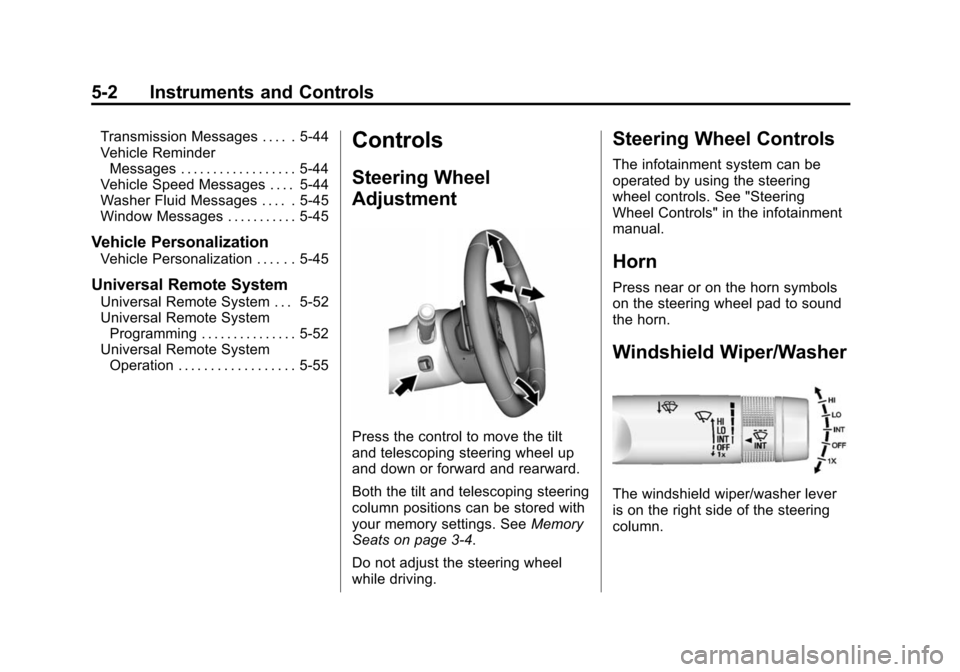
Press the control to move the tilt
and telescoping steering wheel up
and down or forward and rearward.
Both the tilt and telescoping steering
column positions can be stored with
your memory settings. See Memory
Seats on page 3-4.
Do not adjust the steering wheel
while driving.
Steering Wheel Controls
The infotainment system can be
operated by using the steering
wheel controls. See "Steering
Wheel Controls" in the infotainment
manual.
Horn
Press near or on the horn symbols
on the steering wheel pad to sound
the horn.
Windshield Wiper/Washer
The windshield wiper/washer lever
is on the right side of the steering
column.
Page 143 of 393
Black plate (38,1)Chevrolet Corvette Owner Manual (GMNA-Localizing-U.S./Canada/Mexico-
7576293) - 2015 - crc - 10/31/14
5-38 Instruments and Controls
message remains on, take the
vehicle to your dealer for service.
SeeEngine Oil on page 10-12.
OIL PRESSURE LOW —STOP
ENGINE
This message displays if low oil
pressure levels occur. Stop the
vehicle as soon as safely possible
and do not operate it until the cause
of the low oil pressure has been
corrected. Check the oil as soon as
possible and have the vehicle
serviced by your dealer.
UPSHIFT NOW, ENGINE
PROTECTION ACTIVE
This message indicates the engine
controls have taken action to
prevent an oil starvation condition.
This may reduce the available
engine power, or on automatic
transmission equipped vehicles
force an upshift to a higher gear.
Engine Power Messages
ENGINE POWER IS REDUCED
This message displays when the
vehicle's engine power is reduced.
Reduced engine power can affect
the vehicle's ability to accelerate.
If this message is on, but there is no
reduction in performance, proceed
to your destination. The
performance may be reduced the
next time the vehicle is driven. The
vehicle may be driven at a reduced
speed while this message is on, but
maximum acceleration and speed
may be reduced. Anytime this
message stays on, the vehicle
should be taken to your dealer for
service as soon as possible.
Fuel System Messages
FUEL LEVEL LOW
This message displays when the
vehicle is low on fuel. Refuel as
soon as possible.
Key and Lock Messages
# KEYS PROGRAMMED
This message displays when
programming new keys to the
vehicle.
NO REMOTE DETECTED
This message displays when the
transmitter battery may be weak.
See “Starting the Vehicle with a Low
Transmitter Battery” underRemote
Keyless Entry (RKE) System
Operation on page 2-3.
NO REMOTE KEY WAS
DETECTED PLACE KEY IN
TRANSMITTER POCKET THEN
START YOUR VEHICLE
This message displays when trying
to start the vehicle if an RKE
transmitter is not detected. The
transmitter battery may be weak.
See “Starting the Vehicle with a Low
Transmitter Battery” underRemote
Keyless Entry (RKE) System
Operation on page 2-3.
Page 144 of 393
Black plate (39,1)Chevrolet Corvette Owner Manual (GMNA-Localizing-U.S./Canada/Mexico-
7576293) - 2015 - crc - 10/31/14
Instruments and Controls 5-39
NO REMOTE PRESS BRAKE
TO RESTART
This message displays if the RKE
transmitter is no longer detected in
the vehicle. Press the brake pedal
to restart the vehicle.
REMOTE LEFT IN VEHICLE
This message displays when
leaving the vehicle with the RKE
transmitter still inside.
REPLACE BATTERY IN
REMOTE KEY
This message displays when the
battery in the RKE transmitter needs
to be replaced.
Lamp Messages
AUTOMATIC LIGHT CONTROL
ON/OFF
This message is displayed when the
automatic light control has been
turned on or off. SeeAutomatic
Headlamp System on page 6-3.
TURN SIGNAL ON
This message is displayed if the
turn signal has been left on. Turn off
the turn signal.
Ride Control System
Messages
STABILITRAK
COMPETITIVE MODE
This message displays and a sound
will be heard when the Competitive
Driving mode is selected. The
instrument cluster light will be on
when the Competitive Driving mode
is selected. Launch Control is
available when this mode is
selected. The Traction Control
System (TCS) will not be operating
while in the Competitive Driving
mode. Adjust your driving
accordingly. See Competitive
Driving Mode on page 9-44,
including the “Launch Control”
information.
MAXIMUM SPEED 129 km/h
(80 MPH)
This message displays when a
malfunction is present in the
Magnetic Ride Control system. The
vehicle speed will be limited to a
value determined by the vehicle
when the shock absorber system
has failed and the shocks are in
their full soft mode. Have the vehicle
serviced by your dealer as soon as
possible.
To acknowledge the message, press
the SEL button. The message
reappears every 10 minutes until
this condition changes.
PERFORMANCE TRACTION
WET ACTIVE HANDLING ON
This message displays and a sound
will be heard when this Performance
Traction Management mode is
selected. The instrument cluster
light will also be on when this mode
is selected. Launch Control is
available when this mode is
selected. In this mode the Traction
Page 153 of 393
Black plate (48,1)Chevrolet Corvette Owner Manual (GMNA-Localizing-U.S./Canada/Mexico-
7576293) - 2015 - crc - 10/31/14
5-48 Instruments and Controls
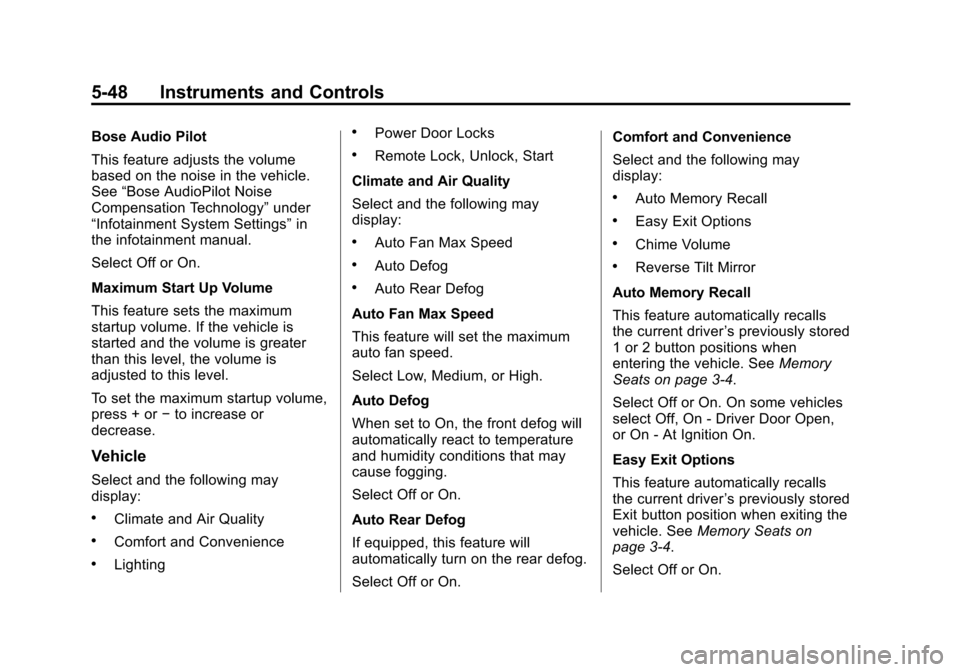
Bose Audio Pilot
This feature adjusts the volume
based on the noise in the vehicle.
See“Bose AudioPilot Noise
Compensation Technology” under
“Infotainment System Settings” in
the infotainment manual.
Select Off or On.
Maximum Start Up Volume
This feature sets the maximum
startup volume. If the vehicle is
started and the volume is greater
than this level, the volume is
adjusted to this level.
To set the maximum startup volume,
press + or −to increase or
decrease.
Vehicle
Select and the following may
display:
.Climate and Air Quality
.Comfort and Convenience
.Lighting
.Power Door Locks
.Remote Lock, Unlock, Start
Climate and Air Quality
Select and the following may
display:
.Auto Fan Max Speed
.Auto Defog
.Auto Rear Defog
Auto Fan Max Speed
This feature will set the maximum
auto fan speed.
Select Low, Medium, or High.
Auto Defog
When set to On, the front defog will
automatically react to temperature
and humidity conditions that may
cause fogging.
Select Off or On.
Auto Rear Defog
If equipped, this feature will
automatically turn on the rear defog.
Select Off or On. Comfort and Convenience
Select and the following may
display:
.Auto Memory Recall
.Easy Exit Options
.Chime Volume
.Reverse Tilt Mirror
Auto Memory Recall
This feature automatically recalls
the current driver ’s previously stored
1 or 2 button positions when
entering the vehicle. See Memory
Seats on page 3-4.
Select Off or On. On some vehicles
select Off, On - Driver Door Open,
or On - At Ignition On.
Easy Exit Options
This feature automatically recalls
the current driver ’s previously stored
Exit button position when exiting the
vehicle. See Memory Seats on
page 3-4.
Select Off or On.
Page 154 of 393
Black plate (49,1)Chevrolet Corvette Owner Manual (GMNA-Localizing-U.S./Canada/Mexico-
7576293) - 2015 - crc - 10/31/14
Instruments and Controls 5-49
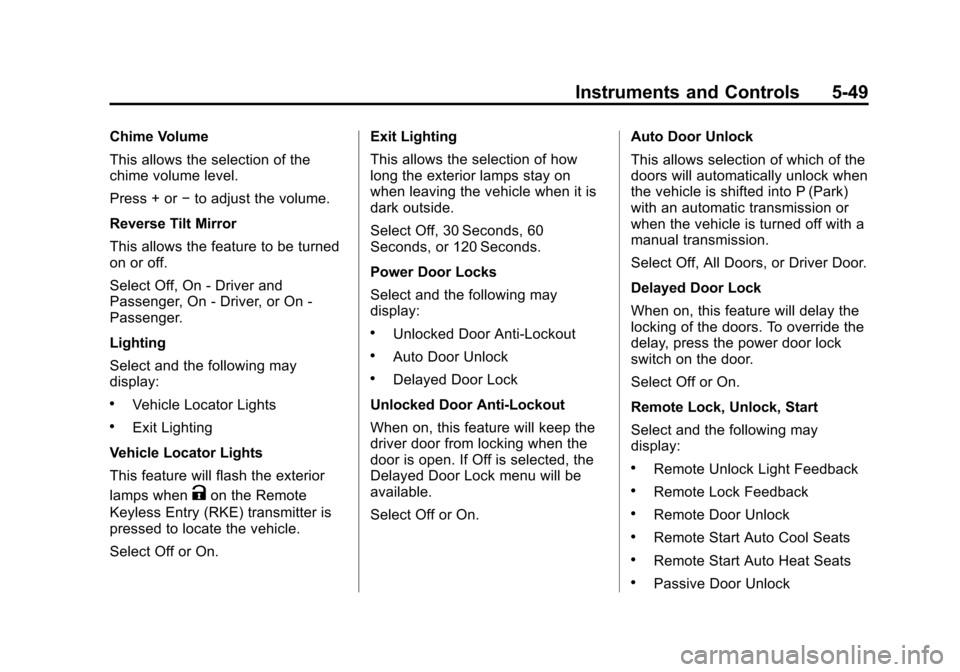
Chime Volume
This allows the selection of the
chime volume level.
Press + or−to adjust the volume.
Reverse Tilt Mirror
This allows the feature to be turned
on or off.
Select Off, On - Driver and
Passenger, On - Driver, or On -
Passenger.
Lighting
Select and the following may
display:
.Vehicle Locator Lights
.Exit Lighting
Vehicle Locator Lights
This feature will flash the exterior
lamps when
Kon the Remote
Keyless Entry (RKE) transmitter is
pressed to locate the vehicle.
Select Off or On. Exit Lighting
This allows the selection of how
long the exterior lamps stay on
when leaving the vehicle when it is
dark outside.
Select Off, 30 Seconds, 60
Seconds, or 120 Seconds.
Power Door Locks
Select and the following may
display:
.Unlocked Door Anti-Lockout
.Auto Door Unlock
.Delayed Door Lock
Unlocked Door Anti-Lockout
When on, this feature will keep the
driver door from locking when the
door is open. If Off is selected, the
Delayed Door Lock menu will be
available.
Select Off or On. Auto Door Unlock
This allows selection of which of the
doors will automatically unlock when
the vehicle is shifted into P (Park)
with an automatic transmission or
when the vehicle is turned off with a
manual transmission.
Select Off, All Doors, or Driver Door.
Delayed Door Lock
When on, this feature will delay the
locking of the doors. To override the
delay, press the power door lock
switch on the door.
Select Off or On.
Remote Lock, Unlock, Start
Select and the following may
display:
.Remote Unlock Light Feedback
.Remote Lock Feedback
.Remote Door Unlock
.Remote Start Auto Cool Seats
.Remote Start Auto Heat Seats
.Passive Door Unlock