brake CHEVROLET CORVETTE 2015 7.G Owner's Manual
[x] Cancel search | Manufacturer: CHEVROLET, Model Year: 2015, Model line: CORVETTE, Model: CHEVROLET CORVETTE 2015 7.GPages: 393, PDF Size: 5.4 MB
Page 127 of 393
Black plate (22,1)Chevrolet Corvette Owner Manual (GMNA-Localizing-U.S./Canada/Mexico-
7576293) - 2015 - crc - 10/31/14
5-22 Instruments and Controls
brake system to work at a reduced
level. The vehicle can still be driven,
but should be taken to a dealer as
soon as possible. SeeElectric
Parking Brake on page 9-36. If a
message displays in the Driver
Information Center (DIC), see Brake
System Messages on page 5-34.
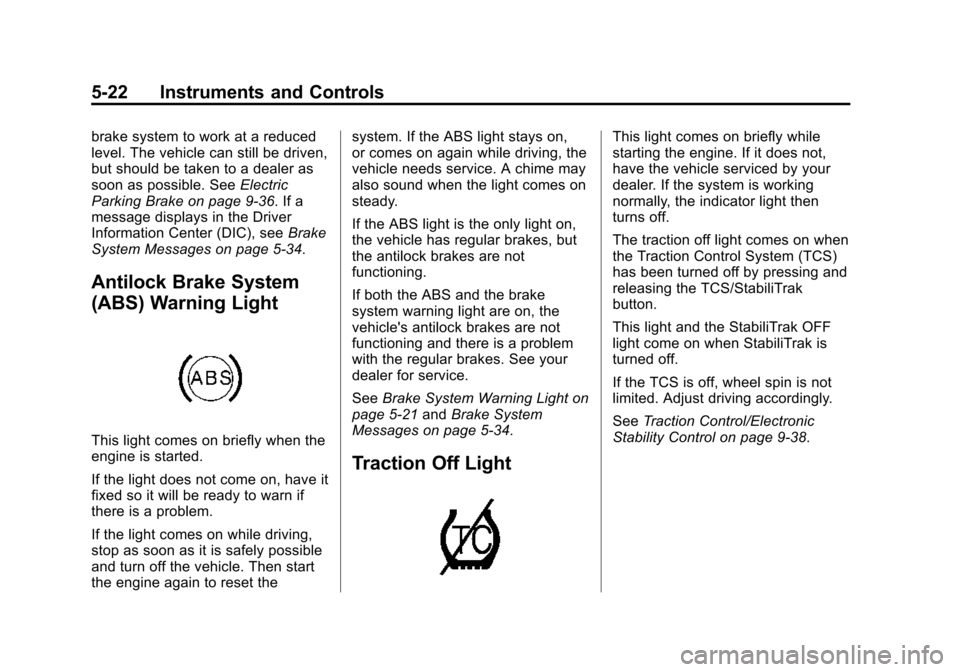
Antilock Brake System
(ABS) Warning Light
This light comes on briefly when the
engine is started.
If the light does not come on, have it
fixed so it will be ready to warn if
there is a problem.
If the light comes on while driving,
stop as soon as it is safely possible
and turn off the vehicle. Then start
the engine again to reset the system. If the ABS light stays on,
or comes on again while driving, the
vehicle needs service. A chime may
also sound when the light comes on
steady.
If the ABS light is the only light on,
the vehicle has regular brakes, but
the antilock brakes are not
functioning.
If both the ABS and the brake
system warning light are on, the
vehicle's antilock brakes are not
functioning and there is a problem
with the regular brakes. See your
dealer for service.
See
Brake System Warning Light on
page 5-21 andBrake System
Messages on page 5-34.
Traction Off Light
This light comes on briefly while
starting the engine. If it does not,
have the vehicle serviced by your
dealer. If the system is working
normally, the indicator light then
turns off.
The traction off light comes on when
the Traction Control System (TCS)
has been turned off by pressing and
releasing the TCS/StabiliTrak
button.
This light and the StabiliTrak OFF
light come on when StabiliTrak is
turned off.
If the TCS is off, wheel spin is not
limited. Adjust driving accordingly.
See Traction Control/Electronic
Stability Control on page 9-38.
Page 139 of 393
Black plate (34,1)Chevrolet Corvette Owner Manual (GMNA-Localizing-U.S./Canada/Mexico-
7576293) - 2015 - crc - 10/31/14
5-34 Instruments and Controls
Vehicle Messages
Messages displayed on the DIC
indicate the status of the vehicle or
some action that may be needed to
correct a condition. Multiple
messages may display one after the
other.
The messages that do not require
immediate action can be
acknowledged and cleared by
pressing SEL. The messages that
require immediate action cannot be
cleared until that action is
performed. All messages should be
taken seriously and clearing the
messages does not correct the
problem.
The following are some of the
vehicle messages that may be
displayed depending on the vehicle
content.
Battery Voltage and
Charging Messages
BATTERY SAVER ACTIVE
This message displays when the
vehicle has detected that the battery
voltage is dropping beyond a
reasonable point. The battery saver
system starts reducing features of
the vehicle that may be noticed. At
the point that features are disabled,
this message displays. Turn off
unnecessary accessories to allow
the battery to recharge.
LOW BATTERY
This message is displayed when the
battery voltage is low. SeeBattery
on page 10-34.
SERVICE BATTERY
CHARGING SYSTEM
This message is displayed when
there is a fault in the battery
charging system. Take the vehicle to
your dealer for service.
Brake System Messages
BRAKE FLUID LOW
This message is displayed when the
brake fluid level is low. See Brake
Fluid on page 10-32.
RELEASE PARKING BRAKE
This message is displayed if the
Electric Parking Brake is on while
the vehicle is in motion. See Electric
Parking Brake on page 9-36.
SERVICE BRAKE ASSIST
This message may be displayed
when there is a problem with the
brake boost assist system. When
this message is displayed, the brake
boost assist motor might be heard
operating and you might notice
pulsation in the brake pedal. This is
normal under these conditions. Take
the vehicle to your dealer for
service.
Page 140 of 393
Black plate (35,1)Chevrolet Corvette Owner Manual (GMNA-Localizing-U.S./Canada/Mexico-
7576293) - 2015 - crc - 10/31/14
Instruments and Controls 5-35
SERVICE PARKING BRAKE
This message is displayed when
there is a problem with the parking
brake. Take the vehicle to your
dealer for service.
STEP ON BRAKE TO
RELEASE PARK BRAKE
This message is displayed if you
attempt to release the Electric
Parking Brake without the brake
pedal applied. SeeElectric Parking
Brake on page 9-36.
Compass Messages
Dashes may be displayed if the
vehicle temporarily loses
communication with the Global
Positioning System (GPS).
Convertible Top
Messages
The following messages are for
vehicles with a power
convertible top.
ATTACH TRUNK PARTITION
TO OPERATE TOP
This message displays and a sound
will be heard if the trunk partition is
not in place. Open the hatch/trunk
and make sure the trunk partition is
secure and no objects are on the
trunk partition.
BATTERY VOLTAGE TOO
LOW –TOP DISABLED
This message displays when the
battery voltage is too low to operate
the convertible top.
CLOSE TRUNK TO MOVE TOP
This message displays if the trunk is
open while you are trying to operate
the convertible top. Make sure the
trunk is closed before operating the
convertible top.
FOLDING TOP MOTION
COMPLETE
This message displays when the top
successfully completes an open/
close cycle.
FOLDING TOP NOT SECURE
COMPLETE TOP MOTION
This message occurs if the top is
not secure. Several beeps will
sound. Complete the power open or
power close cycle for the top. If it is
not possible to move the top to a
fully open or fully closed position,
make sure that all objects are clear
of the path of the top system
components.
ONLY MANUAL OPERATION
OF TOP POSSIBLE
This message indicates that the
position of the top cannot be fully
determined by the power convertible
top controls. Try moving the top in
the other direction. This message
will also be displayed if a fault is
detected by the convertible top
controls. See “Manual Movement of
Top” under Convertible Top on
page 2-28.
Page 144 of 393
Black plate (39,1)Chevrolet Corvette Owner Manual (GMNA-Localizing-U.S./Canada/Mexico-
7576293) - 2015 - crc - 10/31/14
Instruments and Controls 5-39
NO REMOTE PRESS BRAKE
TO RESTART
This message displays if the RKE
transmitter is no longer detected in
the vehicle. Press the brake pedal
to restart the vehicle.
REMOTE LEFT IN VEHICLE
This message displays when
leaving the vehicle with the RKE
transmitter still inside.
REPLACE BATTERY IN
REMOTE KEY
This message displays when the
battery in the RKE transmitter needs
to be replaced.
Lamp Messages
AUTOMATIC LIGHT CONTROL
ON/OFF
This message is displayed when the
automatic light control has been
turned on or off. SeeAutomatic
Headlamp System on page 6-3.
TURN SIGNAL ON
This message is displayed if the
turn signal has been left on. Turn off
the turn signal.
Ride Control System
Messages
STABILITRAK
COMPETITIVE MODE
This message displays and a sound
will be heard when the Competitive
Driving mode is selected. The
instrument cluster light will be on
when the Competitive Driving mode
is selected. Launch Control is
available when this mode is
selected. The Traction Control
System (TCS) will not be operating
while in the Competitive Driving
mode. Adjust your driving
accordingly. See Competitive
Driving Mode on page 9-44,
including the “Launch Control”
information.
MAXIMUM SPEED 129 km/h
(80 MPH)
This message displays when a
malfunction is present in the
Magnetic Ride Control system. The
vehicle speed will be limited to a
value determined by the vehicle
when the shock absorber system
has failed and the shocks are in
their full soft mode. Have the vehicle
serviced by your dealer as soon as
possible.
To acknowledge the message, press
the SEL button. The message
reappears every 10 minutes until
this condition changes.
PERFORMANCE TRACTION
WET ACTIVE HANDLING ON
This message displays and a sound
will be heard when this Performance
Traction Management mode is
selected. The instrument cluster
light will also be on when this mode
is selected. Launch Control is
available when this mode is
selected. In this mode the Traction
Page 148 of 393
Black plate (43,1)Chevrolet Corvette Owner Manual (GMNA-Localizing-U.S./Canada/Mexico-
7576293) - 2015 - crc - 10/31/14
Instruments and Controls 5-43
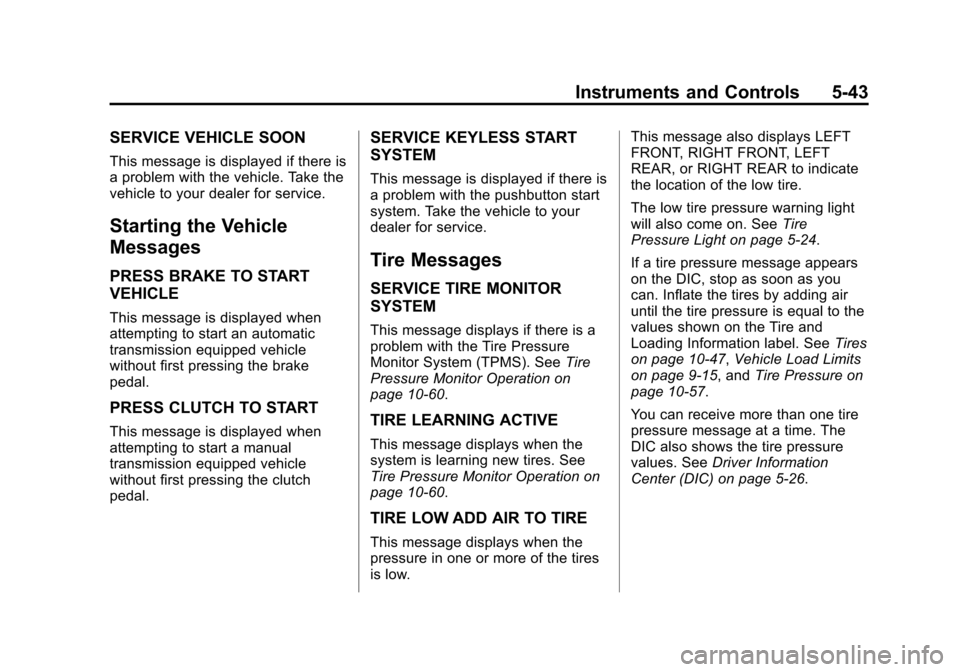
SERVICE VEHICLE SOON
This message is displayed if there is
a problem with the vehicle. Take the
vehicle to your dealer for service.
Starting the Vehicle
Messages
PRESS BRAKE TO START
VEHICLE
This message is displayed when
attempting to start an automatic
transmission equipped vehicle
without first pressing the brake
pedal.
PRESS CLUTCH TO START
This message is displayed when
attempting to start a manual
transmission equipped vehicle
without first pressing the clutch
pedal.
SERVICE KEYLESS START
SYSTEM
This message is displayed if there is
a problem with the pushbutton start
system. Take the vehicle to your
dealer for service.
Tire Messages
SERVICE TIRE MONITOR
SYSTEM
This message displays if there is a
problem with the Tire Pressure
Monitor System (TPMS). SeeTire
Pressure Monitor Operation on
page 10-60.
TIRE LEARNING ACTIVE
This message displays when the
system is learning new tires. See
Tire Pressure Monitor Operation on
page 10-60.
TIRE LOW ADD AIR TO TIRE
This message displays when the
pressure in one or more of the tires
is low. This message also displays LEFT
FRONT, RIGHT FRONT, LEFT
REAR, or RIGHT REAR to indicate
the location of the low tire.
The low tire pressure warning light
will also come on. See
Tire
Pressure Light on page 5-24.
If a tire pressure message appears
on the DIC, stop as soon as you
can. Inflate the tires by adding air
until the tire pressure is equal to the
values shown on the Tire and
Loading Information label. See Tires
on page 10-47, Vehicle Load Limits
on page 9-15, and Tire Pressure on
page 10-57.
You can receive more than one tire
pressure message at a time. The
DIC also shows the tire pressure
values. See Driver Information
Center (DIC) on page 5-26.
Page 163 of 393
Black plate (2,1)Chevrolet Corvette Owner Manual (GMNA-Localizing-U.S./Canada/Mexico-
7576293) - 2015 - crc - 10/31/14
6-2 Lighting
To override AUTO mode, turn the
control to
O.
To reset to AUTO mode, turn the
control to
Oand then release back
to AUTO. Automatic mode also
resets when the vehicle is turned off
and then back on again if the control
is left in the AUTO position.
;(Parking Lamps): Turns on the
parking lamps including all lamps,
except the headlamps.
The parking lamp indicator light
comes on and stays on when the
parking lamps are on with the
engine off and the ignition to ACC/
ACCESSORY.
5(Headlamps): Turns on the
headlamps together with the parking
lamps and instrument panel lights.
Exterior Lamps Off
Reminder
A warning chime will sound if the
exterior lamp control is left on in
either the headlamp or parking lamp
position and the driver door is
opened with the ignition off.
Headlamp High/
Low-Beam Changer
Push the turn signal lever away
from you and release to turn the
high beams on. To return to low
beams, push the lever again or pull
it toward you and release.
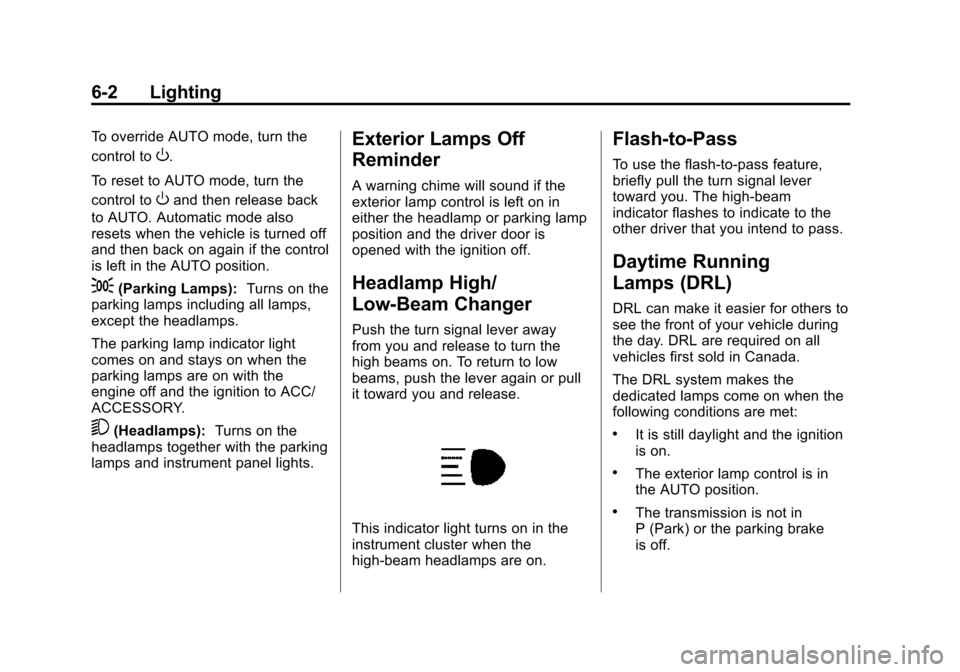
This indicator light turns on in the
instrument cluster when the
high-beam headlamps are on.
Flash-to-Pass
To use the flash-to-pass feature,
briefly pull the turn signal lever
toward you. The high-beam
indicator flashes to indicate to the
other driver that you intend to pass.
Daytime Running
Lamps (DRL)
DRL can make it easier for others to
see the front of your vehicle during
the day. DRL are required on all
vehicles first sold in Canada.
The DRL system makes the
dedicated lamps come on when the
following conditions are met:
.It is still daylight and the ignition
is on.
.The exterior lamp control is in
the AUTO position.
.The transmission is not in
P (Park) or the parking brake
is off.
Page 174 of 393
Black plate (5,1)Chevrolet Corvette Owner Manual (GMNA-Localizing-U.S./Canada/Mexico-
7576293) - 2015 - crc - 10/31/14
Infotainment System 7-5
.Engine Rotations Per Minute
(RPMs): The vertical line and
triangle indicate current RPMs.
As the RPMs increase, the
orange backfill follows.
.Transmission State (Current
Gear): Same as Sport.
.Friction Bubble Graphic: Lateral
and longitudinal G-Forces are
displayed as a dot within a
bubble. A red dot displays when
the vehicle starts braking and
turns green when the vehicle
accelerates. The dot is white
when the vehicle is not moving.
A white dot is the default.
.Brake and Throttle Graphic:
Displays the percentage value of
brake and throttle pedal position
from 0–100%.
.Steering Angle: The graphic fills
from the center to the left or right
depending on the direction of
steering. The numerical steering
angle displays below the
graphic.
.Active Handling Active Indicator:
The graphic only displays if the
active handling systems are
activated.
.Performance Traction
Management (PTM) Mode:
Displays the current PTM mode.
The options are Wet, Dry, Sport
1, Sport 2, or Race.
.Current Lap Time: Displays the
elapsed lap time if the finish line
is defined and the vehicle has
crossed the defined finish line at
least once.
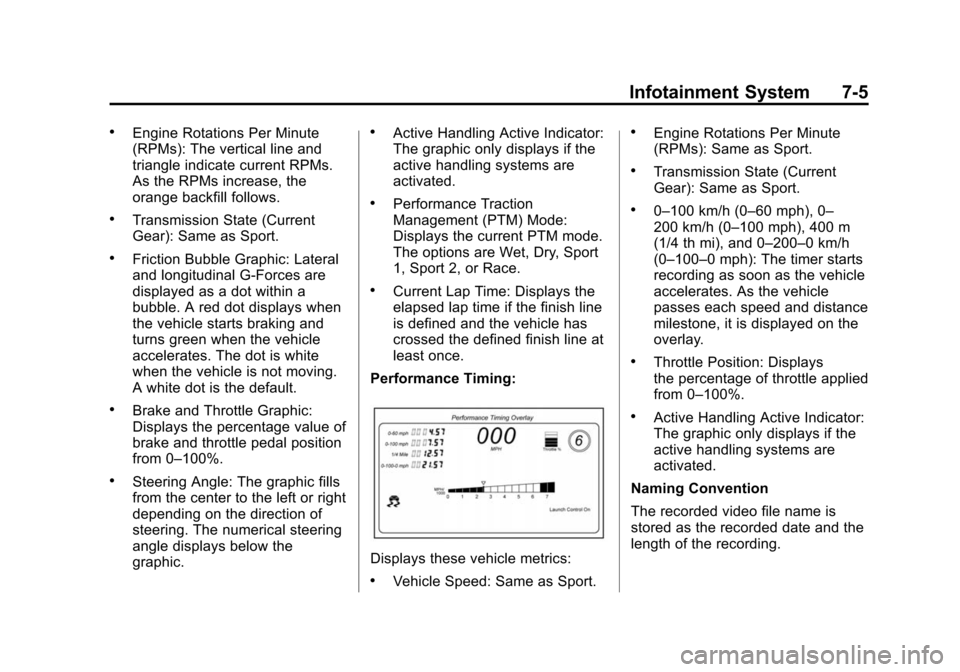
Performance Timing:
Displays these vehicle metrics:
.Vehicle Speed: Same as Sport.
.Engine Rotations Per Minute
(RPMs): Same as Sport.
.Transmission State (Current
Gear): Same as Sport.
.0–100 km/h (0–60 mph), 0–
200 km/h (0–100 mph), 400 m
(1/4 th mi), and 0–200–0 km/h
(0–100–0 mph): The timer starts
recording as soon as the vehicle
accelerates. As the vehicle
passes each speed and distance
milestone, it is displayed on the
overlay.
.Throttle Position: Displays
the percentage of throttle applied
from 0–100%.
.Active Handling Active Indicator:
The graphic only displays if the
active handling systems are
activated.
Naming Convention
The recorded video file name is
stored as the recorded date and the
length of the recording.
Page 182 of 393
Black plate (1,1)Chevrolet Corvette Owner Manual (GMNA-Localizing-U.S./Canada/Mexico-
7576293) - 2015 - crc - 10/31/14
Driving and Operating 9-1
Driving and
Operating
Driving Information
Distracted Driving . . . . . . . . . . . . . 9-2
Defensive Driving . . . . . . . . . . . . . 9-3
Drunk Driving . . . . . . . . . . . . . . . . . 9-3
Control of a Vehicle . . . . . . . . . . . 9-3
Steering . . . . . . . . . . . . . . . . . . . . . . . 9-3
Off-Road Recovery . . . . . . . . . . . . 9-4
Loss of Control . . . . . . . . . . . . . . . . 9-4
Track Events and CompetitiveDriving . . . . . . . . . . . . . . . . . . . . . . . 9-5
Driving on Wet Roads . . . . . . . . 9-11
Hill and Mountain Roads . . . . . 9-12
Winter Driving . . . . . . . . . . . . . . . 9-13
If the Vehicle Is Stuck . . . . . . . . 9-14
Vehicle Load Limits . . . . . . . . . . 9-15
Starting and Operating
New Vehicle Break-In . . . . . . . . 9-19
Front Air Dam . . . . . . . . . . . . . . . 9-20
Carbon Fiber . . . . . . . . . . . . . . . . . 9-20
Ignition Positions . . . . . . . . . . . . 9-20
Starting the Engine . . . . . . . . . . 9-22
Retained Accessory Power (RAP) . . . . . . . . . . . . . . . 9-24 Shifting Into Park . . . . . . . . . . . . 9-24
Shifting out of Park . . . . . . . . . . 9-25
Parking (Manual
Transmission) . . . . . . . . . . . . . . 9-26
Parking over Things
That Burn . . . . . . . . . . . . . . . . . . 9-26
Active Fuel Management
®. . . 9-26
Engine Exhaust
Engine Exhaust . . . . . . . . . . . . . . 9-27
Running the Vehicle While Parked . . . . . . . . . . . . . . . . . . . . . 9-27
Automatic Transmission
Automatic Transmission . . . . . 9-28
Manual Mode . . . . . . . . . . . . . . . . 9-29
Manual Transmission
Manual Transmission . . . . . . . . 9-32
Active Rev Match . . . . . . . . . . . . 9-34
Brakes
Antilock BrakeSystem (ABS) . . . . . . . . . . . . . . 9-35
Electric Parking Brake . . . . . . . 9-36
Brake Assist . . . . . . . . . . . . . . . . . 9-37
Hill Start Assist (HSA) . . . . . . . 9-38
Ride Control Systems
Traction Control/Electronic Stability Control . . . . . . . . . . . . 9-38
Driver Mode Control . . . . . . . . . 9-40
Competitive Driving Mode . . . 9-44
Limited-Slip Differential (Except Z51 and Z06) . . . . . . 9-48
Limited-Slip Differential (Z51 and Z06 Only) . . . . . . . . 9-48
Cruise Control
Cruise Control . . . . . . . . . . . . . . . 9-49
Driver Assistance Systems
Rear VisionCamera (RVC) . . . . . . . . . . . . . 9-52
Fuel
Fuel . . . . . . . . . . . . . . . . . . . . . . . . . 9-54
California FuelRequirements . . . . . . . . . . . . . . 9-55
Fuels in Foreign Countries . . . 9-55
Fuel Additives . . . . . . . . . . . . . . . 9-55
Filling the Tank . . . . . . . . . . . . . . 9-56
Filling a Portable Fuel Container . . . . . . . . . . . . . . . . . . . 9-57
Trailer Towing
General TowingInformation . . . . . . . . . . . . . . . . . 9-58
Page 185 of 393
Black plate (4,1)Chevrolet Corvette Owner Manual (GMNA-Localizing-U.S./Canada/Mexico-
7576293) - 2015 - crc - 10/31/14
9-4 Driving and Operating
Normal use of the power steering
assist should return when the
system cools down.
See specific vehicle steering
messages underService Vehicle
Messages on page 5-42. See your
dealer if there is a problem.
Curve Tips
.Take curves at a reasonable
speed.
.Reduce speed before entering a
curve.
.Maintain a reasonable steady
speed through the curve.
.Wait until the vehicle is out of
the curve before accelerating
gently into the straightaway.
Steering in Emergencies
.There are some situations when
steering around a problem may
be more effective than braking.
.Holding both sides of the
steering wheel allows you to turn
180 degrees without removing
a hand.
.The Antilock Brake System
(ABS) allows steering while
braking.
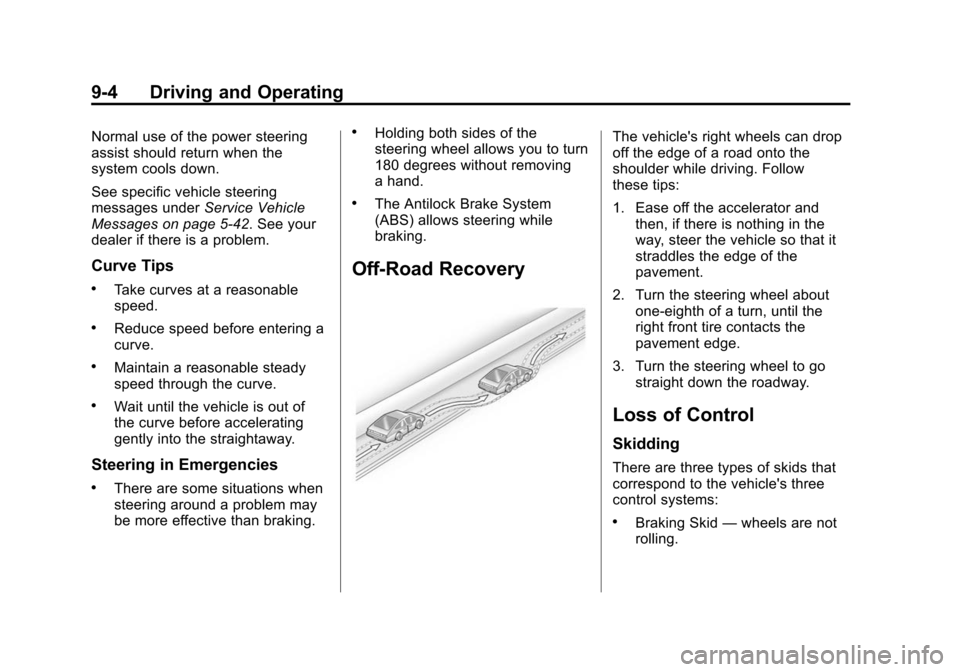
Off-Road Recovery
The vehicle's right wheels can drop
off the edge of a road onto the
shoulder while driving. Follow
these tips:
1. Ease off the accelerator and then, if there is nothing in the
way, steer the vehicle so that it
straddles the edge of the
pavement.
2. Turn the steering wheel about one-eighth of a turn, until the
right front tire contacts the
pavement edge.
3. Turn the steering wheel to go straight down the roadway.
Loss of Control
Skidding
There are three types of skids that
correspond to the vehicle's three
control systems:
.Braking Skid —wheels are not
rolling.
Page 186 of 393
Black plate (5,1)Chevrolet Corvette Owner Manual (GMNA-Localizing-U.S./Canada/Mexico-
7576293) - 2015 - crc - 10/31/14
Driving and Operating 9-5
.Steering or Cornering Skid—
too much speed or steering in a
curve causes tires to slip and
lose cornering force.
.Acceleration Skid —too much
throttle causes the driving
wheels to spin.
Defensive drivers avoid most skids
by taking reasonable care suited to
existing conditions, and by not
overdriving those conditions. But
skids are always possible.
If the vehicle starts to slide, follow
these suggestions:
.Ease your foot off the
accelerator pedal and steer the
way you want the vehicle to go.
The vehicle may straighten out.
Be ready for a second skid if it
occurs.
.Slow down and adjust your
driving according to weather
conditions. Stopping distance
can be longer and vehicle
control can be affected when
traction is reduced by water,
snow, ice, gravel, or other material on the road. Learn to
recognize warning clues
—such
as enough water, ice, or packed
snow on the road to make a
mirrored surface —and slow
down when you have any doubt.
.Try to avoid sudden steering,
acceleration, or braking,
including reducing vehicle speed
by shifting to a lower gear. Any
sudden changes could cause
the tires to slide.
Remember: Antilock brakes help
avoid only the braking skid.
Track Events and
Competitive Driving
Participating in track events or other
competitive driving without following
the instructions provided may affect
the vehicle warranty. See the
warranty manual before using the
vehicle for racing or other
competitive driving.
Refer to Competitive Driving Mode
on page 9-44. Be sure to follow all service
procedures before driving the
vehicle at track events or
competitively.
Engine Oil
{Caution
If the vehicle is used for track
events and competitive driving,
the engine may use more oil than
it would with normal use. Low oil
levels can damage the engine.
Check the oil level often and
maintain the proper level. See
Engine Oil on page 10-12.
{Caution
Not changing the engine oil to
15W-50 may cause engine
damage. Engine oil must be
changed to 15W-50 synthetic.
See
Capacities and Specifications
on page 12-2.