door lock CHEVROLET CORVETTE 2015 7.G Service Manual
[x] Cancel search | Manufacturer: CHEVROLET, Model Year: 2015, Model line: CORVETTE, Model: CHEVROLET CORVETTE 2015 7.GPages: 393, PDF Size: 5.4 MB
Page 317 of 393
Black plate (78,1)Chevrolet Corvette Owner Manual (GMNA-Localizing-U.S./Canada/Mexico-
7576293) - 2015 - crc - 10/31/14
10-78 Vehicle Care
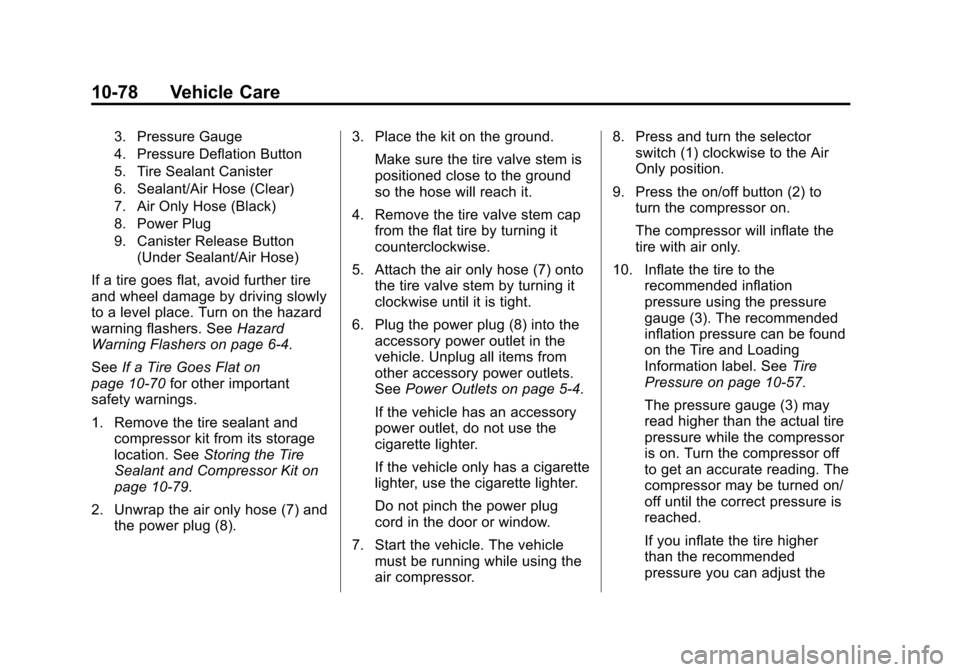
3. Pressure Gauge
4. Pressure Deflation Button
5. Tire Sealant Canister
6. Sealant/Air Hose (Clear)
7. Air Only Hose (Black)
8. Power Plug
9. Canister Release Button(Under Sealant/Air Hose)
If a tire goes flat, avoid further tire
and wheel damage by driving slowly
to a level place. Turn on the hazard
warning flashers. See Hazard
Warning Flashers on page 6-4.
See If a Tire Goes Flat on
page 10-70 for other important
safety warnings.
1. Remove the tire sealant and
compressor kit from its storage
location. See Storing the Tire
Sealant and Compressor Kit on
page 10-79.
2. Unwrap the air only hose (7) and the power plug (8). 3. Place the kit on the ground.
Make sure the tire valve stem is
positioned close to the ground
so the hose will reach it.
4. Remove the tire valve stem cap from the flat tire by turning it
counterclockwise.
5. Attach the air only hose (7) onto the tire valve stem by turning it
clockwise until it is tight.
6. Plug the power plug (8) into the accessory power outlet in the
vehicle. Unplug all items from
other accessory power outlets.
See Power Outlets on page 5-4.
If the vehicle has an accessory
power outlet, do not use the
cigarette lighter.
If the vehicle only has a cigarette
lighter, use the cigarette lighter.
Do not pinch the power plug
cord in the door or window.
7. Start the vehicle. The vehicle must be running while using the
air compressor. 8. Press and turn the selector
switch (1) clockwise to the Air
Only position.
9. Press the on/off button (2) to turn the compressor on.
The compressor will inflate the
tire with air only.
10. Inflate the tire to the recommended inflation
pressure using the pressure
gauge (3). The recommended
inflation pressure can be found
on the Tire and Loading
Information label. See Tire
Pressure on page 10-57.
The pressure gauge (3) may
read higher than the actual tire
pressure while the compressor
is on. Turn the compressor off
to get an accurate reading. The
compressor may be turned on/
off until the correct pressure is
reached.
If you inflate the tire higher
than the recommended
pressure you can adjust the
Page 346 of 393
Black plate (13,1)Chevrolet Corvette Owner Manual (GMNA-Localizing-U.S./Canada/Mexico-
7576293) - 2015 - crc - 10/31/14
Service and Maintenance 11-13
UsageFluid/Lubricant
Manual Transmission Manual Transmission Fluid (GM Part No. 88861800, in Canada 88861801). Rear Axle DEXRON
®LS Gear Oil (GM Part No. 88862624, in Canada 88862625).
See Rear Axle on page 10-35 for information on checking the fluid.
Hood Latch Assembly, Secondary Latch, Pivots, Spring Anchor, and
Release Pawl Lubriplate Lubricant Aerosol (GM Part No. 89021668, in Canada 89021674)
or lubricant meeting requirements of NLGI #2, Category LB or GC-LB.
Key Lock Cylinders, Hood and Door Hinges Multi-Purpose Lubricant, Superlube (GM Part No. 12346241, in
Canada 10953474).
Weatherstrip Conditioning Weatherstrip Lubricant (GM Part No. 3634770, in Canada 10953518) or Dielectric Silicone Grease (GM Part No. 12345579, in Canada 10953481).
Maintenance Replacement Parts
Replacement parts identified below by name, part number, or specification can be obtained from your dealer.
Part GM Part Number ACDelco Part Number
Engine Air Cleaner/Filter 23107355 A3191C
Engine Oil Filter 12640445 PF64
Passenger Compartment Air Filter Element 22862632 CF139
Page 365 of 393
Black plate (12,1)Chevrolet Corvette Owner Manual (GMNA-Localizing-U.S./Canada/Mexico-
7576293) - 2015 - crc - 10/31/14
13-12 Customer Information
Radio Frequency
Identification (RFID)
RFID technology is used in some
vehicles for functions such as tire
pressure monitoring and ignition
system security, as well as in
connection with conveniences such
as Remote Keyless Entry (RKE)
transmitters for remote door locking/
unlocking and starting, and
in-vehicle transmitters for garage
door openers. RFID technology in
GM vehicles does not use or record
personal information or link with any
other GM system containing
personal information.
Radio Frequency
Statement
This vehicle has systems that
operate on a radio frequency that
complies with Part 15/Part 18 of the
Federal Communications
Commission (FCC) rules and with
Industry Canada Standards
RSS-GEN/210/220/310, ICES‐001.Operation is subject to the following
two conditions:
1. The device may not cause
harmful interference.
2. The device must accept any interference received, including
interference that may cause
undesired operation of the
device.
Changes or modifications to any of
these systems by other than an
authorized service facility could void
authorization to use this equipment.
Reporting Safety
Defects
Reporting Safety Defects
to the United States
Government
If you believe that your vehicle
has a defect which could cause
a crash or could cause injury or
death, you should immediately
inform the National Highway
Traffic Safety Administration
(NHTSA) in addition to notifying
General Motors.
If NHTSA receives similar
complaints, it may open an
investigation, and if it finds that
a safety defect exists in a group
of vehicles, it may order a recall
and remedy campaign.
However, NHTSA cannot
become involved in individual
problems between you, your
dealer, or General Motors.
Page 372 of 393
Black plate (3,1)Chevrolet Corvette Owner Manual (GMNA-Localizing-U.S./Canada/Mexico-
7576293) - 2015 - crc - 10/31/14
OnStar 14-3
OnStar Services
Emergency
With Automatic Crash Response,
the OnStar system can
automatically connect to an OnStar
Emergency Advisor. The built-in
system can automatically connect to
help in certain crashes.
Press
Uto connect to an OnStar
Emergency Advisor. GPS
technology is used to identify the
vehicle location and can provide
important information to emergency
personnel. OnStar Emergency
Advisors are trained to provide
assistance and link to existing
public emergency service providers
in emergency situations.
With OnStar Crisis Assist, specially
trained Crisis Advisors are available
24 hours a day, 7 days a week, to
provide a central point of contact,
assistance, and information if a
crisis occurs.
Security
OnStar provides services including
Stolen Vehicle Assistance, Remote
Ignition Block, and Roadside
Assistance, if equipped. OnStar can
unlock the vehicle doors remotely,
if equipped with automatic door
locks, and can help police locate the
vehicle if it is stolen.
Navigation
OnStar navigation requires a
specific OnStar subscription plan.
Press
|to receive directions or
have them sent to the vehicle
navigation screen, if equipped.
Destinations can also be forwarded
to the vehicle from MapQuest.com.
Turn-by-Turn Navigation
1. Press|to connect to a live
Advisor.
2. Request directions.
3. Directions are downloaded to the vehicle. 4. Follow the voice-guided
commands.
Using Voice Commands
During a Planned Route
Cancel Route
1. Press
Q. System responds:
“OnStar ready,” then a tone. Say
“Cancel route.” System
responds: “Do you want to
cancel directions?”
2. Say “Yes.”System responds:
“OK, request completed, thank
you, goodbye.”
Route Preview
1. Press
Q. System responds:
“OnStar ready,” then a tone.
2. Say “Route preview.” System
responds with the next three
maneuvers.
Repeat
1. Press
Q. System responds:
“OnStar ready,” then a tone.
Page 374 of 393
Black plate (5,1)Chevrolet Corvette Owner Manual (GMNA-Localizing-U.S./Canada/Mexico-
7576293) - 2015 - crc - 10/31/14
OnStar 14-5
pressure (if the vehicle is equipped
with the tire pressure monitoring
system); or activate remote horn
and lights. Also remote start the
vehicle (if factory equipped) or
unlock the doors from anywhere
with a wireless connection (if
equipped with automatic locks).
With the required specific OnStar
service plan, a destination can be
sent to the vehicle. For OnStar
RemoteLink information and
compatibility, see www.onstar.com
(U.S.) or www.onstar.ca (Canada).
OnStar RemoteLink
®Key Fob
Services
This feature is included for five
years and allows for remote door
lock/unlock (if equipped with
automatic locks), remote start (if
factory equipped), or activation of
horn and lights from anywhere with
a wireless signal. Download the app
and start using it any time during the
trial period to get started.
OnStar Hands-Free Calling
This service allows calls to be made
and received from the vehicle.
To Make a Call
1. Press
Q. System responds:
“OnStar ready.”
2. Say “Call.”System responds:
“Call. Please say the name or
number to call.”
3. Say the entire number without pausing, including a “1”and the
area code. System responds:
“OK calling.”
Calling 911 Emergency
1. PressQ. System responds:
“OnStar Ready,” followed by
a tone.
2. Say “Call.”System responds:
“Call. Please say the name or
number to call.”
3. Say “911”without pausing.
System responds: “911.”4. Say
“Call.”System responds:
“OK, dialing 911.”
Retrieve My Number
1. PressQ. System responds:
“OnStar ready.”
2. Say “My number.” System
responds: “Your OnStar
Hands-Free Calling number is,”
then says the number.
End a Call
PressQ. System responds: “Call
ended.”
Store a Name Tag for Speed
Dialing
1. PressQ. System responds:
“OnStar ready.”
2. Say “Store.” System responds:
“Please say the number you
would like to store.”
3. Say the entire number without pausing. System responds:
“Please say the name tag.”
Page 376 of 393
Black plate (7,1)Chevrolet Corvette Owner Manual (GMNA-Localizing-U.S./Canada/Mexico-
7576293) - 2015 - crc - 10/31/14
OnStar 14-7
How OnStar Service Works
Automatic Crash Response,
Emergency Services, Crisis Assist,
Stolen Vehicle Assistance, Vehicle
Diagnostics, Remote Door Unlock,
Roadside Assistance, Turn-by-Turn
Navigation, and Hands-Free Calling
are available on most vehicles. Not
all OnStar services are available
everywhere or on all vehicles. For
more information, a full description
of OnStar services, system
limitations, and OnStar terms and
conditions:
.Call 1-888-4-ONSTAR.
(1-888-466-7827).
.See www.onstar.com (U.S.).
.See www.onstar.ca (Canada).
.Call TTY 1-877-248-2080.
.Press|to speak with an
Advisor.
OnStar services cannot work unless
the vehicle is in a place where
OnStar has an agreement with a
wireless service provider for service in that area. The wireless service
provider must also have coverage,
network capacity, reception, and
technology compatible with OnStar
services. Service involving location
information about the vehicle cannot
work unless GPS signals are
available, unobstructed, and
compatible with the OnStar
hardware. OnStar services may not
work if the OnStar equipment is not
properly installed or it has not been
properly maintained. If equipment or
software is added, connected,
or modified, OnStar services may
not work. Other problems beyond
the control of OnStar may prevent
service such as hills, tall buildings,
tunnels, weather, electrical system
design and architecture of the
vehicle, damage to the vehicle in a
crash, or wireless phone network
congestion or jamming.
See
Radio Frequency Statement on
page 13-12.
Services for People with
Disabilities
Advisors provide services to help
subscribers with physical disabilities
and medical conditions.
Press
|for help with:
.Locating a gas station with an
attendant to pump gas.
.Finding a hotel, restaurant, etc.,
that meets accessibility needs.
.Providing directions to the
closest hospital or pharmacy in
urgent situations.
TTY Users
OnStar has the ability to
communicate to deaf,
hard-of-hearing, or speech-impaired
customers while in the vehicle. The
available dealer-installed TTY
system can provide in-vehicle
access to all of the OnStar services,
except Virtual Advisor and OnStar
Turn-by-Turn Navigation.
Page 377 of 393
Black plate (8,1)Chevrolet Corvette Owner Manual (GMNA-Localizing-U.S./Canada/Mexico-
7576293) - 2015 - crc - 10/31/14
14-8 OnStar
OnStar Personal Identification
Number (PIN)
A PIN is needed to access some of
the OnStar services, like Remote
Door Unlock and Stolen Vehicle
Assistance. The PIN will need to be
changed the first time when
speaking with an Advisor. To
change the OnStar PIN contact an
OnStar Advisor by pressing
|or
calling 1-888-4-ONSTAR.
Warranty
OnStar equipment may be
warranted as part of the vehicle
warranty.
Languages
The vehicle can be programmed to
respond in multiple languages.
Press
|and ask for an Advisor.
Advisors are available in English,
Spanish, and French. Available
languages may vary by country.
Potential Issues
OnStar cannot perform Remote
Door Unlock or Stolen Vehicle
Assistance after the vehicle has
been off continuously for five days.
After five days, OnStar can contact
Roadside Assistance and a
locksmith to help gain access to the
vehicle.
Global Positioning
System (GPS)
.Obstruction of the GPS can
occur in a large city with tall
buildings; in parking garages;
around airports; in tunnels,
underpasses, or parking
garages; or in an area with very
dense trees. If GPS signals are
not available, the OnStar system
should still operate to call
OnStar. However, OnStar could
have difficulty identifying the
exact location.
.In emergency situations, OnStar
can use the last stored GPS
location to send to emergency
responders.
A temporary loss of GPS can cause
loss of the ability to send a
Turn-by-Turn Navigation route. The
Advisor may give a verbal route or
may ask for a call back after the
vehicle is driven into an open area.
Cellular and GPS Antennas
Do not place items over or near the
antenna to prevent blocking cellular
and GPS signal reception. Cellular
reception is required for OnStar to
send remote signals to the vehicle.
Unable to Connect to OnStar
Message
If there is limited cellular coverage
or the cellular network has reached
maximum capacity, this message
may come on. Press
|to try the
call again or try again after driving a
few miles into another cellular area.
Page 382 of 393

Black plate (1,1)Chevrolet Corvette Owner Manual (GMNA-Localizing-U.S./Canada/Mexico-
7576293) - 2015 - crc - 10/31/14
INDEX i-1
A
Accessories andModifications . . . . . . . . . . . . . . . . . 10-2
Accessory Power . . . . . . . . . . . . . . 9-24
Active Fuel Management
®. . . . . 9-26
Active Rev Match . . . . . . . . . . . . . . 9-34
Add-On Electrical Equipment . . . . . . . . . . . . . . . . . . . 9-58
Additional Information OnStar
®. . . . . . . . . . . . . . . . . . . . . . 14-6
Additional Maintenance
and Care . . . . . . . . . . . . . . . . . . . . . 11-9
Adjustments Lumbar, Front Seats . . . . . . . . . . . 3-3
Air Cleaner/Filter, Engine . . . . . 10-20
Air Dam, Front . . . . . . . . . . . . . . . . . 9-20
Air Filter, Passenger Compartment . . . . . . . . . . . . . . . . . 8-5
Air Vents . . . . . . . . . . . . . . . . . . . . . . . 8-5
Airbag System Check . . . . . . . . . . . . . . . . . . . . . . . . 3-26
How Does an AirbagRestrain? . . . . . . . . . . . . . . . . . . . 3-19
Passenger Sensing System . . . . . . . . . . . . . . . . . . . . . . 3-20 Airbag System (cont'd)
What Makes an Airbag
Inflate? . . . . . . . . . . . . . . . . . . . . . . 3-19
What Will You See after an
Airbag Inflates? . . . . . . . . . . . . . 3-19
When Should an Airbag Inflate? . . . . . . . . . . . . . . . . . . . . . . 3-18
Where Are the Airbags? . . . . . . 3-17
Airbags
Adding Equipment to theVehicle . . . . . . . . . . . . . . . . . . . . . . 3-25
Passenger Status Indicator . . . 5-17
Readiness Light . . . . . . . . . . . . . . 5-16
Servicing Airbag-Equipped Vehicles . . . . . . . . . . . . . . . . . . . . . 3-25
System Check . . . . . . . . . . . . . . . . 3-15
Alarm Vehicle Security . . . . . . . . . . . . . . 2-16
Antilock Brake System (ABS) . . . . . . . . . . . . . . . . 9-35
Warning Light . . . . . . . . . . . . . . . . . 5-22
Appearance Care Exterior . . . . . . . . . . . . . . . . . . . . . 10-84
Interior . . . . . . . . . . . . . . . . . . . . . . 10-89
Assistance Program, Roadside . . . . . . . . . . . . . . . . . . . . . 13-5 Automatic
Dimming Mirrors . . . . . . . . . . . . . . 2-20
Door Locks . . . . . . . . . . . . . . . . . . . 2-13
Headlamp System . . . . . . . . . . . . . 6-3
Transmission . . . . . . . . . . . . . . . . . 9-28
Transmission Fluid . . . . . . . . . 10-19
Automatic Transmission
Manual Mode . . . . . . . . . . . . . . . . . 9-29
Shift Lock ControlFunction Check . . . . . . . . . . . 10-36
Axle, Rear . . . . . . . . . . . . . . . . . . . . 10-35
B
Battery . . . . . . . . . . . . . . . . . . . . . . . 10-34
Exterior Lighting BatterySaver . . . . . . . . . . . . . . . . . . . . . . . . 6-7
Jump Starting . . . . . . . . . . . . . . . 10-80
Power Protection . . . . . . . . . . . . . . 6-6
Voltage and Charging Messages . . . . . . . . . . . . . . . . . . . 5-34
Blade Replacement, Wiper . . . 10-37
Boost Gauge . . . . . . . . . . . . . . . . . . 5-14
Brake Parking, Electric . . . . . . . . . . . . . . 9-36
System Warning Light . . . . . . . . 5-21
Page 384 of 393

Black plate (3,1)Chevrolet Corvette Owner Manual (GMNA-Localizing-U.S./Canada/Mexico-
7576293) - 2015 - crc - 10/31/14
INDEX i-3
CoolantEngine . . . . . . . . . . . . . . . . . . . . . . 10-25
Engine Temperature
Gauge . . . . . . . . . . . . . . . . . . . . . . 5-15
Engine Temperature Warning Light . . . . . . . . . . . . . . . 5-23
Cooling System . . . . . . . .10-22, 10-24
Engine Messages . . . . . . . . . . . . 5-37
Courtesy Lamps . . . . . . . . . . . . . . . . 6-5
Courtesy Transportation Program . . . . . . . . . . . . . . . . . . . . . . 13-7
Cover Cargo . . . . . . . . . . . . . . . . . . . . . . . . . . 4-4
Cruise Control . . . . . . . . . . . . . . . . . 9-49 Light . . . . . . . . . . . . . . . . . . . . . . . . . . 5-26
Messages . . . . . . . . . . . . . . . . . . . . 5-36
Cupholders . . . . . . . . . . . . . . . . . . . . . 4-2
Customer Assistance . . . . . . . . . . 13-4 Offices . . . . . . . . . . . . . . . . . . . . . . . . 13-3
Text Telephone (TTY)Users . . . . . . . . . . . . . . . . . . . . . . . 13-4
Customer Information Service PublicationsOrdering Information . . . . . . .13-11
Customer Satisfaction
Procedure . . . . . . . . . . . . . . . . . . . . 13-1D
Damage Repair, Collision . . . . . . 13-8
Danger, Warnings, andCautions . . . . . . . . . . . . . . . . . . . . . . . . iv
Data Recorder Performance . . . . . . . . . . . . . . . . . . . 7-1
Data Recorders, Event . . . . . . . 13-14
Daytime Running
Lamps (DRL) . . . . . . . . . . . . . . . . . . 6-2
Defensive Driving . . . . . . . . . . . . . . . 9-3
Delayed Locking . . . . . . . . . . . . . . . 2-13
Differential, Limited-Slip . . . . . . . 9-48
Distracted Driving . . . . . . . . . . . . . . . 9-2
Door Ajar Light . . . . . . . . . . . . . . . . . . . . . 5-26
Ajar Messages . . . . . . . . . . . . . . . 5-36
Delayed Locking . . . . . . . . . . . . . . 2-13
Locks . . . . . . . . . . . . . . . . . . . . . . . . . 2-11
Power Locks . . . . . . . . . . . . . . . . . . 2-13
Drive Belt Routing, Engine . . . . . 12-4
Driver Information
Center (DIC) . . . . . . . . . . . . . . . . . 5-26
Driver Mode Control . . . . . . . . . . . 9-40 Driving
Defensive . . . . . . . . . . . . . . . . . . . . . . 9-3
Drunk . . . . . . . . . . . . . . . . . . . . . . . . . . 9-3
For Better Fuel Economy . . . . . 1-22
Hill and Mountain Roads . . . . . . 9-12
If the Vehicle is Stuck . . . . . . . . . 9-14
Loss of Control . . . . . . . . . . . . . . . . 9-4
Off-Road Recovery . . . . . . . . . . . . 9-4
Track Events and
Competitive . . . . . . . . . . . . . . . . . . 9-5
Vehicle Load Limits . . . . . . . . . . . 9-15
Wet Roads . . . . . . . . . . . . . . . . . . . 9-11
Winter . . . . . . . . . . . . . . . . . . . . . . . . 9-13
Driving Mode Competitive . . . . . . . . . . . . . . . . . . . 9-44
Dual Automatic Climate
Control System . . . . . . . . . . . . . . . . 8-1
E
Electric Parking Brake . . . . . . . . . 9-36
Electric Parking Brake Light . . . 5-21
Electrical Equipment,Add-On . . . . . . . . . . . . . . . . . . . . . . 9-58
Page 386 of 393

Black plate (5,1)Chevrolet Corvette Owner Manual (GMNA-Localizing-U.S./Canada/Mexico-
7576293) - 2015 - crc - 10/31/14
INDEX i-5
Fuses . . . . . . . . . . . . . . . . . . . . . . . . 10-40Engine Compartment
Fuse Block . . . . . . . . . . . . . . . . 10-40
Rear Compartment Fuse Block . . . . . . . . . . . . . . . . . . . . . . 10-44
G
Garage Door Opener . . . . . . . . . . 5-52Programming . . . . . . . . . . . . . . . . . 5-52
Gauges Boost . . . . . . . . . . . . . . . . . . . . . . . . . 5-14
Engine CoolantTemperature . . . . . . . . . . . . . . . . 5-15
Fuel . . . . . . . . . . . . . . . . . . . . . . . . . . 5-13
Odometer . . . . . . . . . . . . . . . . . . . . . 5-12
Speedometer . . . . . . . . . . . . . . . . . 5-12
Tachometer . . . . . . . . . . . . . . . . . . . 5-12
Trip Odometer . . . . . . . . . . . . . . . . 5-12
Warning Lights and Indicators . . . . . . . . . . . . . . . . . . . . 5-6
General Information Service and Maintenance . . . . . 11-1
Towing . . . . . . . . . . . . . . . . . . . . . . . . 9-58
Vehicle Care . . . . . . . . . . . . . . . . . . 10-2
Glove Box . . . . . . . . . . . . . . . . . . . . . . 4-2 GM Mobility Reimbursement
Program . . . . . . . . . . . . . . . . . . . . . . 13-5
H
Hatch . . . . . . . . . . . . . . . . . . . . . . . . . . 2-14
Hazard Warning Flashers . . . . . . . 6-4
Head Restraints . . . . . . . . . . . . . . . . 3-2
Head-up Display . . . . . . . . . . . . . . . 5-29
Headlamps
Aiming . . . . . . . . . . . . . . . . . . . . . . 10-38
Automatic . . . . . . . . . . . . . . . . . . . . . . 6-3
Bulb Replacement . . . . . . . . . . 10-38
Daytime RunningLamps (DRL) . . . . . . . . . . . . . . . . . 6-2
Flash-to-Pass . . . . . . . . . . . . . . . . . . 6-2
High Intensity Discharge (HID) Lighting . . . . . . . . . . . . . 10-38
High-Beam On Light . . . . . . . . . . 5-25
High/Low Beam Changer . . . . . . 6-2
Lamps On Reminder . . . . . . . . . 5-26
Heated and Ventilated Front Seats . . . . . . . . . . . . . . . . . . . . . . . . . 3-7
Heated Mirrors . . . . . . . . . . . . . . . . . 2-20
High-Beam On Light . . . . . . . . . . . 5-25
High-Speed Operation . . . . . . . . 10-58
Hill and Mountain Roads . . . . . . . 9-12 Hill Start Assist (HSA) . . . . . . . . . 9-38
Hood . . . . . . . . . . . . . . . . . . . . . . . . . . 10-6
Horn . . . . . . . . . . . . . . . . . . . . . . . . . . . . 5-2
How to Wear Safety Belts
Properly . . . . . . . . . . . . . . . . . . . . . . 3-10
Hydraulic Clutch . . . . . . . . . . . . . . 10-19
I
Ignition Positions . . . . . . . . . . . . . . 9-20
Immobilizer . . . . . . . . . . . . . . . . . . . . 2-18
Infants and Young Children, Restraints . . . . . . . . . . . . . . . . . . . . 3-28
Infotainment . . . . . . . . . . . . . . . . . . . . 7-1
Infotainment System . . . . . . . . . . 13-15
Instrument Cluster . . . . . . . . . . . . . . 5-7
Instrument Panel
Storage Area . . . . . . . . . . . . . . . . . . 4-1
Interior Rearview Mirrors . . . . . . . 2-21
Introduction . . . . . . . . . . . . . . . . . . . . . . . iii
J
Jump Starting . . . . . . . . . . . . . . . . . 10-80