stop start CHEVROLET CORVETTE 2017 7.G Owner's Manual
[x] Cancel search | Manufacturer: CHEVROLET, Model Year: 2017, Model line: CORVETTE, Model: CHEVROLET CORVETTE 2017 7.GPages: 360, PDF Size: 6.3 MB
Page 118 of 360
Chevrolet Corvette Owner Manual (GMNA-Localizing-U.S./Canada/Mexico-
9956103) - 2017 - crc - 4/28/16
Instruments and Controls 117
as possible. SeeEngine Oil0230.
In addition to the engine oil life
system monitoring the oil life,
additional maintenance is
recommended in the Maintenance
Schedule. See Maintenance
Schedule 0307.
The Oil Life display must be reset
after each oil change. It will not
reset itself. Do not reset the Oil Life
display accidentally at any time
other than when the oil has just
been changed. It cannot be reset
accurately until the next oil change.
To reset the engine oil life system,
press and hold SEL for several
seconds while the Oil Life display is
active. See Engine Oil Life
System 0235.
Tire Pressure : Displays the
approximate pressures of all four
tires. Tire pressure is displayed in
either kilopascal (kPa) or in pounds
per square inch (psi). If the pressure
is low, the value for that tire is
shown in amber. See Tire Pressure
Monitor System 0273 andTire
Pressure Monitor Operation 0274. Best Average Fuel Economy :
Displays the average fuel economy,
the best fuel economy over the
selected distance, and a bar graph
showing instantaneous fuel
economy. Press
pto change the
selected distance.
Fuel Used/Timer : Displays the
approximate liters (L) or
gallons (gal) of fuel that have been
used since last reset. The fuel used
can be reset by pressing and
holding SEL while this display is
active.
This display can also be used as
a timer. To start/stop the timer,
press
pwhile this display is active
and then SEL to start/stop the timer.
The display will show the amount of
time that has passed since the timer
was last reset. To reset the timer to
zero, press and hold SEL or use
p
to access the menu while this
display is active.
ECO Index : Aids the driver in
determining how efficiently they are
driving. This display may also show the
number of cylinders the vehicle is
running on. See
Active Fuel
Management
®0 188.
Speed Limit : Displays sign
information, which comes from a
roadway database in the onboard
navigation.
Engine Hours/Lifetime Revs :
Displays the total number of hours
the engine has run. It also shows
total engine revolutions divided by
10,000.
Head-Up Display (HUD)
{Warning
If the HUD image is too bright,
or too high in your field of view, it
may take you more time to see
things you need to see when it is
dark outside. Be sure to keep the
HUD image dim and placed low in
your field of view.
Page 150 of 360
Chevrolet Corvette Owner Manual (GMNA-Localizing-U.S./Canada/Mexico-
9956103) - 2017 - crc - 4/28/16
Infotainment System 149
.Notify other drivers of your
vehicle of the above rules and
require them to comply.
. General Motors does not accept
any responsibility or liability in
connection with use that is not
permitted.
. Law enforcement authorities
may have the right to seize
video recordings and use them
as evidence of criminal/driving
offenses against you or third
parties.
The PDR records video, audio, and
vehicle data. This data is stored on
a removable SD card in the
glove box.
The recorded data is not stored
anywhere else and is only
accessible from the SD card.
To begin, insert a FAT32 formatted
SD card, Class 10 required, 8, 16,
or 32 GB recommended, into the
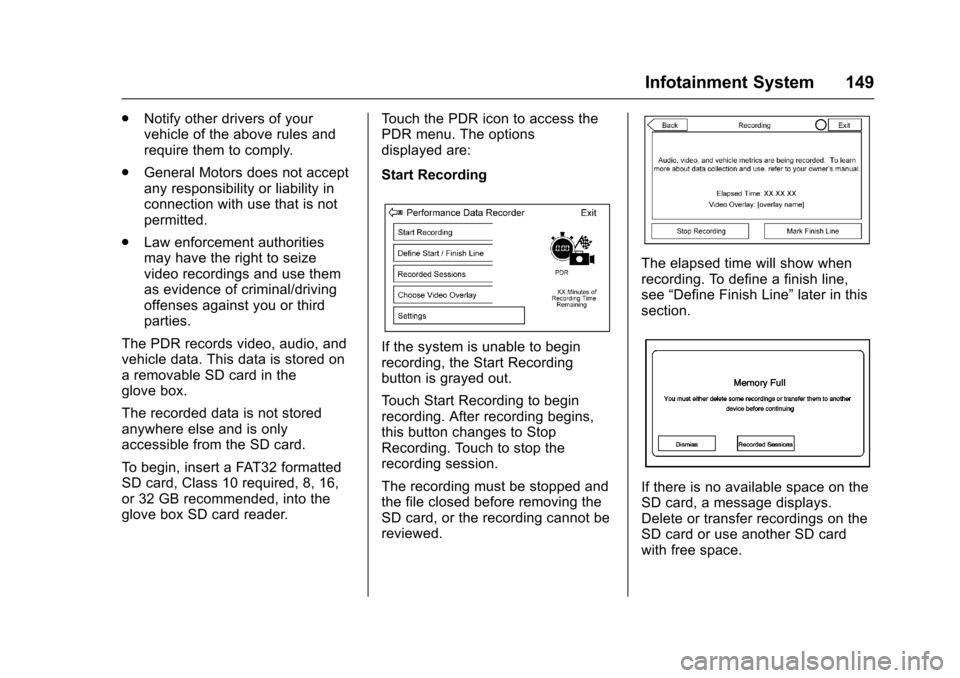
glove box SD card reader. Touch the PDR icon to access the
PDR menu. The options
displayed are:
Start Recording
If the system is unable to begin
recording, the Start Recording
button is grayed out.
Touch Start Recording to begin
recording. After recording begins,
this button changes to Stop
Recording. Touch to stop the
recording session.
The recording must be stopped and
the file closed before removing the
SD card, or the recording cannot be
reviewed.
The elapsed time will show when
recording. To define a finish line,
see
“Define Finish Line” later in this
section.
If there is no available space on the
SD card, a message displays.
Delete or transfer recordings on the
SD card or use another SD card
with free space.
Page 165 of 360
Chevrolet Corvette Owner Manual (GMNA-Localizing-U.S./Canada/Mexico-
9956103) - 2017 - crc - 4/28/16
164 Driving and Operating
3. Turn the steering wheel to gostraight down the roadway.
Loss of Control
Skidding
There are three types of skids that
correspond to the vehicle's three
control systems:
.Braking Skid —wheels are not
rolling.
. Steering or Cornering Skid —
too much speed or steering in a
curve causes tires to slip and
lose cornering force.
. Acceleration Skid —too much
throttle causes the driving
wheels to spin.
Defensive drivers avoid most skids
by taking reasonable care suited to
existing conditions, and by not
overdriving those conditions. But
skids are always possible.
If the vehicle starts to slide, follow
these suggestions:
. Ease your foot off the
accelerator pedal and steer the
way you want the vehicle to go. The vehicle may straighten out.
Be ready for a second skid if it
occurs.
. Slow down and adjust your
driving according to weather
conditions. Stopping distance
can be longer and vehicle
control can be affected when
traction is reduced by water,
snow, ice, gravel, or other
material on the road. Learn to
recognize warning clues —such
as enough water, ice, or packed
snow on the road to make a
mirrored surface —and slow
down when you have any doubt.
. Try to avoid sudden steering,
acceleration, or braking,
including reducing vehicle speed
by shifting to a lower gear. Any
sudden changes could cause
the tires to slide.
Remember: Antilock brakes help
avoid only the braking skid.
Track Events and
Competitive Driving
Participating in track events or other
competitive driving without following
the instructions provided may affect
the vehicle warranty. See the
warranty manual before using the
vehicle for racing or other
competitive driving.
Refer to Competitive Driving
Mode 0205.
Be sure to follow all service
procedures before driving the
vehicle at track events or
competitively.
Engine Sound Management
Setting
Caution
Do not place vehicle in Engine
Sound Management –Stealth
mode. Damage could result to
exhaust valve actuators.
Page 169 of 360
Chevrolet Corvette Owner Manual (GMNA-Localizing-U.S./Canada/Mexico-
9956103) - 2017 - crc - 4/28/16
168 Driving and Operating
10. Reinstall the wheel using thespecific wheel nut torque. See
Capacities and
Specifications 0321.
If additional brake cooling is
required, the grille mesh in the lower
corners of the front grille in front of
the brake duct can be removed.
This is not reversible, and a
replacement grille will not be
covered by the vehicle warranty.
If this is done, it is recommended
that the gap between the fascia and
the cooling duct be taped over.
Brake Burnishing
New brake pads must be burnished
before racing or other competitive
driving.
Caution
Performing the brake burnish
procedure on a base brake
system can result in brake
damage.
Caution
The new vehicle break-in period
should be completed before
performing the brake burnish
procedure, otherwise damage
may occur to the powertrain/
engine. See New Vehicle
Break-In 0181.
Caution
Brake pedal fade will occur during
any track burnish procedure and
can cause brake pedal travel and
force to increase. This could
extend stopping distance until the
brakes are fully burnished.
When this procedure is performed
as instructed, it will not damage the
brakes. The brake pads will smoke
and produce an odor. The braking
force and pedal travel may increase.
After the procedure, the brake pads
may appear white at the rotor
contact. Perform this procedure only on dry
pavement, in a safe manner, and in
compliance with all local and state
ordinances/laws regarding motor
vehicle operation.
Brake Burnish Procedure (Z51
Performance Package, Grand
Sport without Z07, and Z06
without Z07 Performance Package
or Z06 without J57 Ceramic
Brakes)
1. Apply the brakes 25 times starting at 100 km/h (60 mph) to
50 km/h (30 mph) while
decelerating at 0.4 g. This is a
medium brake application.
Drive for at least 1 km (0.6 mi)
between applying the brakes.
This first step may be skipped
if there are more than 320 km
(200 mi) on the brake pads.
2. Repeatedly apply the brakes from 100 km/h (60 mph) to
25 km/h (15 mph) while
decelerating at 0.8 g. This is a
hard brake application, without
activating the Antilock Brake
System (ABS). Drive for at
least 1 km (0.6 mi) between
Page 170 of 360
Chevrolet Corvette Owner Manual (GMNA-Localizing-U.S./Canada/Mexico-
9956103) - 2017 - crc - 4/28/16
Driving and Operating 169
stops. Repeat until the brake
pedal travel starts to increase.
Depending on conditions, this
should take no longer than 25
brake applications.
3. Cool down: Drive at 100 km/h (60 mph) for approximately
15 km (10 mi) without using the
brakes.
4. Apply the brakes 25 times from 100 km/h (60 mph) to 50 km/h
(30 mph) while decelerating at
0.4 g. This is a medium brake
application. Drive for at least
1 km (0.6 mi) between
applications.
Street High Performance Brake
Burnishing Procedure (Grand
Sport and Z06 with Z07
Performance Package or Z06 with
J57 Ceramic Brakes) 1. From a stop, accelerate as rapidly as possible without
activating traction control to a
speed of 100 km/h (60 mph). 2. Use enough pedal force to
completely stop the vehicle in
four to five seconds. If ABS
activates, braking is too hard.
3. Repeat Steps 1 and 2 –50
times. This should take about
10 minutes.
4. After completing the 50 stops, cool the brakes by driving for
8 km (5 mi) at 100 km/h
(60 mph).
As with all high performance brake
systems, some amount of brake
squeal is normal.
Racing/Track Brake Burnishing
Procedure (Grand Sport, Z06 with
Z07 Performance Package, or Z06
with J57 Ceramic Brakes)
This procedure should only be run
on a track and only on dry
pavement.Caution
Brake pedal fade will occur during
this track burnish procedure and
can cause brake pedal travel and
force to increase. This could
extend stopping distance until the
brakes are fully burnished.
1. Drive a normal first lap, not too aggressively.
2. Laps 2 and 3 should be gradually driven faster and
more aggressively, while
allowing for reduced brake
output and increased stopping
distance due to brake fade.
3. Drive Lap 4 near full speed, while allowing for reduced
brake output and increased
stopping distance due to
brake fade.
4. Laps 5 and 6 should be cool down laps.
5. Lap 7 should be normal driving or an easy out lap.
Page 178 of 360
Chevrolet Corvette Owner Manual (GMNA-Localizing-U.S./Canada/Mexico-
9956103) - 2017 - crc - 4/28/16
Driving and Operating 177
Warning (Continued)
the fan speed to the highest
setting. See“Climate
Control Systems.”
For more information about CO,
see Engine Exhaust 0188.
To save fuel, run the engine for
short periods to warm the vehicle
and then shut the engine off and
partially close the window. Moving
about to keep warm also helps.
If it takes time for help to arrive,
when running the engine, push the
accelerator pedal slightly so the
engine runs faster than the idle
speed. This keeps the battery
charged to restart the vehicle and to
signal for help with the headlamps.
Do this as little as possible, to
save fuel.
If the Vehicle Is Stuck
Slowly and cautiously spin the
wheels to free the vehicle when
stuck in sand, mud, ice, or snow. If stuck too severely for the traction
system to free the vehicle, turn the
traction system off and use the
rocking method. See
Traction
Control/Electronic Stability
Control 0199.
{Warning
If the vehicle's tires spin at high
speed, they can explode, and you
or others could be injured. The
vehicle can overheat, causing an
engine compartment fire or other
damage. Spin the wheels as little
as possible and avoid going
above 56 km/h (35 mph).
Rocking the Vehicle to Get
it Out
Turn the steering wheel left and
right to clear the area around the
front wheels. Turn off any traction
system. Shift back and forth
between R (Reverse) and a low
forward gear, spinning the wheels
as little as possible. To prevent
transmission wear, wait until the
wheels stop spinning before shifting gears. Release the accelerator
pedal while shifting, and press
lightly on the accelerator pedal
when the transmission is in gear.
Slowly spinning the wheels in the
forward and reverse directions
causes a rocking motion that could
free the vehicle. If that does not get
the vehicle out after a few tries, it
might need to be towed out. If the
vehicle does need to be towed out,
see
Towing the Vehicle 0295.
Vehicle Load Limits
It is very important to know how
much weight the vehicle can
carry. This weight is called the
vehicle capacity weight and
includes the weight of all
occupants, cargo, and all
nonfactory-installed options.
Two labels on the vehicle may
show how much weight it may
properly carry: the Tire and
Loading Information label and
the Certification label.
Page 182 of 360
Chevrolet Corvette Owner Manual (GMNA-Localizing-U.S./Canada/Mexico-
9956103) - 2017 - crc - 4/28/16
Driving and Operating 181
Warning (Continued)
.Do not leave an
unsecured child restraint
in your vehicle.
.When you carry
something inside the
vehicle, secure it
whenever you can.
Starting and
Operating
New Vehicle Break-In
Follow these recommended
guidelines during the first 2 414 km
(1,500 mi) of driving this vehicle.
Parts have a break-in period and
performance will be better in the
long run.
For the first 322 km (200 mi):
.To break in new tires, drive at
moderate speeds and avoid hard
cornering.
. New brake linings also need a
break-in period. Avoid making
hard stops. This is
recommended every time brake
linings are replaced.
For the first 800 km (500 mi):
. Avoid full throttle starts and
abrupt stops.
. Do not exceed 4000 rpm. .
Avoid driving at any one
constant speed, fast or slow,
including the use of cruise
control.
. Avoid downshifting to brake or
slow the vehicle when the
engine speed will exceed
4000 rpm.
. Do not let the engine labor.
Never lug the engine. With a
manual transmission, shift to the
next lower gear. This rule
applies at all times, not just
during the break-in period.
. After the first 800 km (500 mi),
change the engine oil on
vehicles with the LT1 engine, the
LT4 engine, the Z51 package,
or the Grand Sport package.
For the first 2 414 km (1,500 mi):
. Do not participate in track
events, sport driving schools,
or similar activities.
. Check engine oil with every
refueling and add if necessary.
Oil and fuel consumption may be
higher than normal.
Page 183 of 360
Chevrolet Corvette Owner Manual (GMNA-Localizing-U.S./Canada/Mexico-
9956103) - 2017 - crc - 4/28/16
182 Driving and Operating
Front Air Dam
If equipped, the front air dam has
minimal ground clearance.
Under normal operation, the
components will occasionally
contact some road surfaces (speed
bumps, driveway ramps, etc.). This
can be heard inside the vehicle as a
scraping noise. This is normal and
does not indicate a problem.
Use care when approaching bumps
or objects on road surfaces and
avoid them when possible.
Composite Materials
This vehicle may be equipped with
parts containing carbon fiber,
sheet-molding compound or other
composite materials.
Dealer-installed accessories may
also contain composite materials.
These parts and accessories may
include the splitter or rocker
extensions.
{Warning
Exposed edges of parts
containing carbon fiber and other
composite materials can be
sharp. Contact with these parts
could result in injury. Use caution
to avoid contacting these parts,
including when washing the
vehicle. If the parts are damaged,
replace the parts promptly with
replacements from your dealer.
{Warning
Rocker extensions may break
under pressure, resulting in
property damage or injury. Do not
stand on the rocker extension or
use it as a step.
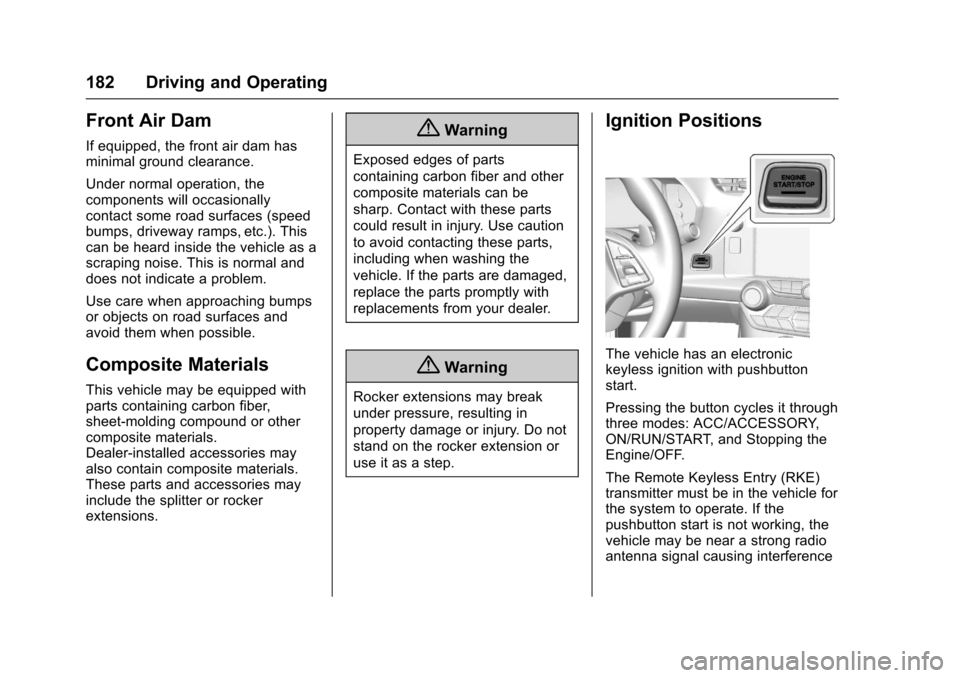
Ignition Positions
The vehicle has an electronic
keyless ignition with pushbutton
start.
Pressing the button cycles it through
three modes: ACC/ACCESSORY,
ON/RUN/START, and Stopping the
Engine/OFF.
The Remote Keyless Entry (RKE)
transmitter must be in the vehicle for
the system to operate. If the
pushbutton start is not working, the
vehicle may be near a strong radio
antenna signal causing interference
Page 184 of 360
Chevrolet Corvette Owner Manual (GMNA-Localizing-U.S./Canada/Mexico-
9956103) - 2017 - crc - 4/28/16
Driving and Operating 183
to the Keyless Access system. See
Remote Keyless Entry (RKE)
System Operation027.
To shift out of P (Park), the vehicle
must be in ON/RUN and the brake
pedal must be applied.
Stopping the Engine/OFF (No
Indicator Lights) : When the
vehicle is stopped, press the
ENGINE START/STOP button once
to turn the engine off.
If the vehicle is in P (Park), the
ignition will turn off, and Retained
Accessory Power (RAP) will remain
active. See Retained Accessory
Power (RAP) 0186.
Automatic Transmission
If the vehicle is not in P (Park), the
ignition will return to ACC/
ACCESSORY and display a
message in the Driver Information
Center (DIC). See Transmission
Messages 0131. When the vehicle
is shifted into P (Park), the ignition
system will switch to OFF. Manual Transmission
If the vehicle is stationary, the
ignition will turn OFF, and Retained
Accessory Power (RAP) will remain
active. See
Retained Accessory
Power (RAP) 0186.
Do not turn the engine off when the
vehicle is moving. This will cause a
loss of power assist in the brake
and steering systems and disable
the airbags.
If the vehicle must be shut off in an
emergency: 1. Brake using a firm and steady pressure. Do not pump the
brakes repeatedly. This may
deplete power assist, requiring
increased brake pedal force.
2. Shift the vehicle to N (Neutral). This can be done while the
vehicle is moving. After shifting
to N (Neutral), firmly apply the
brakes and steer the vehicle to
a safe location.
3. Come to a complete stop. Shift to P (Park) with an automatic
transmission, or Neutral with a manual transmission. Turn the
ignition to Stopping the
Engine/OFF.
4. Set the parking brake. See Electric Parking Brake 0197.
{Warning
Turning off the vehicle while
moving may cause loss of power
assist in the brake and steering
systems and disable the airbags.
While driving, only shut the
vehicle off in an emergency.
If the vehicle cannot be pulled over,
and must be shut off while driving,
press and hold the ENGINE START/
STOP button for longer than
two seconds, or press twice within
five seconds.
ACC/ACCESSORY (Amber
Indicator Light) : This mode allows
the use of some electrical
accessories when the engine is off.
Page 185 of 360
Chevrolet Corvette Owner Manual (GMNA-Localizing-U.S./Canada/Mexico-
9956103) - 2017 - crc - 4/28/16
184 Driving and Operating
With the ignition off, pressing the
button one time without the brake
pedal applied will place the ignition
system in ACC/ACCESSORY.
The ignition will switch from ACC/
ACCESSORY to Stopping the
Engine/OFF after five minutes to
prevent battery rundown.
ON/RUN/START (Green Indicator
Light) :This mode is for driving and
starting. With the ignition off, and
the brake pedal applied, pressing
the button once will place the
ignition system in ON/RUN/START.
Once engine cranking begins,
release the button. Engine cranking
will continue until the engine starts.
See Starting the Engine 0184. The
ignition will then remain in ON/RUN.
Service Only Mode
This power mode is available for
service and diagnostics, and to
verify the proper operation of the
malfunction indicator lamp as may
be required for emission inspection
purposes. With the vehicle off, and
the brake pedal not applied,
pressing and holding the button for
more than five seconds will place the vehicle in Service Only Mode.
The instruments and audio systems
will operate as they do in ON/RUN,
but the vehicle will not be able to be
driven. The engine will not start in
Service Only Mode. Press the
button again to turn the vehicle off.
Starting the Engine
Place the transmission in the
proper gear.
Caution
If you add electrical parts or
accessories, you could change
the way the engine operates. Any
resulting damage would not be
covered by the vehicle warranty.
See
Add-On Electrical
Equipment 0217.
Automatic Transmission
Move the shift lever to P (Park) or
N (Neutral). To restart the vehicle
when it is already moving, use
N (Neutral) only.
Caution
Do not try to shift to P (Park) if the
vehicle is moving. If you do, you
could damage the transmission.
Shift to P (Park) only when the
vehicle is stopped.
Manual Transmission
The shift lever should be in Neutral
and the parking brake engaged.
Hold the clutch pedal down to the
floor and start the engine.
The RKE transmitter must be inside
the vehicle for the ignition to work.
Cell phone chargers can interfere
with the operation of the Keyless
Access system. Battery chargers
should not be plugged in when
starting or turning off the engine.
To start the vehicle: 1. For vehicles with an automatic transmission, press the brake
pedal, then press the ENGINE
START/STOP button on the
instrument panel. For vehicles
with a manual transmission,