center console CHEVROLET CORVETTE 2017 7.G Owners Manual
[x] Cancel search | Manufacturer: CHEVROLET, Model Year: 2017, Model line: CORVETTE, Model: CHEVROLET CORVETTE 2017 7.GPages: 360, PDF Size: 6.3 MB
Page 21 of 360
Chevrolet Corvette Owner Manual (GMNA-Localizing-U.S./Canada/Mexico-
9956103) - 2017 - crc - 4/28/16
20 In Brief
oorp:Pressoto open
application menus on the left.
Press
pto open interaction menus
on the right.
SEL : Press to open a menu or
select a menu item. Press and hold
to reset values on certain screens.
See Driver Information Center
(DIC) 0115.
Curb View Camera
If equipped, a view of the area in
front of the vehicle displays to aid
with parking and low-speed
maneuvers.
See "Curb View Camera" under
Assistance Systems for Parking or
Backing 0212.
Rear Vision
Camera (RVC)
If equipped, RVC displays a view of
the area behind the vehicle on the
infotainment display when the
vehicle is shifted into R (Reverse) to
aid with parking and low-speed
backing maneuvers. See
Assistance Systems for Parking
or Backing 0212.
Power Outlets
Use the accessory power outlet to
plug in electrical equipment, such as
a cell phone or MP3 player.
There are three accessory power
outlets:
.
Inside the center console
storage compartment.
. In front of the cupholder.
. In the rear compartment.
Lift the cover to access and replace
when not in use.
See Power Outlets 096.
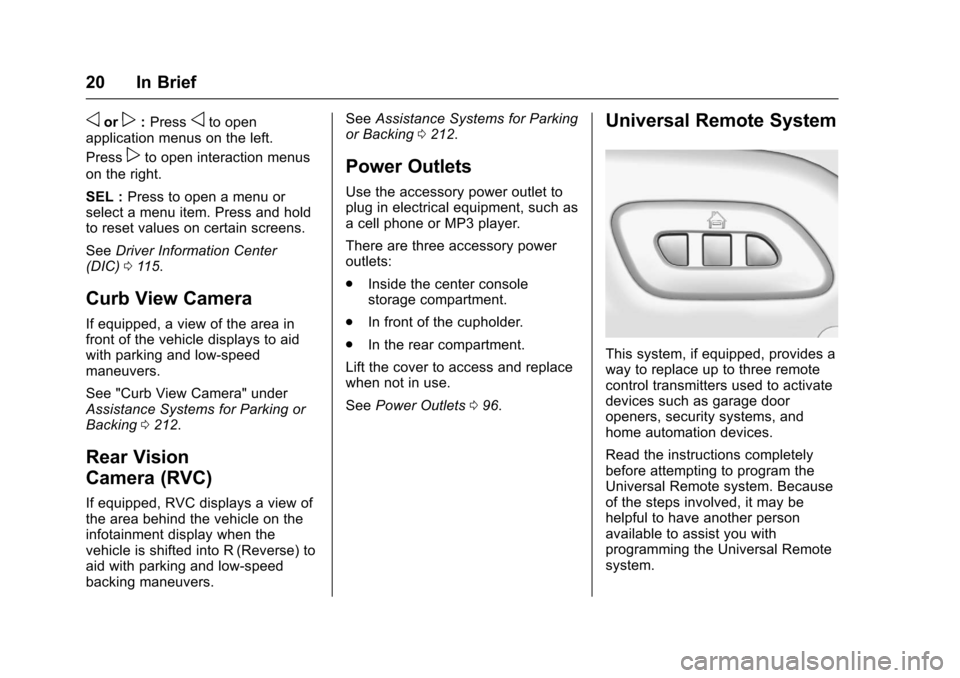
Universal Remote System
This system, if equipped, provides a
way to replace up to three remote
control transmitters used to activate
devices such as garage door
openers, security systems, and
home automation devices.
Read the instructions completely
before attempting to program the
Universal Remote system. Because
of the steps involved, it may be
helpful to have another person
available to assist you with
programming the Universal Remote
system.
Page 22 of 360
Chevrolet Corvette Owner Manual (GMNA-Localizing-U.S./Canada/Mexico-
9956103) - 2017 - crc - 4/28/16
In Brief 21
SeeUniversal Remote
System 0139.
Roof Panel
If equipped with a removable roof
panel, there are three release
handles. Two are at the front of the
roof panel and one is at the rear of
the roof panel. See “Removing the
Roof Panel” underRoof Panel 047.
Help may be needed to remove the
roof panel. Always store the roof
panel properly in the rear storage
compartment.
For more information:
. See “Storing the Roof Panel”
under Roof Panel 047.
. See “Installing the Roof Panel”
under Roof Panel 047.
Convertible
If equipped, the convertible top can
be automatically opened and
closed. For step-by-step
instructions, see Convertible
Top 050.
Performance and
Maintenance
Traction Control/
Electronic Stability
Control
The Traction Control System (TCS)
limits wheel spin. The system turns
on automatically every time the
vehicle is started.
StabiliTrak is a computer controlled
system that helps the driver
maintain directional control of the
vehicle in difficult driving conditions.
This is accomplished by selectively
applying any one of the vehicle’s
brakes. The system turns on
automatically every time the vehicle
is started.
.
To turn off TCS, press and
release
gon the center
console.
iilluminates in the
instrument cluster.
. To turn off both TCS and
StabiliTrak, press and hold
g,
until the Traction Off light
iand the StabiliTrak OFF light
g
illuminate in the instrument
cluster.
. Press and release
gagain to
turn on both systems.
See Traction Control/Electronic
Stability Control 0199.
The vehicle has Driver Mode
Control and may have Competitive
Driving Mode. See Driver Mode
Control 0201 andCompetitive
Driving Mode 0205.
Tire Pressure Monitor
This vehicle may have a Tire
Pressure Monitor System (TPMS).
The low tire pressure warning light
alerts to a significant loss in
pressure of one of the vehicle's
tires. If the warning light comes on,
stop as soon as possible and inflate
Page 90 of 360
Chevrolet Corvette Owner Manual (GMNA-Localizing-U.S./Canada/Mexico-
9956103) - 2017 - crc - 4/28/16
Storage 89
Storage
Storage Compartments
Storage Compartments . . . . . . . . 89
Instrument Panel Storage . . . . . . 89
Glove Box . . . . . . . . . . . . . . . . . . . . . 89
Cupholders . . . . . . . . . . . . . . . . . . . . 90
Rear Storage . . . . . . . . . . . . . . . . . . 90
Center Console Storage . . . . . . . 91
Additional Storage Features
Cargo Cover . . . . . . . . . . . . . . . . . . . 91
Cargo Tie-Downs . . . . . . . . . . . . . . 92
Cargo Net . . . . . . . . . . . . . . . . . . . . . 92
Convenience Net . . . . . . . . . . . . . . 92
Storage
Compartments
{Warning
Do not store heavy or sharp
objects in storage compartments.
In a crash, these objects may
cause the cover to open and
could result in injury.
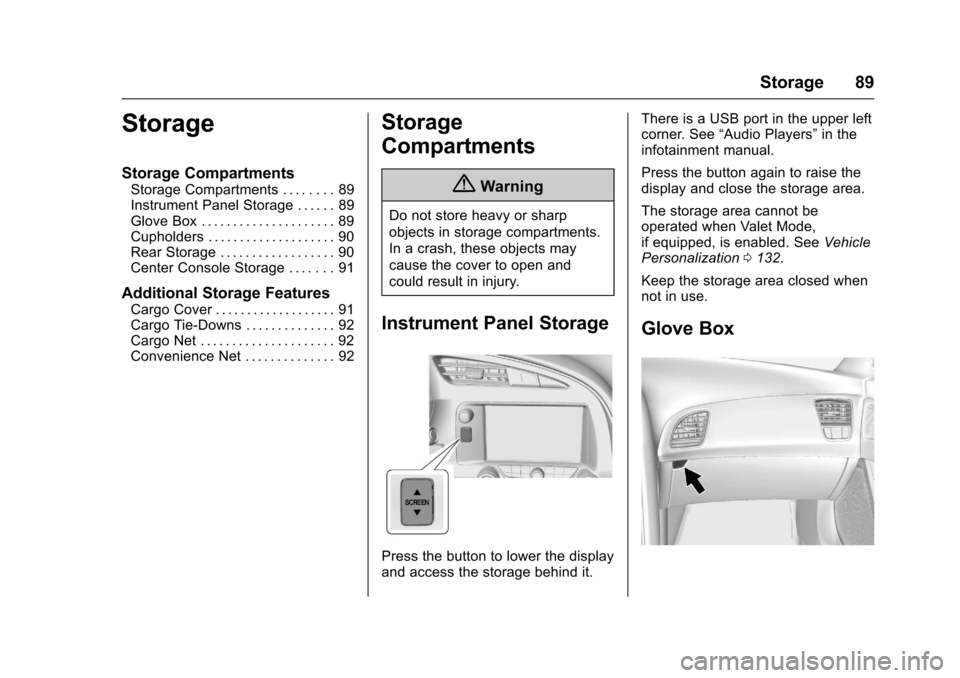
Instrument Panel Storage
Press the button to lower the display
and access the storage behind it.There is a USB port in the upper left
corner. See
“Audio Players” in the
infotainment manual.
Press the button again to raise the
display and close the storage area.
The storage area cannot be
operated when Valet Mode,
if equipped, is enabled. See Vehicle
Personalization 0132.
Keep the storage area closed when
not in use.
Glove Box
Page 92 of 360
Chevrolet Corvette Owner Manual (GMNA-Localizing-U.S./Canada/Mexico-
9956103) - 2017 - crc - 4/28/16
Storage 91
The trunk partition is a flat carpeted
board with a horizontal flap that can
be attached to the top of the trunk to
provide additional storage space.
With the convertible top up, the
trunk partition can be unsnapped
and laid flat to increase trunk cargo
space.
Center Console Storage
Caution
The area inside the console can
get hot. Do not store items that
can be damaged by heat.
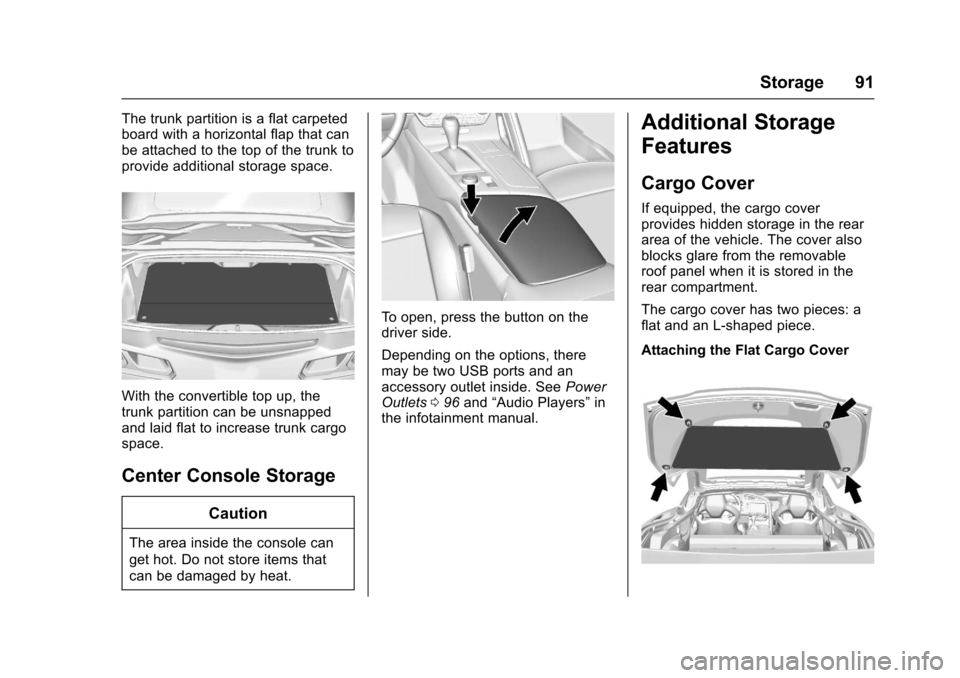
To open, press the button on the
driver side.
Depending on the options, there
may be two USB ports and an
accessory outlet inside. SeePower
Outlets 096 and “Audio Players” in
the infotainment manual.
Additional Storage
Features
Cargo Cover
If equipped, the cargo cover
provides hidden storage in the rear
area of the vehicle. The cover also
blocks glare from the removable
roof panel when it is stored in the
rear compartment.
The cargo cover has two pieces: a
flat and an L-shaped piece.
Attaching the Flat Cargo Cover
Page 97 of 360
Chevrolet Corvette Owner Manual (GMNA-Localizing-U.S./Canada/Mexico-
9956103) - 2017 - crc - 4/28/16
96 Instruments and Controls
GPS signal is restored and provide
a heading again. SeeCompass
Messages 0123 for the messages
that may be displayed for the
compass.
Clock
The infotainment system controls
are used to access the time and
date settings through the menu
system. See “Home Page” in the
infotainment manual for information
about how to use the menu system.
Setting the Time
To set the time:
1. From the Home Page, touch the SETTINGS infotainment
display button and touch Time
and Date.
2. Touch Set Time and touch + or −to increase or decrease
hours, minutes, and AM or PM.
Touch 12Hr or 24Hr for 12 or
24 hour clock.
3. Touch
}to go back to the
previous menu. If auto timing is set, the time
displayed on the clock may not
update immediately when driving
into a new time zone.
To set the date:
1. Touch the SETTINGS infotainment display button and
touch Time and Date.
2. Touch Set Date and touch + or −to increase or decrease
month, day, or year.
3. Touch
}to go back to the
previous menu.
To set the clock display: 1. Touch the SETTINGS infotainment display button and
touch Time and Date.
2. Touch Clock Display and touch OFF or ON to turn the clock
display off or on.
3. Touch
}to go back to the
previous menu.
Power Outlets
Use the accessory power outlet to
plug in electrical equipment, such as
a cell phone or MP3 player.
There are three accessory power
outlets:
. In front of the cupholder. Open
the door compartment to access.
. Inside the center console
storage compartment.
. In the rear compartment.
Lift the cover to access and replace
when not in use.
The power outlets in front of the
cupholder and inside the center
console storage compartment are
powered when the ignition is in ON/
RUN/START or ACC/ACCESSORY,
or until the driver door is opened
within 10 minutes of turning off the
vehicle. See Retained Accessory
Power (RAP) 0186.
The rear compartment power outlet
is powered at all times. The
vehicle’s battery may run down if
the power outlet is used while the
ignition is in Stopping the Engine/
Page 101 of 360
Chevrolet Corvette Owner Manual (GMNA-Localizing-U.S./Canada/Mexico-
9956103) - 2017 - crc - 4/28/16
100 Instruments and Controls
Reconfigurable Instrument
Cluster
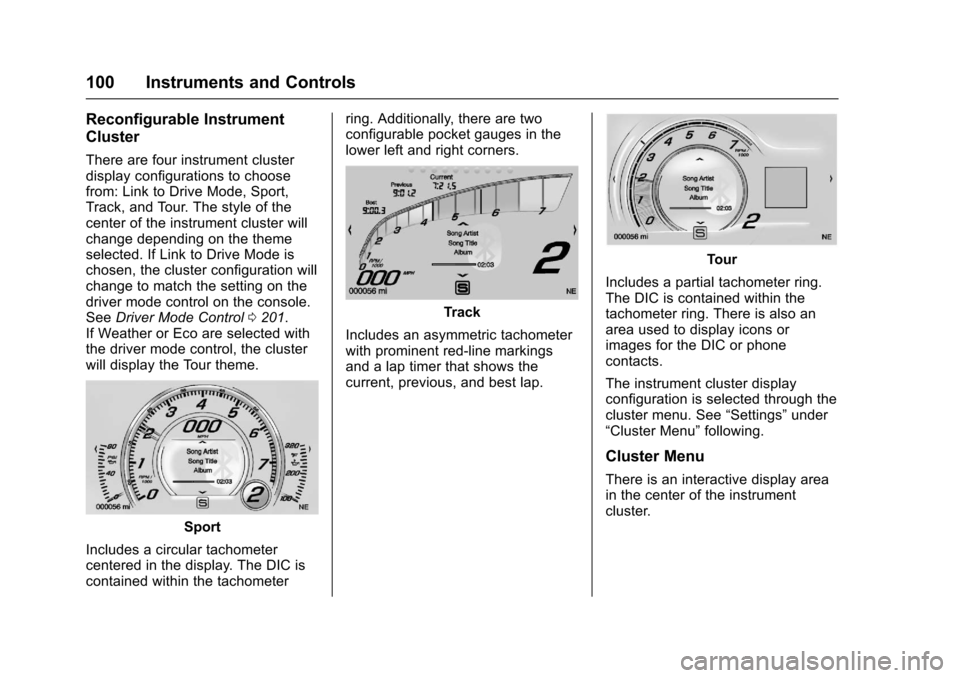
There are four instrument cluster
display configurations to choose
from: Link to Drive Mode, Sport,
Track, and Tour. The style of the
center of the instrument cluster will
change depending on the theme
selected. If Link to Drive Mode is
chosen, the cluster configuration will
change to match the setting on the
driver mode control on the console.
SeeDriver Mode Control 0201.
If Weather or Eco are selected with
the driver mode control, the cluster
will display the Tour theme.
Sport
Includes a circular tachometer
centered in the display. The DIC is
contained within the tachometer ring. Additionally, there are two
configurable pocket gauges in the
lower left and right corners.
Track
Includes an asymmetric tachometer
with prominent red-line markings
and a lap timer that shows the
current, previous, and best lap.
Tour
Includes a partial tachometer ring.
The DIC is contained within the
tachometer ring. There is also an
area used to display icons or
images for the DIC or phone
contacts.
The instrument cluster display
configuration is selected through the
cluster menu. See “Settings”under
“Cluster Menu” following.
Cluster Menu
There is an interactive display area
in the center of the instrument
cluster.
Page 147 of 360
Chevrolet Corvette Owner Manual (GMNA-Localizing-U.S./Canada/Mexico-
9956103) - 2017 - crc - 4/28/16
146 Lighting
Interior Lighting
Instrument Panel
Illumination Control
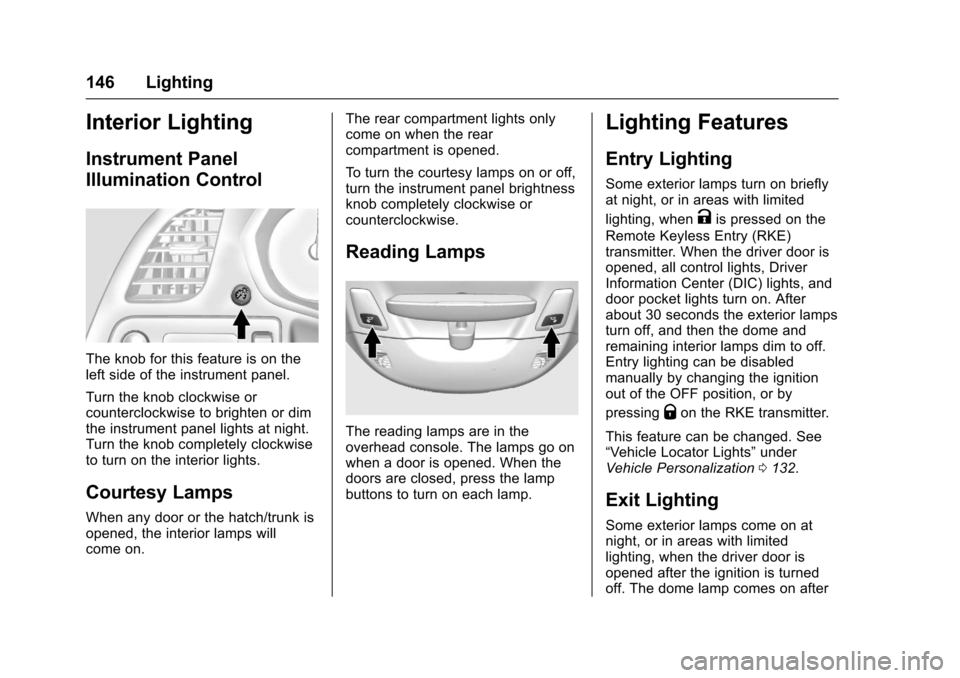
The knob for this feature is on the
left side of the instrument panel.
Turn the knob clockwise or
counterclockwise to brighten or dim
the instrument panel lights at night.
Turn the knob completely clockwise
to turn on the interior lights.
Courtesy Lamps
When any door or the hatch/trunk is
opened, the interior lamps will
come on.The rear compartment lights only
come on when the rear
compartment is opened.
To turn the courtesy lamps on or off,
turn the instrument panel brightness
knob completely clockwise or
counterclockwise.
Reading Lamps
The reading lamps are in the
overhead console. The lamps go on
when a door is opened. When the
doors are closed, press the lamp
buttons to turn on each lamp.
Lighting Features
Entry Lighting
Some exterior lamps turn on briefly
at night, or in areas with limited
lighting, when
Kis pressed on the
Remote Keyless Entry (RKE)
transmitter. When the driver door is
opened, all control lights, Driver
Information Center (DIC) lights, and
door pocket lights turn on. After
about 30 seconds the exterior lamps
turn off, and then the dome and
remaining interior lamps dim to off.
Entry lighting can be disabled
manually by changing the ignition
out of the OFF position, or by
pressing
Qon the RKE transmitter.
This feature can be changed. See
“Vehicle Locator Lights” under
Vehicle Personalization 0132.
Exit Lighting
Some exterior lamps come on at
night, or in areas with limited
lighting, when the driver door is
opened after the ignition is turned
off. The dome lamp comes on after
Page 198 of 360
Chevrolet Corvette Owner Manual (GMNA-Localizing-U.S./Canada/Mexico-
9956103) - 2017 - crc - 4/28/16
Driving and Operating 197
If driving safely on a wet road and it
becomes necessary to slam on the
brakes and continue braking to
avoid a sudden obstacle, a
computer senses the wheels are
slowing down. If one of the wheels
is about to stop rolling, the computer
will separately work the brakes at
each wheel.
ABS can change the brake pressure
to each wheel, as required, faster
than any driver could. This can help
you steer around the obstacle while
braking hard.
As the brakes are applied, the
computer keeps receiving updates
on wheel speed and controls
braking pressure accordingly.
Remember: ABS does not change
the time needed to get a foot up to
the brake pedal or always decrease
stopping distance. If you get too
close to the vehicle in front of you,
there will not be enough time to
apply the brakes if that vehicle
suddenly slows or stops. Always
leave enough room up ahead to
stop, even with ABS.Using ABS
Do not pump the brakes. Just hold
the brake pedal down firmly and let
ABS work. You may hear the ABS
pump or motor operating and feel
the brake pedal pulsate. This is
normal.
Braking in Emergencies
ABS allows you to steer and brake
at the same time. In many
emergencies, steering can help
more than even the very best
braking.
Electric Parking Brake
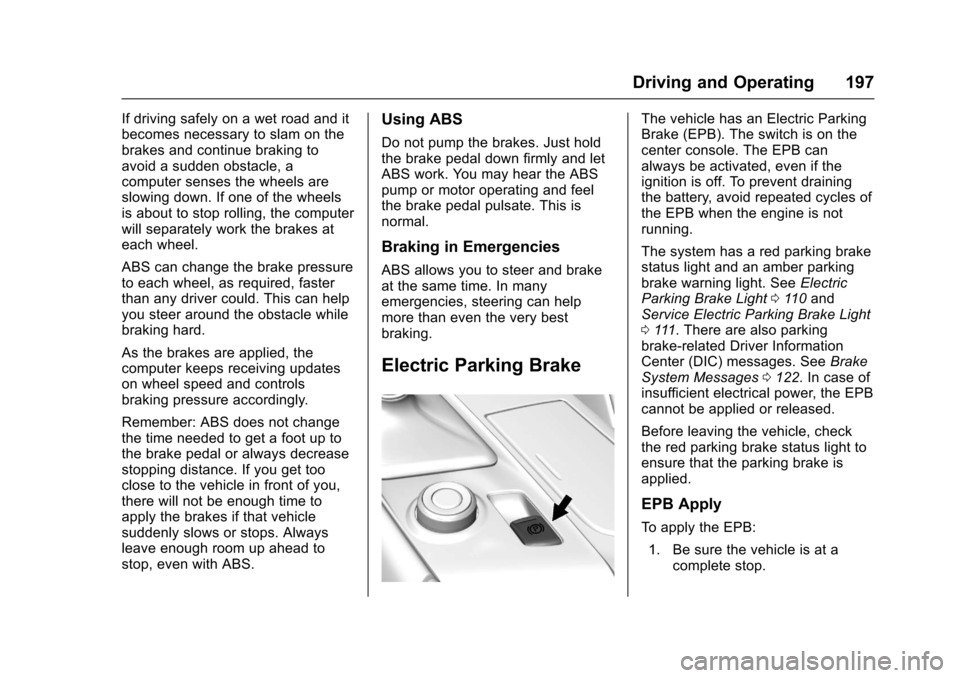
The vehicle has an Electric Parking
Brake (EPB). The switch is on the
center console. The EPB can
always be activated, even if the
ignition is off. To prevent draining
the battery, avoid repeated cycles of
the EPB when the engine is not
running.
The system has a red parking brake
status light and an amber parking
brake warning light. SeeElectric
Parking Brake Light 0110 and
Service Electric Parking Brake Light
0 111. There are also parking
brake-related Driver Information
Center (DIC) messages. See Brake
System Messages 0122. In case of
insufficient electrical power, the EPB
cannot be applied or released.
Before leaving the vehicle, check
the red parking brake status light to
ensure that the parking brake is
applied.
EPB Apply
To apply the EPB:
1. Be sure the vehicle is at a complete stop.
Page 201 of 360
Chevrolet Corvette Owner Manual (GMNA-Localizing-U.S./Canada/Mexico-
9956103) - 2017 - crc - 4/28/16
200 Driving and Operating
If cruise control is being used when
TCS begins to limit wheel spin, the
cruise control will automatically
disengage. Cruise control may be
reengaged when road conditions
allow. SeeCruise Control 0209.
Both systems come on
automatically when the vehicle is
started and begins to move. The
systems may be heard or felt while
they are operating or while
performing diagnostic checks. This
is normal and does not mean there
is a problem with the vehicle.
It is recommended to leave both
systems on for normal driving
conditions, but it may be necessary
to turn TCS off if the vehicle gets
stuck in sand, mud, ice, or snow.
See If the Vehicle Is Stuck 0177
and “Turning the Systems Off and
On” later in this section.The indicator light for both systems
is in the instrument cluster. This
light will:
.
Flash when TCS is limiting
wheel spin.
. Flash when StabiliTrak is
activated.
. Turn on and stay on when either
system is not working.
If either system fails to turn on or to
activate, a message displays in the
Driver Information Center (DIC),
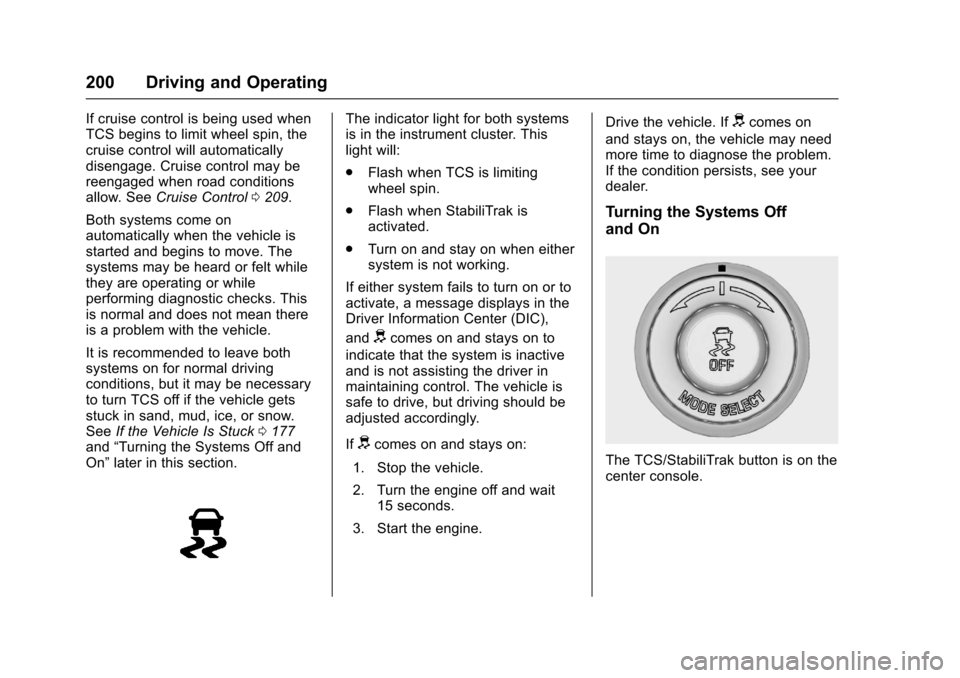
and
dcomes on and stays on to
indicate that the system is inactive
and is not assisting the driver in
maintaining control. The vehicle is
safe to drive, but driving should be
adjusted accordingly.
If
dcomes on and stays on:
1. Stop the vehicle.
2. Turn the engine off and wait 15 seconds.
3. Start the engine. Drive the vehicle. If
dcomes on
and stays on, the vehicle may need
more time to diagnose the problem.
If the condition persists, see your
dealer.
Turning the Systems Off
and On
The TCS/StabiliTrak button is on the
center console.
Page 202 of 360
Chevrolet Corvette Owner Manual (GMNA-Localizing-U.S./Canada/Mexico-
9956103) - 2017 - crc - 4/28/16
Driving and Operating 201
Caution
Do not repeatedly brake or
accelerate heavily when TCS is
off. The vehicle driveline could be
damaged.
To turn off only TCS, press and
release
g. The Traction Off lighti
illuminates in the instrument cluster.
To turn TCS on again, press and
release
g. The Traction Off lighti
displayed in the instrument cluster
will turn off.
If TCS is limiting wheel spin when
g
is pressed, the system will not turn
off until the wheels stop spinning.
To turn off both TCS and StabiliTrak,
press and hold
guntil the Traction
Off light
iand StabiliTrak OFF
light
gilluminate and stay on in the
instrument cluster. To turn TCS and StabiliTrak on
again, press and release
g. The
Traction Off light
iand StabiliTrak
OFF light
gin the instrument cluster
turn off.
If the Tire Pressure Monitor System
(TPMS) system is malfunctioning
and the DIC displays SERVICE
TIRE MONITOR SYSTEM,
StabiliTrak will be affected as
follows:
. StabiliTrak cannot be turned off
by the driver.
. If StabiliTrak is off, it will be
turned on automatically.
. Competitive Driving Mode or
Performance Traction
Management is unavailable.
. StabiliTrak will feel different in
aiding and maintaining
directional control.
Adding accessories can affect the
vehicle performance. See
Accessories and
Modifications 0220.
Driver Mode Control
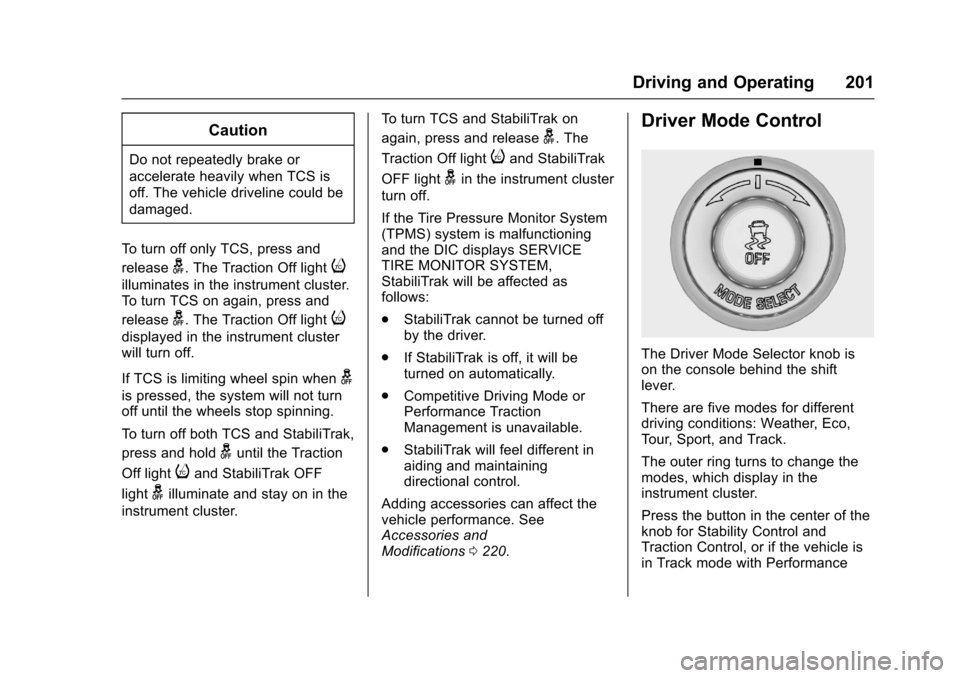
The Driver Mode Selector knob is
on the console behind the shift
lever.
There are five modes for different
driving conditions: Weather, Eco,
Tour, Sport, and Track.
The outer ring turns to change the
modes, which display in the
instrument cluster.
Press the button in the center of the
knob for Stability Control and
Traction Control, or if the vehicle is
in Track mode with Performance