ECO mode CHEVROLET CORVETTE 2019 Infotainment Manual
[x] Cancel search | Manufacturer: CHEVROLET, Model Year: 2019, Model line: CORVETTE, Model: CHEVROLET CORVETTE 2019Pages: 90, PDF Size: 0.98 MB
Page 65 of 90
Chevrolet Corvette MyLink Infotainment System(GMNA-Localizing-U.S./
Canada-12145685) - 2019 - crc - 4/16/18
64 Phone
8. Repeat Steps 1−7 to pairadditional phones.
Listing All Paired and Connected
Phones 1. Touch the Phone icon on the Home Page.
2. Touch Phones.
Disconnecting a Connected Phone 1. Touch the Phone icon on the Home Page.
2. Touch Phones.
3. Touch
znext to the phone to
disconnect.
Deleting a Paired Phone
Only disconnected phones can be
deleted. 1. Touch the Phone icon on the Home Page.
2. Touch Phones.
3. Touch
Mnext to the phone to
delete and follow the on-screen
prompts. Linking to a Different Phone
To link to a different phone, the new
phone must be in the vehicle and
paired to the Bluetooth system.
1. Touch the Phone icon on the Home Page.
2. Touch Phones.
3. Touch the new phone to link to from the not connected
device list.
Switching to Handset or
Handsfree Mode
To switch between handset or
handsfree mode, touch the Phone
icon on the Home Page to display
Call View.
.While the active call is
handsfree, touch Handset to
switch to the handset mode.
This option changes to
Handsfree once the Bluetooth
device confirms it is operating as
handset.
. While the active call is handset,
touch Handsfree to switch to the
hands free mode. This option changes to Handset once the
Bluetooth device confirms it is
operating as handsfree.
Making a Call Using Contacts
and Recent Calls
Calls can be made through the
Bluetooth system using personal
cell phone contact information for all
phones that support the Phone
Book feature. Become familiar with
the phone settings and operation.
Verify the cell phone supports this
feature.
When supported, the Contacts and
Recent Calls menus are
automatically available.
The Contacts menu accesses the
phone book stored in the cell phone.
The Recent Calls menu accesses
the recent call list(s) from your cell
phone.
To make a call using the
Contacts menu:
1. Touch the Phone icon on the Home Page.
2. Touch Contacts.
Page 71 of 90
Chevrolet Corvette MyLink Infotainment System(GMNA-Localizing-U.S./
Canada-12145685) - 2019 - crc - 4/16/18
70 Settings
Settings
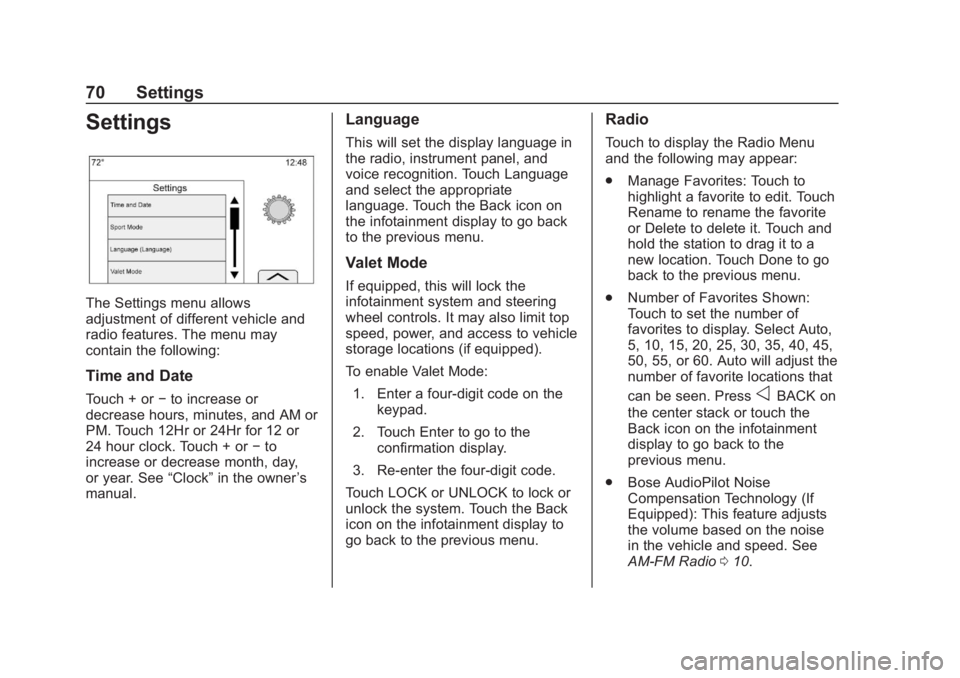
The Settings menu allows
adjustment of different vehicle and
radio features. The menu may
contain the following:
Time and Date
Touch + or−to increase or
decrease hours, minutes, and AM or
PM. Touch 12Hr or 24Hr for 12 or
24 hour clock. Touch + or −to
increase or decrease month, day,
or year. See “Clock”in the owner ’s
manual.
Language
This will set the display language in
the radio, instrument panel, and
voice recognition. Touch Language
and select the appropriate
language. Touch the Back icon on
the infotainment display to go back
to the previous menu.
Valet Mode
If equipped, this will lock the
infotainment system and steering
wheel controls. It may also limit top
speed, power, and access to vehicle
storage locations (if equipped).
To enable Valet Mode:
1. Enter a four-digit code on the keypad.
2. Touch Enter to go to the confirmation display.
3. Re-enter the four-digit code.
Touch LOCK or UNLOCK to lock or
unlock the system. Touch the Back
icon on the infotainment display to
go back to the previous menu.
Radio
Touch to display the Radio Menu
and the following may appear:
. Manage Favorites: Touch to
highlight a favorite to edit. Touch
Rename to rename the favorite
or Delete to delete it. Touch and
hold the station to drag it to a
new location. Touch Done to go
back to the previous menu.
. Number of Favorites Shown:
Touch to set the number of
favorites to display. Select Auto,
5, 10, 15, 20, 25, 30, 35, 40, 45,
50, 55, or 60. Auto will adjust the
number of favorite locations that
can be seen. Press
oBACK on
the center stack or touch the
Back icon on the infotainment
display to go back to the
previous menu.
. Bose AudioPilot Noise
Compensation Technology (If
Equipped): This feature adjusts
the volume based on the noise
in the vehicle and speed. See
AM-FM Radio 010.
Page 88 of 90

Chevrolet Corvette MyLink Infotainment System(GMNA-Localizing-U.S./Ca-
nada-12145685) - 2019 - crc - 4/16/18
Index 87
Phone (cont'd)10
Playing from a USB . . . . . . . . . . . . . . 16
Playing the Radio . . . . . . . . . . . . . . . . 10
Port
USB. . . . . . . . . . . . . . . . . . . . . . . . . . . . . 16
Positioning Vehicle . . . . . . . . . . . . . . . . . . . . . . . . . . 52
Problems with Route Guidance . . . . . . . . . . . . . . . . . . . . . . 52
Projection . . . . . . . . . . . . . . . . . . . . . . . . . 7
R
Radio . . . . . . . . . . . . . . . . . . . . . . . . . . . . 70 HD Radio Technology . . . . . . . . . . . 13
Radio Data System (RDS) . . . . . . . 13
Radio Reception . . . . . . . . . . . . . . . . . 14
Radios AM-FM Radio . . . . . . . . . . . . . . . . . . . 10
Satellite . . . . . . . . . . . . . . . . . . . . . . . . . 14
Rear Vision Camera (RVC) . . . . . . 72
Recognition Voice. . . . . . . . . . . . . . . . . . . . . . . . . . . . 55
Return to Factory Settings . . . . . . . 72
S
Satellite Radio . . . . . . . . . . . . . . . . . . . 14
Satellite Radio Antenna . . . . . . . . . . 15
Schedule I: Gracenote EULA . . . . 77
Scroll Features . . . . . . . . . . . . . . . . . . 29 SD Card Reader . . . . . . . . . . . . . . . . . 20
Servicing System . . . . . . . . . . . . . . . . 53
Settings . . . . . . . . . . . . . . . . . . 50, 70, 8
SiriusXM Menu . . . . . . . . . . . . . . . . . . 14
SiriusXM NavTraffic (If
Equipped) . . . . . . . . . . . . . . . . . . . . . . 48
SiriusXM Satellite Radio
Service . . . . . . . . . . . . . . . . . . . . . . . . . 14
SiriusXM Travel Link Fuel Pricing . . . . . . . . . . . . . . . . . . . . . . . . . 49
SiriusXM Travel Link Movie
Listings . . . . . . . . . . . . . . . . . . . . . . . . 49
SiriusXM Travel Link Weather (If Equipped) . . . . . . . . . . . . . . . . . . . 46
Software Updates . . . . . . . . . . . . . . . . 9
Steering Wheel Controls . . . . . . . . . . 6
Storing and Recalling Media Favorites . . . . . . . . . . . . . . . . . . . . . . . 19
Storing Radio Station Presets . . . 12
Switching to Handset or Handsfree Mode . . . . . . . . . . . . . . . 64
Symbols Navigation. . . . . . . . . . . . . . . . . . . . . . . 31
System Global Positioning. . . . . . . . . . . . . . . 51
OnStar . . . . . . . . . . . . . . . . . . . . . . . . . . 50
T
Teen Driver . . . . . . . . . . . . . . . . . . . . . . 73
Text . . . . . . . . . . . . . . . . . . . . . . . . . . . . . . . 7
Text Menu . . . . . . . . . . . . . . . . . . . . . . . 68
Text Messaging . . . . . . . . . . . . . . . . . . 68
Text Settings . . . . . . . . . . . . . . . . . . . . . 68
The OnStar App . . . . . . . . . . . . . . . . . 22
Three-Way Calling . . . . . . . . . . . . . . . 66
Time and Date . . . . . . . . . . . . . . . . . . . 70
Trademarks and License
Agreements . . . . . . . . . . . . . . . . . . . . 77
Turn List . . . . . . . . . . . . . . . . . . . . . . . . . 44
U
Updates Map Data . . . . . . . . . . . . . . . . . . . . . . . 53
Software . . . . . . . . . . . . . . . . . . . . . . . . . 9
USB Port . . . . . . . . . . . . . . . . . . . . . . . . 16
Using Bluetooth Voice Recognition . . . . . . . . . . . . . . . . . . . . 66
Using the Navigation System . . . . 23
Using the System . . . . . . . . . . . . . . . . . 7
Using Voice Recognition . . . . . . . . . 55
Using Voice Recognition for List Options . . . . . . . . . . . . . . . . . . . . 57
Page 89 of 90

Chevrolet Corvette MyLink Infotainment System(GMNA-Localizing-U.S./Ca-
nada-12145685) - 2019 - crc - 4/16/18
88 Index
V
Valet Mode . . . . . . . . . . . . . . . . . . . . . . 70
Vehicle Positioning . . . . . . . . . . . . . . 52
Vehicle Settings . . . . . . . . . . . . . . . . . 71
Viewing a Text Message . . . . . . . . . 68
Viewing Sender Information . . . . . 68
Voice . . . . . . . . . . . . . . . . . . . . . . . . 51, 71
Voice Mail . . . . . . . . . . . . . . . . . . . . . . . 66
Voice Pass-Thru . . . . . . . . . . . . . . . . . 61
Voice Recognition . . . . . . . . . . . . . . . 55
Voice Recognition for AudioMy Media . . . . . . . . . . . . . . . . . . . . . . 59
Voice Recognition for Navigation . . . . . . . . . . . . . . . . . . . . . 60
Voice Recognition for OnStar (If Equipped) . . . . . . . . . . . . . . . . . . . 61
Voice Recognition for the Phone . . . . . . . . . . . . . . . . . . . . . . . . . . 61
Voice Recognition for the
Radio . . . . . . . . . . . . . . . . . . . . . . . . . . 58
Voice Recognition for Weather (If Equipped) . . . . . . . . . . . . . . . . . . . 61