ECU CHEVROLET CORVETTE 2019 Owner's Guide
[x] Cancel search | Manufacturer: CHEVROLET, Model Year: 2019, Model line: CORVETTE, Model: CHEVROLET CORVETTE 2019Pages: 367, PDF Size: 6.8 MB
Page 94 of 367
Chevrolet Corvette Owner Manual (GMNA-Localizing-U.S./Canada/Mexico-
12032182) - 2019 - crc - 5/8/18
Seats and Restraints 93
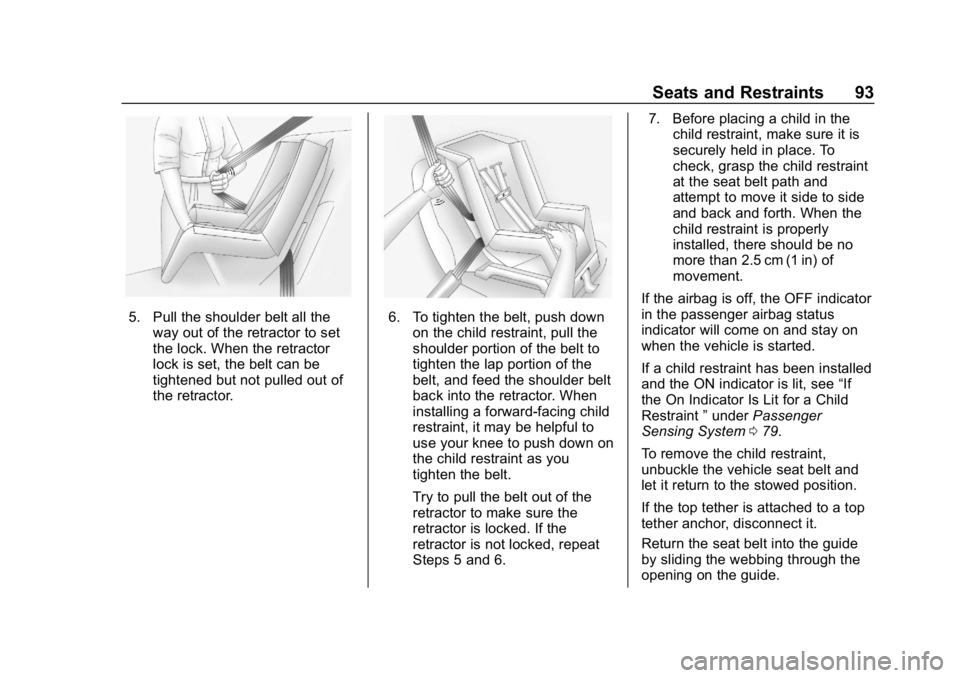
5. Pull the shoulder belt all theway out of the retractor to set
the lock. When the retractor
lock is set, the belt can be
tightened but not pulled out of
the retractor.6. To tighten the belt, push downon the child restraint, pull the
shoulder portion of the belt to
tighten the lap portion of the
belt, and feed the shoulder belt
back into the retractor. When
installing a forward-facing child
restraint, it may be helpful to
use your knee to push down on
the child restraint as you
tighten the belt.
Try to pull the belt out of the
retractor to make sure the
retractor is locked. If the
retractor is not locked, repeat
Steps 5 and 6. 7. Before placing a child in the
child restraint, make sure it is
securely held in place. To
check, grasp the child restraint
at the seat belt path and
attempt to move it side to side
and back and forth. When the
child restraint is properly
installed, there should be no
more than 2.5 cm (1 in) of
movement.
If the airbag is off, the OFF indicator
in the passenger airbag status
indicator will come on and stay on
when the vehicle is started.
If a child restraint has been installed
and the ON indicator is lit, see “If
the On Indicator Is Lit for a Child
Restraint ”under Passenger
Sensing System 079.
To remove the child restraint,
unbuckle the vehicle seat belt and
let it return to the stowed position.
If the top tether is attached to a top
tether anchor, disconnect it.
Return the seat belt into the guide
by sliding the webbing through the
opening on the guide.
Page 98 of 367
Chevrolet Corvette Owner Manual (GMNA-Localizing-U.S./Canada/Mexico-
12032182) - 2019 - crc - 5/8/18
Storage 97
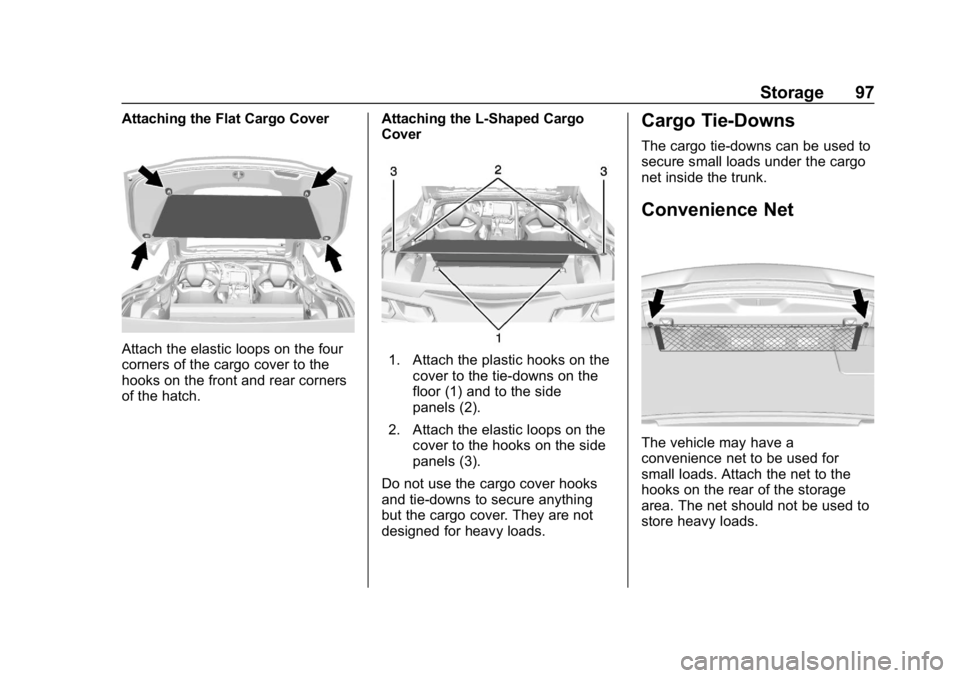
Attaching the Flat Cargo Cover
Attach the elastic loops on the four
corners of the cargo cover to the
hooks on the front and rear corners
of the hatch.Attaching the L-Shaped Cargo
Cover1. Attach the plastic hooks on the
cover to the tie-downs on the
floor (1) and to the side
panels (2).
2. Attach the elastic loops on the cover to the hooks on the side
panels (3).
Do not use the cargo cover hooks
and tie-downs to secure anything
but the cargo cover. They are not
designed for heavy loads.
Cargo Tie-Downs
The cargo tie-downs can be used to
secure small loads under the cargo
net inside the trunk.
Convenience Net
The vehicle may have a
convenience net to be used for
small loads. Attach the net to the
hooks on the rear of the storage
area. The net should not be used to
store heavy loads.
Page 99 of 367
Chevrolet Corvette Owner Manual (GMNA-Localizing-U.S./Canada/Mexico-
12032182) - 2019 - crc - 5/8/18
98 Instruments and Controls
Instruments and
Controls
Controls
Steering Wheel Adjustment . . . . 99
Steering Wheel Controls . . . . . . . 99
Horn . . . . . . . . . . . . . . . . . . . . . . . . . . . 99
Windshield Wiper/Washer . . . . . . 99
Compass . . . . . . . . . . . . . . . . . . . . . 100
Clock . . . . . . . . . . . . . . . . . . . . . . . . . 100
Power Outlets . . . . . . . . . . . . . . . . 101
Warning Lights, Gauges, and
Indicators
Warning Lights, Gauges, andIndicators . . . . . . . . . . . . . . . . . . . 102
Instrument Cluster . . . . . . . . . . . . 103
Speedometer . . . . . . . . . . . . . . . . . 108
Odometer . . . . . . . . . . . . . . . . . . . . . 108
Trip Odometer . . . . . . . . . . . . . . . . 108
Tachometer . . . . . . . . . . . . . . . . . . . 108
Fuel Gauge . . . . . . . . . . . . . . . . . . . 109
Boost Gauge (Z06 and ZR1) . . . . . . . . . . . . . . 110
Engine Coolant Temperature Gauge . . . . . . . . . . . . . . . . . . . . . . 110
Seat Belt Reminders . . . . . . . . . . 111
Airbag Readiness Light . . . . . . . 112 Passenger Airbag Status
Indicator . . . . . . . . . . . . . . . . . . . . . 112
Charging System Light . . . . . . . 113
Malfunction Indicator Lamp (Check Engine Light) . . . . . . . . 113
Brake System Warning Light . . . . . . . . . . . . . . . . . . . . . . . . 115
Electric Parking Brake Light . . . . . . . . . . . . . . . . . . . . . . . . 116
Service Electric Parking Brake Light . . . . . . . . . . . . . . . . . . . . . . . . 116
Antilock Brake System (ABS) Warning Light . . . . . . . . . . . . . . . 117
Traction Off Light . . . . . . . . . . . . . 117
Traction Control System (TCS)/ Electronic Stability Control
Light . . . . . . . . . . . . . . . . . . . . . . . . 117
Electronic Stability Control (ESC) Off Light . . . . . . . . . . . . . . 118
Engine Coolant Temperature Warning Light . . . . . . . . . . . . . . . 118
Tire Pressure Light . . . . . . . . . . . 118
Engine Oil Pressure Light . . . . . 119
Low Fuel Warning Light . . . . . . . 119
Security Light . . . . . . . . . . . . . . . . . 120
High-Beam On Light . . . . . . . . . . 120
Lamps On Reminder . . . . . . . . . 120
Cruise Control Light . . . . . . . . . . 120
Door Ajar Light . . . . . . . . . . . . . . . 120
Information Displays
Driver Information Center (DIC) . . . . . . . . . . . . . . . . 121
Head-Up Display (HUD) . . . . . . 123
Vehicle Messages
Vehicle Messages . . . . . . . . . . . . 127
Engine Power Messages . . . . . 128
Vehicle Speed Messages . . . . . 128
Vehicle Personalization
Vehicle Personalization . . . . . . . 128
Universal Remote System
Universal Remote System . . . . 135
Universal Remote System Programming . . . . . . . . . . . . . . . 135
Universal Remote System Operation . . . . . . . . . . . . . . . . . . . 138
Page 121 of 367
Chevrolet Corvette Owner Manual (GMNA-Localizing-U.S./Canada/Mexico-
12032182) - 2019 - crc - 5/8/18
120 Instruments and Controls
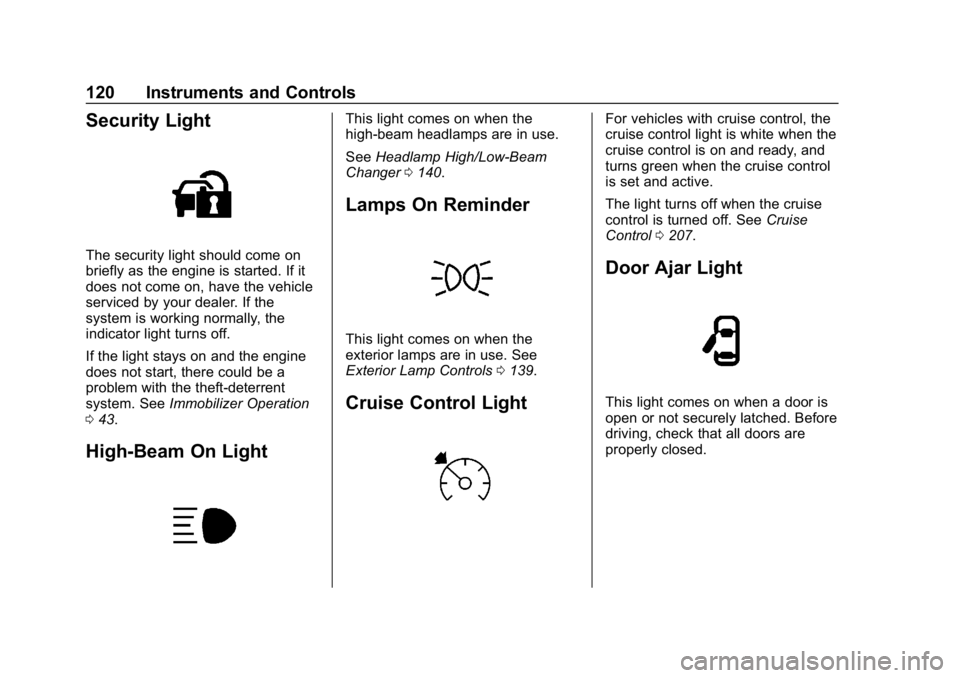
Security Light
The security light should come on
briefly as the engine is started. If it
does not come on, have the vehicle
serviced by your dealer. If the
system is working normally, the
indicator light turns off.
If the light stays on and the engine
does not start, there could be a
problem with the theft-deterrent
system. SeeImmobilizer Operation
0 43.
High-Beam On Light
This light comes on when the
high-beam headlamps are in use.
See Headlamp High/Low-Beam
Changer 0140.
Lamps On Reminder
This light comes on when the
exterior lamps are in use. See
Exterior Lamp Controls 0139.
Cruise Control Light
For vehicles with cruise control, the
cruise control light is white when the
cruise control is on and ready, and
turns green when the cruise control
is set and active.
The light turns off when the cruise
control is turned off. See Cruise
Control 0207.
Door Ajar Light
This light comes on when a door is
open or not securely latched. Before
driving, check that all doors are
properly closed.
Page 128 of 367
Chevrolet Corvette Owner Manual (GMNA-Localizing-U.S./Canada/Mexico-
12032182) - 2019 - crc - 5/8/18
Instruments and Controls 127
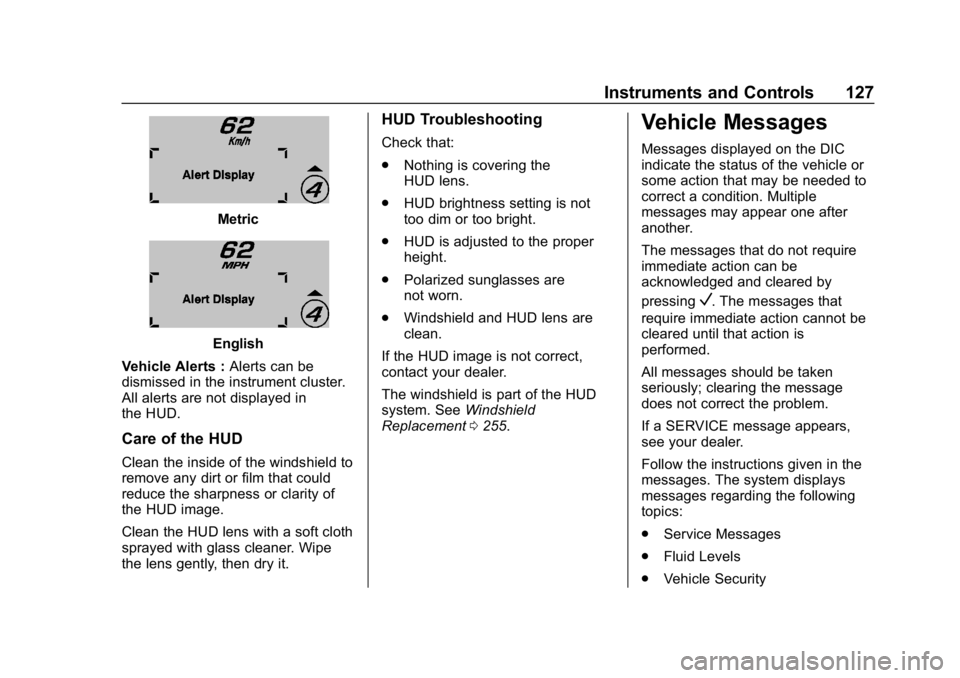
Metric
English
Vehicle Alerts : Alerts can be
dismissed in the instrument cluster.
All alerts are not displayed in
the HUD.
Care of the HUD
Clean the inside of the windshield to
remove any dirt or film that could
reduce the sharpness or clarity of
the HUD image.
Clean the HUD lens with a soft cloth
sprayed with glass cleaner. Wipe
the lens gently, then dry it.
HUD Troubleshooting
Check that:
. Nothing is covering the
HUD lens.
. HUD brightness setting is not
too dim or too bright.
. HUD is adjusted to the proper
height.
. Polarized sunglasses are
not worn.
. Windshield and HUD lens are
clean.
If the HUD image is not correct,
contact your dealer.
The windshield is part of the HUD
system. See Windshield
Replacement 0255.
Vehicle Messages
Messages displayed on the DIC
indicate the status of the vehicle or
some action that may be needed to
correct a condition. Multiple
messages may appear one after
another.
The messages that do not require
immediate action can be
acknowledged and cleared by
pressing
V. The messages that
require immediate action cannot be
cleared until that action is
performed.
All messages should be taken
seriously; clearing the message
does not correct the problem.
If a SERVICE message appears,
see your dealer.
Follow the instructions given in the
messages. The system displays
messages regarding the following
topics:
. Service Messages
. Fluid Levels
. Vehicle Security
Page 136 of 367
Chevrolet Corvette Owner Manual (GMNA-Localizing-U.S./Canada/Mexico-
12032182) - 2019 - crc - 5/8/18
Instruments and Controls 135
Restore Radio Settings
This allows selection to restore
radio settings.
Select Restore or Cancel.
Software Information
Select to update or view the
infotainment system current
software information.
Wi-Fi
Select and the following may
display:
.Wi-Fi
. Manage Wi-Fi Networks
Wi-Fi
This feature allows Wi-Fi networks
to be turned off or on.
Select Off or On.
Manage Wi-Fi Networks
Select to manage Wi-Fi networks.
Wi-Fi must be on for this feature to
be accessed.
Universal Remote
System
See Radio Frequency Statement
0 340.
The FCC Grant of Equipment
Authorization Certificate number is
NZLSAHL5B.
The Canadian Registration ID
number is 4112A-SAHL5B.
Universal Remote System
Programming
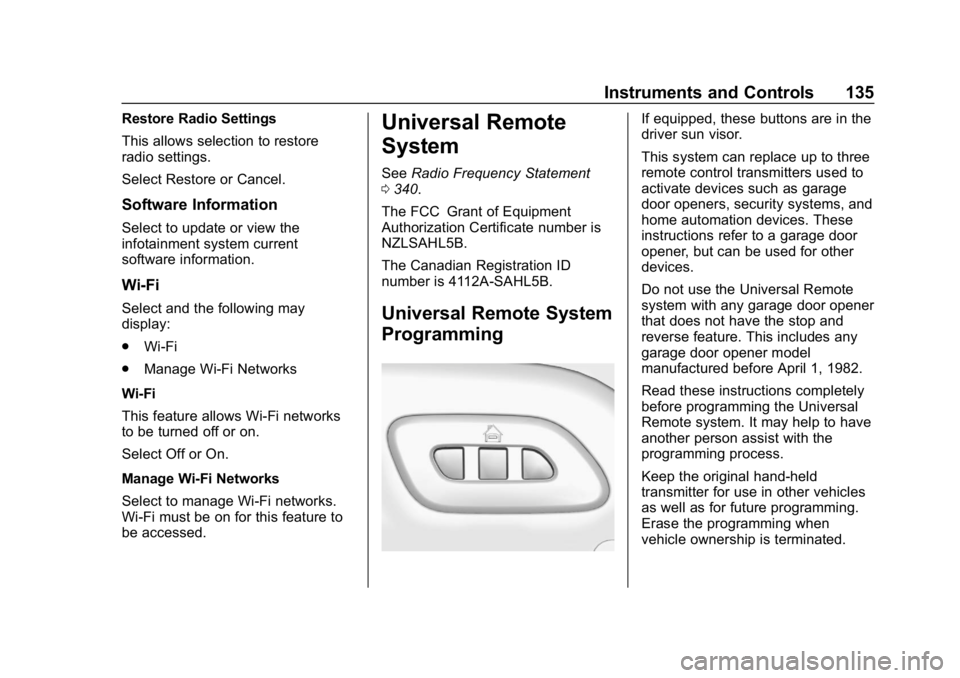
If equipped, these buttons are in the
driver sun visor.
This system can replace up to three
remote control transmitters used to
activate devices such as garage
door openers, security systems, and
home automation devices. These
instructions refer to a garage door
opener, but can be used for other
devices.
Do not use the Universal Remote
system with any garage door opener
that does not have the stop and
reverse feature. This includes any
garage door opener model
manufactured before April 1, 1982.
Read these instructions completely
before programming the Universal
Remote system. It may help to have
another person assist with the
programming process.
Keep the original hand-held
transmitter for use in other vehicles
as well as for future programming.
Erase the programming when
vehicle ownership is terminated.
Page 146 of 367
Chevrolet Corvette Owner Manual (GMNA-Localizing-U.S./Canada/Mexico-
12032182) - 2019 - crc - 5/8/18
Infotainment System 145
Infotainment
System
Introduction
Infotainment . . . . . . . . . . . . . . . . . . 145
Performance Data
Recorder (PDR)
Performance DataRecorder (PDR) . . . . . . . . . . . . . 145
Introduction
Infotainment
See the infotainment manual for
information on the radio, audio
players, phone, navigation system,
and voice or speech recognition.
It also includes information on
settings.
Active Noise Cancellation (ANC)
If equipped, ANC reduces engine
noise in the vehicle’s interior. ANC
requires the factory-installed audio
system, radio, speakers, amplifier (if
equipped), induction system, and
exhaust system to work properly.
Deactivation is required by your
dealer if related aftermarket
equipment is installed.
Performance Data
Recorder (PDR)
If equipped, the PDR icon displays
on the Home Page.
Important Information
Use of the PDR may be prohibited
or legally restricted in certain
countries and situations. Ensure
compliance with applicable laws and
regulations, including, but not
limited to: privacy laws, laws related
to camera surveillance and
recordings, road traffic and security
laws, and laws on the protection of
publicity and personality rights.
. Do not use the PDR if it causes
distraction.
. Do not rely on camera footage to
steer the vehicle.
. Comply with any notice and
consent requirements before
capturing and/or recording the
voices or images of other
persons or before collecting
other personal data.
Page 168 of 367
Chevrolet Corvette Owner Manual (GMNA-Localizing-U.S./Canada/Mexico-
12032182) - 2019 - crc - 5/8/18
Driving and Operating 167
2. Use enough pedal force tocompletely stop the vehicle in
four to five seconds. If ABS
activates, braking is too hard.
3. Repeat Steps 1 and 2 –20
consecutive times, this should
take about 5 minutes.
4. After completing the 20 stops, cool the brakes by driving for
8 km (5 mi) at 100 km/h
(60 mph).
As with all high performance brake
systems, some amount of brake
squeal is normal.
Racing/Track Brake Burnishing
Procedure (Grand Sport with J57,
Z06 with J57, and ZR1)
This procedure should only be run
on a track and only on dry
pavement.
Caution
Brake pedal fade will occur during
this track burnish procedure and
can cause brake pedal travel and (Continued)
Caution (Continued)
force to increase. This could
extend stopping distance until the
brakes are fully burnished.
1. Drive a normal first lap, not too aggressively.
2. Laps 2 and 3 should be gradually driven faster and
more aggressively, while
allowing for reduced brake
output and increased stopping
distance due to brake fade.
3. Drive Lap 4 near full speed, while allowing for reduced
brake output and increased
stopping distance due to
brake fade.
4. Laps 5 and 6 should be cool down laps.
5. Lap 7 should be normal driving or an easy out lap.
Exhaust Cooling
Hardware (ZR1)
The exhaust cooling hardware
should be installed prior to any track
event. These components will help
cool the exhaust system.
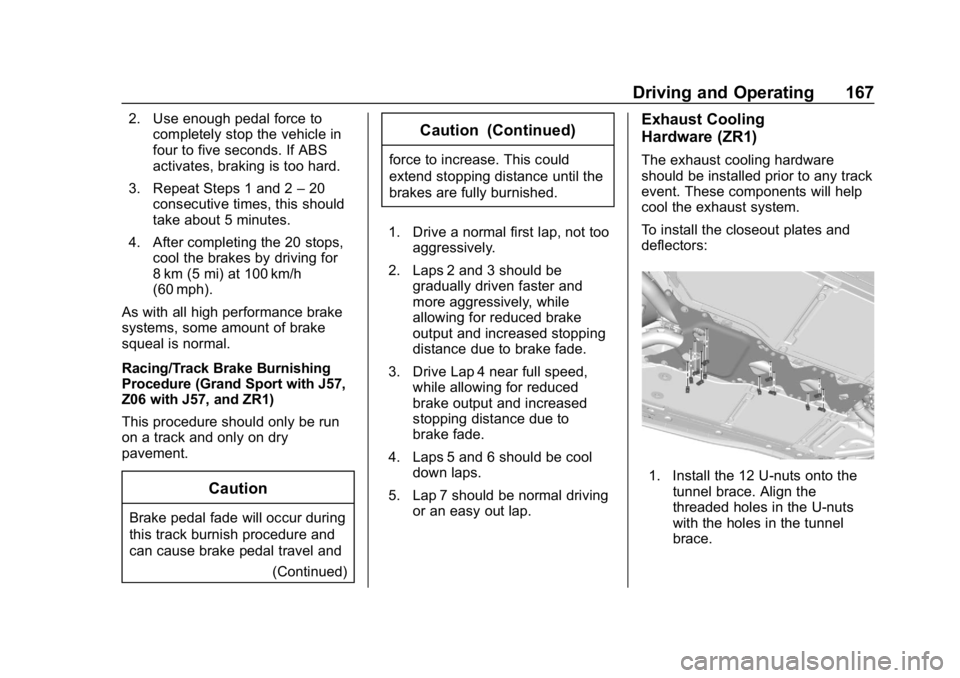
To install the closeout plates and
deflectors:
1. Install the 12 U-nuts onto the
tunnel brace. Align the
threaded holes in the U-nuts
with the holes in the tunnel
brace.
Page 179 of 367
Chevrolet Corvette Owner Manual (GMNA-Localizing-U.S./Canada/Mexico-
12032182) - 2019 - crc - 5/8/18
178 Driving and Operating
weight of the driver, passengers
and cargo should never exceed
the vehicle's capacity weight.
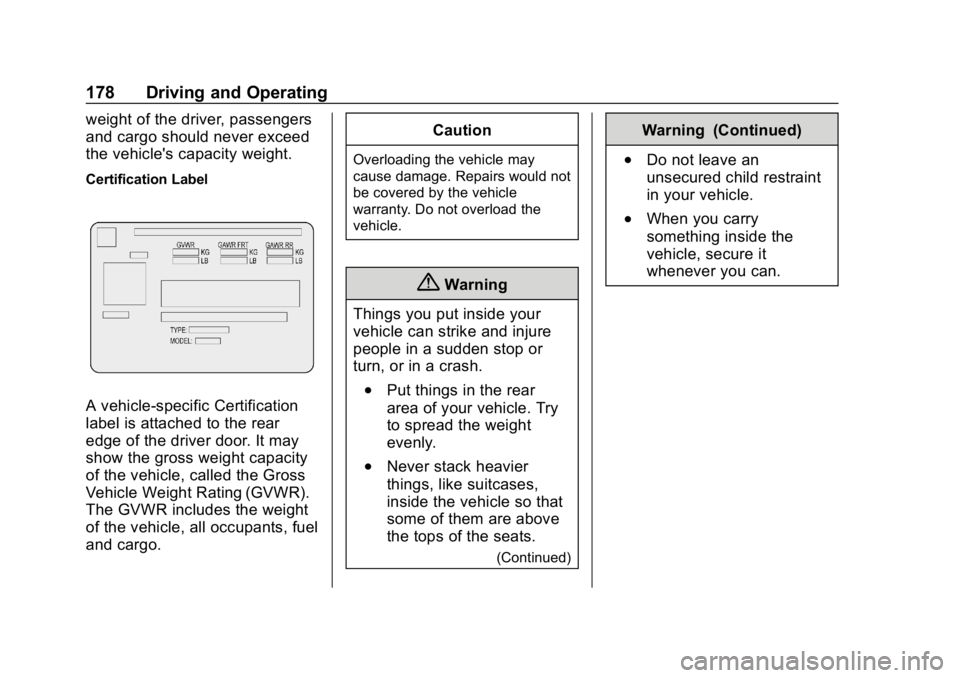
Certification Label
A vehicle-specific Certification
label is attached to the rear
edge of the driver door. It may
show the gross weight capacity
of the vehicle, called the Gross
Vehicle Weight Rating (GVWR).
The GVWR includes the weight
of the vehicle, all occupants, fuel
and cargo.Caution
Overloading the vehicle may
cause damage. Repairs would not
be covered by the vehicle
warranty. Do not overload the
vehicle.
{Warning
Things you put inside your
vehicle can strike and injure
people in a sudden stop or
turn, or in a crash.
.Put things in the rear
area of your vehicle. Try
to spread the weight
evenly.
.Never stack heavier
things, like suitcases,
inside the vehicle so that
some of them are above
the tops of the seats.
(Continued)
Warning (Continued)
.Do not leave an
unsecured child restraint
in your vehicle.
.When you carry
something inside the
vehicle, secure it
whenever you can.
Page 242 of 367
Chevrolet Corvette Owner Manual (GMNA-Localizing-U.S./Canada/Mexico-
12032182) - 2019 - crc - 5/8/18
Vehicle Care 241
Caution
If the engine coolant surge tank
hose is not carefully lifted out of
the hose retainers on the air
cleaner/filter cover assembly, it
may be damaged and cause
engine coolant to leak. Damage
would not be covered by the
vehicle warranty.
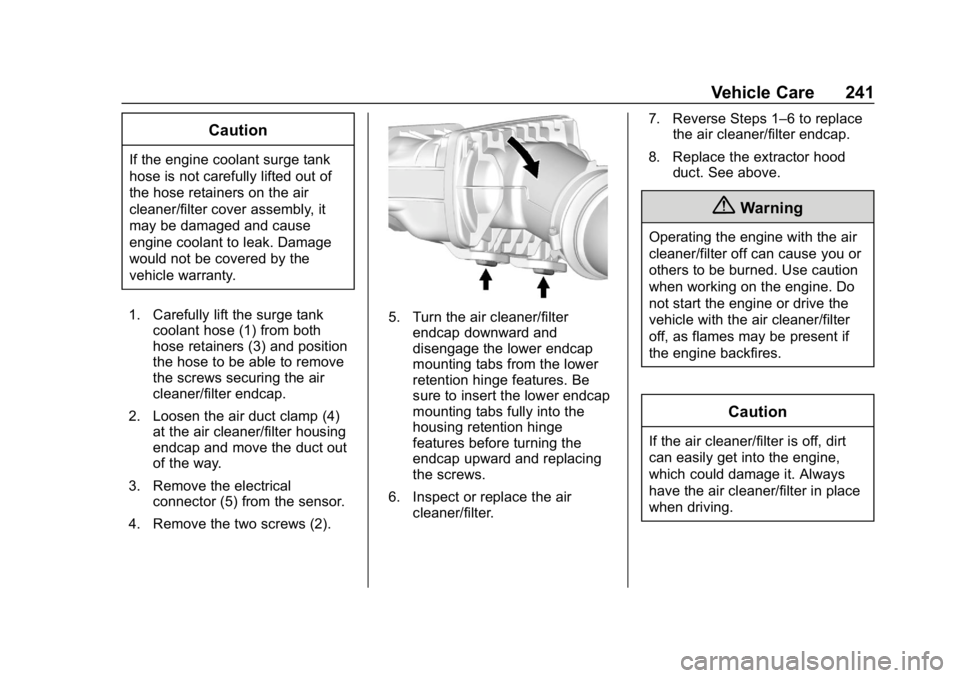
1. Carefully lift the surge tank coolant hose (1) from both
hose retainers (3) and position
the hose to be able to remove
the screws securing the air
cleaner/filter endcap.
2. Loosen the air duct clamp (4) at the air cleaner/filter housing
endcap and move the duct out
of the way.
3. Remove the electrical connector (5) from the sensor.
4. Remove the two screws (2).
5. Turn the air cleaner/filter endcap downward and
disengage the lower endcap
mounting tabs from the lower
retention hinge features. Be
sure to insert the lower endcap
mounting tabs fully into the
housing retention hinge
features before turning the
endcap upward and replacing
the screws.
6. Inspect or replace the air cleaner/filter. 7. Reverse Steps 1–6 to replace
the air cleaner/filter endcap.
8. Replace the extractor hood duct. See above.
{Warning
Operating the engine with the air
cleaner/filter off can cause you or
others to be burned. Use caution
when working on the engine. Do
not start the engine or drive the
vehicle with the air cleaner/filter
off, as flames may be present if
the engine backfires.
Caution
If the air cleaner/filter is off, dirt
can easily get into the engine,
which could damage it. Always
have the air cleaner/filter in place
when driving.