change time CHEVROLET CORVETTE 2020 User Guide
[x] Cancel search | Manufacturer: CHEVROLET, Model Year: 2020, Model line: CORVETTE, Model: CHEVROLET CORVETTE 2020Pages: 336, PDF Size: 5.21 MB
Page 128 of 336
Chevrolet Corvette Owner Manual (GMNA-Localizing-U.S./Canada/Mexico-
12470550) - 2020 - CRC - 4/23/20
Lighting 127
To turn off the DRL, turn the exterior
lamp control to
O. The DRL will stay
off until the control is toggled again.
Automatic Headlamp
System
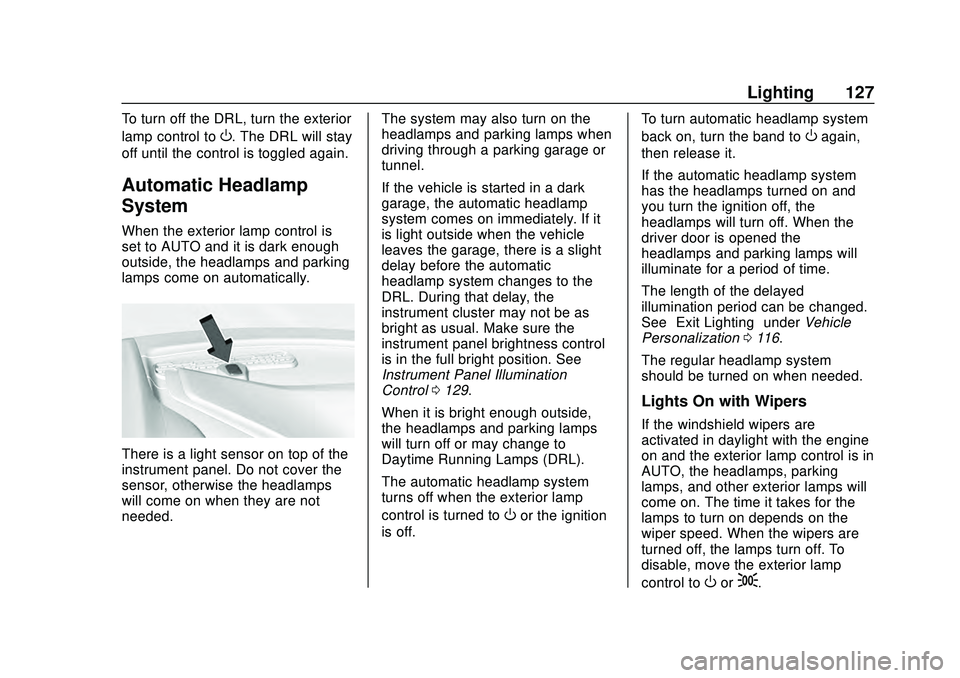
When the exterior lamp control is
set to AUTO and it is dark enough
outside, the headlamps and parking
lamps come on automatically.
There is a light sensor on top of the
instrument panel. Do not cover the
sensor, otherwise the headlamps
will come on when they are not
needed. The system may also turn on the
headlamps and parking lamps when
driving through a parking garage or
tunnel.
If the vehicle is started in a dark
garage, the automatic headlamp
system comes on immediately. If it
is light outside when the vehicle
leaves the garage, there is a slight
delay before the automatic
headlamp system changes to the
DRL. During that delay, the
instrument cluster may not be as
bright as usual. Make sure the
instrument panel brightness control
is in the full bright position. See
Instrument Panel Illumination
Control
0129.
When it is bright enough outside,
the headlamps and parking lamps
will turn off or may change to
Daytime Running Lamps (DRL).
The automatic headlamp system
turns off when the exterior lamp
control is turned to
Oor the ignition
is off. To turn automatic headlamp system
back on, turn the band to
Oagain,
then release it.
If the automatic headlamp system
has the headlamps turned on and
you turn the ignition off, the
headlamps will turn off. When the
driver door is opened the
headlamps and parking lamps will
illuminate for a period of time.
The length of the delayed
illumination period can be changed.
See “Exit Lighting” underVehicle
Personalization 0116.
The regular headlamp system
should be turned on when needed.
Lights On with Wipers
If the windshield wipers are
activated in daylight with the engine
on and the exterior lamp control is in
AUTO, the headlamps, parking
lamps, and other exterior lamps will
come on. The time it takes for the
lamps to turn on depends on the
wiper speed. When the wipers are
turned off, the lamps turn off. To
disable, move the exterior lamp
control to
Oor;.
Page 129 of 336
Chevrolet Corvette Owner Manual (GMNA-Localizing-U.S./Canada/Mexico-
12470550) - 2020 - CRC - 4/23/20
128 Lighting
Hazard Warning Flashers
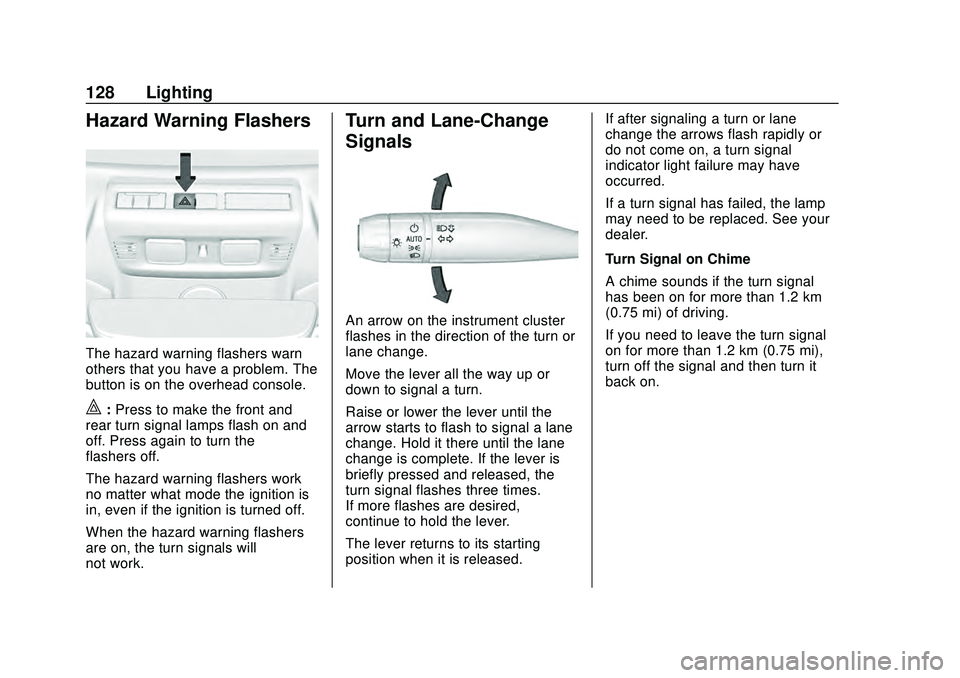
The hazard warning flashers warn
others that you have a problem. The
button is on the overhead console.
|:Press to make the front and
rear turn signal lamps flash on and
off. Press again to turn the
flashers off.
The hazard warning flashers work
no matter what mode the ignition is
in, even if the ignition is turned off.
When the hazard warning flashers
are on, the turn signals will
not work.
Turn and Lane-Change
Signals
An arrow on the instrument cluster
flashes in the direction of the turn or
lane change.
Move the lever all the way up or
down to signal a turn.
Raise or lower the lever until the
arrow starts to flash to signal a lane
change. Hold it there until the lane
change is complete. If the lever is
briefly pressed and released, the
turn signal flashes three times.
If more flashes are desired,
continue to hold the lever.
The lever returns to its starting
position when it is released. If after signaling a turn or lane
change the arrows flash rapidly or
do not come on, a turn signal
indicator light failure may have
occurred.
If a turn signal has failed, the lamp
may need to be replaced. See your
dealer.
Turn Signal on Chime
A chime sounds if the turn signal
has been on for more than 1.2 km
(0.75 mi) of driving.
If you need to leave the turn signal
on for more than 1.2 km (0.75 mi),
turn off the signal and then turn it
back on.
Page 131 of 336
Chevrolet Corvette Owner Manual (GMNA-Localizing-U.S./Canada/Mexico-
12470550) - 2020 - CRC - 4/23/20
130 Lighting
.The vehicle begins to move after
shifting out of P (Park).
. The ignition is turned on,
or turned from off to ACC/
ACCESSORY.
If any door or the engine
compartment hatch/trunk remains
open, while the vehicle is off, a timer
will turn the lamp off.Lighting Features
Entry Lighting
Some exterior lamps turn on briefly
at night, or in areas with limited
lighting, when
Kis pressed on the
remote key. After about 30 seconds
the exterior lamps turn off.
When any door is opened or remote
unlock pressed, all interior lights
turn on and then interior lamps dim
to off after approximately
20 seconds.
When the driver door is opened, all
interior lights, Driver Information
Center (DIC) lights, and door pocket
lights turn on and then the dome
and remaining interior lamps dim to
off. Entry lighting can be disabled
manually by turning the ignition to
on or ACC/ACCESSORY, or by
pressing
Qon the remote key.
The entry lighting feature for exterior
lighting can be changed. See
“Vehicle Locator Lights” under
Vehicle Personalization 0116.
Exit Lighting
Some exterior lamps come on at
night, or in areas with limited
lighting, when the driver door is
opened after the ignition is turned
off. The dome lamp comes on after
the ignition is turned off. The
exterior lamps and dome lamp
remain on after the door is closed
for a set amount of time, then
automatically turn off.
The exterior lamps turn off
immediately by turning the exterior
lamp control off.
The exit lighting feature for exterior
lighting can be changed. See
Vehicle Personalization 0116.
Page 138 of 336
Chevrolet Corvette Owner Manual (GMNA-Localizing-U.S./Canada/Mexico-
12470550) - 2020 - CRC - 4/23/20
Infotainment System 137
.Select Autocross, when at the
starting line, as the track type.
The starting line is located at the
current vehicle position.
. Drive along the course and
press Finish when the vehicle
has reached the Finish Line.
. Touching X in the upper right
corner will exit the track learning
process.
Lap Timing - Saved Tracks
. Saved tracks will be named by
the PDR as custom.gpx.
. Saved tracks can be renamed
by placing the SD card in a
computer and overwriting the
time/date name to a user-friendly
name. Do not change or delete
the file extension (.gpx).To begin timing an existing track,
scroll to the desired track and select
OK. The PDR tab will be displayed.
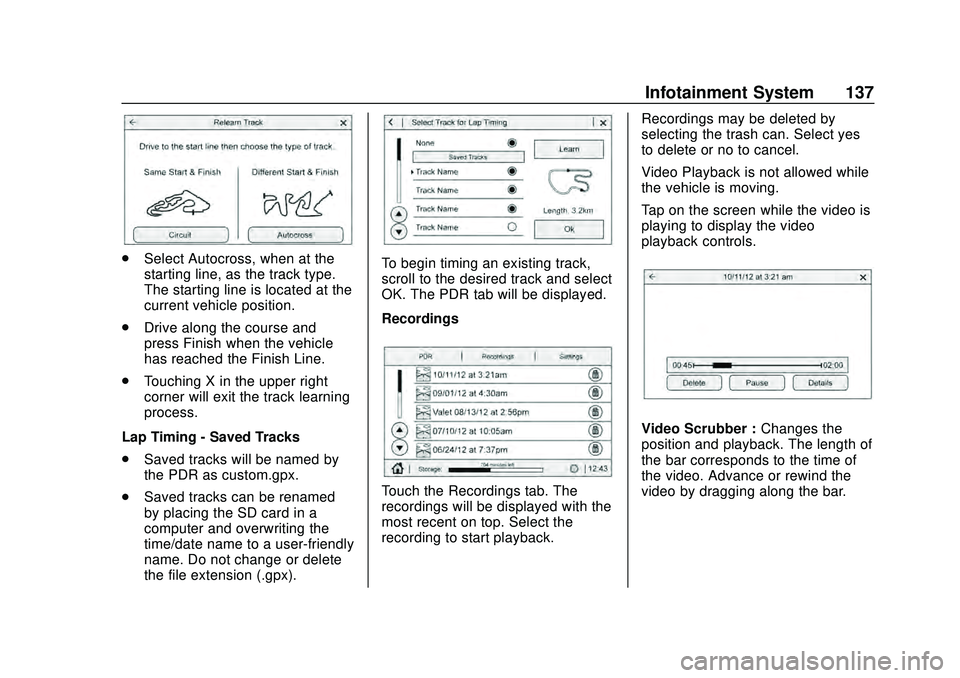
Recordings
Touch the Recordings tab. The
recordings will be displayed with the
most recent on top. Select the
recording to start playback. Recordings may be deleted by
selecting the trash can. Select yes
to delete or no to cancel.
Video Playback is not allowed while
the vehicle is moving.
Tap on the screen while the video is
playing to display the video
playback controls.
Video Scrubber :
Changes the
position and playback. The length of
the bar corresponds to the time of
the video. Advance or rewind the
video by dragging along the bar.
Page 142 of 336
Chevrolet Corvette Owner Manual (GMNA-Localizing-U.S./Canada/Mexico-
12470550) - 2020 - CRC - 4/23/20
Climate Controls 141
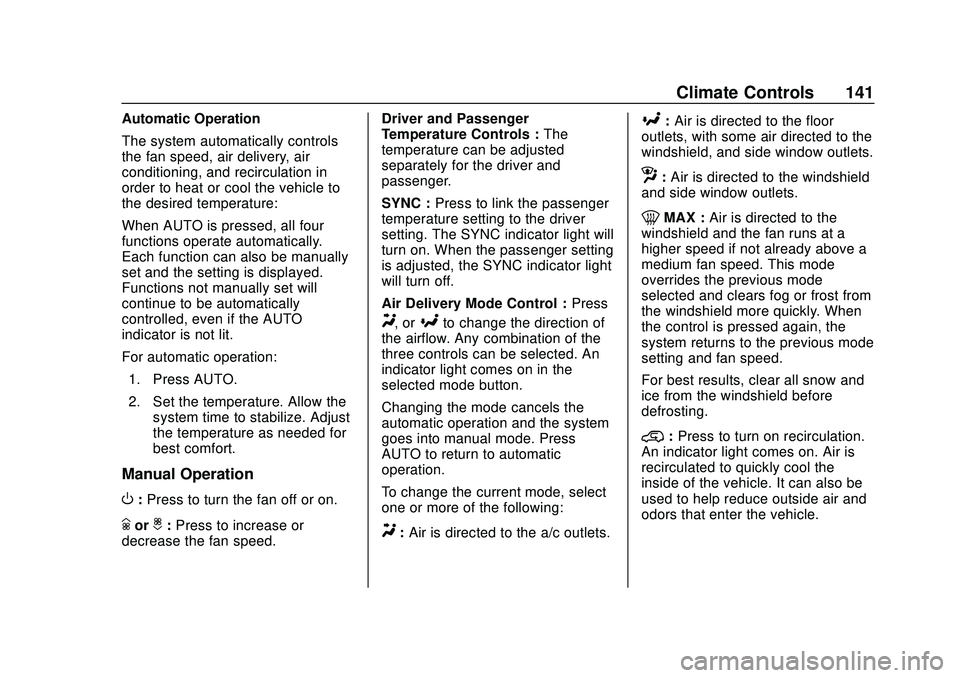
Automatic Operation
The system automatically controls
the fan speed, air delivery, air
conditioning, and recirculation in
order to heat or cool the vehicle to
the desired temperature:
When AUTO is pressed, all four
functions operate automatically.
Each function can also be manually
set and the setting is displayed.
Functions not manually set will
continue to be automatically
controlled, even if the AUTO
indicator is not lit.
For automatic operation:1. Press AUTO.
2. Set the temperature. Allow the system time to stabilize. Adjust
the temperature as needed for
best comfort.
Manual Operation
O:Press to turn the fan off or on.
hori: Press to increase or
decrease the fan speed. Driver and Passenger
Temperature Controls :
The
temperature can be adjusted
separately for the driver and
passenger.
SYNC : Press to link the passenger
temperature setting to the driver
setting. The SYNC indicator light will
turn on. When the passenger setting
is adjusted, the SYNC indicator light
will turn off.
Air Delivery Mode Control : Press
Y, or[to change the direction of
the airflow. Any combination of the
three controls can be selected. An
indicator light comes on in the
selected mode button.
Changing the mode cancels the
automatic operation and the system
goes into manual mode. Press
AUTO to return to automatic
operation.
To change the current mode, select
one or more of the following:
Y: Air is directed to the a/c outlets.
[:Air is directed to the floor
outlets, with some air directed to the
windshield, and side window outlets.
z: Air is directed to the windshield
and side window outlets.
0MAX : Air is directed to the
windshield and the fan runs at a
higher speed if not already above a
medium fan speed. This mode
overrides the previous mode
selected and clears fog or frost from
the windshield more quickly. When
the control is pressed again, the
system returns to the previous mode
setting and fan speed.
For best results, clear all snow and
ice from the windshield before
defrosting.
@: Press to turn on recirculation.
An indicator light comes on. Air is
recirculated to quickly cool the
inside of the vehicle. It can also be
used to help reduce outside air and
odors that enter the vehicle.
Page 167 of 336
Chevrolet Corvette Owner Manual (GMNA-Localizing-U.S./Canada/Mexico-
12470550) - 2020 - CRC - 4/23/20
166 Driving and Operating
If the vehicle cannot be pulled over
and must be turned off while driving,
press and hold ENGINE START/
STOP for more than two seconds,
or press twice within five seconds.
ACC/ACCESSORY (Amber
Indicator Light) :This mode allows
the use of some electrical
accessories when the engine is off.
With the ignition off, pressing the
button one time without the brake
pedal applied will place the ignition
in ACC/ACCESSORY.
The ignition will switch from ACC/
ACCESSORY to off after
five minutes to prevent battery
rundown.
ON/RUN/START (Green Indicator
Light) : This mode is for driving and
starting. With the ignition off and the
brake pedal applied, pressing the
button once will place the ignition in
ON/RUN/START. Once engine
cranking begins, release the button.
Engine cranking will continue until
the engine starts. See Starting the
Engine 0166. The ignition will then
remain in ON/RUN. Service Mode
This power mode is available for
service and diagnostics, and to
verify the proper operation of the
malfunction indicator lamp as may
be required for emission inspection
purposes. With the vehicle off and
the brake pedal not applied,
pressing and holding ENGINE
START/STOP for more than
five seconds will place the vehicle in
Service Mode. The instruments and
audio systems will operate as they
do in ON/RUN, but the vehicle will
not be able to be driven. The engine
will not start in Service Mode. Press
ENGINE START/STOP again to turn
the vehicle off.
Starting the Engine
Caution
If you add electrical parts or
accessories, you could change
the way the engine operates. Any
resulting damage would not be
(Continued)
Caution (Continued)
covered by the vehicle warranty.
SeeAdd-On Electrical Equipment
0 208.
Caution
Do not try to shift to P (Park) if the
vehicle is moving. If you do, you
could damage the transmission.
Shift to P (Park) only when the
vehicle is stopped.
Place the transmission in P (Park)
or N (Neutral). To restart the vehicle
when it is already moving, use
N (Neutral) only.
Starting the Vehicle
The remote key must be inside the
vehicle for the ignition to work.
Cell phone chargers can interfere
with the operation of the Keyless
Access system. Battery chargers
should not be plugged in when
starting or turning off the engine.
Page 180 of 336
Chevrolet Corvette Owner Manual (GMNA-Localizing-U.S./Canada/Mexico-
12470550) - 2020 - CRC - 4/23/20
Driving and Operating 179
Brakes
Electric Brake Boost
Vehicles equipped with electric
brake boost have hydraulic brake
circuits that are electronically
controlled when the brake pedal is
applied during normal operation.
The system performs routine tests
and turns off within a few minutes
after the vehicle is shutdown. Noise
may be heard during this time. If the
brake pedal is pressed during the
tests or when the electric brake
boost system is off, a noticeable
change in pedal force and travel
may be felt. This is normal.
Antilock Brake
System (ABS)
The Antilock Brake System (ABS)
helps prevent a braking skid and
maintain steering while
braking hard.
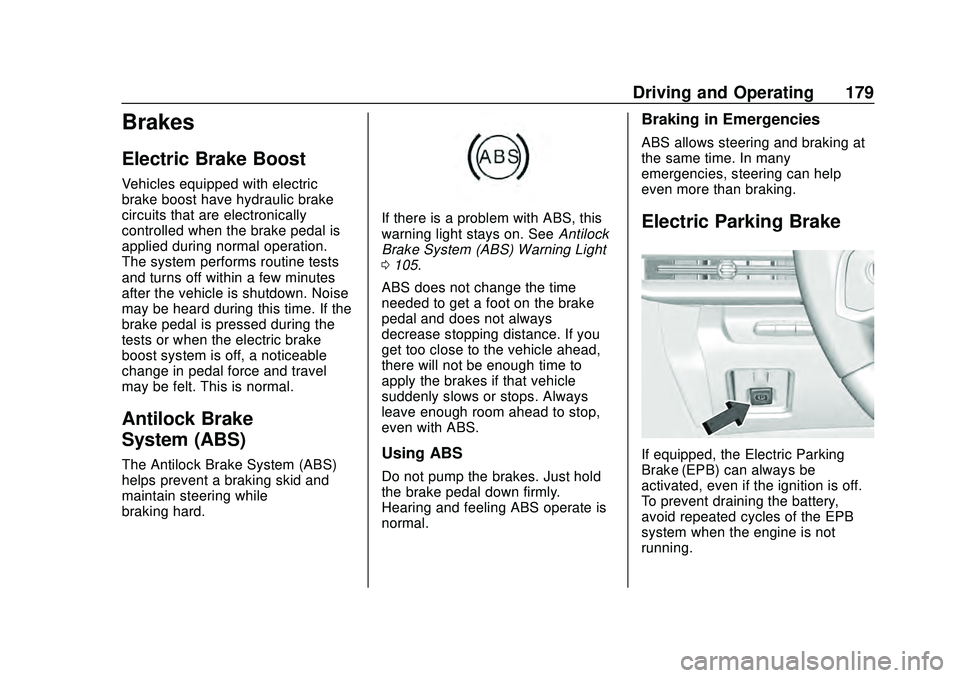
If there is a problem with ABS, this
warning light stays on. SeeAntilock
Brake System (ABS) Warning Light
0 105.
ABS does not change the time
needed to get a foot on the brake
pedal and does not always
decrease stopping distance. If you
get too close to the vehicle ahead,
there will not be enough time to
apply the brakes if that vehicle
suddenly slows or stops. Always
leave enough room ahead to stop,
even with ABS.
Using ABS
Do not pump the brakes. Just hold
the brake pedal down firmly.
Hearing and feeling ABS operate is
normal.
Braking in Emergencies
ABS allows steering and braking at
the same time. In many
emergencies, steering can help
even more than braking.
Electric Parking Brake
If equipped, the Electric Parking
Brake (EPB) can always be
activated, even if the ignition is off.
To prevent draining the battery,
avoid repeated cycles of the EPB
system when the engine is not
running.
Page 196 of 336
Chevrolet Corvette Owner Manual (GMNA-Localizing-U.S./Canada/Mexico-
12470550) - 2020 - CRC - 4/23/20
Driving and Operating 195
clutch. After the vehicle is launched,
the system continues in Competitive
Driving Mode or PTM.
Competitive Driving Mode, PTM,
and Launch Control are systems
designed for a closed course race
track and not intended for use on
public roads. The systems are not
intended to compensate for lack of
driver experience or familiarity with
the race track.
Caution
The new vehicle break-in period
should be completed before using
the launch control feature,
otherwise performance will be
limited and damage may occur to
the powertrain/engine. SeeNew
Vehicle Break-In 0163.
Limited-Slip Differential
(without Z51)
The mechanical limited-slip
differential can give more traction on
snow, mud, ice, sand, or gravel.
It works like a standard axle most of the time, but when traction is low,
this feature allows the drive wheel
with the most traction to move the
vehicle. See
Competitive Driving
Mode 0192 and
Maintenance Schedule 0286.
Limited-Slip Differential
(with Z51)
The Electronic Limited-Slip
Differential (eLSD) is a hydraulically
actuated clutch system inside the
transaxle. It can infinitely vary the
clutch engagement between 0 and
2250 N*m (1659 lb-ft) of breakaway
torque between the rear wheels.
When necessary it responds from
open to full engagement in fractions
of a second. Smaller clutch
adjustments happen even faster.
The eLSD:
.
Uses the vehicle sensors and
driver inputs to determine the
optimum amount of clutch
engagement for the conditions. .
Improves traction while
cornering by changing the
engagement to achieve a
balance between directional
control and acceleration.
. Provides optimal engagement
for high-speed control and
stability without affecting precise
steering and turn-in.
. Improves vehicle stability during
spirited driving and evasive
maneuvers. It is fully integrated
with the Active Handling and
Performance Traction
Management (PTM) systems (if
equipped).
There are unique calibrations based
on the Traction Control System
(TCS) setting. eLSD modes change
automatically when the traction
control button is pressed. No unique
input from the driver is required.
. Mode 1 is the standard mode
when the vehicle is started.
It provides a touring calibration
with an emphasis on vehicle
stability. Mode 1 is also used in
PTM Wet mode.
Page 200 of 336
Chevrolet Corvette Owner Manual (GMNA-Localizing-U.S./Canada/Mexico-
12470550) - 2020 - CRC - 4/23/20
Driving and Operating 199
Driver Assistance
Systems
This vehicle may have features that
work together to help avoid crashes
or reduce crash damage while
driving, backing, and parking. Read
this entire section before using
these systems.
{Warning
Do not rely on the Driver
Assistance Systems. These
systems do not replace the need
for paying attention and driving
safely. You may not hear or see
alerts or warnings provided by
these systems. Failure to use
proper care when driving may
result in injury, death, or vehicle
damage. SeeDefensive Driving
0 147.
Under many conditions, these
systems will not: (Continued)
Warning (Continued)
.Detect children,
pedestrians, bicyclists,
or animals.
. Detect vehicles or objects
outside the area monitored
by the system.
. Work at all driving speeds.
. Warn you or provide you
with enough time to avoid a
crash.
. Work under poor visibility or
bad weather conditions.
. Work if the detection sensor
is not cleaned or is covered
by ice, snow, mud, or dirt.
. Work if the detection sensor
is covered up, such as with
a sticker, magnet, or metal
plate.
. Work if the area surrounding
the detection sensor is
damaged or not properly
repaired.
(Continued)
Warning (Continued)
Complete attention is always
required while driving, and you
should be ready to take action
and apply the brakes and/or steer
the vehicle to avoid crashes.
Audible Alert
Some driver assistance features
alert the driver of obstacles by
beeping. To change the volume of
the warning chime, see “Comfort
and Convenience” underVehicle
Personalization 0116.
Cleaning
Depending on vehicle options, keep
these areas of the vehicle clean to
ensure the best driver assistance
feature performance. Driver
Information Center (DIC) messages
may display when the systems are
unavailable or blocked.
Page 219 of 336
Chevrolet Corvette Owner Manual (GMNA-Localizing-U.S./Canada/Mexico-
12470550) - 2020 - CRC - 4/23/20
218 Vehicle Care
1. Engine Cooling Fan (Out ofView). See Cooling System
0 226.
2. Engine Air Cleaner/Filter (Under Access Panel). See
Engine Air Cleaner/Filter 0224.
3. Coolant Surge Tank and Pressure Cap. See Cooling
System 0226.
4. Dry Sump Engine Oil Tank and Fill Cap. See Engine Oil0218.
5. Engine Oil Dipstick. See Engine Oil 0218.
Engine Oil
To ensure proper engine
performance and long life, pay
careful attention to engine oil.
Follow these important steps:
.
Use engine oil approved to the
proper specification and of the
proper viscosity grade. See
“Selecting the Right Engine Oil”
later in this section. .
Check the engine oil level
regularly and maintain the
proper oil level. See “Checking
Engine Oil” and“When to Add
Engine Oil” later in this section.
. Change the engine oil at the
appropriate time. See Engine Oil
Life System 0221.
. Always dispose of engine oil
properly. See “What to Do with
Used Oil” in this section.
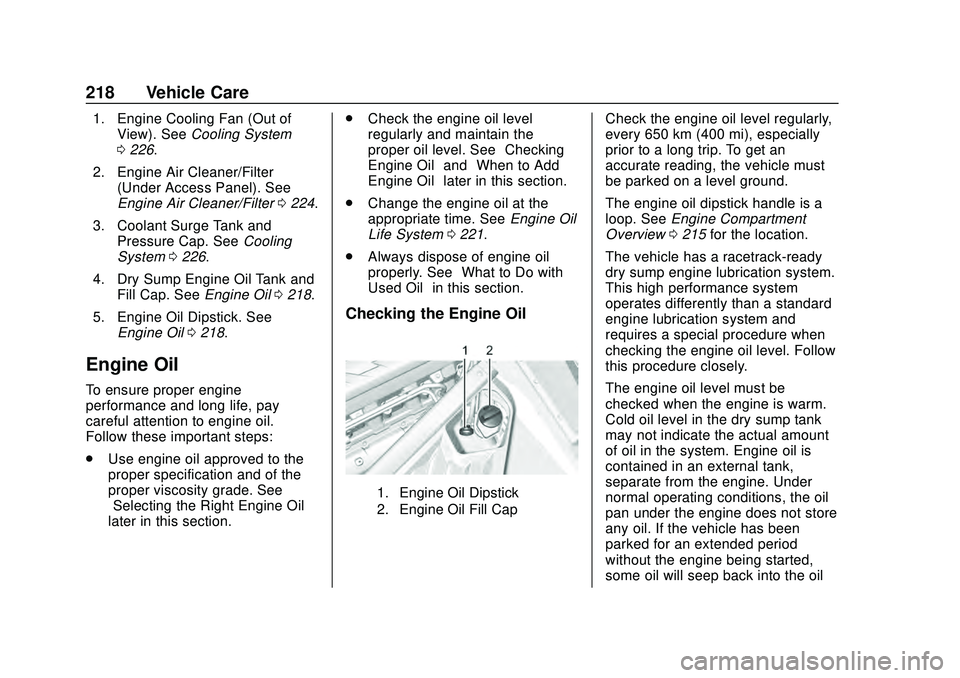
Checking the Engine Oil
1. Engine Oil Dipstick
2. Engine Oil Fill Cap
Check the engine oil level regularly,
every 650 km (400 mi), especially
prior to a long trip. To get an
accurate reading, the vehicle must
be parked on a level ground.
The engine oil dipstick handle is a
loop. See Engine Compartment
Overview 0215 for the location.
The vehicle has a racetrack-ready
dry sump engine lubrication system.
This high performance system
operates differently than a standard
engine lubrication system and
requires a special procedure when
checking the engine oil level. Follow
this procedure closely.
The engine oil level must be
checked when the engine is warm.
Cold oil level in the dry sump tank
may not indicate the actual amount
of oil in the system. Engine oil is
contained in an external tank,
separate from the engine. Under
normal operating conditions, the oil
pan under the engine does not store
any oil. If the vehicle has been
parked for an extended period
without the engine being started,
some oil will seep back into the oil