trunk CHEVROLET CORVETTE 2020 Owner's Guide
[x] Cancel search | Manufacturer: CHEVROLET, Model Year: 2020, Model line: CORVETTE, Model: CHEVROLET CORVETTE 2020Pages: 336, PDF Size: 5.21 MB
Page 47 of 336
Chevrolet Corvette Owner Manual (GMNA-Localizing-U.S./Canada/Mexico-
12470550) - 2020 - CRC - 4/23/20
46 Keys, Doors, and Windows
3. The trunk and convertible topmust be closed.
4. Keep visual contact with the vehicle. Press and release
Q
on the remote key and then
quickly press and hold
M.
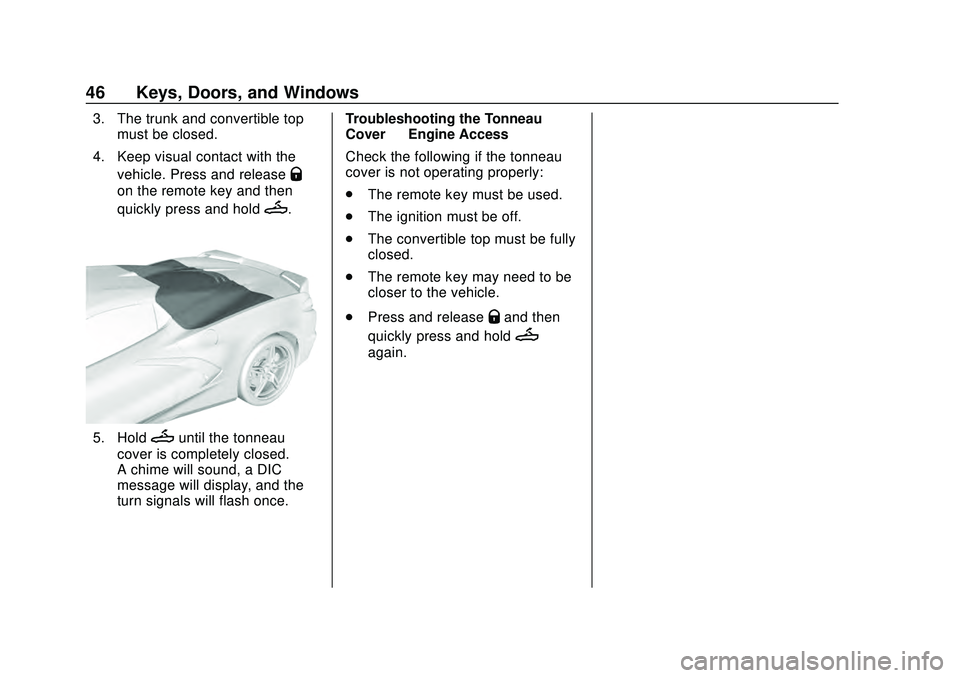
5. HoldMuntil the tonneau
cover is completely closed.
A chime will sound, a DIC
message will display, and the
turn signals will flash once. Troubleshooting the Tonneau
Cover
—Engine Access
Check the following if the tonneau
cover is not operating properly:
. The remote key must be used.
. The ignition must be off.
. The convertible top must be fully
closed.
. The remote key may need to be
closer to the vehicle.
. Press and release
Qand then
quickly press and hold
M
again.
Page 85 of 336

Chevrolet Corvette Owner Manual (GMNA-Localizing-U.S./Canada/Mexico-
12470550) - 2020 - CRC - 4/23/20
84 Storage
If equipped, the vehicle has a
convenience net to be used for
small loads. Attach the net to the
hooks of the storage area. The net
should not be used to store heavy
loads.
Rear Storage
Caution
Do not store sharp objects in the
corners of the rear storage
compartments in the trunk/hatch(Continued)
Caution (Continued)
area. Trunk carpet and
components behind the carpet
could be damaged.
If equipped, the vehicle has a
convenience net to be used for
small loads. Attach the net to the
hooks of the storage area. The net
should not be used to store heavy
loads.
Rear Center Storage
There is storage in the center
behind the two front seats.
If equipped, there is a wireless
smartphone charger in the pocket.
Page 86 of 336
Chevrolet Corvette Owner Manual (GMNA-Localizing-U.S./Canada/Mexico-
12470550) - 2020 - CRC - 4/23/20
Storage 85
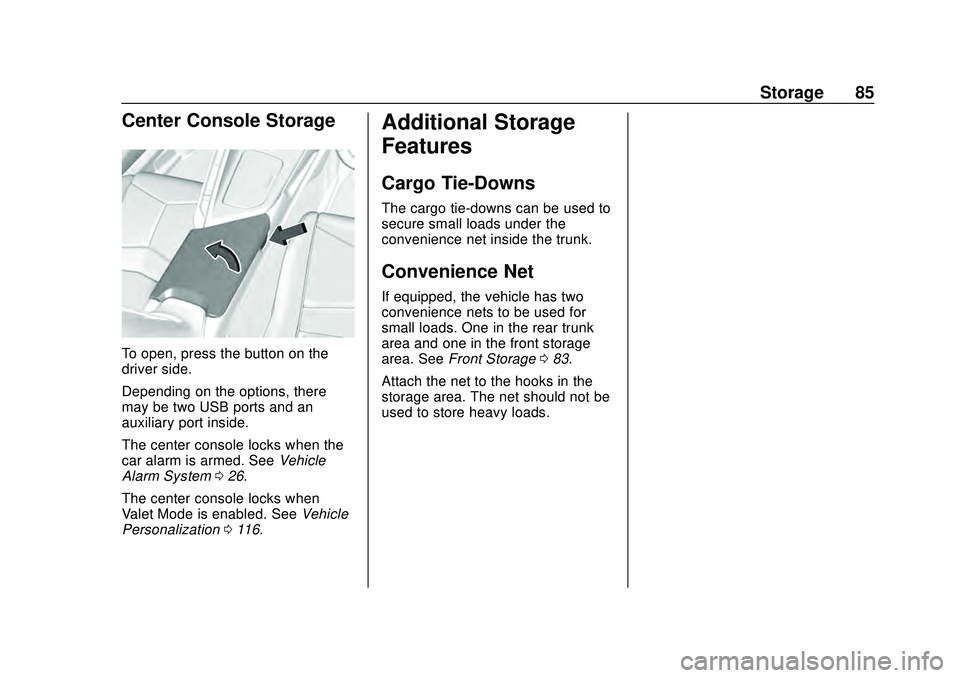
Center Console Storage
To open, press the button on the
driver side.
Depending on the options, there
may be two USB ports and an
auxiliary port inside.
The center console locks when the
car alarm is armed. SeeVehicle
Alarm System 026.
The center console locks when
Valet Mode is enabled. See Vehicle
Personalization 0116.
Additional Storage
Features
Cargo Tie-Downs
The cargo tie-downs can be used to
secure small loads under the
convenience net inside the trunk.
Convenience Net
If equipped, the vehicle has two
convenience nets to be used for
small loads. One in the rear trunk
area and one in the front storage
area. See Front Storage 083.
Attach the net to the hooks in the
storage area. The net should not be
used to store heavy loads.
Page 130 of 336
Chevrolet Corvette Owner Manual (GMNA-Localizing-U.S./Canada/Mexico-
12470550) - 2020 - CRC - 4/23/20
Lighting 129
Interior Lighting
Instrument Panel
Illumination Control
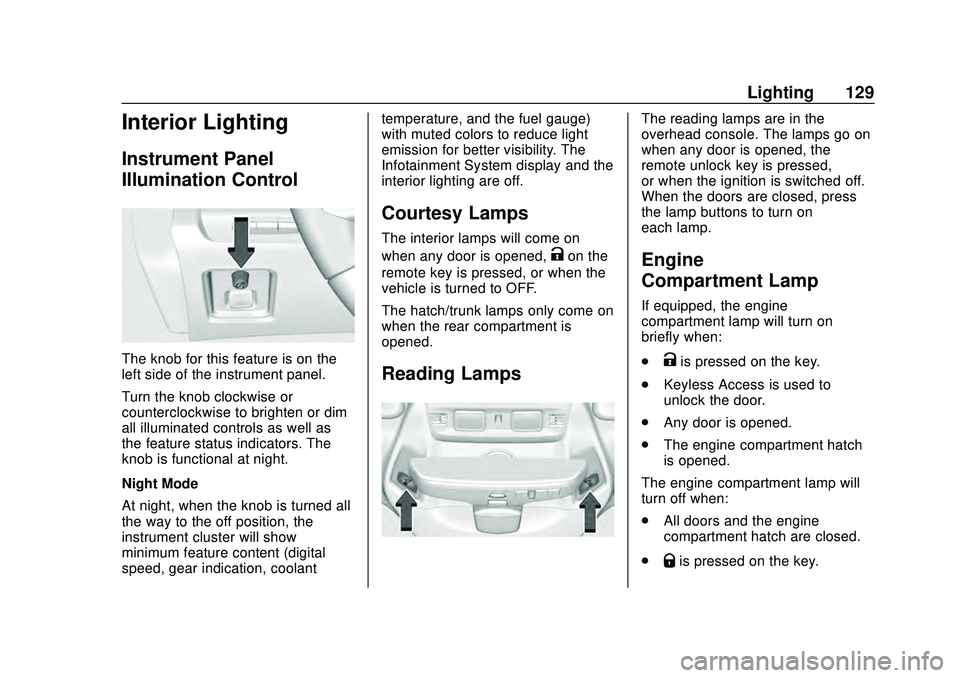
The knob for this feature is on the
left side of the instrument panel.
Turn the knob clockwise or
counterclockwise to brighten or dim
all illuminated controls as well as
the feature status indicators. The
knob is functional at night.
Night Mode
At night, when the knob is turned all
the way to the off position, the
instrument cluster will show
minimum feature content (digital
speed, gear indication, coolanttemperature, and the fuel gauge)
with muted colors to reduce light
emission for better visibility. The
Infotainment System display and the
interior lighting are off.
Courtesy Lamps
The interior lamps will come on
when any door is opened,
Kon the
remote key is pressed, or when the
vehicle is turned to OFF.
The hatch/trunk lamps only come on
when the rear compartment is
opened.
Reading Lamps
The reading lamps are in the
overhead console. The lamps go on
when any door is opened, the
remote unlock key is pressed,
or when the ignition is switched off.
When the doors are closed, press
the lamp buttons to turn on
each lamp.
Engine
Compartment Lamp
If equipped, the engine
compartment lamp will turn on
briefly when:
.
Kis pressed on the key.
. Keyless Access is used to
unlock the door.
. Any door is opened.
. The engine compartment hatch
is opened.
The engine compartment lamp will
turn off when:
. All doors and the engine
compartment hatch are closed.
.
Qis pressed on the key.
Page 131 of 336
Chevrolet Corvette Owner Manual (GMNA-Localizing-U.S./Canada/Mexico-
12470550) - 2020 - CRC - 4/23/20
130 Lighting
.The vehicle begins to move after
shifting out of P (Park).
. The ignition is turned on,
or turned from off to ACC/
ACCESSORY.
If any door or the engine
compartment hatch/trunk remains
open, while the vehicle is off, a timer
will turn the lamp off.Lighting Features
Entry Lighting
Some exterior lamps turn on briefly
at night, or in areas with limited
lighting, when
Kis pressed on the
remote key. After about 30 seconds
the exterior lamps turn off.
When any door is opened or remote
unlock pressed, all interior lights
turn on and then interior lamps dim
to off after approximately
20 seconds.
When the driver door is opened, all
interior lights, Driver Information
Center (DIC) lights, and door pocket
lights turn on and then the dome
and remaining interior lamps dim to
off. Entry lighting can be disabled
manually by turning the ignition to
on or ACC/ACCESSORY, or by
pressing
Qon the remote key.
The entry lighting feature for exterior
lighting can be changed. See
“Vehicle Locator Lights” under
Vehicle Personalization 0116.
Exit Lighting
Some exterior lamps come on at
night, or in areas with limited
lighting, when the driver door is
opened after the ignition is turned
off. The dome lamp comes on after
the ignition is turned off. The
exterior lamps and dome lamp
remain on after the door is closed
for a set amount of time, then
automatically turn off.
The exterior lamps turn off
immediately by turning the exterior
lamp control off.
The exit lighting feature for exterior
lighting can be changed. See
Vehicle Personalization 0116.
Page 208 of 336
Chevrolet Corvette Owner Manual (GMNA-Localizing-U.S./Canada/Mexico-
12470550) - 2020 - CRC - 4/23/20
Driving and Operating 207
Warning (Continued)
shutting off the pump or by
notifying the station attendant.
Leave the area immediately.
Filling the Tank with a Portable
Fuel Container
If the vehicle runs out of fuel and
must be filled from a portable fuel
container:
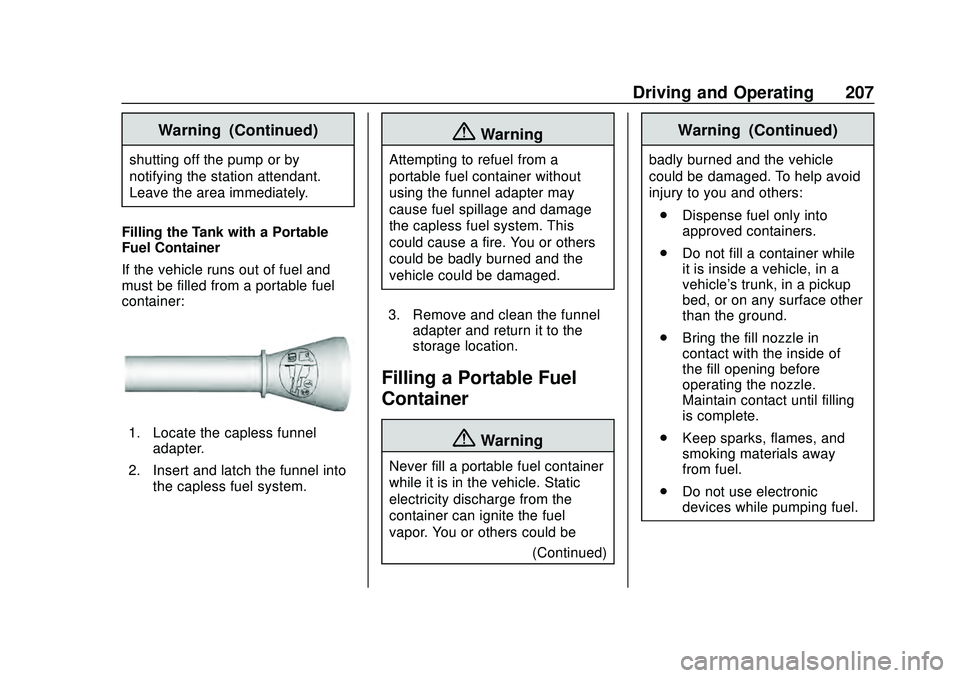
1. Locate the capless funnel adapter.
2. Insert and latch the funnel into the capless fuel system.
{Warning
Attempting to refuel from a
portable fuel container without
using the funnel adapter may
cause fuel spillage and damage
the capless fuel system. This
could cause a fire. You or others
could be badly burned and the
vehicle could be damaged.
3. Remove and clean the funnel adapter and return it to the
storage location.
Filling a Portable Fuel
Container
{Warning
Never fill a portable fuel container
while it is in the vehicle. Static
electricity discharge from the
container can ignite the fuel
vapor. You or others could be
(Continued)
Warning (Continued)
badly burned and the vehicle
could be damaged. To help avoid
injury to you and others:
. Dispense fuel only into
approved containers.
. Do not fill a container while
it is inside a vehicle, in a
vehicle's trunk, in a pickup
bed, or on any surface other
than the ground.
. Bring the fill nozzle in
contact with the inside of
the fill opening before
operating the nozzle.
Maintain contact until filling
is complete.
. Keep sparks, flames, and
smoking materials away
from fuel.
. Do not use electronic
devices while pumping fuel.
Page 214 of 336
Chevrolet Corvette Owner Manual (GMNA-Localizing-U.S./Canada/Mexico-
12470550) - 2020 - CRC - 4/23/20
Vehicle Care 213
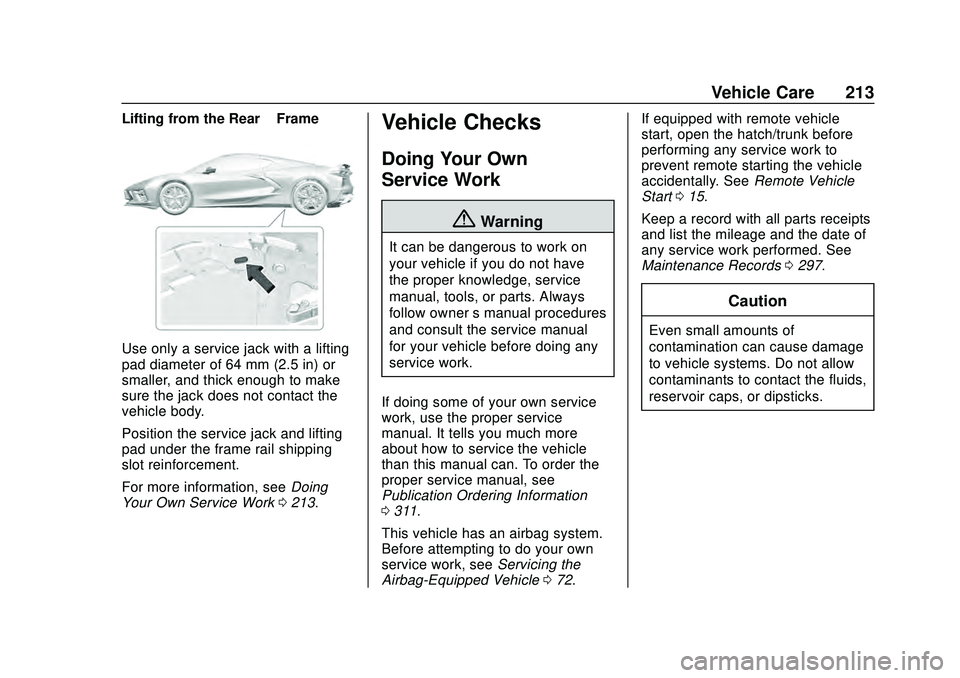
Lifting from the Rear–Frame
Use only a service jack with a lifting
pad diameter of 64 mm (2.5 in) or
smaller, and thick enough to make
sure the jack does not contact the
vehicle body.
Position the service jack and lifting
pad under the frame rail shipping
slot reinforcement.
For more information, see Doing
Your Own Service Work 0213.
Vehicle Checks
Doing Your Own
Service Work
{Warning
It can be dangerous to work on
your vehicle if you do not have
the proper knowledge, service
manual, tools, or parts. Always
follow owner ’s manual procedures
and consult the service manual
for your vehicle before doing any
service work.
If doing some of your own service
work, use the proper service
manual. It tells you much more
about how to service the vehicle
than this manual can. To order the
proper service manual, see
Publication Ordering Information
0 311.
This vehicle has an airbag system.
Before attempting to do your own
service work, see Servicing the
Airbag-Equipped Vehicle 072. If equipped with remote vehicle
start, open the hatch/trunk before
performing any service work to
prevent remote starting the vehicle
accidentally. See
Remote Vehicle
Start 015.
Keep a record with all parts receipts
and list the mileage and the date of
any service work performed. See
Maintenance Records 0297.
Caution
Even small amounts of
contamination can cause damage
to vehicle systems. Do not allow
contaminants to contact the fluids,
reservoir caps, or dipsticks.
Page 230 of 336
Chevrolet Corvette Owner Manual (GMNA-Localizing-U.S./Canada/Mexico-
12470550) - 2020 - CRC - 4/23/20
Vehicle Care 229
How to Add Coolant to the
Coolant Surge Tank
{Warning
Spilling coolant on hot engine
parts can burn you. Coolant
contains ethylene glycol and it will
burn if the engine parts are hot
enough.
{Warning
Steam and scalding liquids from a
hot cooling system are under
pressure. Turning the pressure
cap, even a little, can cause them
to come out at high speed and
you could be burned. Never turn
the cap when the cooling system,
including the pressure cap, is hot.
Wait for the cooling system and
pressure cap to cool.If coolant is needed, be sure the
cooling system is cool, then add the
proper DEX-COOL coolant mixture
directly to the surge tank.
1. Open the Hatch/Trunk. See Hatch (Trunk) 023.
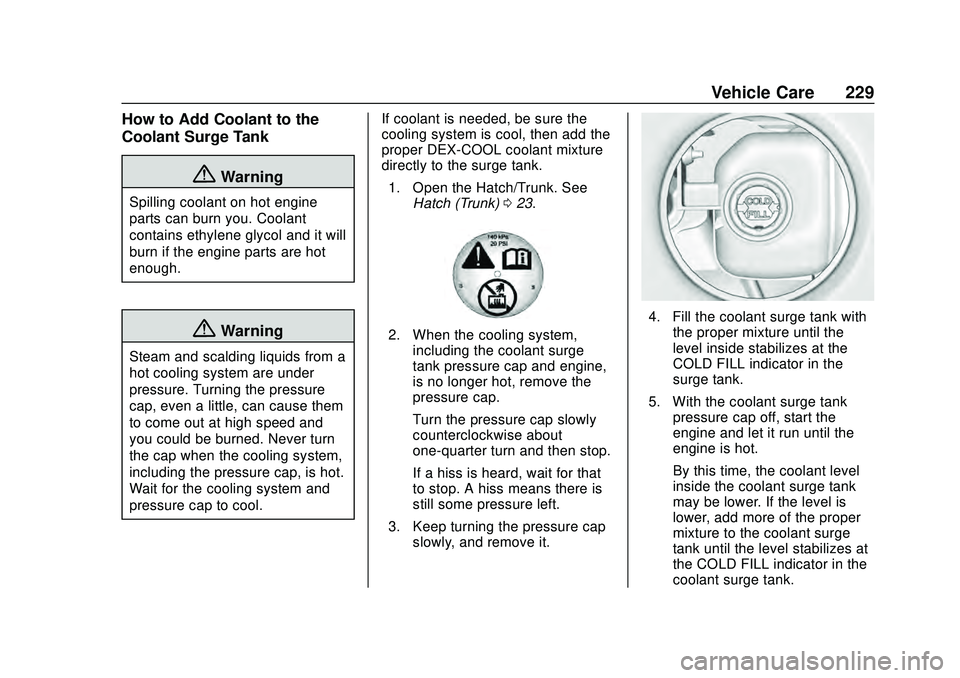
2. When the cooling system,
including the coolant surge
tank pressure cap and engine,
is no longer hot, remove the
pressure cap.
Turn the pressure cap slowly
counterclockwise about
one-quarter turn and then stop.
If a hiss is heard, wait for that
to stop. A hiss means there is
still some pressure left.
3. Keep turning the pressure cap slowly, and remove it.
4. Fill the coolant surge tank withthe proper mixture until the
level inside stabilizes at the
COLD FILL indicator in the
surge tank.
5. With the coolant surge tank pressure cap off, start the
engine and let it run until the
engine is hot.
By this time, the coolant level
inside the coolant surge tank
may be lower. If the level is
lower, add more of the proper
mixture to the coolant surge
tank until the level stabilizes at
the COLD FILL indicator in the
coolant surge tank.
Page 238 of 336
Chevrolet Corvette Owner Manual (GMNA-Localizing-U.S./Canada/Mexico-
12470550) - 2020 - CRC - 4/23/20
Vehicle Care 237
Acoustic Windshield
The vehicle is equipped with an
acoustic windshield. If the
windshield needs to be replaced be
sure to get an acoustic windshield
so you will continue to have the
benefits an acoustic windshield can
provide.
Gas Strut(s)
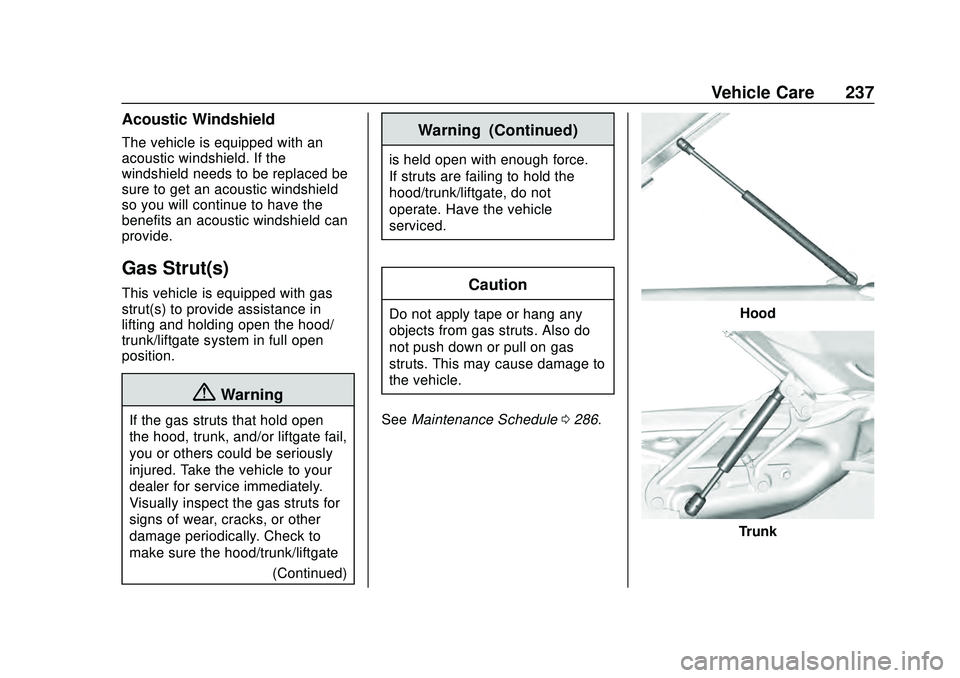
This vehicle is equipped with gas
strut(s) to provide assistance in
lifting and holding open the hood/
trunk/liftgate system in full open
position.
{Warning
If the gas struts that hold open
the hood, trunk, and/or liftgate fail,
you or others could be seriously
injured. Take the vehicle to your
dealer for service immediately.
Visually inspect the gas struts for
signs of wear, cracks, or other
damage periodically. Check to
make sure the hood/trunk/liftgate(Continued)
Warning (Continued)
is held open with enough force.
If struts are failing to hold the
hood/trunk/liftgate, do not
operate. Have the vehicle
serviced.
Caution
Do not apply tape or hang any
objects from gas struts. Also do
not push down or pull on gas
struts. This may cause damage to
the vehicle.
See Maintenance Schedule 0286.Hood
Trunk
Page 242 of 336
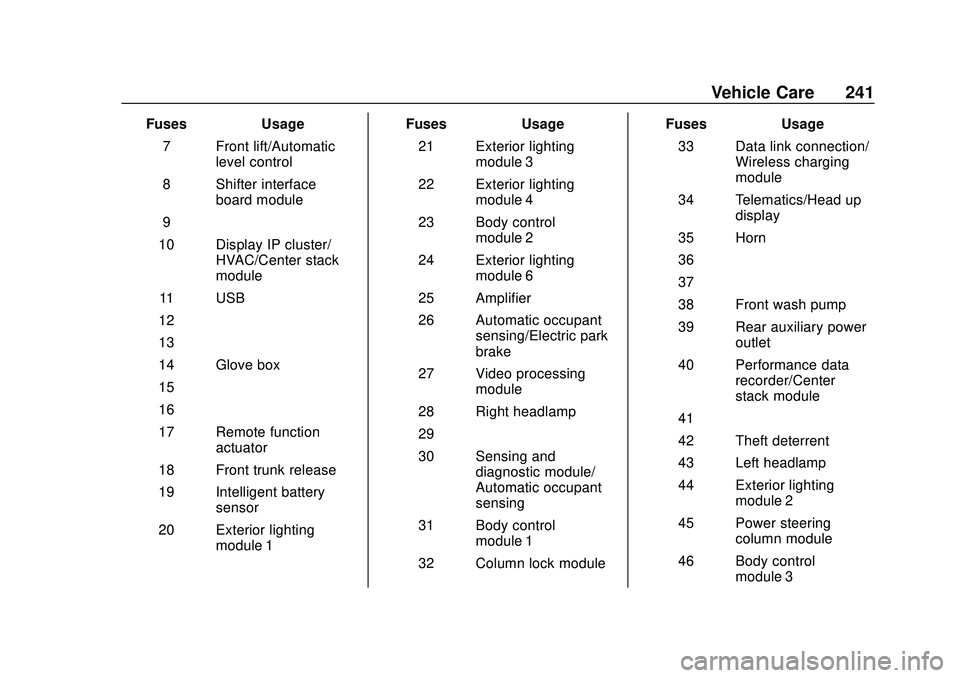
Chevrolet Corvette Owner Manual (GMNA-Localizing-U.S./Canada/Mexico-
12470550) - 2020 - CRC - 4/23/20
Vehicle Care 241
FusesUsage
7 Front lift/Automatic level control
8 Shifter interface board module
9 –
10 Display IP cluster/ HVAC/Center stack
module
11 USB
12 –
13 –
14 Glove box
15 –
16 –
17 Remote function actuator
18 Front trunk release
19 Intelligent battery sensor
20 Exterior lighting module 1 Fuses
Usage
21 Exterior lighting module 3
22 Exterior lighting module 4
23 Body control module 2
24 Exterior lighting module 6
25 Amplifier
26 Automatic occupant sensing/Electric park
brake
27 Video processing module
28 Right headlamp
29 –
30 Sensing and diagnostic module/
Automatic occupant
sensing
31 Body control module 1
32 Column lock module Fuses
Usage
33 Data link connection/ Wireless charging
module
34 Telematics/Head up display
35 Horn
36 –
37 –
38 Front wash pump
39 Rear auxiliary power outlet
40 Performance data recorder/Center
stack module
41 –
42 Theft deterrent
43 Left headlamp
44 Exterior lighting module 2
45 Power steering column module
46 Body control module 3