traction control CHEVROLET CORVETTE 2020 Owner's Manual
[x] Cancel search | Manufacturer: CHEVROLET, Model Year: 2020, Model line: CORVETTE, Model: CHEVROLET CORVETTE 2020Pages: 336, PDF Size: 5.21 MB
Page 5 of 336
Chevrolet Corvette Owner Manual (GMNA-Localizing-U.S./Canada/Mexico-
12470550) - 2020 - CRC - 4/23/20
4 Introduction
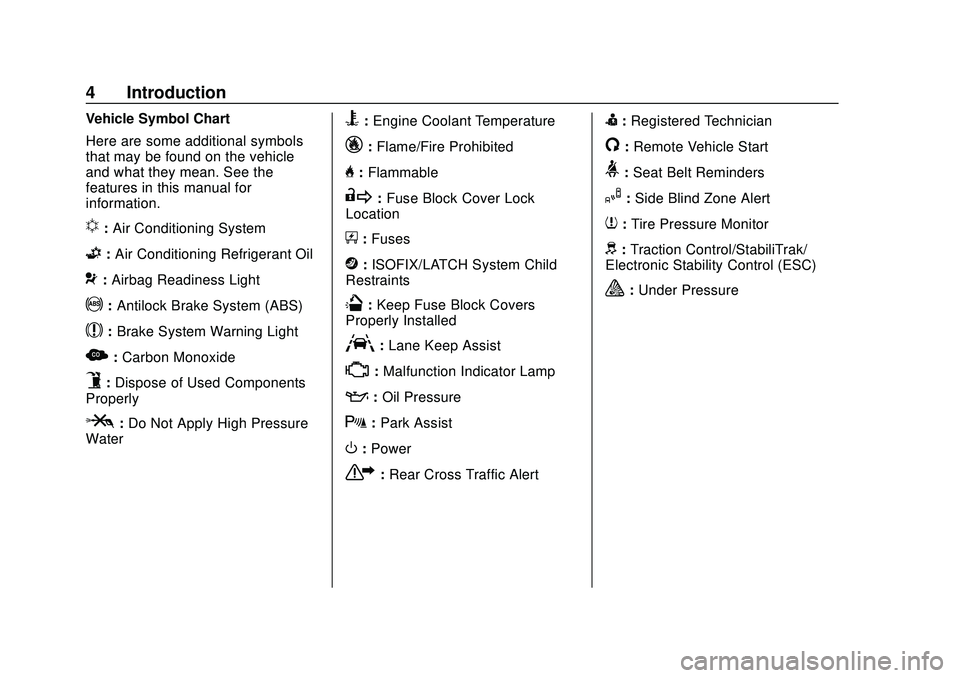
Vehicle Symbol Chart
Here are some additional symbols
that may be found on the vehicle
and what they mean. See the
features in this manual for
information.
u:Air Conditioning System
G: Air Conditioning Refrigerant Oil
9:Airbag Readiness Light
!: Antilock Brake System (ABS)
$:Brake System Warning Light
z:Carbon Monoxide
9:Dispose of Used Components
Properly
P: Do Not Apply High Pressure
Water
B: Engine Coolant Temperature
_: Flame/Fire Prohibited
H:Flammable
R:Fuse Block Cover Lock
Location
+: Fuses
j:ISOFIX/LATCH System Child
Restraints
Q: Keep Fuse Block Covers
Properly Installed
A: Lane Keep Assist
*: Malfunction Indicator Lamp
::Oil Pressure
X:Park Assist
O:Power
7:Rear Cross Traffic Alert
I:Registered Technician
/:Remote Vehicle Start
>:Seat Belt Reminders
I: Side Blind Zone Alert
7:Tire Pressure Monitor
d:Traction Control/StabiliTrak/
Electronic Stability Control (ESC)
a: Under Pressure
Page 7 of 336
Chevrolet Corvette Owner Manual (GMNA-Localizing-U.S./Canada/Mexico-
12470550) - 2020 - CRC - 4/23/20
6 Introduction
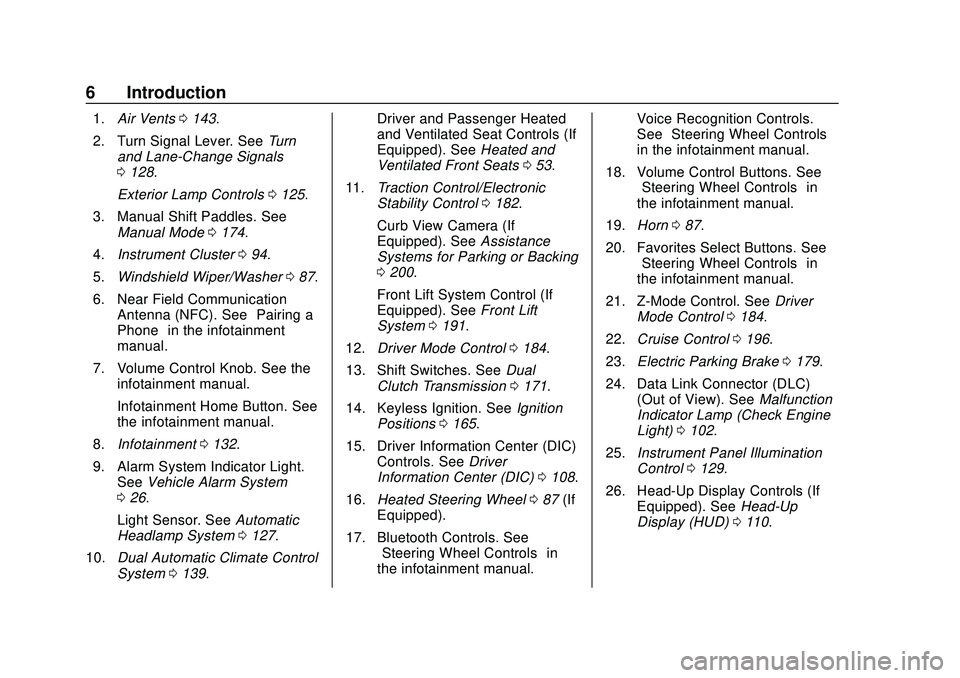
1.Air Vents 0143.
2. Turn Signal Lever. See Turn
and Lane-Change Signals
0 128.
Exterior Lamp Controls 0125.
3. Manual Shift Paddles. See Manual Mode 0174.
4. Instrument Cluster 094.
5. Windshield Wiper/Washer 087.
6. Near Field Communication Antenna (NFC). See “Pairing a
Phone” in the infotainment
manual.
7. Volume Control Knob. See the infotainment manual.
Infotainment Home Button. See
the infotainment manual.
8. Infotainment 0132.
9. Alarm System Indicator Light. See Vehicle Alarm System
0 26.
Light Sensor. See Automatic
Headlamp System 0127.
10. Dual Automatic Climate Control
System 0139. Driver and Passenger Heated
and Ventilated Seat Controls (If
Equipped). See
Heated and
Ventilated Front Seats 053.
11. Traction Control/Electronic
Stability Control 0182.
Curb View Camera (If
Equipped). See Assistance
Systems for Parking or Backing
0 200.
Front Lift System Control (If
Equipped). See Front Lift
System 0191.
12. Driver Mode Control 0184.
13. Shift Switches. See Dual
Clutch Transmission 0171.
14. Keyless Ignition. See Ignition
Positions 0165.
15. Driver Information Center (DIC) Controls. See Driver
Information Center (DIC) 0108.
16. Heated Steering Wheel 087 (If
Equipped).
17. Bluetooth Controls. See “Steering Wheel Controls” in
the infotainment manual. Voice Recognition Controls.
See
“Steering Wheel Controls”
in the infotainment manual.
18. Volume Control Buttons. See “Steering Wheel Controls” in
the infotainment manual.
19. Horn 087.
20. Favorites Select Buttons. See “Steering Wheel Controls” in
the infotainment manual.
21. Z-Mode Control. See Driver
Mode Control 0184.
22. Cruise Control 0196.
23. Electric Parking Brake 0179.
24. Data Link Connector (DLC) (Out of View). See Malfunction
Indicator Lamp (Check Engine
Light) 0102.
25. Instrument Panel Illumination
Control 0129.
26. Head-Up Display Controls (If Equipped). See Head-Up
Display (HUD) 0110.
Page 87 of 336
Chevrolet Corvette Owner Manual (GMNA-Localizing-U.S./Canada/Mexico-
12470550) - 2020 - CRC - 4/23/20
86 Instruments and Controls
Instruments and
Controls
Controls
Steering Wheel Adjustment . . . . 87
Steering Wheel Controls . . . . . . . 87
Heated Steering Wheel . . . . . . . . 87
Horn . . . . . . . . . . . . . . . . . . . . . . . . . . . 87
Windshield Wiper/Washer . . . . . . 87
Compass . . . . . . . . . . . . . . . . . . . . . . 88
Clock . . . . . . . . . . . . . . . . . . . . . . . . . . 89
Power Outlets . . . . . . . . . . . . . . . . . 89
Wireless Charging . . . . . . . . . . . . . 90
Warning Lights, Gauges, and
Indicators
Warning Lights, Gauges, andIndicators . . . . . . . . . . . . . . . . . . . . 93
Instrument Cluster . . . . . . . . . . . . . 94
Speedometer . . . . . . . . . . . . . . . . . . 98
Odometer . . . . . . . . . . . . . . . . . . . . . . 98
Trip Odometer . . . . . . . . . . . . . . . . . 98
Tachometer . . . . . . . . . . . . . . . . . . . . 98
Fuel Gauge . . . . . . . . . . . . . . . . . . . . 98
Engine Coolant Temperature Gauge . . . . . . . . . . . . . . . . . . . . . . . . 99
Transmission Temperature Gauge . . . . . . . . . . . . . . . . . . . . . . . . 99 Seat Belt Reminders . . . . . . . . . . . 99
Airbag Readiness Light . . . . . . . 100
Passenger Airbag Status
Indicator . . . . . . . . . . . . . . . . . . . . 100
Charging System Light . . . . . . . 101
Malfunction Indicator Lamp
(Check Engine Light) . . . . . . . . 102
Front Lift System Light . . . . . . . 103
Brake System Warning Light . . . . . . . . . . . . . . . . . . . . . . . . 104
Electric Parking Brake Light . . . . . . . . . . . . . . . . . . . . . . . . 104
Service Electric Parking Brake Light . . . . . . . . . . . . . . . . . . . . . . . . 105
Antilock Brake System (ABS) Warning Light . . . . . . . . . . . . . . . 105
Traction Off Light . . . . . . . . . . . . . 105
Traction Control System (TCS)/ Electronic Stability Control
Light . . . . . . . . . . . . . . . . . . . . . . . . 106
Electronic Stability Control (ESC) Off Light . . . . . . . . . . . . . . 106
Tire Pressure Light . . . . . . . . . . . 106
Engine Oil Pressure Light . . . . 107
Security Light . . . . . . . . . . . . . . . . . 107
High-Beam On Light . . . . . . . . . . 107
Lamps On Reminder . . . . . . . . . 108
Cruise Control Light . . . . . . . . . . 108
Door Ajar Light . . . . . . . . . . . . . . . 108
Information Displays
Driver Information Center (DIC) . . . . . . . . . . . . . . . . 108
Head-Up Display (HUD) . . . . . . 110
Vehicle Messages
Vehicle Messages . . . . . . . . . . . . 114
Engine Power Messages . . . . . 115
Vehicle Speed Messages . . . . . 115
Vehicle Personalization
Vehicle Personalization . . . . . . . 116
Universal Remote System
Universal Remote System . . . . 121
Universal Remote System Programming . . . . . . . . . . . . . . . 121
Universal Remote System Operation . . . . . . . . . . . . . . . . . . . 123
Page 98 of 336
Chevrolet Corvette Owner Manual (GMNA-Localizing-U.S./Canada/Mexico-
12470550) - 2020 - CRC - 4/23/20
Instruments and Controls 97
If in Z-Mode or My Mode then those
displays plus HUD (if equipped) can
be set.
.Sport/Z-Mode: Displays Coolant
Temperature, Fuel Gauge,
Compass, Drive Mode Indicator,
Odometer, Speed, Tachometer,
Electronic Transmission Range,
Current Gear, Active Fuel
Management (AFM), Peak
Performance, Performance Shift
Lights, Speed Limit, Info Area,
and Interaction Area.
. Tour/Weather/My Mode:
Displays Coolant Temperature,
Fuel Gauge, Compass, Drive
Mode Indicator, Odometer,
Speed, Tachometer, Electronic
Transmission Range, Current
Gear, Active Fuel Management
(AFM), Peak Performance,
Speed Limit, Info Area, and
Interaction Area.
. Track: Displays Coolant
Temperature, Fuel Gauge,
Performance Traction
Management, Drive Mode
Indicator, Speed, Tachometer, Electronic Transmission Range,
Current Gear, Info Area, and
Interactive Area.
Preset info tiles shown on each
layout:
Sport : G-Force, Oil Temperature
Track : Oil Pressure, Transmissions
Fluid Temperature, Tire Pressure &
Tire Temperature, Oil Temperature
Tour : Economy Trend, Oil Pressure
Weather : Battery Voltage, Tire
Status
Z-Mode : Oil Temperature, G-Force
My Mode : Economy Trend, Oil
Pressure
Head-Up Display (HUD) Rotation
Press the thumbwheel while Adjust
Rotation is highlighted to enter
Adjust Mode. Scroll to adjust the
angle of the HUD display. Press the
thumbwheel to confirm and save the
setting. This feature may only be
available in P (Park). Speed Warning
The Speed Warning display allows
the driver to set a speed that they
do not want to exceed. To set the
Speed Warning, press the
thumbwheel when Speed Warning is
displayed, or press the thumbwheel
on the main view to set the speed
value. Scroll to adjust the value.
Press the thumbwheel to set the
speed. Once the speed is set, this
feature can be turned off by
pressing the thumbwheel while
viewing this page. If the selected
speed limit is exceeded, a pop-up
warning is displayed with a chime.
Software Info
Press
Twhile Software Info is
highlighted to display open source
software information.
Simplify
Press the thumbwheel to enter the
Simplify menu. Simplify mode allows
certain features of the instrument
cluster to be hidden. These features
include info tiles and interactive
areas.
Page 106 of 336
Chevrolet Corvette Owner Manual (GMNA-Localizing-U.S./Canada/Mexico-
12470550) - 2020 - CRC - 4/23/20
Instruments and Controls 105
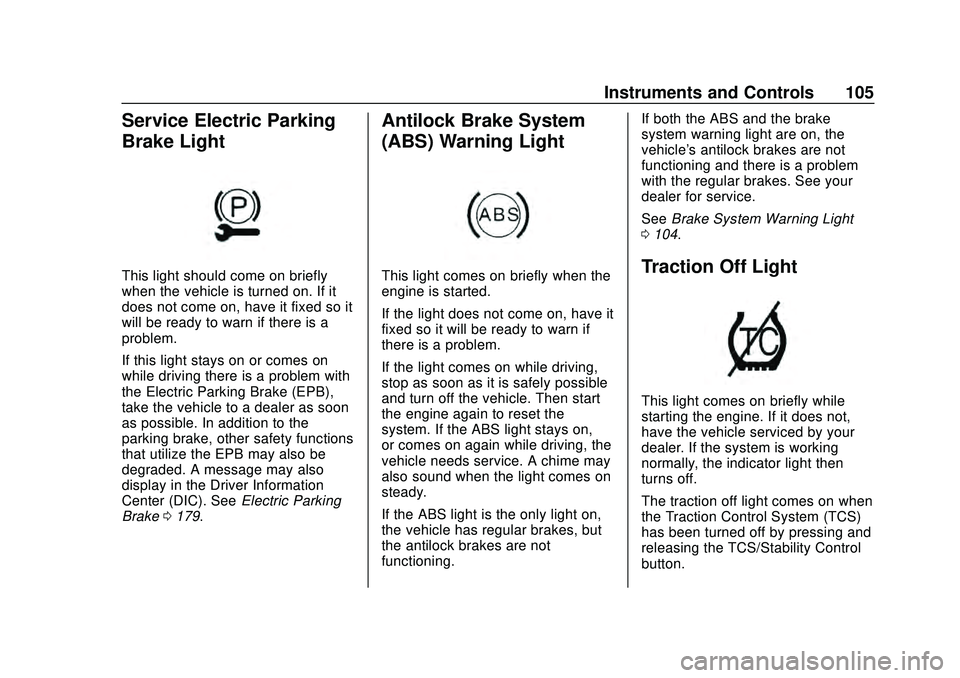
Service Electric Parking
Brake Light
This light should come on briefly
when the vehicle is turned on. If it
does not come on, have it fixed so it
will be ready to warn if there is a
problem.
If this light stays on or comes on
while driving there is a problem with
the Electric Parking Brake (EPB),
take the vehicle to a dealer as soon
as possible. In addition to the
parking brake, other safety functions
that utilize the EPB may also be
degraded. A message may also
display in the Driver Information
Center (DIC). SeeElectric Parking
Brake 0179.
Antilock Brake System
(ABS) Warning Light
This light comes on briefly when the
engine is started.
If the light does not come on, have it
fixed so it will be ready to warn if
there is a problem.
If the light comes on while driving,
stop as soon as it is safely possible
and turn off the vehicle. Then start
the engine again to reset the
system. If the ABS light stays on,
or comes on again while driving, the
vehicle needs service. A chime may
also sound when the light comes on
steady.
If the ABS light is the only light on,
the vehicle has regular brakes, but
the antilock brakes are not
functioning. If both the ABS and the brake
system warning light are on, the
vehicle's antilock brakes are not
functioning and there is a problem
with the regular brakes. See your
dealer for service.
See
Brake System Warning Light
0 104.Traction Off Light
This light comes on briefly while
starting the engine. If it does not,
have the vehicle serviced by your
dealer. If the system is working
normally, the indicator light then
turns off.
The traction off light comes on when
the Traction Control System (TCS)
has been turned off by pressing and
releasing the TCS/Stability Control
button.
Page 107 of 336
Chevrolet Corvette Owner Manual (GMNA-Localizing-U.S./Canada/Mexico-
12470550) - 2020 - CRC - 4/23/20
106 Instruments and Controls
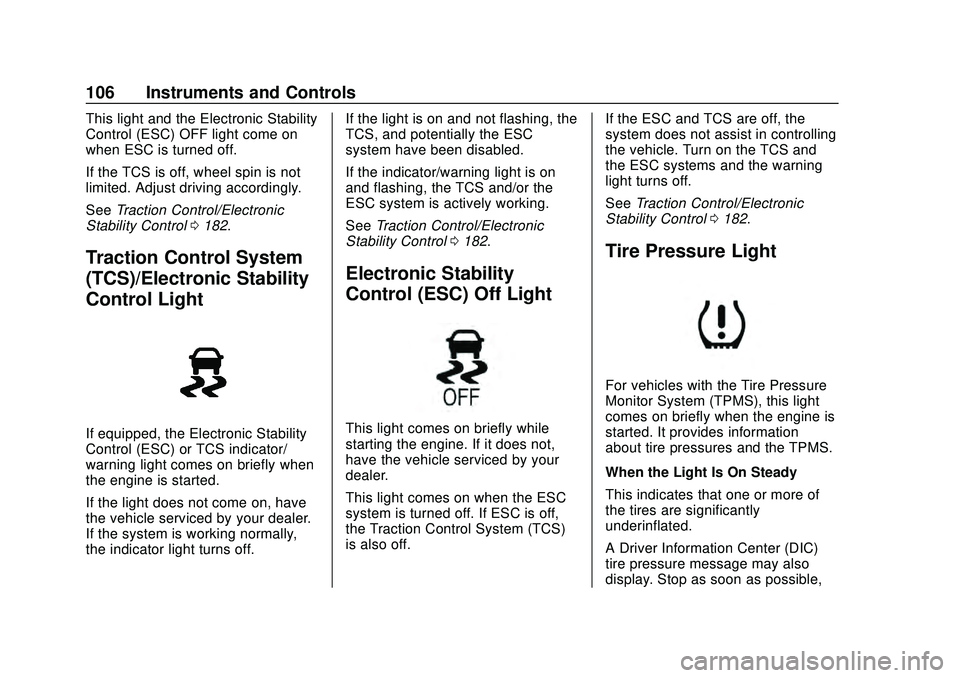
This light and the Electronic Stability
Control (ESC) OFF light come on
when ESC is turned off.
If the TCS is off, wheel spin is not
limited. Adjust driving accordingly.
SeeTraction Control/Electronic
Stability Control 0182.
Traction Control System
(TCS)/Electronic Stability
Control Light
If equipped, the Electronic Stability
Control (ESC) or TCS indicator/
warning light comes on briefly when
the engine is started.
If the light does not come on, have
the vehicle serviced by your dealer.
If the system is working normally,
the indicator light turns off. If the light is on and not flashing, the
TCS, and potentially the ESC
system have been disabled.
If the indicator/warning light is on
and flashing, the TCS and/or the
ESC system is actively working.
See
Traction Control/Electronic
Stability Control 0182.
Electronic Stability
Control (ESC) Off Light
This light comes on briefly while
starting the engine. If it does not,
have the vehicle serviced by your
dealer.
This light comes on when the ESC
system is turned off. If ESC is off,
the Traction Control System (TCS)
is also off. If the ESC and TCS are off, the
system does not assist in controlling
the vehicle. Turn on the TCS and
the ESC systems and the warning
light turns off.
See
Traction Control/Electronic
Stability Control 0182.
Tire Pressure Light
For vehicles with the Tire Pressure
Monitor System (TPMS), this light
comes on briefly when the engine is
started. It provides information
about tire pressures and the TPMS.
When the Light Is On Steady
This indicates that one or more of
the tires are significantly
underinflated.
A Driver Information Center (DIC)
tire pressure message may also
display. Stop as soon as possible,
Page 146 of 336
Chevrolet Corvette Owner Manual (GMNA-Localizing-U.S./Canada/Mexico-
12470550) - 2020 - CRC - 4/23/20
Driving and Operating 145
Driving and
Operating
Driving Information
Driving for Better FuelEconomy . . . . . . . . . . . . . . . . . . . . 146
Distracted Driving . . . . . . . . . . . . 146
Defensive Driving . . . . . . . . . . . . . 147
Drunk Driving . . . . . . . . . . . . . . . . . 147
Control of a Vehicle . . . . . . . . . . . 148
Braking . . . . . . . . . . . . . . . . . . . . . . . 148
Steering . . . . . . . . . . . . . . . . . . . . . . 148
Off-Road Recovery . . . . . . . . . . . 149
Loss of Control . . . . . . . . . . . . . . . 150
Track Events and Competitive Driving (Z51 Only) . . . . . . . . . . 150
Driving on Wet Roads . . . . . . . . 156
Hill and Mountain Roads . . . . . 157
Winter Driving . . . . . . . . . . . . . . . . 158
If the Vehicle Is Stuck . . . . . . . . 159
Vehicle Load Limits . . . . . . . . . . . 160
Starting and Operating
New Vehicle Break-In . . . . . . . . . 163
Front Air Dam (and Splitter) . . . . . . . . . . . . . . . . . . . . . 164
Composite Materials . . . . . . . . . . 164
Ignition Positions . . . . . . . . . . . . . 165 Starting the Engine . . . . . . . . . . . 166
Retained Accessory
Power (RAP) . . . . . . . . . . . . . . . . 168
Shifting Into Park . . . . . . . . . . . . . 168
Shifting out of Park . . . . . . . . . . . 169
Parking over Things That Burn . . . . . . . . . . . . . . . . . . . 169
Active Fuel Management . . . . . 169
Extended Parking . . . . . . . . . . . . 169
Engine Exhaust
Engine Exhaust . . . . . . . . . . . . . . 170
Running the Vehicle While Parked . . . . . . . . . . . . . . . . . . . . . . 171
Dual Clutch Transmission
Dual Clutch Transmission . . . . 171
Manual Mode . . . . . . . . . . . . . . . . . 174
Brakes
Electric Brake Boost . . . . . . . . . . 179
Antilock BrakeSystem (ABS) . . . . . . . . . . . . . . . 179
Electric Parking Brake . . . . . . . . 179
Brake Assist . . . . . . . . . . . . . . . . . . 181
Hill Start Assist (HSA) . . . . . . . . 181
Ride Control Systems
Traction Control/Electronic Stability Control . . . . . . . . . . . . . 182
Hill Rollback Control . . . . . . . . . . 184
Driver Mode Control . . . . . . . . . . 184 Front Lift System . . . . . . . . . . . . . 191
Competitive Driving Mode . . . . 192
Limited-Slip Differential
(without Z51) . . . . . . . . . . . . . . . . 195
Limited-Slip Differential
(with Z51) . . . . . . . . . . . . . . . . . . . 195
Cruise Control
Cruise Control . . . . . . . . . . . . . . . . 196
Driver Assistance Systems
Driver Assistance Systems . . . 199
Assistance Systems forParking or Backing . . . . . . . . . . 200
Side Blind Zone Alert (SBZA) . . . . . . . . . . . . . . . . 202
Fuel
Top Tier Fuel . . . . . . . . . . . . . . . . . 204
Recommended Fuel . . . . . . . . . . 204
Prohibited Fuels . . . . . . . . . . . . . . 205
Fuels in Foreign Countries . . . 205
Fuel Additives . . . . . . . . . . . . . . . . 205
Filling the Tank . . . . . . . . . . . . . . . 205
Filling a Portable FuelContainer . . . . . . . . . . . . . . . . . . . 207
Trailer Towing
General TowingInformation . . . . . . . . . . . . . . . . . . 208
Page 147 of 336
Chevrolet Corvette Owner Manual (GMNA-Localizing-U.S./Canada/Mexico-
12470550) - 2020 - CRC - 4/23/20
146 Driving and Operating
Conversions and Add-Ons
Add-On ElectricalEquipment . . . . . . . . . . . . . . . . . . 208Driving Information
Driving for Better Fuel
Economy
Driving habits can affect fuel
mileage. Here are some driving tips
to get the best fuel economy
possible:
. Set the climate controls to the
desired temperature after the
engine is started, or turn them
off when not required.
. Avoid fast starts and accelerate
smoothly.
. Brake gradually and avoid
abrupt stops.
. Avoid idling the engine for long
periods of time.
. When road and weather
conditions are appropriate, use
cruise control.
. Always follow posted speed
limits or drive more slowly when
conditions require.
. Keep vehicle tires properly
inflated. .
Combine several trips into a
single trip.
. Replace the vehicle's tires with
the same TPC Spec number
molded into the tire's sidewall
near the size.
. Follow recommended scheduled
maintenance.
. Using Tour mode rather than
Sport or Track modes, will result
in better Active Fuel
Management operation. See
Active Fuel Management 0169.
. For recommended shift speeds,
see Dual Clutch Transmission
0 171.
Premium Fuel
Use the recommended fuel. See
Recommended Fuel 0204.
Distracted Driving
Distraction comes in many forms
and can take your focus from the
task of driving. Exercise good
judgment and do not let other
activities divert your attention away
from the road. Many local
Page 148 of 336
Chevrolet Corvette Owner Manual (GMNA-Localizing-U.S./Canada/Mexico-
12470550) - 2020 - CRC - 4/23/20
Driving and Operating 147
governments have enacted laws
regarding driver distraction. Become
familiar with the local laws in
your area.
To avoid distracted driving, keep
your eyes on the road, keep your
hands on the steering wheel, and
focus your attention on driving.
.Do not use a phone in
demanding driving situations.
Use a hands-free method to
place or receive necessary
phone calls.
. Watch the road. Do not read,
take notes, or look up
information on phones or other
electronic devices.
. Designate a front seat
passenger to handle potential
distractions.
. Become familiar with vehicle
features before driving, such as
programming favorite radio
stations and adjusting climate
control and seat settings.
Program all trip information into
any navigation device prior to
driving. .
Wait until the vehicle is parked
to retrieve items that have fallen
to the floor.
. Stop or park the vehicle to tend
to children.
. Keep pets in an appropriate
carrier or restraint.
. Avoid stressful conversations
while driving, whether with a
passenger or on a cell phone.
{Warning
Taking your eyes off the road too
long or too often could cause a
crash resulting in injury or death.
Focus your attention on driving.
Refer to the infotainment manual for
more information on using that
system and the navigation system,
if equipped, including pairing and
using a cell phone.
Defensive Driving
Defensive driving means “always
expect the unexpected.” The first
step in driving defensively is to wear
the seat belt. See Seat Belts055.
. Assume that other road users
(pedestrians, bicyclists, and
other drivers) are going to be
careless and make mistakes.
Anticipate what they may do and
be ready.
. Allow enough following distance
between you and the driver in
front of you.
. Focus on the task of driving.
Drunk Driving
Death and injury associated with
drinking and driving is a global
tragedy.
{Warning
Drinking and then driving is very
dangerous. Your reflexes,
perceptions, attentiveness, and
(Continued)
Page 151 of 336
Chevrolet Corvette Owner Manual (GMNA-Localizing-U.S./Canada/Mexico-
12470550) - 2020 - CRC - 4/23/20
150 Driving and Operating
1. Ease off the accelerator andthen, if there is nothing in the
way, steer the vehicle so that it
straddles the edge of the
pavement.
2. Turn the steering wheel about one-eighth of a turn, until the
right front tire contacts the
pavement edge.
3. Turn the steering wheel to go straight down the roadway.
Loss of Control
Skidding
There are three types of skids that
correspond to the vehicle's three
control systems:
.Braking Skid —wheels are not
rolling.
. Steering or Cornering Skid —
too much speed or steering in a
curve causes tires to slip and
lose cornering force.
. Acceleration Skid —too much
throttle causes the driving
wheels to spin. Defensive drivers avoid most skids
by taking reasonable care suited to
existing conditions, and by not
overdriving those conditions. But
skids are always possible.
If the vehicle starts to slide, follow
these suggestions:
.
Ease your foot off the
accelerator pedal and steer the
way you want the vehicle to go.
The vehicle may straighten out.
Be ready for a second skid if it
occurs.
. Slow down and adjust your
driving according to weather
conditions. Stopping distance
can be longer and vehicle
control can be affected when
traction is reduced by water,
snow, ice, gravel, or other
material on the road. Learn to
recognize warning clues —such
as enough water, ice, or packed
snow on the road to make a
mirrored surface —and slow
down when you have any doubt.
. Try to avoid sudden steering,
acceleration, or braking,
including reducing vehicle speed by shifting to a lower gear. Any
sudden changes could cause
the tires to slide.
Remember: Antilock brakes help
avoid only the braking skid.
Track Events and
Competitive Driving
(Z51 Only)
Vehicles without Z51 package
should not be used for track events
and competitive driving.
{Danger
High-performance features are
intended for use only on closed
tracks by experienced and
qualified drivers and should not
be used on public roads.
High-speed driving, aggressive
cornering, hard braking, and other
high-performance driving can be
dangerous. Improper driver inputs
for the conditions may result in (Continued)