ESP CHEVROLET CORVETTE 2023 Owner's Manual
[x] Cancel search | Manufacturer: CHEVROLET, Model Year: 2023, Model line: CORVETTE, Model: CHEVROLET CORVETTE 2023Pages: 351, PDF Size: 6.28 MB
Page 210 of 351
Chevrolet Corvette Owner Manual (GMNA-Localizing-U.S./Canada/Mexico-
16287457) - 2023 - CRC - 3/10/22
Driving and Operating 209
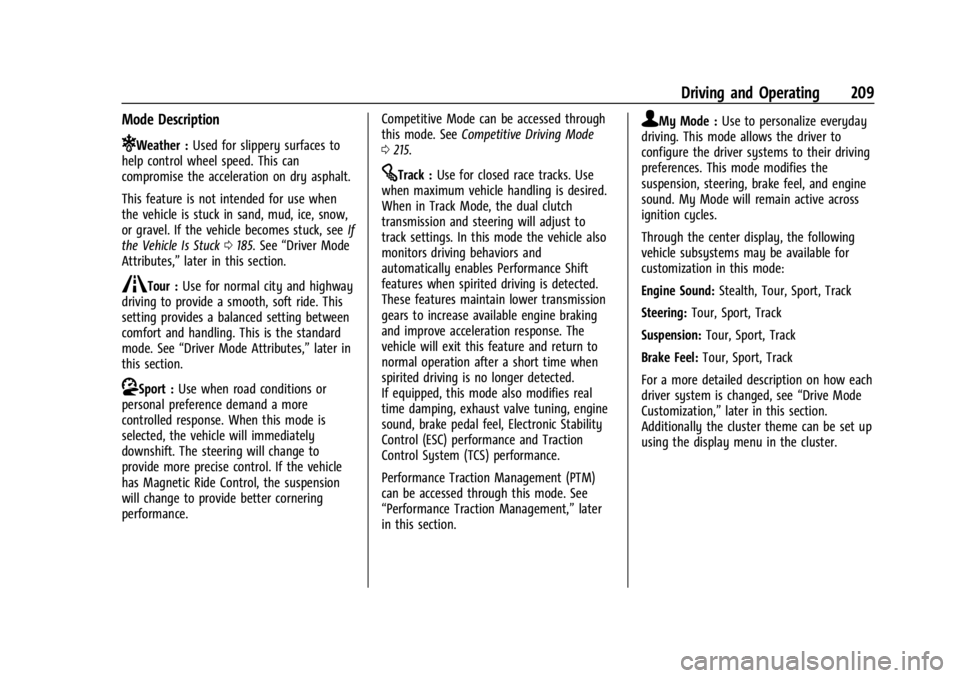
Mode Description
uWeather :Used for slippery surfaces to
help control wheel speed. This can
compromise the acceleration on dry asphalt.
This feature is not intended for use when
the vehicle is stuck in sand, mud, ice, snow,
or gravel. If the vehicle becomes stuck, see If
the Vehicle Is Stuck 0185. See “Driver Mode
Attributes,” later in this section.
sTour :Use for normal city and highway
driving to provide a smooth, soft ride. This
setting provides a balanced setting between
comfort and handling. This is the standard
mode. See “Driver Mode Attributes,” later in
this section.
rSport : Use when road conditions or
personal preference demand a more
controlled response. When this mode is
selected, the vehicle will immediately
downshift. The steering will change to
provide more precise control. If the vehicle
has Magnetic Ride Control, the suspension
will change to provide better cornering
performance. Competitive Mode can be accessed through
this mode. See
Competitive Driving Mode
0 215.
tTrack : Use for closed race tracks. Use
when maximum vehicle handling is desired.
When in Track Mode, the dual clutch
transmission and steering will adjust to
track settings. In this mode the vehicle also
monitors driving behaviors and
automatically enables Performance Shift
features when spirited driving is detected.
These features maintain lower transmission
gears to increase available engine braking
and improve acceleration response. The
vehicle will exit this feature and return to
normal operation after a short time when
spirited driving is no longer detected.
If equipped, this mode also modifies real
time damping, exhaust valve tuning, engine
sound, brake pedal feel, Electronic Stability
Control (ESC) performance and Traction
Control System (TCS) performance.
Performance Traction Management (PTM)
can be accessed through this mode. See
“Performance Traction Management,” later
in this section.
qMy Mode : Use to personalize everyday
driving. This mode allows the driver to
configure the driver systems to their driving
preferences. This mode modifies the
suspension, steering, brake feel, and engine
sound. My Mode will remain active across
ignition cycles.
Through the center display, the following
vehicle subsystems may be available for
customization in this mode:
Engine Sound: Stealth, Tour, Sport, Track
Steering: Tour, Sport, Track
Suspension: Tour, Sport, Track
Brake Feel: Tour, Sport, Track
For a more detailed description on how each
driver system is changed, see “Drive Mode
Customization,” later in this section.
Additionally the cluster theme can be set up
using the display menu in the cluster.
Page 212 of 351
Chevrolet Corvette Owner Manual (GMNA-Localizing-U.S./Canada/Mexico-
16287457) - 2023 - CRC - 3/10/22
Driving and Operating 211
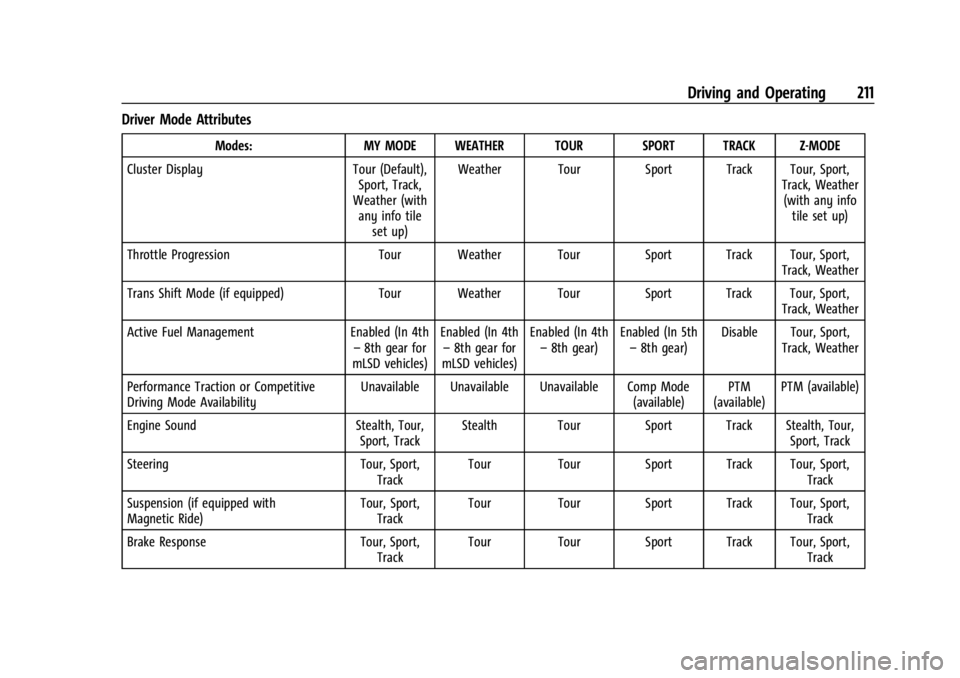
Driver Mode Attributes
Modes:MY MODE WEATHER TOUR SPORT TRACK Z-MODE
Cluster Display Tour (Default),
Sport, Track,
Weather (with any info tile
set up) Weather Tour Sport Track Tour, Sport,
Track, Weather(with any info tile set up)
Throttle Progression Tour Weather Tour Sport Track Tour, Sport,
Track, Weather
Trans Shift Mode (if equipped) Tour Weather Tour Sport Track Tour, Sport,
Track, Weather
Active Fuel Management Enabled (In 4th
– 8th gear for
mLSD vehicles) Enabled (In 4th
– 8th gear for
mLSD vehicles) Enabled (In 4th
– 8th gear) Enabled (In 5th
– 8th gear) Disable Tour, Sport,
Track, Weather
Performance Traction or Competitive
Driving Mode Availability Unavailable Unavailable Unavailable Comp Mode
(available)PTM
(available) PTM (available)
Engine Sound Stealth, Tour,
Sport, Track Stealth Tour Sport Track Stealth, Tour,
Sport, Track
Steering Tour, Sport,
Track Tour Tour Sport Track Tour, Sport,
Track
Suspension (if equipped with
Magnetic Ride) Tour, Sport,
Track Tour Tour Sport Track Tour, Sport,
Track
Brake Response Tour, Sport,
Track Tour Tour Sport Track Tour, Sport,
Track
Page 213 of 351
Chevrolet Corvette Owner Manual (GMNA-Localizing-U.S./Canada/Mexico-
16287457) - 2023 - CRC - 3/10/22
212 Driving and Operating
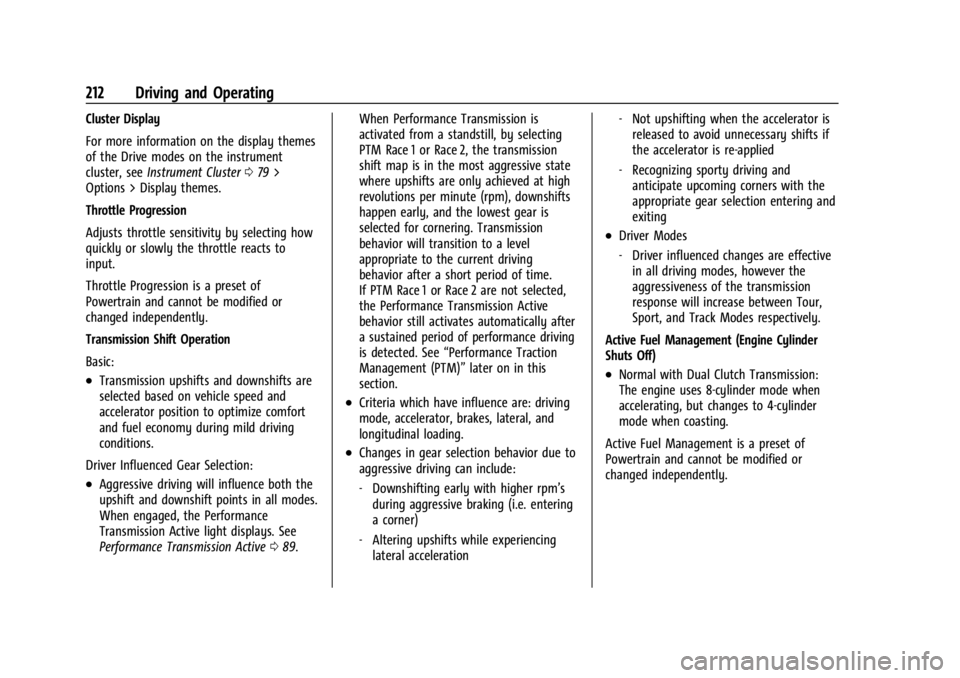
Cluster Display
For more information on the display themes
of the Drive modes on the instrument
cluster, seeInstrument Cluster 079 >
Options > Display themes.
Throttle Progression
Adjusts throttle sensitivity by selecting how
quickly or slowly the throttle reacts to
input.
Throttle Progression is a preset of
Powertrain and cannot be modified or
changed independently.
Transmission Shift Operation
Basic:
.Transmission upshifts and downshifts are
selected based on vehicle speed and
accelerator position to optimize comfort
and fuel economy during mild driving
conditions.
Driver Influenced Gear Selection:
.Aggressive driving will influence both the
upshift and downshift points in all modes.
When engaged, the Performance
Transmission Active light displays. See
Performance Transmission Active 089. When Performance Transmission is
activated from a standstill, by selecting
PTM Race 1 or Race 2, the transmission
shift map is in the most aggressive state
where upshifts are only achieved at high
revolutions per minute (rpm), downshifts
happen early, and the lowest gear is
selected for cornering. Transmission
behavior will transition to a level
appropriate to the current driving
behavior after a short period of time.
If PTM Race 1 or Race 2 are not selected,
the Performance Transmission Active
behavior still activates automatically after
a sustained period of performance driving
is detected. See
“Performance Traction
Management (PTM)” later on in this
section.
.Criteria which have influence are: driving
mode, accelerator, brakes, lateral, and
longitudinal loading.
.Changes in gear selection behavior due to
aggressive driving can include:
‐ Downshifting early with higher rpm’s
during aggressive braking (i.e. entering
a corner)
‐ Altering upshifts while experiencing
lateral acceleration ‐
Not upshifting when the accelerator is
released to avoid unnecessary shifts if
the accelerator is re-applied
‐ Recognizing sporty driving and
anticipate upcoming corners with the
appropriate gear selection entering and
exiting
.Driver Modes
‐Driver influenced changes are effective
in all driving modes, however the
aggressiveness of the transmission
response will increase between Tour,
Sport, and Track Modes respectively.
Active Fuel Management (Engine Cylinder
Shuts Off)
.Normal with Dual Clutch Transmission:
The engine uses 8-cylinder mode when
accelerating, but changes to 4-cylinder
mode when coasting.
Active Fuel Management is a preset of
Powertrain and cannot be modified or
changed independently.
Page 214 of 351
Chevrolet Corvette Owner Manual (GMNA-Localizing-U.S./Canada/Mexico-
16287457) - 2023 - CRC - 3/10/22
Driving and Operating 213
Engine Sound
Caution
Using a stealth engine sound setting
during spirited driving will cause the
exhaust system to overheat and damage
the variable exhaust valves. Do not use
this setting when auto-crossing or driving
on high speed tracks.
If available, engine sound settings change
when the variable exhaust valves open.
Steering (Assist Effort)
Adjusts from a lighter steering feel to
reduced assist for more steering feel.
Magnetic Ride Control
If equipped, this feature adjusts the shock
dampening firmness based on driving
conditions to improve comfort and
performance.
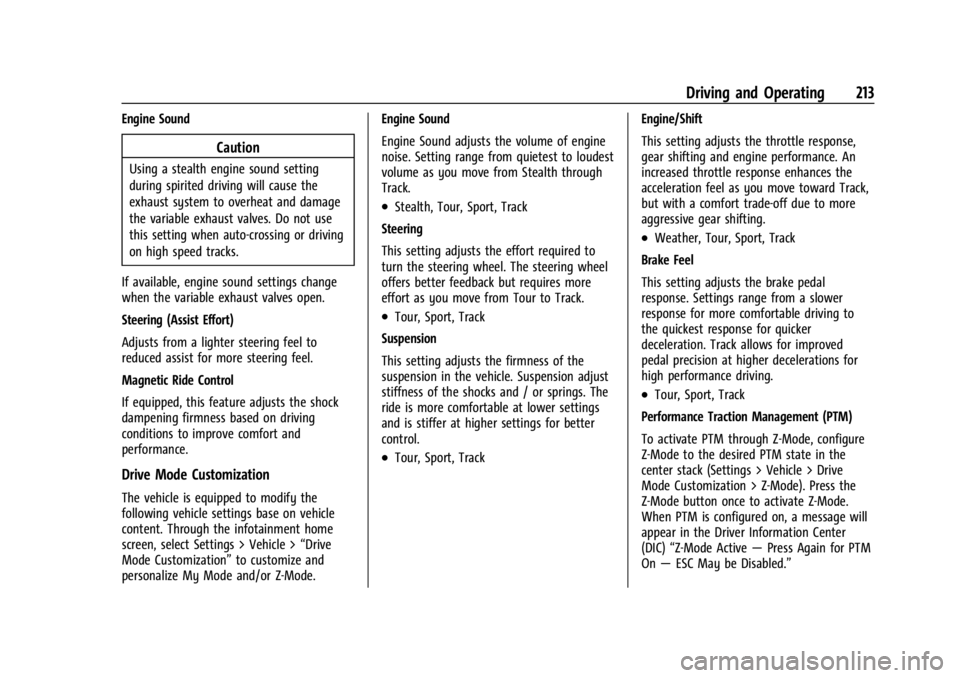
Drive Mode Customization
The vehicle is equipped to modify the
following vehicle settings base on vehicle
content. Through the infotainment home
screen, select Settings > Vehicle > “Drive
Mode Customization” to customize and
personalize My Mode and/or Z-Mode. Engine Sound
Engine Sound adjusts the volume of engine
noise. Setting range from quietest to loudest
volume as you move from Stealth through
Track.
.Stealth, Tour, Sport, Track
Steering
This setting adjusts the effort required to
turn the steering wheel. The steering wheel
offers better feedback but requires more
effort as you move from Tour to Track.
.Tour, Sport, Track
Suspension
This setting adjusts the firmness of the
suspension in the vehicle. Suspension adjust
stiffness of the shocks and / or springs. The
ride is more comfortable at lower settings
and is stiffer at higher settings for better
control.
.Tour, Sport, Track Engine/Shift
This setting adjusts the throttle response,
gear shifting and engine performance. An
increased throttle response enhances the
acceleration feel as you move toward Track,
but with a comfort trade-off due to more
aggressive gear shifting.
.Weather, Tour, Sport, Track
Brake Feel
This setting adjusts the brake pedal
response. Settings range from a slower
response for more comfortable driving to
the quickest response for quicker
deceleration. Track allows for improved
pedal precision at higher decelerations for
high performance driving.
.Tour, Sport, Track
Performance Traction Management (PTM)
To activate PTM through Z-Mode, configure
Z-Mode to the desired PTM state in the
center stack (Settings > Vehicle > Drive
Mode Customization > Z-Mode). Press the
Z-Mode button once to activate Z-Mode.
When PTM is configured on, a message will
appear in the Driver Information Center
(DIC) “Z-Mode Active —Press Again for PTM
On —ESC May be Disabled.”
Page 220 of 351
Chevrolet Corvette Owner Manual (GMNA-Localizing-U.S./Canada/Mexico-
16287457) - 2023 - CRC - 3/10/22
Driving and Operating 219
Limited-Slip Differential (Stingray
With Z51 Performance Package
and Z06 model)
The Electrical Limited-Slip Differential (eLSD)
is a hydraulically actuated clutch system
inside the transaxle. It can infinitely vary
the clutch engagement between 0 and
2250 N*m (1659 lb-ft) of breakaway torque
between the rear wheels. When necessary it
responds from open to full engagement in
fractions of a second. Smaller clutch
adjustments happen even faster.
The eLSD:
.Uses the vehicle sensors and driver inputs
to determine the optimum amount of
clutch engagement for the conditions.
.Improves traction while cornering by
changing the engagement to achieve a
balance between directional control and
acceleration.
.Provides optimal engagement for
high-speed control and stability without
affecting precise steering and turn-in.
.Improves vehicle stability during spirited
driving and evasive maneuvers. It is fully
integrated with the Active Handling and
Performance Traction Management (PTM)
systems (if equipped).There are unique calibrations based on the
Traction Control System (TCS) setting. eLSD
modes change automatically when the
traction control button is pressed. No unique
input from the driver is required.
.Mode 1 is the standard mode when the
vehicle is started. It provides a touring
calibration with an emphasis on vehicle
stability. Mode 1 is also used in PTM
Wet mode.
.Mode 2 is engaged when both TCS and
StabiliTrak are turned off. This calibration
provides more nimble corner turn-in, and
is biased for better traction out of
corners.
.Mode 3 is engaged when PTM is engaged
in Dry, Sport 1 & 2, and Race modes. This
is a nimble calibration with similar
functionality as eLSD Mode 2, however, it
is integrated to work with PTM.
.Mode 4 is engaged when TCS is selected
off, but StabiliTrak remains on. Vehicle
stability is still the priority, while allowing
for optimized traction out of corners.
Cruise Control
With cruise control, a speed of about
40 km/h (25 mph) or more can be
maintained without keeping your foot on
the accelerator. Cruise control does not work
at speeds below about 40 km/h (25 mph).
{Warning
Cruise control can be dangerous where
you cannot drive safely at a steady
speed. Do not use cruise control on
winding roads or in heavy traffic.
Cruise control can be dangerous on
slippery roads. On such roads, fast
changes in tire traction can cause
excessive wheel slip, and you could lose
control. Do not use cruise control on
slippery roads.
If the Traction Control System (TCS) begins
to limit wheel spin while you are using
cruise control, the cruise control
automatically disengages. See Traction
Control/Electronic Stability Control 0206.
When road conditions allow for using safely
again, cruise control can be turned back on.
Page 226 of 351
Chevrolet Corvette Owner Manual (GMNA-Localizing-U.S./Canada/Mexico-
16287457) - 2023 - CRC - 3/10/22
Driving and Operating 225
Park Assist
With RPA, as the vehicle backs up at speeds
of less than 8 km/h (5 mph), the sensors on
the rear bumper may detect objects up to
2.5 m (8 ft) behind the vehicle within a zone
25 cm (10 in) high off the ground and below
bumper level. These detection distances may
be shorter during warmer or humid weather.
Blocked sensors will not detect objects and
can also cause false detections. Keep the
sensors clean of mud, dirt, snow, ice, and
slush; and clean sensors after a car wash in
freezing temperatures.
{Warning
The Park Assist system does not detect
children, pedestrians, bicyclists, animals,
or objects located below the bumper or
that are too close or too far from the
vehicle. It is not available at speeds
greater than 8 km/h (5 mph). To prevent
injury, death, or vehicle damage, even
with Park Assist, always check the area
around the vehicle and check all mirrors
before moving forward or backing.
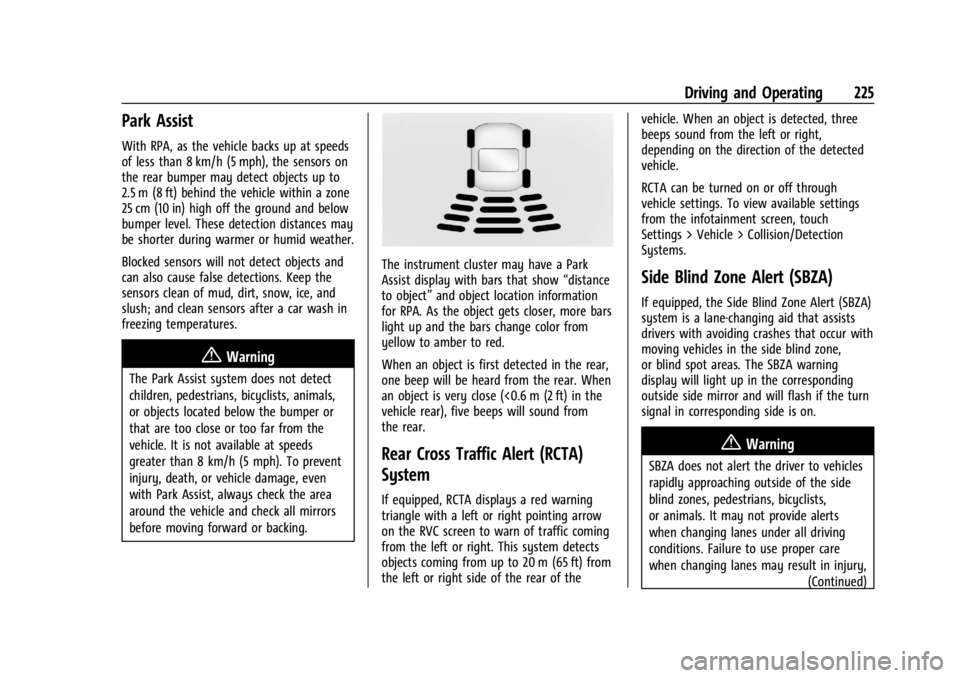
The instrument cluster may have a Park
Assist display with bars that show“distance
to object” and object location information
for RPA. As the object gets closer, more bars
light up and the bars change color from
yellow to amber to red.
When an object is first detected in the rear,
one beep will be heard from the rear. When
an object is very close (<0.6 m (2 ft) in the
vehicle rear), five beeps will sound from
the rear.
Rear Cross Traffic Alert (RCTA)
System
If equipped, RCTA displays a red warning
triangle with a left or right pointing arrow
on the RVC screen to warn of traffic coming
from the left or right. This system detects
objects coming from up to 20 m (65 ft) from
the left or right side of the rear of the vehicle. When an object is detected, three
beeps sound from the left or right,
depending on the direction of the detected
vehicle.
RCTA can be turned on or off through
vehicle settings. To view available settings
from the infotainment screen, touch
Settings > Vehicle > Collision/Detection
Systems.
Side Blind Zone Alert (SBZA)
If equipped, the Side Blind Zone Alert (SBZA)
system is a lane-changing aid that assists
drivers with avoiding crashes that occur with
moving vehicles in the side blind zone,
or blind spot areas. The SBZA warning
display will light up in the corresponding
outside side mirror and will flash if the turn
signal in corresponding side is on.
{Warning
SBZA does not alert the driver to vehicles
rapidly approaching outside of the side
blind zones, pedestrians, bicyclists,
or animals. It may not provide alerts
when changing lanes under all driving
conditions. Failure to use proper care
when changing lanes may result in injury,
(Continued)
Page 227 of 351
Chevrolet Corvette Owner Manual (GMNA-Localizing-U.S./Canada/Mexico-
16287457) - 2023 - CRC - 3/10/22
226 Driving and Operating
Warning (Continued)
death, or vehicle damage. Before making
a lane change, always check mirrors,
glance over your shoulder, and use the
turn signals.
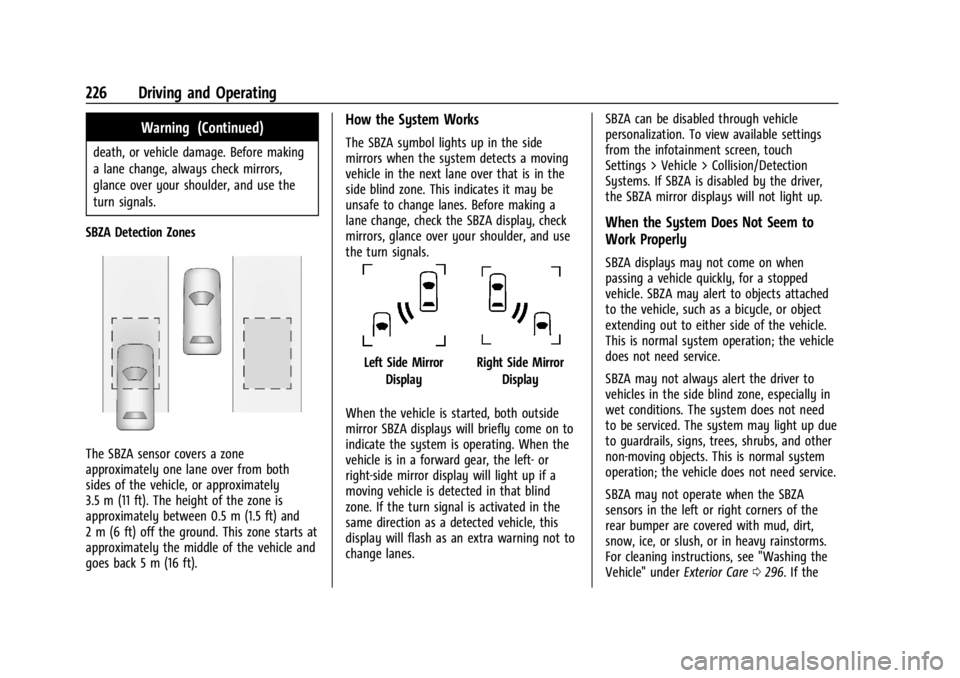
SBZA Detection Zones
The SBZA sensor covers a zone
approximately one lane over from both
sides of the vehicle, or approximately
3.5 m (11 ft). The height of the zone is
approximately between 0.5 m (1.5 ft) and
2 m (6 ft) off the ground. This zone starts at
approximately the middle of the vehicle and
goes back 5 m (16 ft).
How the System Works
The SBZA symbol lights up in the side
mirrors when the system detects a moving
vehicle in the next lane over that is in the
side blind zone. This indicates it may be
unsafe to change lanes. Before making a
lane change, check the SBZA display, check
mirrors, glance over your shoulder, and use
the turn signals.
Left Side Mirror DisplayRight Side Mirror Display
When the vehicle is started, both outside
mirror SBZA displays will briefly come on to
indicate the system is operating. When the
vehicle is in a forward gear, the left- or
right-side mirror display will light up if a
moving vehicle is detected in that blind
zone. If the turn signal is activated in the
same direction as a detected vehicle, this
display will flash as an extra warning not to
change lanes. SBZA can be disabled through vehicle
personalization. To view available settings
from the infotainment screen, touch
Settings > Vehicle > Collision/Detection
Systems. If SBZA is disabled by the driver,
the SBZA mirror displays will not light up.
When the System Does Not Seem to
Work Properly
SBZA displays may not come on when
passing a vehicle quickly, for a stopped
vehicle. SBZA may alert to objects attached
to the vehicle, such as a bicycle, or object
extending out to either side of the vehicle.
This is normal system operation; the vehicle
does not need service.
SBZA may not always alert the driver to
vehicles in the side blind zone, especially in
wet conditions. The system does not need
to be serviced. The system may light up due
to guardrails, signs, trees, shrubs, and other
non-moving objects. This is normal system
operation; the vehicle does not need service.
SBZA may not operate when the SBZA
sensors in the left or right corners of the
rear bumper are covered with mud, dirt,
snow, ice, or slush, or in heavy rainstorms.
For cleaning instructions, see "Washing the
Vehicle" under
Exterior Care0296. If the
Page 243 of 351
Chevrolet Corvette Owner Manual (GMNA-Localizing-U.S./Canada/Mexico-
16287457) - 2023 - CRC - 3/10/22
242 Vehicle Care
1. Engine Cooling Fan (Out of View). SeeCooling System 0252.
2. Engine Air Cleaner/Filter (Under Access Panel). See Engine Air Cleaner/Filter
0 251.
3. Dry Sump Engine Oil Tank and Fill Cap. See Engine Oil (5.5L LT6 Engine) 0242 or
Engine Oil (6.2L LT2 Engine) 0245.
4. Engine Oil Dipstick. See Engine Oil (5.5L
LT6 Engine) 0242 or
Engine Oil (6.2L LT2 Engine) 0245.
5. Coolant Surge Tank and Pressure Cap. See Cooling System 0252.
Engine Oil (5.5L LT6 Engine)
To ensure proper engine performance and
long life, pay careful attention to engine oil.
Follow these important steps:
.Use engine oil approved to the proper
specification and of the proper viscosity
grade. See “Selecting the Right Engine
Oil” later in this section.
.Check the engine oil level regularly and
maintain the proper oil level. See
“Checking Engine Oil” and“When to Add
Engine Oil” later in this section.
.Change the engine oil at the appropriate
time. SeeEngine Oil Life System 0248.
.Always dispose of engine oil properly. See
“What to Do with Used Oil” in this
section.
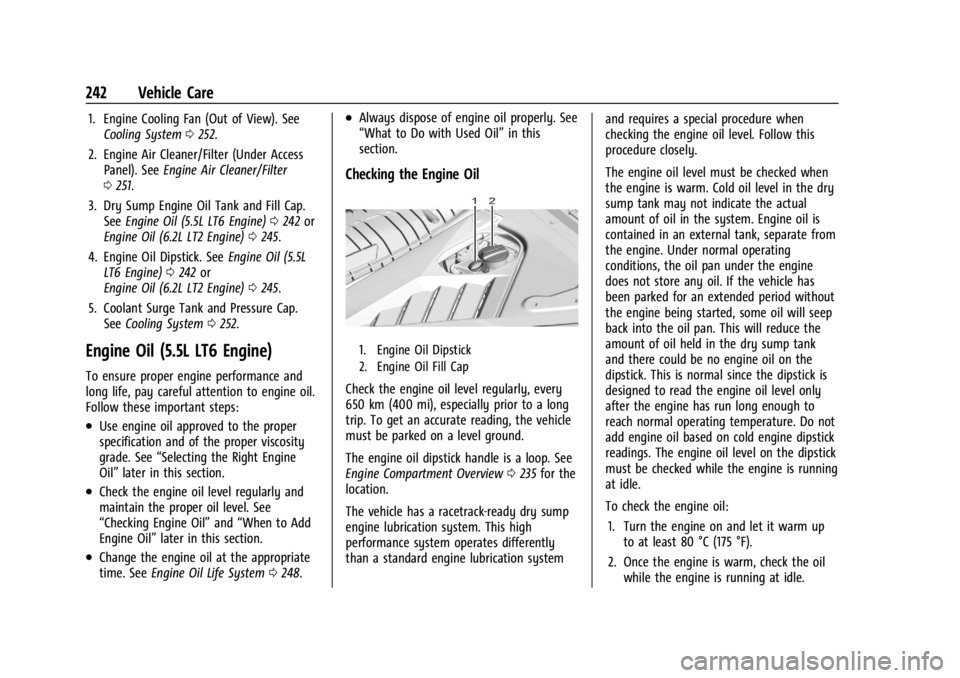
Checking the Engine Oil
1. Engine Oil Dipstick
2. Engine Oil Fill Cap
Check the engine oil level regularly, every
650 km (400 mi), especially prior to a long
trip. To get an accurate reading, the vehicle
must be parked on a level ground.
The engine oil dipstick handle is a loop. See
Engine Compartment Overview 0235 for the
location.
The vehicle has a racetrack-ready dry sump
engine lubrication system. This high
performance system operates differently
than a standard engine lubrication system and requires a special procedure when
checking the engine oil level. Follow this
procedure closely.
The engine oil level must be checked when
the engine is warm. Cold oil level in the dry
sump tank may not indicate the actual
amount of oil in the system. Engine oil is
contained in an external tank, separate from
the engine. Under normal operating
conditions, the oil pan under the engine
does not store any oil. If the vehicle has
been parked for an extended period without
the engine being started, some oil will seep
back into the oil pan. This will reduce the
amount of oil held in the dry sump tank
and there could be no engine oil on the
dipstick. This is normal since the dipstick is
designed to read the engine oil level only
after the engine has run long enough to
reach normal operating temperature. Do not
add engine oil based on cold engine dipstick
readings. The engine oil level on the dipstick
must be checked while the engine is running
at idle.
To check the engine oil:
1. Turn the engine on and let it warm up to at least 80 °C (175 °F).
2. Once the engine is warm, check the oil while the engine is running at idle.
Page 246 of 351
Chevrolet Corvette Owner Manual (GMNA-Localizing-U.S./Canada/Mexico-
16287457) - 2023 - CRC - 3/10/22
Vehicle Care 245
Engine Oil Additives/Engine Oil Flushes
Do not add anything to the oil. The
recommended oils meeting the dexos
specification are all that is needed for good
performance and engine protection.
Engine oil system flushes are not
recommended and could cause engine
damage not covered by the vehicle
warranty.
What to Do with Used Oil
Used engine oil contains certain elements
that can be unhealthy for your skin and
could even cause cancer. Do not let used oil
stay on your skin for very long. Clean your
skin and nails with soap and water, or a
good hand cleaner. Wash or properly
dispose of clothing or rags containing used
engine oil. See the manufacturer's warnings
about the use and disposal of oil products.
Used oil can be a threat to the environment.
If you change your own oil, drain all the oil
from the filter before disposal. Never dispose
of oil by putting it in the trash or pouring it
on the ground, into sewers, or into streams
or bodies of water. Recycle it by taking it to
a place that collects used oil.
Engine Oil (6.2L LT2 Engine)
To ensure proper engine performance and
long life, pay careful attention to engine oil.
Follow these important steps:
.Use engine oil approved to the proper
specification and of the proper viscosity
grade. See“Selecting the Right Engine
Oil” later in this section.
.Check the engine oil level regularly and
maintain the proper oil level. See
“Checking Engine Oil” and“When to Add
Engine Oil” later in this section.
.Change the engine oil at the appropriate
time. SeeEngine Oil Life System 0248.
.Always dispose of engine oil properly. See
“What to Do with Used Oil” in this
section.
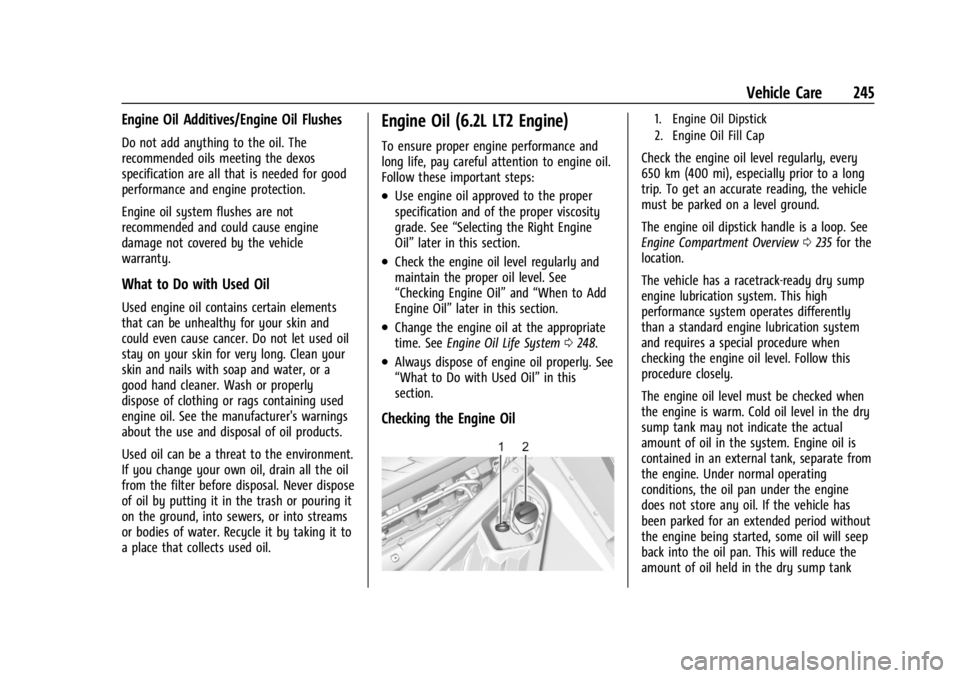
Checking the Engine Oil
1. Engine Oil Dipstick
2. Engine Oil Fill Cap
Check the engine oil level regularly, every
650 km (400 mi), especially prior to a long
trip. To get an accurate reading, the vehicle
must be parked on a level ground.
The engine oil dipstick handle is a loop. See
Engine Compartment Overview 0235 for the
location.
The vehicle has a racetrack-ready dry sump
engine lubrication system. This high
performance system operates differently
than a standard engine lubrication system
and requires a special procedure when
checking the engine oil level. Follow this
procedure closely.
The engine oil level must be checked when
the engine is warm. Cold oil level in the dry
sump tank may not indicate the actual
amount of oil in the system. Engine oil is
contained in an external tank, separate from
the engine. Under normal operating
conditions, the oil pan under the engine
does not store any oil. If the vehicle has
been parked for an extended period without
the engine being started, some oil will seep
back into the oil pan. This will reduce the
amount of oil held in the dry sump tank
Page 251 of 351
Chevrolet Corvette Owner Manual (GMNA-Localizing-U.S./Canada/Mexico-
16287457) - 2023 - CRC - 3/10/22
250 Vehicle Care
When to Replace the Dual Clutch
Transmission Fluid Filter
This vehicle has a computer that indicates
when to change the transmission external
canister fluid filter. This is based on the
number of miles driven as outlined in the
Service and Maintenance section. For the
fluid filter life system to work properly, the
system must be reset every time the filter is
replaced. When the system has calculated
that the external canister filter is near the
mileage interval, a REPLACE TRANSMISSION
OIL FILTER SOON message comes on. Replace
the external canister filter before the
indicator reaches 0%.
Failure to replace the transmission filter at
required intervals could lead to suboptimal
transmission performance. Your dealer has
trained service technicians who will replace
the external canister filter and reset the
system. If the system is ever reset
accidentally, the filter should be replaced
according to the service intervals indicated
in the Service and Maintenance section until
the next filter change. If the next filter
change is the first, follow the service
interval until the second filter change,
resetting the filter life system at each filter
change.
How to Reset the Dual Clutch
Transmission Fluid and Filter Life System
Reset the respective system whenever the
transmission fluid or external canister filter
is replaced so that the system can calculate
the next service interval.
To reset:1. Place the vehicle in P (Park).
2. Select Transmission Fluid Life or Transmission Oil Filter Life on the DIC
menu. See Driver Information Center
(DIC) 092.
3. Press the thumbwheel to move to the Reset submenu. Select Reset
Transmission Fluid or Reset Transmission
Oil Filter. A confirmation page will be
displayed, press the thumbwheel again
to confirm the reset.
4. When the Transmission Fluid/Filter Life System is successfully reset, 100%
remaining life will be displayed.
Engine Air Filter Life System
If equipped, this feature provides the engine
air filter’s remaining life and best timing for
a change. The timing to change an engine
air filter depends on driving and
environmental conditions.
When to Change Engine Air Filter
When the Driver Information Center (DIC)
displays a message to replace the engine air
filter at the next oil change, follow this
timing.
When the DIC displays a message to replace
the engine air filter soon, replace the engine
air filter at the earliest convenience.
The system must be reset after the engine
air filter is changed.
If the DIC displays a message to check the
engine air filter system, see your dealer.
How to Reset Engine Air Filter Life
System
Reset the system whenever the engine air
filter is replaced so that the system can
calculate the next engine air filter change.
To reset:
1. Place the vehicle in P (Park).
2. Display the Air Filter Life on the DIC. See Driver Information Center (DIC) 092.
3. Press the thumbwheel on the steering wheel to move to the Reset/Disable
display area. Select Reset and press the
thumbwheel for several seconds.
4. Press the thumbwheel to confirm reset.