service CHEVROLET CORVETTE 2023 Owners Manual
[x] Cancel search | Manufacturer: CHEVROLET, Model Year: 2023, Model line: CORVETTE, Model: CHEVROLET CORVETTE 2023Pages: 351, PDF Size: 6.28 MB
Page 1 of 351

2023
Scan to Access
United StatesUnited States and Canada
Connected Services1-888-4-ONSTAR Customer Assistance
1-800-263-3777
Canada
• Owner’s Manuals
• Warranty Information
• Connected Services
• My Chevrolet Rewards
• myChevrolet Mobile App
• How-To Videos
• Vehicle Diagnostics
• Scheduled Maintenance
• Vehicle Features
• Many Additional Resources
United States
Customer Assistance 1-800-222-1020
Roadside Assistance 1-800-243-8872
84795300 A
Owner’s Manual
Roadside Assistance1-800-268-6800
Canada
C
M
Y
CM
MY
CY
CMY
K
ai164624614917_23_CHEV_Corvette_COV_en_US_84795300A_2022MAR14.pdf 1 \
3/2/2022 1:35:50 PM
Page 2 of 351
Chevrolet Corvette Owner Manual (GMNA-Localizing-U.S./Canada/Mexico-
16287457) - 2023 - CRC - 3/10/22
Contents
Introduction . . . . . . . . . . . . . . . . . . . . . . . . . . . . . . 1
Keys, Doors, and Windows . . . . . . . . . . . . . . . 6
Seats and Restraints . . . . . . . . . . . . . . . . . . . . . 38
Storage . . . . . . . . . . . . . . . . . . . . . . . . . . . . . . . . . 69
Instruments and Controls . . . . . . . . . . . . . . . . 72
Lighting . . . . . . . . . . . . . . . . . . . . . . . . . . . . . . . . 102
Infotainment System . . . . . . . . . . . . . . . . . . . 108
Climate Controls . . . . . . . . . . . . . . . . . . . . . . . . 163
Driving and Operating . . . . . . . . . . . . . . . . . . 168
Vehicle Care . . . . . . . . . . . . . . . . . . . . . . . . . . . . 231
Service and Maintenance . . . . . . . . . . . . . . . 305
Technical Data . . . . . . . . . . . . . . . . . . . . . . . . . . 314
Customer Information . . . . . . . . . . . . . . . . . . 319
Reporting Safety Defects . . . . . . . . . . . . . . . 327
OnStar . . . . . . . . . . . . . . . . . . . . . . . . . . . . . . . . . . 331
Connected Services . . . . . . . . . . . . . . . . . . . . . 336
Index . . . . . . . . . . . . . . . . . . . . . . . . . . 339
Introduction
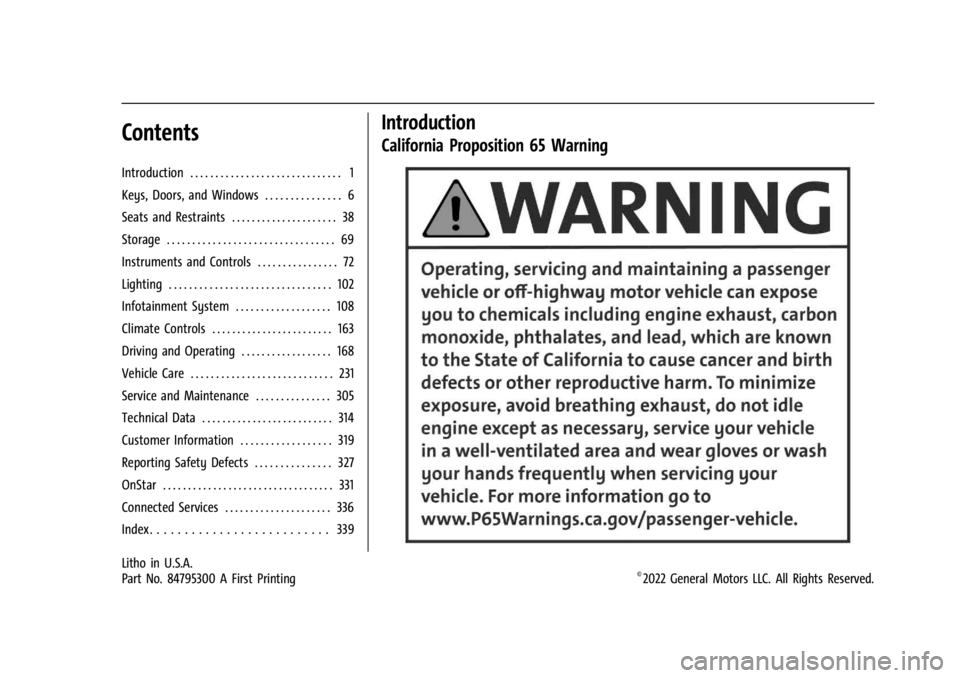
California Proposition 65 Warning
Litho in U.S.A.
Part No. 84795300 A First Printing©2022 General Motors LLC. All Rights Reserved.
Page 3 of 351
Chevrolet Corvette Owner Manual (GMNA-Localizing-U.S./Canada/Mexico-
16287457) - 2023 - CRC - 3/10/22
2 Introduction
Introduction
The names, logos, emblems, slogans, vehicle
model names, and vehicle body designs
appearing in this manual including, but not
limited to, GM, the GM logo, CHEVROLET,
the CHEVROLET emblem, CORVETTE, and the
CORVETTE emblem are trademarks and/or
service marks of General Motors LLC, its
subsidiaries, affiliates, or licensors.
For vehicles first sold in Canada, substitute
the name“General Motors of Canada
Company” for Chevrolet Motor Division
wherever it appears in this manual.
This manual describes features that may or
may not be on the vehicle because of
optional equipment that was not purchased
on the vehicle, model variants, country
specifications, features/applications that may
not be available in your region, or changes
subsequent to the printing of this owner’s
manual, including changes in standard or
optional content. Refer to the purchase documentation
relating to your specific vehicle to confirm
the features.
Keep this manual in the vehicle for quick
reference.
Canadian Vehicle Owners
A French language manual can be obtained
from your dealer, at www.helminc.com,
or from:
Propriétaires Canadiens
On peut obtenir un exemplaire de ce guide
en français auprès du concessionnaire ou à
l'adresse suivante:
Helm, Incorporated
Attention: Customer Service
47911 Halyard Drive
Plymouth, MI 48170
USA
Using this Manual
To quickly locate information about the
vehicle, use the Index in the back of the
manual. It is an alphabetical list of what is
in the manual and the page number where
it can be found.
Danger, Warning, and Caution
Warning messages found on vehicle labels
and in this manual describe hazards and
what to do to avoid or reduce them.
{Danger
Danger indicates a hazard with a high
level of risk which will result in serious
injury or death.
{Warning
Warning indicates a hazard that could
result in injury or death.
Caution
Caution indicates a hazard that could
result in property or vehicle damage.
Page 4 of 351
Chevrolet Corvette Owner Manual (GMNA-Localizing-U.S./Canada/Mexico-
16287457) - 2023 - CRC - 3/10/22
Introduction 3
A circle with a slash through it is a safety
symbol which means“Do not,” “Do not do
this,” or“Do not let this happen.”
Symbols
The vehicle has components and labels that
use symbols instead of text. Symbols are
shown along with the text describing the
operation or information relating to a
specific component, control, message, gauge,
or indicator.
M:Shown when the owner’s manual has
additional instructions or information.
*: Shown when the service manual has
additional instructions or information.
0: Shown when there is more information
on another page — “see page.” Vehicle Symbol Chart
Here are some additional symbols that may
be found on the vehicle and what they
mean. See the features in this manual for
information.
u:
Air Conditioning System
G:Air Conditioning Refrigerant Oil
9:Airbag Readiness Light
!:Antilock Brake System (ABS)
$:Brake System Warning Light
z: Carbon Monoxide
9:Dispose of Used Components Properly
P:Do Not Apply High Pressure Water
B:Engine Coolant Temperature
_:Flame/Fire Prohibited
H: Flammable
R:Fuse Block Cover Lock Location
+:Fuses
j:ISOFIX/LATCH System Child Restraints
Q:Keep Fuse Block Covers Properly
Installed
A: Lane Keep Assist
*: Malfunction Indicator Lamp
::Oil Pressure
X:Park Assist
O:Power
7:Rear Cross Traffic Alert
I:Registered Technician
/:Remote Vehicle Start
h:Risk of Electrical Fire
>:Seat Belt Reminders
I:Side Blind Zone Alert
7:Tire Pressure Monitor
d:Traction Control/StabiliTrak/Electronic
Stability Control (ESC)
a: Under Pressure
Page 8 of 351
Chevrolet Corvette Owner Manual (GMNA-Localizing-U.S./Canada/Mexico-
16287457) - 2023 - CRC - 3/10/22
Keys, Doors, and Windows 7
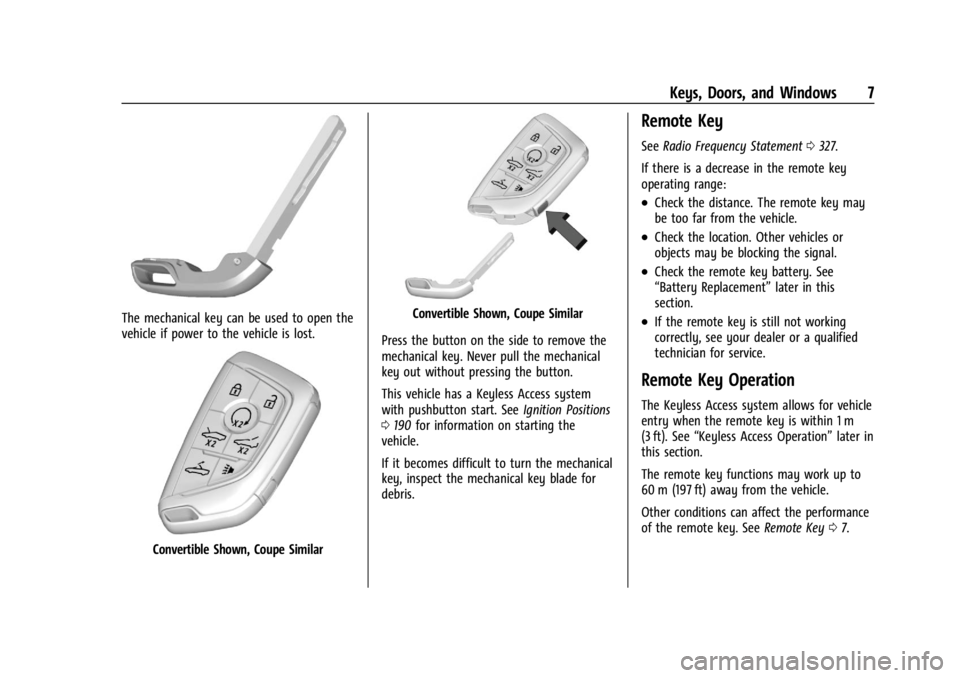
The mechanical key can be used to open the
vehicle if power to the vehicle is lost.
Convertible Shown, Coupe Similar
Convertible Shown, Coupe Similar
Press the button on the side to remove the
mechanical key. Never pull the mechanical
key out without pressing the button.
This vehicle has a Keyless Access system
with pushbutton start. See Ignition Positions
0 190 for information on starting the
vehicle.
If it becomes difficult to turn the mechanical
key, inspect the mechanical key blade for
debris.
Remote Key
See Radio Frequency Statement 0327.
If there is a decrease in the remote key
operating range:
.Check the distance. The remote key may
be too far from the vehicle.
.Check the location. Other vehicles or
objects may be blocking the signal.
.Check the remote key battery. See
“Battery Replacement” later in this
section.
.If the remote key is still not working
correctly, see your dealer or a qualified
technician for service.
Remote Key Operation
The Keyless Access system allows for vehicle
entry when the remote key is within 1 m
(3 ft). See “Keyless Access Operation” later in
this section.
The remote key functions may work up to
60 m (197 ft) away from the vehicle.
Other conditions can affect the performance
of the remote key. See Remote Key07.
Page 18 of 351
Chevrolet Corvette Owner Manual (GMNA-Localizing-U.S./Canada/Mexico-
16287457) - 2023 - CRC - 3/10/22
Keys, Doors, and Windows 17
number of remote keys inside has not
reduced, the driver door will unlock and the
horn will chirp three times.
Lockout Protection can be manually
overridden with the driver door open by
pressing and holding
Qon the power door
lock switch.
Doors
Hood
Hood Release
{Warning
Do not drive the vehicle if the hood is
not latched completely. The hood could
open fully, block your vision, and cause a
crash. You or others could be injured.
Always close the hood completely before
driving. When the hood is not closed, the
vehicle will not exceed 42 km/h
(26 mph). Close the hood to drive faster
than 42 km/h (26 mph).
The hood compartment can be accessed in
several ways. Ensure the hood is clear of any objects
before opening.
This vehicle prevents from shifting out of
P (Park) when the hood is not closed. Close
the hood to shift out of P (Park). Confirm
the hood is closed by checking that the
hood is flush with the surrounding
components.
If the hood is closed but the ajar message is
still present, then the transmission lockout
can be overridden by holding the brake for
20 seconds and then shifting into D (Drive).
In this case, the vehicle will not exceed
42 km/h (26 mph). See your dealer for
service.
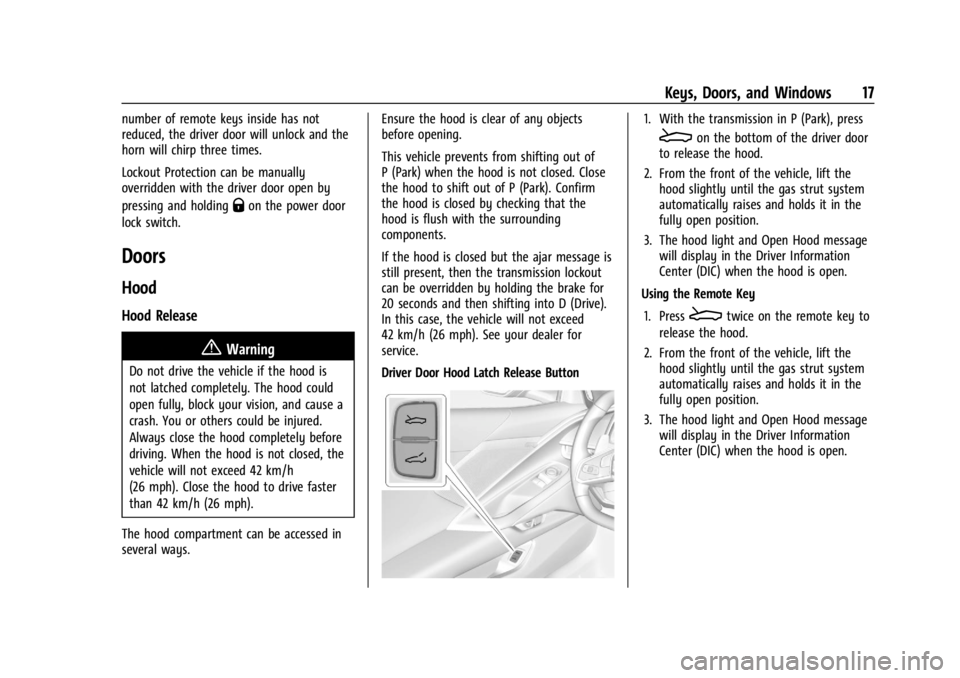
Driver Door Hood Latch Release Button
1. With the transmission in P (Park), press
Eon the bottom of the driver door
to release the hood.
2. From the front of the vehicle, lift the hood slightly until the gas strut system
automatically raises and holds it in the
fully open position.
3. The hood light and Open Hood message will display in the Driver Information
Center (DIC) when the hood is open.
Using the Remote Key
1. Press
Etwice on the remote key to
release the hood.
2. From the front of the vehicle, lift the hood slightly until the gas strut system
automatically raises and holds it in the
fully open position.
3. The hood light and Open Hood message will display in the Driver Information
Center (DIC) when the hood is open.
Page 19 of 351
Chevrolet Corvette Owner Manual (GMNA-Localizing-U.S./Canada/Mexico-
16287457) - 2023 - CRC - 3/10/22
18 Keys, Doors, and Windows
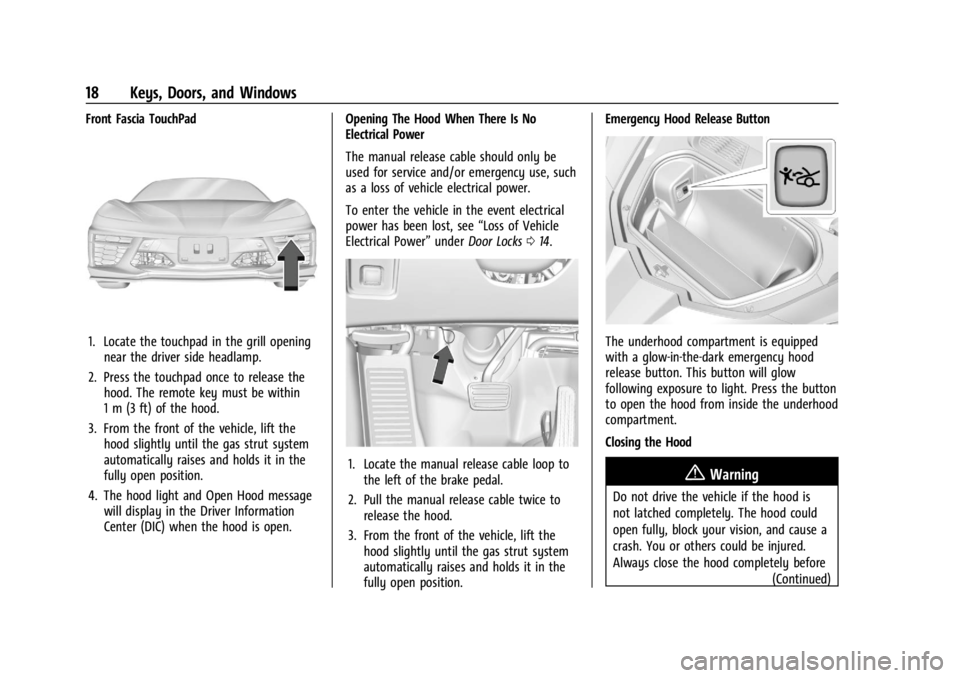
Front Fascia TouchPad
1. Locate the touchpad in the grill openingnear the driver side headlamp.
2. Press the touchpad once to release the hood. The remote key must be within
1 m (3 ft) of the hood.
3. From the front of the vehicle, lift the hood slightly until the gas strut system
automatically raises and holds it in the
fully open position.
4. The hood light and Open Hood message will display in the Driver Information
Center (DIC) when the hood is open. Opening The Hood When There Is No
Electrical Power
The manual release cable should only be
used for service and/or emergency use, such
as a loss of vehicle electrical power.
To enter the vehicle in the event electrical
power has been lost, see
“Loss of Vehicle
Electrical Power” underDoor Locks 014.
1. Locate the manual release cable loop to
the left of the brake pedal.
2. Pull the manual release cable twice to release the hood.
3. From the front of the vehicle, lift the hood slightly until the gas strut system
automatically raises and holds it in the
fully open position. Emergency Hood Release Button
The underhood compartment is equipped
with a glow-in-the-dark emergency hood
release button. This button will glow
following exposure to light. Press the button
to open the hood from inside the underhood
compartment.
Closing the Hood
{Warning
Do not drive the vehicle if the hood is
not latched completely. The hood could
open fully, block your vision, and cause a
crash. You or others could be injured.
Always close the hood completely before
(Continued)
Page 24 of 351
Chevrolet Corvette Owner Manual (GMNA-Localizing-U.S./Canada/Mexico-
16287457) - 2023 - CRC - 3/10/22
Keys, Doors, and Windows 23
.Make sure there are no obstructions
blocking the sensors.
Intrusion and Inclination Sensors Disable
Switch
It is recommended that the intrusion and
inclination sensors be deactivated if pets are
left in the vehicle or if the vehicle is being
transported.
When the roof panel is off, or the
convertible top is down, the intrusion
system is turned off.
With the vehicle turned off, press
oon the
overhead console, next to OnStar. The
indicator light will display momentarily,
indicating that these sensors have been
disabled until the next time the alarm
system is armed.
Immobilizer
See Radio Frequency Statement 0327.
Immobilizer Operation
The vehicle has a passive theft-deterrent
system.
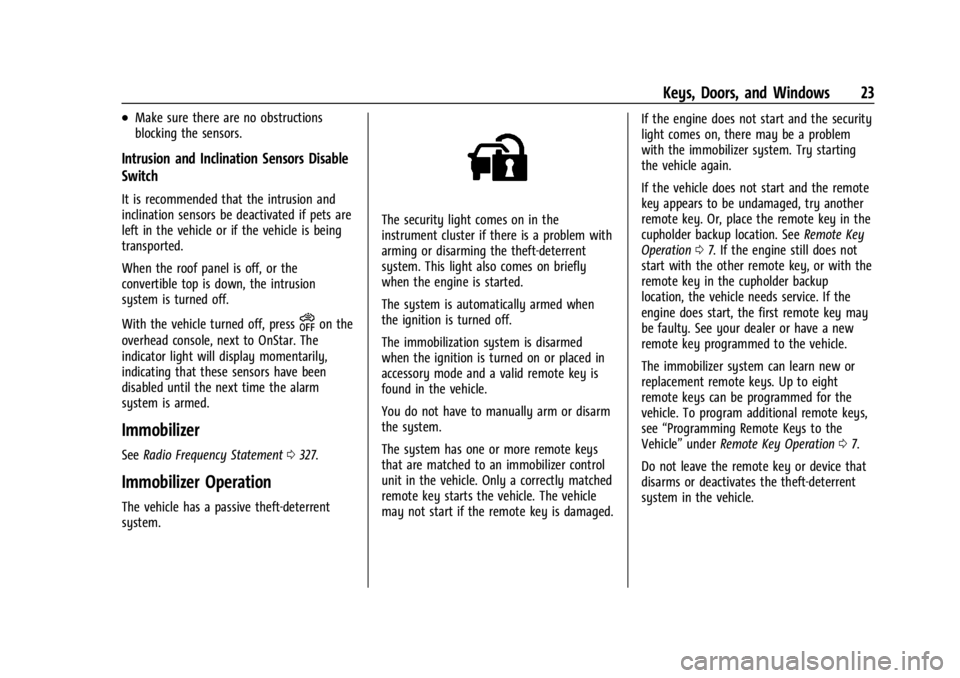
The security light comes on in the
instrument cluster if there is a problem with
arming or disarming the theft-deterrent
system. This light also comes on briefly
when the engine is started.
The system is automatically armed when
the ignition is turned off.
The immobilization system is disarmed
when the ignition is turned on or placed in
accessory mode and a valid remote key is
found in the vehicle.
You do not have to manually arm or disarm
the system.
The system has one or more remote keys
that are matched to an immobilizer control
unit in the vehicle. Only a correctly matched
remote key starts the vehicle. The vehicle
may not start if the remote key is damaged. If the engine does not start and the security
light comes on, there may be a problem
with the immobilizer system. Try starting
the vehicle again.
If the vehicle does not start and the remote
key appears to be undamaged, try another
remote key. Or, place the remote key in the
cupholder backup location. See
Remote Key
Operation 07. If the engine still does not
start with the other remote key, or with the
remote key in the cupholder backup
location, the vehicle needs service. If the
engine does start, the first remote key may
be faulty. See your dealer or have a new
remote key programmed to the vehicle.
The immobilizer system can learn new or
replacement remote keys. Up to eight
remote keys can be programmed for the
vehicle. To program additional remote keys,
see “Programming Remote Keys to the
Vehicle” underRemote Key Operation 07.
Do not leave the remote key or device that
disarms or deactivates the theft-deterrent
system in the vehicle.
Page 29 of 351
Chevrolet Corvette Owner Manual (GMNA-Localizing-U.S./Canada/Mexico-
16287457) - 2023 - CRC - 3/10/22
28 Keys, Doors, and Windows
See your dealer for service if a blue screen
and
3are displayed in the mirror, and
the display shuts off. Also, push the tab as
indicated to return to the automatic
dimming mode.
The Rear Camera Mirror may not work
properly or display a clear image if:
.There is glare from the sun or headlamps.
This may obstruct objects from view.
If needed, push the tab to turn off the
display.
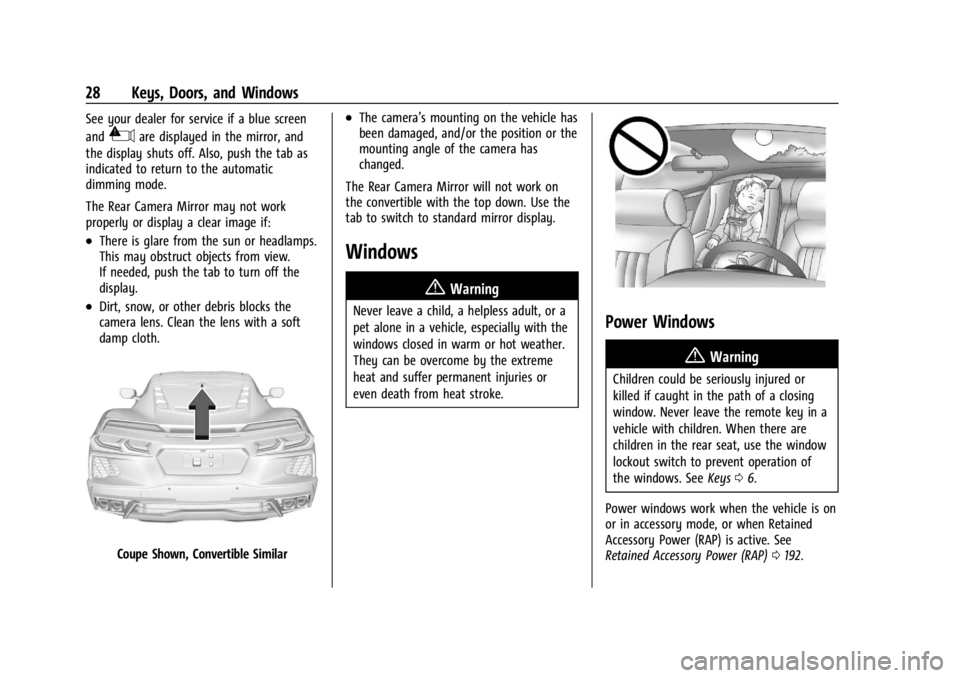
.Dirt, snow, or other debris blocks the
camera lens. Clean the lens with a soft
damp cloth.
Coupe Shown, Convertible Similar
.The camera’s mounting on the vehicle has
been damaged, and/or the position or the
mounting angle of the camera has
changed.
The Rear Camera Mirror will not work on
the convertible with the top down. Use the
tab to switch to standard mirror display.
Windows
{
Warning
Never leave a child, a helpless adult, or a
pet alone in a vehicle, especially with the
windows closed in warm or hot weather.
They can be overcome by the extreme
heat and suffer permanent injuries or
even death from heat stroke.Power Windows
{Warning
Children could be seriously injured or
killed if caught in the path of a closing
window. Never leave the remote key in a
vehicle with children. When there are
children in the rear seat, use the window
lockout switch to prevent operation of
the windows. See Keys06.
Power windows work when the vehicle is on
or in accessory mode, or when Retained
Accessory Power (RAP) is active. See
Retained Accessory Power (RAP) 0192.
Page 30 of 351
Chevrolet Corvette Owner Manual (GMNA-Localizing-U.S./Canada/Mexico-
16287457) - 2023 - CRC - 3/10/22
Keys, Doors, and Windows 29
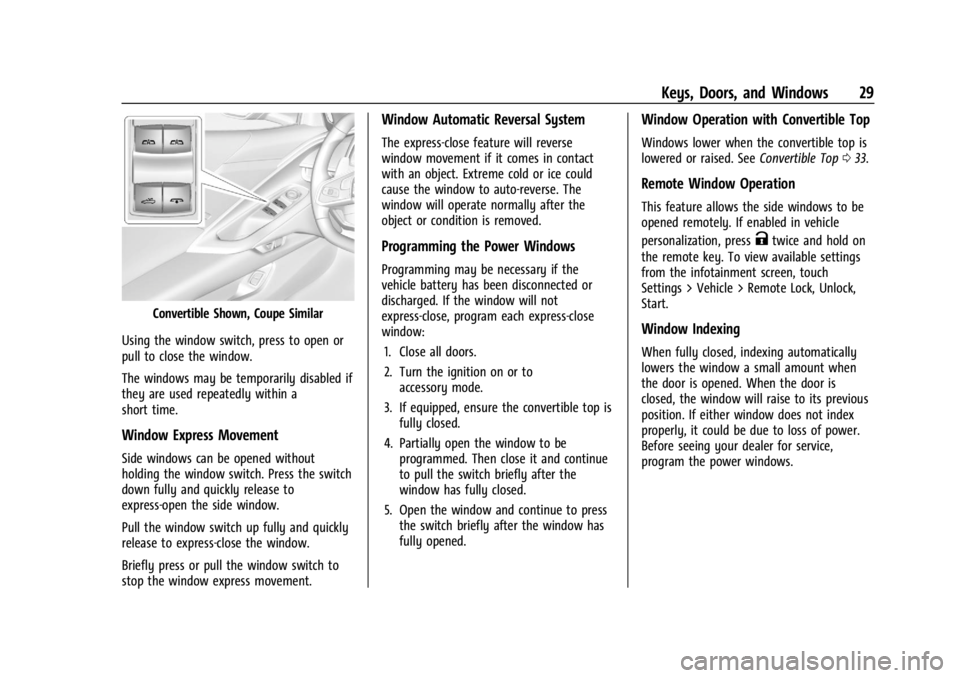
Convertible Shown, Coupe Similar
Using the window switch, press to open or
pull to close the window.
The windows may be temporarily disabled if
they are used repeatedly within a
short time.
Window Express Movement
Side windows can be opened without
holding the window switch. Press the switch
down fully and quickly release to
express-open the side window.
Pull the window switch up fully and quickly
release to express-close the window.
Briefly press or pull the window switch to
stop the window express movement.
Window Automatic Reversal System
The express-close feature will reverse
window movement if it comes in contact
with an object. Extreme cold or ice could
cause the window to auto-reverse. The
window will operate normally after the
object or condition is removed.
Programming the Power Windows
Programming may be necessary if the
vehicle battery has been disconnected or
discharged. If the window will not
express-close, program each express-close
window: 1. Close all doors.
2. Turn the ignition on or to accessory mode.
3. If equipped, ensure the convertible top is fully closed.
4. Partially open the window to be programmed. Then close it and continue
to pull the switch briefly after the
window has fully closed.
5. Open the window and continue to press the switch briefly after the window has
fully opened.
Window Operation with Convertible Top
Windows lower when the convertible top is
lowered or raised. See Convertible Top033.
Remote Window Operation
This feature allows the side windows to be
opened remotely. If enabled in vehicle
personalization, press
Ktwice and hold on
the remote key. To view available settings
from the infotainment screen, touch
Settings > Vehicle > Remote Lock, Unlock,
Start.
Window Indexing
When fully closed, indexing automatically
lowers the window a small amount when
the door is opened. When the door is
closed, the window will raise to its previous
position. If either window does not index
properly, it could be due to loss of power.
Before seeing your dealer for service,
program the power windows.