charging CHEVROLET CORVETTE 2024 User Guide
[x] Cancel search | Manufacturer: CHEVROLET, Model Year: 2024, Model line: CORVETTE, Model: CHEVROLET CORVETTE 2024Pages: 362, PDF Size: 6.62 MB
Page 200 of 362
Chevrolet Corvette Owner Manual (GMNA-Localizing-U.S./Canada/Mexico-
17272984) - 2024 - CRC - 2/20/23
Driving and Operating 199
Through the center display, the driver can
customize multiple settings. The following
vehicle subsystems may be available for
customization in this mode:
Engine Sound:Stealth, Tour, Sport, Track
Steering: Tour, Sport, Track
Suspension: Tour, Sport, Track
Engine/Shift: Weather, Tour, Sport, Track
Brake Feel: Tour, Sport, Track
PTM: Off, Wet, Dry, Sport, Race 1, Race 2
For a more detailed description on how each
driver system is changed, see “Drive Mode
Customization,” later in this section. For
more information on PTM, see “Performance
Traction Management,” later in this section.
Additionally, the cluster theme can be set
up using the display menu in the cluster.
E-Ray Only
Hybrid Battery Charging (Charge+)
The Charge+ feature is used to quickly
charge the high voltage battery to near
maximum State of Charge (SOC). This
feature is useful to prepare for maximum
effort at a racetrack or Stealth mode use. By
activating the Charge+ feature, it rapidly
increases the hybrid battery SOC status into the blue 100% full zone. See
Power Indicator
Gauge 087. When the Charge+ feature is
enabled, the battery SOC may still deplete
during aggressive driving.
The Charge+ feature can be used in
conjunction with any drive mode except
Stealth or Shuttle mode.
On a racetrack, using the Charge+ feature
optimizes the high voltage battery discharge
rate for sustaining continuous lapping or to
set your fastest lap. When the Charge+
feature is enabled, a strategic discharge rate
is activated, which is the best for continuous
lapping on the racetrack. When the Charge+
feature is off, a maximum discharge rate
occurs, which is best for setting the fastest
lap time. For additional details on vehicle
track preparation, see Chevrolet.com >
Corvette Experience > Guides > Track Prep
Guide.
Do not leave the Charge+ feature on longer
than needed since extra fuel may be
consumed due to aggressive charging.
Charge+ draws on engine power to help
recharge the battery quickly, rather than
charging efficiently through brake or coast
regen. When the high voltage battery is full,
no additional regen energy of any type can
be captured. When the Charge+ feature is turned off, the
high voltage propulsion system efficiently
uses battery energy to improve fuel
economy or performance. This allows room
in the high voltage battery for the next
regen charging opportunity. The high
voltage battery automatically seeks its
nominal SOC in the white zone of the
Hybrid Battery Gauge, between 50-80%. The
SOC status is displayed in the HYBRID
BATTERY info tile, and is shown in the blue
Hybrid Battery state. See
“Info Tiles”in
Instrument Cluster 081.
The Charge+ feature is only effective when
the car is being driven. Optimal high voltage
battery charging occurs when the vehicle
speed exceeds 56 km/h (35 mph).
Page 201 of 362
Chevrolet Corvette Owner Manual (GMNA-Localizing-U.S./Canada/Mexico-
17272984) - 2024 - CRC - 2/20/23
200 Driving and Operating
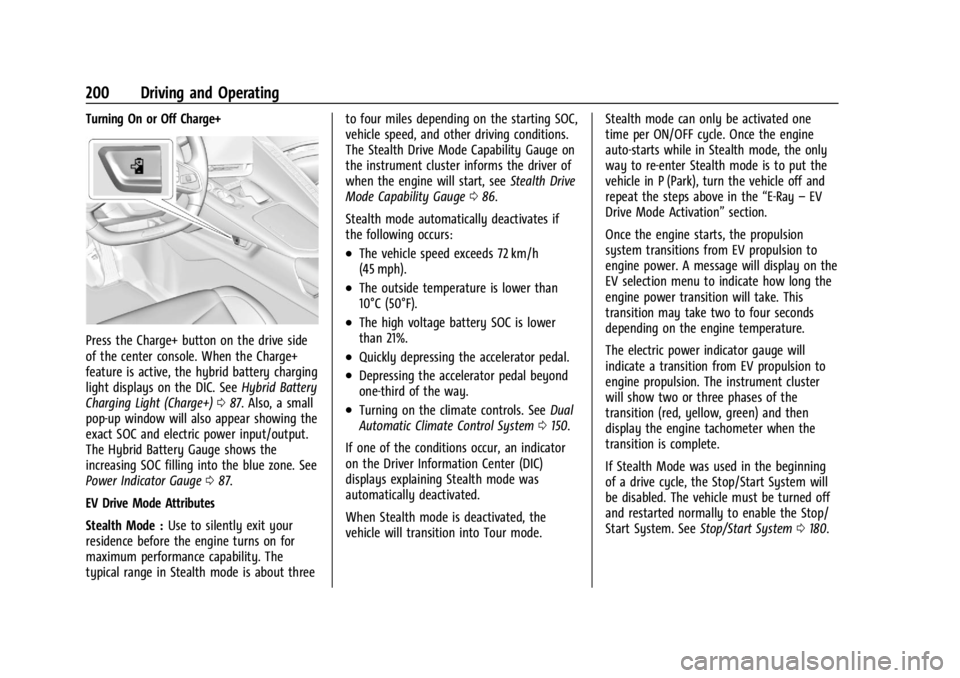
Turning On or Off Charge+
Press the Charge+ button on the drive side
of the center console. When the Charge+
feature is active, the hybrid battery charging
light displays on the DIC. SeeHybrid Battery
Charging Light (Charge+) 087. Also, a small
pop-up window will also appear showing the
exact SOC and electric power input/output.
The Hybrid Battery Gauge shows the
increasing SOC filling into the blue zone. See
Power Indicator Gauge 087.
EV Drive Mode Attributes
Stealth Mode : Use to silently exit your
residence before the engine turns on for
maximum performance capability. The
typical range in Stealth mode is about three to four miles depending on the starting SOC,
vehicle speed, and other driving conditions.
The Stealth Drive Mode Capability Gauge on
the instrument cluster informs the driver of
when the engine will start, see
Stealth Drive
Mode Capability Gauge 086.
Stealth mode automatically deactivates if
the following occurs:
.The vehicle speed exceeds 72 km/h
(45 mph).
.The outside temperature is lower than
10°C (50°F).
.The high voltage battery SOC is lower
than 21%.
.Quickly depressing the accelerator pedal.
.Depressing the accelerator pedal beyond
one-third of the way.
.Turning on the climate controls. See Dual
Automatic Climate Control System 0150.
If one of the conditions occur, an indicator
on the Driver Information Center (DIC)
displays explaining Stealth mode was
automatically deactivated.
When Stealth mode is deactivated, the
vehicle will transition into Tour mode. Stealth mode can only be activated one
time per ON/OFF cycle. Once the engine
auto-starts while in Stealth mode, the only
way to re-enter Stealth mode is to put the
vehicle in P (Park), turn the vehicle off and
repeat the steps above in the
“E-Ray–EV
Drive Mode Activation” section.
Once the engine starts, the propulsion
system transitions from EV propulsion to
engine power. A message will display on the
EV selection menu to indicate how long the
engine power transition will take. This
transition may take two to four seconds
depending on the engine temperature.
The electric power indicator gauge will
indicate a transition from EV propulsion to
engine propulsion. The instrument cluster
will show two or three phases of the
transition (red, yellow, green) and then
display the engine tachometer when the
transition is complete.
If Stealth Mode was used in the beginning
of a drive cycle, the Stop/Start System will
be disabled. The vehicle must be turned off
and restarted normally to enable the Stop/
Start System. See Stop/Start System 0180.
Page 268 of 362
Chevrolet Corvette Owner Manual (GMNA-Localizing-U.S./Canada/Mexico-
17272984) - 2024 - CRC - 2/20/23
Vehicle Care 267
12-Volt Lithium-Ion Battery (E-Ray)
{Warning
WARNING:Battery posts, terminals and
related accessories can expose you to
chemicals including lead and lead
compounds, which are known to the
State of California to cause cancer and
birth defects or other reproductive harm.
Wash hands after handling. For more
information go to
www.P65Warnings.ca.gov.
See California Proposition 65 Warning 01.
Charging the 12-volt Lithium-ion battery
The 12-volt lithium-ion battery can be
charged using a GM approved charger
designed for lithium-Ion batteries. Follow the
instructions that come with the GM
approved charger.
{Warning
Use only GM approved jump start boxes
and charging tools. Use of unapproved
jump start boxes, charging tools, a loose
battery, or battery charger may cause
personal injury, death, or damage to the (Continued)
Warning (Continued)
vehicle. For GM approved jump start
boxes or charging tools, see
https://gmdesolutions.com.
Use the Battery Voltage info tile to
determine if your battery is low and needs
to be charged. See Instrument Cluster081
under the “Info Tiles” section for more
information.
GM recommends charging your 12-volt
lithium-ion battery when storing your
vehicle for long periods of time. See “Vehicle
Storage” later on in this section.
If the vehicle isn’t starting and the 12-volt
lithium-ion battery has run down, charging
the 12-volt lithium-ion battery may solve the
issue. See Jump Starting - North America
0 299.
High Voltage Battery (E-Ray)
Only a trained service technician should
inspect, test, or replace the high voltage
battery. The dealer has information on
how to recycle the high voltage battery.
There is also information available at
https://www.recyclemybattery.com.
{Warning
Damage to the high voltage battery or
high voltage system can create a risk of
electric shock, overheating, or fire.
If the vehicle is damaged from a
moderate to severe crash, flood, fire,
or other event, the vehicle should be
inspected as soon as possible. Until the
vehicle has been inspected, store it
outside at least 15 m (50 ft) from any
structure or anything that can burn.
Ventilate the vehicle by opening a
window or a door.
Contact Customer Assistance as soon as
possible to determine whether an
inspection is needed. See Customer
Assistance Offices 0331.
If the vehicle is in a crash, the sensing
system may shut down the high voltage
system. When this occurs, the high voltage
battery is disconnected and the vehicle will
not start. The SERVICE VEHICLE SOON
message in the Driver Information Center
(DIC) will display. Before the vehicle can
Page 270 of 362
Chevrolet Corvette Owner Manual (GMNA-Localizing-U.S./Canada/Mexico-
17272984) - 2024 - CRC - 2/20/23
Vehicle Care 269
negative (−) cable from the battery. All
vehicle memory settings will need to be
reset when battery power is restored.
12-volt Lithium-ion Battery (E-Ray)
When the vehicle is going to be stored for
longer than one week, the 12-volt lithium-ion
battery negative and Controller Area
Network (CAN) signal connectors should be
disconnected to preserve the life of the
12-volt lithium-ion battery. Ensure the signal
connector is facing downwards and shielded
from direct water exposure to prevent
corrosion while disconnected. A battery
maintainer package can be used to keep the
battery charged when the vehicle is not
in use.
{Warning
Lithium-ion battery cells contain
chemicals that can burn you and gas that
can explode under extreme conditions.
Explosive gases can cause blindness and/
or injury. You can be badly hurt if you
are not careful. Always wear eye
protection. SeeJump Starting - North
America 0299 for tips on working
around a lithium-ion battery without
getting hurt.
{Warning
Use only GM approved jump start boxes
and charging tools. Use of unapproved
jump start boxes, charging tools, a loose
battery, or battery charger may cause
personal injury, death, or damage to the
vehicle. For GM approved jump start
boxes or charging tools, see
https://gmdesolutions.com.
When storing the vehicle on a long-term
basis:
‐ Attach a compatible battery tender or
trickle charger to the 12-volt lithium-ion
battery.
‐ Keep the remote key more than 3 m
(10 ft) away from the vehicle.
High Voltage Battery (E-Ray)
After extended storage, it is possible that
the vehicle may not operate. If this happens,
the high voltage battery may need to be
plugged in and charged.
Park Brake and P (Park)
Mechanism Check
{Warning
When you are doing this check, the
vehicle could begin to move. You or
others could be injured and property
could be damaged. Make sure there is
room in front of the vehicle in case it
begins to roll. Be ready to apply the
regular brake at once should the vehicle
begin to move.
Park on a fairly steep hill, with the vehicle
facing downhill. Keeping your foot on the
regular brake, set the parking brake.
.To check the parking brake's holding
ability: With the engine running and the
transmission in N (Neutral), slowly remove
foot pressure from the regular brake
pedal. Do this until the vehicle is held by
the parking brake only.
.To check the P (Park) mechanism's holding
ability: With the engine running, shift to
P (Park). Then release the parking brake
followed by the regular brake.
Contact your dealer if service is required.
Page 276 of 362
Chevrolet Corvette Owner Manual (GMNA-Localizing-U.S./Canada/Mexico-
17272984) - 2024 - CRC - 2/20/23
Vehicle Care 275
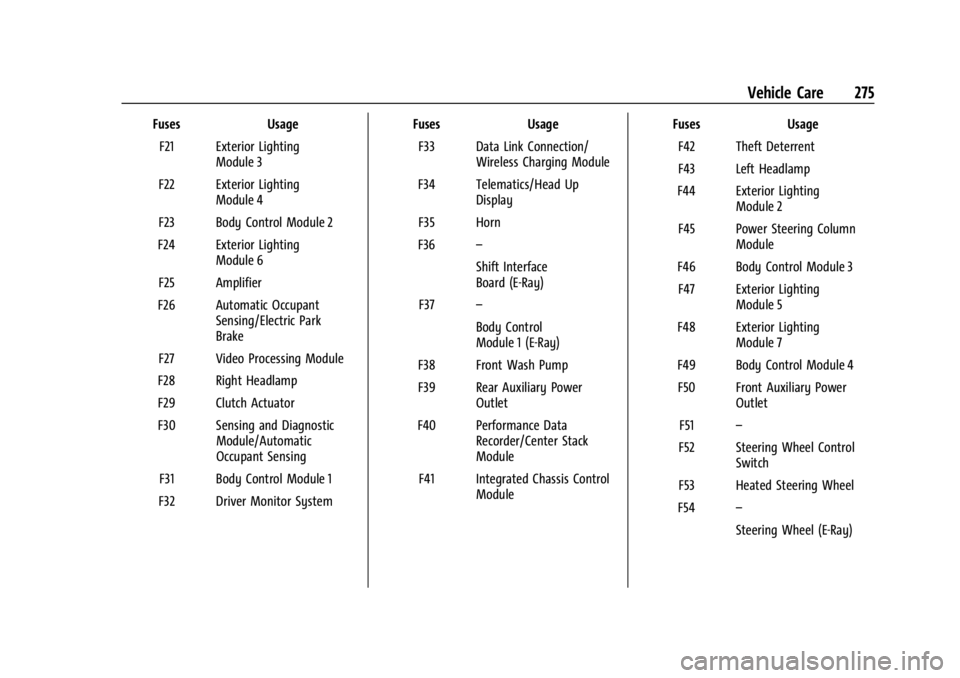
FusesUsage
F21 Exterior Lighting Module 3
F22 Exterior Lighting Module 4
F23 Body Control Module 2
F24 Exterior Lighting Module 6
F25 Amplifier
F26 Automatic Occupant Sensing/Electric Park
Brake
F27 Video Processing Module
F28 Right Headlamp
F29 Clutch Actuator
F30 Sensing and Diagnostic Module/Automatic
Occupant Sensing
F31 Body Control Module 1
F32 Driver Monitor System Fuses
Usage
F33 Data Link Connection/ Wireless Charging Module
F34 Telematics/Head Up Display
F35 Horn
F36 –
Shift Interface
Board (E-Ray)
F37 –
Body Control
Module 1 (E-Ray)
F38 Front Wash Pump
F39 Rear Auxiliary Power Outlet
F40 Performance Data Recorder/Center Stack
Module
F41 Integrated Chassis Control Module Fuses
Usage
F42 Theft Deterrent
F43 Left Headlamp
F44 Exterior Lighting Module 2
F45 Power Steering Column Module
F46 Body Control Module 3 F47 Exterior Lighting Module 5
F48 Exterior Lighting Module 7
F49 Body Control Module 4 F50 Front Auxiliary Power Outlet
F51 –
F52 Steering Wheel Control Switch
F53 Heated Steering Wheel
F54 –
Steering Wheel (E-Ray)
Page 300 of 362
Chevrolet Corvette Owner Manual (GMNA-Localizing-U.S./Canada/Mexico-
17272984) - 2024 - CRC - 2/20/23
Vehicle Care 299
Jump Starting
Jump Starting - North America
For more information about the vehicle
battery, seeBattery - North America 0266.
If the battery has run down, use another
vehicle and some jumper cables to start the
vehicle. Be sure to use the following steps
to do it safely.
{Warning
WARNING: Battery posts, terminals and
related accessories can expose you to
chemicals including lead and lead
compounds, which are known to the
State of California to cause cancer and
birth defects or other reproductive harm.
Wash hands after handling. For more
information go to
www.P65Warnings.ca.gov.
See California Proposition 65 Warning 01.
{Warning
Batteries can hurt you. They can be
dangerous because:
.They contain acid that can burn you.
.They contain gas that can explode or
ignite.
.They contain enough electricity to
burn you.
Use eye protection when handling the
battery. If you do not follow these steps
exactly, some or all of these things can
hurt you.
The battery is under a battery cover and
side extensions/shields in the underhood
compartment.
To access the battery under the hood, the
right hand and left hand sight shields need
to be removed to be able to remove the
second cover assembly to access the battery.
The positive battery terminal is on the
driver side and the negative terminal is on
the passenger side. Before you connect the cables, here are
some basic things you should know.
Positive (+) will go to the positive (+)
terminal. Negative (−) will go the remote
jump starting negative (−) post.
E-Ray Only
The vehicle is equipped with a lithium-ion
battery. The 12-volt lithium-ion battery
requires a higher voltage than lead acid
batteries for jump starting. Jumper cables
will only work with some vehicles and under
some circumstances. Follow the steps below
to safely jump start the discharged
lithium-ion batteries.
{Warning
Use only GM approved jump start boxes
and charging tools. Use of unapproved
jump start boxes, charging tools, a loose
battery, or battery charger may cause
personal injury, death, or damage to the
vehicle. For GM approved jump start
boxes or charging tools, see
https://gmdesolutions.com.
Page 304 of 362
Chevrolet Corvette Owner Manual (GMNA-Localizing-U.S./Canada/Mexico-
17272984) - 2024 - CRC - 2/20/23
Vehicle Care 303
4. Once the jump start box has beenconnected, set the jump start box to ON.
After the jump start box is powered on,
ensure the instrument cluster lights up
before starting the vehicle.
5. After the instrument cluster lights up, use a GM approved battery charger to
fully charge the battery.
Jumper Cable Removal 1. Set the jump start box to OFF.
2. Disconnect the black (–) cable to the negative post (–) on the discharged
lithium-ion battery.
3. Disconnect the red (+) cable to the discharged lithium-ion battery
positive (+) tab.
Charging The 12-Volt Lithium-Ion Battery
The 12-volt lithium-ion battery can be
charged using a GM approved charger
designed for lithium-ion batteries. Follow the
instructions listed in the charger operating
manual. See Battery - North America 0266
for more information.
Towing the Vehicle
Transporting a Disabled Vehicle
Caution
Incorrectly transporting a disabled vehicle
may cause damage to the vehicle. Use
proper tire straps to secure the vehicle to
the flatbed tow truck. Do not strap or
hook to any frame, underbody,
or suspension component not specified
below. Do not move vehicles with rear
axle tires on the ground. Damage is not
covered by the vehicle warranty.
Caution
The vehicle may be equipped with an
electric parking brake and/or an
electronic shifter. In the event of a loss of
12-volt battery power, the electric parking
brake cannot be released, and the vehicle
cannot be shifted to N (Neutral). Tire
skates or dollies must be used under the
non-rolling tires to prevent damage while
loading/unloading the vehicle. Dragging
the vehicle will cause damage not
covered by the vehicle warranty.
Caution
The vehicle may be equipped with a tow
eye. Improper use of the tow eye may
cause damage to the vehicle and is not
covered by the vehicle warranty.
If equipped, use the tow eye to load the
vehicle onto a flatbed tow truck from a
flat road surface, or to move the vehicle
a very short distance at a walking pace.
The tow eye is not designed for off-road
recovery. The vehicle must be in
N (Neutral) with the electric parking
brake released when using the tow eye.
Contact a professional towing service if the
disabled vehicle must be transported. GM
recommends a flatbed tow truck to
transport a disabled vehicle. Use ramps to
help reduce approach angles, if necessary.
If equipped, a tow eye may be located near
the spare tire or emergency jack. Do not use
the tow eye to pull the vehicle from the
snow, mud, sand, or ditch. Tow eye threads
may have right or left-hand threads. Use
caution when installing or removing the
tow eye.
Page 351 of 362

Chevrolet Corvette Owner Manual (GMNA-Localizing-U.S./Canada/Mexico-
17272984) - 2024 - CRC - 2/20/23
350 Index
Assistance SystemsAdvanced . . . . . . . . . . . . . . . . . . . . . . . . . . . . . . 214
Automatic Emergency
Braking (AEB) . . . . . . . . . . . . . . . . . . . . . . . . 220
Blind Zone Alert (SBZA) . . . . . . . . . . . . . . . . 223
Curb View Camera . . . . . . . . . . . . . . . . . . . . . . 217
Driving . . . . . . . . . . . . . . . . . . . . . . . . . . . . . . . . 218
Forward Collision Alert (FCA) System . . . . . . . . . . . . . . . . . . . . . . . . . . . . . . 218
Front Pedestrian Braking (FPB) . . . . . . . . . 221
Lane Keep Assist (LKA) . . . . . . . . . . . . . . . . . 225
Parking . . . . . . . . . . . . . . . . . . . . . . . . . . . . . . . . . 217
Parking and Backing . . . . . . . . . . . . . . . . . . . 215
Rear Cross Traffic Alert (RCTA) . . . . . . . . . 218
Rear Vision Camera (RVC) . . . . . . . . . . . . . . 215
Audio
Bluetooth . . . . . . . . . . . . . . . . . . . . . . . . . . . . . . 125
Auto Stop Indicator . . . . . . . . . . . . . . . . . . . . . . . . . . . . . . . . 98
Automatic Dimming Mirrors . . . . . . . . . . . . . . . . . . . . . . . 26
Door Locks . . . . . . . . . . . . . . . . . . . . . . . . . . . . . . 16
Emergency Braking (AEB) Disabled
Light . . . . . . . . . . . . . . . . . . . . . . . . . . . . . . . . . . 94
Headlamp System . . . . . . . . . . . . . . . . . . . . . . 111
Auxiliary Jack . . . . . . . . . . . . . . . . . . . . . . . . . . . . . . . . . . . . 125
Avoiding Untrusted Media Devices . . . . . . . .124B
Battery Exterior Lighting Battery Saver . . . . . . . . . 115
Gauge . . . . . . . . . . . . . . . . . . . . . . . . . . . . . . . . . . 86
Power Protection . . . . . . . . . . . . . . . . . . . . . . . 114
Battery - North America . . . . . . . . . . . . 266, 299
Blade Replacement, Wiper . . . . . . . . . . . . . . . 270
Bluetooth Audio . . . . . . . . . . . . . . . . . . . . . . . . . . . . . . . . . . 125
Overview . . . . . . . . . . . . . . . . . . . . . . . . . . . . . . 136
Brake Fluid . . . . . . . . . . . . . . . . . . . . . . . . . . . . . . . . . . . 265
Pad Life System . . . . . . . . . . . . . . . . . . . . . . . 264
System Warning Light . . . . . . . . . . . . . . . . . . 92
Brake Pad Life System . . . . . . . . . . . . . . . . . . . 264
Brakes . . . . . . . . . . . . . . . . . . . . . . . . . . . . . . . . . . . 262 Antilock . . . . . . . . . . . . . . . . . . . . . . . . . . . . . . . . 192
Brake Assist . . . . . . . . . . . . . . . . . . . . . . . . . . . 193
Electric Brake Boost . . . . . . . . . . . . . . . . . . . . 192
Electric Parking Brake . . . . . . . . . . . . . . . . . . 192
Regenerative Braking . . . . . . . . . . . . . . . . . . 194
Braking . . . . . . . . . . . . . . . . . . . . . . . . . . . . . . . . . . . 157 Automatic Emergency (AEB) . . . . . . . . . . . 220
Front Pedestrian (FPB) System . . . . . . . . . 221
Break-In, New Vehicle . . . . . . . . . . . . . . . . . . . . . 177
Buckle To Drive . . . . . . . . . . . . . . . . . . . . . . . . . . . 46
Bulb Replacement Headlamp Aiming . . . . . . . . . . . . . . . . . . . . . . . 271 Buying New Tires . . . . . . . . . . . . . . . . . . . . . . . . 294C
Calibration
Compass . . . . . . . . . . . . . . . . . . . . . . . . . . . . . . . . 76
California Perchlorate Materials Requirements . . . 232
California Proposition 65 Warning . . . . . 1, 299
Camera Curb View . . . . . . . . . . . . . . . . . . . . . . . . . . . . . . 217
Rear Vision (RVC) . . . . . . . . . . . . . . . . . . . . . . 215
Canadian Vehicle Owners . . . . . . . . . . . . . . . . . . .2
Capacities and Specifications . . . . . . . . . . . . . 325
Carbon Monoxide
Engine Exhaust . . . . . . . . . . . . . . . . . . . . . . . . 183
Hatch . . . . . . . . . . . . . . . . . . . . . . . . . . . . . . . . . . . 20
Winter Driving . . . . . . . . . . . . . . . . . . . . . . . . . . 172
Cargo Tie-Downs . . . . . . . . . . . . . . . . . . . . . . . . . . . . . . 73
Caution, Danger, and Warning . . . . . . . . . . . . . .2
Center Console Storage . . . . . . . . . . . . . . . . . . . . . . . . . . . . . . . . . 73
Chains, Tire . . . . . . . . . . . . . . . . . . . . . . . . . . . . . . 298
Charging System Light . . . . . . . . . . . . . . . . . . . . . . . . . . . 90
Wireless . . . . . . . . . . . . . . . . . . . . . . . . . . . . . . . . 78
Check Engine Light (Malfunction Indicator) . . . . . . . . . . . . . . . . . . . . . . . . . . . . . . . 90
Page 355 of 362

Chevrolet Corvette Owner Manual (GMNA-Localizing-U.S./Canada/Mexico-
17272984) - 2024 - CRC - 2/20/23
354 Index
Heated (cont'd)Ventilated Front Seats . . . . . . . . . . . . . . . . . . 44
Heating . . . . . . . . . . . . . . . . . . . . . . . . . . . . . . . . . . 150
High Voltage Battery Gauge . . . . . . . . . . . . . . 86
High-Beam On Light . . . . . . . . . . . . . . . . . . . . . . 98
High-Speed Operation . . . . . . . . . . . . . . . . . . . 287
Hill Rollback Control . . . . . . . . . . . . . . . . . . . . . . . 196
Hill and Mountain Roads . . . . . . . . . . . . . . . . . 171
Hill Start Assist (HSA) . . . . . . . . . . . . . . . . . . . . 194
Hood . . . . . . . . . . . . . . . . . . . . . . . . . . . . . . . . . . . . . . 17
Horn . . . . . . . . . . . . . . . . . . . . . . . . . . . . . . . . . . . . . . .75
How to Wear Seat Belts Properly . . . . . . . . . 46
HVAC . . . . . . . . . . . . . . . . . . . . . . . . . . . . . . . . . . . . 150
Hybrid Battery Charging Light . . . . . . . . . . . . . . . . . . . . . . . . . . 87
I
Ignition Positions . . . . . . . . . . . . . . . . . . . . . . . . .178
Immobilizer . . . . . . . . . . . . . . . . . . . . . . . . . . . . . . . .23
IndicatorAuto Stop . . . . . . . . . . . . . . . . . . . . . . . . . . . . . . 98
Pedestrian Ahead . . . . . . . . . . . . . . . . . . . . . . . 94
Traffic Sign . . . . . . . . . . . . . . . . . . . . . . . . . . . . . 98
Vehicle Ahead . . . . . . . . . . . . . . . . . . . . . . . . . . 94
Indicators
Warning Lights and Gauges . . . . . . . . . . . . . 80
Infants and Young Children, Restraints . . . . 63 Information
Publication Ordering . . . . . . . . . . . . . . . . . . . 337
Infotainment Using the System . . . . . . . . . . . . . . . . . . . . . . 120
Infotainment System . . . . . . . . . . . . . . . . . . . . 340
Inspection Multi-Point Vehicle . . . . . . . . . . . . . . . . . . . . 318
Instrument Cluster . . . . . . . . . . . . . . . . . . . . . . . . .81
Instrument Panel Overview . . . . . . . . . . . . . . . . 4
Interior Rearview Mirrors . . . . . . . . . . . . . . . . . 26
Introduction . . . . . . . . . . . . . . . . . . . . . . . . . . . 2, 116
J
Jack Auxiliary . . . . . . . . . . . . . . . . . . . . . . . . . . . . . . . 125
Jump Starting - North America . . . . . . . . . . . . . . . 299
K
Keys . . . . . . . . . . . . . . . . . . . . . . . . . . . . . . . . . . . . . . . 6
Remote . . . . . . . . . . . . . . . . . . . . . . . . . . . . . . . . . . 7
Remote Operation . . . . . . . . . . . . . . . . . . . . . . . 7
L
Labeling, Tire Sidewall . . . . . . . . . . . . . . . . . . . 282
LampsCourtesy . . . . . . . . . . . . . . . . . . . . . . . . . . . . . . . . 113
Daytime Running (DRL) . . . . . . . . . . . . . . . . . 111
Engine Compartment . . . . . . . . . . . . . . . . . . . 114 Lamps (cont'd)
Exterior Controls . . . . . . . . . . . . . . . . . . . . . . . 109
Exterior Lamps Off Reminder . . . . . . . . . . 110
Exterior Lighting Battery Saver . . . . . . . . . 115
Flash-to-Pass . . . . . . . . . . . . . . . . . . . . . . . . . . . . 111
High/Low Beam Changer . . . . . . . . . . . . . . 110
Malfunction Indicator (Check
Engine) . . . . . . . . . . . . . . . . . . . . . . . . . . . . . . . 90
On Reminder . . . . . . . . . . . . . . . . . . . . . . . . . . . 99
Reading . . . . . . . . . . . . . . . . . . . . . . . . . . . . . . . . . 113
Lane Keep Assist Light . . . . . . . . . . . . . . . . . . . . . . . 94
Lap-Shoulder Belt . . . . . . . . . . . . . . . . . . . . . . . . . 48
LATCH, Lower Anchors and Tethers for Children . . . . . . . . . . . . . . . . . . . . . . . . . . . . . . . . . 67
LED Lighting . . . . . . . . . . . . . . . . . . . . . . . . . . . . . . 271
Leveling Control
Headlamp . . . . . . . . . . . . . . . . . . . . . . . . . . . . . . 112
Lifting the Vehicle, Tires . . . . . . . . . . . . . . . . . 232
Lighting Entry . . . . . . . . . . . . . . . . . . . . . . . . . . . . . . . . . . . 114
Exit . . . . . . . . . . . . . . . . . . . . . . . . . . . . . . . . . . . . . 114
Illumination Control . . . . . . . . . . . . . . . . . . . . 113
LED . . . . . . . . . . . . . . . . . . . . . . . . . . . . . . . . . . . . . 271
Lights Airbag Readiness . . . . . . . . . . . . . . . . . . . . . . . 88
All-Wheel-Drive . . . . . . . . . . . . . . . . . . . . . . . . . 93
Page 356 of 362

Chevrolet Corvette Owner Manual (GMNA-Localizing-U.S./Canada/Mexico-
17272984) - 2024 - CRC - 2/20/23
Index 355
Lights (cont'd)Antilock Brake System (ABS)
Warning . . . . . . . . . . . . . . . . . . . . . . . . . . . . . . 93
Automatic Emergency Braking (AEB) Disabled . . . . . . . . . . . . . . . . . . . . . . . . . . . . . . 94
Brake System Warning . . . . . . . . . . . . . . . . . 92
Charging System . . . . . . . . . . . . . . . . . . . . . . . 90
Check Engine (Malfunction Indicator) . . . . . . . . . . . . . . . . . . . . . . . . . . . . . 90
Cruise Control Light . . . . . . . . . . . . . . . . . . . . . 99
Door Ajar . . . . . . . . . . . . . . . . . . . . . . . . . . . . . . . 99
Driver Mode Control . . . . . . . . . . . . . . . . . . . . 96
Electric Parking Brake . . . . . . . . . . . . . . . . . . . 92
Electronic Stability Control (ESC), Off . . . 95
Engine Coolant Temperature Warning . . . . . . . . . . . . . . . . . . . . . . . . . . . . . . 96
Engine Oil Pressure . . . . . . . . . . . . . . . . . . . . . 97
Front Lift System . . . . . . . . . . . . . . . . . . . . . . . 91
Gauges and Indicators . . . . . . . . . . . . . . . . . . 80
High-Beam On . . . . . . . . . . . . . . . . . . . . . . . . . . 98
Hybrid Battery Charging . . . . . . . . . . . . . . . . 87
Lane Keep Assist . . . . . . . . . . . . . . . . . . . . . . . . 94
Low Fuel Warning . . . . . . . . . . . . . . . . . . . . . . 97
Seat Belt Reminders . . . . . . . . . . . . . . . . . . . . 88
Security . . . . . . . . . . . . . . . . . . . . . . . . . . . . . . . . . 98
Service Electric Parking Brake . . . . . . . . . . . 92
Tire Pressure . . . . . . . . . . . . . . . . . . . . . . . . . . . . 97 Lights (cont'd)
Traction Control System
(TCS)/Electronic Stability Control
Light . . . . . . . . . . . . . . . . . . . . . . . . . . . . . . . . . . 95
Traction Off . . . . . . . . . . . . . . . . . . . . . . . . . . . . . 95
Limited-Slip Differential . . . . . . . . . . . . . . . . . . . 211
Locks Automatic Door . . . . . . . . . . . . . . . . . . . . . . . . . 16
Delayed Locking . . . . . . . . . . . . . . . . . . . . . . . . 16
Door . . . . . . . . . . . . . . . . . . . . . . . . . . . . . . . . . . . . . 13
Lockout Protection . . . . . . . . . . . . . . . . . . . . . . 16
Loss of Control . . . . . . . . . . . . . . . . . . . . . . . . . . 159
Low Fuel Warning Light . . . . . . . . . . . . . . . . . . 97
Low-Profile Tires . . . . . . . . . . . . . . . . . . . . . . . . . .281
Lower Anchors and Tethers for Children (LATCH System) . . . . . . . . . . . . . . . . 67
Lumbar Adjustment . . . . . . . . . . . . . . . . . . . . . . . .41 Front Seats . . . . . . . . . . . . . . . . . . . . . . . . . . . . . 41
M
MaintenanceRecords . . . . . . . . . . . . . . . . . . . . . . . . . . . . . . . . 323
Maintenance Schedule . . . . . . . . . . . . . . . . . . . 316 Recommended Fluids andLubricants . . . . . . . . . . . . . . . . . . . . . . . . . . . . 320
Malfunction Indicator Lamp . . . . . . . . . . . . . . . 90
Manual
Mode . . . . . . . . . . . . . . . . . . . . . . . . . . . . . . . . . . 187 Maps . . . . . . . . . . . . . . . . . . . . . . . . . . . . . . . . . . . . 126
Media
Avoiding Untrusted Devices . . . . . . . . . . . . 124
Memory Seats . . . . . . . . . . . . . . . . . . . . . . . . . . . . .41
Messages Engine Power . . . . . . . . . . . . . . . . . . . . . . . . . . 106
Vehicle . . . . . . . . . . . . . . . . . . . . . . . . . . . . . . . . 105
Vehicle Speed . . . . . . . . . . . . . . . . . . . . . . . . . . 106
Mirrors Automatic Dimming . . . . . . . . . . . . . . . . . . . . 26
Automatic Dimming Rearview . . . . . . . . . . 26
Convex . . . . . . . . . . . . . . . . . . . . . . . . . . . . . . . . . 24
Folding . . . . . . . . . . . . . . . . . . . . . . . . . . . . . . . . . 25
Heated . . . . . . . . . . . . . . . . . . . . . . . . . . . . . . . . . 26
Interior Rearview . . . . . . . . . . . . . . . . . . . . . . . 26
Power . . . . . . . . . . . . . . . . . . . . . . . . . . . . . . . . . . 25
Rear Camera . . . . . . . . . . . . . . . . . . . . . . . . . . . . 27
Tilt in Reverse . . . . . . . . . . . . . . . . . . . . . . . . . . 26
Mode Driver Control . . . . . . . . . . . . . . . . . . . . . . . . . 196
Monitor System, Tire Pressure . . . . . . . . . . . 288
Multi-Point Vehicle Inspection (MPVI) . . . . .318
N
Navigation Connected Services . . . . . . . . . . . . . . . . . . . . 346
Destination . . . . . . . . . . . . . . . . . . . . . . . . . . . . . 127
Symbols . . . . . . . . . . . . . . . . . . . . . . . . . . . . . . . 126