ad blue CHEVROLET CORVETTE 2024 Owner's Manual
[x] Cancel search | Manufacturer: CHEVROLET, Model Year: 2024, Model line: CORVETTE, Model: CHEVROLET CORVETTE 2024Pages: 362, PDF Size: 6.62 MB
Page 201 of 362
Chevrolet Corvette Owner Manual (GMNA-Localizing-U.S./Canada/Mexico-
17272984) - 2024 - CRC - 2/20/23
200 Driving and Operating
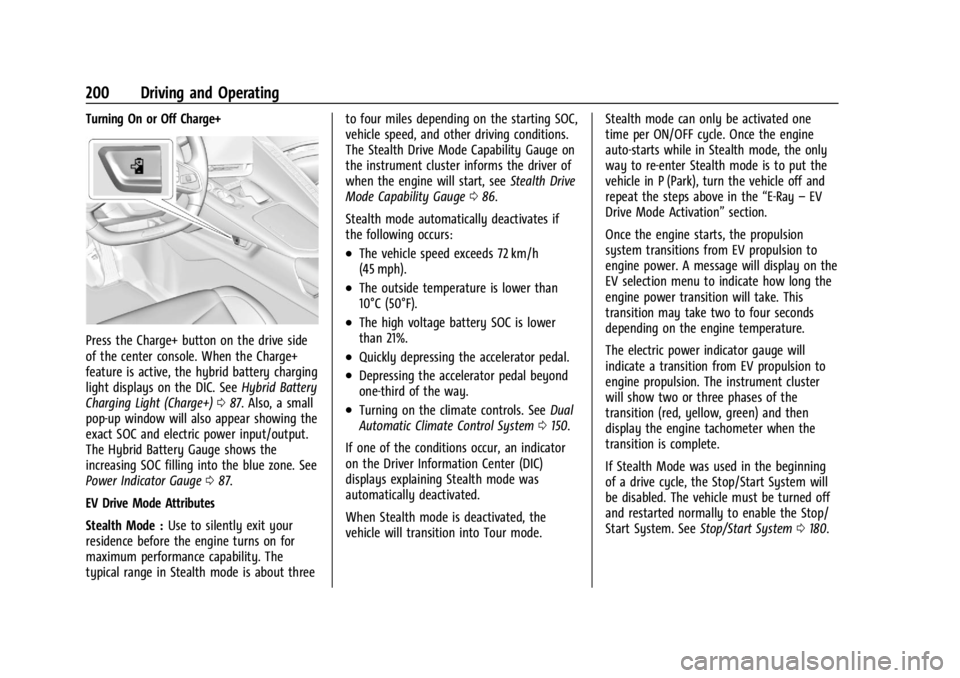
Turning On or Off Charge+
Press the Charge+ button on the drive side
of the center console. When the Charge+
feature is active, the hybrid battery charging
light displays on the DIC. SeeHybrid Battery
Charging Light (Charge+) 087. Also, a small
pop-up window will also appear showing the
exact SOC and electric power input/output.
The Hybrid Battery Gauge shows the
increasing SOC filling into the blue zone. See
Power Indicator Gauge 087.
EV Drive Mode Attributes
Stealth Mode : Use to silently exit your
residence before the engine turns on for
maximum performance capability. The
typical range in Stealth mode is about three to four miles depending on the starting SOC,
vehicle speed, and other driving conditions.
The Stealth Drive Mode Capability Gauge on
the instrument cluster informs the driver of
when the engine will start, see
Stealth Drive
Mode Capability Gauge 086.
Stealth mode automatically deactivates if
the following occurs:
.The vehicle speed exceeds 72 km/h
(45 mph).
.The outside temperature is lower than
10°C (50°F).
.The high voltage battery SOC is lower
than 21%.
.Quickly depressing the accelerator pedal.
.Depressing the accelerator pedal beyond
one-third of the way.
.Turning on the climate controls. See Dual
Automatic Climate Control System 0150.
If one of the conditions occur, an indicator
on the Driver Information Center (DIC)
displays explaining Stealth mode was
automatically deactivated.
When Stealth mode is deactivated, the
vehicle will transition into Tour mode. Stealth mode can only be activated one
time per ON/OFF cycle. Once the engine
auto-starts while in Stealth mode, the only
way to re-enter Stealth mode is to put the
vehicle in P (Park), turn the vehicle off and
repeat the steps above in the
“E-Ray–EV
Drive Mode Activation” section.
Once the engine starts, the propulsion
system transitions from EV propulsion to
engine power. A message will display on the
EV selection menu to indicate how long the
engine power transition will take. This
transition may take two to four seconds
depending on the engine temperature.
The electric power indicator gauge will
indicate a transition from EV propulsion to
engine propulsion. The instrument cluster
will show two or three phases of the
transition (red, yellow, green) and then
display the engine tachometer when the
transition is complete.
If Stealth Mode was used in the beginning
of a drive cycle, the Stop/Start System will
be disabled. The vehicle must be turned off
and restarted normally to enable the Stop/
Start System. See Stop/Start System 0180.
Page 340 of 362
Chevrolet Corvette Owner Manual (GMNA-Localizing-U.S./Canada/Mexico-
17272984) - 2024 - CRC - 2/20/23
Customer Information 339
Vehicle Data Recording and
Privacy
The vehicle has a number of computers that
record information about the vehicle’s
performance and how it is driven or used.
For example, the vehicle uses computer
modules to monitor and control engine and
transmission performance, to monitor the
conditions for airbag deployment and
deploy them in a crash, and, if equipped, to
provide antilock braking to help the driver
control the vehicle. These modules may
store data to help the dealer technician
service the vehicle or to help GM improve
safety or features. Some modules may also
store data about how the vehicle is
operated, such as rate of fuel consumption
or average speed. These modules may retain
personal preferences, such as radio presets,
seat positions, and temperature settings.
Cybersecurity
GM collects information about the use of
your vehicle including operational and safety
related information. We collect this
information to provide, evaluate, improve,
and troubleshoot our products and services
and to develop new products and services.
The protection of vehicle electronics systems
and customer data from unauthorized
outside electronic access or control is
important to GM. GM maintains appropriate
security standards, practices, guidelines and
controls aimed at defending the vehicle and
the vehicle service ecosystem against
unauthorized electronic access, detecting
possible malicious activity in related
networks, and responding to suspected
cybersecurity incidents in a timely,
coordinated and effective manner. Security
incidents could impact your safety or
compromise your private data. To minimize
security risks, please do not connect your
vehicle electronic systems to unauthorized
devices or connect your vehicle to any
unknown or untrusted networks (such as
Bluetooth, WIFI or similar technology). In
the event you suspect any security incident
impacting your data or the safe operation of
your vehicle, please stop operating your
vehicle and contact your dealer.
Event Data Recorders
This vehicle is equipped with an Event Data
Recorder (EDR). The main purpose of an EDR
is to record, in certain crash or near
crash-like situations, such as an air bag
deployment or hitting a road obstacle, data
that will assist in understanding how a
vehicle’s systems performed. The EDR is
designed to record data related to vehicle
dynamics and safety systems for a short
period of time, typically 30 seconds or less.
The EDR in this vehicle is designed to record
such data as:
.How various systems in your vehicle were
operating;
.Whether or not the driver and passenger
safety belts were buckled/fastened;
.How far (if at all) the driver was
depressing the accelerator and/or brake
pedal; and,
.How fast the vehicle was traveling.
These data can help provide a better
understanding of the circumstances in which
crashes and injuries occur.
Note
EDR data are recorded by your vehicle only
if a non-trivial crash situation occurs; no
data are recorded by the EDR under normal
Page 342 of 362
Chevrolet Corvette Owner Manual (GMNA-Localizing-U.S./Canada/Mexico-
17272984) - 2024 - CRC - 2/20/23
OnStar 341
OnStar
OnStar Overview
OnStar Overview . . . . . . . . . . . . . . . . . . . . . . 341
OnStar Services
Emergency . . . . . . . . . . . . . . . . . . . . . . . . . . . . 342
Security . . . . . . . . . . . . . . . . . . . . . . . . . . . . . . . 342
OnStar Additional Information
OnStar Additional Information . . . . . . . . . 343
OnStar Overview
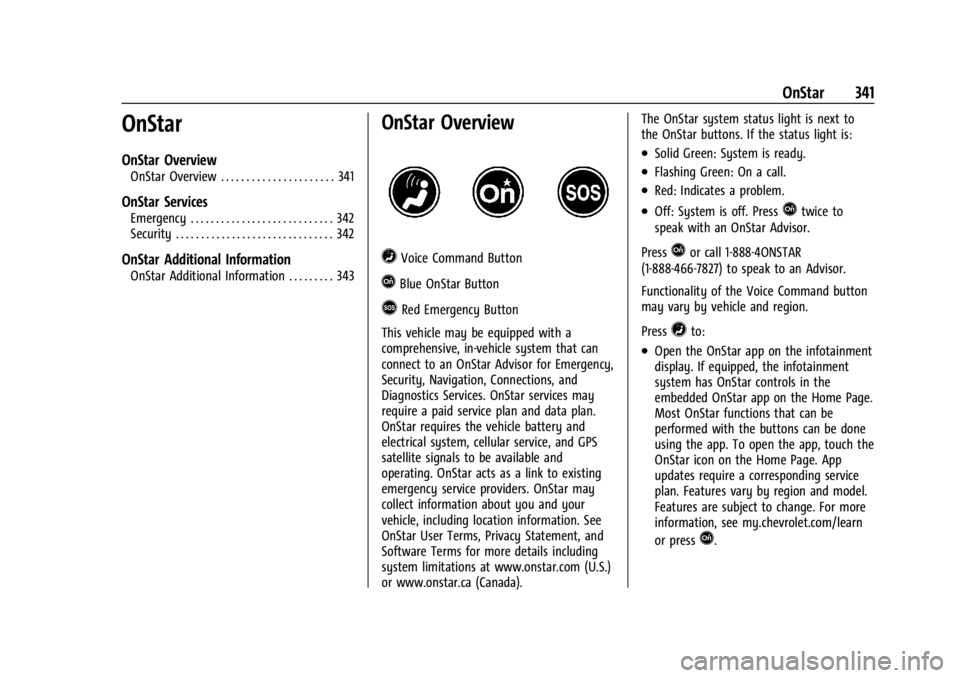
=Voice Command Button
QBlue OnStar Button
>Red Emergency Button
This vehicle may be equipped with a
comprehensive, in-vehicle system that can
connect to an OnStar Advisor for Emergency,
Security, Navigation, Connections, and
Diagnostics Services. OnStar services may
require a paid service plan and data plan.
OnStar requires the vehicle battery and
electrical system, cellular service, and GPS
satellite signals to be available and
operating. OnStar acts as a link to existing
emergency service providers. OnStar may
collect information about you and your
vehicle, including location information. See
OnStar User Terms, Privacy Statement, and
Software Terms for more details including
system limitations at www.onstar.com (U.S.)
or www.onstar.ca (Canada). The OnStar system status light is next to
the OnStar buttons. If the status light is:
.Solid Green: System is ready.
.Flashing Green: On a call.
.Red: Indicates a problem.
.Off: System is off. PressQtwice to
speak with an OnStar Advisor.
Press
Qor call 1-888-4ONSTAR
(1-888-466-7827) to speak to an Advisor.
Functionality of the Voice Command button
may vary by vehicle and region.
Press
=to:
.Open the OnStar app on the infotainment
display. If equipped, the infotainment
system has OnStar controls in the
embedded OnStar app on the Home Page.
Most OnStar functions that can be
performed with the buttons can be done
using the app. To open the app, touch the
OnStar icon on the Home Page. App
updates require a corresponding service
plan. Features vary by region and model.
Features are subject to change. For more
information, see my.chevrolet.com/learn
or press
Q.
Page 351 of 362

Chevrolet Corvette Owner Manual (GMNA-Localizing-U.S./Canada/Mexico-
17272984) - 2024 - CRC - 2/20/23
350 Index
Assistance SystemsAdvanced . . . . . . . . . . . . . . . . . . . . . . . . . . . . . . 214
Automatic Emergency
Braking (AEB) . . . . . . . . . . . . . . . . . . . . . . . . 220
Blind Zone Alert (SBZA) . . . . . . . . . . . . . . . . 223
Curb View Camera . . . . . . . . . . . . . . . . . . . . . . 217
Driving . . . . . . . . . . . . . . . . . . . . . . . . . . . . . . . . 218
Forward Collision Alert (FCA) System . . . . . . . . . . . . . . . . . . . . . . . . . . . . . . 218
Front Pedestrian Braking (FPB) . . . . . . . . . 221
Lane Keep Assist (LKA) . . . . . . . . . . . . . . . . . 225
Parking . . . . . . . . . . . . . . . . . . . . . . . . . . . . . . . . . 217
Parking and Backing . . . . . . . . . . . . . . . . . . . 215
Rear Cross Traffic Alert (RCTA) . . . . . . . . . 218
Rear Vision Camera (RVC) . . . . . . . . . . . . . . 215
Audio
Bluetooth . . . . . . . . . . . . . . . . . . . . . . . . . . . . . . 125
Auto Stop Indicator . . . . . . . . . . . . . . . . . . . . . . . . . . . . . . . . 98
Automatic Dimming Mirrors . . . . . . . . . . . . . . . . . . . . . . . 26
Door Locks . . . . . . . . . . . . . . . . . . . . . . . . . . . . . . 16
Emergency Braking (AEB) Disabled
Light . . . . . . . . . . . . . . . . . . . . . . . . . . . . . . . . . . 94
Headlamp System . . . . . . . . . . . . . . . . . . . . . . 111
Auxiliary Jack . . . . . . . . . . . . . . . . . . . . . . . . . . . . . . . . . . . . 125
Avoiding Untrusted Media Devices . . . . . . . .124B
Battery Exterior Lighting Battery Saver . . . . . . . . . 115
Gauge . . . . . . . . . . . . . . . . . . . . . . . . . . . . . . . . . . 86
Power Protection . . . . . . . . . . . . . . . . . . . . . . . 114
Battery - North America . . . . . . . . . . . . 266, 299
Blade Replacement, Wiper . . . . . . . . . . . . . . . 270
Bluetooth Audio . . . . . . . . . . . . . . . . . . . . . . . . . . . . . . . . . . 125
Overview . . . . . . . . . . . . . . . . . . . . . . . . . . . . . . 136
Brake Fluid . . . . . . . . . . . . . . . . . . . . . . . . . . . . . . . . . . . 265
Pad Life System . . . . . . . . . . . . . . . . . . . . . . . 264
System Warning Light . . . . . . . . . . . . . . . . . . 92
Brake Pad Life System . . . . . . . . . . . . . . . . . . . 264
Brakes . . . . . . . . . . . . . . . . . . . . . . . . . . . . . . . . . . . 262 Antilock . . . . . . . . . . . . . . . . . . . . . . . . . . . . . . . . 192
Brake Assist . . . . . . . . . . . . . . . . . . . . . . . . . . . 193
Electric Brake Boost . . . . . . . . . . . . . . . . . . . . 192
Electric Parking Brake . . . . . . . . . . . . . . . . . . 192
Regenerative Braking . . . . . . . . . . . . . . . . . . 194
Braking . . . . . . . . . . . . . . . . . . . . . . . . . . . . . . . . . . . 157 Automatic Emergency (AEB) . . . . . . . . . . . 220
Front Pedestrian (FPB) System . . . . . . . . . 221
Break-In, New Vehicle . . . . . . . . . . . . . . . . . . . . . 177
Buckle To Drive . . . . . . . . . . . . . . . . . . . . . . . . . . . 46
Bulb Replacement Headlamp Aiming . . . . . . . . . . . . . . . . . . . . . . . 271 Buying New Tires . . . . . . . . . . . . . . . . . . . . . . . . 294C
Calibration
Compass . . . . . . . . . . . . . . . . . . . . . . . . . . . . . . . . 76
California Perchlorate Materials Requirements . . . 232
California Proposition 65 Warning . . . . . 1, 299
Camera Curb View . . . . . . . . . . . . . . . . . . . . . . . . . . . . . . 217
Rear Vision (RVC) . . . . . . . . . . . . . . . . . . . . . . 215
Canadian Vehicle Owners . . . . . . . . . . . . . . . . . . .2
Capacities and Specifications . . . . . . . . . . . . . 325
Carbon Monoxide
Engine Exhaust . . . . . . . . . . . . . . . . . . . . . . . . 183
Hatch . . . . . . . . . . . . . . . . . . . . . . . . . . . . . . . . . . . 20
Winter Driving . . . . . . . . . . . . . . . . . . . . . . . . . . 172
Cargo Tie-Downs . . . . . . . . . . . . . . . . . . . . . . . . . . . . . . 73
Caution, Danger, and Warning . . . . . . . . . . . . . .2
Center Console Storage . . . . . . . . . . . . . . . . . . . . . . . . . . . . . . . . . 73
Chains, Tire . . . . . . . . . . . . . . . . . . . . . . . . . . . . . . 298
Charging System Light . . . . . . . . . . . . . . . . . . . . . . . . . . . 90
Wireless . . . . . . . . . . . . . . . . . . . . . . . . . . . . . . . . 78
Check Engine Light (Malfunction Indicator) . . . . . . . . . . . . . . . . . . . . . . . . . . . . . . . 90
Page 357 of 362

Chevrolet Corvette Owner Manual (GMNA-Localizing-U.S./Canada/Mexico-
17272984) - 2024 - CRC - 2/20/23
356 Index
Navigation (cont'd)Using the System . . . . . . . . . . . . . . . . . . . . . . 125
Net, Convenience . . . . . . . . . . . . . . . . . . . . . . . . . .73
New Vehicle Break-In . . . . . . . . . . . . . . . . . . . . . 177
O
Odometer . . . . . . . . . . . . . . . . . . . . . . . . . . . . . . . . 85 Trip . . . . . . . . . . . . . . . . . . . . . . . . . . . . . . . . . . . . . 85
Off-Road Recovery . . . . . . . . . . . . . . . . . . . . . . . . . . . . . . . 159
Oil Engine . . . . . . . . . . . . . . . . . . . . . . . . . . . . 246, 249
Engine Oil Life System . . . . . . . . . . . . . . . . . 252
Pressure Light . . . . . . . . . . . . . . . . . . . . . . . . . . 97
Older Children, Restraints . . . . . . . . . . . . . . . . . 62
Online Account . . . . . . . . . . . . . . . . . . . . . . . . . . 332
OnStar . . . . . . . . . . . . . . . . . . . . . . . . . . . . . . . . . . . 340 Additional Information . . . . . . . . . . . . . . . . . 343
Overview . . . . . . . . . . . . . . . . . . . . . . . . . . . . . . 341
OnStar Emergency . . . . . . . . . . . . . . . . . . . . . . . 342
OnStar Security . . . . . . . . . . . . . . . . . . . . . . . . . . 342
Outlets Power . . . . . . . . . . . . . . . . . . . . . . . . . . . . . . . . . . 77
Overheating, Engine . . . . . . . . . . . . . . . . . . . . . 261
Overview . . . . . . . . . . . . . . . . . . . . . . . . . . . . . . . . . 117 Instrument Panel . . . . . . . . . . . . . . . . . . . . . . . . 4
P
Panel, Roof . . . . . . . . . . . . . . . . . . . . . . . . . . . . . . . . 31
Park
Assist . . . . . . . . . . . . . . . . . . . . . . . . . . . . . . 215, 217
Shifting Into . . . . . . . . . . . . . . . . . . . . . . . . . . . . 181
Shifting Out of . . . . . . . . . . . . . . . . . . . . . . . . 182
Parking Brake and P (Park) MechanismCheck . . . . . . . . . . . . . . . . . . . . . . . . . . . . . . . . 269
Extended . . . . . . . . . . . . . . . . . . . . . . . . . . . . . . 183
Over Things That Burn . . . . . . . . . . . . . . . . . 182
Parking or Backing Assistance Systems . . . . . . . . . . . . . . . . . . . . 215
Passenger
Airbag Status Indicator . . . . . . . . . . . . . . . . . 89
Compartment Air Filter . . . . . . . . . . . . . . . . 153
Sensing System . . . . . . . . . . . . . . . . . . . . . . . . . 57
Pedestrian Ahead Indicator . . . . . . . . . . . . . . . 94
Perchlorate Materials Requirements, California . . . . . . . . . . . . . . . . . . . . . . . . . . . . . . 232
Performance Data Recorder (PDR) . . . . . . . . . . . . . . . . . . . 130
Driving . . . . . . . . . . . . . . . . . . . . . . . . . . . . . . . . 206
Transmission Active . . . . . . . . . . . . . . . . . . . . . 93 Phone
Apple CarPlay and Android Auto . . . . . . . 140
Bluetooth . . . . . . . . . . . . . . . . . . . . . . . . . . . . . . 136
Port USB . . . . . . . . . . . . . . . . . . . . . . . . . . . . . . . . . . . . 124
Positioning Vehicle . . . . . . . . . . . . . . . . . . . . . . . . . . . . . . . . 128
Power Indicator Gauge . . . . . . . . . . . . . . . . . . . . . . . . . 87
Mirrors . . . . . . . . . . . . . . . . . . . . . . . . . . . . . . . . . 25
Outlets . . . . . . . . . . . . . . . . . . . . . . . . . . . . . . . . . 77
Protection, Battery . . . . . . . . . . . . . . . . . . . . . . 114
Retained Accessory (RAP) . . . . . . . . . . . . . . . 181
Seat Adjustment . . . . . . . . . . . . . . . . . . . . . . . . 39
Windows . . . . . . . . . . . . . . . . . . . . . . . . . . . . . . . 29
Pregnancy, Using Seat Belts . . . . . . . . . . . . . . . 51
Privacy
Vehicle Data Recording . . . . . . . . . . . . . . . . 339
Problems with Route Guidance . . . . . . . . . . .128
Program Courtesy Transportation . . . . . . . . . . . . . . . 334
Prohibited Fuels . . . . . . . . . . . . . . . . . . . . . . . . . 227
Proposition 65 Warning California . . . . . . . . . . . . . . . . . . . . . . . . . . . . . . . . . 1
Proposition 65 Warning, California . . . . . . . 299
Publication Ordering Information . . . . . . . . 337