keyless CHEVROLET CORVETTE C6 2012 User Guide
[x] Cancel search | Manufacturer: CHEVROLET, Model Year: 2012, Model line: CORVETTE C6, Model: CHEVROLET CORVETTE C6 2012Pages: 432, PDF Size: 5.73 MB
Page 43 of 432
Black plate (11,1)Chevrolet Corvette Owner Manual - 2012
Keys, Doors, and Windows 2-11
Lockout Protection
Your vehicle can be programmed to
sound the horn three times and
unlock the driver door when both
doors are closed and there is a
keyless access transmitter inside
the vehicle. When the driver door is
opened, a reminder chime will
sound continuously. The vehicle will
remain locked only when at least
one transmitter has been removed
from the vehicle and both doors are
closed. SeeVehicle Personalization
on page 5‑54.
Doors
Hatch
{WARNING
Exhaust gases can enter the
vehicle if it is driven with the
liftgate, trunk/hatch open, or with
any objects that pass through the
seal between the body and the
trunk/hatch or liftgate. Engine
exhaust contains carbon
monoxide (CO) which cannot be
seen or smelled. It can cause
unconsciousness and even death.
(Continued)
WARNING (Continued)
If the vehicle must be driven with
the liftgate, or trunk/hatch open:
.Close all of the windows.
.Fully open the air outlets on
or under the instrument
panel.
.Adjust the Climate Control
System to a setting that
brings in only outside air and
set the fan speed to the
highest setting. See“Climate
Control Systems” in the
Index.
.If the vehicle is equipped with
a power liftgate, disable the
power liftgate function.
For more information about
carbon monoxide, see Engine
Exhaust on page 9‑26.
Page 44 of 432
Black plate (12,1)Chevrolet Corvette Owner Manual - 2012
2-12 Keys, Doors, and Windows
Hatch/Trunk Release
The vehicle must be in P (Park) with
an automatic transmission and
Neutral with a manual transmission.
For manual transmission vehicles,
the parking brake must be set
when the engine is running for the
hatch/trunk release to operate.
SeeParking Brake on page 9‑36.
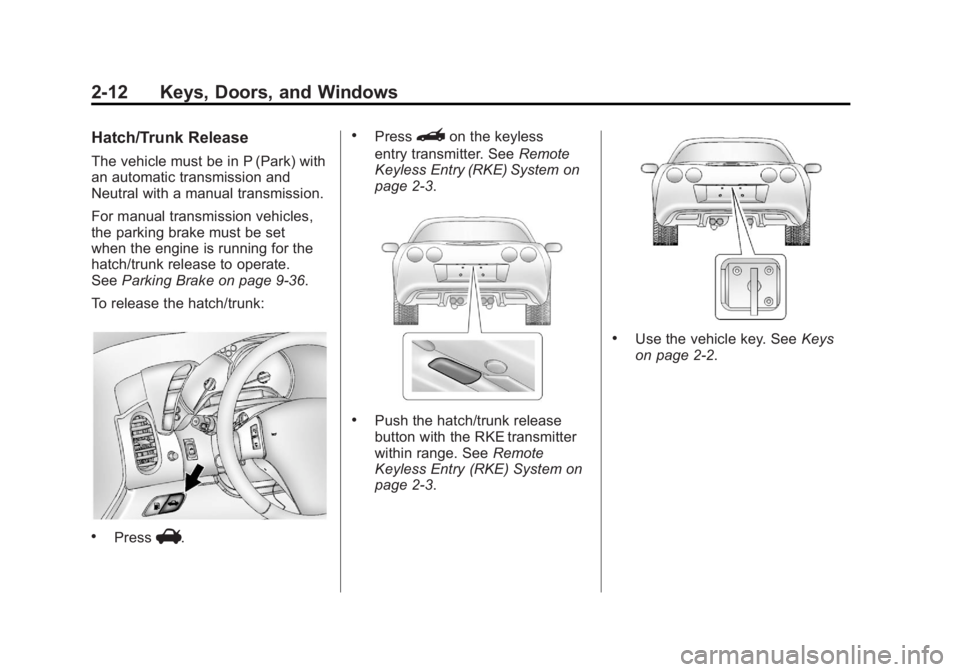
To release the hatch/trunk:
.PressV.
.Press}on the keyless
entry transmitter. See Remote
Keyless Entry (RKE) System on
page 2‑3.
.Push the hatch/trunk release
button with the RKE transmitter
within range. See Remote
Keyless Entry (RKE) System on
page 2‑3.
.Use the vehicle key. See Keys
on page 2‑2.
Page 48 of 432
Black plate (16,1)Chevrolet Corvette Owner Manual - 2012
2-16 Keys, Doors, and Windows
If the engine still does not start with
the other transmitter, the vehicle
needs service. If the engine does
start, the first transmitter may be
faulty. See your dealer or have a
new RKE transmitter programmed
to the vehicle.
The immobilizer system can
learn new or replacement RKE
transmitters. Up to four RKE
transmitters can be programmed
for the vehicle. To program
additional transmitters, see
“Matching transmitter(s) to Your
Vehicle”underRemote Keyless
Entry (RKE) System Operation on
page 2‑3.
Do not leave the key or device
that disarms or deactivates the
theft-deterrent system in the
vehicle.Exterior Mirrors
Convex Mirrors
{WARNING
A convex mirror can make things,
like other vehicles, look farther
away than they really are. If you
cut too sharply into the right lane,
you could hit a vehicle on the
right. Check the inside mirror or
glance over your shoulder before
changing lanes.
The passenger side mirror is convex
shaped. A convex mirror's surface is
curved so more can be seen from
the driver seat.
Power Mirrors
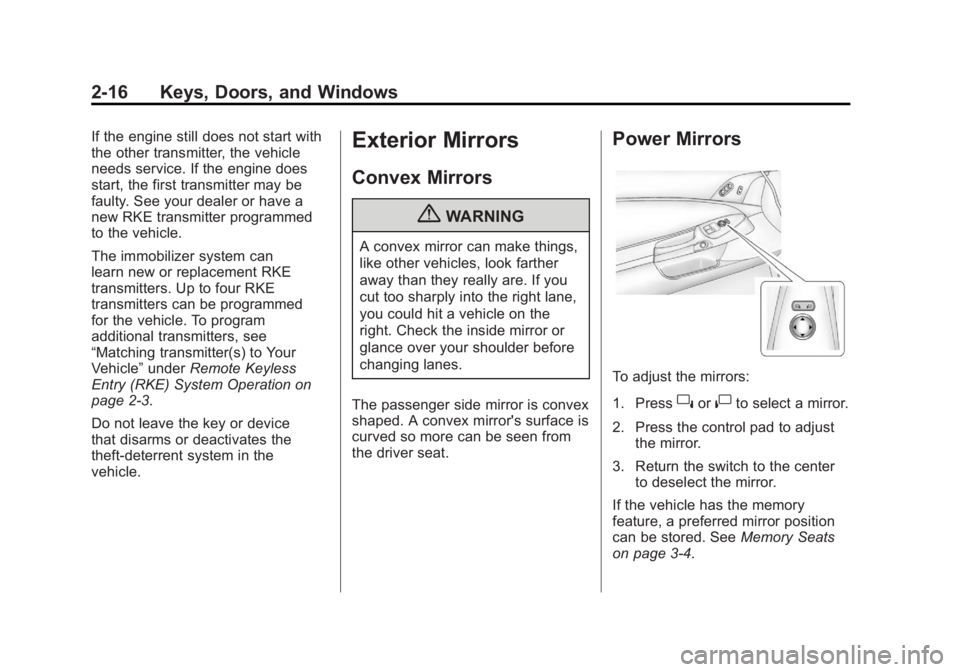
To adjust the mirrors:
1. Press
}or|to select a mirror.
2. Press the control pad to adjust the mirror.
3. Return the switch to the center to deselect the mirror.
If the vehicle has the memory
feature, a preferred mirror position
can be stored. See Memory Seats
on page 3‑4.
Page 70 of 432
Black plate (4,1)Chevrolet Corvette Owner Manual - 2012
3-4 Seats and Restraints
{WARNING
Sitting in a reclined position when
the vehicle is in motion can be
dangerous. Even when buckled
up, the safety belts cannot do
their job.
The shoulder belt will not be
against your body. Instead, it will
be in front of you. In a crash, you
could go into it, receiving neck or
other injuries.
The lap belt could go up over
your abdomen. The belt forces
would be there, not at your pelvic
bones. This could cause serious
internal injuries.
For proper protection when the
vehicle is in motion, have the
seatback upright. Then sit well
back in the seat and wear the
safety belt properly.
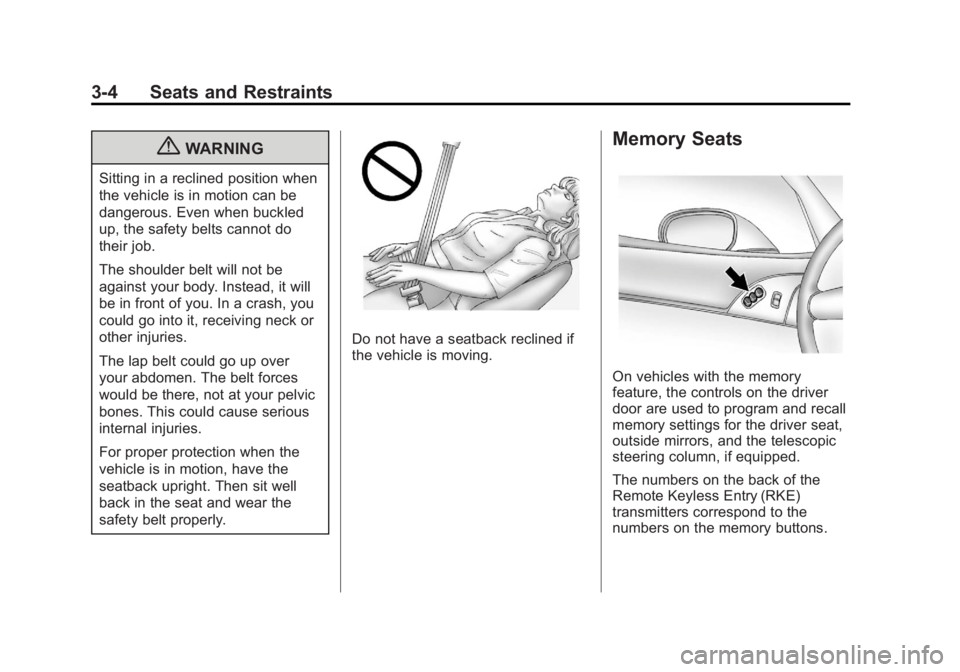
Do not have a seatback reclined if
the vehicle is moving.
Memory Seats
On vehicles with the memory
feature, the controls on the driver
door are used to program and recall
memory settings for the driver seat,
outside mirrors, and the telescopic
steering column, if equipped.
The numbers on the back of the
Remote Keyless Entry (RKE)
transmitters correspond to the
numbers on the memory buttons.
Page 156 of 432
Black plate (42,1)Chevrolet Corvette Owner Manual - 2012
5-42 Instruments and Controls
SERVICE FUEL SYSTEM
This message displays if the
Powertrain Control Module (PCM)
has detected a problem within the
fuel system. Have the vehicle
serviced by your dealer. This
message also displays when the
cluster is not getting fuel information
from the PCM.
Key and Lock Messages
FOB AUTOLEARN WAIT
XX MINUTES
See“Matching Transmitter(s) to
Your Vehicle” underRemote
Keyless Entry (RKE) System
Operation on page 2‑3.
FOB BATTERY LOW
See “Battery Replacement” under
Remote Keyless Entry (RKE)
System Operation on page 2‑3.
KNOWN FOB
See “Matching Transmitter(s) to
Your Vehicle” underRemote
Keyless Entry (RKE) System
Operation on page 2‑3.
MAXIMUM NUMBER OF FOBS
LEARNED
See “Matching Transmitter(s) to
Your Vehicle” underRemote
Keyless Entry (RKE) System
Operation on page 2‑3.
NO FOBS DETECTED
This message displays if the vehicle
does not detect the presence of a
Remote Keyless Entry (RKE)
transmitter when you have
attempted to start the vehicle or
a vehicle door has just closed.
The following conditions may cause
this message to appear.
.Driver-added equipment plugged
into the accessory power outlet
on the center console is causing interference. Examples of these
devices are cell phones and cell
phone chargers, two-way radios,
power inverters, or similar items.
Try moving the RKE transmitter
away from these devices when
starting the vehicle. In addition,
PDA devices and remote garage
and gate openers may also
generate Electromagnetic
Interference (EMI) that may
interfere with the RKE
transmitter. Do not carry the
RKE transmitter in the same
pocket or bag as these devices.
.The vehicle is experiencing
Electromagnetic Interference
(EMI). Some locations, such as
airports, automatic toll booths,
and some gas stations have EMI
fields which may interfere with
the RKE transmitter.
Page 157 of 432
Black plate (43,1)Chevrolet Corvette Owner Manual - 2012
Instruments and Controls 5-43
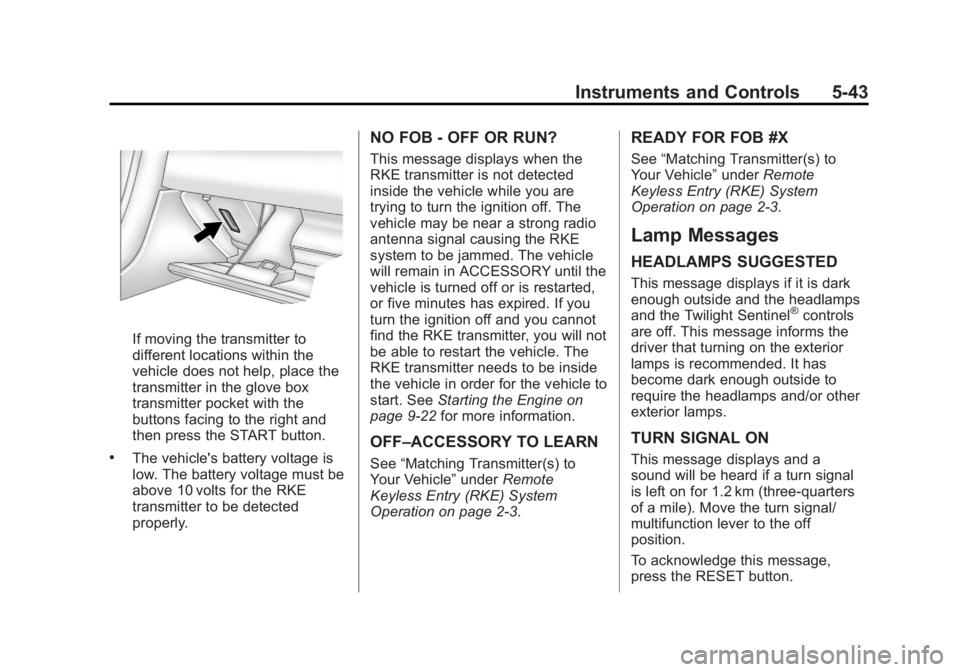
If moving the transmitter to
different locations within the
vehicle does not help, place the
transmitter in the glove box
transmitter pocket with the
buttons facing to the right and
then press the START button.
.The vehicle's battery voltage is
low. The battery voltage must be
above 10 volts for the RKE
transmitter to be detected
properly.
NO FOB - OFF OR RUN?
This message displays when the
RKE transmitter is not detected
inside the vehicle while you are
trying to turn the ignition off. The
vehicle may be near a strong radio
antenna signal causing the RKE
system to be jammed. The vehicle
will remain in ACCESSORY until the
vehicle is turned off or is restarted,
or five minutes has expired. If you
turn the ignition off and you cannot
find the RKE transmitter, you will not
be able to restart the vehicle. The
RKE transmitter needs to be inside
the vehicle in order for the vehicle to
start. SeeStarting the Engine on
page 9‑22 for more information.
OFF–ACCESSORY TO LEARN
See“Matching Transmitter(s) to
Your Vehicle” underRemote
Keyless Entry (RKE) System
Operation on page 2‑3.
READY FOR FOB #X
See “Matching Transmitter(s) to
Your Vehicle” underRemote
Keyless Entry (RKE) System
Operation on page 2‑3.
Lamp Messages
HEADLAMPS SUGGESTED
This message displays if it is dark
enough outside and the headlamps
and the Twilight Sentinel
®controls
are off. This message informs the
driver that turning on the exterior
lamps is recommended. It has
become dark enough outside to
require the headlamps and/or other
exterior lamps.
TURN SIGNAL ON
This message displays and a
sound will be heard if a turn signal
is left on for 1.2 km (three-quarters
of a mile). Move the turn signal/
multifunction lever to the off
position.
To acknowledge this message,
press the RESET button.
Page 163 of 432
Black plate (49,1)Chevrolet Corvette Owner Manual - 2012
Instruments and Controls 5-49
This message is an additional
reminder to the safety belt reminder
light in the instrument panel cluster.
SeeSafety Belt Reminders on
page 5‑17 for more information.
Anti-theft Alarm System
Messages
INTRUSION SENSOR OFF
This message may display when the
anti-theft alarm has been disarmed.
INTRUSION SENSOR ON
This message may display when the
anti-theft alarm has been armed.
Service Vehicle Messages
SERVICE AIR CONDITIONING
This message displays when the
electronic sensors that control the
air conditioning and heating
systems are no longer working. Have the climate control system
serviced by your dealer if you
notice a drop in heating and air
conditioning efficiency.
SERVICE ELECTRICAL
SYSTEM
This message displays if an
electrical problem has occurred
within the Powertrain Control
Module (PCM). Have the vehicle
serviced by your dealer.
SERVICE VEHICLE SOON
This message displays and a sound
will be heard when there may be an
electrical or another system problem
with the vehicle. Have your vehicle
checked by your dealer if this
message keeps appearing.
Starting the Vehicle
Messages
PRESS BRAKE TO START
ENGINE (Automatic
Transmission Only)
This message displays if you try to
start the engine by pressing the
keyless ignition start button without
having the brake pressed. The
brake needs to be pressed when
starting the engine. See
Ignition
Positions on page 9‑20 for more
information.
Tire Messages
HIGH TIRE PRESSURE
This message may be displayed
when one or more of the tires is
overinflated. This message
also displays LEFT FRONT,
RIGHT FRONT, LEFT REAR,
or RIGHT REAR to indicate
which tire is affected.
Page 168 of 432
Black plate (54,1)Chevrolet Corvette Owner Manual - 2012
5-54 Instruments and Controls
Vehicle
Personalization
Many features on your vehicle can
be personalized. This means that
the operation of these features
can be set to operate differently
depending on who is driving the
vehicle. See“Personal Options”
later in this section for the features
that you can personalize.
The personalization settings for
other features are automatically
updated and saved as the driver
adjusts them. These include the
following settings and presets:
.The radio presets, tone, volume,
fade, balance, equalization (EQ)
settings, and source (radio
or CD).
.The last climate control setting.
.The Head-Up Display (HUD)
position and dimming level,
if your vehicle has this feature.
.The instrument panel cluster
dimming level and last selected
DIC display. Separate personalization settings
are saved for two different drivers.
One of the Remote Keyless Entry
(RKE) transmitters is assigned to
driver 1. The other is assigned to
driver 2. The backs of the RKE
transmitters are labelled 1 or 2 to
correspond to each driver.
The current driver's preferences are
recalled when one of the following
occurs:
.The lock or unlock button on the
RKE transmitter, labelled 1 or 2,
is pressed.
.The appropriate memory
button, 1 or 2, located on
the driver door is pressed.
See
Memory Seats on page 3‑4
for more information.
.A valid RKE transmitter is
detected upon opening the
driver door. If more than one valid RKE
transmitter is detected upon
opening the driver door, the driver
preferences for the lowest driver
number will be recalled.
If an RKE transmitter that is not
labelled 1 or 2 is used, the
personalization system will not
recognize the transmitter. The Driver
Information Center (DIC) will not
display a current driver number and
the features that are normally
programmed through the DIC will be
set to the default states. Also, if the
OPTION button is pressed, the DIC
does not display the menus used to
set personalizations, but instead
displays OPTIONS UNAVAILABLE
for a few seconds.
Page 171 of 432
Black plate (57,1)Chevrolet Corvette Owner Manual - 2012
Instruments and Controls 5-57
When the mode you want is
selected, press the OPTION button
to set your choice and advance to
the next personal option.
Approach Lights:This option
briefly turns on the parking lamps,
the high-beam headlamps, and the
back-up lamps during low light
periods when the RKE transmitter is
used to unlock the vehicle.
Press the OPTION button until
APPROACH LIGHTS appears on
the display, then press the RESET
button to scroll through the following
modes:
.OFF
.ON (default)
If you choose OFF, this option will
turn off.
If you choose ON, the parking
lamps, the high-beam headlamps,
and the back-up lamps will come on for 20 seconds during
low light periods when all of the
following occur:
.You press the unlock button on
the RKE transmitter.
.Both of the doors are closed.
.The vehicle is off or in RAP.
The lamps remain on for 20 seconds
or until a door is opened, the lock
button on the RKE transmitter is
pressed, or the vehicle is no longer
off or in RAP.
See Remote Keyless Entry (RKE)
System on page 2‑3 for more
information.
When the mode you want is
selected, press the OPTION button
to set your choice and advance to
the next personal option.
Twilight Delay: This option allows
you to set the amount of time
you want the parking lamps and
high-beam headlamps to remain
on after you exit the vehicle. This will occur when the vehicle is
off or in RAP and the headlamps
are on due to the automatic
headlamp system. The parking
lamps and high-beam headlamps
will remain on until the driver
selected time expires, the exterior
lamp control is activated, or the
vehicle is no longer off or in RAP.
Press the OPTION button until
TWILIGHT DELAY appears on the
display, then press the RESET
button to scroll through the following
modes:
.OFF
.15 S
.30 S (default)
.90 S
If you choose OFF, this option will
turn off.
If you choose 15 S, the twilight
delay time will be set to 15 seconds.
If you choose 30 S, the twilight
delay time will be set to 30 seconds.
Page 242 of 432
Black plate (20,1)Chevrolet Corvette Owner Manual - 2012
9-20 Driving and Operating
Ignition Positions
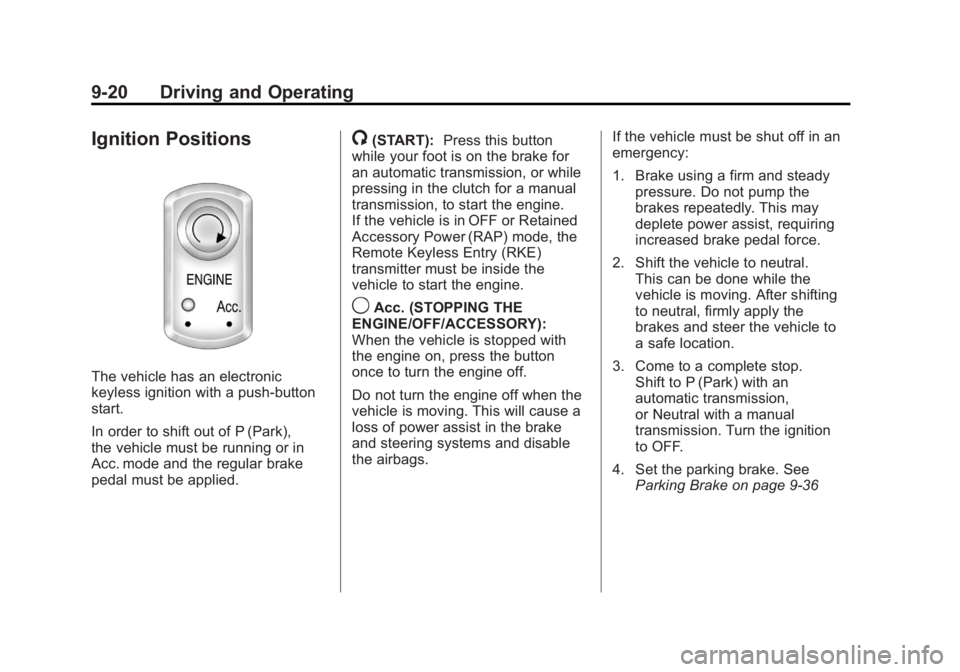
The vehicle has an electronic
keyless ignition with a push-button
start.
In order to shift out of P (Park),
the vehicle must be running or in
Acc. mode and the regular brake
pedal must be applied.
/(START):Press this button
while your foot is on the brake for
an automatic transmission, or while
pressing in the clutch for a manual
transmission, to start the engine.
If the vehicle is in OFF or Retained
Accessory Power (RAP) mode, the
Remote Keyless Entry (RKE)
transmitter must be inside the
vehicle to start the engine.
9Acc. (STOPPING THE
ENGINE/OFF/ACCESSORY):
When the vehicle is stopped with
the engine on, press the button
once to turn the engine off.
Do not turn the engine off when the
vehicle is moving. This will cause a
loss of power assist in the brake
and steering systems and disable
the airbags. If the vehicle must be shut off in an
emergency:
1. Brake using a firm and steady
pressure. Do not pump the
brakes repeatedly. This may
deplete power assist, requiring
increased brake pedal force.
2. Shift the vehicle to neutral. This can be done while the
vehicle is moving. After shifting
to neutral, firmly apply the
brakes and steer the vehicle to
a safe location.
3. Come to a complete stop. Shift to P (Park) with an
automatic transmission,
or Neutral with a manual
transmission. Turn the ignition
to OFF.
4. Set the parking brake. See Parking Brake on page 9‑36