ECO mode CHEVROLET CORVETTE C7 2018 User Guide
[x] Cancel search | Manufacturer: CHEVROLET, Model Year: 2018, Model line: CORVETTE C7, Model: CHEVROLET CORVETTE C7 2018Pages: 353, PDF Size: 6.48 MB
Page 147 of 353
Chevrolet Corvette Owner Manual (GMNA-Localizing-U.S./Canada/Mexico-
11374030) - 2018 - crc - 3/29/17
146 Infotainment System
.Throttle Position: Displays
the percentage of throttle applied
from 0–100%.
. Active Handling Active Indicator:
The graphic only displays if the
active handling systems are
activated.
Naming Convention
The recorded video file name is
stored as the recorded date and the
length of the recording.
If the recorded session was
recorded while the system was in
Valet Mode, the file name will
display the mode, date, and length
of time.
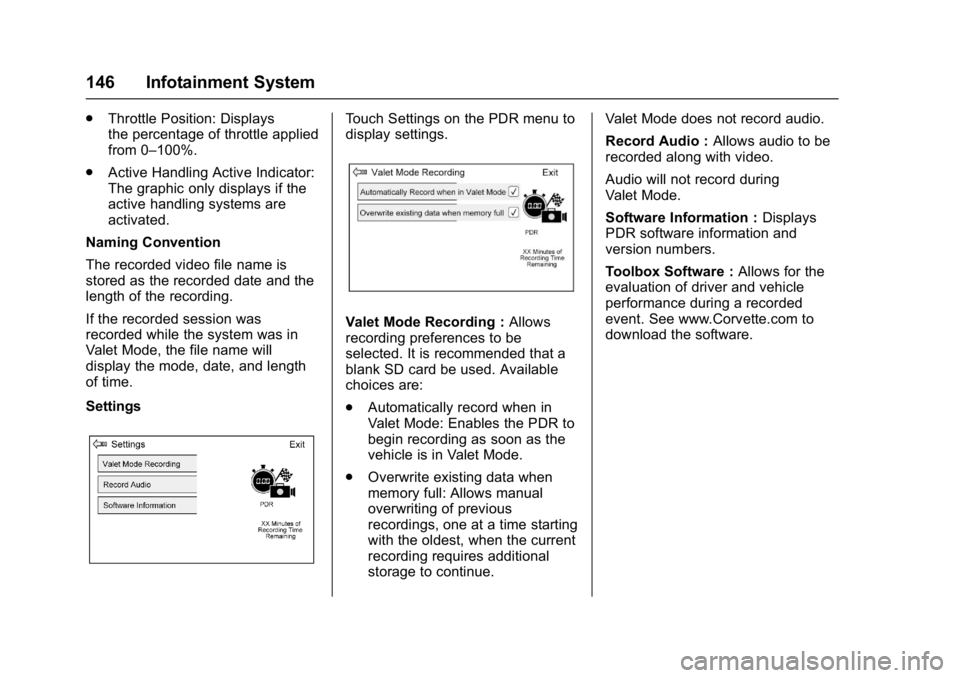
SettingsTouch Settings on the PDR menu to
display settings.
Valet Mode Recording : Allows
recording preferences to be
selected. It is recommended that a
blank SD card be used. Available
choices are:
. Automatically record when in
Valet Mode: Enables the PDR to
begin recording as soon as the
vehicle is in Valet Mode.
. Overwrite existing data when
memory full: Allows manual
overwriting of previous
recordings, one at a time starting
with the oldest, when the current
recording requires additional
storage to continue. Valet Mode does not record audio.
Record Audio :
Allows audio to be
recorded along with video.
Audio will not record during
Valet Mode.
Software Information : Displays
PDR software information and
version numbers.
Toolbox Software : Allows for the
evaluation of driver and vehicle
performance during a recorded
event. See www.Corvette.com to
download the software.
Page 148 of 353
Chevrolet Corvette Owner Manual (GMNA-Localizing-U.S./Canada/Mexico-
11374030) - 2018 - crc - 3/29/17
Climate Controls 147
Climate Controls
Climate Control Systems
Dual Automatic ClimateControl System . . . . . . . . . . . . . 147
Air Vents
Air Vents . . . . . . . . . . . . . . . . . . . . . 151
Maintenance
Passenger Compartment AirFilter . . . . . . . . . . . . . . . . . . . . . . . . 151
Service . . . . . . . . . . . . . . . . . . . . . . . 152
Climate Control Systems
Dual Automatic Climate Control System
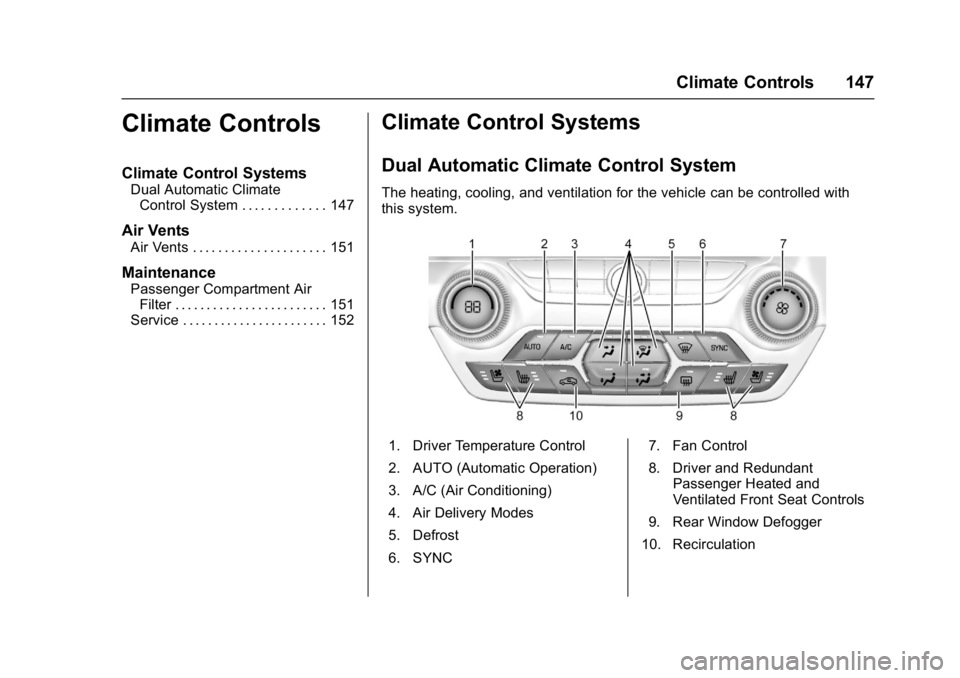
The heating, cooling, and ventilation for the vehicle can be controlled with
this system.
1. Driver Temperature Control
2. AUTO (Automatic Operation)
3. A/C (Air Conditioning)
4. Air Delivery Modes
5. Defrost
6. SYNC 7. Fan Control
8. Driver and Redundant
Passenger Heated and
Ventilated Front Seat Controls
9. Rear Window Defogger
10. Recirculation
Page 150 of 353
Chevrolet Corvette Owner Manual (GMNA-Localizing-U.S./Canada/Mexico-
11374030) - 2018 - crc - 3/29/17
Climate Controls 149
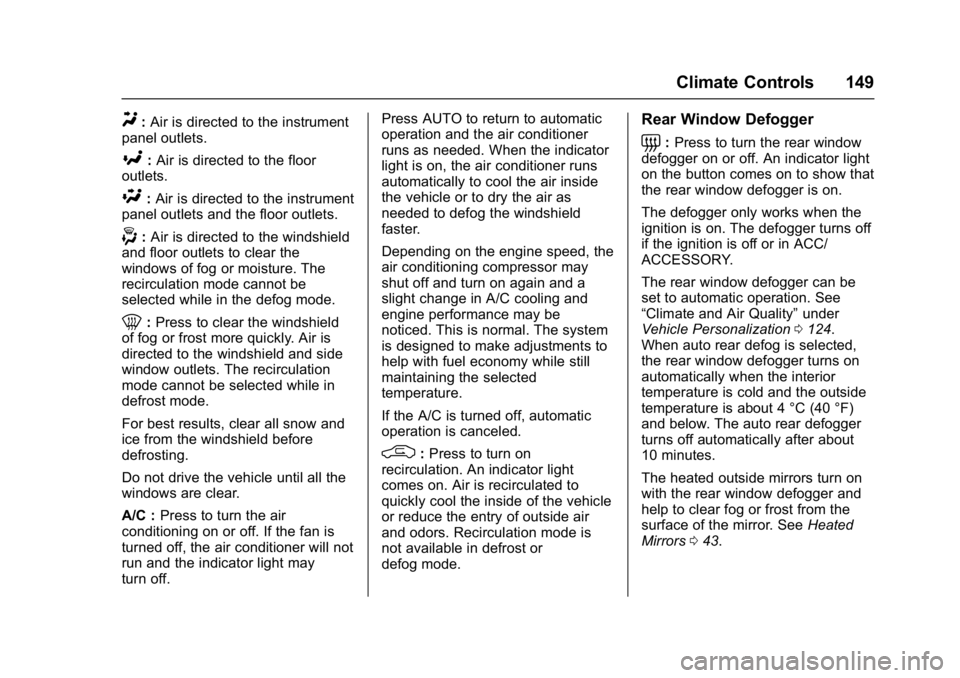
Y:Air is directed to the instrument
panel outlets.
[: Air is directed to the floor
outlets.
\: Air is directed to the instrument
panel outlets and the floor outlets.
-: Air is directed to the windshield
and floor outlets to clear the
windows of fog or moisture. The
recirculation mode cannot be
selected while in the defog mode.
0: Press to clear the windshield
of fog or frost more quickly. Air is
directed to the windshield and side
window outlets. The recirculation
mode cannot be selected while in
defrost mode.
For best results, clear all snow and
ice from the windshield before
defrosting.
Do not drive the vehicle until all the
windows are clear.
A/C : Press to turn the air
conditioning on or off. If the fan is
turned off, the air conditioner will not
run and the indicator light may
turn off. Press AUTO to return to automatic
operation and the air conditioner
runs as needed. When the indicator
light is on, the air conditioner runs
automatically to cool the air inside
the vehicle or to dry the air as
needed to defog the windshield
faster.
Depending on the engine speed, the
air conditioning compressor may
shut off and turn on again and a
slight change in A/C cooling and
engine performance may be
noticed. This is normal. The system
is designed to make adjustments to
help with fuel economy while still
maintaining the selected
temperature.
If the A/C is turned off, automatic
operation is canceled.
/:
Press to turn on
recirculation. An indicator light
comes on. Air is recirculated to
quickly cool the inside of the vehicle
or reduce the entry of outside air
and odors. Recirculation mode is
not available in defrost or
defog mode.
Rear Window Defogger
=: Press to turn the rear window
defogger on or off. An indicator light
on the button comes on to show that
the rear window defogger is on.
The defogger only works when the
ignition is on. The defogger turns off
if the ignition is off or in ACC/
ACCESSORY.
The rear window defogger can be
set to automatic operation. See
“Climate and Air Quality” under
Vehicle Personalization 0124.
When auto rear defog is selected,
the rear window defogger turns on
automatically when the interior
temperature is cold and the outside
temperature is about 4 °C (40 °F)
and below. The auto rear defogger
turns off automatically after about
10 minutes.
The heated outside mirrors turn on
with the rear window defogger and
help to clear fog or frost from the
surface of the mirror. See Heated
Mirrors 043.
Page 154 of 353
Chevrolet Corvette Owner Manual (GMNA-Localizing-U.S./Canada/Mexico-
11374030) - 2018 - crc - 4/4/17
Driving and Operating 153
Driving and
Operating
Driving Information
Distracted Driving . . . . . . . . . . . . 154
Defensive Driving . . . . . . . . . . . . . 154
Drunk Driving . . . . . . . . . . . . . . . . . 155
Control of a Vehicle . . . . . . . . . . . 155
Braking . . . . . . . . . . . . . . . . . . . . . . . 155
Steering . . . . . . . . . . . . . . . . . . . . . . 155
Off-Road Recovery . . . . . . . . . . . 156
Loss of Control . . . . . . . . . . . . . . . 156
Track Events and CompetitiveDriving . . . . . . . . . . . . . . . . . . . . . . 157
Driving on Wet Roads . . . . . . . . 167
Hill and Mountain Roads . . . . . 168
Winter Driving . . . . . . . . . . . . . . . . 168
If the Vehicle Is Stuck . . . . . . . . 170
Vehicle Load Limits . . . . . . . . . . . 170
Starting and Operating
New Vehicle Break-In . . . . . . . . . 174
Front Air Dam . . . . . . . . . . . . . . . . 174
Composite Materials . . . . . . . . . . 174
Ignition Positions . . . . . . . . . . . . . 175
Starting the Engine . . . . . . . . . . . 177
Retained Accessory Power (RAP) . . . . . . . . . . . . . . . . 178
Shifting Into Park . . . . . . . . . . . . . 178 Shifting out of Park . . . . . . . . . . . 179
Parking (Manual
Transmission) . . . . . . . . . . . . . . . 180
Parking over Things That Burn . . . . . . . . . . . . . . . . . . . 180
Active Fuel Management . . . . . 180
Extended Parking . . . . . . . . . . . . 180
Engine Exhaust
Engine Exhaust . . . . . . . . . . . . . . 181
Running the Vehicle While Parked . . . . . . . . . . . . . . . . . . . . . . 181
Automatic Transmission
Automatic Transmission . . . . . . 182
Manual Mode . . . . . . . . . . . . . . . . . 183
Manual Transmission
Manual Transmission . . . . . . . . . 186
Active Rev Match . . . . . . . . . . . . . 188
Brakes
Antilock BrakeSystem (ABS) . . . . . . . . . . . . . . . 189
Electric Parking Brake . . . . . . . . 190
Brake Assist . . . . . . . . . . . . . . . . . . 191
Hill Start Assist (HSA) . . . . . . . . 192
Ride Control Systems
Traction Control/Electronic Stability Control . . . . . . . . . . . . . 192
Driver Mode Control . . . . . . . . . . 194 Competitive Driving Mode . . . . 197
Limited-Slip Differential
(Stingray without
Z51 Only) . . . . . . . . . . . . . . . . . . . 200
Limited-Slip Differential (Z06,
Grand Sport, and Stingray
with Z51) . . . . . . . . . . . . . . . . . . . . 200
Cruise Control
Cruise Control . . . . . . . . . . . . . . . . 201
Driver Assistance Systems
Assistance Systems forParking or Backing . . . . . . . . . . 204
Fuel
Fuel . . . . . . . . . . . . . . . . . . . . . . . . . . 206
California FuelRequirements . . . . . . . . . . . . . . . 207
Fuels in Foreign Countries . . . 207
Fuel Additives . . . . . . . . . . . . . . . . 207
Filling the Tank . . . . . . . . . . . . . . . 207
Filling a Portable Fuel Container . . . . . . . . . . . . . . . . . . . 209
Trailer Towing
General TowingInformation . . . . . . . . . . . . . . . . . . 209
Conversions and Add-Ons
Add-On ElectricalEquipment . . . . . . . . . . . . . . . . . . 210
Page 158 of 353
Chevrolet Corvette Owner Manual (GMNA-Localizing-U.S./Canada/Mexico-
11374030) - 2018 - crc - 4/4/17
Driving and Operating 157
The vehicle may straighten out.
Be ready for a second skid if it
occurs.
. Slow down and adjust your
driving according to weather
conditions. Stopping distance
can be longer and vehicle
control can be affected when
traction is reduced by water,
snow, ice, gravel, or other
material on the road. Learn to
recognize warning clues —such
as enough water, ice, or packed
snow on the road to make a
mirrored surface —and slow
down when you have any doubt.
. Try to avoid sudden steering,
acceleration, or braking,
including reducing vehicle speed
by shifting to a lower gear. Any
sudden changes could cause
the tires to slide.
Remember: Antilock brakes help
avoid only the braking skid.Track Events and
Competitive Driving
{Danger
High-performance features are
intended for use only on closed
tracks by experienced and
qualified drivers and should not
be used on public roads.
High-speed driving, aggressive
cornering, hard braking, and other
high-performance driving can be
dangerous. Improper driver inputs
for the conditions may result in
loss of control of the vehicle,
which could injure or kill you or
others. Always drive safely.
Participating in track events or other
competitive driving without following
the instructions provided may affect
the vehicle warranty. See the
warranty manual before using the
vehicle for racing or other
competitive driving. See Competitive
Driving Mode 0197. A manual transmission is
recommended for extended track
usage at higher ambient
temperatures. Consult the Track
Preparation Guide for additional
information. See your dealer.
Be sure to follow all service
procedures before driving the
vehicle at track events or
competitively.
Engine Sound Management
Setting
Caution
Do not place the vehicle in
Engine Sound Management
–
Stealth mode. Damage could
result to exhaust valve actuators.
Engine Oil
Caution
If the vehicle is used for track
events and competitive driving,
the engine may use more oil than (Continued)
Page 175 of 353
Chevrolet Corvette Owner Manual (GMNA-Localizing-U.S./Canada/Mexico-
11374030) - 2018 - crc - 4/4/17
174 Driving and Operating
Starting and
Operating
New Vehicle Break-In
Follow these recommended
guidelines during the first 2 414 km
(1,500 mi) of driving this vehicle.
Parts have a break-in period and
performance will be better in the
long run.
For the first 322 km (200 mi):
.To break in new tires, drive at
moderate speeds and avoid hard
cornering.
. New brake linings also need a
break-in period. Avoid making
hard stops. This is
recommended every time brake
linings are replaced.
For the first 800 km (500 mi):
. Avoid full throttle starts and
abrupt stops.
. Do not exceed 4000 rpm. .
Avoid driving at any one
constant speed, fast or slow,
including the use of cruise
control.
. Avoid downshifting to brake or
slow the vehicle when the
engine speed will exceed
4000 rpm.
. Do not let the engine labor.
Never lug the engine. With a
manual transmission, shift to the
next lower gear. This rule
applies at all times, not just
during the break-in period.
. If equipped with a dry sump
engine (Stingray with Z51,
Grand Sport, and Z06), the initial
oil and filter change must be
performed at 800 km (500 mi).
For the first 2 414 km (1,500 mi):
. Do not participate in track
events, sport driving schools,
or similar activities.
. Check engine oil with every
refueling and add if necessary.
Oil and fuel consumption may be
higher than normal.
Front Air Dam
If equipped, the front air dam has
minimal ground clearance.
Under normal operation, the
components will occasionally
contact some road surfaces (speed
bumps, driveway ramps, etc.). This
can be heard inside the vehicle as a
scraping noise. This is normal and
does not indicate a problem.
Use care when approaching bumps
or objects on road surfaces and
avoid them when possible.
Composite Materials
This vehicle may be equipped with
parts containing carbon fiber,
sheet-molding compound or other
composite materials.
Dealer-installed accessories may
also contain composite materials.
These parts and accessories may
include the splitter or rocker
extensions.
Page 177 of 353
Chevrolet Corvette Owner Manual (GMNA-Localizing-U.S./Canada/Mexico-
11374030) - 2018 - crc - 4/4/17
176 Driving and Operating
Do not turn the engine off when the
vehicle is moving. This will cause a
loss of power assist in the brake
and steering systems and disable
the airbags.
If the vehicle must be shut off in an
emergency:1. Brake using a firm and steady pressure. Do not pump the
brakes repeatedly. This may
deplete power assist, requiring
increased brake pedal force.
2. Shift the vehicle to N (Neutral). This can be done while the
vehicle is moving. After shifting
to N (Neutral), firmly apply the
brakes and steer the vehicle to
a safe location.
3. Come to a complete stop. Shift to P (Park) with an automatic
transmission, or Neutral with a
manual transmission. Turn the
ignition off.
4. Set the parking brake. See Electric Parking Brake 0190.{Warning
Turning off the vehicle while
moving may cause loss of power
assist in the brake and steering
systems and disable the airbags.
While driving, only shut the
vehicle off in an emergency.
If the vehicle cannot be pulled over,
and must be shut off while driving,
press and hold ENGINE START/
STOP for longer than two seconds,
or press twice within five seconds.
ACC/ACCESSORY (Amber
Indicator Light) : This mode allows
the use of some electrical
accessories when the engine is off.
With the ignition off, pressing the
button one time without the brake
pedal applied will place the ignition
system in ACC/ACCESSORY.
The ignition will switch from ACC/
ACCESSORY to off after
five minutes to prevent battery
rundown. ON/RUN/START (Green Indicator
Light) :
This mode is for driving and
starting. With the ignition off, and
the brake pedal applied, pressing
the button once will place the
ignition system in ON/RUN/START.
Once engine cranking begins,
release the button. Engine cranking
will continue until the engine starts.
See Starting the Engine 0177. The
ignition will then remain in ON/RUN.
Service Mode
This power mode is available for
service and diagnostics, and to
verify the proper operation of the
malfunction indicator lamp as may
be required for emission inspection
purposes. With the vehicle off, and
the brake pedal not applied,
pressing and holding ENGINE
START/STOP for more than
five seconds will place the vehicle in
Service Mode. The instruments and
audio systems will operate as they
do in ON/RUN, but the vehicle will
not be able to be driven. The engine
will not start in Service Mode. Press
ENGINE START/STOP again to turn
the vehicle off.
Page 179 of 353
Chevrolet Corvette Owner Manual (GMNA-Localizing-U.S./Canada/Mexico-
11374030) - 2018 - crc - 4/4/17
178 Driving and Operating
If the engine does not start
after five to 10 seconds,
especially in very cold weather
(below−18 °C or 0 °F), it could
be flooded with too much
gasoline. Try pushing the
accelerator pedal all the way to
the floor while cranking for up
to 15 seconds maximum. Wait
at least 15 seconds between
each try, to allow the cranking
motor to cool down. When the
engine starts, let go of the
accelerator. If the vehicle starts
briefly but then stops again,
repeat these steps. This clears
the extra gasoline from the
engine.
Caution
Cranking the engine for long
periods of time, by returning the
ignition to the START position
immediately after cranking has
ended, can overheat and damage
the cranking motor, and drain the
(Continued)
Caution (Continued)
battery. Wait at least 15 seconds
between each try, to let the
cranking motor cool down.
Stopping the Engine
If the vehicle has an automatic
transmission, move the shift lever to
P (Park) and press and hold
ENGINE START/STOP on the
instrument panel, until the engine
shuts off. If the shift lever is not in
P (Park), the engine shuts off and
the vehicle goes into the accessory
mode. The DIC displays SHIFT TO
PARK. Once the shift lever is moved
to P (Park), the vehicle turns off.
If the vehicle has a manual
transmission, move the shift lever to
R (Reverse) and set the parking
brake after turning off the engine by
pressing and holding ENGINE
START/STOP.
If the RKE transmitter is not
detected inside the vehicle when it
is turned off, the DIC displays a
message.
Retained Accessory
Power (RAP)
Some vehicle accessories may be
used after the ignition is turned off.
The power windows and sunroof,
if equipped, will continue to work for
up to 10 minutes or until any door is
opened.
The infotainment system will
continue to work for 10 minutes,
until the driver door is opened,
or until the ignition is turned on or
placed in ACC/ACCESSORY.
Shifting Into Park
1. Hold the brake pedal down andset the parking brake. See
Electric Parking Brake 0190.
2. Move the shift lever into P (Park) by holding the button
on the lever and pushing the
lever all the way toward the
front of the vehicle.
3. Press ENGINE START/STOP to turn the engine off.
Page 181 of 353
Chevrolet Corvette Owner Manual (GMNA-Localizing-U.S./Canada/Mexico-
11374030) - 2018 - crc - 4/4/17
180 Driving and Operating
If you still are unable to shift out of
P (Park):1. Fully release the shift lever button, and let go of the shift
lever.
2. While holding down the brake pedal, press the shift lever
button again.
3. Move the shift lever to the desired position.
If you still cannot move the shift
lever from P (Park), consult your
dealer or a professional towing
service.
Parking (Manual
Transmission)
Before exiting the vehicle, move the
shift lever into 1 (First) or
R (Reverse), and apply the parking
brake. Once the shift lever has been
placed into 1 (First) or R (Reverse)
with the clutch pedal pressed in,
turn the ignition off and release the
clutch.
Parking over Things
That Burn
{Warning
Things that can burn could touch
hot exhaust parts under the
vehicle and ignite. Do not park
over papers, leaves, dry grass,
or other things that can burn.
Active Fuel Management
This system allows the engine to
operate on either all or half of its
cylinders, depending on the driving
conditions. With a manual
transmission, the system is only
active in Eco Mode. With an
automatic transmission, the system
is available in all modes, but is more
aggressive in Eco Mode. See Driver
Mode Control 0194.
When less power is required, such
as cruising at a constant vehicle
speed, the system will operate in
the half cylinder mode, allowing the
vehicle to achieve better fuel
economy. When greater power demands are required, such as
accelerating from a stop, passing,
or merging onto a freeway, the
system will maintain full-cylinder
operation.
Extended Parking
It is better not to park with the
vehicle running. If the vehicle is left
while running, follow the proper
steps to be sure the vehicle will not
move and there is adequate
ventilation.
See
Shifting Into Park 0178 and
Engine Exhaust 0181.
If the vehicle is left in P (Park) while
running and the Remote Keyless
Entry (RKE) transmitter is outside
the vehicle, the vehicle will turn off
after one hour.
If the vehicle is left in P (Park) while
running and the RKE transmitter is
inside, the vehicle will run for two
hours. At the end of the second
hour, the vehicle will turn off.
The timer will reset if the vehicle is
taken out of P (Park) while it is
running.
Page 185 of 353
Chevrolet Corvette Owner Manual (GMNA-Localizing-U.S./Canada/Mexico-
11374030) - 2018 - crc - 4/4/17
184 Driving and Operating
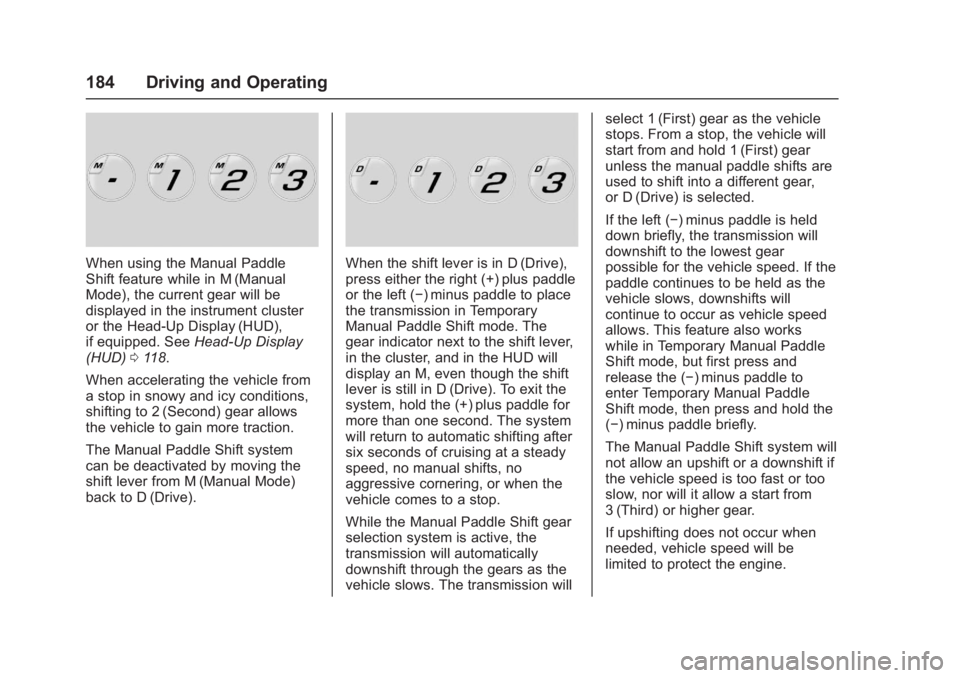
When using the Manual Paddle
Shift feature while in M (Manual
Mode), the current gear will be
displayed in the instrument cluster
or the Head-Up Display (HUD),
if equipped. SeeHead-Up Display
(HUD) 0118.
When accelerating the vehicle from
a stop in snowy and icy conditions,
shifting to 2 (Second) gear allows
the vehicle to gain more traction.
The Manual Paddle Shift system
can be deactivated by moving the
shift lever from M (Manual Mode)
back to D (Drive).When the shift lever is in D (Drive),
press either the right (+) plus paddle
or the left (−) minus paddle to place
the transmission in Temporary
Manual Paddle Shift mode. The
gear indicator next to the shift lever,
in the cluster, and in the HUD will
display an M, even though the shift
lever is still in D (Drive). To exit the
system, hold the (+) plus paddle for
more than one second. The system
will return to automatic shifting after
six seconds of cruising at a steady
speed, no manual shifts, no
aggressive cornering, or when the
vehicle comes to a stop.
While the Manual Paddle Shift gear
selection system is active, the
transmission will automatically
downshift through the gears as the
vehicle slows. The transmission will select 1 (First) gear as the vehicle
stops. From a stop, the vehicle will
start from and hold 1 (First) gear
unless the manual paddle shifts are
used to shift into a different gear,
or D (Drive) is selected.
If the left (−) minus paddle is held
down briefly, the transmission will
downshift to the lowest gear
possible for the vehicle speed. If the
paddle continues to be held as the
vehicle slows, downshifts will
continue to occur as vehicle speed
allows. This feature also works
while in Temporary Manual Paddle
Shift mode, but first press and
release the (−) minus paddle to
enter Temporary Manual Paddle
Shift mode, then press and hold the
(−) minus paddle briefly.
The Manual Paddle Shift system will
not allow an upshift or a downshift if
the vehicle speed is too fast or too
slow, nor will it allow a start from
3 (Third) or higher gear.
If upshifting does not occur when
needed, vehicle speed will be
limited to protect the engine.